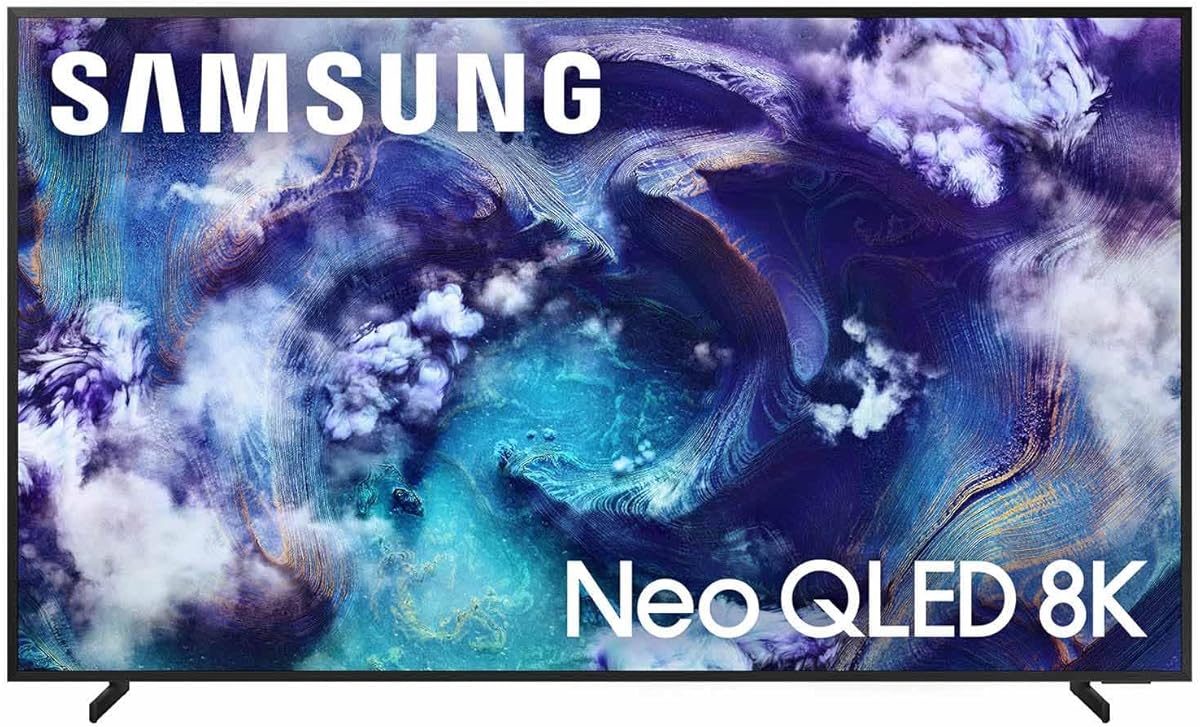
Samsung 75-Inch Neo QLED QN900F
4.5Editor score
4K gaming up to 165Hz
256 AI neural networks
Glare Free anti-reflective design
Dolby Atmos object tracking
An 8K TV for PC gaming combines a television-sized image with the responsiveness, bandwidth, and picture processing needed for demanding games. The best examples deliver smooth high-refresh-rate motion, precise contrast, broad color, and useful gaming menus, while also serving as capable displays for streaming, movies, and everyday entertainment.
This guide compares the ten supplied televisions using their stated panel technology, resolution, refresh rates, gaming features, HDR support, audio, smart-platform functions, and physical design. Because the list includes several 4K models, it also distinguishes true 8K selections from larger-screen alternatives that may appeal to gamers without offering native 8K resolution.
Each review explains the product's strongest qualities, practical trade-offs, and ideal gaming setup. The top selections are pulled from the group and labeled for overall value, premium performance, or advanced features. Prices and promotions can change at any time, so check the current listing before purchasing.
4.5Editor score

3.8Editor score

3.5Editor score
As an Amazon Associate we earn from qualifying purchases.
The comparison below highlights resolution, gaming refresh capability, display technology, and major entertainment features. It includes both native 8K models and several high-end 4K televisions that offer high refresh rates but should not be mistaken for 8K products.


The Sony BRAVIA XR Z9K is a 75-inch 8K Mini LED television designed with more than ordinary PC gaming in mind. Its 3.8 rating reflects mixed customer feedback, but the supplied specifications reveal a particularly strong gaming package: HDMI 2.1, 4K/120 support, 10 VRR, ALLM, and input latency as low as 8.5 milliseconds. That combination makes it a natural centerpiece for a high-end gaming room.
We may earn a commission when you buy through this link, at no additional cost to you.
Its standout strength is the relationship between picture processing and console features. The Cognitive Processor XR and XR Backlight Master Drive manage thousands of Mini LEDs for deeper blacks, higher peak brightness, and more controlled contrast. The Game Menu gathers gaming settings and assist features in one location, while PlayStation 5 owners can use Auto HDR Tone Mapping and Auto Genre Picture Switch. These features simplify setup and make the large screen easier to tune for different game types.
The Z9K does not offer the 165Hz or 240Hz gaming modes found on some newer Samsung models, so competitive players should verify that its input and VRR behavior matches their preferred resolution. Its size also demands careful planning, and wall mounting or furniture placement must account for the substantial display. These are meaningful constraints, but they do not outweigh the strong PlayStation ecosystem integration and low-latency feature set for the intended audience.
Choose the Z9K if you want a native 8K television with Mini LED contrast, modern HDMI 2.2 features, and especially polished support for PlayStation 5. It is less compelling for PC gamers who require the highest possible refresh rate at 4K, yet its 120Hz mode remains well suited to high-frame-rate gaming. For console-forward households and PlayStation-centered battlestations, it remains an especially coherent choice.
The dedicated Game Menu consolidates picture settings and assist features, reducing the need to move through several layers of the interface. This makes it easier to switch between a competitive shooter, a cinematic single-player game, and ordinary streaming.
Auto HDR Tone Mapping and Auto Genre Picture Switch can adjust the presentation automatically for supported PlayStation 5 games. Automatic HDR remasting adds flexibility for HDR content, while Dolby Vision support broadens the high-dynamic-range experience beyond games.
We may earn a commission when you buy through this link, at no additional cost to you.
The Samsung Neo QLED QN990F is built for demanding PC gamers who want television-scale immersion without giving up high refresh rates. Its 3.5 rating is the lowest among the top three recommendations, so the feature set deserves careful interpretation: the listed 240Hz capability, 768 AI neural networks, 8K Mini LED display, and Wireless One Connect make this a specification-forward option for a high-end setup.
We may earn a commission when you buy through this link, at no additional cost to you.
The headline gaming advantage is support for VRR gaming up to 4K 240Hz. That is valuable on a PC capable of driving demanding titles at very high frame rates, particularly when the game can run at a lower resolution to preserve performance. Its AI processor also smooths fast-moving objects and text, while the native 8K panel and Upscaling Pro offer a strong foundation for detailed PC output and high-resolution video.
The Glare Free treatment is especially relevant in daylight or rooms with strong lamps, where reflections can make a large display difficult to see. Wireless One Connect can also produce a cleaner installation by placing source devices, the console, or a soundbar away from the television and transmitting the signal wirelessly. On the other hand, its modest rating may reflect early-owner experiences or issues not visible in the specifications, so buyers should read recent customer feedback before committing.
This is the recommendation for a performance-first PC gaming room where refresh headroom and 8K picture quality matter more than achieving a perfect aggregate rating. It is especially attractive for esports-minded owners with capable graphics hardware. If you prioritize simpler connectivity, a different platform, or the newest PlayStation-specific automation, the Z9K or QN900F may offer a more suitable balance.
The listed 240Hz VRR mode gives PC gamers room to use high frame rates when the graphics card and title permit it. It also makes the television more adaptable to future hardware than a television limited to 120Hz.
Wireless One Connect allows connected source components to sit away from the screen, reducing visible cable clutter. The result is particularly helpful when wall-mounting a large television and adding a gaming PC, game console, receiver, or soundbar.
We may earn a commission when you buy through this link, at no additional cost to you.
This 75-inch QN990F bundle combines Samsung's flagship-style 8K Mini LED television with additional protection and a screen-cleaning solution. Its 2.8 rating is the lowest listed in the group, making it important to distinguish the television's stated capabilities from the bundled package. The core set includes a native 8K panel, AI Upscaling Pro, Wireless One Connect, and a Glare Free surface.
We may earn a commission when you buy through this link, at no additional cost to you.
The larger 75-inch panel is the most immediately useful feature for PC gaming because it can create a more enveloping play area than a 65-inch model. Mini LED backlighting supports more precise contrast than a conventional edge-lit LED television, while AI Upscaling Pro helps process lower-resolution PC games and conventional 4K content. Wireless One Connect also supports a cleaner installation around a desk or media wall.
The bundle's two-year Amber Protection offering and cleaning solution do not directly improve gameplay, and the added items may not carry the same importance as a carefully chosen soundbar, mount, or gaming PC. Its lower rating is another reason to examine recent customer comments and verify the exact package contents. As with every large display, room dimensions and comfortable viewing distance need to be considered before installation.
The bundle makes sense for a buyer who specifically wants a very large 8K Mini LED screen and values the included protection and cleaning supplies. It is less compelling for buyers whose primary requirement is elite input latency, since the supplied information does not repeat the base QN990F's 240Hz gaming detail. Consider the individual television and accessories separately if gaming specifications are the deciding factor.
At 75 inches, the television offers substantial physical presence for racing, flight simulation, strategy, and other games that benefit from wide peripheral visibility. The 8K panel also provides more pixels than a 4K model, although most current games do not render at native 8K.
The package extends the listed protection period and includes a cleaning solution described as suitable for screens and several other device types. These extras can be useful, but they should be considered alongside the core television rather than as gaming features.
We may earn a commission when you buy through this link, at no additional cost to you.
The Samsung Neo QLED QN900F is a 75-inch 8K Mini LED television whose 4.5 rating is the strongest among the native 8K models in this comparison. It balances PC gaming performance with bright-room usability, a large screen, sophisticated picture processing, and upscale audio. Its 165Hz VRR gaming ceiling is below the 240Hz maximum offered by Samsung's QN990F, but it remains a highly relevant target for high-frame-rate PC play.
We may earn a commission when you buy through this link, at no additional cost to you.
Its 256 AI neural networks support 8K enhancement, motion smoothing, and clearer moving text. Neo Quantum HDR 8K Pro, Mini LED backlighting, and the Glare Free surface work together to preserve detail and reduce the impact of reflections. Dolby Atmos and Object Tracking Sound+ add spatial audio, which is particularly helpful for games where directional cues matter and a dedicated sound system is not available.
The trade-off with the QN990F is straightforward: this model tops out at 165Hz rather than 240Hz, and it uses 256 neural networks instead of 768. Its flat metal back is designed for an almost edgeless appearance and includes grooves that contribute to its audio performance. The 75-inch format also demands an appropriately large furniture footprint or a carefully planned wall installation.
Choose the QN900F when you want native 8K, a very large screen, strong customer feedback, and high refresh rates without moving to the absolute top of the range. It is especially well suited to PC gamers who regularly face daylight or lamp reflections and want a simple 165Hz ceiling. It may not satisfy those who need 240Hz, but its broader balance makes it one of the most complete recommendations here.
The QN900F preserves the most important features for PC gaming: an 8K panel, Mini LED contrast, VRR support, and a 165Hz ceiling. You give up the QN990F's 240Hz mode, but the remaining specification still targets demanding, high-frame-rate setups.
The Glare Free surface directly addresses a common problem with large televisions, especially in rooms where screens reflect windows or lamps. Better visibility can make fast motion, HUD text, and dark game environments easier to perceive.
We may earn a commission when you buy through this link, at no additional cost to you.
Samsung's 65-inch QN800D is an 8K Mini LED television that combines PC gaming performance with extensive entertainment processing. Its 3.4 rating sits in the middle of the group, yet the supplied feature list is unusually complete. The set supports VRR gaming up to 165Hz, uses 512 AI neural networks for upscaling, and includes AI Motion Enhancer, Real Depth Enhancer Pro, and Auto HDR Remastering.
We may earn a commission when you buy through this link, at no additional cost to you.
For PC gamers, Motion Xcelerator 165Hz provides the core high-refresh capability, while the Mini LED backlight and Neo Quantum HDR 8K+ help manage contrast between bright and dark scenes. The AI Motion Enhancer is designed to reduce stutter and sharpen small moving objects. This processing can improve readability in fast games, although aggressive motion settings are best evaluated against your own preference for smoothness versus cinematic motion.
Compared with the 2025 QN900F and QN990F, this 2024 model offers fewer neural networks and lacks the newer Glare Free emphasis. Its 65-inch size is also easier to accommodate than the 75-inch alternatives, but it provides a smaller gaming field. The bundled feature set remains substantial, including built-in Dolby Atmos, Object Tracking Sound+, the Tizen platform, and voice assistance.
The QN800D is a practical choice for a mixed gaming and home-entertainment room where 8K picture processing, good motion handling, and integrated audio matter. Pick it over newer QN900-series sets when its established feature set and more compact screen size align better with your setup. For the highest refresh rate or best anti-reflective treatment, move up within Samsung's range.
The NQ8 AI Gen2 processor uses 512 neural networks to transform content toward 8K while enhancing scenes, audio, and motion. That broad processing suite is useful when the television alternates among PC games, live television, streaming films, and ordinary cable content.
The 165Hz Motion Xcelerator makes this television relevant to fast PC games, while Object Tracking Sound+ follows on-screen movement. Dolby Atmos provides a useful baseline for cinematic games when a separate surround system is not immediately available.
We may earn a commission when you buy through this link, at no additional cost to you.
The Samsung QN900D combines native 8K resolution, a 240Hz gaming mode, and a 4.1 customer rating. It is one of the strongest specifications matches in the group for a PC gamer with a powerful graphics card. Its Infinity Air design minimizes visible borders, while Mini LED backlighting and Neo Quantum HDR 8K Pro target the contrast and brightness needed for detailed, high-contrast games.
We may earn a commission when you buy through this link, at no additional cost to you.
The key attraction is Motion Xcelerator 240Hz, which allows VRR gaming at up to 4K 240Hz according to the supplied information. Its NQ8 AI Gen3 processor and 512 neural networks improve 8K upscaling, motion clarity, audio, and overall picture processing. Real Depth Enhancer Pro is also useful for games with strong foreground and background separation, giving rendered environments a more dimensional appearance.
As a 2024 model, the QN900D predates the newer QN990F and QN900F listings, which means it may not include their most recent connectivity or anti-reflective features. Its 65-inch panel is more manageable than the 75-inch choices, but still large enough to require deliberate furniture or mounting placement. The highest refresh mode can also demand exceptional PC hardware and a suitably configured game.
Choose the QN900D for serious PC gaming where 240Hz performance and native 8K both carry meaningful weight, and you prefer a 65-inch format over the largest screens in the guide. It is a particularly compelling option for enthusiasts who want high-end Samsung gaming features without moving to the newest model generation. Evaluate recent software and customer feedback before making the final decision.
The 240Hz ceiling gives compatible games and graphics cards more room to deliver exceptionally fluid motion. Samsung's VRR implementation also allows the display to vary its refresh behavior to match the game's rendered frame rate.
Infinity Air reduces the visual prominence of the television's frame, helping PC content occupy more of the viewing area. The flat grooved metal back is also designed to support flush wall mounting while accommodating the television's audio hardware.
We may earn a commission when you buy through this link, at no additional cost to you.
The 85-inch Hisense E7 Cinema Series is not an 8K television, but it is a compelling large-screen gaming option included in the comparison. Its 4.4 rating and 144Hz native refresh rate make it attractive to PC gamers who prioritize screen size, smooth motion, and Mini LED contrast over native 8K pixel count. The Hi-QLED backlight uses thousands of light zones for greater contrast and brighter highlights.
We may earn a commission when you buy through this link, at no additional cost to you.
For PC play, the native 144Hz mode is the central feature. AI Smooth Motion and MEMC can make fast movement appear fluid, while Game Mode is designed to reduce blur and maintain control during rapid action. Dolby Vision IQ, HDR10+ Adaptive, HDR10, and HLG support give the set broad HDR compatibility, and Filmmaker Mode offers a restrained alternative when playing cinematic games.
Its main limitation is obvious but important: this is a 4K UHD model, not an 8K display. It therefore offers roughly one-quarter as many pixels as a true 8K television. The 85-inch physical size creates an enormous image, but it also demands substantial room, careful furniture selection, and a comfortable viewing distance. Some buyers may also prefer the wider application and gaming ecosystem offered by Google TV or Samsung's Tizen platform.
This Hisense is best for gamers who want a cinematic, enormous display and value 144Hz motion more than 8K fidelity. It can be a sensible alternative to an 8K set when the primary objective is immersion in racing, sports, flight games, and action titles. Verify PC compatibility, VRR behavior, and room dimensions before finalizing the installation.
The 85-inch panel gives PC games a dramatic, theater-like scale that can make flight simulators, racing titles, and strategy games feel more enveloping. The trade-off is a much larger physical footprint and a need to maintain a sensible viewing distance.
AI Picture analyzes scenes and adjusts brightness, contrast, and color, while the AI light sensor responds to ambient conditions. These automatic systems can simplify long gaming sessions, particularly when room lighting changes.
We may earn a commission when you buy through this link, at no additional cost to you.
The LG OLED evo C6 is an 83-inch 4K OLED television whose 0.1ms response time and 165Hz refresh rate make it one of the most responsive displays for PC gaming. Its 4.0 rating reflects a solid overall proposition, while the supplied specifications show strong support for NVIDIA G-Sync, AMD FreeSync Premium, and the high refresh rate that competitive gaming demands.
We may earn a commission when you buy through this link, at no additional cost to you.
OLED technology provides perfect black and per-pixel light control, helping dark scenes reveal detail without the gray haze associated with some conventional LED displays. Over 8.3 million self-lit pixels support the claimed Perfect Black and Perfect Color performance. Brightness Booster Pro magnifies each pixel to produce as much as 3.2 times more brightness, which is important in well-lit rooms.
This is still a 4K model rather than a native 8K television. Its response time and pixel-level contrast are exceptional, but they do not recreate 8K pixel density. The 83-inch panel is also physically huge, even though the stated depth without the stand is only 2.1 inches, making it practical to consider for a flush wall-mounted installation.
Choose the C6 when competitive response, dark-scene clarity, and premium PC gaming features matter more than native 8K resolution. It is especially well suited to fast shooters, racing games, and action titles where minimal blur and immediate visual response are critical. For users who need the highest pixel density or prefer Mini LED's brightness characteristics, compare it against the true 8K Samsung and Sony sets.
The stated 0.1ms response time makes the C6 particularly compelling for competitive PC gaming. Combined with a 165Hz panel and support for G-Sync and FreeSync Premium, it provides a modern foundation for fast, tear-controlled play.
Each OLED pixel produces its own light, allowing perfect black and precise local contrast. That characteristic can reveal subtle shadows, enemies, and environmental details in games that rely heavily on dark visual palettes.
We may earn a commission when you buy through this link, at no additional cost to you.
The Sony BRAVIA 3 K-85S30 is an 85-inch 4K LED television with a 4.2 rating and a clear PlayStation focus. It does not claim native 8K resolution, but its size, Sony picture processing, Google TV platform, and PlayStation 5 features can make it an attractive alternative for console-oriented gaming rooms. PC gamers may also value it for the large display and automatic picture adjustments.
We may earn a commission when you buy through this link, at no additional cost to you.
Exclusive PlayStation 5 features include Auto HDR Tone Mapping and Auto Genre Picture Mode, both intended to optimize supported games with minimal manual adjustment. Triluminos Pro is claimed to display more than a billion accurate colors, while the Google Assistant and streaming hub provide easy access to Netflix, Prime Video, Disney+, YouTube, and other services. Sony Pictures Core adds high-bitrate 4K streaming options.
The supplied information does not identify a specific high refresh rate, variable refresh rate range, or input-latency figure, so competitive PC gamers should not assume the capabilities of the more expensive Z9K. It also uses a conventional LED panel rather than Mini LED or OLED, which may mean less control over black levels and local contrast. Its large screen requires an appropriate viewing distance and careful installation planning.
Choose the BRAVIA 3 if your gaming setup centers on PlayStation 5, you want an 85-inch screen, and you prefer Sony's automatic picture modes and Google TV interface. It is less suitable for enthusiasts who require native 8K, 165Hz or 240Hz gaming, or explicit low-latency specifications. For those priorities, the Z9K or Samsung Neo QLED models offer a better match.
Auto HDR Tone Mapping can adapt supported games to the television's HDR presentation, while Auto Genre Picture Mode changes picture behavior according to the game category. These automatic tools reduce setup friction for console users.
Google Assistant, a broad streaming hub, AirPlay-style convenience, and Sony Pictures Core make the television useful beyond gaming. The 85-inch display also gives supported 4K content a highly cinematic presentation.
We may earn a commission when you buy through this link, at no additional cost to you.
The Hisense U8 Series is an 85-inch 4K Mini LED television that delivers one of the most aggressive gaming specifications in this guide. Its 4.3 rating is strong, and the stated native 165Hz panel, VRR range up to 288, up to 5,000 nits of peak brightness, and up to 5,600 local-dimming zones give it considerable appeal for high-end PC gaming.
We may earn a commission when you buy through this link, at no additional cost to you.
Hisense's Game Booster and Game Bar help manage performance and display information from the remote. AMD FreeSync Premium Pro, Auto Low Latency Mode, and Low Latency MEMC are included to address tearing, lag, and motion clarity. Anti-Reflection Pro uses a coating within the liquid-crystal layer to minimize glare, a major advantage for an 85-inch display in a bright gaming room.
The U8 Series is still a 4K UHD set, so it does not deliver native 8K detail. Its stated peak brightness and local-dimming figures represent maximum or feature-specific capabilities rather than a guarantee of uniform brightness in every room. The 4.1.2-channel audio system is unusually elaborate for a television, but dedicated PC gaming headsets or a soundbar may still provide a more tailored experience.
Choose the U8 when brightness, anti-reflection, high-refresh VRR, and immense screen size matter more than 8K pixel density. It is well suited to competitive PC gaming, sports simulations, and HDR titles in bright environments. Gamers seeking native 8K should instead inspect the Sony Z9K and Samsung Neo QLED options, while those wanting the absolute lowest response time may prefer the LG OLED evo C6.
A native 165Hz panel and VRR up to 288 provide considerable operating range for compatible PC games. The Game Bar places key settings and gameplay data on screen, reducing the need to leave the game while experimenting with performance options.
Thousands of Mini LED zones and a claimed peak brightness of up to 5,000 nits can improve specular highlights and contrast in HDR content. Full-array local dimming also helps darken shadows around bright subjects, reducing the washed-out appearance common to less advanced backlighting.
The 4.1.2-channel configuration includes left and right speakers, surrounds, a built-in subwoofer, and up-firing speakers. It adds meaningful directional sound for games and films without requiring an immediate external audio investment.
We may earn a commission when you buy through this link, at no additional cost to you.
Choosing a gaming television involves balancing native resolution, refresh capability, input behavior, display contrast, room conditions, and installation needs. The most expensive specification is not automatically the most useful, so the right decision depends on your graphics hardware, games, screen distance, and tolerance for processing choices.
Native 8K provides four times as many pixels as 4K UHD, which can reveal finer textures when your PC, game, and display output support the full resolution. However, current games and desktop content rarely render at native 8K, so many 8K televisions primarily upscale 4K PC output. A strong 4K gaming set with 144Hz or 165Hz may therefore deliver a more visible gaming improvement than a slower 8K model. Check whether the graphics card can drive the resolution and frame rate you actually want to use.
In practice, choose 8K for maximum pixel density, premium room aesthetics, future-facing media support, and 4K gaming that remains the priority. Choose 4K when high refresh rates, lower response times, and more affordable large-screen options matter most.
Refresh rate determines how many times the display updates each second, while variable refresh rate lets the television match its behavior to the frame rate the PC is rendering. A 120Hz television is a solid starting point for modern PC gaming, while 144Hz, 165Hz, and 240Hz modes can make fast movement feel smoother and make high-end hardware more worthwhile. Ensure the PC graphics card, cable, game, and graphics settings can actually deliver the target frame rate.
Prioritize a mode that supports your preferred resolution without forcing unacceptable image-quality compromises. Also check the supported VRR range and whether flicker, brightness, or overscan behavior changes when variable refresh is active.
Input latency describes the delay between a controller or keyboard action and the corresponding image appearing on screen. Competitive PC gamers should seek clear manufacturer specifications rather than relying on generic gaming-mode claims. Sony's Z9K is listed at input latency as low as 8.5 milliseconds, while the LG OLED evo C6 has a stated 0.1ms panel response time. These figures describe different aspects of responsiveness and should not be treated as directly interchangeable.
Look for PC-friendly features such as ALLM, VRR, automatic low-latency mode, customizable overdrive settings, and a game dashboard that exposes frame-rate or performance information. Make sure the PC can output at the desired resolution and refresh rate over the included or recommended connection.
Mini LED uses numerous tiny backlights to create more precise local dimming, generally delivering strong brightness with controlled dark areas. OLED pixels generate their own light and can achieve perfect black and extremely fast response, although brightness varies with content and room conditions. Conventional edge-lit LED sets are often simpler and less expensive but may offer less control over contrast. The supplied group includes true 8K Mini LED models, 4K Mini LED televisions, and a 4K OLED option.
Choose Mini LED when HDR brightness, high-end gaming, and controlled contrast are priorities. Choose OLED when deep blacks, viewing angles, and response speed matter most. Treat conventional LED as a straightforward option when the primary requirements are large size, 4K gaming, and PlayStation features.
HDR performance depends on more than a television accepting a Dolby Vision or HDR10 label. Peak brightness, local dimming, highlight detail, and the TV's processing all influence the result. Sony and Samsung models include Dolby Vision support, while the Hisense sets add HDR10+ Adaptive and Dolby Vision IQ. For PC gaming, verify that your games and graphics driver support the same HDR format that you intend to use.
Anti-reflective treatments can materially improve visibility on large screens. The Samsung QN900F, QN990F, and U8 Series emphasize glare control, while the Hisense U8 adds a layer-based anti-reflection coating. Consider windows, lamps, and screen placement before purchasing, because a high-refresh television is difficult to enjoy when reflections obscure important details.
Screen size is a personal choice influenced by room dimensions, seating distance, and immersion preferences. The guide includes 65-, 75-, and 85-inch models. At the largest sizes, peripheral vision, cinematic scale, and motion immersion become compelling, but furniture, wall mounting, cable routing, and the viewing angle demand more planning. A physically huge 4K screen may also show more detail at ordinary seating distances than a smaller 8K set.
Measure the intended viewing area before buying and compare the television's dimensions with the manufacturer information. Leave room for ventilation, account for the stand or mount, and consider whether multiple people will watch. The Sony BRAVIA 3 listing suggests an ideal viewing distance of 15 feet, illustrating how manufacturer recommendations can help frame the decision.
The platform determines which streaming applications, voice assistants, casting options, and game-specific features are immediately available. Sony's Z9K and BRAVIA 3 use Google TV, Samsung's Neo QLED televisions use Tizen, and the Hisense E7 uses Fire TV. Hisense's U8 uses Google TV. Platform preference can be as important as display technology if you rely heavily on a particular application or control ecosystem.
Console-specific automation should also be considered. The Sony sets include PlayStation 5 features such as Auto HDR Tone Mapping and Auto Genre Picture Mode. Samsung provides Motion Xcelerator, AI motion processing, and related gaming tools, while Hisense includes a Game Bar and performance-oriented gaming controls. Choose the ecosystem that matches how you actually play.
A television's built-in speakers can improve gaming and viewing, but they do not replace a calibrated PC gaming setup or dedicated surround system. Samsung models include Dolby Atmos and object-tracking audio, and the Hisense U8 includes a 4.1.2-channel configuration. At minimum, check whether the set supports the audio formats your PC or game uses and whether external speakers can be connected through the preferred digital or analog output.
Design and connectivity are especially important for wall-mounted installations. The Samsung QN990F's Wireless One Connect can reduce cable clutter, and several sets include nearly edgeless or slim designs. Confirm the mount's weight rating, wall clearances, cable paths, and available power and network connections before ordering a large display.
Begin by connecting the PC with a suitable high-bandwidth cable and setting the graphics driver to the exact output resolution and refresh rate supported by the television. In the TV menu, enable the appropriate VRR and ALLM options, then use the manufacturer's game menu to adjust picture mode, overdrive behavior, motion processing, and any automatic HDR functions. Start with a neutral picture mode and make only the changes needed for your display and room.
Give the picture system time to adapt to the ambient light and let the television run for a short calibration period before judging it. Use Filmmaker Mode or a similar restrained setting for cinematic games, but avoid leaving aggressive motion enhancement enabled if you prefer natural movement. If you notice clipping, inconsistent brightness, or distracting halos around bright objects, consult the local-dimming and contrast controls before changing the PC's HDR output.
Clean the screen only as directed by the manufacturer, using a soft lint-free cloth and avoiding excessive liquid directly on the panel. The included Hisense cleaning solution should be applied to the cloth rather than sprayed onto the television unless the instructions specifically permit direct application. Keep ventilation areas unobstructed, avoid leaving games running unattended, and periodically check cables, mounts, firmware, and game-specific picture profiles.
An 8K TV can be worthwhile when your PC, games, and desktop support 8K output and you want maximum pixel density. In practice, most gaming content renders below native 8K, so a high-refresh 4K television may deliver a more noticeable improvement. The best choice depends on whether resolution or refresh rate matters more in the games you play.
A 120Hz display is a practical minimum for modern competitive gaming and improves smoothness over 60Hz. A 144Hz or 165Hz model provides additional headroom for fast action, while 240Hz is aimed at high-end PCs and capable games. Your graphics card, game settings, connection, and personal sensitivity to motion all determine whether the extra refresh is worthwhile.
Rendering at 8K places much greater demand on the graphics card than rendering at 4K, so frame rates can fall substantially in demanding games. A smart approach is to use 4K gaming with VRR for the highest performance while retaining an 8K panel for fine detail and general media use. Modern upscaling can also make lower-resolution PC output look better on an 8K television.
Mini LED excels in brightness and can provide strong HDR highlights, while OLED generally delivers perfect black, excellent viewing angles, and very fast response. Mini LED is a strong all-around choice for bright rooms and high-end 8K sets. OLED is often preferred for competitive PC gaming when response speed and dark-scene clarity are the primary concerns.
VRR is highly useful because it synchronizes the television's refresh behavior with the frame rate rendered by the PC. This can reduce tearing and make frame pacing appear smoother. Support should exist on both the graphics card and television, and you should use a suitable cable and current game or driver settings.
No. A larger screen increases immersion and can reveal more detail, but it also demands more room, stronger furniture, careful mounting, and a comfortable viewing distance. Some 85-inch 4K televisions may feel clearer in practice than smaller 8K models because their pixels appear denser at the seat. Consider both physical size and resolution.
Start with an anti-reflective model if the room has bright windows or lamps. The Samsung QN900F, QN990F, and Hisense U8 emphasize reflection control, although placement matters just as much. You can also adjust screen brightness, use curtains, position the television away from direct light, and choose a wall arrangement that minimizes reflections.
Motion enhancement can make fast scenes appear smoother, but it may add artifacts or alter the intended presentation of games. For competitive play, low-latency modes and VRR are generally more useful. For cinematic titles, try the feature at a low setting and compare it with the standard motion mode before deciding.
The Samsung QN900F offers the most balanced native 8K proposition, combining a large 75-inch Mini LED panel, 165Hz gaming, glare resistance, strong audio, and a 4.5 rating. Sony's BRAVIA XR Z9K stands out for low input latency, HDMI 2.1 features, and exceptional PlayStation 5 integration, while the Samsung QN990F serves performance-focused PC gamers with 240Hz VRR gaming and advanced AI processing.
Prioritize the combination that matches your hardware and games rather than treating 8K as the only goal. Native 8K is valuable for maximum detail, but refresh rate, VRR, latency, local dimming, reflection handling, and screen placement can affect every session. The Hisense U8, Hisense E7, LG OLED evo C6, and Sony BRAVIA 3 also deserve consideration when high refresh, extreme response speed, immense screen size, or PlayStation-focused automation ranks above 8K resolution.
Before ordering, verify current specifications, recent customer feedback, PC compatibility, and the exact dimensions of your intended space. Prices, retailer bundles, promotions, and firmware behavior can change over time, so use the live product listing as the final source for availability and current terms.