
AI Voice Recorder, AI Note Taker, Unlimited Transcription, Lite
4.4Editor score
Unlimited free transcription
Ambient and call modes
Compact magnetic design
AI Meeting Transcription Devices compared for audio quality, battery life, language support, privacy, transcription accuracy, summaries, and ease of use.
AI meeting transcription devices combine microphones, speech recognition, summaries, and collaborative tools in purpose-built recorders. The strongest models make it easier to capture a discussion, locate decisions, and turn conversations into useful notes without dividing attention between the meeting and a keyboard. Audio quality, privacy, and practical workflow features matter most.
This guide compares ten recorders using their supplied specifications, ratings, and feature details. It considers capture range, microphone design, language support, battery life, storage, offline capabilities, security claims, recording modes, and the usefulness of their generated notes. The list includes compact magnetic devices, touchscreen recorders, wearable recorders, and models designed for team collaboration.
Each review identifies the strongest use case, important trade-offs, and the features that distinguish the product from its alternatives. Plaud Note Pro stands out as a polished all-round option, Comu Action Pro offers extensive document generation, and EurekaMind Lite provides a cost-conscious route to transcription. Product features, subscriptions, and offers can change, so verify current information before purchasing.
4.4Editor score

4.5Editor score

4.8Editor score
The comparison below highlights the principal differences in audio capture, recording endurance, language coverage, storage, and AI output. It is designed to make it easier to identify the device that matches your meeting environment, privacy requirements, and preferred note-taking workflow.



Plaud Note Pro combines a remarkably thin recorder with a broad set of features for meetings, calls, interviews, and field notes. Its supplied rating is 4.5 out of 5, and its strongest qualities are context gathering, intelligent recording modes, strong microphone hardware, and a mature app ecosystem. The AMOLED display is small but useful for checking status without pulling out a phone.
We may earn a commission when you buy through this link, at no additional cost to you.
Multimodal input is the feature that separates this model from a basic voice recorder. Users can capture audio, type notes, add photographs of documents, and mark important moments with the hardware button. Ask Plaud then works from the original recording and added context to extract points, draft emails, and suggest next steps. Four MEMS microphones and one VPU microphone support a claimed clear-speech range of 16.4 feet in Enhance Mode, while Endurance Mode extends continuous recording to 50 hours.
The trade-offs are mostly about ecosystem and plan management rather than hardware. The free Starter Plan provides 300 transcription minutes each month, while higher plans expand capacity and support longer daily transcription. Privacy-conscious users will appreciate the stated ISO 27001 and 27701, SOC 2, HIPAA, GDPR, and EN18031 compliance, along with local encryption and a policy requiring explicit authorization before cloud processing. The device also measures only 0.12 inches thick and weighs 1.06 ounces, so its capabilities do not make it bulky.
This is the strongest recommendation for professionals who want more than a transcript. It is especially useful when meeting context includes visual documents, when a user must move between in-person conversations and calls, or when a team needs shared management of recordings. Choose it if polished hardware, long endurance, and several forms of AI organization matter more than minimizing subscription complexity.
Photographs, typed notes, and real-time highlights can make a recording substantially more useful later. Ask Plaud can draw on those additions when producing summaries, email drafts, and suggested actions, helping preserve decisions that might otherwise exist only in a whiteboard image or sidebar conversation.
The recorder automatically switches between call and meeting modes, and its cross-device access through Plaud Desktop, Web, and mobile applications makes it easier to move from live capture to organized follow-up. The optional Team Plan adds centralized management for multiple users and devices.
We may earn a commission when you buy through this link, at no additional cost to you.
Pocket is a compact AI recorder intended to make conversation capture nearly effortless. It carries a 4.6 rating, the highest among the products with established numerical ratings in this guide, and centers on a simple interaction: tap once to record, then let the software organize the conversation. Its strongest appeal is the combination of magnetic portability, useful summaries, and multi-day battery life.
We may earn a commission when you buy through this link, at no additional cost to you.
The device captures meetings, calls, and spontaneous conversations, producing summaries, action items, and structured conversation maps. Ask Pocket provides a deeper layer by letting users question the recording, extract insights, and generate next steps without first manually reviewing a transcript. The MagSafe-compatible attachment is particularly useful for hands-free operation, although being attached to a phone may raise practical questions about placement and the owner's ability to maintain line-of-sight awareness.
The principal limitation is that the most useful tools are divided between core features and optional premium access. The supplied information does not state the number of supported languages, microphone configuration, exact pickup distance, or local storage capacity, so buyers seeking proof of those specifications should verify them directly. Its four-day battery figure is notably different from continuous-recording endurance, so the type of usage behind that estimate deserves attention.
Pocket suits mobile professionals who want fast capture without navigating a complex device. It is a compelling choice for interviews, client conversations, personal idea capture, and frequent travel, particularly when carrying a separate recorder would be inconvenient. Buyers who want the core transcription experience and value simplicity should give it strong consideration, while those requiring a long list of supported languages or advanced offline recording may prefer a more fully specified alternative.
One-tap recording reduces the friction of starting a recorder, while MagSafe attachment keeps the device close at hand. That combination is well suited to users who move frequently between calls, in-person discussions, and idea sessions.
Instead of stopping at a plain transcript, Pocket creates summaries, action items, and conversation maps. Ask Pocket adds a way to interrogate the source material, which can shorten the path from raw discussion to useful follow-up.
We may earn a commission when you buy through this link, at no additional cost to you.
EurekaMind Lite is a budget-oriented recorder that puts unlimited transcription and basic AI summaries on a free Starter Plan. Its 4.4 rating reflects a generally favorable user response, while the physical design is only three millimeters thick and weighs 1.02 ounces. It is one of the smallest products here, yet its software ambitions extend beyond simple speech-to-text.
We may earn a commission when you buy through this link, at no additional cost to you.
Ambient Recording Mode suits meetings, lectures, and in-person conversations, while Call Recording Mode is intended for phone calls. Recordings become transcripts, summaries, and structured notes with speaker recognition and highlighted action items. Ask AI can answer questions and perform web searches, adding broader research capabilities beyond the captured audio. The device can attach magnetically to a phone or fit into a cardholder, making it easy to keep available for unscheduled conversations.
The key trade-off is that unlimited transcription and basic summaries are free, while reminders, calendar synchronization, and Ask Agent features are described as premium upgrades. This makes the starting package unusually useful, but the distinction between core and advanced tools should be considered if calendar-aware follow-up is essential. The supplied information does not provide a continuous-recording battery duration, microphone count, or language count, so those details are not established by the available data.
EurekaMind Lite is a strong choice for students, freelancers, and meeting participants who want reliable transcription without committing to a recurring plan from the outset. It is also well suited to lecture capture, interviews, and quick idea recording. If your priority is a generous free transcription allowance, compact hardware, and automatic summaries, this model delivers an unusually balanced core package.
Unlimited transcription and AI summaries on the Starter Plan reduce the most common concern with AI recorders: whether everyday capture will quickly run into usage limits. Premium options remain available for users who need reminders, calendar synchronization, or more agentic features.
At three millimeters thick and 1.02 ounces, the recorder can remain in a wallet or attach to a phone without becoming a conspicuous meeting accessory. Magnetic attachment also reduces the chance of leaving the recorder behind when a conversation begins unexpectedly.
We may earn a commission when you buy through this link, at no additional cost to you.
Comulytic Note Pro is built for professionals who want substantial local storage, flexible AI notes, and fast transfer away from Bluetooth. Its supplied rating is 4.4, and its defining specifications are 64GB of built-in storage, unlimited cloud backup, Wi-Fi synchronization at up to ten times Bluetooth speed, and up to 45 hours of continuous recording.
We may earn a commission when you buy through this link, at no additional cost to you.
The triple-microphone array uses AI noise reduction and is specified to capture speech within five meters. Adaptive recording recognizes calls, meetings, video conferences, and interviews without manual mode changes. Its app can produce transcripts, summaries, action items, and to-do lists across 113 languages, while a vertical knowledge base is intended to improve recognition of terminology used in insurance, real estate, automotive sales, financial advice, law, recruiting, and consulting.
Users are not locked into the free tier for every task, but the more analytical tools—including Deep Dive Analysis, Ask Comulytic Assistant, and Contact Insight Hub—belong to the optional Premium Plan. The claim of unlimited cloud backup should therefore be considered alongside the choice between the free and paid service tiers. AES encryption, encrypted transit, storage protection, and stated CCPA compliance provide a reassuring privacy foundation, though sensitive organizations should still review their own retention policies.
This recorder is well suited to field professionals, attorneys, sales teams, and consultants who record many consecutive conversations and want searchable transcripts. The included magnetic accessories, OTG adapter, and three-millimeter aluminum body support a mobile workflow. It is a strong alternative when local capacity, rapid synchronization, and broad language support matter more than the smallest possible body.
The 64GB internal storage provides room for long collections of recordings, while real-time Wi-Fi uploads reduce the waiting associated with Bluetooth transfers. These features are particularly useful for consultants, journalists, and sales professionals who cannot rely on finding a convenient charging and syncing moment between appointments.
The vertical knowledge bases are intended to preserve specialized terms that general transcription engines may handle poorly. While that does not guarantee perfect accuracy in every industry, it provides a useful advantage for regulated or terminology-heavy conversations when the correct vocabulary materially affects later notes.
We may earn a commission when you buy through this link, at no additional cost to you.
Comu Action Pro leads this guide with a supplied rating of 4.8, and its most distinctive feature is the ability to turn conversations into editable presentation slides, email drafts, reminders, to-do lists, and action items without prompts. It is designed not merely to preserve a recording but to accelerate the administrative work that follows a meeting.
We may earn a commission when you buy through this link, at no additional cost to you.
Its adaptive microphone system combines four omnidirectional microphones, one directional microphone, and one bone-conduction microphone. A motion sensor helps the device adapt capture to interviews, meetings, and calls. The core services include recording, transcription, and AI summaries for up to 70 hours on a single charge, while translation and transcription cover 113 languages. A dedicated AI button provides a direct way to request follow-up emails, calendar reminders, or presentation drafts by speaking the request.
The obvious caution with automatic document generation is that generated material still requires human review. A fluent draft can simplify the follow-up process, but it should not be treated as a verbatim record or a substitute for checking names, figures, commitments, and contextual nuances. The supplied data also does not state a local storage capacity, so buyers who need extensive offline recording should confirm how files are managed before relying on the device away from a connection.
Comu Action Pro is an excellent choice for founders, managers, salespeople, and project leads whose work regularly ends with a document or list of tasks. Its long battery life, MagSafe compatibility, and Bluetooth and Wi-Fi options add flexibility. For users who want the recorder to perform more of the administrative work automatically, this is a particularly persuasive package.
Automatic slide, email, reminder, and task drafts can remove much of the blank-page effort that follows a meeting. The dedicated AI button is a notable convenience because it lets a user request an output without navigating a separate chat interface.
The combination of directional, omnidirectional, bone-conduction, and motion-sensing elements provides more flexibility than a simple fixed microphone pair. That makes the recorder suitable for both one-on-one interviews and discussions in which the most important speaker may not remain in one position.
We may earn a commission when you buy through this link, at no additional cost to you.
RECPOINT Note combines a 4.5 rating with a wide transcription and translation claim of 150 languages. It is built for users who do more than create a transcript: the software adds conversation analysis, structured summaries, mind maps, and to-do lists, while its desktop suite provides tools for audio management, editing, renaming, merging, and exporting.
We may earn a commission when you buy through this link, at no additional cost to you.
The hardware includes an OLED status screen, one-touch recording, 64GB of storage stated to hold approximately 600 hours, and a 30-hour battery. A dual-microphone array uses AI noise cancellation to improve speech pickup in varied environments. The package also includes a protective case, portable finger ring, charging cable, and quick start guide, making it reasonably complete out of the box.
A potential complexity comes from the included service structure. The supplied information states that each user receives 360 monthly minutes for transcription and summarization plus 720 minutes for text translation, despite one feature bullet describing a different total package. Rather than rely on broad monthly figures, users should inspect the current plan terms in the app. The claimed 98% accuracy and GPT-5.5-based analysis are useful selling points, but actual results will vary with speech, accents, terminology, and recording conditions.
RECPOINT Note is a good fit for international teams, educators, researchers, and analysts who value broad language coverage and structured outputs. Its desktop ecosystem also makes it attractive to users who expect to revisit and reorganize many files. It may be less compelling for someone whose only need is a quick transcript with minimal post-processing, but for deeper meeting analysis it offers a broad and thoughtful toolkit.
The stated support for 150 languages makes the recorder relevant to global teams and multilingual research. Translation is handled separately from transcription minutes, so frequent multilingual users should select a plan that fits their actual mix of recording and translation needs.
Mind maps, action lists, and structured conversation analysis can make a long recording easier to navigate. These features are particularly valuable for lectures, negotiations, and interviews because they provide several ways to interpret the same source material.
We may earn a commission when you buy through this link, at no additional cost to you.
Plaud Note is the non-Pro version of a particularly compact recorder, measuring 0.12 inches thick and weighing 1.06 ounces. It retains a 4.5 rating and offers a compelling combination of local storage, multilingual transcription, templates, multimodal notes, and an established cross-device application workflow.
We may earn a commission when you buy through this link, at no additional cost to you.
The device captures conversations in 112 languages, stores up to 64GB locally, and can record continuously for up to 30 hours. It also maintains a stated 60 days of standby time. For phone conversations, the Vibration Conduction Sensor captures internal phone sounds, while a separate in-person mode is designed for ambient meetings and presentations. The template library contains more than 10,000 professional formats for mind maps, to-do lists, and other structured outputs.
The primary distinction from Plaud Note Pro is not physical size, since both are exceptionally thin, but the breadth of supplied hardware and software features. This model emphasizes templates, dual-mode recording, and local capacity. The free plan provides 300 transcription minutes each month, with higher options increasing capacity. As with other cloud-connected recorders, the stated security credentials, local encryption, exclusive cloud ownership, and explicit-authorization policy are important, but users remain responsible for controlling what they record and who can access it.
Plaud Note is a strong option for travelers, students, and professionals who want a durable note-taking workflow across Apple, web, and desktop environments. It is particularly attractive when offline recording matters because the 64GB local capacity reduces dependence on a continuous connection. Choose it over the Pro version when the extensive template library and dual-mode capture are the priorities, rather than the Pro model's more advanced spatial microphone configuration.
Recording to 64GB of local storage provides useful flexibility for travel and locations with unreliable connectivity. It also lets users begin a conversation without first confirming that a cloud upload is possible, although transcription and AI features may still require a connection.
More than 10,000 professional templates give users different structures for meeting summaries, mind maps, and action lists. The variety can be a major advantage for people who review recordings for different purposes and do not want to build every output from scratch.
We may earn a commission when you buy through this link, at no additional cost to you.
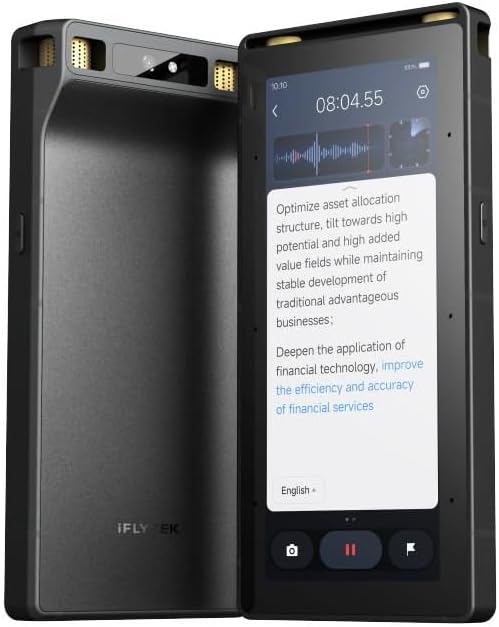
The Offline AI Touchscreen Recorder is the most specialized product in this guide. Rather than treating offline operation as a minor backup function, it supports offline transcription and translation in five languages, offline optical character recognition, and offline video subtitling. For users handling sensitive or location-sensitive material, that distinction can be more important than a larger language catalog or subscription allowance.
We may earn a commission when you buy through this link, at no additional cost to you.
Its eight-microphone array combines two directional and six omnidirectional microphones, with AI noise reduction and a stated capture distance of up to 20 meters. Speaker separation and sound-source localization help address complex, multi-person discussions. A full touchscreen gives the device a more interactive feel, and wired screen projection can display live transcriptions during a meeting, presentation, or collaborative session.
Security is unusually prominent in the supplied specifications. The device has three tiers of hardware encryption: a lock screen, file protection, and device-specific controls. It also includes a five-year Pro Membership for premium AI features and cloud services. The lack of a numerical customer rating is worth noting because there is no visible rating history to provide the social proof available for most other products here. Buyers should also accept that offline processing is specified for five languages rather than the broader catalogs offered by competing models.
This recorder is a compelling choice for lawyers, medical professionals, researchers, corporate teams, and international presenters who prioritize local processing, hardware security, or live projected text. It is less suitable for buyers seeking a large established rating base, a lightweight form, or unrestricted multilingual transcription. Its strength is the combination of offline intelligence, long-range microphones, and a full interactive display.
Offline transcription, translation, OCR, and subtitling can keep sensitive content away from a required network connection during processing. This is valuable in secure facilities, international travel, and locations where connectivity is inconsistent, though only five languages are specified for offline transcription.
Wired projection turns the recorder into a shared meeting display rather than a private capture device. Live transcript projection can improve visibility during presentations, workshops, and multilingual discussions, although the organization should still obtain consent before sharing the screen.
We may earn a commission when you buy through this link, at no additional cost to you.
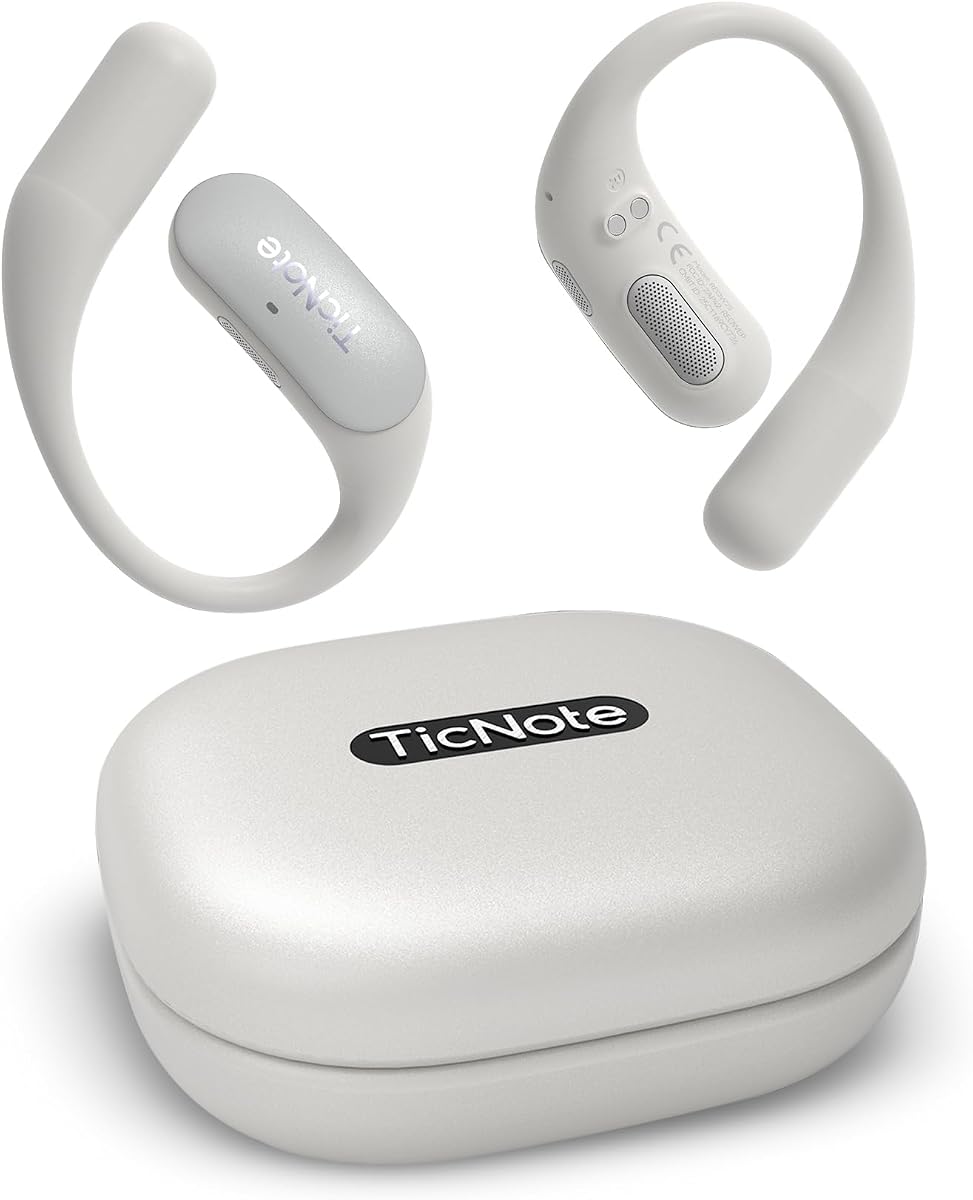
Mobvoi TicNote Pods takes a wearable approach to meeting capture. The Wi-Fi version records, transcribes, and summarizes conversations while leaving the user's hands free, and it carries a 4.1 rating. Its principal strengths are voice-activated recording, collaboration tools, broad language support, and a privacy policy that states recordings are not used for AI training.
We may earn a commission when you buy through this link, at no additional cost to you.
The dual-microphone system uses minus 40 dB electronic noise cancellation and is specified to capture speech from up to 10 meters away. It supports 120-plus languages for transcription and translation. Shadow AI organizes the captured material into structured summaries, meeting notes, highlights, and action items, while TicNote Cloud supports shared notes, collaborative editing, and version history across a team.
The five-hour continuous-recording battery is the most significant limitation here, especially for conference days or interviews that extend beyond a typical meeting. The device includes 32GB of local storage, stated to hold up to 2,150 hours of recordings, but the Wi-Fi version naturally depends on a compatible network for cloud synchronization. Its design is specifically framed for users working mainly in Wi-Fi environments rather than people who require cellular connectivity.
TicNote Pods is a good fit for consultants, teachers, healthcare workers, and distributed teams who want a hands-free recorder and shared follow-up process. The wearable form may be less comfortable for some users, and battery-conscious buyers should plan around shorter sessions. Nevertheless, its collaborative editing, version history, and stated exclusion of recordings from AI training make it a credible option for privacy-conscious team workflows.
A wearable recorder and voice activation can reduce the need to handle a phone or handheld device during a conversation. That makes TicNote Pods particularly useful for observations, field interviews, and teaching sessions where maintaining eye contact and situational awareness matter.
Shared notes, collaborative editing, and version history can shorten the path from discussion to a team deliverable. The feature set is more collaborative than many personal recorders, although teams should still establish rules for consent, edit authority, and final approval.
We may earn a commission when you buy through this link, at no additional cost to you.
This Comulytic Note Pro variant offers a 4.2 rating and a 1.2-inch-thick aluminum body with a 0.78-inch Gorilla Glass display. Its most notable workflow feature is real-time Wi-Fi synchronization, allowing files to transfer while the user continues talking. It combines a triple-microphone array, AI noise reduction, and adaptive recognition of in-person meetings, calls, and video conferences.
We may earn a commission when you buy through this link, at no additional cost to you.
The stated transcription result is 98% accuracy across 113 languages, supported by vertical knowledge bases for insurance, real estate, automotive, finance, law, and related professions. Summaries, to-do lists, and custom highlights are generated automatically. Recording endurance reaches 45 hours, standby time is listed as 107 days, and a full charge takes 90 minutes, making it practical for consecutive appointments.
The free Starter Plan includes unlimited transcription and basic summaries, while Advanced Summary, Instant Abstract, Ask Comulytic Assistant, and Contact Insight Hub require an upgrade. This model shares several characteristics with the earlier Comulytic listing, but its distinct 1.2-inch format and fast-sync emphasis should be compared directly with the other version. AES encryption and CCPA protection support the privacy proposition, but local policies should determine whether encrypted cloud backup is appropriate for sensitive material.
This recorder is well suited to mobile professionals who want to continue talking while their files upload. It is particularly attractive for real estate agents, financial advisers, attorneys, and consultants whose terminology benefits from specialized knowledge bases. The combination of endurance, automatic mode detection, and useful free transcription makes it a balanced option, though the availability of advanced features in the upgrade tier should influence the final decision.
Real-time Wi-Fi synchronization means recordings can move to the cloud while a meeting continues. This reduces the risk of accumulating unsynced files and makes a large collection of recordings easier to access across devices.
Vertical knowledge bases can help the transcription engine retain terms that matter in specialized fields. Users should still verify high-impact words, numbers, and commitments, but terminology-focused processing may make later search and summary more dependable.
We may earn a commission when you buy through this link, at no additional cost to you.
The right recorder depends on where you speak, how long sessions last, what must remain private, and how you intend to use the resulting notes. Compare capture quality and endurance before focusing on headline AI claims, then examine the service terms that govern transcription and advanced outputs.
Prioritize a range that comfortably exceeds the size of your typical room, and favor adaptive or noise-reduced capture when conversation positions change.
Choose enough continuous runtime for your longest expected session, plus a safety margin for setup, charging, and repeated retakes.
Validate language coverage, terminology handling, and translation allowances against your own recurring conversations before committing.
Choose the platform whose outputs match your real follow-up process, and test a sample workflow rather than relying only on feature labels.
For sensitive work, verify where data is processed, who can retrieve it, how it is deleted, and whether offline operation is genuinely available.
Prioritize ample local storage for travel and dependable syncing for daily collaboration, and distinguish offline recording from true offline transcription.
Favor a compact design you can carry every day, with a mounting method that remains comfortable and does not obstruct the conversation.
Compare free usage, advanced-tool access, and plan limits over a full month of real meetings, not only the features available during a trial.
Before recording, confirm that every participant knows a device is present and agrees to its use. Choose a suitable recording mode, position the recorder close enough for clear speech, and run a short test in the actual room. For calls, follow the manufacturer's instructions for connecting to the phone or system. Avoid placing the recorder where it can be overlooked, scratched, or exposed to spills.
Start with a small test recording, inspect the transcript and summary, and correct any recurring errors before a critical meeting. Mark key moments during the conversation when the device supports that feature, and add relevant images or typed notes while details are fresh. After the session, allow synchronization to finish, confirm that the recording is accessible in the app, and review names, figures, decisions, and assigned actions before sharing the output.
Keep the device charged between important sessions, use the supplied cable or a compatible USB-C connection, and clean the microphone openings gently with a dry, soft material. Store it in its protective case or in a secure pocket when not in use. Review cloud storage, team access, and retention settings periodically, and delete or archive recordings according to your organization's privacy policy. Device finding, encryption, and account security should also be enabled when offered.
A standard voice recorder mainly stores audio, while an AI meeting transcription device converts speech into searchable text and can generate summaries, action items, mind maps, and other organized outputs. Some advanced models also let you ask questions about a recording or create follow-up emails and presentation drafts. The value comes from how accurately the device captures speech and how useful its resulting outputs are.
Performance depends heavily on microphone design, pickup range, room acoustics, and speaker placement. Devices such as Comu Action Pro and the Offline AI Touchscreen Recorder use multi-microphone arrays for larger environments, while compact recorders may work best at a table or in a smaller room. Always test the device in the expected setting and position it as close as practical to the speakers.
Most products can store recordings locally, but transcription and AI summaries often require a connection unless the device provides a dedicated offline processing feature. The Offline AI Touchscreen Recorder specifies offline transcription and translation in five languages, plus offline OCR and subtitling. For the other models, confirm whether local capture continues offline and which AI functions remain available afterward.
Recording rules vary by location, organization, and type of conversation, and some jurisdictions require all participants to consent while others use different standards. Businesses should follow applicable law, internal policies, and contractual obligations. The safest practical approach is to announce the recorder, obtain agreement from everyone present, and explain how the resulting files will be stored and shared.
The best option is the one that accurately handles every language your team regularly uses, including common accents and specialized vocabulary. RECPOINT lists 150 languages, Mobvoi lists more than 120, and Comulytic and Comu list 113, but broad counts do not reveal performance in every language. Review translation allowances, terminology support, and a sample of your own typical conversations before deciding.
Unlimited free transcription is attractive for heavy users because it removes uncertainty about monthly minute limits. EurekaMind and Comulytic both advertise unlimited free transcription with basic summaries, while Plaud includes a defined monthly allowance in its starter plan. Even with unlimited transcription, advanced assistants, detailed analyses, team workspaces, and other enhanced outputs may still be reserved for paid tiers.
A magnetic card-style recorder is convenient for people who carry a phone or notebook and want the device to remain available in a pocket. A wearable recorder is easier to use hands-free and may be more comfortable during field observations, lectures, or walking interviews. Think about how you will position each device, whether participants will notice it, and whether you need it present throughout a long session.
Review the transcript against the original recording, especially names, numbers, technical terms, decisions, and assigned deadlines. AI summaries can reorganize or simplify information, and generated emails or slides should never be treated as automatically approved documents. Confirm that the recipients are authorized to receive the content and that no confidential context has been omitted or exposed.
Plaud Note Pro is the most complete all-round recommendation, combining multimodal context, intelligent modes, strong capture hardware, long endurance, and an established cross-device workflow. Comu Action Pro is especially impressive for users who want a recorder to create presentations, emails, reminders, and action lists, while EurekaMind Lite offers one of the most generous free starting packages with unlimited transcription and basic summaries.
Your priority should determine the final choice. Prioritize microphone range and noise handling for large rooms, offline processing and hardware encryption for sensitive work, local capacity and fast syncing for mobile professionals, language coverage for international teams, and a wearable format for hands-free capture. Do not choose solely by the number of AI features; the transcript, summaries, exports, and team workflow are what you will use repeatedly.
Before making a final decision, verify the current feature limits, subscription terms, included accessories, and compatibility requirements with the seller. Offers and software plans can change, so confirm the information that matters most to your workflow at the time of purchase. A short real-world test in your typical meeting environment remains the most reliable way to judge capture quality and output usefulness.