
ASUS TUF Gaming F16 RTX 4050
4.3Editor score
115W RTX 4050 graphics
144Hz 16:10 display
Military-grade durability
An ASUS Tuf gaming laptop must balance power, a responsive display, dependable cooling, and enough memory for modern games. The strongest models combine dedicated NVIDIA graphics, fast processors, high-refresh screens, and practical connectivity, while more affordable configurations make compromises in memory, graphics, or display resolution.
We compared all ten systems by examining processor capability, GPU power, screen size and refresh rate, memory, storage, cooling design, ports, operating system, and intended use. The guide covers mainstream F16 models, compact A14 and A15 laptops, larger A16 options, and systems designed for demanding creative or multitasking workloads.
Each pick highlights a different reason to consider the TUF line, from a practical RTX 4050 configuration to powerful RTX 5060 systems and an AI-focused portable model. Ratings and configurations can change over time, so check the current listing and exact model details before purchasing.
4.3Editor score

5.0Editor score

4.2Editor score
As an Amazon Associate we earn from qualifying purchases.
The comparison below places every ASUS TUF laptop in the guide side by side, focusing on the hardware and features that most strongly affect gaming, productivity, and everyday usability.


The first ASUS TUF Gaming F16 combines an Intel Core 5 210H processor with an NVIDIA GeForce RTX 4050 laptop GPU configured for up to 115W, creating a capable mainstream gaming configuration. Its 16GB DDR5 memory, 512GB PCIe Gen4 SSD, Wi-Fi 6, and Windows 11 Home make it suitable for games, streaming, schoolwork, and daily productivity. The listed 4.4 rating reflects a generally favorable balance of performance, display quality, and construction.
We may earn a commission when you buy through this link, at no additional cost to you.
Its 16-inch FHD+ IPS-level panel uses a 16:10 aspect ratio, a 144Hz refresh rate, and 100% sRGB color coverage. That combination is more useful than a basic 60Hz panel for fast-paced competitive games, while the taller format also provides more room for documents and creative applications. Adaptive-Sync helps reduce visual tearing, and NVIDIA Advanced Optimus can manage the transition between integrated and discrete graphics.
The RTX 4050 is a major strength because it receives substantially more power than many laptop GPUs in the same general performance class. It also supports advanced rendering features and DLSS technologies that can improve frame rates in supported games. Buyers should still account for the laptop's total performance, cooling noise, battery life, and the limited 512GB storage capacity when deciding whether it meets their needs.
Cooling is handled by Arc Flow Fans, four exhaust vents, five dedicated heat pipes, and an anti-dust filter. ASUS also states that the chassis meets MIL-STD-810H testing standards, which supports its reputation for durability in demanding environments. This configuration is a strong choice for a gamer who values a large display, dedicated graphics power, and a conventional gaming-laptop design without moving to the newest processor generation.
The 144Hz FHD+ screen gives fast-moving games a noticeable smoothness advantage over standard 60Hz panels. Its 16:10 proportions also make the F16 feel more spacious for desktop work, browsing, and editing.
Multiple fans, exhaust vents, heat pipes, and an anti-dust filter support sustained performance. MIL-STD-810H testing adds confidence for buyers who regularly travel or use their laptop in demanding conditions.
We may earn a commission when you buy through this link, at no additional cost to you.
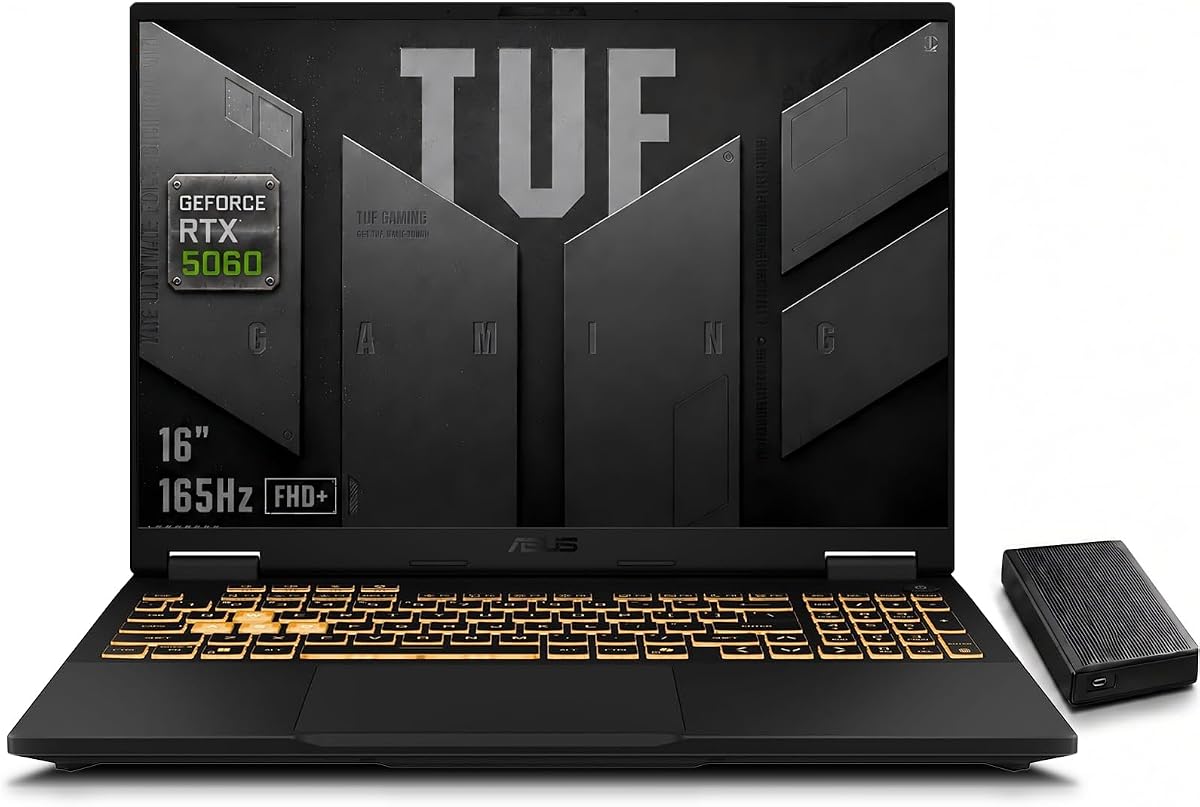
This 2025 ASUS TUF F16 pairs the Intel Core i7-14650HX with a full-power NVIDIA GeForce RTX 5060 laptop GPU rated at up to 115W TGP. It carries a 5.0 rating, 16GB of DDR5 memory, a 1TB SSD, and a 165Hz FHD+ display. That combination positions it as a strong upper-midrange system for modern AAA gaming, streaming, video editing, programming, and other GPU-accelerated work.
We may earn a commission when you buy through this link, at no additional cost to you.
The Core i7-14650HX offers 16 cores and 24 threads, with turbo boost reaching as high as 5.2GHz according to the product information. Its multitasking headroom is valuable when a game, streaming tool, web browser, and voice chat are all active. The RTX 5060 adds 8GB-class modern graphics capability with support for DLSS 4 and ray tracing in supported titles and applications.
The 16-inch 16:10 FHD+ panel has a 165Hz refresh rate, low response times, and a design intended to reduce blur and tearing during fast action. Dual Arc Flow fans, multiple heat pipes, large exhaust vents, and intelligent airflow optimization help the system manage heat during longer sessions. The included 1TB external hard drive provides additional file capacity, although it must be connected when those files are needed.
This F16 is best for gamers who want current-generation graphics without moving into a much larger workstation-style machine. It is also compelling for students and creators who need one portable system for demanding coursework, rendering, editing, and entertainment. Confirm that the seller has performed the local inspection, professional setup, and warranty coverage described in the listing before completing the purchase.
Giving the RTX 5060 up to 115W allows the GPU to operate closer to its intended performance envelope. Combined with DLSS 4 and ray tracing support in compatible software, it offers a useful bridge between conventional gaming and more advanced visual workloads.
A 1TB SSD reduces the need for immediate external storage for large game libraries. The processor's core and thread count also helps when gaming is only one part of a busy multitasking routine.
We may earn a commission when you buy through this link, at no additional cost to you.
The 2024 ASUS TUF Gaming F16 is the most budget-conscious entry in this lineup, but it does not omit the features that matter most to gamers. It combines an Intel Core 5 210H processor with an RTX 4050 GPU capable of running at up to 115W. Its 8GB DDR5 memory and 512GB PCIe Gen4 SSD form the weakest part of the configuration, earning a 4.3 rating despite its capable display and graphics.
We may earn a commission when you buy through this link, at no additional cost to you.
The large 16-inch FHD+ IPS-level display offers a 144Hz refresh rate, 100% sRGB coverage, and a 16:10 aspect ratio. Adaptive-Sync is included to reduce lag, stuttering, and visual tearing, while the higher refresh rate is particularly welcome for competitive shooters, racing games, and fast action. The screen also feels more practical for general productivity than a traditional 16:9 panel.
Cooling hardware includes Arc Flow Fans, four exhaust vents, five heat pipes, and an anti-dust filter. The system's MIL-STD-810H testing provides a useful durability foundation, although buyers should not interpret the standard as a guarantee against every form of damage. The more immediate concern is memory: 8GB can become restrictive when running demanding games alongside streaming software and multiple browser tabs.
This F16 is a practical entry point for buyers who want a large high-refresh display and an RTX 4050 without paying for the latest processor or newest GPU generation. A memory upgrade, if the exact configuration permits it, would improve long-term flexibility. Otherwise, it remains a credible choice for esports, older or less demanding games, and users who want core TUF features at a lower entry point.
The 144Hz panel, adaptive synchronization, and 115W RTX 4050 provide the essential foundation for responsive mainstream gaming. It prioritizes familiar gaming-laptop strengths rather than premium extras.
Eight gigabytes is the principal limitation of this configuration. Buyers who regularly run games, streaming applications, and many background programs should review the model's memory configuration and upgrade options before finalizing the purchase.
We may earn a commission when you buy through this link, at no additional cost to you.
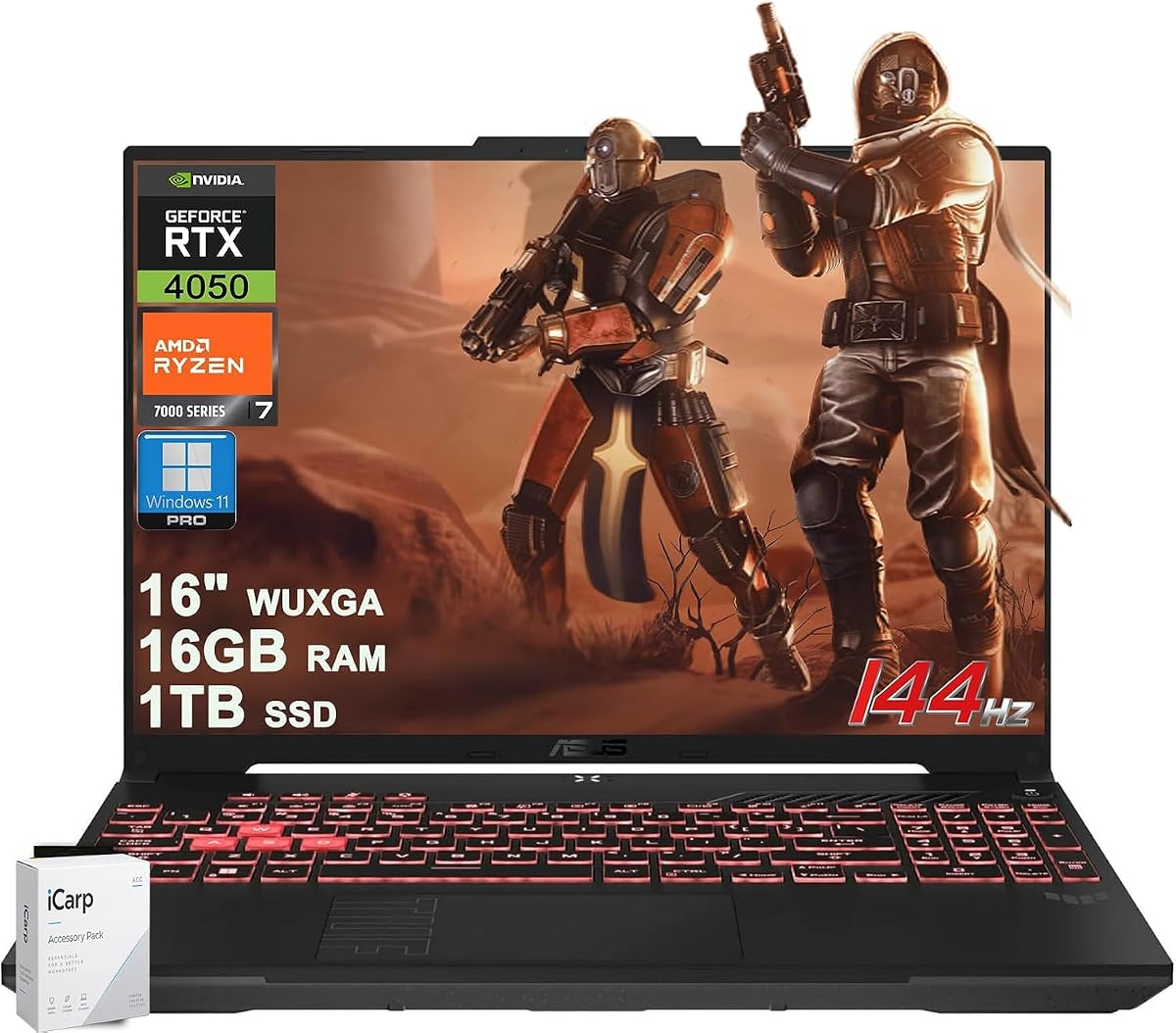
The ASUS TUF Gaming A16 pairs a six-core AMD Ryzen 7 7445HS with a dedicated GeForce RTX 4050, 16GB of RAM, and a 1TB SSD. It has a 4.2 rating and a 16-inch WUXGA anti-glare IPS display with a 144Hz refresh rate. This is an accomplished general-purpose gaming laptop for people who also value connectivity, a business operating system, and a generous storage allocation.
We may earn a commission when you buy through this link, at no additional cost to you.
The Ryzen 7 7445HS is described as a six-core processor with AI capabilities, providing solid performance for gaming, office work, browsing, and light content creation. The RTX 4050 includes 6GB of graphics memory, which is useful for mainstream titles and many creative applications but can become a constraint in texture-heavy games or demanding 3D workloads. Screen resolution remains modest at 1920 by 1200, helping the GPU focus on frame rates rather than pixel count.
Connectivity is particularly strong. The A16 includes two USB-A 3.2 ports, one USB-C 3.2 port, one USB-C port with USB4 support, HDMI 2.1 with FRL, and RJ45 Ethernet. It also adds an RGB-backlit keyboard, Dolby audio, Wi-Fi 6, an HD webcam, two-way AI noise cancellation, and Windows 11 Professional. These details make it comfortable for hybrid work as well as gaming.
This A16 is a strong option for buyers who want a large display, Ethernet, modern ports, and a spacious SSD without moving to the RTX 5060 models. It may be less convenient to carry than a 14-inch laptop, and the 6GB graphics memory deserves attention for future-heavy games. For mainstream gaming and mixed productivity, however, the balance is convincing.
USB4, HDMI 2.1, USB-A, and Ethernet provide more flexibility than many compact gaming laptops. The RJ45 port is particularly useful for stable wired networking at home, school, or work.
Windows 11 Pro, an RGB keyboard, noise cancellation, and Dolby audio support a broader set of daily uses. The 16-inch anti-glare panel is also easier to use in bright rooms than many glossy alternatives.
We may earn a commission when you buy through this link, at no additional cost to you.
This ASUS TUF Gaming F16 stands out as the most complete conventional gaming configuration in the guide. It combines the 14th-generation Intel Core i7-14650HX, an RTX 5060 laptop GPU with 8GB GDDR7 memory, 32GB DDR5-5600 RAM, and a 1TB PCIe 4.0 SSD. Its 5.0 rating reflects a package designed for high-refresh gaming, advanced creative work, and heavy multitasking.
We may earn a commission when you buy through this link, at no additional cost to you.
The processor provides 16 cores, 24 threads, 30MB of cache, and speeds up to 5.2GHz. The RTX 5060 operates at up to 115W and supports DLSS 4 and ray tracing, creating a capable platform for AAA games, 3D rendering, video editing, programming, and content creation. The 32GB of system memory is especially helpful because it lets games, browsers, streaming software, and creative applications coexist with less pressure on memory capacity.
Its 16-inch FHD+ IPS display has a 1920 by 1200 resolution, 165Hz refresh rate, 300-nit brightness, 100% sRGB coverage, and anti-glare treatment. G-SYNC helps smooth out the relationship between frame rate and refresh rate. The modest resolution helps the GPU deliver strong frame rates, while the 16:10 format gives users more vertical workspace than a standard 16:9 display.
Connectivity includes Wi-Fi 6E, Bluetooth, Thunderbolt 4, USB-C, three USB-A ports, HDMI 2.1, Ethernet, and a 3.5mm audio jack. A 1080p camera, Dolby Atmos, a one-zone RGB keyboard, and Windows 11 Pro round out an excellent package. Two RAM slots and two M.2 slots provide future flexibility. This is our Editor's Choice because it balances high-end gaming features, memory, storage, connectivity, and creative capability better than most alternatives here.
The RTX 5060, 165Hz display, and G-SYNC support work together to create a strong foundation for fast-paced games. FHD+ resolution also helps the GPU prioritize smooth frame rates over excessive pixel workload.
Starting with 32GB gives the system room for demanding combinations of software, and two memory slots plus two M.2 positions make it easier to plan future upgrades. The included 1TB SSD is a sensible starting point for a modern game library.
We may earn a commission when you buy through this link, at no additional cost to you.
The ASUS TUF Gaming A14 Copilot+ PC takes a different approach from the traditional dedicated-GPU systems in this guide. It uses an AMD Ryzen AI Max+ 392 processor with Radeon 8060S integrated graphics, 32GB of LPDDR5X 8000 quad-channel memory, and a 1TB PCIe Gen4 SSD. Its 4.2 rating reflects an unusual combination of portability, a premium 2.5K display, and unusually flexible unified memory.
We may earn a commission when you buy through this link, at no additional cost to you.
The defining feature is the A14's unified memory design. It can dynamically allocate quad-channel memory between system RAM and graphics memory, allowing the Radeon 8060S to access a larger shared pool for demanding games or graphics workloads. The CPU's high core count also supports demanding productivity and creative tasks, while 32GB of fast memory helps when many applications are active at once.
Its 14-inch WQXGA 16:10 panel has a 165Hz refresh rate and 3ms response time, making it one of the strongest displays among these picks. The higher resolution provides sharper text and more detailed images than FHD+ alternatives. To manage heat from the high-core-count processor, ASUS redesigned the keyboard for airflow and added a pair of 97-blade fans.
This A14 is best for buyers who value portability, display quality, and memory flexibility more than traditional gaming-laptop strengths. Its lack of a dedicated NVIDIA GPU makes it a less obvious choice for ray tracing, DLSS, and the highest settings in demanding games. For local development, creative applications, emulation, productivity, and capable gaming, however, it is an unusually forward-looking premium configuration.
Because the Radeon 8060S can draw from the system's unified memory pool, the A14 can handle graphics workloads that would be constrained by a small fixed allocation of dedicated VRAM. That makes the platform more flexible than its integrated-GPU label might initially suggest.
The 2.5K, 165Hz, 3ms display is unusually refined for a compact TUF model. It balances detailed visuals with a fast refresh rate for competitive play and smooth desktop interaction.
We may earn a commission when you buy through this link, at no additional cost to you.
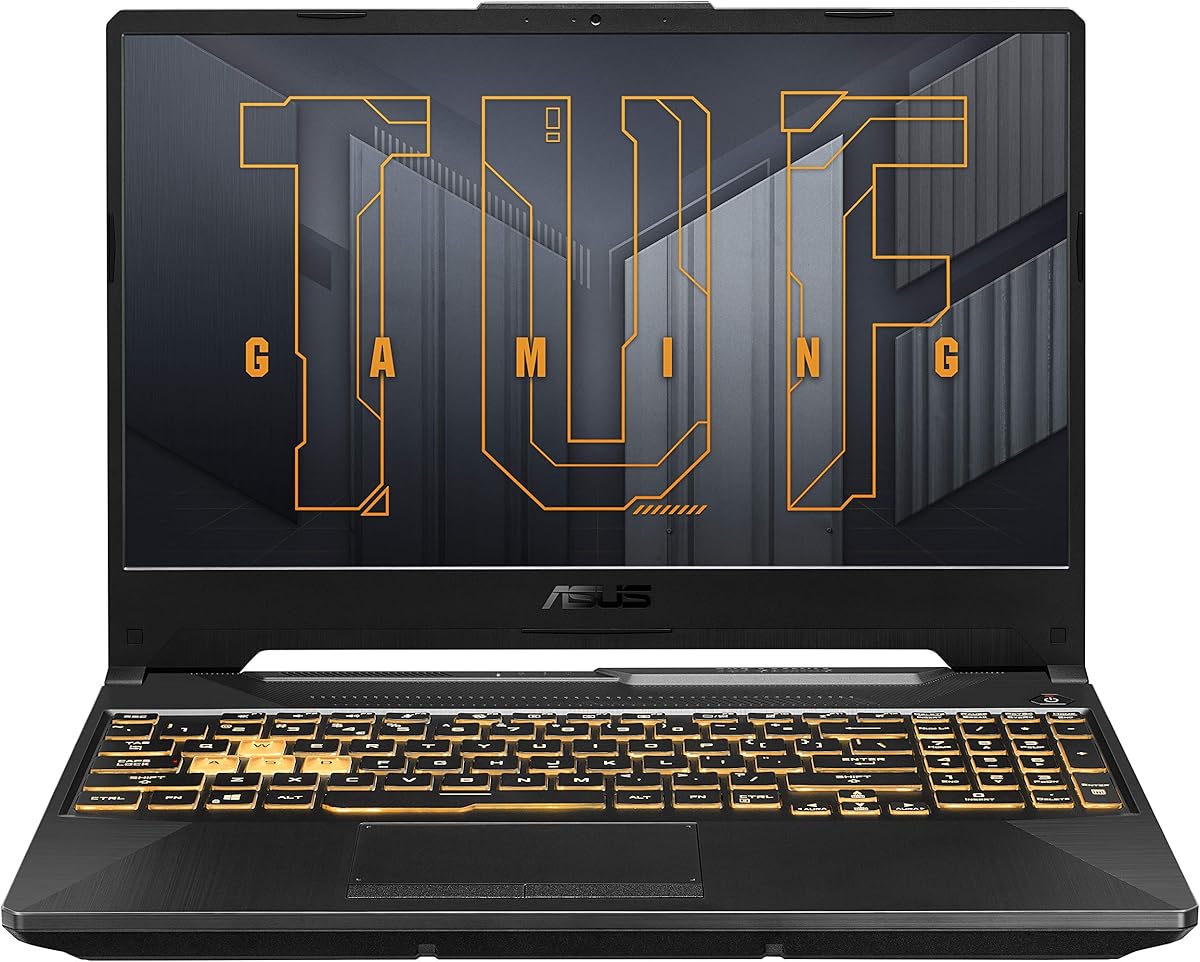
The ASUS TUF Gaming A15 is a traditional 15.6-inch gaming laptop built around an AMD Ryzen 5 7535HS and an NVIDIA GeForce RTX 3050 with a maximum TGP of 75W. It includes 16GB of DDR5 memory, a 512GB PCIe Gen4 SSD, Wi-Fi 6, and Windows 11 Home. Its 4.1 rating suits a capable entry-level option for mainstream games and everyday use.
We may earn a commission when you buy through this link, at no additional cost to you.
The Ryzen 5 7535HS offers six cores, 19MB of cache, and speeds up to 4.55GHz. Paired with dedicated RTX 3050 graphics, it provides a useful foundation for esports, competitive shooters, strategy games, and many mainstream titles. DLSS 3.5 and ray-tracing support can improve visual quality and performance in compatible games, although this GPU tier is intended for more modest settings than the RTX 4050 and RTX 5060 models.
The 15.6-inch FHD display has a conventional 16:9 aspect ratio and a 144Hz refresh rate. Adaptive-Sync synchronizes with the GPU to reduce lag, stuttering, and tearing. This smaller format can be easier to carry than a 16-inch model, while the 144Hz rate preserves an important benefit for competitive gaming.
The A15 is a sensible choice for a gamer who prefers a smaller traditional notebook and does not need a high-end GPU. MIL-STD-810H testing adds durability confidence, and 16GB of memory is better suited to multitasking than 8GB configurations. The main limitations are the entry-level RTX 3050 and modest 512GB SSD, so demanding modern games may require adjusted settings and careful storage management.
The 15.6-inch chassis offers a middle ground between the portability of the A14 and the expansive displays of the 16-inch models. Its 16:9 screen also fits a wide range of game and application interfaces.
The 75W RTX 3050 supports modern gaming features such as DLSS 3.5 and ray tracing in compatible titles. It is best approached as a mainstream option, not as a solution for maximum settings in the most demanding releases.
We may earn a commission when you buy through this link, at no additional cost to you.
This 2025 ASUS TUF Gaming F16 combines the 16-core Intel Core i7-14650HX with an RTX 5060 featuring 8GB GDDR7 memory. It is configured with 32GB DDR5 SDRAM at 5600MHz and a 1TB PCIe NVMe SSD, earning a 5.0 rating. The listing also provides unusually detailed specifications for display, connectivity, battery, dimensions, and included accessories.
We may earn a commission when you buy through this link, at no additional cost to you.
The processor operates from a 2.2GHz base frequency and can turbo up to 5.2GHz, with 8 performance cores, 8 efficiency cores, 24 threads, and 30MB of smart cache. The RTX 5060 and G-SYNC-equipped 165Hz display provide a capable high-refresh gaming platform. The FHD+ IPS panel has 300-nit brightness, 100% sRGB coverage, an anti-glare finish, and thin bezels.
Connectivity is comprehensive: Wi-Fi 6E, Bluetooth 5.3, gigabit Ethernet, Thunderbolt 4 with USB4, a second USB-C port, three 10Gbps USB-A ports, HDMI 2.1, and a combined audio jack. A full-size keyboard includes a numeric keypad and one-zone RGB lighting. AI noise cancellation, Dolby Atmos speakers, a 1080p camera, and an integrated digital microphone support meetings, streaming, and entertainment.
The 90Whr battery and detailed 4.85-pound weight specification help set expectations for life and portability. One important point is that the seal is opened for hardware or software upgrades, so this is a seller-customized configuration rather than a sealed retail unit. The stated one-year warranty and customization details should be reviewed carefully, but the core hardware is excellent for high-end gaming and creative workloads.
Thunderbolt 4, USB4, multiple USB-A ports, HDMI 2.1, and gigabit Ethernet cover nearly every peripheral and display need. Wi-Fi 6E and Bluetooth 5.3 provide modern wireless connectivity for compatible devices.
The 90Whr battery is a meaningful advantage for a high-performance 16-inch gaming laptop. Actual runtime will vary with display brightness, power mode, network conditions, and the workload placed on the processor and GPU.
We may earn a commission when you buy through this link, at no additional cost to you.
The ASUS TUF Gaming A16 combines an AMD Ryzen 7 7445HS, an NVIDIA GeForce RTX 4050, 16GB of DDR5 memory, and a 512GB SSD. Its 16-inch Full HD+ display runs at 145Hz, while a backlit keyboard and Windows 11 Pro make it suitable for regular work as well as gaming. The 4.8 rating is among the strongest in the guide and suggests broad user satisfaction.
We may earn a commission when you buy through this link, at no additional cost to you.
The Ryzen 7 7445HS supplies six cores for gaming, browsing, office applications, and content workflows, while the dedicated RTX 4050 offers a clear advantage over integrated graphics. Its 16:10-class Full HD+ format provides more vertical room than a conventional 16:9 panel. At 145Hz, it sits between common 144Hz and 165Hz options, making it particularly well suited to fast-paced competitive games.
This model stands out for its simple, balanced specification. It offers enough memory for typical multitasking, dedicated graphics for a broad range of games, and Windows 11 Pro for users who need the operating system's business and security features. The 512GB SSD is less generous than the 1TB options elsewhere, so buyers with large libraries should plan additional storage.
The A16 is a strong recommendation for gamers who prefer a large display and a higher-refresh experience but do not need the newest RTX 5060 platform. Its main limitation is the amount of detail provided in the listing: port configuration, maximum GPU power, memory configuration, and upgrade options are not specified as clearly as on several other picks. Confirm those details with the seller before purchase.
The 145Hz panel is a useful middle ground for competitive gaming, offering smooth motion while the large 16-inch format remains comfortable for school, office, and entertainment.
Six processor cores, 16GB of memory, and a dedicated RTX 4050 cover mainstream gaming and common productivity needs. The included storage is adequate for essentials, but a larger drive may be desirable for extensive game collections.
We may earn a commission when you buy through this link, at no additional cost to you.
This ASUS TUF F16 combines a full-power RTX 5060, the Intel Core i7-14650HX, 32GB of DDR5 memory, and a 1TB SSD. It includes a 165Hz FHD+ 16:10 display, intelligent cooling, and a substantial 280Whr battery. With a 5.0 rating, it stands out as a powerful F16 configuration that balances gaming hardware with unusually strong mobile endurance potential.
We may earn a commission when you buy through this link, at no additional cost to you.
The RTX 5060 runs at up to 115W and supports DLSS 4 and ray tracing in compatible software. The Core i7-14650HX boosts to 5.2GHz and provides enough processing capability for gaming, streaming, editing, rendering, programming, and demanding multitasking. The 32GB of memory gives the system more breathing room than 16GB configurations when several demanding applications run together.
The 16-inch FHD+ display has a 165Hz refresh rate and a 16:10 aspect ratio, supporting smooth action and additional vertical workspace. Dual Arc Flow fans, multiple heat pipes, large exhaust vents, and intelligent airflow management help control thermals during extended sessions. The 280Whr battery is the standout specification for users who need more time away from an outlet, though actual runtime depends on power mode and workload.
The included 1TB external hard drive adds useful archive space, although it is less convenient than internal storage and must be carried separately. This F16 is best for buyers who want flagship-style RTX 5060 performance, generous memory, a high-refresh large display, and strong battery capacity in one gaming laptop. It is also suitable for creative users who need substantial GPU acceleration without moving to a workstation-class design.
The 280Whr battery gives this model a clear advantage for gaming away from a wall outlet and for longer work sessions. Users should still adjust brightness and performance modes to manage heat and preserve battery life.
The internal 1TB SSD provides room for a substantial library, while the bundled external hard drive supports archives and media. The 32GB of system memory is particularly valuable for creators and heavy multitaskers.
We may earn a commission when you buy through this link, at no additional cost to you.
Choosing an ASUS TUF gaming laptop requires balancing GPU power, processor capability, display quality, memory, storage, cooling, portability, and connectivity. The right choice depends on the games you play, the applications you run, and how often the laptop must travel.
The GPU usually determines how much gaming performance is available, but its configured power limit matters just as much. The RTX 5060 models listed here run at up to 115W, while the RTX 4050 F16 also receives 115W and the A15's RTX 3050 is configured at 75W. Higher GPU power can sustain stronger frame rates, but it also contributes to heat, fan activity, and battery consumption. Dedicated NVIDIA graphics provide broad support for DLSS, ray tracing, and GPU-accelerated creative software.
Choose the RTX 5060 for demanding AAA games, advanced 3D work, or a longer upgrade horizon. The RTX 4050 is a balanced choice for mainstream gaming, while the RTX 3050 targets more modest settings. If considering the A14, note that its Radeon 8060S uses unified memory rather than a dedicated NVIDIA GPU.
The Core i7-14650HX models feature 16 cores and 24 threads, making them the strongest conventional options for gaming while streaming, editing, or running professional applications. The Core 5 210H offers a balanced middle ground, while the six-core Ryzen 7 7445HS and Ryzen 5 7535HS processors handle mainstream gaming and productivity well. The Ryzen AI Max+ 392 platform uses a high-core-count design and unified memory to serve demanding mobile workloads.
Prioritize the processor when your computer will regularly run games alongside streaming, video editing, programming, or many browser tabs. For ordinary gaming and office use, a modern six-core processor is generally sufficient.
Memory capacity affects how comfortably games, browsers, voice chat, streaming software, and creative applications can run together. The guide includes 8GB, 16GB, and 32GB configurations. A 16GB system is the practical minimum for modern gaming, 32GB is preferable for heavy multitasking and content creation, and 8GB may need upgrading sooner. Models with two RAM slots provide more obvious upgrade flexibility, although integrated LPDDR5X memory cannot be replaced in the same way.
Aim for at least 16GB, and choose 32GB if you plan to use the laptop for more than gaming. Check the exact memory configuration, soldered or removable status, and supported capacity before ordering.
Modern games, creative assets, and system files can consume considerable space, making the choice between 512GB and 1TB meaningful. All listed configurations use PCIe storage, with the 1TB-capable systems providing the better starting point for large game libraries and video projects. The two 2025 F16 bundles also include external hard drives, which are useful for archiving rather than for frequently accessed game files.
Choose 1TB when possible if you expect to install many games or retain large media files. If selecting 512GB, identify an appropriate secondary drive or cloud-storage plan before the internal space fills.
The guide covers everything from a portable 14-inch A14 to large 16-inch F16 and A16 models. The A14 offers the sharpest listed panel at 2.5K, with a 165Hz refresh rate and 3ms response time. The 16-inch models use FHD+ or WUXGA resolutions at 144Hz, 145Hz, or 165Hz, while the A15 uses a conventional 15.6-inch FHD 144Hz screen. Higher refresh rates and adaptive synchronization improve motion clarity, particularly in competitive games.
Choose 14 inches for portability, 15.6 inches for a smaller traditional footprint, and 16 inches for a large viewing area. High resolution improves clarity but asks more from the GPU, so consider the RTX 3050 and A14 carefully for the games you play.
Sustained gaming performance depends on a cooling system that can move heat away from the processor and GPU. The F16 models use combinations of Arc Flow fans, heat pipes, large exhaust vents, and intelligent airflow, while the A14 uses redesigned keyboard airflow and upgraded 97-blade fans. Battery capacities range from a large 280Whr in the final F16 to a 90Whr battery in one RTX 5060 configuration. Weight and footprint also vary, with the 16-inch F16 reaching 4.85 pounds in the detailed listing.
Read thermal and battery specifications together rather than judging either in isolation. A larger chassis may cool more effectively, while a smaller battery and lighter design may be more convenient for travel. Use the included power adapter for demanding gaming and creative workloads.
Gaming laptops benefit from more than a single USB port. The strongest listings include USB4 or Thunderbolt 4, USB-C, multiple USB-A ports, HDMI 2.1, and RJ45 Ethernet. Wi-Fi 6 or Wi-Fi 6E supports compatible wireless networks, while Bluetooth covers accessories. Operating-system choices range from Windows 11 Home to Windows 11 Pro, and some models include Windows 11 Pro with features useful for business and security workflows.
Match the ports to your peripherals and choose Pro when an organizational IT policy or advanced Windows features require it. Confirm the exact connector inventory because similar-looking ASUS TUF listings can include different port configurations.
Some ASUS TUF laptops arrive configured by a reseller rather than in a sealed retail configuration. One listing states that the seal is opened for hardware or software upgrades and describes 32GB of memory and a 1TB NVMe drive. Another seller emphasizes local hardware inspection, professional setup, and a one-year warranty. These services can add convenience, but they also make it important to review exactly what the seller is providing.
Check the model number, upgrade history, warranty terms, included accessories, and operating-system status before purchasing. A clear return policy is also valuable when buying a heavily customized or opened system.
Begin by configuring your graphics profile in the available ASUS gaming software, select an appropriate operating and power mode, and make sure the system has adequate ventilation. For a new installation, update Windows, the graphics driver, the BIOS, and essential applications. Use the supplied adapter during demanding games and avoid placing the laptop on soft surfaces that could block its intake or exhaust vents.
Keep games and applications on the internal SSD when possible because loading directly from an external drive can add delays. Use the bundled external hard drive for archives, completed media projects, or files that do not need frequent access. Preserve free SSD space, update drivers regularly, and restart periodically so background processes and graphics memory can return to a clean state.
For long sessions, monitor temperatures and watch for sustained fan noise, unusual heat near the keyboard, or repeated performance drops. Clean vents carefully according to ASUS guidance, avoid blocking the rear exhaust, and use a stable surface. When traveling, protect the screen and corners, avoid leaving the device in extreme heat or cold, and use the correct charger for sustained performance.
Yes. TUF laptops include Windows, standard connectivity, backlit keyboards, and durable enclosures designed for regular mobile use. For productivity, prioritize a processor with enough cores, at least 16GB of memory, and a display with a comfortable resolution. For gaming, the dedicated NVIDIA models in this guide are more suitable than the integrated-graphics A14 for demanding games.
The RTX 4050 is a balanced choice for mainstream gaming and creative work, while the RTX 5060 models provide more GPU memory and performance for demanding games and heavier graphics workloads. Both can be found in 16-inch F16 or A16 designs. Your decision should also consider the processor, memory, display, cooling system, and amount of storage you need.
It is enough for many games, but 32GB gives you more flexibility when games, browsers, streaming tools, and creative applications run together. An 8GB configuration is the most likely to need an upgrade, particularly if it cannot be expanded. Check the memory layout and supported capacity before buying a lower-memory model.
A 165Hz panel can show more frames per second than a standard 60Hz display and can make fast movement feel smoother. It is especially useful in competitive shooters, racing games, and action titles. Actual benefit depends on whether the game and GPU can generate frame rates close to the refresh rate, and adaptive synchronization helps maintain visual consistency.
It depends on the specific model. The detailed 32GB F16 configuration lists two RAM slots and two M.2 slots, making upgrades more flexible. The A14 uses unified LPDDR5X memory, which is generally not upgradeable in the same manner as removable SODIMM memory. Always verify the exact model's internal design and warranty terms before opening it.
It is a capable compact system for many games, particularly because its Radeon 8060S graphics can share the large 32GB unified memory pool. It also has a very sharp 2.5K 165Hz display. However, buyers focused on dedicated NVIDIA features, conventional upscaling technologies, or maximum performance in demanding games may prefer an RTX 4050 or RTX 5060 configuration.
Use a padded sleeve or case that protects the corners and screen, keep liquids and sharp objects away from the chassis, and avoid placing heavy items on the lid. Although the TUF line undergoes MIL-STD-810H testing on selected models, that standard does not make the laptop immune to accidental damage. Carry the correct charger when extended gaming away from an outlet is planned.
No. Performance depends more directly on the processor, GPU configuration, power limit, memory, cooling, and thermal limits. A larger chassis may have room for stronger cooling and a bigger battery, while a compact model can still perform well with an efficient processor and unified memory. Choose the form factor that best matches your need for performance and portability.
The ASUS TUF Gaming F16 with 32GB of memory, an RTX 5060, and a 165Hz display is the strongest all-around recommendation for buyers who want capable gaming and serious multitasking. The 2024 F16 with an RTX 4050 is the budget-focused option, while the A14 Copilot+ PC stands out as the premium portable choice with its 2.5K screen and flexible unified memory.
Prioritize the parts of the laptop that match your actual workload: choose dedicated NVIDIA graphics for demanding games, 32GB of memory for heavy multitasking, a 1TB SSD for larger libraries, and the chassis size that suits your travel needs. Also verify GPU power, cooling, upgrade options, and seller-provided warranty details before ordering.
Product configurations, ratings, availability, and prices can change, so verify the current Amazon listing before making a final decision. Comparing the exact processor, memory, storage, screen, ports, and included accessories will help ensure that the selected ASUS TUF laptop meets your gaming and productivity requirements.