
MOSISO 23.8-24 Inch Blue Light Filter
4.4Editor score
Fits 23.8-24-inch displays
Reduces 420-460nm blue light
Protects against dust and scratches
A blue light filter for a computer screen can reduce exposure to high-energy visible light while adding a physical layer against dust, fingerprints, and scratches. The right choice depends heavily on monitor dimensions, aspect ratio, transparency, installation method, and the balance between filtering strength and image clarity.
We compared all ten options by examining their stated dimensions, compatible screen sizes, blue-light and ultraviolet reduction, material, transparency, installation process, and additional protective features. The guide covers filters for displays ranging from 15.6-inch laptops to 27- and 28-inch desktop monitors.
Each review identifies the product’s strongest benefit, practical trade-offs, and ideal user. The top selections reflect the most compelling combination of fit, optical performance, ease of use, and screen protection, while product availability and prices can change over time.
4.4Editor score

4.4Editor score

4.4Editor score
As an Amazon Associate we earn from qualifying purchases.
This side-by-side comparison organizes every filter by target display size, stated light-filtering performance, material or construction, and installation method, making it easier to match a protector with your computer setup.


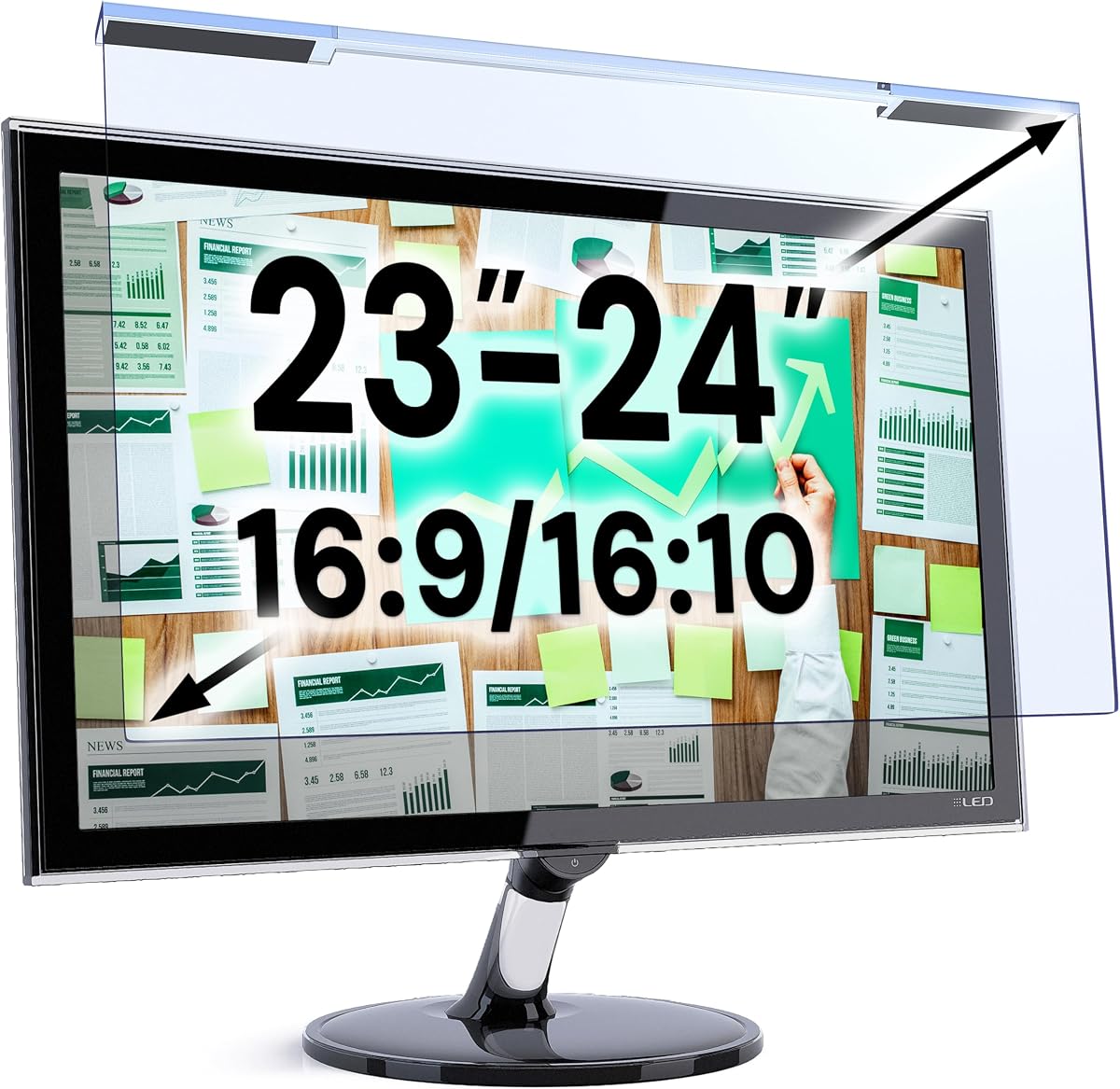

The MOSISO Computer Blue Light Blocking Screen Protector is a practical choice for users with a 23.8- or 24-inch 16:9 monitor. It carries a 4.4 rating and pairs light filtering with physical screen protection. Its acrylic construction is only 0.05 inch thick and is described as offering 95% transparency, making it less likely to create a bulky appearance over a desktop display.
We may earn a commission when you buy through this link, at no additional cost to you.
The product states that it curbs 99% of harmful UV and reduces blue light in the 420-460 nanometer range by 45%. Those figures are particularly useful for people who spend long periods working, studying, gaming, or programming. The same thin acrylic layer is intended to resist dust, fingerprints, and scratches, so it serves as more than a basic light filter.
The main limitation is that the filtering claim is less aggressive than those made by several competing models, including the ZYY options that state at least 90% blue-light blocking. MOSISO also does not position this panel as an anti-glare or privacy filter. Nevertheless, its low-profile construction, high transparency, broad compatibility list, and easy installation make it a sensible balanced option for many standard monitors.
Choose this filter if you own a 23.8- or 24-inch 16:9 display, want a thin panel that preserves brightness, and need an affordable all-purpose layer for eye comfort and physical protection. Measure the visible screen diagonal before ordering, and confirm that the panel’s 21.26 by 13.39-inch dimensions fit your particular display.
The stated 45% reduction in 420-460 nanometer blue light provides meaningful filtration without the extreme tint associated with some darker screen accessories. Its 95% transparency is also intended to retain the original appearance and brightness of the display.
Because the filter is made from acrylic, it also adds a barrier against dust, fingerprints, and scratches. This dual purpose is useful in shared offices, study spaces, and homes where a bare monitor would otherwise be exposed to frequent contact.
We may earn a commission when you buy through this link, at no additional cost to you.
The VizoBlueX 23-24 inch Anti-Blue Light Filter is a versatile panel for standard desktop displays, including compatible 16:9 monitors and Apple iMac 24 Retina models. It has a 4.4 rating, multi-layer construction, and a stated role in eliminating hazardous UV and blocking high-energy visible light while maintaining the visible colors of LCD and LED screens.
We may earn a commission when you buy through this link, at no additional cost to you.
The filter measures 21.5 by 13 inches and is intended for displays with a visible diagonal of 23 to 24 inches. Compatibility is listed for brands including Samsung, LG, Dell, HP, Lenovo, Asus, Acer, BenQ, ViewSonic, Philips, and NEC. It is explicitly distinguished from anti-glare and privacy screens, helping shoppers understand that it focuses on light filtering and visual quality.
Its installation is uncomplicated: remove the protective film from both sides and hang the panel over the monitor. The tradeoff is that a hanging accessory depends on correct sizing and careful placement, and its protections are not presented as a complete solution to glare, reflections, or privacy. The listed benefits also include reduced eye strain, headaches, and fatigue, but individual comfort experiences can vary.
This is an excellent choice for a 23- or 24-inch office monitor when you want a multi-layer panel, a relatively natural-looking image, and broad brand compatibility. It is also suitable for users who want an added layer over an iMac 24 Retina display, provided the visible screen dimensions align with the stated filter size.
The panel’s dimensions and broad compatibility list make it a practical match for mainstream 23- and 24-inch monitors. It can cover common office, entertainment, and productivity displays from several major manufacturers without requiring a complicated mounting frame.
VizoBlueX emphasizes maintaining the full visible colors of LCD and LED monitors. The multi-layer design is therefore aimed at users who want light filtering without sacrificing the clarity they expect from professional or entertainment displays.
We may earn a commission when you buy through this link, at no additional cost to you.
The ZYY 2 Pack 23-24 Inch Computer Screen Blue Light Blocker stands out for its more aggressive filtering specifications and reinforced multilayer construction. With a 4.4 rating, it states that Japanese Fujimori nano-optical stacking technology blocks at least 90% of blue light, at least 98% of UV, and other harmful light by at least 99%.
We may earn a commission when you buy through this link, at no additional cost to you.
The set includes two filters, making it a particularly useful choice for a multi-computer setup, a backup installation, or users who want to move one panel between devices. Each panel measures 540 by 340 millimeters and is listed as compatible with 23-, 23.5-, 23.6-, 23.8-, and 24-inch displays, including an iMac 24 screen and curved monitors.
The construction is described as 8H reinforced acrylic with five layers of optical engineering protection. It also provides scratch resistance and anti-fingerprint properties while remaining only 2 millimeters thick. The tradeoff is that it is physically deeper than the 0.05-inch MOSISO option, and highly specific filtering figures do not guarantee the same subjective comfort or visual result for every user.
Consider this set when stronger stated blue-light reduction, a spare panel, and a multilayer protective construction are priorities. It is particularly attractive for intensive work, study, gaming, or general screen use on a compatible 23- to 24-inch display. Measure the visible screen area rather than the outer bezel before buying.
The stated blocking levels are the central attraction: at least 90% for blue light and at least 98% for UV. This makes the ZYY panel a more technical choice for users who prioritize a pronounced optical-filtering specification.
Two filters provide flexibility that many single-panel products do not. You can equip two workstations, retain a spare, or use one panel on a larger display and move the other between smaller compatible screens.
We may earn a commission when you buy through this link, at no additional cost to you.
The smaller MOSISO filter is designed for 20-, 21.5-, and 22-inch 16:9 widescreen desktop monitors. It has the same 4.4 rating and shares the brand’s combination of 45% reduction in 420-460 nanometer blue light, 99% UV filtration, and 95% transparency. The thin profile is especially appropriate for a compact office display.
We may earn a commission when you buy through this link, at no additional cost to you.
Its stated dimensions are 19.29 by 12.48 inches. Compatible systems include the 21.5-inch iMac, selected HP all-in-one and Pavilion models, Inspiron 3275, Dell P Series 21.5-inch displays, Acer SB220Q, Sceptre E205W-1600, and ViewSonic VA2246MH-LED, as well as other qualifying 16:9 screens.
The 0.05-inch acrylic panel helps preserve the original screen brightness and offers protection against dust, fingerprints, and scratches. As with the 24-inch MOSISO model, the filter is not advertised as an anti-glare or privacy solution, and its stated blue-light reduction is lower than the filtering levels claimed by the ZYY panels.
This filter is a good fit for a smaller office, reception desk, study area, or compact workstation using a compatible 20- to 22-inch monitor. Verify both the visible diagonal and the panel dimensions before ordering, especially if your display has unusually narrow bezels or a nonstandard aspect ratio.
At 0.05 inch, the acrylic layer adds very little visual bulk. That makes it a considerate option for compact monitors where every part of the screen and the overall desk arrangement matters.
The same panel that filters blue light and UV also helps keep dust and fingerprints off the display surface. Its scratch resistance can be valuable in busy work environments and homes with children or pets.
We may earn a commission when you buy through this link, at no additional cost to you.
The VizoBlueX 20-22 inch filter is intended for smaller 16:9 monitors, including the 21.5-inch iMac and displays from Samsung, LG, Dell, HP, Lenovo, Asus, Acer, BenQ, ViewSonic, Philips, and NEC. Its 4.4 rating and multi-layer construction make it a strong candidate for a compact office screen.
We may earn a commission when you buy through this link, at no additional cost to you.
The panel is 19.5 by 12.1 inches and is described as eliminating hazardous UV while blocking high-energy visible light. The manufacturer explicitly distinguishes it from anti-glare and privacy filters, which helps set expectations. It also states that the optical design maintains the full visible colors of LCD and LED monitors.
Users should measure the diagonal of the visible screen without including the plastic frame, as this is the primary step for determining compatibility. The filter is installed by removing protective films from both sides and hanging it in front of the display. Its benefits include less eye strain, fatigue, soreness, headaches, and potentially better sleep patterns, though comfort varies by user.
Choose this model for a compatible 20- to 22-inch monitor when you want multi-layer light protection and a simple hanging system without a privacy effect. It is especially useful for a smaller home-office display or an iMac 21.5 setup where maintaining color visibility is important.
The emphasis on retaining visible colors makes this panel relevant to users who work with text, spreadsheets, photographs, or detailed interfaces. It provides optical filtering without being marketed as a deliberately dark privacy layer.
The stated brand list covers a broad range of popular desktop monitor makers. The critical requirement is the visible screen size, not the brand alone, so measuring the panel area remains essential.
We may earn a commission when you buy through this link, at no additional cost to you.
The VizoBlueX 27-28 inch filter is designed for large desktop screens and earns a 4.4 rating. It uses a multi-layer construction intended to eliminate hazardous UV and block high-energy visible light. Its 24.8 by 14.6-inch dimensions are aimed at 27- and 28-inch 16:9 monitors.
We may earn a commission when you buy through this link, at no additional cost to you.
Compatibility includes the 27-inch iMac All-in-One, iMac Studio Display, and XDR 27, along with displays from Samsung, LG, Dell, HP, Lenovo, Asus, Acer, BenQ, ViewSonic, Philips, NEC, and other major brands. That broad list is useful for creative professionals, gamers, and office users who may replace their monitor while keeping the same filter.
As with the smaller VizoBlueX panels, the product maintains visible LCD and LED colors and installs by removing protective films from both sides. It is not an anti-glare or privacy filter, so it should not be purchased for those specific effects. Users should also measure the visible diagonal, excluding the bezel, and check the actual dimensions.
This is the appropriate VizoBlueX choice for a 27- or 28-inch monitor, particularly if you work for long periods on a large display. Its combination of light filtering, color retention, broad compatibility, and straightforward installation makes it a practical accessory for expansive productivity and entertainment setups.
A 24.8 by 14.6-inch panel gives large monitors full-face coverage without requiring a separate privacy filter. The wide format also suits users who keep multiple windows visible while working.
The compatibility list includes both Apple’s larger all-in-one displays and widely used monitors from other leading manufacturers. This makes it easier to reuse an established setup when upgrading hardware.
We may earn a commission when you buy through this link, at no additional cost to you.
The IPROKKO 2Pack 24 Inch Blue Light Screen Protector is the most feature-oriented entry in this guide, combining light filtering with anti-glare protection. It has a 4.0 rating and states that it filters up to 98% of blue light and up to 99% of UV rays in the 380-460 nanometer range.
We may earn a commission when you buy through this link, at no additional cost to you.
The 24-inch 16:9 panel measures 20.9 by 11.8 inches, or 532 by 300 millimeters, and is designed to cover compatible HP, Dell, Samsung, Lenovo, LG, Acer, Asus, and ViewSonic monitors. Curved monitors are also supported. Unlike several simple hanging filters, this product is removable and washable, allowing it to be cleaned and restored when dust accumulates.
Its additional optical material is stated to reduce glare and reflected light by 95%, which is especially relevant near windows or bright office lighting. The tradeoff is that a 4.0 rating is lower than those of the other products, and the anti-glare layer may alter the visual character of the display compared with a strictly transparent color-preserving panel.
This filter is a strong candidate when glare is a bigger concern than obtaining the most natural-looking image. The two-pack is useful for dual-monitor setups, and the removable design offers an easy cleaning option. Confirm the 16:9 dimensions, exclude the bezel from your measurements, and check your display for a compatible fit before ordering.
The stated 95% glare and reflected-light reduction distinguishes this model from filters that only target blue and ultraviolet light. It can be especially useful beside windows, overhead lights, or other bright sources.
The panel can be removed and cleaned when dust builds up. That flexibility is convenient for frequently used monitors, although the protective material should be handled carefully to preserve its optical surface.
We may earn a commission when you buy through this link, at no additional cost to you.
The VINTEZ 15.6-inch filter is the guide’s dedicated laptop option. It has a 4.3 rating and a panel measuring 14.2 by 8.7 inches, intended to fit 15.6-inch laptop screens. The stated compatible brands include HP, Samsung, Dell, Asus, LG, Huawei, and MSI, among others.
We may earn a commission when you buy through this link, at no additional cost to you.
VINTEZ states that the protector reduces blue light by up to 61% and UV light by up to 99%. It targets light in the 420-460 nanometer range while emphasizing image clarity. The panel also shields the screen from scratches, dirt, and dust, and the company advertises a lifetime replacement policy for a damaged screen.
The trade-off is that this product does not have an anti-glare function, so it should not be chosen primarily to control reflections. Its filtering specification is also less aggressive than the stated performance of the IPROKKO and ZYY options. The single-filter pack may be less convenient for users with multiple laptops.
Buy this filter for a compatible 15.6-inch laptop when portability and a compact, simple installation matter. It offers a useful combination of blue-light reduction, UV filtration, and surface protection, and the lifetime replacement policy adds reassurance for regular mobile users.
A 14.2 by 8.7-inch panel is shaped for the standard 15.6-inch laptop category. It provides a straightforward way to add an optical layer without replacing the laptop or modifying its display.
The stated 61% blue-light reduction, 99% UV filtration, and emphasis on clarity make this a balanced mobile option. It also protects against the everyday dust and scratching encountered by portable computers.
We may earn a commission when you buy through this link, at no additional cost to you.
The VINTEZ 23-24 inch filter is a general-purpose desktop option with a 4.3 rating. It fits screens listed at 23, 23.6, 23.8, and 24 inches, and its actual panel dimensions are 21.2 by 13.4 inches, or 540 by 340 millimeters.
We may earn a commission when you buy through this link, at no additional cost to you.
Compatible brands include HP, Samsung, Dell, Asus, LG, Huawei, MSI, and others. The stated optical performance includes up to 61% blue-light reduction and 99% UV filtration, with the blue-light target focused on 420-460 nanometer wavelengths. Image clarity is a stated priority, while the panel also provides scratch, dirt, and dust protection.
The principal disadvantage is that the filter has no anti-glare function. It also contains one panel, which may be less convenient than the two-filter ZYY and IPROKKO sets. Its filtering figures fall between MOSISO’s stated 45% reduction and the more aggressive claims of the ZYY products, giving buyers a middle-ground option.
This filter is well suited to owners of mainstream 23- to 24-inch desktop monitors who want moderate blue-light reduction, high UV filtering, and surface protection. The lifetime replacement policy provides added value for long-term use, while the peel-film setup keeps installation simple.
By covering several closely related diagonal sizes, the filter can fit 23-, 23.6-, 23.8-, and 24-inch displays. Check the exact 21.2 by 13.4-inch dimensions against the visible area of your monitor.
The filter is not limited to light management. Its scratch and dust protection is useful for frequently touched screens, and the advertised lifetime replacement policy helps extend the usable life of the accessory.
We may earn a commission when you buy through this link, at no additional cost to you.
The ZYY 27 Inch Anti Blue Light Screen Protector is designed for larger desktop monitors and carries a 4.4 rating. It measures 24 1/8 by 14 inches, or 612.6 by 356 millimeters, and is explicitly not intended for an iMac screen. It does support curved monitors.
We may earn a commission when you buy through this link, at no additional cost to you.
The product uses Japanese Fujimori nano-optical stacking technology and states that it blocks at least 90% of blue light, at least 98% of UV, and other harmful light by at least 99%. That is a notably high stated filtering level compared with most of the transparent alternatives in this guide.
Its construction consists of 8H reinforced acrylic and five layers of optical engineering protection. It is 2 millimeters thick, explosion-proof according to the listing, and offers scratch resistance and anti-fingerprint properties. The trade-off is that a premium-strength specification and multilayer construction may be unnecessary for users seeking only modest light filtering.
Choose this filter for a compatible 27-inch desktop or curved monitor when aggressive stated filtration and a reinforced multilayer panel are your main priorities. It is a stronger technical option than the standard transparent hanging filters, but careful measurement is essential because the listing explicitly excludes iMac use.
Five optical layers and 8H reinforced acrylic create a more substantial protective panel. The listing combines this construction with high blue-light and UV blocking specifications for users who prioritize stronger filtration.
Curved-monitor compatibility makes this model relevant to gaming and immersive desktop setups. Although it fits a 27-inch class screen, the explicit iMac exclusion means buyers should check the design of their display before ordering.
We may earn a commission when you buy through this link, at no additional cost to you.
The most important steps are to match the filter to the visible display dimensions, understand the stated filtering levels, and decide whether glare control or maximum transparency matters more. Installation style, included accessories, material, and long-term care also affect the overall experience.
Monitor size labels usually refer to the display’s diagonal, but screen protectors are sold according to width and height. Measure the usable screen area without counting the outer bezel, stand, or plastic frame, and then compare those measurements with the product’s stated dimensions. A filter that covers the entire visible panel while leaving a small border exposed is usually the goal.
Most of the filters in this guide are intended for 16:9 widescreen displays. A panel with the wrong aspect ratio may leave corners uncovered, overlap a bezel, or appear noticeably mismatched. IPROKKO states its 24-inch model is specifically designed for 16:9 screens, while several other listings describe compatibility with 16:9 monitors from major brands.
Filtering claims range from 45% reduction in the 420-460 nanometer range for MOSISO to up to 61% for VINTEZ and at least 90% for ZYY, while IPROKKO states up to 98% blue-light filtering. These percentages come from different manufacturers and may not be directly comparable, but they help distinguish lighter-touch panels from more aggressive optical systems.
Several products emphasize ultraviolet filtration in addition to blue-light reduction. MOSISO and IPROKKO both state 99% UV filtration, while the ZYY filters state at least 98% UV blocking. VINTEZ also advertises up to 99% UV filtration. Multi-layer designs may be appealing if you want a more developed optical system rather than a basic transparent sheet.
A filter that blocks more light can also change brightness, contrast, or color perception. VizoBlueX emphasizes maintaining visible colors, while MOSISO advertises 95% transparency and ZYY describes a high-resolution view with real colors. Consider how you use the display: photo editing, design, gaming, video, and office applications can reveal different effects from an added optical layer.
Most products in this guide focus on blue light, UV, and physical screen protection rather than reflections. IPROKKO is the clearest exception, with a stated 95% reduction in glare and reflected light. It may be better for a monitor beside a window, while a transparent color-focused filter may be preferable for controlled lighting or image-critical tasks.
Most options use a hanging design: remove protective films from both sides and position the panel over the screen. IPROKKO instead describes a removable, washable design intended to install without plastic tabs, tape, air bubbles, or adhesive residue. Installation complexity and the risk of fingerprints or trapped particles should be considered before choosing a particular method.
ZYY and IPROKKO include two filters, which is useful for dual-monitor arrangements or keeping a spare. The other selections are single-filter products. Some listings also mention scratch resistance, anti-fingerprint coatings, dust protection, warranties, or replacement policies; these extras can improve value but should complement, not replace, correct sizing and suitable optical performance.
Before installation, turn off and unplug the monitor, then clean the display with a suitable soft cloth. Measure the visible screen area, compare it with the filter dimensions, and confirm that the aspect ratio and bezel clearance are appropriate. Clean your hands and work on a flat, dust-free surface so particles do not become trapped between the filter and display.
For hanging filters, remove the protective films from both sides as close to installation as possible. Align the panel with the screen edges and place it evenly without dragging it across the surface, which can cause scratches. IPROKKO’s removable design is installed and removed without tabs or tape, but it should still be handled by the edges and aligned carefully to prevent bubbles or smudges.
Use a dry microfiber cloth or a cloth lightly dampened with water for routine cleaning, and avoid abrasive pads, harsh chemicals, and excessive pressure. Keep the filter away from excessive heat and direct sunlight when it is not in use. If dust builds up, remove the panel according to its design before cleaning it, and let it dry fully before reinstalling to avoid moisture marks.
Measure the visible screen from the inside edge of one bezel to the opposite inside edge horizontally, then repeat vertically. Do not include the outer frame, stand, or plastic border. Compare both measurements with the filter’s stated width and height, and confirm that your display uses a compatible aspect ratio, such as 16:9.
Yes, provided the filter matches the laptop’s visible display dimensions. The VINTEZ B08Q48CTS4 is specifically designed for a 15.6-inch laptop and measures 14.2 by 8.7 inches. Larger filters may fit some laptop models, but a dedicated small-screen panel will usually align more cleanly and is easier to position.
Most do not. The IPROKKO B0CXP7P6BF specifically states that its optical materials reduce glare and reflected light by 95%, while the VINTEZ products explicitly lack an anti-glare function. The remaining filters focus on blue light, UV, transparency, and physical protection rather than reflection control.
The amount of visible change depends on the product and display settings. MOSISO advertises 95% transparency and a design intended to preserve the original brightness, while VizoBlueX emphasizes maintaining visible colors. Stronger filtering may produce a more noticeable tint, so adjusting monitor brightness and color settings may help after installation.
Yes. Most models in this guide are installed by peeling protective films from both sides and hanging the panel over the monitor. The main challenge is aligning the panel correctly and avoiding dust or fingerprints. IPROKKO uses a removable, washable approach and states that it installs without tabs, tape, bubbles, or adhesive residue.
The VizoBlueX B0789V1STJ is designed for 27- and 28-inch screens and measures 24.8 by 14.6 inches. The ZYY B08L3J8H35 is another strong option for compatible 27-inch desktop and curved monitors, with stated 90% blue-light blocking and 98% UV blocking. The ZYY model is explicitly not intended for an iMac screen.
Yes, but follow the product’s specific care guidance and use a soft, nonabrasive cloth. IPROKKO is explicitly described as removable and washable, allowing it to be cleaned and restored. For other models, remove the panel carefully if required, avoid harsh chemicals, and prevent moisture from reaching the display.
No. These products are designed to reduce particular wavelengths of light and add a physical protective layer, but they are not medical treatments or substitutes for proper lighting, regular breaks, correct viewing distance, and an eye examination. Persistent headaches, blurred vision, dryness, or discomfort should be discussed with a qualified healthcare professional.
The MOSISO 23.8-24 inch filter is the strongest overall-value selection because it combines a thin acrylic construction, 45% stated blue-light reduction, 99% UV filtration, and broad compatibility at a practical price. The VizoBlueX 23-24 inch model is the most versatile editor’s choice, while the ZYY two-pack offers the guide’s most aggressive stated light blocking and multilayer construction.
Your first priority should always be fit. Measure the visible screen area, confirm the aspect ratio, and check both the width and height. After size, compare blue-light and UV specifications, transparency, glare features, installation style, and included panels. The most advanced filtering figures are not automatically necessary for every user, while correct sizing is essential for a clean installation.
Finally, review the current product listing before purchasing because availability, design details, and prices can change. Compare the latest dimensions and specifications with your monitor, read recent customer feedback, and make sure the selected filter addresses your specific concerns, whether that is eye comfort, glare, color fidelity, scratch protection, or a two-screen setup.