
KEANBOLL Anti Blue Light
3.6Editor score
Removable without adhesive
Compatible with 24-inch displays
Anti-glare viewing surface
A blue screen filter for a monitor can make extended viewing more comfortable by reducing perceived glare and selectively filtering blue light. The best option must also fit your display correctly, preserve a clear image, and install without interfering with the bezel. Screen size, aspect ratio, and mounting method matter as much as optical specifications.
This guide compares ten monitor filters based on their stated dimensions, light-filtering capabilities, glare protection, material, installation system, and compatibility. It includes hanging panels, washable protectors, and two-pack options for 23-, 24-, 27-, and 28-inch displays. Each review also identifies practical trade-offs, such as lack of anti-glare treatment or restrictions on curved screens.
The selections show why no single filter suits every workspace. Three standout options cover different needs: a feature-rich 24-inch hanging panel, a removable 24-inch filter, and a highly protected 27-inch premium model. Ratings and specifications reflect the supplied product information, while availability and prices can change, so check current listings before purchasing.
3.6Editor score

4.4Editor score

4.4Editor score
As an Amazon Associate we earn from qualifying purchases.
The table below compares all ten filters by monitor coverage, dimensional requirements, installation method, and stated optical or protective features. It is designed to make size verification and feature selection faster before choosing a product.


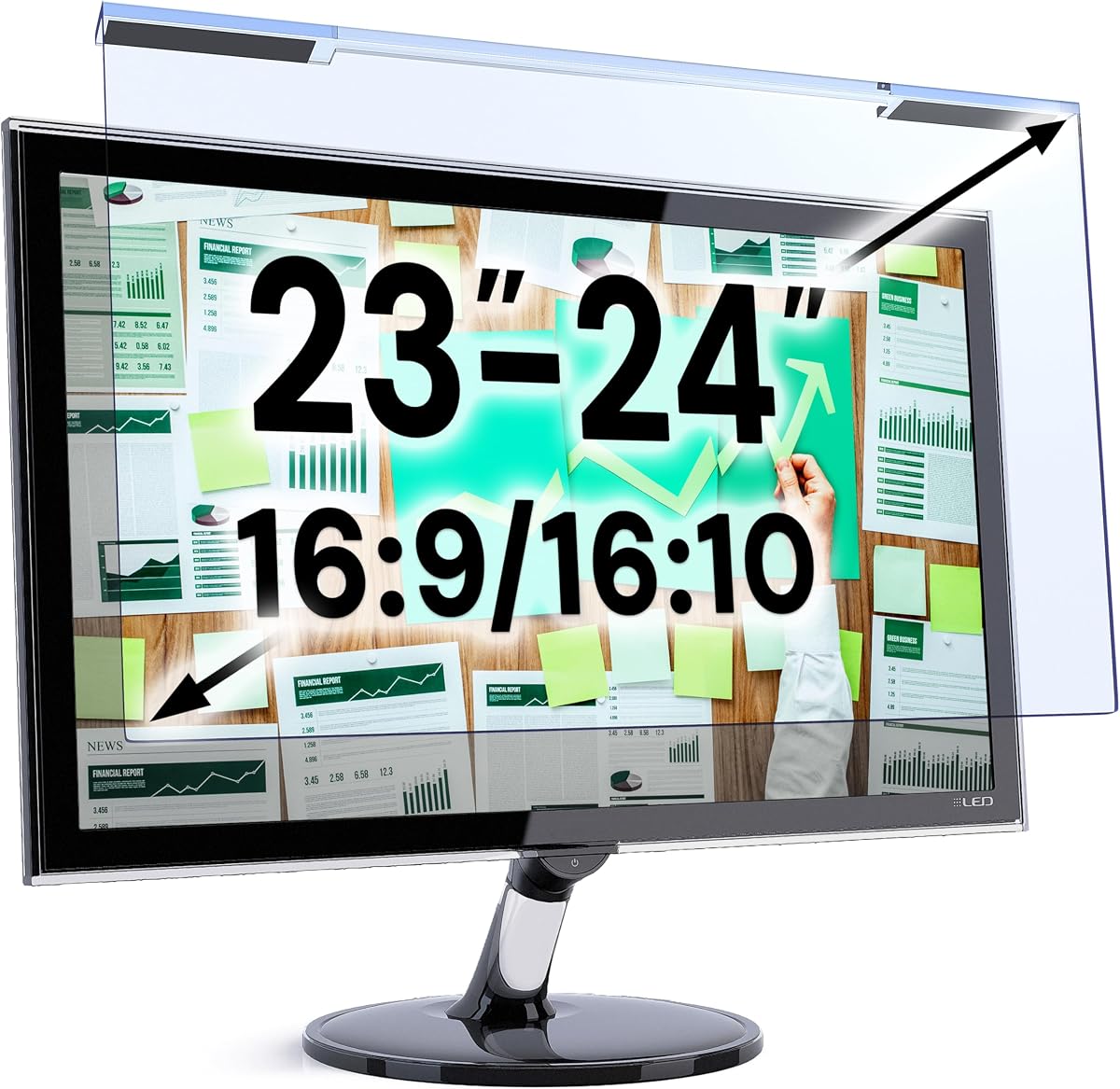


The ZYY 2 Pack 23-24 Inch Computer Screen Blue Light Blocker for Monitor earns a 4.4 rating and stands out as the most complete option in this roundup. Each hanging panel measures 540 by 340 millimeters, covering listed 23-, 23.5-, 23.6-, 23.8-, and 24-inch screens. The two-pack format is particularly useful for users with more than one compatible display.
We may earn a commission when you buy through this link, at no additional cost to you.
Its strongest selling point is the five-layer optical construction, which the manufacturer states blocks at least 90% of blue light, at least 98% of ultraviolet light, and other harmful light. The 8H reinforced acrylic also adds scratch resistance, an anti-fingerprint surface, and a very thin 2mm profile. Compatibility with the 24-inch iMac and curved monitors broadens its practical appeal.
The trade-offs are mostly about expectations and measurement. Although the product description emphasizes high-resolution viewing and realistic colors, it does not state a precise light-transmission percentage. Buyers must also confirm the width and height rather than relying solely on the diagonal size, because a nominally 24-inch monitor can have a different usable area depending on its aspect ratio and bezel design.
This is a strong all-around recommendation for work, study, gaming, and general entertainment. The combination of a two-pack, multilayer filtering, scratch resistance, and broad compatibility makes it the most balanced selection here, while its careful measurement requirement is straightforward for anyone willing to check the display before ordering.
The stated five-layer design goes beyond basic blue-light filtering by adding protection against UV and other harmful light. The manufacturer also describes 8H reinforced acrylic, an anti-fingerprint finish, and a 2mm profile, giving the panels useful everyday durability without turning them into bulky privacy screens.
Receiving two panels makes this set practical for a desk with a primary and secondary monitor, or for keeping a replacement close at hand. The listed 23-24-inch sizing range, curved-monitor support, and 24-inch iMac compatibility give it more flexibility than a filter designed for one exact model.
We may earn a commission when you buy through this link, at no additional cost to you.
The KEANBOLL Anti Blue Light Screen Protector Panel for 24 Inches Computer Monitor has a 3.6 rating, the lowest in the group, but it offers the most straightforward removable format. It is designed for 16:9 widescreen monitors up to a 24-inch diagonal and can be attached and removed without adhesive, reducing concern about leaving marks on a display.
We may earn a commission when you buy through this link, at no additional cost to you.
Its core features are focused rather than elaborate: it blocks harmful blue light, reduces glare, and uses an anti-glare surface to minimize reflections. The stated universal-fit approach is convenient for users who want a simple panel for a common desktop monitor. Its removable construction may also appeal to people who alternate between filtered and unfiltered viewing.
The main limitation is the lack of specific technical information. The listing does not provide a blue-light blocking percentage, UV figure, light-transmission value, or exact panel dimensions. That makes fit verification less precise than with several competing products. The lower rating also suggests it may not deliver the same level of finish or feature depth as the highest-rated models.
Buyers should choose this filter when simple installation, broad 24-inch widescreen support, and glare reduction matter more than quantified optical performance. It is best treated as an affordable, straightforward option rather than the definitive choice for color-critical work, specialized displays, or users who need precise sizing data.
The removable, no-sticker design is the defining advantage here. It avoids adhesive tabs along the bezel and allows the filter to move between compatible screens, which is useful for flexible desks and temporary filtering needs.
Compatibility with 16:9 monitors up to 24 inches covers many standard office displays. Still, buyers should compare the physical panel size with their own screen before ordering because the listing provides a maximum diagonal and aspect ratio rather than exact width and height.
We may earn a commission when you buy through this link, at no additional cost to you.
The IPROKKO 2Pack 24 Inch Blue Light Screen Protector for 16:9 Computer Monitor carries a 4.0 rating and focuses on an unusually useful combination of two filters, washable construction, and a tab-free installation method. Its dimensions are 532 by 300 millimeters for a 24-inch 16:9 display, making precise measurement essential.
We may earn a commission when you buy through this link, at no additional cost to you.
The manufacturer states that the optical material filters up to 98% of blue light and up to 99% of UV rays in the 380-460nm range. It also reduces glare by 95% and is described as scratch resistant, dust resistant, and optimized for high-definition transmission. Compatibility is listed across major brands including HP, Dell, Samsung, Lenovo, LG, Acer, ASUS, and Viewsonic.
Unlike many hanging panels, the IPROKKO set uses no plastic tabs or adhesive tape. The filters can be cleaned and restored when dust accumulates, making them a practical choice for shared or high-use workspaces. The trade-off is that the 16:9 requirement excludes some ultrawide, square, or unusual aspect-ratio displays even when their diagonals fall near 24 inches.
This is a compelling choice for users who value cleanability and straightforward setup over a traditional hanging frame. The included pair, stated glare reduction, and one-year warranty also add reassurance. Exact-fit buyers with standard 16:9 monitors will probably find it easier to live with than users working across multiple monitor formats.
The ability to wash the filters makes upkeep straightforward. Instead of replacing a dusty panel, a user can clean it and restore the viewing surface, which is especially convenient in offices, studios, classrooms, or shared computer areas.
The installation system avoids plastic tabs and tape while maintaining stated filtering of up to 98% of blue light and 99% of UV rays. The product is also described as reducing glare without sacrificing high-definition image quality or causing pixelation.
We may earn a commission when you buy through this link, at no additional cost to you.
The VizoBlueX 23-24 inch Anti-Blue Light Filter for Computer Monitor has a 4.4 rating and is designed for shoppers who prioritize visible color and straightforward installation. Its panel measures 21.5 by 13 inches, and the listing directs users to measure the display diagonal without including the plastic frame.
We may earn a commission when you buy through this link, at no additional cost to you.
A multilayer construction is stated to remove hazardous UV spectrum and block harmful HEV light. The manufacturer explicitly says the product is neither an anti-glare nor privacy screen, which helps set realistic expectations: its purpose is light filtering and eye-comfort support rather than dramatic reflection control or concealed viewing. It is described as maintaining the full visible colors of LCD and LED displays.
Compatibility is broad for standard widescreen displays. The listing names the 24-inch Retina iMac and other all-in-one models, along with 16:9 monitors from Samsung, LG, Dell, HP, Lenovo, Asus, Acer, BenQ, ViewSonic, Philips, and NEC. Installation requires removing protective films from both sides and hanging the panel over the monitor.
This filter is a strong option for users who dislike the dimmed or distorted appearance sometimes associated with screen protectors. It is less suitable for someone whose main concern is reflections under strong lighting. For standard 23-24-inch displays and a clean hanging format, it offers a persuasive combination of color fidelity, broad compatibility, and straightforward care.
Because this is not a privacy filter, users can continue viewing the entire panel normally. The listing emphasizes preservation of visible colors, making it a more natural fit for general productivity, media viewing, and creative applications than a heavily darkened privacy screen.
Named compatibility includes many major display makers, and the stated dimensions suit 23-24-inch screens. The listed support for the 24-inch Retina iMac adds another use case, although buyers should still compare exact width and height before ordering.
We may earn a commission when you buy through this link, at no additional cost to you.
The Universal Blue Light Blocking Screen Protector Panel has a 4.4 rating and offers a clear combination of high stated light transmission, exact sizing information, and tool-free installation. It is intended for 23-, 23.6-, 23.8-, and 24-inch desktop monitors, with an actual filter size of 21.5 by 12.6 inches.
We may earn a commission when you buy through this link, at no additional cost to you.
The manufacturer states that the acrylic panel filters up to 99% of blue light and 75% of glare while allowing 99% light transmission. That combination is designed to reduce eye strain without visibly darkening the image or introducing pixelation. The surface is also described as scratch resistant and stain resistant, with a soft microfiber cleaning wipe included.
Installation uses a hanging method rather than adhesive. After removing the protective film from both sides, the flipped edge rests over the top of the monitor, allowing the panel to be installed or removed without tools and reused as needed. The principal limitation is that it is specifically described as suitable for flat computer monitors rather than curved displays.
This is a well-rounded recommendation for standard 23-24-inch widescreen office monitors. It is particularly attractive for buyers who want a precise size, a high-transmission appearance, and a reusable panel. Skip it if your display is curved, ultra-wide, or has a usable area that differs substantially from the listed dimensions.
A stated 99% light transmission is one of the most useful figures in the roundup because it suggests the panel is designed to preserve overall screen brightness. Combined with acrylic construction and the absence of pixelation in the stated features, it offers a less intrusive appearance.
The hanging system avoids tools and allows the panel to be removed for cleaning or repositioning. A microfiber wipe is included, while scratch and stain resistance help preserve the viewing surface during regular use.
We may earn a commission when you buy through this link, at no additional cost to you.
The VINTEZ Blue Light Screen Protector for 23, 23.6, 23.8, 24 Inch Computer Monitor and Laptop has a 4.3 rating and distinguishes itself through a lifetime replacement policy. Its actual filter dimensions are 21.2 by 13.4 inches, positioning it for 23-24-inch displays as well as some compatible laptops.
We may earn a commission when you buy through this link, at no additional cost to you.
The stated optical performance filters up to 61% of blue light and 99% of UV light. According to the manufacturer, the filter targets the 420-460nm blue-light range while supporting image clarity. The screen surface is also described as shielding against scratches, dirt, and dust, which adds a protective function beyond light filtering.
The product explicitly does not have an anti-glare function. That distinction matters for anyone working near bright windows or under strong overhead lighting. Its blue-light filtering percentage is also lower than several alternatives that claim reductions of 90% or more, so buyers should decide whether its replacement policy and general protection outweigh that difference.
Installation is quick: remove the matte protective film from both sides and position the filter over the top of the monitor. This makes VINTEZ a practical option for users who value low-bulk protection and a replacement guarantee. It is best suited to users who mainly want blue-light and UV reduction rather than aggressive glare suppression.
The lifetime replacement policy is the standout feature in this listing and offers added reassurance if the filter becomes damaged. It complements the stated scratch, dirt, and dust protection, making the product appealing for a display that receives frequent handling.
The listing is explicit that this model has no anti-glare function. If reflections are your primary discomfort, choose a filter with a stated anti-glare layer rather than assuming all blue-light blockers provide the same benefit.
We may earn a commission when you buy through this link, at no additional cost to you.
The ZYY 27 Inch Anti Blue Light Screen Protector has a 4.4 rating and is the strongest dedicated 27-inch option in this guide. Its 612.6 by 356 millimeter panel is designed for 27-inch displays, and the listing explicitly notes that it is not intended for an iMac screen.
We may earn a commission when you buy through this link, at no additional cost to you.
Its optical construction uses Japanese Fujimori nano-optical stacking technology across five layers. The manufacturer states that it blocks at least 90% of blue light, at least 98% of UV, and at least 99% of other harmful light. The 8H reinforced acrylic, scratch resistance, anti-fingerprint finish, and 2mm thickness create a durable but discreet panel for a larger display.
Curved-monitor compatibility makes this more versatile than many flat-screen filters. The hanging design is also straightforward, requiring the protective films to be removed from both sides before positioning. As with other ZYY panels, exact size verification is important: measure the usable display and compare it with the stated dimensions rather than relying only on the marketed diagonal.
This is a premium-style recommendation for 27-inch users who want detailed filtration, physical protection, and curved-screen support in a slim design. It is less appropriate for an iMac or for buyers who need two panels. Otherwise, its broad stated light protection and durable construction make it a strong centerpiece for a larger workstation.
Five optical layers, 8H reinforced acrylic, and high stated filtration rates make this panel more substantial than a basic blue-light sheet. The 2mm profile keeps it visually unobtrusive even across a larger 27-inch viewing area.
Curved-monitor compatibility is valuable in an otherwise crowded filter category. It expands the potential audience beyond standard flat desktop panels, although the listing makes clear that iMac screens are excluded.
We may earn a commission when you buy through this link, at no additional cost to you.
The Mamol 2-Pack 24 Inch Computer Blue Light Blocking Screen Protector has a 3.8 rating but offers the most adaptable installation system in the group. It provides two 24-inch filters for 16:9 displays, each measuring 532 by 300 millimeters.
We may earn a commission when you buy through this link, at no additional cost to you.
Users can choose between attaching clear adhesive stickers to the filters or mounting plastic slide tabs along the outer bezel. The slide-tab method is only suitable for monitors with raised edges, while adhesive stickers offer a more permanent arrangement. The panels are washable and reusable, and the listing states that they filter 98% of harmful blue light and 99.9% of UV rays.
The product also includes anti-glare and anti-scratch features, along with an AR ultra HD light-transmission layer. The claim of no meaningful brightness loss and no pixelation is appealing, but the 3.8 rating indicates that some customers may have found the overall execution less satisfying than the top-rated alternatives. Compatibility is broad across common brands, though the exact 16:9 dimensions remain essential.
This set is best for users who want two filters and are uncertain whether their monitor can support hanging tabs. It is less suitable for flush-bezel displays if you prefer not to use adhesive, or for ultrawide and non-16:9 monitors. The flexible setup, washable construction, and stated UV protection nevertheless make it a practical all-around choice within its size class.
The two supplied installation approaches address different desk setups. Adhesive stickers create a fixed position, while slide tabs support repeated removal and installation on compatible raised-bezel monitors, allowing users to tailor the setup.
Both filters can be cleaned and reused, making the set suitable for multiple displays or for rotating protection during travel. The high stated UV and blue-light figures add optical benefits to the physical scratch and fingerprint protection.
We may earn a commission when you buy through this link, at no additional cost to you.
The VizoBlueX 27-28 inch Anti-Blue Light Filter for Computer Monitor has a 4.4 rating and is aimed at owners of larger displays who value color clarity. The panel measures 24.8 by 14.6 inches and is intended for 27- to 28-inch monitors when the diagonal is measured without the frame.
We may earn a commission when you buy through this link, at no additional cost to you.
A multilayer construction is stated to eliminate hazardous UV spectrum and block harmful HEV light. The product is explicitly not an anti-glare or privacy screen, so it should be selected for optical filtering and eye-comfort support rather than for privacy or heavy reflection reduction. Full visible colors are maintained on LCD and LED monitors according to the listing.
Compatibility includes the 27-inch iMac All-in-One, Studio Display, and XDR 27, plus 16:9 monitors from numerous major brands. The absence of numerical filtering and light-transmission figures makes the claim harder to compare directly with more technical listings. Buyers should therefore place more weight on the exact dimensions and compatibility statements.
This is an appealing choice for a large office or media display when appearance matters. The 27-28-inch range is generous, and the color-focused design avoids privacy-screen darkening. It is less suited to users seeking measurable anti-glare performance, but for standard large-screen light filtering, it is a balanced and highly rated option.
The 24.8 by 14.6 inch dimensions provide full-panel coverage for 27-28-inch displays. That makes the filter useful for large desks where smaller panels would leave substantial portions of the screen uncovered.
As a non-privacy panel with a stated focus on visible color, it avoids the restricted viewing angles associated with darker privacy filters. It is better suited to personal productivity and media viewing than to confidential workspaces.
We may earn a commission when you buy through this link, at no additional cost to you.
The ZYY 2 Pack Diagonal 27 Inch Computer Screen Blue Light Blocker for Monitor has a 4.4 rating and combines the large-screen support of the 27-inch ZYY panel with a convenient two-pack format. Each filter measures 612.6 by 356 millimeters and is intended for 27-inch desktop monitors.
We may earn a commission when you buy through this link, at no additional cost to you.
The stated filtration performance includes at least 90% blue-light blocking, at least 98% UV blocking, and at least 99% blocking of other harmful light. Five optical layers, 8H reinforced acrylic, scratch resistance, and an anti-fingerprint surface support both viewing comfort and physical protection. A slim 2mm profile avoids the bulk associated with some rigid accessories.
This set is more expensive in category terms than many single-filter alternatives, but the practical value comes from having two usable panels. A user can equip two 27-inch monitors, retain a spare, or move the filters between compatible setups. The manufacturer states that the panels support curved monitors, though they are not intended for an iMac screen.
The primary caveat is the importance of checking the actual usable area before ordering. A diagonal size alone does not guarantee a fit, particularly across different aspect ratios or bezel styles. For users with two standard 27-inch displays, though, this provides a strong protective specification and one of the more complete two-pack solutions available in the guide.
The two-pack format is ideal for multi-monitor desks because it provides enough filters to cover more than one display. It also reduces the inconvenience of keeping a single panel offline while another is being cleaned.
The combination of five optical layers, 8H reinforced acrylic, and scratch and fingerprint resistance offers useful protection beyond simple color tinting. Its thin hanging format and curved-monitor support preserve flexibility across compatible setups.
We may earn a commission when you buy through this link, at no additional cost to you.
Choosing a monitor filter starts with the physical display, then moves to the type of light reduction, installation method, and daily maintenance needs. Paying attention to these factors helps prevent an undersized panel, an obstructed bezel, or a filter that does not address your main source of eye discomfort.
Measure the width and height of the display without the bezel, frame, or plastic edging. A diagonal measurement alone is not enough because 24-inch monitors can have different aspect ratios and usable dimensions. Compare those measurements with the filter's exact listed width and height, and pay close attention to whether the manufacturer measures the screen or the entire panel.
In short, measure first and order second. The most effective filter is one that fully covers the intended viewing area without extending beyond the display or blocking controls.
A filter intended for a 16:9 widescreen monitor may not suit an ultrawide, square, or portrait display. Several products in this guide explicitly support 16:9 screens, while others mention a broad range of standard monitors. Check both the diagonal and the aspect ratio, particularly if you own a curved, ultra-wide, or unusually proportioned panel.
Choose a filter whose stated format matches your display, not merely one whose largest supported diagonal is close to yours. Exact width and height are the safest criteria.
Filtering percentages are not directly interchangeable because manufacturers may describe different wavelength ranges or testing methods. In this guide, stated blue-light reduction ranges from up to 61% to as much as 99%. Some products instead describe multilayer UV and HEV filtering without a specific blue-light figure. A higher stated number may sound better, but it should be considered alongside image clarity and your own viewing preferences.
Prioritize products that clearly state what is filtered and retain acceptable brightness. Transparent claims are more useful than a single percentage with no supporting context.
Blue-light filtering and anti-glare treatment are related but distinct features. The VizoBlueX panels and VINTEZ filter explicitly lack an anti-glare function, while several competitors describe glare reduction, imported optical materials, or anti-reflective surfaces. If your monitor faces a window or bright light, glare reduction may matter more than a higher stated blue-light number.
Match the filter to the problem you are trying to solve. Choose a glare-control model for reflections, but do not expect it to provide stronger blue-light filtration unless the listing says so.
Hanging filters rest over the top edge and can often be removed without tools. Adhesive-backed approaches can be more secure but may be less convenient to reposition. Some filters use slide tabs, which require a monitor with raised edges. Others advertise an adhesive-free system. Consider your bezel design, available space, and whether you expect to move the filter between computers.
The best installation is the one that sits securely without creating visible gaps, obstructing controls, or leaving adhesive on the display. Read the installation notes before ordering.
Several products use acrylic or reinforced optical material to resist scratches, dust, fingerprints, and stains. A washable panel can be useful in dusty environments, shared offices, classrooms, and high-traffic workspaces. A cleaning wipe or washable construction helps maintain clarity, but the care instructions should be followed to avoid damaging any coatings.
Treat a filter as both an optical accessory and a removable surface. Scratch resistance, stain resistance, and easy cleaning can add useful everyday protection.
A two-pack is more useful when you have two compatible displays or want a spare. It can also allow one filter to remain in place while another is cleaned. Single-panel sets may be sufficient for one workstation, but they provide less flexibility if a panel is damaged, misplaced, or moved to a different computer.
For a multi-monitor desk, check that every screen has matching dimensions and aspect ratio. Two panels are only convenient when both are genuinely compatible with the displays you intend to use.
A high-transmission material can preserve brightness and reduce the visible impact of the filter. Products in this guide mention high-definition viewing, realistic colors, and, in one case, 99% light transmission. However, no filter should be assumed to reproduce a display exactly, and color-critical work may require adjustment after installation. Brightness controls and your monitor's own settings can help compensate for minor changes.
Look for clear-image claims and anti-reflective construction, then be prepared to fine-tune brightness. The best compromise reduces unwanted light while keeping text, icons, and images crisp.
Before installation, turn off and unplug the monitor, then measure the usable screen area. Compare its width and height with the filter specifications, and check the aspect ratio and bezel style. Clean the display with a suitable soft cloth so dust or grit does not become trapped beneath the panel.
Remove the protective films from both sides of the filter, as several product listings specifically warn that doing so is necessary. For a hanging design, place the flipped edge over the top of the monitor and let the panel rest in front of the screen. For adhesive or slide-tab systems, follow the included instructions and confirm that raised bezel edges are present before using tabs.
After installation, power the monitor back on and adjust brightness or contrast to compensate for any perceived change in brightness or color. Clean removable or washable filters according to the manufacturer's guidance, and avoid abrasive pads or harsh cleaners. Keep the panel properly aligned so the viewing area remains clear and no controls are obstructed.
Measure the visible width and height of the screen without counting the bezel or outer frame. Compare those numbers with the filter's actual dimensions, and confirm the aspect ratio as well. A 24-inch diagonal alone does not guarantee a fit because different widescreen and non-standard displays can have different usable areas.
The effect depends on the filter's optical material and construction. Products in this guide emphasize high-definition viewing, realistic colors, or high light transmission, but every added layer can slightly affect brightness or color perception. Users can adjust monitor brightness and contrast, and anyone doing color-critical work should evaluate the filter with their own display.
Not necessarily. Blue-light filtering and anti-glare or anti-reflective treatment are separate features. The VizoBlueX filters and VINTEZ model expressly lack an anti-glare function, while several other options in the guide state glare reduction. Check the feature list rather than assuming every blue-light filter controls reflections.
Some can. Both 27-inch ZYY filters and the 23-24-inch ZYY set are stated to be compatible with curved monitors, while the IPROKKO 24-inch filter also lists curved-screen support. The universal 23-24-inch acrylic panel is specifically described for flat monitors, so verify the product details before purchasing.
A hanging filter typically rests on the top edge of the monitor and remains in position with gravity or a small flipped lip. Remove any protective film from both sides first. Other products use adhesive stickers or slide tabs instead, and tab-based systems generally require a monitor with raised outer edges.
It depends on the model. The IPROKKO and Mamol filters are described as washable and reusable, and several hanging panels can be removed and reinstalled without tools. Other filters may be reusable but do not specifically state that they are washable, so follow the included care guidance and avoid abrasive cleaning materials.
You should size the filter for the device's actual screen dimensions rather than assume a nearby monitor size will work. The VINTEZ 23-24-inch model is marketed for compatible monitors and laptops, but its exact 21.2 by 13.4 inch filter size still needs to be compared with the laptop panel. Smaller laptop-specific alternatives may be a better fit.
It depends on the exact iMac model and the filter's dimensions. The VizoBlueX 23-24-inch filter lists compatibility with the 24-inch Retina iMac, and the VizoBlueX 27-28-inch version names the 27-inch iMac All-in-One, Studio Display, and XDR 27. Both ZYY 27-inch options explicitly are not for iMac screens.
The ZYY 2 Pack 23-24 Inch is the strongest all-around selection because it combines a 4.4 rating, two panels, five optical layers, 8H reinforced acrylic, and compatibility with curved monitors and the 24-inch iMac. For a simple, removable, budget-oriented setup, the KEANBOLL 24-inch filter offers a practical no-adhesive alternative. Users seeking extensive protection on a larger display may prefer the premium ZYY 27-inch panel.
Prioritize exact dimensions and aspect ratio before considering any optical percentage. Decide whether your main need is blue-light reduction, glare control, UV filtering, scratch protection, washable maintenance, or support for multiple displays. A filter that fits cleanly and addresses your actual discomfort will be more useful than one with the largest stated specification on paper.
Ratings, availability, and prices can change over time, so check the current listing and product details before making a final purchase. Confirm the filter's actual width and height, understand its installation method, and review the stated anti-glare capabilities. Those checks will help ensure that the monitor you choose integrates cleanly with your display and daily routine.