
MSI MAG A650BN
4.7Editor score
Compact 650W ATX design
Low-noise cooling fan
DC-DC circuit design
Active PFC operation
Five-year warranty
Our budget power supplies for gaming PCs guide compares 10 affordable ATX models for efficiency, capacity, modularity, protection, and GPU support and features.
A gaming PC power supply must deliver stable electricity to the motherboard, processor, graphics card, drives, and cooling hardware without adding unnecessary cost. The best budget options balance usable wattage, efficiency, solid protection circuitry, quiet cooling, and enough connectors for modern gaming builds.
We compared ten ATX power supplies using the supplied specifications, customer ratings, connector information, efficiency certifications, warranty coverage, and practical compatibility details. The list includes fixed-cable, semi-modular, and fully modular designs at 500W, 600W, 650W, and 750W, giving shoppers several ways to balance capacity, convenience, and value.
Each review explains the strongest reasons to consider that model, along with limitations that matter when planning a build. The featured recommendations reflect the information available for this guide, while current ratings, availability, and prices can change. Always verify the complete cable list and your system’s requirements before purchasing.
4.7Editor score

4.7Editor score

4.6Editor score
The comparison below places all ten models by wattage, efficiency, cabling, standards, cooling, and warranty so you can quickly identify the option that matches your gaming PC and case.
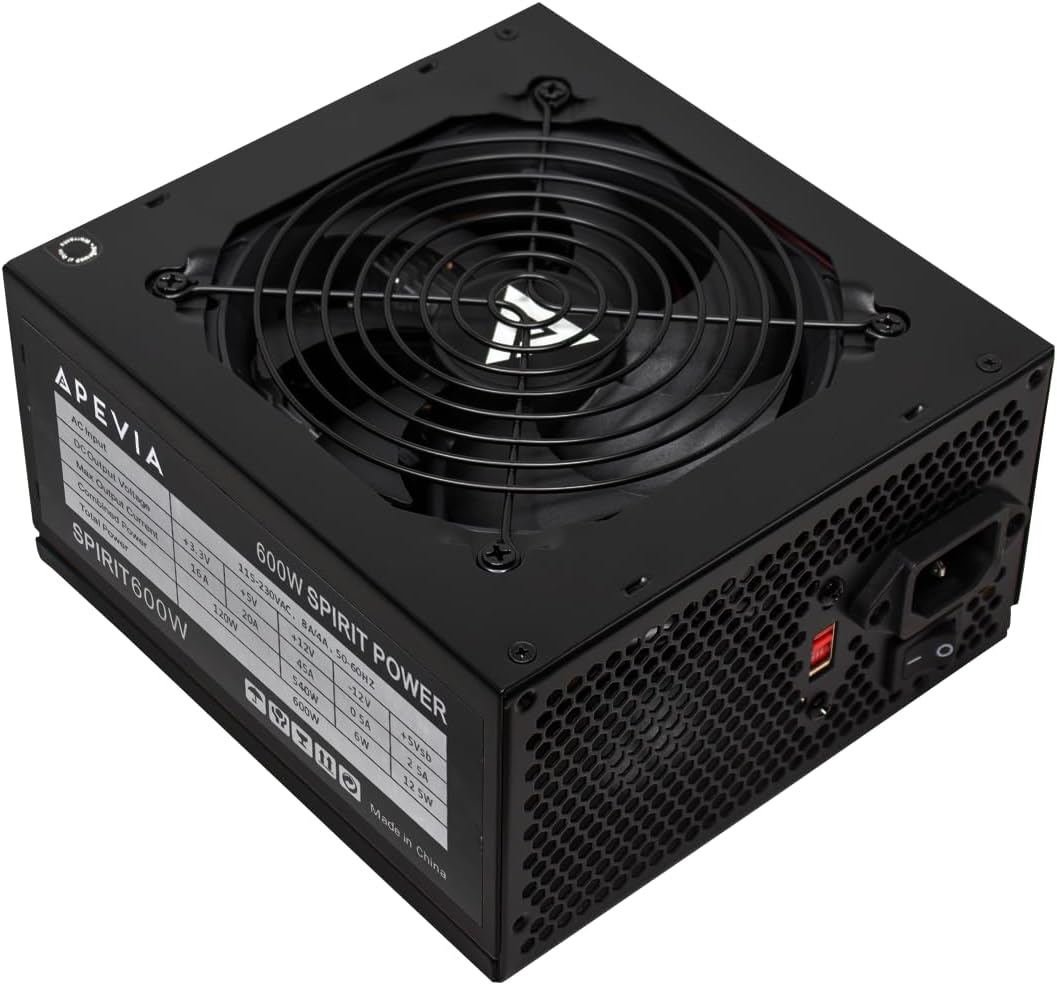



The Apevia Spirit 600W is a straightforward ATX power supply aimed at builders who want adequate gaming capacity without paying for advanced modularity. Its supplied rating is 4.3 out of 5, and the standout feature is a single 12V output rated at 45 amps. That arrangement is well suited to modern components that draw power primarily from the 12V rail.
We may earn a commission when you buy through this link, at no additional cost to you.
Connector coverage is generous for a budget model. It includes one 20+4-pin motherboard connector, one 4+4-pin CPU connector, two PCI-E 6+2-pin connectors, four SATA connectors, and four Molex connectors. The splittable motherboard, CPU, and PCI-E connectors improve compatibility with older boards and graphics cards without requiring adapters.
Its automatic 120mm fan should manage heat without constant operation, while the listed short-circuit, over-current, over-voltage, over-power, under-voltage, and over-temperature protections add useful safeguards. The trade-off is that the supplied specifications do not mention an 80 Plus efficiency certification, and every cable stays attached to the housing, which can make a clean build harder to manage.
This model makes sense for a midrange gaming PC with a single graphics card and a modest collection of storage devices. It is less attractive if cable clutter is a priority or if your future GPU requires a native 12V-2×6 connection. For those needs, a modular option with modern GPU support may be a better long-term fit.
The splittable 20+4-pin motherboard plug, 4+4-pin CPU plug, and 6+2-pin PCI-E connectors make this supply useful across a wide range of ATX hardware. Check your graphics card’s recommended power connector before assembly and avoid using adapters unless they are specifically supported.
A 45-amp 12V rail gives this unit a clear focus on gaming workloads. Its extensive protection list also makes it a reassuring option for a new build, although buyers should still prioritize correct wattage, compatible connectors, and sound airflow inside the case.
We may earn a commission when you buy through this link, at no additional cost to you.
The Thermaltake SMART 600W combines a 600W continuous rating with 80 Plus certification and active power factor correction. Its customer rating is 4.5 out of 5, placing it among the stronger choices for conventional gaming builds. It targets ATX 12V 2.3 and EPS 12V 2.92 systems, making it most relevant to established ATX platforms.
We may earn a commission when you buy through this link, at no additional cost to you.
The power supply delivers up to 80 percent efficiency under typical loads, helping reduce wasted energy as heat. Active PFC improves power factor, and the listed 100,000-hour MTBF indicates a long-term design target. Protection against overload, overvoltage, and short circuits adds another layer of system support.
Two PCI-E 6+2-pin connectors should cover the needs of many midrange graphics cards, while the 600W capacity allows sensible headroom for a mainstream CPU and GPU combination. However, the supply uses a fixed cable layout, and its ATX 12V 2.3 specification predates the newest ATX 3.x and native 12V-2×6 designs.
Choose this unit for a reliable, efficient build that does not need the newest high-power graphics cable. It is especially relevant if your motherboard and GPU use conventional PCIe connectors. Builders planning a future platform upgrade may prefer a newer ATX 3.1 model with more extensive GPU support.
80 Plus certification means the SMART 600W wastes less energy at typical operating loads than an uncertified alternative. Lower waste also means less heat for the internal fan to remove, which can support a quieter and more thermally comfortable system.
A 16-millisecond hold-up time, active PFC, and multiple protections help this model suit stable desktop workloads. The five-year warranty provides additional reassurance, though it does not replace careful cable routing and correct component matching.
We may earn a commission when you buy through this link, at no additional cost to you.
The ARESGAME AGV 500W is the most modest-capacity option in the guide, but it offers a useful set of fundamentals for entry-level gaming PCs. Its 4.4 rating reflects a favorable balance of 80 Plus Bronze efficiency, a five-year warranty, a quiet 120mm fan, and broad electrical protections.
We may earn a commission when you buy through this link, at no additional cost to you.
The unit provides 500 watts of continuous output and operates at 85 percent efficiency or higher under typical loads. That efficiency target reduces energy waste and internal heat. Overvoltage, undervoltage, over-power, and short-circuit protection cover several common electrical faults, while the fan is designed to provide cooling with low noise.
All cables are black, which helps the fixed harness blend into a dark case. The trade-off is that the cables cannot be detached from the power supply, so unused leads may need careful routing into a compartment or behind the motherboard tray. A 500W capacity also leaves less upgrade room than the 600W, 650W, and 750W alternatives here.
This model is best for a cost-conscious build with an efficient CPU, a midrange GPU, and modest power demands. It is less suitable for power-hungry processors, multiple graphics cards, extensive add-in devices, or future upgrades. Confirm your estimated system draw and check the included connectors before buying.
The 85-percent typical-load efficiency makes this a responsible choice for a basic gaming system. It can keep heat and energy waste lower than units without an efficiency certification, provided the operating load remains within the supply’s intended range.
A 120mm ultra-quiet fan helps maintain stable temperatures without making the power supply the loudest component in the room. The protection features also make it a sensible foundation for a system that will be upgraded gradually over time.
We may earn a commission when you buy through this link, at no additional cost to you.
The MSI MAG A750GL PCIE5 is the most feature-oriented premium recommendation in this guide. It combines 750 watts of capacity, 80 Plus Gold efficiency, a fully modular design, ATX 3.1 and PCIe 5.1 readiness, and a native dual-color 12V-2×6 cable. Its supplied customer rating is 4.6 out of 5.
We may earn a commission when you buy through this link, at no additional cost to you.
Native 12V-2×6 support is especially relevant for modern high-power graphics hardware because it avoids relying on a multi-connector adapter. Fully modular cables improve airflow and reduce clutter by allowing unused leads to remain in the box. Its compact construction is useful for builders who want current standards without a large traditional desktop supply.
Gold efficiency keeps wasted energy comparatively low, while the ten-year limited warranty is the longest coverage listed among these ten models. The main caveat is that 750W may be unnecessary for a modest system, and buyers should still verify physical clearance and make sure the case can accommodate an ATX power supply. The included cable list should also be compared with the hardware in the build.
This is a strong pick for a modern gaming PC with a powerful graphics card, especially if you want clean cabling and room for later expansion. It also makes sense for creators who want a compact but current platform. For a simpler midrange build, one of the 600W or 650W alternatives may provide more appropriate value.
The native dual-color 12V-2×6 cable is designed for contemporary graphics cards that benefit from direct high-power delivery. Using the appropriate native connection can simplify cable management and avoid dependence on an adapter, provided the GPU supports that connector.
Every supported cable can be removed, giving builders precise control over the interior appearance and airflow. The ten-year limited warranty adds long-term confidence, making this a sensible option when you want contemporary standards and expect to retain the system for several upgrades.
We may earn a commission when you buy through this link, at no additional cost to you.
The Segotep 650W is built around a single 12V output and an unusually generous four PCI-E 6+2-pin connector set. It carries an 80 Plus Gold certification and a 4.6 customer rating, making it an attractive middle ground for a gaming system that may use a powerful conventional graphics card.
We may earn a commission when you buy through this link, at no additional cost to you.
Four 6+2-pin connectors can serve one demanding GPU or support multiple simpler graphics cards, depending on the rest of the system’s power needs. Because each 6+2 lead can be separated, builders have flexibility when fitting cards with six- or eight-pin requirements. Gold certification also indicates strong efficiency under typical loading.
The fixed cable design is the primary drawback. It prevents unused wires from being stored away, so a tidy build requires careful routing and potentially a shroud. The specifications also do not list a native 12V-2×6 cable or ATX 3.x compliance, which makes it less forward-looking than the MSI A750GL or ASRock PRO 750G.
Choose the Segotep when connector quantity and 650W of capacity matter more than modularity or the newest interface standard. It is a practical option for a single high-end GPU using traditional PCIe power leads. Confirm that four connectors do not imply support for four power-hungry graphics cards, and calculate the full system load first.
Four separable PCI-E 6+2-pin cables offer considerable flexibility for conventional graphics hardware. They are useful when a card requires multiple auxiliary power inputs, although total wattage and connector limits should always be respected.
Gold certification supports lower waste and heat at typical loads, while global voltage adaptation broadens where the unit can be used. Neither feature changes the need to match the correct connector and voltage configuration to the graphics card.
We may earn a commission when you buy through this link, at no additional cost to you.
The ASRock PRO 750G combines 750 watts of capacity with current ATX 3.1 and PCIe 5.1 support. Its supplied rating is 4.6 out of 5, and the native dual-color 12V-2×6 connector makes it a practical choice for modern graphics cards that need substantial auxiliary power.
We may earn a commission when you buy through this link, at no additional cost to you.
According to the supplied specifications, the 12V-2×6 connection supports up to 450W of delivery. The unit is 80 Plus Gold certified, reaching up to 90 percent energy efficiency according to the listed description. A 120mm low-noise fan provides thermal control without becoming the dominant source of case noise.
Its three-year warranty is shorter than the five- or ten-year terms offered by several competitors, and the specification does not identify the design as fully modular or semi-modular. Buyers should therefore expect to account for fixed wiring unless the product listing shows otherwise. The product description also specifically advises checking power requirements and chassis space.
This power supply suits a modern midrange-to-high-end gaming PC with one demanding GPU and additional upgrade potential. It is less compelling for an entry-level machine that only needs 500W or 600W. Confirm the GPU’s preferred connector, check the case dimensions, and review the full cable list before making a final selection.
The native 12V-2×6 connection and stated 450W delivery make the PRO 750G relevant to recent high-performance graphics hardware. Check that the connector is fully seated and follow the graphics card manufacturer’s instructions to avoid an improper connection.
Gold efficiency reduces the amount of energy converted to heat, while the low-noise fan manages that heat. This combination is valuable in a gaming system where audible fan noise can detract from the experience.
We may earn a commission when you buy through this link, at no additional cost to you.
The MSI MAG A650BE stands out as the most balanced recommendation for a mainstream gaming PC. It pairs 650 watts of capacity with 80 Plus Bronze efficiency, semi-modular wiring, active PFC, a low-noise 120mm fan, and a five-year warranty. Its supplied customer rating of 4.7 is tied for the highest in the group.
We may earn a commission when you buy through this link, at no additional cost to you.
The semi-modular design offers a meaningful improvement over a fully fixed supply because selected cables can be detached, helping builders route only what they need. The compact ATX enclosure may also suit smaller cases, while active PFC supports more efficient and stable power conversion in a typical gaming environment.
Protection against overvoltage, overcurrent, over-power, over-temperature, and short circuits gives the model a comprehensive safety feature set. The DC-DC circuit design is another welcome feature. As trade-offs, Bronze efficiency is lower than Gold, and no native 12V-2×6 connector appears in the supplied specifications, so very new graphics cards may require their recommended adapter.
This is an excellent choice for a midrange gaming system with one modern graphics card, a powerful CPU, and several storage devices. It leaves more headroom than a 500W model while remaining less demanding than a 750W unit. For a current high-end GPU build or a highly organized modular system, examine the MSI A750GL or another ATX 3.1 model instead.
A 650W rating is large enough for many mainstream gaming combinations without carrying the size, heat, and cost implications of a much larger unit. It is a sensible capacity target when you want comfortable headroom but not an oversized power supply.
Detachable essential cables make it easier to keep the visible interior tidy without requiring the complete modular ecosystem. The result is a practical balance for builders who value both neatness and straightforward installation.
We may earn a commission when you buy through this link, at no additional cost to you.
The MSI MAG A650BN is a compact, non-modular 650W option that combines a high 4.7 customer rating with a five-year warranty. Its core appeal is straightforward: adequate power for mainstream gaming systems, a low-noise fan, active PFC, and DC-DC circuit design without an elaborate modular cable system.
We may earn a commission when you buy through this link, at no additional cost to you.
The compact ATX format can make installation easier in smaller cases than a long full-size unit. Active PFC and DC-DC circuitry are useful foundations for stable modern operation, while the low-noise fan provides cooling with a focus on reduced acoustic output. The listed protections cover overvoltage, overcurrent, over-power, over-temperature, and short circuits.
The fixed wiring makes this model less attractive when a clean case is the priority. Every cable remains attached, so unused leads must be hidden or routed carefully. Also, the supplied specifications for this model do not explicitly state an 80 Plus efficiency certification, even though the similarly named A650BE does carry Bronze certification. Buyers should verify the final listing details.
Choose the A650BN when you want a compact unit, five-year coverage, and enough capacity for a conventional single-GPU gaming PC. It is especially sensible if cable management is not a major concern. For an efficiency-labeled alternative with detachable cables, the A650BE may be easier to justify, while newer GPUs may point toward an ATX 3.1 supply.
The compact enclosure reduces the space a power supply occupies and can help when working inside a smaller chassis. Measure the available area and leave the required clearance around the unit for cooling.
This model keeps its feature set focused on power delivery, cooling, protection, and warranty coverage. That simplicity can appeal to first-time builders, although accepting fixed cables may make cable routing less forgiving.
We may earn a commission when you buy through this link, at no additional cost to you.
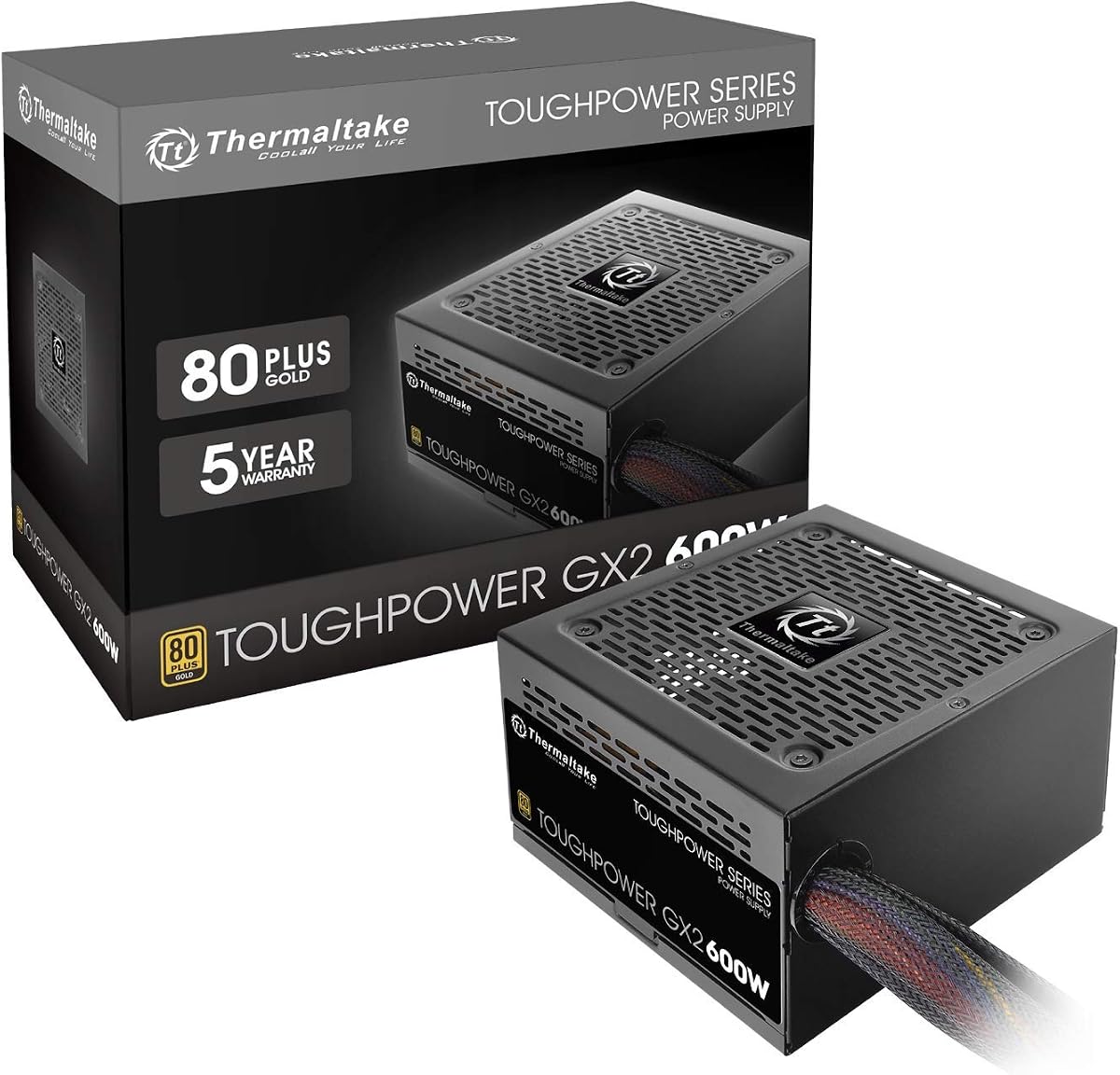
The Thermaltake Toughpower GX2 is a 600W ATX 12V V2.4 power supply aimed at established gaming platforms. Its 4.6 rating reflects a strong feature set that includes 80 Plus Gold efficiency, low ripple noise, high-quality capacitors, a dynamic bearing fan, industry-grade protections, and a five-year warranty.
We may earn a commission when you buy through this link, at no additional cost to you.
Its single 12V rail supports modern GPU power delivery, while the listed 90-percent efficiency helps reduce wasted energy and heat. The low-ripple specification is particularly relevant to sensitive, performance-oriented components because cleaner power can support stable operation. A 120mm dynamic bearing fan is designed to combine cooling performance with quiet running.
The connector configuration includes one 24-pin main connector, one 4+4-pin ATX 12V connector, two PCI-E 6+2-pin connectors, six SATA connectors, three peripheral connectors, and one floppy-drive connector. Although the model is described as SLI and Crossfire ready, the two PCIe connectors and 600W capacity should not be interpreted as permission to install two unrestricted high-end GPUs.
This is a strong option for a single-GPU 600W gaming PC that values efficiency and clean power over modularity. It works especially well with conventional 6+2-pin graphics connectors. If you need a native 12V-2×6 lead or detachable cables, choose one of the newer ATX 3.1 models in the guide instead.
The Gold efficiency target and advertised low ripple output make this model attractive for a stable, performance-focused system. These specifications work together to reduce waste while supporting consistent component behavior under load.
Two PCI-E 6+2-pin connectors, six SATA connectors, and three Molex leads cover many traditional builds. The fixed arrangement requires planning, but it avoids the need to source additional modular cables during assembly.
We may earn a commission when you buy through this link, at no additional cost to you.
The Rosewill VSB 650W brings modern GPU connectivity to a comparatively modest 650W class. It supports Intel ATX 3.0 and ATX 3.1, includes a native PCIe 5.1 12V-2×6 cable, and carries a 4.5 customer rating. Its semi-modular construction and compact dimensions also make it appealing for tidy builds.
We may earn a commission when you buy through this link, at no additional cost to you.
The native 12+4-pin 12V-2×6 cable provides direct connection options for recent graphics cards, while 80 Plus Bronze certification supports efficiency of at least 85 percent under typical loads. The listed use of a Japanese capacitor rated for 105°C and a 120mm ICB silent fan indicate attention to component quality and cooling.
Its steel chassis measures 140 by 150 by 86 millimeters according to the specifications, making it 35 percent smaller than a standard reference size. That compactness can aid small-form-factor integration. A six-protection suite covers overcurrent, over-power, over-temperature, overvoltage, short-circuit, and under-current conditions.
This model is well suited to a modern gaming PC that wants a native high-power GPU connector without moving to a full 750W supply. Its 650W capacity is appropriate for many single-GPU configurations, but the GPU manufacturer’s power recommendations remain controlling. Use the native cable correctly, route it without tight bending, and verify the case has sufficient space and airflow.
The native PCIe 5.1 12V-2×6 cable allows compatible graphics cards to receive direct auxiliary power. This is a meaningful advantage over supplies limited to older PCIe connectors and can simplify installation for current hardware.
The compact chassis can free space inside smaller cases and make the supply easier to position. Its vented steel shell and ICB fan are designed to maintain cooling, but adequate case airflow and unobstructed intake remain important.
We may earn a commission when you buy through this link, at no additional cost to you.
Choosing a budget gaming PC power supply requires balancing actual hardware needs with connector support, efficiency, reliability features, and physical constraints. The correct unit should fit the case, cover the GPU and CPU, and provide enough clean, stable power without overspending on capacity you will never use.
Choose a capacity that covers your real build with comfortable margin rather than simply selecting the largest unit available. Excessive unused capacity does not improve performance and may cost more, while insufficient capacity can lead to instability or unwanted shutdowns.
Never force a connector or rely on an unpinned adapter when a native cable is available. Ensure every high-power GPU cable is fully seated at both ends and routed with a gentle bend away from sharp edges.
Prioritize at least Bronze certification when possible, and consider Gold when the budget permits or the system runs heavily. Efficiency alone cannot compensate for inadequate capacity or missing connectors.
For easy routing, choose semi-modular or fully modular. For a basic build where every case includes a shroud, a non-modular supply may still be perfectly manageable if the excess cables can be hidden safely.
Look for a broad protection suite, particularly short-circuit and overvoltage protection. If a PSU lacks some protections, keep loads conservative and address unusual behavior promptly rather than assuming the system will protect itself.
Measure before buying rather than assuming every ATX supply fits every chassis. A slightly smaller unit can simplify a compact build, but it still needs proper clearance and room for cables to bend without being pinched.
Prioritize a thermally efficient design and low-noise cooling, but keep realistic expectations about sound. Higher efficiency also means less heat for the fan to dissipate, improving the acoustic result.
For a new high-end build, modern ATX 3.x support is worth prioritizing. For an existing system with conventional connectors, an earlier standard can still provide excellent value if the wattage and protections align.
Install the power supply in a clean, accessible area of the case with its fan oriented toward an intake area or clear airflow path. Connect the 24-pin or 20+4-pin motherboard cable, the appropriate 4+4-pin CPU cable, and the graphics card’s specified auxiliary power connectors. Turn the system off and disconnect the wall power before changing any internal connection.
Bundle excess cables behind the motherboard tray or inside a shroud, but do not sharply bend modular or high-power graphics leads near their connectors. Keep the power supply vents clear, avoid placing the unit beneath a cable-routing panel that blocks intake, and make sure the case’s front and rear fans can move air through the chassis.
Periodically power the system down, unplug it, and use gentle compressed air to remove dust from the power supply vents and case fans. Watch for unusual fan noise, buzzing, unexpected shutdowns, or a disconnected plug during operation. If any of these occur, stop using the system and investigate the installation or contact the manufacturer.
Most efficient midrange gaming PCs can work well with 500W to 600W, but the graphics card and processor recommendations should determine the starting point. A 650W unit offers additional headroom for a powerful single GPU, while 750W is useful for high-end graphics hardware or future expansion. Add up the expected power needs of all components and avoid treating the GPU requirement as the complete system load.
A 600W supply can be appropriate for many gaming builds, particularly when paired with a mainstream CPU and an efficient graphics card. It becomes less suitable if the GPU manufacturer calls for more power or if the system includes power-hungry processors and accessories. Check the recommended wattage, available connectors, and desired upgrade path before deciding.
Yes, because it indicates greater energy efficiency at specified loads than an uncertified unit. Less wasted energy becomes heat, which can reduce fan activity and help keep the internal temperature under control. Bronze certification is a reasonable baseline for a budget build, while Gold can be worthwhile for a system expected to run heavier workloads.
A modular design is usually easier to route because unused cables can be removed, improving appearance and potentially airflow. A non-modular supply is simpler internally and can work well in cases with a shroud or enough space to conceal excess wiring. The choice mainly affects installation convenience rather than the basic quality of the power delivery.
It is a high-power graphics connector used by many current GPUs and supported by newer ATX 3.x power supplies. A native cable avoids relying on a multi-connector adapter when the graphics card supports the newer interface. Always check the GPU’s instructions, use the specified connection, and avoid a tight bend close to the plug.
You should not assume cables from one modular power supply will fit or work with another. Pinouts can differ even when the connectors look identical, and an improper cable can damage components or create a serious safety hazard. Use only the cables supplied with the chosen unit and consult the manufacturer if a replacement is required.
Some extra capacity can be useful if you expect to replace the graphics card or upgrade the processor within the same case. However, buying far more than you need adds unnecessary cost and may not improve performance. Choose a realistic middle ground and ensure it remains physically compatible with your case and planned components.
Yes, switch off the computer, unplug the power cord, and discharge the system before changing internal power connections. Follow the case and motherboard instructions, attach the correct cables, and verify that each plug is fully inserted. If you notice damage, unusual odor, buzzing, or repeated startup problems, stop troubleshooting and contact a qualified professional or the manufacturer.
The MSI MAG A650BE is the strongest all-around recommendation for most budget gaming builds because it balances 650W of capacity, Bronze efficiency, semi-modular wiring, active PFC, a quiet fan, and a five-year warranty. The MSI MAG A650BN offers similar core power and warranty benefits in a compact non-modular design, while the MSI MAG A750GL PCIE5 serves as the premium choice for modern ATX 3.1 systems and fully modular cable management.
Prioritize capacity that matches your actual GPU and CPU, then confirm the required connectors, physical case clearance, efficiency level, and protection features. A newer 12V-2×6 connection can be valuable for a recent graphics card, but it is not automatically essential for every budget PC. For conventional systems, a 600W or 650W unit with suitable PCIe leads may provide more useful value.
Ratings, warranty terms, product details, and prices can change, so review the current listing before buying. Compare the manufacturer’s final specifications with your motherboard, processor, graphics card, and case, and make sure every required power lead is included. A carefully matched supply is the foundation of a stable gaming PC, regardless of whether it is the least expensive option in the case.