
Acer Chromebook Plus 515
4.3Editor score
Larger 15.6-inch touchscreen
Intel Core i3 processor
Wi-Fi 6E connectivity
Google AI Pro included
Ten-hour stated battery
Chromebooks for AI combine ChromeOS, Gemini-powered tools, cloud-based workflows, and increasingly capable processors in portable packages. A strong choice should not merely include AI features; it should also deliver enough memory, storage, screen quality, connectivity, and battery life for the way you actually work, study, or create.
We compared the featured models by examining their processors, memory, storage, displays, cameras, wireless standards, ports, audio, portability, security features, and stated battery expectations. The list includes general-purpose Chromebook Plus systems, compact student devices, a convertible, and configurations designed for different performance and mobility needs.
Each review explains who the product suits, which capabilities stand out, and where compromises remain. User ratings are included where available, but feature details carry more weight when one model has not accumulated a rating. As with all technology listings, prices and promotions can change, so verify current availability before purchasing.
4.3Editor score

4.9Editor score

As an Amazon Associate we earn from qualifying purchases.
This side-by-side comparison highlights each Chromebook's processor, memory, display, and defining feature, making it easier to identify the model that matches your AI, study, creative, or travel priorities.


This Acer Chromebook Plus 514 combines ChromeOS, Google AI features, an Intel Core i3-1315U processor, 8GB of LPDDR5 memory, and a 256GB PCIe Gen4 SSD. Its 4.9 rating is the highest among the listed models with an established user score, and the balanced specification makes it a strong all-around recommendation for work, study, and everyday AI-assisted workflows.
We may earn a commission when you buy through this link, at no additional cost to you.
The main advantage is useful performance beyond the AI label. The processor has six cores and eight threads, reaches up to 4.5GHz, and provides more headroom for browser-heavy multitasking than lower-powered alternatives. Gemini can convert handwriting into editable text, simplify complicated content, remove distractions from photos, and answer questions, while the included Google AI Pro offer extends access to functions such as Gemini in Gmail and Docs, NotebookLM-related benefits, and cloud storage.
Connectivity is another strength. Wi-Fi 7 supports the 2.4GHz, 5GHz, and 6GHz bands, while Bluetooth 5.3 or later is supported. Two USB-C ports provide DisplayPort output and charging, two USB-A ports accommodate legacy accessories, and HDMI 1.4 adds another display option. The 1080p camera supports 60fps recording and includes a privacy shutter, making the system well suited to online meetings and classes.
The 14-inch 1920-by-1200 IPS touch display has a matte anti-glare coating and 300-nit brightness, a practical combination for offices, classrooms, and travel. Acer states up to 17 hours of battery life, though actual results depend on network conditions, settings, and workload. This is the Chromebook to choose when you want a capable processor, modern wireless standard, strong camera, and broad AI functionality without moving into a premium convertible design.
Gemini features are most useful when integrated into familiar routines. Rather than treating AI as a separate activity, the listed tools can assist with rewriting, extracting handwriting, simplifying dense material, answering questions, and preparing visual content. Internet access is required, and Gemini responses should be checked for accuracy.
The processor, memory, SSD, and connectivity make this more than a simple web-access device. Fast storage supports quicker file access, 8GB handles typical multitasking, and the varied port selection reduces the need for adapters. The 256GB capacity remains the main storage limitation to consider.
We may earn a commission when you buy through this link, at no additional cost to you.
The ASUS Chromebook Plus CX34 is a compact ChromeOS laptop with Google AI capabilities, an Intel Core i3-1215U processor, 8GB of RAM, and 256GB of UFS storage. Its 3.8 rating is lower than those of most alternatives, but the specification still provides a sound foundation for web-based productivity, education, communication, and light creative work.
We may earn a commission when you buy through this link, at no additional cost to you.
Its 14-inch NanoEdge anti-glare display resolves 1920 by 1080 pixels, giving it a useful combination of sharp detail and a conventional laptop footprint. The product information lists up to 10 hours of battery life, making it appropriate for classes, commuting, and a full workday away from a outlet. Wi-Fi 6 and Bluetooth 5.3 cover the essential wireless requirements.
Google AI features include writing assistance, unique background creation, photo reimagining, Magic Eraser, video-call noise cancellation, and lighting enhancement. The included Google One AI Premium plan provides 12 months of access to Gemini Advanced, Gemini in Gmail and Docs, and 2TB of cloud storage, subject to the listed redemption conditions. Movie-creation tools add further value for short-form video projects.
This CX34 makes the most sense for buyers who value a polished Full HD screen, distinctive white styling, and integrated AI features more than maximum storage expandability or the newest wireless standard. Its lower rating warrants attention, particularly for heavier workloads, but for everyday cloud-centered use it remains a practical Chromebook Plus option.
Noise cancellation and lighting enhancement can improve the experience of online meetings without requiring a separate camera application. These Chromebook Plus features are particularly relevant to students and remote workers who regularly attend classes, interviews, or team meetings.
The 8GB memory configuration supports routine multitasking, while the Core i3 provides a conventional upgrade from entry-level systems. The 256GB UFS drive is less expandable than an SSD-equipped laptop, so users with large local media libraries should account for that limitation.
We may earn a commission when you buy through this link, at no additional cost to you.
The Acer Chromebook Plus 515 is our large-screen budget recommendation, pairing Google AI tools with an Intel Core i3-1305U, 8GB of LPDDR5X memory, a 256GB PCIe Gen4 SSD, and a 15.6-inch Full HD touch display. Its 4.3 rating reflects a generally well-received configuration with enough capability for school, office, and household AI use.
We may earn a commission when you buy through this link, at no additional cost to you.
The extra-large screen is the defining benefit. At 1920 by 1080 pixels, the ComfyView touch display provides enough room to work with documents, side-by-side browser tabs, presentations, and writing or image-generation prompts. The listed Google AI Pro benefits include 12 months of service, 2TB of storage, Gemini, and NotebookLM, making this an attractive package for users who want a capable AI subscription without starting with the smallest possible display.
Core performance comes from the Core i3-1305U, while the PCIe Gen4 SSD supports quick local file access. Wi-Fi 6E supports the 2.4GHz, 5GHz, and 6GHz bands, and the system includes Bluetooth 5.1 or later. Two USB-C ports offer charging and DisplayPort output, alongside one USB-A port and HDMI 1.4. Acer states up to 10 hours of battery life, with actual performance varying by use.
The trade-off is portability. A 15.6-inch device generally demands more bag space than a 14-inch or 11.6-inch Chromebook, and the 1280-by-720 camera is less detailed than the 1080p cameras found on some competitors. Even so, this model is a strong value for desk-based users, students with a dedicated workstation, and families seeking a large touchscreen with meaningful built-in AI functionality.
A larger display makes it easier to compare source material with generated text, keep notes beside a document, or work through a creative prompt. The Full HD resolution also provides more usable detail than the compact 11.6-inch option later in the list.
Wi-Fi 6E, DisplayPort over USB-C, HDMI, and USB-A cover common classroom and office accessories. A 720p webcam and dual speakers support online lessons, while the included Google AI Pro period adds cloud tools and storage for selected workflows.
We may earn a commission when you buy through this link, at no additional cost to you.
The Acer Chromebook Plus Spin 714 is the premium selection in this roundup because it combines a convertible design, Intel Core Ultra 5 115U processor, Google AI capabilities, a touch display, a backlit keyboard, and Thunderbolt 4. No user rating is currently listed, so the recommendation rests on the supplied specifications rather than a rating history.
We may earn a commission when you buy through this link, at no additional cost to you.
Its 14-inch WUXGA display resolves 1920 by 1200 and uses antimicrobial Gorilla Glass. The product information also mentions a 120Hz high-resolution display, DTS audio, and a narrow-bezel 16:10 format. As a Spin model, its flexible form factor supports different viewing and input positions, making it more versatile for note-taking, media viewing, presentations, and touch-oriented AI tools.
The Intel Core Ultra 5 platform is central to the system's positioning. A dedicated AI engine is designed to support emerging on-device experiences, while the processor architecture also targets stronger performance and efficient low-power operation. The model includes 8GB of LPDDR5 memory and a 256GB PCIe Gen4 SSD, giving it a solid foundation for multitasking, although premium buyers may reasonably want more memory.
Thunderbolt 4 distinguishes the Spin 714 from the standard clamshell models here, particularly for users connecting advanced docks, displays, storage, or peripherals. Gemini features support handwriting conversion, content simplification, photo editing, and question answering. This is the model to consider for a buyer who prioritizes premium construction, flexible touch use, modern connectivity, and processor-level AI capability over a lower-cost conventional laptop.
The flexible chassis and touch display offer more interaction options than a standard laptop. That makes the Spin 714 useful for handwritten notes, visual presentations, media consumption, and productivity applications that benefit from direct input.
Thunderbolt 4 provides a high-speed, versatile expansion option, while the Core Ultra 5 adds a dedicated AI processing component. Together, they justify this model's premium position for users who want more than a standard education-oriented Chromebook.
We may earn a commission when you buy through this link, at no additional cost to you.
This Acer Chromebook Plus 514 stands out for balancing a 14-inch touchscreen with 8GB of memory and 512GB of local storage. It carries a 4.3 rating and uses the eight-core Intel Core i3-N355, making it well suited to students and professionals who want more file space than a typical entry configuration provides.
We may earn a commission when you buy through this link, at no additional cost to you.
The listed Google AI Pro benefits include Gemini Advanced, NotebookLM, 5TB of cloud storage, and Gemini integration in Gmail and Docs for 12 months. A dedicated Quick Insert key is designed to create high-resolution images and offer writing assistance, while Adobe and Google AI tools support creative work. These features are especially useful for drafting, organizing materials, and producing visual content.
Despite the larger storage capacity, Acer describes the system as thin and light at 3.09 pounds. It meets MIL-STD 810H standards, includes fast charging, and has a white backlit keyboard. The 1920-by-1200 IPS touchscreen reaches 300 nits, and a 1080p webcam with a privacy shutter improves online communication. Wi-Fi 6E and Bluetooth 5.3 support modern wireless use.
The processor is intended for efficient everyday computing rather than intensive desktop-class workloads. Another important consideration is the disclosure: Brand New Computer resealed the system to upgrade it, while Acer provides a one-year warranty. Buyers comfortable with that arrangement gain storage and portability; those seeking a straightforward factory-sealed configuration should examine the disclosure carefully.
A 512GB drive gives users room for project files, applications, downloaded media, and local working sets. The included cloud storage benefits further reduce pressure, creating a useful combination for students managing coursework and creative projects.
The 3.09-pound chassis and military-standard testing make the model appealing for commuting and travel. A backlit keyboard supports low-light use, while the touch display and privacy-shutter webcam cover common productivity and communication needs.
We may earn a commission when you buy through this link, at no additional cost to you.
The Lenovo 14-inch student Chromebook pairs a MediaTek Kompanio 540 processor with 4GB of LPDDR5X memory, 64GB of UFS 2.2 storage, and a 14-inch WUXGA touchscreen. Its 5.0 rating is the highest listed score, although ratings alone do not reveal review volume or how the system performs under sustained workloads.
We may earn a commission when you buy through this link, at no additional cost to you.
The display is a major strength for student use. Its 1920-by-1200 IPS panel reaches 400 nits and supports ten-point multi-touch, making it useful for interactive textbooks, research, and touch navigation. Dual 2W speakers with Waves MaxxAudio provide clear audio for online lectures, group calls, and entertainment.
Portability is another priority. The 2.99-pound chassis, 50Wh battery, and 65W USB-C charger are designed for campus use. A 720p webcam, dual-array microphones, and physical privacy shutter support virtual classes. Two USB-C ports with DisplayPort and Power Delivery, two USB-A ports, HDMI 1.4b, and a 3.5mm audio jack provide versatile connectivity.
The main limitation is hardware capacity. Four gigabytes of memory and 64GB of storage are best reserved for browser-centric work, cloud documents, and a moderate number of open applications. The eight-core Kompanio 540 is efficient for ChromeOS, but users with demanding local applications should prioritize a model with 8GB and more storage. For students seeking a light, bright touchscreen, however, this Lenovo is highly appealing.
The 2.99-pound weight and 50Wh battery reduce the burden of carrying a full-size computer between classes. A 65W USB-C charger replenishes power conveniently, while the wide port selection supports peripherals commonly found in dorm rooms and study spaces.
A 400-nit anti-glare display and ten-point touch support visibility and direct interaction. The specification is particularly relevant for students who prefer tapping, highlighting, or navigating digital textbooks rather than working exclusively through a keyboard and trackpad.
We may earn a commission when you buy through this link, at no additional cost to you.
This Acer Chromebook Plus 514 configuration combines the 14-inch touchscreen format with 8GB of LPDDR5X memory, 512GB of storage, and the Intel Core i3-N355. Its 4.3 rating and balanced specifications make it a versatile option for students and office users who want local storage and Google AI features in a portable device.
We may earn a commission when you buy through this link, at no additional cost to you.
Gemini can assist with organizing drafts, optimizing materials, and producing writing, while the Quick Insert key supports image creation and writing assistance. The 12-month Google AI Pro package adds Gemini Advanced, NotebookLM, 5TB of cloud storage, and Gemini in Gmail and Docs. As with the other listed AI features, users should verify output accuracy and understand that internet access is required.
Acer gives the system a 3.09-pound design, MIL-STD 810H compliance, fast charging, a 300-nit 1920-by-1200 IPS touchscreen, and a 1080p webcam with privacy shutter. It can support three external monitors, with HDMI listed up to 4K at 30Hz and USB-C up to 4K at 60Hz, without requiring a docking station. That flexibility is valuable for desk-based workflows.
The processor and 8GB memory target routine productivity rather than intensive rendering or advanced local computation. The system has also been resealed by Brand New Computer after an upgrade, while Acer supplies a one-year warranty. Buyers comfortable with modified inventory gain useful capacity; buyers who require factory-fresh units should look elsewhere or confirm the condition directly.
A backlit keyboard, large touch display, and generous port selection support long work sessions in different environments. The device can also serve as a desk-based productivity system when multiple displays, storage, or wired accessories are needed.
The 512GB drive provides a useful buffer for local documents, media, and coursework. Cloud features add another layer of storage, while 8GB memory is more comfortable for regular multitasking than the 4GB configuration in the compact Lenovo model.
We may earn a commission when you buy through this link, at no additional cost to you.
The Acer Chromebook Plus 514 Core 3 is a straightforward Google AI Chromebook built around an Intel Core 3 N355 processor, 8GB of onboard LPDDR5X memory, and a 512GB PCIe Gen4 SSD. Its 4.0 rating provides positive user feedback, and the combination of memory and storage is the model's strongest practical feature.
We may earn a commission when you buy through this link, at no additional cost to you.
The supplied specification is concise, but it covers the essentials. The 14-inch WUXGA display offers a 1920-by-1200 resolution and touch support, providing a sharp canvas for Google productivity tools and Gemini-assisted writing. A PCIe Gen4 SSD can offer faster file access than lower-speed storage configurations, which is helpful when working with larger local files.
Wi-Fi 6E supports the 2.4GHz, 5GHz, and 6GHz bands, while Bluetooth 5.3 enables compatible accessories. ChromeOS keeps the experience centered on web applications, Google services, and Android support. This makes the laptop suitable for online research, documents, communication, media, and cloud-based AI tasks without requiring a large amount of local storage management.
This is a sensible selection for buyers who prioritize the 512GB drive and 8GB memory but do not need a premium processor, large 15.6-inch screen, or convertible chassis. The Core 3 N355 is best for everyday and moderately multitasked work. Heavy local applications, intensive creative processing, and demanding software workloads would favor a more powerful configuration.
A 512GB PCIe Gen4 SSD creates a generous local workspace for documents, images, coursework, and downloaded files. Pairing it with 8GB of memory is more important for sustained ChromeOS multitasking than processor clock speed alone in many common scenarios.
The 14-inch touch display and current wireless specification create a modern baseline for Google apps and cloud workflows. Gemini and other Google AI capabilities can be added through the Chromebook Plus software experience without changing the operating system.
We may earn a commission when you buy through this link, at no additional cost to you.
The Acer Chromebook Plus 514 Ryzen 3 stands out in an Intel-heavy list by pairing Google AI with an AMD Ryzen 3 7320C processor, 8GB of LPDDR5X memory, and a 128GB SSD. Its 4.5 rating is among the strongest listed scores, and the model offers a balanced configuration for everyday productivity.
We may earn a commission when you buy through this link, at no additional cost to you.
Its 12-month Google AI Pro package includes 5TB of storage and access to features such as Nano Banana, Veo, Gemini in Gmail and Docs, and Gemini itself. Gemini can convert handwriting, simplify technical or jargon-heavy content, edit photos, and answer questions. The generous cloud allowance is particularly helpful because the laptop's physical storage is comparatively limited.
The 1080p webcam includes AI-powered clarity and lighting enhancement, noise cancellation, and background blur. These tools can improve video calls across different applications, while one-click microphone and camera controls add privacy convenience. Wi-Fi 6E, Bluetooth 5.1 or later, DTS audio, and upward-firing stereo speakers cover everyday connectivity and communication needs.
Acer states up to 12 hours of battery life and highlights MIL-STD 810H durability along with a spill-resistant keyboard rated for up to 30ml. The primary trade-off is the 128GB drive, which may require careful cloud storage management. For a keyboard-first user who values the Ryzen platform, 1080p camera tools, and efficient battery life, it remains a compelling option.
The 1080p camera can enhance clarity and lighting, reduce background noise, and blur backgrounds automatically. These capabilities can make recurring online classes and meetings more polished without requiring buyers to search for separate camera utilities.
The included 5TB cloud allowance gives users ample room for documents, images, and generated assets. That benefit makes the 128GB local drive less restrictive for cloud-oriented users, although offline files still require management.
We may earn a commission when you buy through this link, at no additional cost to you.
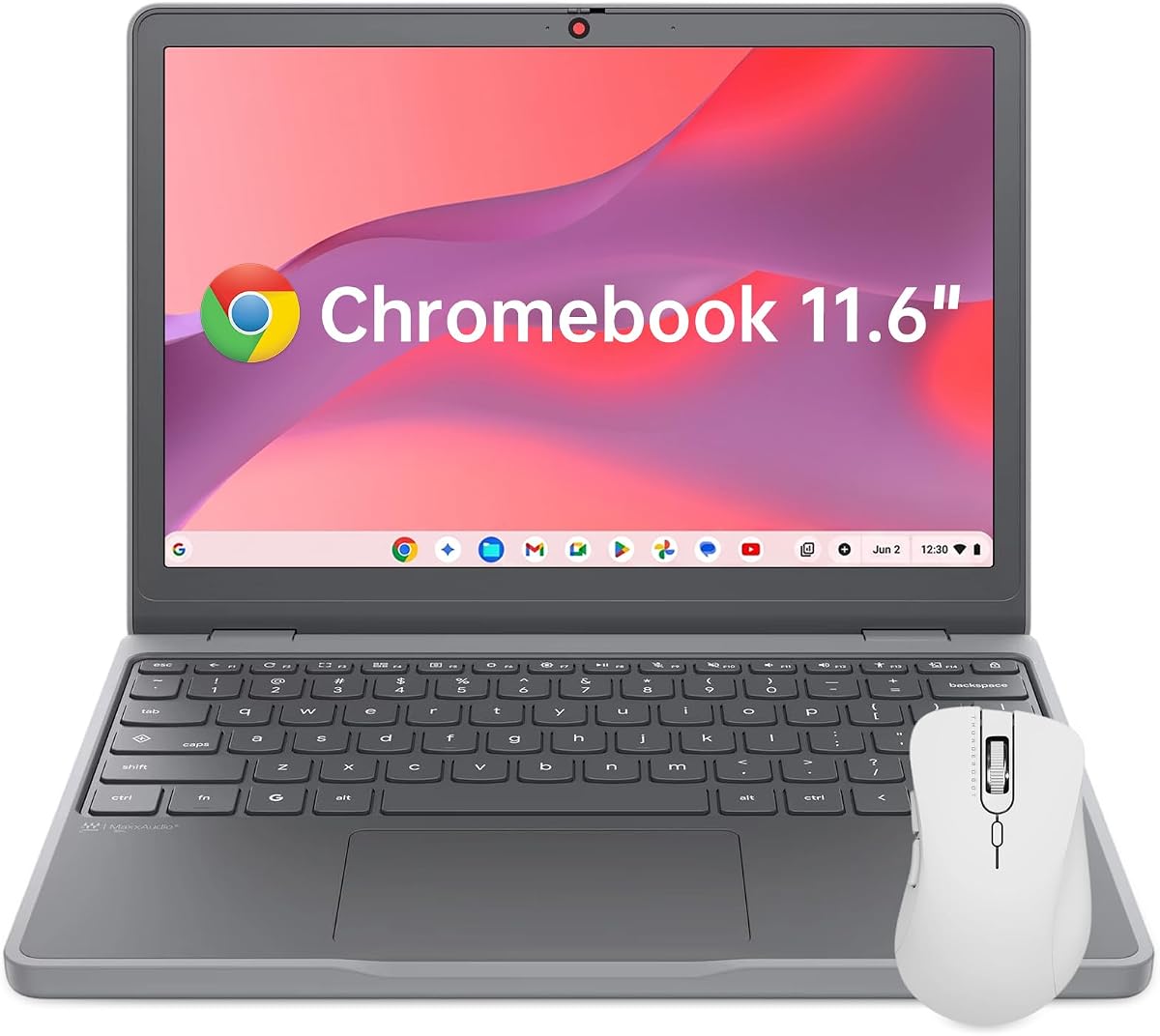
The Lenovo Chromebook 11.6-inch is the most compact option here, weighing from 2.69 pounds and measuring only 0.73 inches thick. It combines an Intel N150 processor, 4GB of soldered LPDDR5X memory, 64GB of UFS storage, and ChromeOS, earning a 4.4 rating among users.
We may earn a commission when you buy through this link, at no additional cost to you.
Its portability is excellent for students, travelers, and anyone who works primarily through cloud applications. The 50Wh battery and included 65W USB-C adapter support extended use, while dual USB-C ports provide DisplayPort and Power Delivery. Two USB-A ports, HDMI 1.4b, and a 3.5mm audio jack cover most peripheral needs.
Security and durability are well considered. A physical camera shutter, Google H1 security chip, and Kensington Nano Security Slot help protect the device and its data. TPU corners, PC-ABS construction, MIL-STD 810H testing, and ASTM F963 compliance make it a practical choice for children, commuters, and frequent travelers.
The 1366-by-768 IPS display is the largest limitation. It reaches 250 nits and carries TÜV Rheinland Low Blue Light certification, but its resolution is less detailed than the Full HD and WUXGA alternatives. The N150 and 4GB memory also point toward basic web and document tasks rather than intensive multitasking. Choose it for mobility and durability, not maximum screen quality or storage.
The 2.69-pound weight and 0.73-inch profile make the Chromebook easy to carry between classes, offices, and trips. Its battery capacity and compact dimensions are especially attractive to users who prioritize mobility over a large workspace.
Protective TPU corners and military-standard testing help the device tolerate everyday knocks and wear. A physical shutter, security chip, and Kensington slot add practical protection for shared, school, travel, and remote-work environments.
We may earn a commission when you buy through this link, at no additional cost to you.
The most useful Chromebook for AI balances processor capability, memory, storage, display quality, connectivity, and portability. Because Gemini and other cloud tools are broadly available, the right decision depends more on how you use the computer than on the AI label alone.
In short, choose a stronger processor for demanding multitasking and a Kompanio or N-series chip for lightweight portability.
In short, 8GB is the more flexible choice, while 4GB works best for browser-centered school and travel use.
In short, 256GB is a practical middle ground, while 512GB suits heavier file use and 128GB favors cloud-first buyers.
In short, choose 14 inches for a balanced workspace, 15.6 inches for maximum room, and 11.6 inches for maximum portability.
In short, read battery claims with realistic expectations and select the lightest model that still fits your screen needs.
In short, prioritize the port types you actually use, and treat Wi-Fi 6E or 7 as an added benefit rather than the sole buying reason.
In short, choose 1080p for detailed calls, and prioritize physical privacy controls when the computer is shared or used in public.
In short, verify feature access, storage allowances, eligibility, and renewal terms before relying on a promotional AI package.
Begin by signing into your Google account, completing the ChromeOS setup screens, and confirming that automatic updates are enabled. Install only the applications you need, organize large downloads into clearly named folders, and review the included Google AI offer to understand its activation date, storage allocation, and expiration. For sensitive work, use a separate Google account or dedicated profile and enable the appropriate account lock and screen-lock settings.
Treat AI output as a starting point rather than an unquestionable answer. Review summaries, rewritten passages, extracted text, and generated details against the source material, especially for academic, financial, medical, or legal decisions. Avoid uploading confidential information unless your organization approves the service. Use the camera shutter when calls end, and make use of the built-in privacy controls listed for the individual model.
To preserve battery life, lower screen brightness, reduce unnecessary browser tabs and background applications, and use the included or compatible USB-C charger for routine charging. Keep vents clear, avoid placing the device on soft surfaces, and clean the display with a soft microfiber cloth. For a new, resealed system, confirm that updates, warranty coverage, keyboard operation, touch input, ports, camera, speakers, and storage health all work as expected.
The Acer Chromebook Plus 514 with the Core i3-1315U is the strongest all-around choice because it combines 8GB of memory, a 256GB PCIe Gen4 SSD, a sharp 14-inch WUXGA touch display, Wi-Fi 7, a 1080p camera, and a broad set of Google AI features. Its 4.9 rating is also the highest established score among the featured products. The Spin 714 may be more premium, but it does not have a listed user rating.
For lightweight writing, research, and short video calls, a 4GB Chromebook can handle cloud-based AI features, but 8GB offers a better multitasking experience. Gemini itself usually runs as a service, so memory is not the only factor. Multiple browser tabs, Google Workspace applications, video meetings, and background processes are more likely to make 8GB feel necessary.
A 14-inch display offers a better balance of screen area and portability, while 15.6 inches gives you more room for documents, prompts, research, and side-by-side applications. The Acer Chromebook Plus 515 is the larger-screen option in this list, whereas several 14-inch models offer comparable resolution in a smaller footprint. Choose the size you can comfortably carry and use.
The product descriptions describe included Google AI plans for a limited promotional period rather than a permanent guarantee. Eligibility, redemption dates, storage allowances, and renewal terms can vary by offer and region. Review the current terms on the product listing and Google offer page before purchasing, especially if you plan to rely on advanced features after the included period ends.
These models are strongest for cloud-based Gemini workflows, browser applications, Google services, and ordinary productivity tasks. A Core i3, Core Ultra 5, or Ryzen 3 configuration provides more headroom than the N-series and Kompanio models, but none should automatically be treated as a specialized workstation for demanding local AI models. Check software compatibility and resource requirements before choosing a Chromebook for that purpose.
No. AI applications still depend on stable internet service, but Wi-Fi 7 is not required to use them. The Acer Core i3 model is the only featured device with Wi-Fi 7, while Wi-Fi 6E appears across several alternatives and offers a modern, broadly sufficient wireless foundation. Network congestion and the quality of the connection often matter more than the generation label.
The Lenovo 11.6-inch Chromebook is the lightest and smallest option listed, starting at 2.69 pounds with a 0.73-inch profile. It also includes a 50Wh battery and rugged construction. The 14-inch Lenovo student model and Acer Plus 514 remain portable, but the 15.6-inch Acer 515 will generally take up more room in a bag.
A resealed system may provide better value or upgraded storage, but it should be treated as modified inventory. The relevant Acer listings disclose that Brand New Computer resealed the system after an upgrade and that Acer provides a one-year warranty. Check the device's condition, warranty terms, storage health, specifications, and return policy carefully before purchasing.
The Acer Chromebook Plus 514 with the Core i3-1315U is the most balanced recommendation because it combines a capable processor, 8GB of memory, fast storage, a sharp touch display, Wi-Fi 7, a 1080p camera, and useful Google AI tools. The Acer 515 is an appealing alternative when a larger screen matters, while the Spin 714 stands apart with its premium convertible design, Core Ultra 5 processor, and Thunderbolt 4.
Prioritize memory and local storage if you want fewer compromises during daily multitasking. Choose 8GB rather than 4GB when possible, retain a 256GB drive as a sensible middle ground, and consider 512GB for larger libraries. Screen size, weight, ports, camera quality, and keyboard lighting should then be matched to your work, study, and travel patterns rather than choosing solely on processor branding.
Finally, confirm the current Google AI offer terms, device condition, warranty, and availability before buying. Technology listings and promotions change, so the information available in November 2026 may differ later. Review the current product page carefully and select the Chromebook that offers the right balance of AI integration, everyday performance, and portability.