
Amazon Basics 9-Inch Thermal Laminator
4.4Editor score
Quick three-to-five-minute warm-up
Two dedicated heat settings
Documents up to nine inches wide
Convenient jam-release lever
This classroom laminator for teachers guide compares capacity, speed, pouch compatibility, anti-jam features, and classroom versatility.
A classroom laminator helps teachers protect worksheets, visual aids, reference cards, student artwork, and frequently handled learning materials from moisture, dirt, tearing, and fading. The right machine should offer the right sheet capacity, warm-up time, pouch support, and ease of use for everything from daily reference prompts to full-size classroom posters.
This guide compares ten laminators based on the supplied product specifications, including maximum input width, thermal or cold-lamination modes, roller systems, jam controls, included accessories, and stated performance. It covers compact 9-inch models for standard teacher materials, wider 13-inch machines for posters and charts, and multipurpose kits that combine laminating with trimming, punching, and corner rounding.
Each review explains where a model fits best, along with the compromises teachers should consider. The top picks highlight the strongest combinations of value, classroom usefulness, and specialized features, while prices and availability can change, so readers should confirm current listing details before making a purchase.
4.4Editor score

4.7Editor score

4.7Editor score
The comparison below highlights the major differences among these classroom laminators, including paper width, warm-up time, operating modes, throughput, and included tools, so teachers can quickly narrow the field by project size and workload.


The Scotch TL901X combines a compact 9-inch format with the finish-focused design that many teachers want for reference materials, assignments, instruction sheets, and classroom organization. Its 4.7 rating reflects a strong overall reception, while the dual-roller system and two temperature settings form the foundation of its professional-looking output. It is particularly well suited to teachers who repeatedly laminate standard-sized teaching materials.
We may earn a commission when you buy through this link, at no additional cost to you.
Its stated throughput is one letter-size page per minute, which is practical for daily reference prompts, vocabulary cards, visual schedules, and parent communication sheets. The machine accepts both 3-mil and 5-mil pouches up to 9 inches wide, allowing teachers to adjust protection according to the item. A quick-release lever also helps simplify recovery from a misfeed, while the two heated rollers are designed to reduce bubbles and wrinkles.
The main limitation is capacity. Teachers who routinely work with 11-by-17-inch posters, large charts, or full-width classroom displays will need a wider machine. Scotch pouches are also not included, so the total setup depends on the pouch supply already available or purchased separately. Despite those considerations, the focused thermal design, useful speed, and simple controls make the TL901X a confident all-purpose choice.
Choose this model if you laminate mostly letter-size worksheets, laminated reference guides, student projects, and photographs and want a dedicated machine with a polished finish. It is less suited to a teacher who needs built-in cutters, cold lamination, or large-format media, but for conventional school materials it offers one of the most balanced combinations of reliability, speed, and document protection.
The two heated rollers are designed to apply heat and pressure consistently, which helps create bubble- and wrinkle-free laminated documents. This is particularly useful for reference sheets, assignments, and visual teaching aids that students may handle repeatedly.
Two temperature settings make it easier to handle both lighter and heavier pouches, while the release lever helps teachers address jams without complicated controls. The result is a straightforward machine suited to busy preparation routines.
We may earn a commission when you buy through this link, at no additional cost to you.
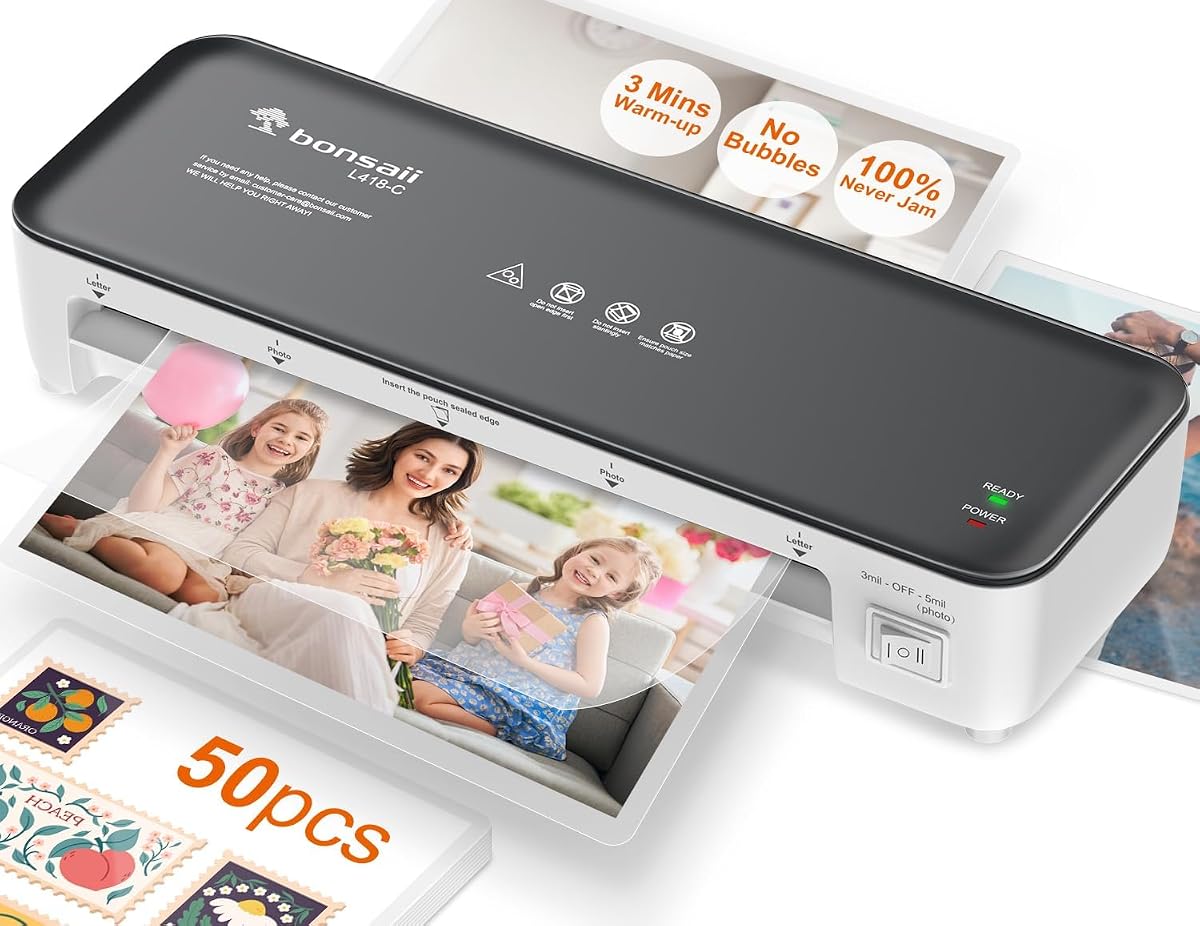
The Bonsaii 9 Inch Laminator Machine with 50 Laminating Sheets offers a notably complete package for new teachers building a classroom supply kit. It earns a 4.6 rating and includes both the machine and 50 pouches, reducing the need for an immediate accessory purchase. Its compact dimensions also make it easier to move between a classroom desk, worktable, and storage area.
We may earn a commission when you buy through this link, at no additional cost to you.
Patented anti-jam technology is the defining feature. Teachers processing many narrow cards, labels, or worksheets can benefit from a design intended to prevent paper jams and protect the material being laminated. A three-minute preheating period is shorter than many compact alternatives, and the stated speed of at least 270mm per minute supports routine classroom production. Separate recommendations cover 3-mil pouches for standard paper and 5-mil pouches for photos, cards, and heavier stock.
This model does not offer cold lamination, and the first-use odor associated with heating pouches is a normal characteristic that should gradually fade. Teachers must also follow the stated pouch and paper-weight guidance, because incorrect settings can contribute to wrinkling or curling. The included supply is helpful, but a busy teacher will still need to replenish it eventually.
Buy the Bonsaii if you want a ready-to-use 9-inch machine with a generous starting supply and anti-jam emphasis. It is well matched to teachers laminating standard paper, reference cards, lightweight artwork, and photographs. Teachers needing heat-sensitive materials, large posters, or integrated trimming tools will get more flexibility from a different model.
The inclusion of 50 pouches makes this a practical choice for teachers who are starting from nothing. It allows immediate practice with common teaching materials while also helping users learn which thickness and heat setting work best for different jobs.
The patented anti-jam system is intended to reduce interruptions during repetitive classroom tasks. It does not make every misfeed impossible, but it adds a meaningful layer of protection when laminating a series of cards, worksheets, or photographs.
We may earn a commission when you buy through this link, at no additional cost to you.
The Scotch TL1302X is built for teachers who regularly laminate large visual materials without trimming standard poster sheets first. Its 4.5 rating and 13-inch input make it a practical wide-format option, while the one-minute warm-up helps reduce delays between classroom preparation sessions. The machine can accommodate both large and smaller projects through the same broad feed path.
We may earn a commission when you buy through this link, at no additional cost to you.
Its stated laminating speed of 11.8 inches per minute is among the highest in this group. Two heated rollers support consistent pressure and are designed to produce bubble- and wrinkle-free results. A carry handle, cord storage, and automatic shut-off make the unit easier to manage around a busy work area, while the 5-mil pouch limit provides a straightforward material specification for routine classroom use.
The machine must be connected to a grounded 120-volt outlet and should not be used with a voltage or outlet converter. Although the fast warm-up and throughput help large jobs, the specification of pouches up to 5 mil does not give teachers the same material flexibility as models that explicitly support both 3-mil and 5-mil pouches. Large-format pouches also need to match the machine's feed width.
The TL1302X is a strong recommendation for full-size charts, posters, artwork, and learning displays where speed and width matter. It is less compelling for a teacher who only handles letter-size materials or needs cold lamination. For high-volume visual production, however, its quick startup, broad feed path, and polished output are compelling advantages.
A 13-inch feed width allows standard 11-by-17-inch paper and other broad teaching visuals to pass through directly. That saves preparation time when posters, charts, and classroom signs need to be protected in a single pass.
The one-minute warm-up and 11.8-inch-per-minute speed are useful during back-to-back preparation. Automatic shut-off and organized cord storage further support a tidy and efficient classroom work routine.
We may earn a commission when you buy through this link, at no additional cost to you.
The Qfun 13 Inch Laminator stands out as the most feature-rich option in this roundup, combining a wide feed path with cutting, corner rounding, punching, and binding functions. Its 4.7 rating is among the highest in the group, and the all-in-one approach can reduce the number of separate tools occupying a classroom preparation area. A soft blue body also gives it a distinctive appearance.
We may earn a commission when you buy through this link, at no additional cost to you.
The machine heats in 60 seconds and laminates at a stated 450mm per minute, potentially processing two A4 sheets per minute. NTC intelligent temperature control and a dual-roller system support smooth adhesion and bubble-free results. Hot and cold modes expand the range of usable materials: thermal mode suits frequently handled documents, while cold mode is intended for old photographs, thermal receipts, labels, and other heat-sensitive pieces.
The 13-inch feed width accepts 11-by-17-inch posters and supports 3-mil and 5-mil pouches. Accessories store inside the body, including a cutter, corner rounder, hole punch, binder rings, and 30 A3, A4, A5, and A6 pouches. This versatility can feel excessive to a teacher who only needs to laminate letter-size cards, and users must understand which pouches are appropriate for each mode.
Choose the Qfun when you want a dedicated classroom finishing station rather than a simple laminator. It is especially appealing for teachers producing posters, worksheets, teaching cards, student artwork, and labeled materials in one workflow. The 45-minute automatic shut-off and one-touch jam release also help support safe, repeatable operation.
Cutting, corner rounding, punching, and binding functions turn the laminator into a compact finishing station. Teachers can trim pouches, soften sharp corners, prepare holes, and organize materials without reaching for several separate tools.
Hot mode is suited to durable daily materials, while cold mode provides an alternative for heat-sensitive photographs, receipts, and labels. This dual-mode approach broadens the kinds of classroom collections the machine can protect.
We may earn a commission when you buy through this link, at no additional cost to you.
The Amazon Basics 9-Inch Thermal Laminator focuses on understandable controls and practical paper handling. Its 4.4 rating reflects a straightforward option for teachers who mainly laminate standard documents and photos. The machine accepts materials up to 9 inches wide, including legal- and letter-sized paper, and is compatible with common 3-mil and 5-mil pouches.
We may earn a commission when you buy through this link, at no additional cost to you.
Two heat settings give users a basic way to match pouch thickness to the item. The stated 3-mil range covers standard documents, photographs, and card stock, while the 5-mil setting is listed for thinner papers. A quick three-to-five-minute warm-up and an indicator light make it clear when the machine is ready, and the jam-release lever helps recover from a misfeed.
The product cannot laminate hardware, cloth, wood, foam sheets, foil, or plastic sheets, so teachers with mixed-material craft projects should check those limitations before buying. The initial package includes the laminator and 3-mil pouches, but it does not include a broad supply of 5-mil pouches. It also lacks cold mode, making it less suitable for thermal receipts and other heat-sensitive materials.
This is a sensible choice for a classroom that primarily handles worksheets, photographs, reference cards, and ordinary paper projects. Its uncomplicated design lowers the learning curve for staff who share a machine, while the jam lever and two heat settings cover the essentials. Teachers needing larger media, cold lamination, or integrated tools should consider a more specialized option.
The two-position heat control and visible ready indicator simplify operation for multiple teachers. Clear paper-weight guidance also helps users select a setting without relying on guesswork for every project.
A dedicated jam-release lever helps address a stuck pouch, while the 9-inch feed width supports legal and letter paper. These are modest but useful details for machines shared during busy preparation periods.
We may earn a commission when you buy through this link, at no additional cost to you.
The 13 Inch Laminator Machine with 50 Sheets provides a broad combination of media support and included supplies. Its 4.3 rating places it among the more approachable wide-format kits, and the 13-inch feed path is suitable for teachers producing A3, A4, A5, and A6 materials. It includes 50 thermal pouches distributed across several dimensions, plus a paper cutter and corner rounder.
We may earn a commission when you buy through this link, at no additional cost to you.
Thermal and cold modes make the machine more versatile than a basic heat-only laminator. The thermal side uses a two-roller system to combine heat and pressure, while cold mode requires self-adhesive pouches that are not included. A 95-second warm-up and stated speed of 355mm per minute provide a useful balance between rapid startup and productive classroom throughput.
The ABS jam-release button is designed to help teachers free a document after switching off the machine. Teachers must remember that cold mode is not the same as thermal self-adhesive film operation, so the appropriate pouch type is essential. The wide body also requires more workspace than a standard 9-inch machine, and the included cutting and rounding tools are basic rather than replacements for every classroom finishing device.
Pick this option if you need a wide, dual-mode machine and want a varied starting supply of thermal pouches. It is especially useful for charts, teaching cards, signs, and mixed-size projects. Teachers who primarily laminate one paper size may find a smaller machine easier to manage, while those creating cold-laminated materials should plan to obtain the necessary self-adhesive pouches separately.
The included thermal pouches cover A3, A4, A5, and A6 formats, making the kit adaptable to different classroom materials. This variety is particularly helpful when cards, handouts, and larger visual aids are all part of a weekly workflow.
Thermal mode supports conventional heat-sealed pouches, while cold mode expands protection to heat-sensitive items. Teachers using the cold function must supply compatible self-adhesive pouches, which are not part of the stated package contents.
We may earn a commission when you buy through this link, at no additional cost to you.
The Bonsaii 9 Inch Thermal Laminator Machine is built around portability and uncomplicated operation. Its 4.5 rating and compact 12.65-by-3.74-inch design make it a natural fit for teachers who need to store a laminator in a small cabinet or move it between a worktable and a shared learning space. Five pouches are included for immediate use.
We may earn a commission when you buy through this link, at no additional cost to you.
The machine preheats in four minutes and laminates at a stated rate of at least 270mm per minute. A solid green indicator provides a clear readiness signal, while the ABS jam-release system helps resolve a stuck pouch. Its quiet operation is another practical feature in offices, shared workrooms, and homes where background noise matters. The stated maximum media thickness is 0.5mm with compatible 3-mil film.
Compatibility is narrower than that of many competing machines. Teachers who regularly laminate thicker cardstock with 5-mil pouches may need to look elsewhere, and the four-minute warm-up is longer than the fastest models in the guide. A mild initial odor is normal and should fade after use. The user should unplug the machine after operation and wait for the solid green light before beginning a job.
This compact laminator is a good fit for teachers who mainly protect standard paper, photographs, and lightweight classroom projects. It offers sufficient speed for regular reference materials without occupying a large footprint. For heavy cardstock, large posters, cold lamination, or a large accessory bundle, one of the wider or more specialized alternatives will be a stronger match.
The slim body makes storage and transport easier, which is valuable in classrooms with limited counter space. A solid-green ready light and simple ABS release control keep the basic workflow easy to learn.
Compatible 3-mil pouches and a stated speed of at least 270mm per minute suit everyday worksheets, cards, and photographs. Teachers needing thicker pouches or larger media should consider the broader compatibility offered by other models.
We may earn a commission when you buy through this link, at no additional cost to you.
The 13 Inch Laminator Machine, A3 Personal Laminator Kit for Teachers is designed to serve as a broad classroom finishing setup. It holds a 4.7 rating and includes an A3-capable laminator, three trimmers, a corner rounder, a hole punch, and 20 pouches covering A3, A4, and A5 sizes. The assortment makes it convenient for teachers who want more than basic laminating capability.
We may earn a commission when you buy through this link, at no additional cost to you.
Hot and cold modes offer protection for both ordinary documents and heat-sensitive materials. Its 13-inch feed width accommodates tabloid posters, architectural prints, classroom charts, and full-sheet artwork. A claimed 99% jam-free performance should be understood as a manufacturer claim rather than a guarantee, but the ABS quick-release button and anti-bend support plate are both sensible additions for stable, even pressure.
The product is feature-heavy for a personal laminator, and the many included tools require adequate storage. Cold mode still depends on choosing suitable materials, while 3- to 5-mil thermal pouch support covers the usual classroom range. A 12-month warranty and dedicated customer support provide added reassurance, but teachers should still verify pouch dimensions and operating instructions before large projects.
This kit is well suited to teachers who produce charts, posters, worksheets, artwork, and organized classroom materials across several sizes. It is especially useful when a school wants one machine and accessory collection to cover trimming, rounding, punching, and lamination. A teacher laminating only small cards can find a simpler and more compact machine, but the broad setup offers strong classroom value.
Three trimmers, a corner rounder, a hole punch, and mixed-size pouches cover many finishing tasks from the start. The organized bundle can save time during setup and reduce the need to hunt for compatible tools.
The wide feed path suits classroom charts, posters, architectural prints, and full-sheet artwork. An anti-bend support plate is intended to improve stability and pressure consistency during wide media.
We may earn a commission when you buy through this link, at no additional cost to you.
The Crenova Laminator Machine with 10 Laminating Sheets prioritizes a small footprint and simple operation. Its 4.6 rating and stated dimensions of 335 by 88 by 65 millimeters make it one of the most portable options here. Teachers who laminate reference cards, short documents, and photographs in a shared office or temporary workspace can store it more easily than a full-size machine.
We may earn a commission when you buy through this link, at no additional cost to you.
Its one-to-two-minute warm-up is among the fastest listed, reducing the wait before small projects. A 230mm inlet is described as equivalent to 9 inches or A4 size, which suits standard papers but leaves less margin for oversized sheets. Hot and cold modes expand the range of supported materials, and the ABS lever helps release a jam after the machine is switched off.
The included 10 pouches provide a limited starting supply, and the machine does not include a larger cutting or punching set. A slight smoking sensation on first use is described as normal vulcanization, but teachers should still follow the manufacturer's instructions and supervise initial operation. The device is intended for ordinary documents, not rigid, very thick, or unusually delicate media.
The Crenova is a good option for teachers who need a lightweight machine for A4 materials, photographs, certificates, postcards, and identification cards. It is less suitable for extensive poster production, bulk classroom projects, or users who want a broad accessory ecosystem. For a small, portable setup, its rapid startup and mode flexibility are compelling.
At a stated weight of 742 grams and with a slim 230mm inlet, the machine is easy to move between work areas. Its compact construction is helpful for teachers with limited desk or cabinet space.
The one-to-two-minute warm-up reduces downtime between short classroom tasks. Hot and cold choices allow the same machine to handle conventional teaching documents and heat-sensitive materials.
We may earn a commission when you buy through this link, at no additional cost to you.
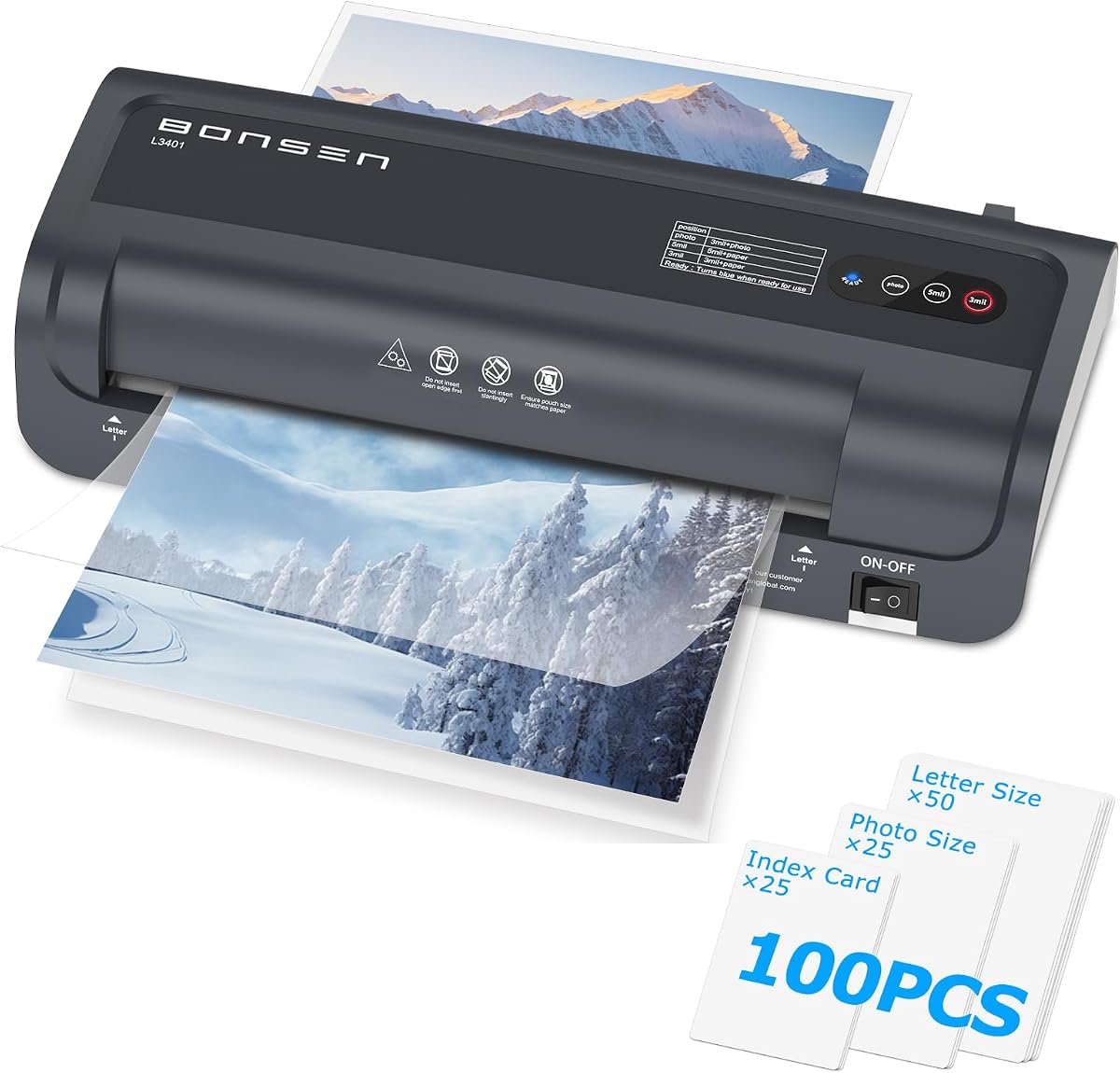
The BONSEN 4-in-1 Thermal Laminator is appealing to teachers who want an immediate supply of finished teaching materials. It carries a 4.6 rating and includes 100 pouches: 50 letter-size, 25 photo, and 25 index-card sheets. The package also includes a paper trimmer and corner rounder, providing a practical starting kit for classroom preparation.
We may earn a commission when you buy through this link, at no additional cost to you.
Three heat settings cover 3-mil, 5-mil, and photo pouches. This allows teachers to vary the finish according to the material rather than relying on a single setting for every task. A three-minute warm-up and dual-roller system support efficient processing, while the 9-inch width accommodates certificates, lesson plans, menus, photographs, and other standard-size teaching pieces.
This is a thermal-only machine, so it does not offer a cold-lamination path for old photographs, thermal receipts, or labels. Teachers should also wait for the solid green LED before inserting a pouch and unplug the machine after use. The compact, lightweight format is convenient, but the 9-inch width cannot handle large classroom posters without trimming.
The BONSEN is a strong recommendation for teachers building a new classroom supply collection, especially those who value having a substantial mix of pouch sizes immediately available. Its three settings and included finishing tools offer more flexibility than a basic entry-level model. A teacher focused on large media or heat-sensitive materials should instead favor a 13-inch dual-mode unit.
One hundred included pouches across letter, photo, and index-card formats support a wide range of early classroom tasks. The trimmer and corner rounder help make the finished materials more presentable.
Separate 3-mil, 5-mil, and photo settings allow teachers to match the machine to different media. The dual-roller system is designed to support smooth feeds and reduce wrinkles during repeated jobs.
We may earn a commission when you buy through this link, at no additional cost to you.
The best classroom laminator depends on the materials you protect, the volume of work, the available space, and how often the machine will be shared. Use the following factors to compare capacity, speed, pouch compatibility, finishing functions, and classroom convenience before choosing a model.
A 9-inch laminator is usually sufficient for letter-size worksheets, reference cards, photographs, and standard teaching documents. A 13-inch model is more appropriate for 11-by-17-inch posters, broad charts, and full-sheet artwork. Teachers should look beyond the headline width and confirm the stated pouch and paper dimensions, because a broad feed opening does not automatically mean every standard project will fit.
Thermal laminators use heated rollers to seal a pouch around the material. Cold-mode machines apply pressure with self-adhesive pouches and are useful for old photographs, thermal receipts, labels, or other heat-sensitive items. A thermal-only device is simpler, but a dual-mode machine gives teachers more flexibility when a collection includes mixed media. Check whether cold-mode pouches are included, because some kits require them to be purchased separately.
Pouch thickness is expressed in mils, and the machine should support the thickness you intend to use. Many models accept both 3-mil and 5-mil pouches, while compact units may support only 3-mil material. Also review the recommended paper-weight range. Heavier cardstock, photographs, and layered cutouts may require a thicker pouch or a different heat setting, and exceeding the stated limits can lead to curling, wrinkles, or poor adhesion.
Warm-up time matters most when a teacher creates short jobs throughout the day. A one-minute start is convenient for quick reference cards, while three to five minutes may be less noticeable during a concentrated preparation block. Throughput is also important for batch work such as a set of visual prompts. Compare stated pages per minute or millimeters per minute, but remember that actual results depend on pouch type, paper weight, and the condition of the machine.
A jam-release lever or button can be valuable when a teacher is processing many narrow cards, labels, or multi-page sets. Anti-jam technology, stable feed plates, and clear recovery instructions are especially relevant for shared machines. No design eliminates every misfeed, so teachers should still use correctly sized pouches, avoid overloading material, and keep the feed path clear. A simple release control is often more useful than an elaborate one.
Some classroom laminators include a cutter, trimmer, corner rounder, hole punch, or binder rings. These accessories can save time by allowing teachers to prepare a finished, usable item in one workflow. However, a multipurpose machine may occupy more space and have more controls than necessary. A teacher who only laminates standard cards may prefer the simpler operation and smaller footprint of a dedicated machine.
A machine bundled with pouches can be ready for immediate use, making it convenient for new teachers or first-time buyers. The quantity and variety matter: a large letter-size supply is useful for worksheets, while photo and index-card pouches support other tasks. Remember that a starter supply will eventually run down, and cold-mode users may need to purchase a separate type of pouch. Check whether the included sizes match your most common projects.
Measure the intended work area before purchasing, especially for 13-inch machines and kits with stored accessories. Wide models need clearance for the pouch and output, while compact units can fit more easily on a shelf. Review warm-up indicators, automatic shut-off, carry handles, cord storage, and power requirements. Teachers should use the machine on a stable surface, follow its manual, keep children appropriately supervised, and unplug it after use when directed.
Before the first use, read the complete manual, identify the correct thermal or cold setting for the selected pouch, and inspect the machine and feed path. Place the laminator on a stable, level surface with enough space for the pouch to enter and finish. Clean the work area so small scraps do not interfere with the rollers, and prepare the document inside a correctly sized pouch.
Turn on the machine and wait for the stated warm-up time. Do not insert a pouch before the ready indicator shows that the laminator is fully heated. Guide the sealed edge of the pouch into the feed opening and keep the machine level while the rollers draw it through. Hold the finished item until it has emerged completely, then allow it to cool flat before bending, trimming, or stacking it.
If a jam occurs, switch the machine off before using the jam-release lever or button, as directed in the manual. Do not pull forcefully from a running machine. After each session, unplug the unit, allow it to cool, and remove any loose scraps from the feed path. Store pouches flat and keep the machine covered when it is not in use, while following the manufacturer's cleaning and maintenance recommendations.
A 13-inch laminator is the better choice for 11-by-17-inch posters, broad charts, and full-size visual materials. It should also be compatible with the appropriate pouch size and thickness. A 9-inch model is more practical for letter-size worksheets, standard reference cards, and ordinary classroom documents.
Thermal lamination is the conventional choice for worksheets, reference guides, student artwork, and frequently handled classroom materials. Cold lamination is useful for old photographs, thermal receipts, labels, and other items that should not be exposed to heat. A dual-mode machine provides flexibility when the classroom preserves a varied collection of materials.
The mil number describes the thickness of the laminating film. A 3-mil pouch is commonly used for standard paper and lighter items, while a 5-mil pouch offers a stouter protective layer and may suit photographs, cards, or heavier stock. The machine, pouch, and item should be matched according to the manufacturer's thickness and paper-weight guidance.
A mild odor during initial heating is described as normal by several manufacturers because heat is being applied to laminating film. It generally diminishes after several uses. Teachers should ventilate the room, follow the manual, supervise initial operation, and stop using the machine if they notice an unusual or persistent smell beyond the stated initial period.
Yes, provided the artwork fits within the machine's pouch and paper-weight specifications. Teachers should confirm whether the material is compatible with thermal heat, use the recommended pouch thickness, and allow the finished piece to cool before handling. Cold mode may be preferable for particularly old, valuable, or heat-sensitive artwork.
Use correctly sized pouches, center the document within the pouch, keep the feed path free of debris, and wait for the machine to be fully warm before laminating. Teachers should not force a stalled pouch through the rollers. If a jam occurs, switch off the machine and use the jam-release lever or button according to the manual.
No. Several models include an automatic shut-off, while the instructions for others specifically recommend unplugging after use. Teachers should follow the manual for their model, unplug the unit when preparation is complete, and allow it to cool before storage or maintenance.
A multipurpose kit can be worthwhile if you regularly trim, round, punch, and organize finished teaching materials. It may reduce the need for separate tools and keep the workflow together. If you only laminate a few standard cards, a simpler compact machine may be easier to store, operate, and maintain.
The Scotch TL901X is the most balanced overall recommendation for standard classroom materials, combining a two-roller design, two temperature settings, and one-page-per-minute throughput. The Bonsaii 9 Inch Laminator stands out as the strongest value-oriented choice because it includes 50 pouches and emphasizes anti-jam operation, while the Amazon Basics model offers a straightforward budget path for teachers who need a basic 9-inch thermal machine.
For teachers who need larger visuals or a more complete finishing station, capacity should be the priority. The Qfun model provides a 13-inch feed path, hot and cold modes, rapid warm-up, and integrated cutting, punching, rounding, and binding tools. The BONSEN and 13-inch A3 teacher kit offer generous accessory bundles, while the remaining 13-inch models provide alternatives for users with different warm-up, mode, and paper-weight requirements.
Before purchasing, confirm the maximum paper and pouch dimensions, supported thickness, power requirements, included supplies, and available workspace. Current prices, promotions, and availability can change, so review the latest product listing and manufacturer instructions before buying. A careful match between your materials, workload, and teaching space will produce the most useful classroom setup.