
USX MOUNT 26–65 Inch Corner Mount
4.7Editor score
Supports 26–65 inch screens
Extends 31.22 inches
Fits VESA up to 400x400mm
A corner wall TV mount can turn an awkward wall junction into a useful entertainment area while freeing furniture space and improving sightlines from multiple seats. The best model combines adequate reach, smooth articulation, secure wall anchoring, broad television compatibility, and a tidy retracted profile.
We compared all 10 options by screen-size range, weight capacity, VESA pattern support, extension, swivel, tilt, leveling, wall construction requirements, installation aids, and practical corner use. The list includes compact single-stud designs, extra-long arms, and heavy-duty mounts for large displays.
Each review explains the standouts, compromises, and ideal room for the mount so you can narrow the field confidently. Product availability and current pricing can change, so check the latest listing details and confirm television specifications before ordering.
4.7Editor score

4.8Editor score

4.7Editor score
As an Amazon Associate we earn from qualifying purchases.
The comparison below highlights screen range, reach, weight capacity, motion, and mounting compatibility, helping you identify the corner mount that fits your television, wall type, and viewing layout.




The Perlegear Corner TV Wall Mount Long Arm TV Mount Bracket for 37-75 Inch TVs earns a 4.8 rating and stands out as the most balanced option in this guide. It combines a substantial 32.37-inch extension with a compact 3.12-inch retracted position, giving it the flexibility needed in a corner without making it permanently protrude into the room.
We may earn a commission when you buy through this link, at no additional cost to you.
Its compatibility is one of the strongest attributes. The mount supports 37- to 75-inch screens and VESA patterns from 200x100mm through 600x400mm, while its 100-pound capacity accommodates many larger televisions. A UL-listed construction, solid swivel hinge pin, plus/minus 90-degree swivel, negative-15 to positive-5-degree tilt, and plus/minus 4-degree leveling make it a well-rounded full-motion bracket.
The main limitation is that it cannot be installed into drywall alone. It must be attached to a suitable concrete, brick, or wood-stud wall, and the installer must locate structural support correctly. Its long arm also needs a sensible wall position because full extension creates more leverage than a short fixed mount. These are installation realities rather than defects, but they deserve attention before purchase.
This is the strongest recommendation for someone who wants substantial reach, broad television support, and precise adjustment in a living room, bedroom, kitchen entertainment area, or conference space. It is particularly well suited to corner installations where multiple seats need a usable viewing angle.
The long arm lets you pull the screen toward the center of the room and push it back toward the wall when it is not needed. That movement improves sightlines without forcing a permanent display into the walking path.
Swivel, tool-free tilt, and post-install leveling make it easier to align the display with seating at different positions. These controls are especially valuable in rooms where windows or lighting create glare from a fixed angle.
We may earn a commission when you buy through this link, at no additional cost to you.
The VIVO Black Corner TV Wall Mount for 37-70 in Screens, MOUNT-CR70C has a 4.7 rating and distinguishes itself with a separating-wall-plate design intended to accommodate angled corner walls. That feature makes it more adaptable when the junction is not a clean 90-degree intersection.
We may earn a commission when you buy through this link, at no additional cost to you.
The mount supports flat-panel and curved televisions from 32 to 70 inches according to its compatibility details, weighs up to 99 pounds, and accommodates a broad selection of VESA patterns up to 600x400mm. Articulation includes a 180-degree swivel, negative-15 to positive-5-degree tilt, and adjustable arms, while the solid steel frame is listed as tested at three times its stated capacity.
Installation benefits from detachable VESA plates, included hardware, and instructions. The trade-off is that the broad articulation and flexible wall-plate configuration require careful setup to avoid mechanical interference. As with other full-motion mounts, the installer must use appropriate anchors and verify that the television is securely supported throughout its movement.
Choose this model if your corner has unusual angles or you want unusually broad swivel movement. It is also a strong option for up to 70-inch screens and is backed by a three-year manufacturer warranty with technical support.
The separating wall plates are the defining feature. They provide more placement options than a conventional square wall plate when the available corner geometry is awkward.
A 99-pound capacity and broad VESA coverage make the mount suitable for many larger displays. The detachable VESA plates also simplify handling the screen during installation.
We may earn a commission when you buy through this link, at no additional cost to you.
The USX MOUNT Corner TV Wall Mount with 31.22" Long Arm for 26-65 Inch TVs up to 80 lbs has a 4.7 rating and delivers the reach and articulation expected from a corner bracket without moving into the heavy-duty category. Its extended arm reaches 31.22 inches and retracts to 2.52 inches.
We may earn a commission when you buy through this link, at no additional cost to you.
Compatibility covers 26- to 65-inch screens and VESA patterns from 75x75mm up to 400x400mm. The mount is UL-listed for screens up to 80 pounds, and its solid hinge pin supports smooth movement. Plus/minus 90-degree swivel, negative-12 to positive-5-degree tilt, and plus/minus 4-degree leveling provide useful control over the viewing angle.
Its clear manual and pre-labeled hardware simplify product selection and setup, while support is available if concrete anchors or specific M8 screws are needed. The limitations are the 80-pound capacity and 400x400mm maximum VESA pattern, which rule out many sets above 65 inches or with unusually wide mounting holes.
This is a compelling option for a bedroom, apartment, compact living room, or secondary viewing area with a television from 26 to 65 inches. It is particularly useful when you want nearly the same reach as longer premium mounts but do not need to support a very large screen.
A 31.22-inch extension provides substantial positioning freedom, while the 2.52-inch retracted depth helps preserve a clean wall appearance when the screen is not in use.
Pre-labeled hardware and a clear guide reduce uncertainty during assembly. Buyers using concrete can request the appropriate anchors, and customer support is available for installation questions.
We may earn a commission when you buy through this link, at no additional cost to you.
The PERLESMITH Corner TV Wall Mount for 26–65 inch TVs up to 70 lbs has a 4.7 rating and offers a more compact approach to corner placement. Its arm extends 19.17 inches, making it less dramatic than the longest options but potentially easier to accommodate in a smaller room.
We may earn a commission when you buy through this link, at no additional cost to you.
The steel articulating mount supports most 26- to 65-inch screens and VESA patterns from 100x100mm through 400x400mm. Adjustment includes positive-5 to negative-15-degree tilt, plus/minus 90-degree swivel, and plus/minus 3-degree leveling. When pushed back, it retracts to 3.2 inches from the wall.
Its pre-assembled design is listed as reducing installation steps by 30 percent, and the package includes a detailed manual and standard mounting hardware. Installation is intended for a single wood stud, solid concrete, or brick, but never drywall alone. The lower 70-pound limit and shorter reach mean it is less suitable for oversized displays or rooms where the screen must reach far around furniture.
This mount fits buyers who prioritize a manageable installation, compact wall profile, and familiar adjustment controls. It is a sensible choice for a bedroom, children’s room, office, or living room with a screen no larger than 65 inches.
The pre-assembled construction removes some of the setup work associated with articulating brackets. Detailed instructions and included standard hardware further simplify the process.
Despite its shorter extension, the mount still offers broad swivel, tilt, and leveling. That is enough to redirect the screen around glare or orient it toward a particular seating area.
We may earn a commission when you buy through this link, at no additional cost to you.
The PERLESMITH Corner TV Wall Mount for 37–70 inch TVs up to 99 lbs carries a 4.8 rating and offers a durable, straightforward option for larger screens. It supports most 37- to 70-inch LED, LCD, OLED, and 4K televisions within a 99-pound weight limit.
We may earn a commission when you buy through this link, at no additional cost to you.
Its VESA coverage runs from 200x100mm through 600x400mm, including several 300mm and 400mm-wide patterns. The steel construction is powder coated for durability, and the bracket offers positive-5 to negative-10-degree tilt, up to 45-degree swivel, and plus/minus 3-degree post-installation leveling.
Compared with the most flexible arms in this guide, the swivel range is more modest, and the supplied description does not quote a specific extension measurement. That makes it important to visualize the resulting corner position before ordering. In return, the design is focused on strong construction, broad television compatibility, and space-saving use that releases tabletop area for decorations or audiovisual components.
This is a good match for someone installing a 70-inch-class television but not requiring the extreme reach of a 40-inch arm. It works well in a living room or media area where the corner needs a sturdy mount and clean furniture arrangement.
High-strength steel and a powder-coated finish suit a permanently mounted display. The 99-pound rating provides useful margin for many modern televisions in the stated size range.
Moving the display to the wall opens the surface beneath it for media components and décor. This is a practical advantage in tighter living rooms where furniture placement is already restricted.
We may earn a commission when you buy through this link, at no additional cost to you.
The Perlegear Long Arm TV Wall Mount for 32-65″ TVs, 37.4” Long Extension has a 4.7 rating and is built for shoppers who want to pull the display well around a corner. Its 37.4-inch reach is among the longest offered by a model limited to 65-inch screens.
We may earn a commission when you buy through this link, at no additional cost to you.
The mount supports 32- to 65-inch televisions with 100x100mm through 400x400mm VESA patterns and a listed 110-pound capacity. Thicker heavy-duty steel, a reinforced wall plate, and a reinforced central pivot are intended to limit wobble and sagging while the arm is extended.
The single-stud design can be positioned almost anywhere that structural support permits, including locations affected by indoor patio or poolside roof eaves, although it is not intended for outdoor use. The trade-off is the substantial physical clearance required at full extension and the need to plan furniture placement around the moving arm. Installation includes instructions, labeled hardware, and a drilling template.
Choose this mount for a flexible living room layout, angled corner, or unusual seating arrangement where a standard short arm cannot bring the screen into view. Confirm that the maximum extension will not interfere with nearby walls, furniture, or traffic paths.
The 37.4-inch extension can clear the edge of a cabinet or let the display move toward the center of the room. It also reduces the obstruction caused by walls in corner installations.
A reinforced wall plate, heavier steel, and a strong central pivot help address the leverage created by a long arm. Proper stud and anchor selection remains essential for stability.
We may earn a commission when you buy through this link, at no additional cost to you.
The Perlegear Long Arm Full Motion TV Wall Mount for 42–97 Inch TVs up to 150 lbs, Pre-Assembled TV Mount with Full Swivel, Tilt and Extension, Fits 8″/12″/16″/24″ Wood Studs, Max VESA 800x400mm, PGXLF02 earns a 4.8 rating as the premium heavy-duty choice. It combines a huge compatibility range with extensive reach and adjustment.
We may earn a commission when you buy through this link, at no additional cost to you.
The mount fits most flat or curved 42- to 97-inch screens, supports up to 150 pounds, and accepts VESA patterns from 200x100mm through 800x400mm. Its 40.1-inch extension retracts to 3.7 inches, while plus/minus 90-degree swivel, positive-5 to negative-15-degree tilt, and plus/minus 4-degree leveling provide broad control.
Strength is a central selling point. It uses cold-rolled steel and a wide wall plate, and the product description states that it underwent a four-times-load test and a 6,000-cycle test. The trade-off is size and weight: this is not a discreet solution for a small set, and its long arm requires a carefully cleared path. It cannot be installed on drywall alone.
This model makes sense for a large home-theater display, a 70-inch or larger panel, or a room where exceptional reach and structural confidence are priorities. The pre-assembled design, complete hardware kit, drilling template, bubble level, and detailed instructions simplify a demanding installation.
The 150-pound limit and 800x400mm maximum VESA pattern offer room for oversized displays and broader mounting-hole layouts. The 40.1-inch extension can move the screen beyond nearby obstructions.
Cold-rolled steel and a wide wall plate create a stable base for the long arm. Listed load and cycle testing add confidence for a display intended to remain mounted and frequently adjusted.
We may earn a commission when you buy through this link, at no additional cost to you.
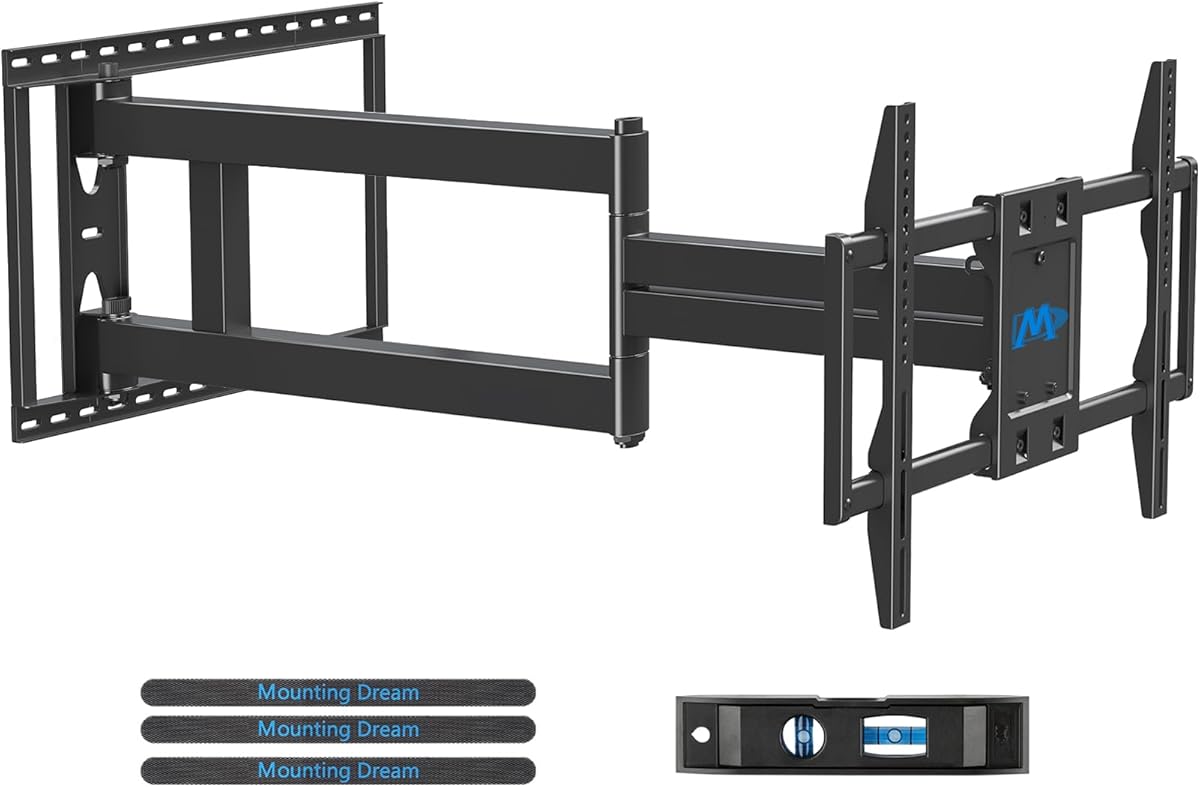
The Mounting Dream Long Arm TV Wall Mount Full Motion TV Mount for 42-94" TVs has a 4.8 rating and competes strongly in the large-screen category. Its arm extends 40 inches from the wall, giving it exceptional positioning freedom for a corner or open living area.
We may earn a commission when you buy through this link, at no additional cost to you.
The mount accommodates most 42- to 94-inch televisions, supports up to 150 pounds, and fits VESA patterns from 200x100mm through 800x400mm. It can be attached to 16-, 18-, or 24-inch wood-stud spacing. Adjustment includes 90-degree swivel in either direction, negative-12 to positive-5-degree tilt, and plus/minus 3-degree leveling.
Its package includes clear instructions, necessary hardware, a mounting template, and a bubble level. Concrete anchors of 10x50mm are sent by request, which means buyers using masonry should note that extra step before installation. The product is expressly unsuitable for drywall alone.
This bracket is a strong candidate for a large-screen home theater where the screen must sit around a wall corner, face multiple rows, or clear nearby furniture. Ensure the wall structure is suitable, the room can accommodate the long arm, and two people can safely handle the display.
A 40-inch extension offers enough movement to bring a large television into view from several seating zones. The arm retracts to 3 inches to preserve a cleaner wall when not needed.
The 150-pound capacity and broad VESA range suit many large flat and curved displays. Adequate structural support and careful handling during installation are especially important at this size.
We may earn a commission when you buy through this link, at no additional cost to you.
The HCMOUNTING Corner TV Wall Mount Long Arm for 26–70 Inch TVs up to 132 lbs has a 4.7 rating and stands out through its unusually high 132-pound capacity for a mount intended primarily for screens up to 70 inches. It offers 30.2 inches of extension and retracts to 2.68 inches.
We may earn a commission when you buy through this link, at no additional cost to you.
The television itself remains the deciding factor because the listed 400x400mm maximum VESA pattern is narrower than on several large-screen competitors. Adjustment includes a stated 180-degree swivel, positive-5 to negative-15-degree tilt, and plus/minus 3-degree leveling. A single-stud swivel design and dual-arm steel construction are intended to maintain stability when the arm is extended.
A useful feature is its center-aligned retraction, which keeps the VESA plate aligned with the wall plate instead of leaving the television visibly offset. Cable clamps and an Allen key are included, along with a mounting template, hardware, and concrete or brick anchors. The trade-off is that the recommended two-person lift for 55- to 70-inch screens makes installation more involved.
Choose this model for a 65- or 70-inch television with a compatible mounting pattern, particularly if wide swivel movement is important. It is also suited to apartments and compact rooms where a centered retracted position helps maintain a tidy appearance.
The self-centering retraction design keeps the screen aligned with the wall plate. That makes the mount look tidier when pushed back than an arm that settles off-center.
A 132-pound capacity and 180-degree swivel provide room for heavier setups and broad viewing angles. Check the 400x400mm VESA limit before assuming every large television will fit.
We may earn a commission when you buy through this link, at no additional cost to you.
The USX STAR Corner TV Wall Mount Long Arm Full Motion for 55 65 70 75 inch TVs has a 4.7 rating and offers a broad size range for common and larger displays. Its compatibility list covers screens from 37 through 84 inches, depending on the exact model and weight.
We may earn a commission when you buy through this link, at no additional cost to you.
The mount holds up to 100 pounds and accepts VESA patterns from 200x100mm through 600x400mm. Its 32-inch arm extends from the wall and retracts to 2.52 inches, while positive-5 to negative-15-degree tilt, plus/minus 90-degree swivel, and plus/minus 4-degree leveling handle alignment. Maximum swivel can vary with screen size.
Cable management is unusually practical for this category because built-in hook-and-loop storage helps conceal and organize wires. A bubble level, detailed instructions, and pre-labeled mounting hardware simplify setup, but concrete anchors are sent only on request and drywall installation is not appropriate.
This mount works for living rooms, bedrooms, kitchens, studies, offices, and commercial spaces where the television and wall structure match its limits. It is a useful option for shoppers who want a long arm and tidy cable presentation without moving to a 150-pound heavy-duty model.
The 32-inch extension can redirect the screen around a corner or toward multiple seating areas. A 2.52-inch retracted profile keeps the mount relatively unobtrusive when it is not being used.
Built-in hook-and-loop cable storage helps keep cords organized and less visible. The included bubble level also supports accurate placement during installation.
We may earn a commission when you buy through this link, at no additional cost to you.
A useful corner mount must fit the television, match the wall structure, and move far enough to solve your sightline problem without interfering with the room. Compare compatibility and motion specifications before focusing on appearance alone.
Start with the exact screen dimensions, measured weight, and mounting-hole layout rather than using diagonal size alone. The listed compatibility range gives a starting point, but your particular television must also remain below the mount’s weight capacity and within its VESA limits. A modern television can be heavier than expected, especially for larger sets, so leaving some capacity margin is sensible.
VESA describes the distance between a television’s four mounting holes. The mounts in this guide cover combinations ranging from compact 75x75mm patterns to broad 600x400mm and 800x400mm layouts. Check the four horizontal and vertical measurements in millimeters, not just the overall maximum advertised for the bracket, because some patterns may fall outside the permitted range.
Extension determines how far the display can move away from the wall, while retracted depth controls how much it projects when not in use. A long arm helps the television clear a corner, reach around furniture, or serve multiple seats. It also needs more clearance, creates greater leverage, and may require two people when positioning a large screen.
Swivel moves the screen horizontally toward different seating areas, tilt helps reduce glare from windows or lights, and leveling corrects small installation errors. A broader swivel range offers more freedom in an irregular corner, although some manufacturers limit the maximum angle according to television size. Tool-free tilt controls and post-installation leveling add convenience after the screen is mounted.
Never install these brackets into drywall alone. The listed options support wood studs, solid concrete, or brick when the correct hardware is used, and some models accept only a single stud. Locate the framing before drilling, verify adequate spacing, and use anchors appropriate for masonry. A long articulated arm places greater stress on the connection than a fixed mount, making proper anchoring essential.
Steel construction, a wide wall plate, a strong pivot, and a high stated capacity all influence stability. Look for a rating comfortably above the television’s actual weight and consider whether soundbars or other attached equipment are included in that total. The strongest options use reinforced plates and heavier steel, while compact mounts may use lighter components to reduce wall projection.
Measure the angle between the two walls, the available stud or anchor locations, and the furniture and walking paths around the installation. Some mounts use separating wall plates to fit angled corners more effectively, while single-stud designs are easier to position along one wall. Draw the arm’s extended position and confirm that the screen can move without contacting a wall, ceiling, cabinet, or doorway.
Pre-assembled parts, labeled hardware, drilling templates, bubble levels, and clear instructions can make a complex installation more manageable. Check whether concrete anchors are included or must be requested separately. Also look for a narrow retracted profile and integrated cable storage, especially in living rooms where visible cords and projecting hardware can quickly undermine the space-saving benefit of wall mounting.
Begin by identifying the television’s weight, VESA pattern, and rear attachment points. Inspect the wall, locate a wood stud or determine whether it is solid concrete or brick, and verify that the selected mounting plate fits. Read the complete instruction manual before drilling and use the supplied template whenever possible.
Attach the wall plate securely with the specified structural fasteners, keeping the arm within its intended path. Assemble and attach the television plate, then lift the screen with adequate help. Connect cables with the screen powered off, route them through any clips or cable manager, and leave enough slack for smooth extension without pulling against the connection.
Move the arm gradually within its specified swivel and tilt ranges. Do not force the mechanism, exceed its load rating, or attach unsupported equipment beyond the stated capacity. Periodically check that fasteners remain tight and that the screen stays stable when extended, especially after moving furniture or changing the room layout.
No. Every mount in this guide should be attached to a wood stud, solid concrete, or brick using the appropriate hardware. Drywall alone cannot provide the structural support needed for a heavy television and a moving arm. If no structural support is available, consult a qualified installer about reinforcing the wall or relocating the mounting point.
The correct extension depends on the room geometry, furniture placement, and desired viewing angle. A 19-inch arm may work for a compact arrangement, while models extending around 30 to 40 inches offer greater freedom in larger rooms. Measure the screen’s intended final position and make sure the moving arm will not hit nearby walls or furniture.
Swivel turns the television left or right to face a seating area. Tilt angles the screen upward or downward, which is useful for reducing glare or accommodating a low or high viewer. Leveling makes small corrections after installation so the screen appears straight even when the mounting position is slightly imperfect.
Most universal mounts work across major television brands as long as the screen matches the weight rating, VESA range, and attachment requirements. Brand alone is not enough to confirm compatibility. Measure the mounting holes and check the television’s weight and rear clearance before ordering.
A second person is strongly recommended for larger screens because the television is awkward to hold and can be damaged if it falls. It also makes it easier to align the mounting holes and route cables safely. Small screens may be manageable alone, but always follow the weight guidance provided by the television and mount manufacturers.
They can place more leverage on the wall connection, especially at full extension, but a properly engineered long arm with a strong wall plate and correct anchors can remain stable. Use the specified fasteners, verify structural support, and avoid exceeding the load rating. Stability also depends on careful installation and smooth movement within the permitted ranges.
Allow enough slack for the arm to extend and retract without tension on the television connections. Route cables through the bracket’s channels or the included cable manager, and secure loose runs so they do not catch on the moving arm. Keeping connectors lightly dressed also reduces strain and makes the corner look less cluttered.
Only if the product listing explicitly states that it is designed for outdoor use. Most indoor television mounts are not weather-rated, even when they are installed on a covered patio. Exposure to moisture, sunlight, temperature changes, and corrosion can weaken components and create safety problems, so confirm outdoor suitability before considering an exterior location.
The Perlegear 37–75 Inch Corner Mount is the most balanced overall choice, combining a long 32.37-inch arm, broad television compatibility, a 100-pound capacity, and precise full-motion adjustment. The USX MOUNT 26–65 Inch model is a strong budget-oriented option for smaller screens, while the VIVO model stands out with separating wall plates and extensive swivel movement.
For a very large display, the Perlegear 42–97 Inch and Mounting Dream 42–94 Inch models provide greater weight capacity, broader VESA coverage, and approximately 40 inches of extension. Before choosing, prioritize exact television compatibility, the structural condition of the wall, corner clearance, and the amount of movement your room actually needs rather than selecting on reach alone.
Finally, verify the television weight and mounting-hole pattern, confirm that the wall can accept the specified anchors, and inspect the latest listing details before purchasing. Product specifications and current pricing can change, and the latest manufacturer instructions should always take priority during installation.