
Clover GO 3rd Generation
5.0Editor score
Wireless smartphone connectivity
Configurable tips and tax rates
Email and text receipts
Employee permission controls
Compare the best credit card readers for phones, including Square, Clover, and SumUp models, features, compatibility, and ideal business uses.
Credit card readers for phones turn a compatible smartphone or tablet into a practical point-of-sale system for in-person sales. The right model should support the payment methods customers expect, connect reliably, fit your business workflow, and offer the management tools needed for receipts, tips, taxes, inventory, and staff access.
This guide compares ten readers based on payment compatibility, connection style, portability, business features, setup requirements, and stated platform support. The list covers compact readers that rely on a phone, standalone terminals, and a smart-card reader intended for identity authentication rather than merchant payment processing.
Each review explains who the product is best for, which capabilities set it apart, and where its limitations matter. Ratings and specifications reflect the supplied product information, but availability, processing terms, account requirements, and prices can change, so buyers should confirm current details before purchasing.
5.0Editor score

4.5Editor score

4.6Editor score
The comparison below highlights payment methods, connectivity, account requirements, portability, and business-management features to help distinguish compact phone readers from standalone terminals and identity-focused smart-card hardware.




The Square Reader for magstripe is a compact USB-C reader for businesses that want to accept traditional magnetic stripe cards through a phone. It carries a 4.6 rating in the supplied data and stands out for its small footprint, straightforward setup, and integration with the free Square Point of Sale app. It is a focused solution rather than a universal reader for every modern payment method.
We may earn a commission when you buy through this link, at no additional cost to you.
The Square app brings several useful functions into one place. Sellers can track sales, manage inventory, accept tips, and send digital receipts without relying on a separate desktop register. Because the reader is designed for mobile use, it can suit market stalls, mobile services, appointment-based sellers, and other situations where carrying a full terminal would be unnecessary. The stated lack of long-term commitments also keeps the arrangement relatively flexible.
The main limitation is the payment technology. A magstripe reader does not provide the broader compatibility of a contactless and chip reader, so customers relying on newer chip cards or mobile wallets would not be fully served. The product information also refers to Apple devices with a Lightning connector while identifying the product as USB-C, making connector compatibility an important point to verify for the intended phone before ordering.
This is best for a seller whose customers regularly use magnetic stripe cards and who values a simple, compact reader connected directly to a supported device. It may be especially attractive for a new seller who wants basic sales, inventory, tips, and receipt functions without purchasing a full standalone system. For broad customer compatibility, however, the Square contactless and chip reader is the more complete choice.
The reader's direct device connection and compact format reduce the amount of equipment a mobile seller needs to carry. It is well suited to quick transactions in locations where space is limited and a full cash register would be impractical.
Sales tracking, inventory management, tip acceptance, and digital receipts are available through the free point-of-sale app. Those features make the hardware useful for more than simply reading a card.
We may earn a commission when you buy through this link, at no additional cost to you.
The Square Reader for contactless and chip, 2nd Generation, is a strong all-around choice for a phone-based business. Its 4.5 rating reflects a well-established product with broad payment support, improved wireless connectivity, extended battery life, and offline capability. It accepts contactless payments, chip cards, Apple Pay, and Google Pay, reducing the chance that a customer cannot pay as expected.
We may earn a commission when you buy through this link, at no additional cost to you.
One of its most valuable features is the ability to keep taking payments for up to 24 hours without a connection. For mobile sellers, this resilience can be important in locations with unreliable service. The reader also stays paired with the device, while data security, fraud prevention, and payment-dispute management are included at no extra cost according to the supplied information. A single low rate is applied across tap and dip transactions.
Square continues to keep the business arrangement straightforward, with no long-term commitments or contracts and no monthly fees stated in the product details. The trade-off is dependence on the Square ecosystem and the need to download the point-of-sale app, create an account, and connect the hardware properly. Offline capability helps with connectivity, but it does not replace sound account setup or regular charging.
The reader is a strong recommendation for consultants, retailers, food-service sellers, and other mobile operators who want customers to be able to tap, dip, or use a wallet. It is also more future-facing than a magnetic-stripe-only reader. Choose this model if versatile payment acceptance and temporary offline operation are more important than having a built-in printer or a standalone screen.
Supporting chip, contactless, Apple Pay, and Google Pay lets customers use familiar payment choices. This is valuable for mobile transactions where speed and convenience influence whether a sale feels professional.
The stated 24-hour offline payment window helps sellers continue operations when a network connection is unavailable. A seller should still understand the app's offline workflow before relying on it during an event or in a low-connectivity location.
We may earn a commission when you buy through this link, at no additional cost to you.
The 2-in-1 Smart Card Reader is the only product in this list focused primarily on reading identity and authentication cards rather than processing customer payments. It supports CAC, PIV, military identification, chip cards, and NFC identification badges through contact or contactless modes. Buyers searching specifically for a credit card reader for phone payments should not confuse its ability to read bank cards with the ability to operate a point-of-sale account.
We may earn a commission when you buy through this link, at no additional cost to you.
Its integrated USB-A and USB-C head makes it convenient to move among devices without carrying a separate adapter. The stated compatibility includes Windows, macOS, Linux, and Android, while the contact interface supports ISO7816 Class A, B, and C and the NFC module supports ISO14443 A/B and MIFARE. FCC, CE, VCCI, CCID, and Microsoft WHQL certifications are also listed in the supplied information.
The reader is described as plug-and-play with no driver required, though third-party decoding software and official card middleware are not included. That distinction matters: the hardware can identify compatible cards, but the user must have compatible software to decode, authenticate, or manage the information. The product is also explicitly not compatible with health insurance cards. These limitations make it a specialist office and identity-verification accessory.
This device is best for military, government, enterprise, and technical users who need to work with CAC, PIV, or related smart cards on several computer platforms. It can also suit developers and administrators testing card-reader workflows. It should not be selected as a way to accept customer payments through a phone; for that purpose, a dedicated merchant reader from Square, Clover, or SumUp is the more appropriate choice.
The built-in USB-A and USB-C head reduces adapter clutter and makes the reader suitable for offices, field verification, and business travel. Device compatibility should still be confirmed against the user's particular system and software.
Support for CAC, PIV, ISO7816, ISO14443, PC/SC, and EMV positions the device for professional identity workflows. Those standards matter when an organization needs interoperability with access-control and authentication systems.
We may earn a commission when you buy through this link, at no additional cost to you.
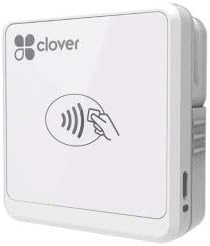
The Clover GO 3rd Generation combines a compact reader with a feature-rich mobile point-of-sale system. It has the highest rating in the supplied list at 5.0 and is the strongest premium recommendation for a business that wants more control over tips, taxes, receipts, and employee access. Its wireless Bluetooth connection allows it to pair with a compatible smartphone rather than relying on a cable.
We may earn a commission when you buy through this link, at no additional cost to you.
Business configuration is a major strength. Sellers can set custom tip percentages, create multiple tax rates, and send receipts by email or text. Employee permissions let managers control who can access certain functions, which is particularly relevant when multiple people share a device. The product information also states that customer and business data is protected from card acceptance through transaction processing.
The biggest purchasing consideration is the account requirement. This model requires new processing through SwyftPAY before shipment and is intended for US-based businesses. A separate dock is also sold separately. Those requirements may discourage casual buyers or sellers outside the United States, and they mean the reader should be treated as part of a larger merchant-account setup rather than a completely self-contained payment appliance.
Clover GO 3rd Generation is best for US sellers who want a capable phone-based system and can complete the required processing setup. It makes sense for service providers, mobile retailers, restaurants, and businesses with several employees who need differentiated access. Buyers who need a completely standalone terminal with its own display and printer should compare Square Terminal and SumUp Solo instead.
Multiple tip percentages, several tax rates, and configurable employee permissions give a business more granular control than a basic tap-and-go setup. These tools are particularly helpful when operational responsibilities are divided among staff.
Email and text delivery creates a cleaner customer handoff while reducing the need to print a receipt. The mobile workflow also suits transactions performed away from a fixed counter.
We may earn a commission when you buy through this link, at no additional cost to you.
Square Terminal is a complete mobile point-of-sale device rather than an accessory that requires a phone. It can ring up sales, accept payments, and print receipts on one unit. The 4.5 rating makes it a credible option for sellers who want a dedicated checkout device for a counter, store, event, or mobile booth without managing a separate screen and printer.
We may earn a commission when you buy through this link, at no additional cost to you.
The terminal accepts major credit and debit cards and uses a single stated rate without hidden fees or long-term contracts. Chip cards are processed in approximately two seconds, according to the supplied description, which is useful when a customer queue is involved. The built-in battery is designed to last all day, and cordless operation allows the unit to move around a store rather than remain tied to a counter.
Compared with the compact Square readers, Terminal occupies more space and performs more functions on its own. That makes it less convenient for a pocket-first mobile workflow, but more complete at a checkout location. The product information does not explicitly detail Apple Pay, Google Pay, or contactless acceptance, so a buyer who prioritizes those methods should verify current specifications rather than assume them.
Square Terminal is best for small retailers, food vendors, and professionals who want an all-in-one device that can operate without a phone and provide printed receipts. It also suits situations where a reliable screen and customer-facing checkout interface are more valuable than minimal size. For highly mobile sellers who already manage sales on a smartphone, a compact Square reader may be more convenient.
Because sales entry, payment acceptance, and receipt printing are combined in one device, the terminal can serve as the central point-of-sale system. This reduces dependence on a separate phone during each transaction.
A cordless design and all-day battery support movement around a store or use at an event. The trade-off is greater bulk compared with a small card reader.
We may earn a commission when you buy through this link, at no additional cost to you.
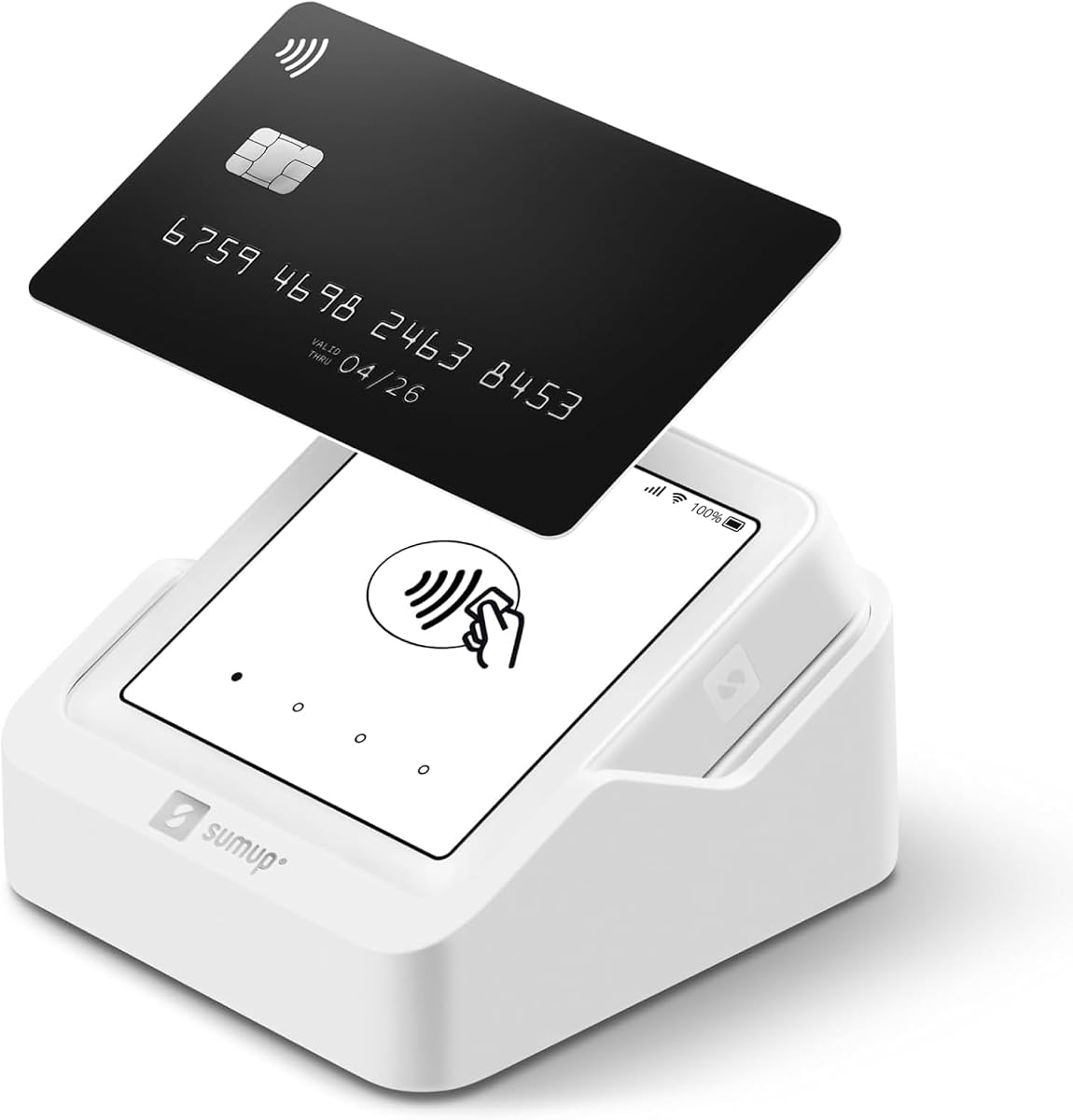
SumUp Plus is a compact Bluetooth card reader for accepting payments through a smartphone or tablet. Its 3.8 rating is lower than the leaders in this comparison, but the hardware covers a fundamental need: major credit and debit card acceptance without a full standalone register. It is positioned for sellers who want a straightforward mobile workflow.
We may earn a commission when you buy through this link, at no additional cost to you.
The reader connects wirelessly, while the free SumUp app provides the interface used to begin transactions and manage sales. Its stated payment approach includes major cards, a single rate, no hidden fees, and no long-term contract. The product information also lists a specific per-transaction charge, so sellers should understand the complete cost structure before using the device.
Compared with the Square Contactless Reader, the available product details provide fewer details about connectivity behavior, offline processing, receipt handling, and device features. That makes SumUp Plus a more basic recommendation and places more importance on checking the current app and account experience. Its NFC and RFID designation also distinguishes the hardware from a magnetic-stripe-only reader.
This model is best for a small business or independent professional seeking a portable Bluetooth reader and a simple app-driven checkout process. It may appeal to sellers who already use or are comfortable with SumUp services. Buyers who need more extensive point-of-sale functions, offline resilience, or clearly documented wallet support should compare the feature depth of the Square and Clover options.
Bluetooth allows the compact reader to remain separate from the phone while a transaction is processed through the app. That arrangement is convenient for mobile or counter-based sales where a full terminal would be excessive.
The SumUp app supplies the transaction interface and sales-management functions. Sellers should confirm that its current tools match their inventory, receipt, and reporting needs before committing.
We may earn a commission when you buy through this link, at no additional cost to you.
SumUp Solo is a standalone payment terminal with a full touch-screen interface, built-in Wi-Fi, a free SIM card, and mobile data. It is intended for sellers who want to take payments independently of a smartphone. Its 3.5 rating is the lowest among the listed products, so prospective buyers should examine current software, reliability, and account support carefully before choosing it.
We may earn a commission when you buy through this link, at no additional cost to you.
The inclusion of cellular data and a strong Wi-Fi connection creates flexibility for transactions outside a traditional storefront. A charging station is also included, which is helpful for a business that keeps the terminal in a dedicated setup and wants it ready throughout the working day. US-based support can be reached by phone, email, or chat according to the supplied information.
The setup involves registration on the SumUp website or mobile app, making it less convenient for someone seeking an immediately usable reader. It is also physically and operationally more complex than a pocket reader. The touch screen improves the point-of-sale interface, but the device must be charged, connected, and associated with the seller's account to provide its intended function.
SumUp Solo is best for a business that wants a portable terminal independent of its phone, particularly where a cellular connection adds value. It may suit market vendors, service professionals, and pop-up sellers who can maintain a dedicated device. Buyers prioritizing simplicity, instant setup, or a compact accessory should consider SumUp Plus or one of the smaller Square models instead.
Wi-Fi and included cellular service reduce the terminal's dependence on a paired phone. This can be valuable at locations where the sales device needs to remain the primary interface.
The included charging station is a practical addition for a counter or service station. It helps maintain the terminal's readiness without requiring the seller to find a separate cable each time.
We may earn a commission when you buy through this link, at no additional cost to you.
Clover GO Newest Model is a compact mobile point-of-sale reader with a feature set aimed at small businesses. It connects to a phone over Bluetooth and supports custom tip percentages, multiple tax rates, paperless receipts, and employee permissions. Its 3.6 rating makes it a less established recommendation than the top-ranked Clover GO 3rd Generation.
We may earn a commission when you buy through this link, at no additional cost to you.
The reader's value comes from its combination of portable hardware and business controls. Tips and taxes can be adjusted for different services or products, while receipt delivery by email or text keeps the checkout digital. Employee permissions are useful when a seller does not want every worker to have the same access to the Clover system.
The key caveat is processing. This model requires processing through Powering POS and is limited to US-based businesses. A prospective buyer therefore needs an available processor relationship before the reader becomes useful. The product information also provides a support number for questions, but the need for a particular processing setup makes this less flexible than products offered with a broader or more immediately accessible account path.
Clover GO Newest Model is best for a US business that has or can establish the required processing relationship and wants a pocket-sized system with configurable business tools. It is appropriate for mobile sales where a full terminal would be inconvenient. Buyers who want a more current generation should compare the 3rd Generation model, while sellers prioritizing broad contactless specifications should examine Square's dedicated contactless reader.
Bluetooth phone connectivity keeps the device compact while preserving a separate reader for card acceptance. It fits mobile workflows better than a stationary counter terminal.
Configurable rates and employee permissions make the reader more relevant to organized operations. These tools help align the checkout process with different product categories and staff responsibilities.
We may earn a commission when you buy through this link, at no additional cost to you.
Clover Go Contactless Reader is an EMV- and chip-ready reader designed for iOS and Android devices. It carries a 4.0 rating in the supplied information and focuses on a straightforward contactless transaction process. The product description highlights that no merchant account is required at the hardware-purchase level, although users should still review the processing and account terms used to activate the device.
We may earn a commission when you buy through this link, at no additional cost to you.
Its primary appeal is simplicity. The reader adds contactless card acceptance to a phone-based checkout without the larger footprint of a standalone terminal. That makes it relevant for mobile sellers, small shops, and service professionals who want a quick way to accept modern chip-based contactless transactions.
The major concern is product lifecycle. The listing explicitly notes that quantities of this version may be limited or end of life, and orders may be fulfilled with the most current Clover GO version. That reduces the value of choosing this specific model over a newer generation, particularly for a buyer who wants long-term support, consistent accessories, or a clear upgrade path.
This reader is best for a buyer seeking a compact contactless reader and comfortable accepting a potentially superseded model. Even then, checking what hardware will actually ship is essential. A new Clover GO generation may provide a more sustainable choice, while Square's contactless reader offers more clearly stated offline and wallet capabilities in the supplied data.
Contactless and EMV readiness support the tap-based payment behavior many customers now expect. A compact reader also keeps mobile transactions uncomplicated.
The stated limited or end-of-life status means the actual unit received may differ from the listing. Buyers should confirm the generation, included accessories, and support before making a purchase.
We may earn a commission when you buy through this link, at no additional cost to you.
Clover GO Bluetooth Reader 3rd Gen is a mobile reader designed to work with an existing Clover GO account. It has a 3.6 rating and offers a focused set of business tools: configurable tips, multiple tax rates, Bluetooth operation, and end-to-end protection for transaction data. It is aimed at sellers already participating in the Clover platform.
We may earn a commission when you buy through this link, at no additional cost to you.
The tip and tax settings make it more useful than a bare card-reading accessory. A mobile seller can tailor the checkout to different services or product categories, while the data-protection statement covers the transaction process from card acceptance through completion. The physical format remains small enough to carry and operate away from a permanent counter.
The main requirement is an existing Clover GO account. Although the title says no merchant account is required, buyers still need an activated account and compatible processing arrangement to use the reader. The supplied details are less extensive than those for the 3rd Generation Clover GO listing, so details such as exact payment-method support, receipt handling, and connectivity behavior should be verified before purchase.
This is best for an existing Clover GO user who wants a compact Bluetooth reader with configurable tips and taxes. It can also suit a seller comparing lower-profile Clover hardware, but a new buyer should compare the more fully documented 3rd Generation model. Those who need a reader that works without a specific ecosystem should consider Square or SumUp alternatives.
The reader is built around the Clover GO account, making it most convenient for sellers already using that service. A business evaluating the platform for the first time should review onboarding and processing before buying.
The stated protection covers the workflow from card acceptance through transaction processing. That focus is reassuring for a device used in public or mobile settings, although account-level security practices remain essential.
We may earn a commission when you buy through this link, at no additional cost to you.
The right reader depends on the type of business, payment methods customers use, and how much each transaction should rely on a phone. Consider compatibility, connectivity, account requirements, and workflow features before choosing hardware.
Choose a reader that supports every method you expect to accept without making customers improvise.
Verify both the phone model and payment app before ordering.
Use a phone-dependent reader for mobility and a terminal for independence.
Prioritize stated offline procedures and test them before a busy sale.
Confirm processor availability, location limits, and account terms first.
Match inventory, tax, receipt, and staff controls to the workflow.
Compare size, battery, and charging together, not separately.
Confirm the exact model, included accessories, and ongoing support.
Begin by installing the correct point-of-sale or smart-card application, creating the required account, and confirming that the phone, operating system, connector, and reader are compatible. For merchant devices, complete any required processor approval before shipment or activation. For a smart-card reader, install the organization's required card-management or decoding software, since the hardware alone does not provide those tools.
To process a payment, connect and wake the reader, enter the sale in the app, and confirm the amount, tax, and tip. Ask the customer to tap, insert, or swipe according to the reader's supported methods. Send a digital receipt or print one when needed, then remove the card before beginning the next transaction. Keep the device charged, protected from moisture and extreme temperatures, and within its permitted operating conditions.
For reliable operation, perform a test transaction before a busy period, verify that receipts and sales records appear correctly, and review the device for physical or connection problems. Keep the reader away from excessive heat, moisture, and impact. Do not share account credentials, and follow the processor or card-management provider's security procedures. If a device is lost, damaged, or behaves inconsistently, stop using it and contact the relevant provider.
A phone card reader generally relies on a smartphone or tablet for the screen, interface, and sometimes power or connectivity. A standalone terminal includes its own display and may also have a printer, battery, and built-in Wi-Fi or cellular service. Phone-dependent readers are usually more compact, while standalone systems can operate more independently at a fixed checkout or busy sales counter.
No. Payment support depends on the hardware, and a reader may accept only magnetic stripe cards, chip cards, contactless cards, or a specific combination. Mobile wallet support should also be checked separately. For example, the Square contactless and chip reader lists Apple Pay and Google Pay, while the magnetic stripe Square reader has a narrower payment method.
Most merchant readers need an activated payment-processing account so transactions can be authorized, settled, and tied to a business. The wording in a listing may refer to not needing an account to purchase the hardware, rather than not needing an account to process payments. Clover models in this list also have specific processing requirements, so buyers should confirm the process before ordering.
That depends on the model and its connection method. Some products use Bluetooth and explicitly support iOS and Android, while others rely on a specific USB-C or Lightning connector. The Square magstripe listing combines a USB-C title with a statement about Apple devices with a Lightning connector, making the exact device connection especially important to verify.
Some payment systems support offline transactions, but the feature must be enabled and used according to the provider's rules. The Square contactless and chip reader states that it can continue taking payments for up to 24 hours offline. A seller should test the offline workflow, confirm which transaction types are eligible, and avoid relying on it without understanding the synchronization process.
The 2-in-1 smart-card reader is intended for identity authentication, access control, and card-management workflows involving CAC, PIV, military identification, and NFC badges. It can read compatible chip and bank cards, but it is not a merchant point-of-sale reader. Third-party decoding software and official middleware are not included, and it is not compatible with health insurance cards.
Choose a compact reader when mobility, simple phone-based checkout, and minimal equipment are the priorities. Choose a standalone terminal when you want the checkout interface and payment device to function without relying on a phone, or when built-in printing and stronger integrated connectivity are useful. The best choice also depends on the volume of transactions and whether several employees need access.
An older model can offer value if it has the payment methods and management features you need, but check app compatibility and support availability. The Clover Go Contactless Reader is described as limited or end of life and may be fulfilled with a newer version. Reviewing the exact model, included accessories, and current account support can prevent surprises.
The Square Reader for contactless and chip is the leading all-around choice for sellers who want broad payment acceptance, mobile wallet support, offline resilience, and a capable point-of-sale app. The Clover GO 3rd Generation stands out as the premium option for detailed tax, tip, receipt, and employee controls, while the Square magnetic stripe reader offers a focused solution for businesses still serving customers with traditional swipe cards.
Prioritize the operating environment over feature count. A compact Bluetooth or cabled reader suits mobile work and screen-focused checkout, a standalone terminal better serves independent operation, and a smart-card reader addresses identity authentication rather than customer payments. Confirm supported cards, device compatibility, processor access, offline procedures, and the complete sales workflow before finalizing a choice.
Product availability, account conditions, processing terms, features, and prices can change after publication, so confirm current information with the manufacturer, processor, and retailer. Checking those details at the time of purchase will help ensure that the selected reader supports the intended phone, customers, location, and business requirements.