
Dish Network Remote 52.0
4.6Editor score
Hopper Joey Wally support
Receiver-assisted remote finder
Personalizable hot keys
This guide compares the best Dish Network replacement remotes for compatibility, setup, voice control, illuminated keys, and everyday convenience.
A Dish Network replacement remote should be matched carefully to the receiver, programming method, and features you actually use. Receiver model numbers, infrared versus UHF operation, and voice-search support can determine whether a remote works as expected or leaves several functions unavailable.
The products in this guide cover upgraded 54-series receivers, Hopper-family equipment, 20.1 and 21.1 infrared receivers, and the 52.0 remote. We compared the stated compatibility, pairing process, control method, illuminated-key features, remote-finder functions, voice search, and included support.
Each review identifies the receiver coverage and setup requirements that distinguish the remote from its alternatives. Ratings reflect the supplied customer feedback, while availability and product conditions can change. Check the current listing and receiver details before ordering.
4.6Editor score

4.6Editor score

3.7Editor score
The table below compares all ten remotes by receiver compatibility, control technology, setup demands, and standout features. Use it to narrow the field before reading the detailed reviews.




This remote targets Dish Upgraded Network 54.1, 54.2, and 54.3 receivers using UHF, and its 4.5 rating reflects generally favorable customer feedback. It combines direct receiver pairing with voice search, making it a practical option for owners of one of those specific upgraded systems.
We may earn a commission when you buy through this link, at no additional cost to you.
Its standout strength is the clearly described activation process. The receiver's SYS INFO button is used to initiate pairing, followed by the SAT button on the remote. Once three beeps confirm that the connection is active, the remote can be used with the compatible receiver and paired with a television or an auxiliary component such as a player or stereo.
The trade-off is that compatibility is narrower than the product names of several alternatives in this guide. Its listing names 54.1, 54.2, and 54.3 but does not state support for 54.0 or Hopper 3 equipment. Buyers should therefore confirm their exact receiver version rather than relying only on the general reference to the 54 series.
This is a strong recommendation for Dish customers who own a listed 54-series receiver, want UHF operation, and appreciate voice search. It is less suitable for owners of legacy infrared receivers or Hopper systems because those applications are outside the stated compatibility.
The SYS INFO and SAT activation sequence gives owners a direct way to connect the remote to the receiver. The audible three-beep confirmation provides a clear signal that the pairing step has succeeded.
The television pairing wizard and auxiliary-device support extend the remote beyond basic channel changes. That makes it useful for users who want one handheld for satellite, television, and compatible entertainment equipment.
We may earn a commission when you buy through this link, at no additional cost to you.
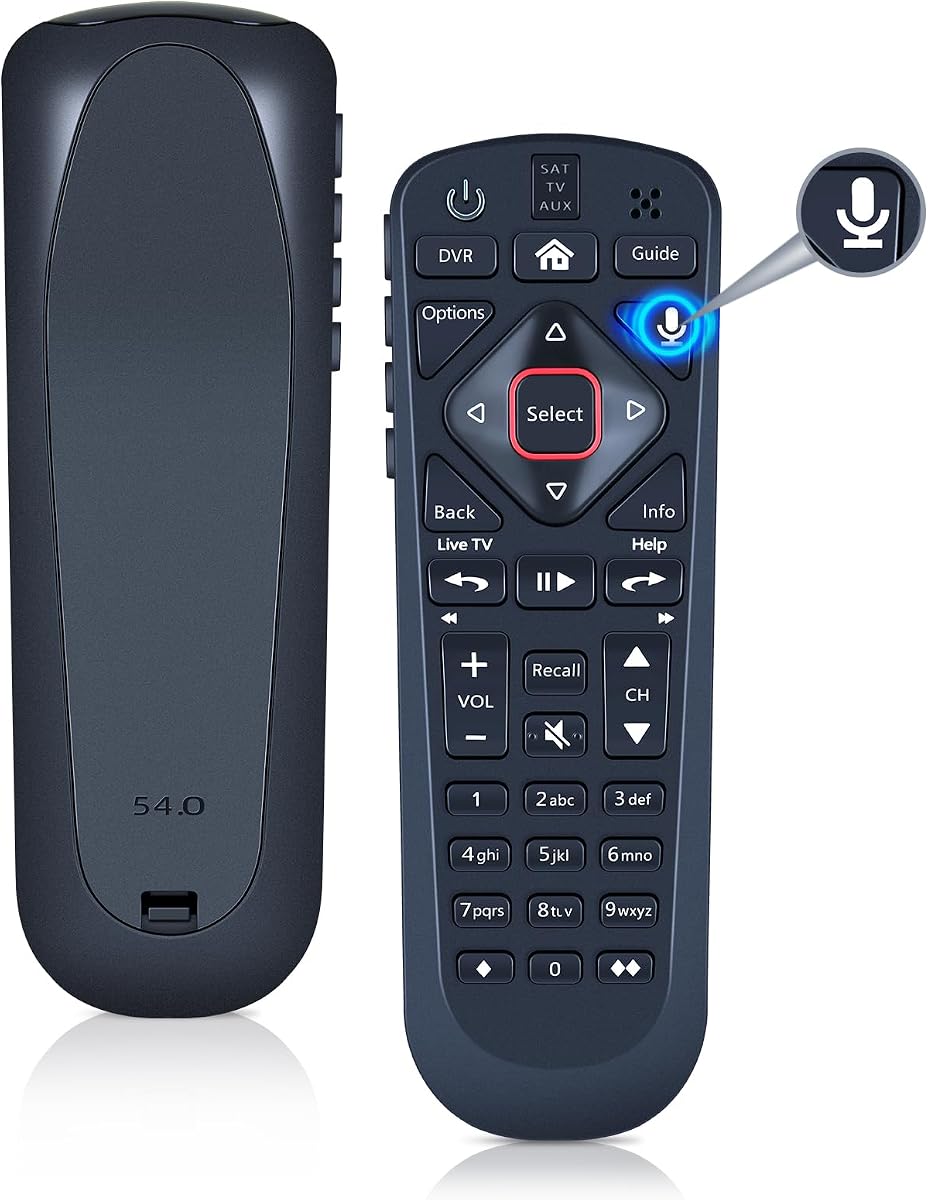
The Dish 54.0 Remote Control for The Hopper carries a 4.6 rating and is designed for the Hopper receiver family, including Joey and Wally equipment. Its combination of illuminated keys, voice-assisted search, personalization, and remote location makes it especially well suited to users of newer Dish DVR hardware.
We may earn a commission when you buy through this link, at no additional cost to you.
Voice search lets users browse the channel guide, recorded programs, and On Demand selections with spoken requests. The remote also has a keypad that lights automatically when picked up in a dark room, while programmable hot keys can launch an app, record a program, activate closed captioning, or assign other frequently used actions.
One limitation is that internet connectivity is required for the full search functionality. Voice commands therefore depend on an online connection, and customers whose Dish service is not connected may not receive the complete benefit of the advertised search experience. The product is also centered on Hopper-family receivers rather than legacy 20.1 infrared boxes.
It is the leading choice for a Hopper, Joey, or Wally owner who values a polished remote with search, personalization, backlighting, and remote-finding features. Buyers should confirm that their equipment belongs to the supported Hopper family and that their service supports online search.
Spoken requests can simplify navigation through the guide, recorded programs, and On Demand content. This is particularly helpful for viewers who prefer direct search over moving through menus with arrow keys.
Automatic keypad illumination makes common commands easier to locate when the remote is picked up in a dark room. The feature reduces the need to turn on room lights or feel blindly for individual buttons.
We may earn a commission when you buy through this link, at no additional cost to you.
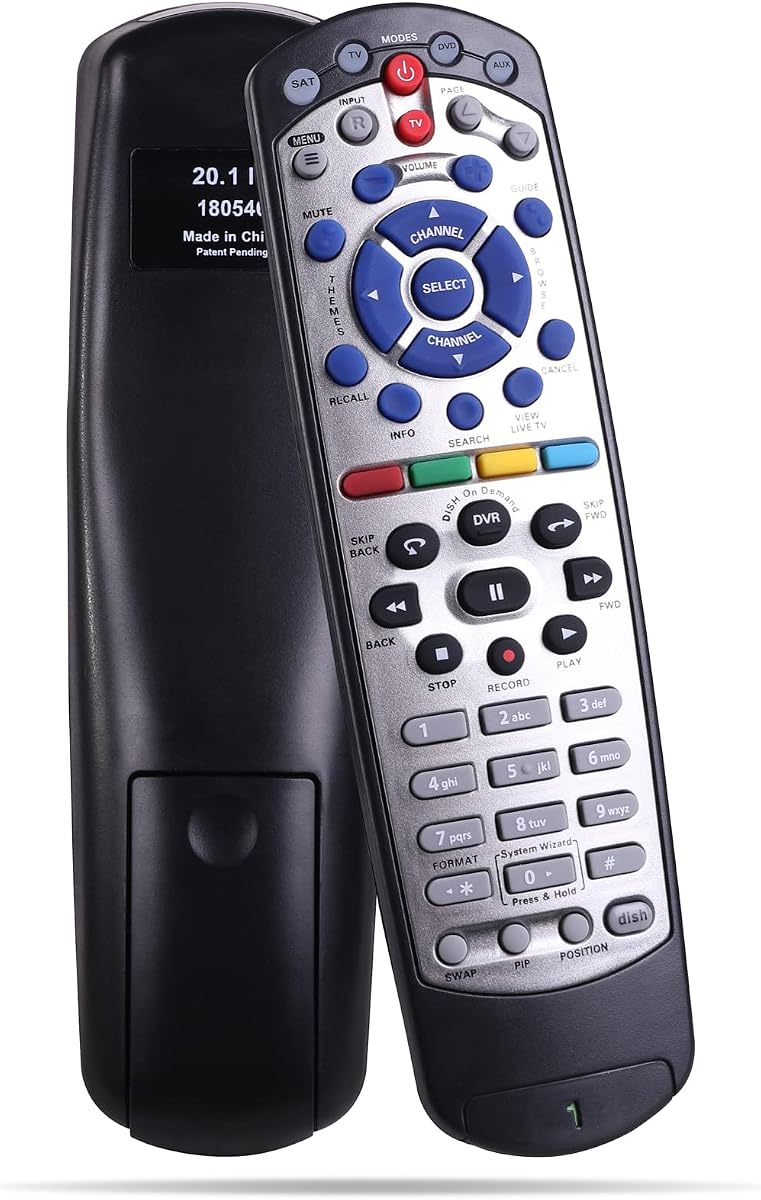
This replacement remote is intended for Dish Network 20.1 infrared satellite receivers, including use with a television, DVD player, or VCR. Its 3.7 rating places it behind the higher-rated options, but its specific receiver focus and included manual make it relevant for owners of compatible legacy equipment.
We may earn a commission when you buy through this link, at no additional cost to you.
The remote uses infrared rather than Bluetooth and does not have a learning function. Setup is required before use, including choosing the correct code for the television brand. A manual is included, and the listing states that the remote carries a one-year warranty, which provides some reassurance for a replacement purchase.
Its main disadvantages are the manual television-code process and the absence of learning or wireless capabilities. Users who prefer a more automatic setup experience may find one of the 20.1 options that claims no receiver programming or a two-pack with included instructions more convenient.
Choose this remote if you have a 20.1 infrared receiver and want a direct replacement with a manual for television-code setup. It is less compelling for customers seeking voice search, illuminated keys, programmable actions, or remote-finding functions.
Because this is an infrared remote without Bluetooth, it is best suited to receivers and auxiliary equipment that accept traditional line-of-sight remote signals.
The included manual walks users through pairing and selecting a television code. That guidance is important because the remote does not arrive ready to operate every television brand automatically.
We may earn a commission when you buy through this link, at no additional cost to you.
This option covers Dish Upgraded 54.0, 54.1, 54.2, and 54.3 receivers with a UHF replacement remote. Its 3.7 rating is not among the strongest in the group, but the broad range of listed 54-series versions and voice-search support make it a practical match for several upgraded-network customers.
We may earn a commission when you buy through this link, at no additional cost to you.
The remote can be activated through the receiver's SYS INFO button and the side-mounted SAT button, with three beeps indicating a completed connection. It then supports the television pairing wizard and can be paired with an auxiliary player or stereo. Voice search is included, giving users an alternative to navigating menus manually.
The listing clearly states that the remote does not work with a Dish Hopper 3 receiver, an important distinction because its general 54-series wording could otherwise create confusion. Batteries are not included, and both receiver and television setup require patience. Its lower rating also suggests checking recent customer feedback before ordering.
This is a sensible budget-oriented recommendation for owners of 54.0, 54.1, 54.2, or 54.3 receivers who want voice search and flexible device pairing. It should not be selected for Hopper 3 users or anyone who needs a remote that is ready for immediate use without setup.
Compatibility extends across four named upgraded 54-series receiver versions. That range is broader than the 54.1-to-54.3 coverage offered by the first remote in this guide.
Voice search combines with television and auxiliary-device pairing, reducing the need for separate controls when compatible entertainment equipment is nearby.
We may earn a commission when you buy through this link, at no additional cost to you.
This voice remote supports Dish Network Upgraded 54.0, 54.1, 54.2, and 54.3 receivers, and its 4.2 rating places it above the average rating within this focused category. A built-in microphone enables voice search for viewers who want faster access to programs without navigating with arrow keys.
We may earn a commission when you buy through this link, at no additional cost to you.
The setup process follows the established upgraded-network pattern. Users activate the remote through SYS INFO and the SAT button, then use the home menu to reach Settings, Remote Control, and the TV Pairing Wizard. The remote can also be paired with an auxiliary player or stereo, giving it a useful role beyond television control.
Two AAA batteries are needed but are not included, and setup should be completed before use. The product description also references a six-month warranty and a free exchange or refund, but the exact policy terms should be confirmed with the seller. As with other UHF replacements, correct receiver identification remains essential.
This remote is a good fit for compatible upgraded 54-series customers who prioritize voice search and want one remote to handle satellite, television, and auxiliary functions. It is less appropriate for legacy infrared receivers, Hopper 3 equipment, or shoppers seeking a remote with no initial pairing process.
The built-in microphone lets users request shows by voice rather than manually moving through a guide or recorded-program menus. This can be especially convenient for viewers with large on-demand libraries.
After receiver activation, the television pairing wizard connects the remote to a television, while auxiliary pairing supports compatible players and stereo systems.
We may earn a commission when you buy through this link, at no additional cost to you.
The Dish Network 21.1 IR/UHF PRO Universal Remote has a 4.4 rating and supports Dish TV receivers, including TV1 and TV2 locations. Its combination of infrared and UHF makes it a versatile option for customers whose equipment includes both traditional infrared and newer UHF-controlled receivers.
We may earn a commission when you buy through this link, at no additional cost to you.
Supporting two television locations is the clearest functional benefit. Households that send different receiver outputs to separate televisions can use the remote with those locations, while the dual technology expands compatibility beyond a remote designed for only one control method. The universal format also positions it as a general replacement rather than a narrowly model-specific accessory.
The supplied information is limited compared with many other listings in this roundup. It does not describe voice search, backlit keys, a locator function, or a detailed pairing procedure. Buyers may need to consult receiver documentation or seller information before purchase, especially if they rely on a specific advanced function.
The 21.1 PRO is best suited to users who need one remote for multiple receiver outputs or both infrared and UHF equipment. It is a strong compatibility-focused choice, but customers seeking clearly documented voice control, illumination, or one-touch setup should compare those features in the more fully specified alternatives.
Supporting both infrared and UHF operation gives the remote broader relevance than a single-technology replacement. This is helpful for mixed receiver setups within the supported 21.1 category.
TV1 and TV2 support is useful when a Dish receiver serves more than one television location. It can simplify control across those locations without suggesting that every television or auxiliary device is supported.
We may earn a commission when you buy through this link, at no additional cost to you.
This replacement remote covers Dish 20.0 and 20.1 TV1 receivers and carries a 4.1 rating. Its main convenience is that no receiver programming or pairing is required; users can install two AAA batteries and begin using the remote with the compatible receiver.
We may earn a commission when you buy through this link, at no additional cost to you.
The listing describes a universal infrared remote with a long list of supported receiver models, including several VIP, HD PVR, and numbered Dish models. It also says that receiver settings are stored in the remote and remote settings in the receiver, allowing the two components to communicate without a traditional pairing sequence.
The no-setup claim applies to the Dish receiver connection rather than necessarily every television function. A universal infrared remote may still require choosing a television code during its setup process. It also lacks the listed voice search, backlit keypad, remote locator, and auxiliary pairing features found on more advanced Hopper-oriented remotes.
This remote is most convenient for owners of a 20.0 or 20.1 TV1 receiver who want immediate receiver control without a receiver-pairing routine. It is a strong simple alternative, but customers requiring voice commands, illuminated keys, or modern UHF functionality should choose accordingly.
With two AAA batteries installed, the listing says the remote works with a compatible 20.0 or 20.1 TV1 receiver without receiver programming or pairing. That can simplify replacement setup considerably.
A long list of supported Dish receiver models makes the compatibility description useful for owners of older equipment. The buyer should still match the receiver model before ordering.
We may earn a commission when you buy through this link, at no additional cost to you.
This two-pack provides replacement remotes for Dish Network 20.1 infrared satellite receivers and also lists compatibility with 20.0 receivers. Its 4.3 rating is among the stronger results for the 20.1-focused products, and the inclusion of two remotes is particularly useful for households that want a backup.
We may earn a commission when you buy through this link, at no additional cost to you.
The remotes support television, DVD player, and VCR functions as an infrared universal control. A detailed instruction sheet is included, and setup involves inserting two AAA batteries and selecting the appropriate television model. The product description says the remotes were quality tested and inspected before shipment.
The phrase universal control should not be confused with a learning remote. No learning function is listed, and the television model must be selected manually. Batteries are not included, and users should allow time for setup rather than expecting every control to work immediately after inserting them.
This package is a strong choice for 20.0 or 20.1 infrared receiver owners who want a spare remote, share a receiver with another household member, or keep a backup for a second television location. It is less suitable for users who require UHF operation, voice search, or illuminated keys.
The two-pack provides immediate redundancy if one remote is damaged, lost, or used in another room. That practical benefit makes the package more versatile than a single replacement.
Simple visual instructions and a detailed instruction sheet help users complete television model selection. The process remains manual, but the included guidance reduces ambiguity.
We may earn a commission when you buy through this link, at no additional cost to you.
This remote provides a straightforward replacement for Dish Network 20.1 infrared satellite receivers used with televisions, DVD players, and VCRs. It has a 4.0 rating and focuses on core operation rather than advanced voice features, making it a basic option for compatible legacy systems.
We may earn a commission when you buy through this link, at no additional cost to you.
Users insert two AAA batteries and complete setup using the included manual, which explains pairing and choosing a code that matches the television. The listing states that the remote can perform like the original and that it carries a one-year warranty. Seller support is also offered for questions after delivery.
Its simplicity comes with limits. There is no stated support for UHF receivers, Bluetooth, voice search, backlighting, programmable hot keys, or a remote locator. The need to select a television code also makes it less convenient than the 20.0 and 20.1 remote that uses no receiver programming.
Choose this product when a straightforward 20.1 infrared replacement with setup instructions and a stated warranty is the priority. Users seeking newer receiver technology or a spare should consider one of the UHF models or the two-pack instead.
The remote focuses on operating a compatible 20.1 infrared receiver and controlling common auxiliary devices. It offers a direct replacement path without unnecessary advanced features.
The included manual explains how to select the code matching the television. Buyers should keep it accessible during initial setup because the remote is not described as automatically learning commands.
We may earn a commission when you buy through this link, at no additional cost to you.
The Dish Network Remote 52.0 has a 4.6 rating and works with all Hopper, Joey, and Wally receivers. It combines the receiver-based remote finder with automatic backlighting and programmable hot keys, creating a well-rounded control for Dish customers who use the Hopper family.
We may earn a commission when you buy through this link, at no additional cost to you.
The remote-finder function is activated by pressing a button on the DVR, after which the handheld beeps and blinks so it can be located. The keypad illuminates automatically when the remote is picked up in a dark setting, improving visibility without requiring a separate button press.
Hot keys can be personalized to launch Netflix, start recording, turn on closed captioning, or assign other useful actions. The tradeoff is that the supplied details do not mention voice search, auxiliary-device pairing, or support for older 20.1 and 21.1 infrared receivers. Its strengths are concentrated in the Hopper ecosystem.
This is an excellent recommendation for Hopper, Joey, or Wally owners who want convenient lighting, quick access to common commands, and a dependable way to find a misplaced remote. Verify the receiver generation before buying, especially if the household still uses legacy infrared equipment.
A receiver button activates the remote-finder function, causing the remote to beep and blink. That feature turns a common household frustration into a quick recovery step.
Automatic keypad illumination helps in low light, while customizable hot keys place frequently used apps, recording controls, and closed captions within quicker reach.
We may earn a commission when you buy through this link, at no additional cost to you.
The most important buying factors are receiver compatibility, control technology, setup requirements, and the features you expect to use. Confirm the hardware before comparing convenience features or appearance.
A replacement remote must communicate with the receiver using a compatible method, and Dish equipment spans several generations. The options here address upgraded 54-series systems, Hopper-family receivers, 20.0 and 20.1 infrared receivers, 21.1 infrared/UHF systems, and the 52.0 remote. Check the receiver label, model information, or on-screen system information before selecting a product.
Infrared remotes send signals toward the receiver and are commonly associated with the listed 20.1 equipment. UHF remotes can use radio-frequency communication as described for upgraded 54-series models. Hopper-oriented options may use their own supported control system. Choosing the wrong technology can prevent the remote from operating the receiver at all, even when the button layout looks similar.
Voice search is listed for the FQOUG replacement covering 54.1 through 54.3, the FQOUG 54.0-through-54.3 model, the WDZP 54-series voice remote, and the Dish 54.0 Hopper remote. Voice features may also depend on service connectivity and receiver support. A product description mentioning a microphone or voice function is stronger evidence than a general reference to a smart remote.
Some upgraded 54-series remotes require receiver activation through SYS INFO and the SAT button, followed by television pairing. Several 20.1 replacements require television-code selection, while one listed remote claims no receiver programming and works after battery installation. More setup does not make a remote inherently better, but it matters if convenience is a priority.
Backlit keys are especially useful in bedrooms, living rooms, and other low-light spaces. The Dish 54.0 Hopper remote and the Dish Network Remote 52.0 both state that the keypad illuminates automatically when the remote is picked up. Other replacements may not mention lighting, so owners who frequently use the remote at night may want to prioritize this feature.
A remote-finder function is valuable in large homes or shared rooms where a small handset may disappear beneath furniture or cushions. The Dish 54.0 Hopper remote and 52.0 remote can be located by pressing a button on the receiver, prompting the remote to beep and blink. This feature is less relevant to users who reliably store their remote in a fixed place.
Programmable hot keys can open an app, begin recording, or activate closed captioning with fewer menu steps. This is valuable for viewers who repeatedly use the same functions. It also makes the remote feel more tailored to a household's habits. Pay attention to which actions the listing explicitly mentions, since a generic universal remote may provide code-based television control without programmable Dish hot keys.
A single replacement is usually sufficient for one receiver and one user, while a two-pack offers redundancy and can serve a household with multiple users or television locations. The two-pack option in this guide is designed for 20.0 and 20.1 infrared receivers. Consider where the remotes will be used before deciding whether a spare adds more value than advanced features on a single remote.
Begin by confirming that the remote's receiver compatibility includes your exact equipment. Install the required batteries, noting that several products use two AAA batteries and do not include them. Before programming television or auxiliary devices, test the remote with the receiver according to the product-specific instructions.
For upgraded 54-series remotes, the stated sequence starts by opening the receiver's front panel and pressing SYS INFO. Press the side-mounted SAT button and listen for three beeps that confirm receiver activation. For television control, open Home twice, select Settings, Remote Control, and TV, then follow the TV Pairing Wizard. Compatible players and stereo equipment may be added through the auxiliary pairing process.
Infrared remotes may need a code that matches the television brand, while other replacements may require no receiver programming. If a remote will not connect, compatible 54-series listings advise holding SAT until the indicator flashes, then holding Home and Guide together until three beeps occur. Remove batteries when storing the remote for a long period, clean the surface gently, and avoid spills or moisture around the buttons.
Check the receiver model and control method before ordering. Remotes in this guide cover upgraded 54-series systems, the Hopper family, 20.0 and 20.1 infrared receivers, and a 21.1 infrared/UHF model. The receiver's model information should match the compatibility statement on the product listing exactly.
Several of these remotes can control a television as well as the Dish receiver. Upgraded 54-series models offer a TV pairing wizard, while several infrared replacements support television code selection. The television brand and model should be compatible, and the remote may need a separate setup step even when Dish receiver control works immediately.
It depends on the model. Some 20.0 and 20.1 infrared remotes claim no receiver programming, whereas the upgraded 54-series remotes describe receiver activation through SYS INFO and SAT. Always follow the instructions for the exact product rather than assuming one Dish setup procedure applies to every receiver generation.
Infrared remotes send signals toward the receiver, while UHF remotes use radio-frequency communication as described for the upgraded 54-series options. The control method must be supported by the receiver. A visually similar remote can still fail if it uses the wrong technology for the installed equipment.
Yes. Voice search is explicitly listed for both FQOUG 54-series replacements, the WDZP 54-series remote, and the Dish 54.0 Hopper remote. Hopper-family voice search may require internet connectivity for full functionality, so confirm that the service connection is active.
The receiver and television may require separate setup procedures. Run the television pairing wizard or select the proper television brand code, then try again. Also verify that the remote supports your television and that the receiver's television output is active.
Only when the product explicitly states support for that receiver. The Dish 54.0 Hopper remote works with the Hopper family, including Joey and Wally, while another upgraded 54-series option explicitly excludes Hopper 3. Older 20.1 receivers need a remote designed for those infrared systems.
For compatible 54-series remotes, the listed troubleshooting sequence is to hold SAT until the indicator flashes, then hold Home and Guide together until three beeps occur, then attempt pairing again. Also check battery installation and receiver compatibility. Infrared models should be retested with the correct television code.
The Dish 54.0 Hopper Remote stands out for Hopper-family compatibility, voice search, automatic backlighting, programmable hot keys, and a remote locator. The Dish Network Remote 52.0 is another polished option for all Hopper, Joey, and Wally receivers, while the upgraded 54-series replacements serve customers with the appropriate newer receiver hardware.
For 20.1 infrared users, prioritize the setup method and receiver support. The 20.0 and 20.1 remote offers the easiest receiver connection, the two-pack provides a spare, and the other 20.1 choices include television-code guidance. Among upgraded 54-series models, compare exact receiver coverage, voice search, and the important Hopper 3 exclusion.
Product availability, seller offers, and customer feedback can change, so check the current listing before purchasing. Confirm the receiver model, read the included setup instructions, and compare the desired features with the remote's stated compatibility before placing your order.