
Amazon Basics Cat-6 10 Foot
4.7Editor score
One-gigabit transfer speed
Ten-foot patch cable
Gold-plated RJ45 connectors
Expert guide comparing the best Ethernet cable for HP Printer options by length, category, shielding, connector design, compatibility, and intended setup in
Connecting an HP printer to a wired network is usually a simple matter, but the right Ethernet cable can make installation cleaner, improve reliability, and leave room for faster network equipment. Important considerations include cable category, length, shielding, connector fit, and compatibility with the printer’s network port.
The products in this guide were compared using the information supplied for each model, including supported transfer speeds, conductor construction, shielding, length, connector type, and stated device compatibility. The list covers short and long patch cables, flat and braided designs, indoor and outdoor options, plus one USB printer cable included for comparison.
Each review highlights the strongest use case, practical advantages, and limitations without assuming that every printer requires the fastest cable on the market. The selections show how a simple HP printer connection can range from a basic one-gigabit patch cable to a high-bandwidth shielded run, while current prices and availability may change.
4.7Editor score
4.7Editor score

4.8Editor score
This side-by-side comparison evaluates each cable by network standard, maximum stated bandwidth, length or form factor, shielding, and relevant printer connectivity. Nine options are Ethernet network cables with RJ45 connections, while the final product is a USB A-to-B printer cable and is included to clarify the difference between network and direct USB connections.


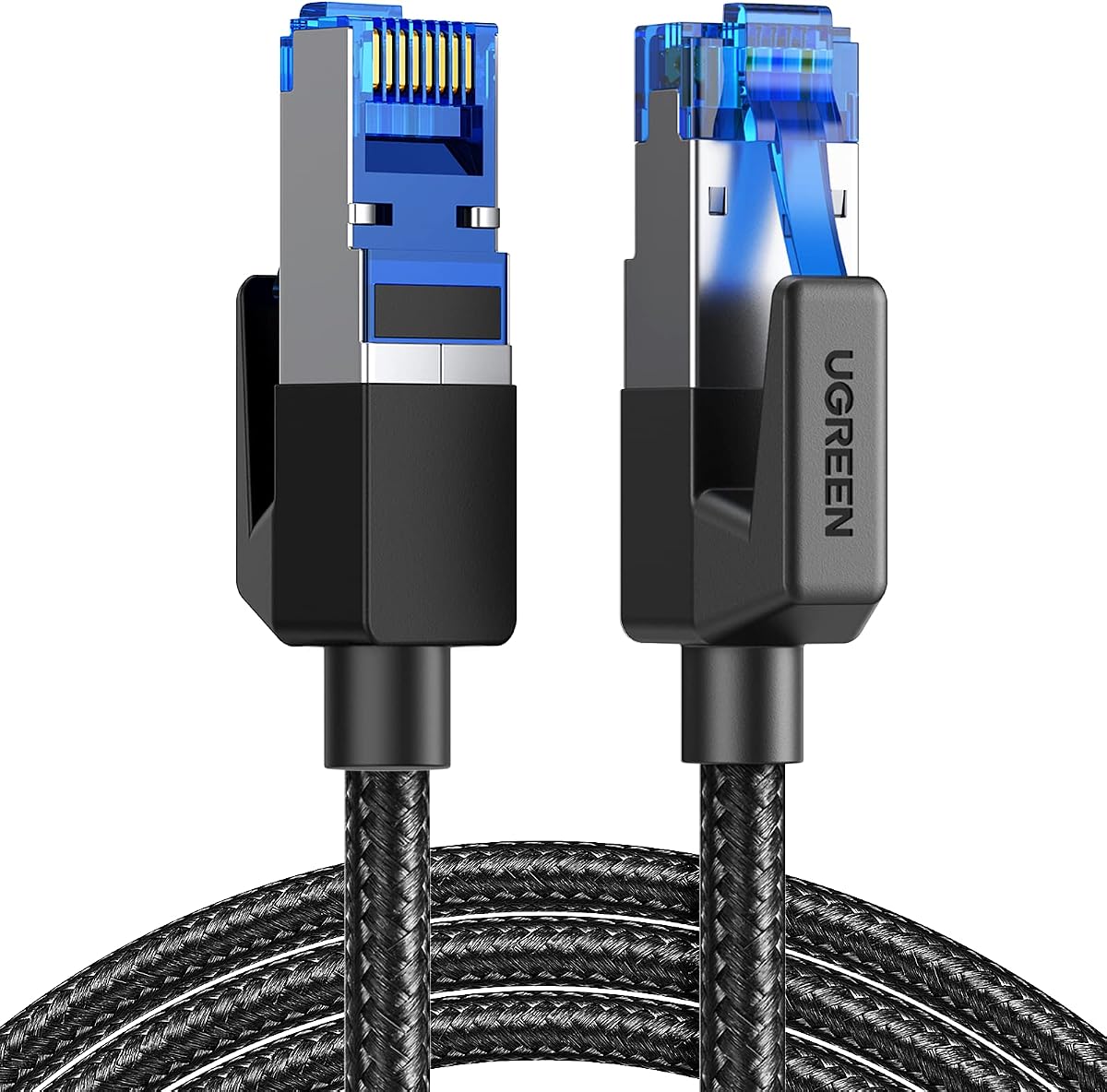
The UGREEN Cat 8 Ethernet Cable 6FT is the strongest all-around choice in this guide for connecting an HP printer over a wired network. It carries a 4.7 rating and combines a 40 Gbps maximum transfer specification, 2000 MHz bandwidth, shielded foiled twisted pairs, and gold-plated RJ45 connectors. Those features give it more capability than many printers are likely to need, while the six-foot length suits a printer positioned near a router, switch, or wall network port.
We may earn a commission when you buy through this link, at no additional cost to you.
The cable’s four shielded foiled twisted pairs help reduce crosstalk, noise, and interference, while its pure copper core supports stable high-speed transmission. A braided outer jacket adds mechanical strength and is described as capable of withstanding at least 10,000 bends. For an office or home setup, that combination is reassuring because the cable can be routed along furniture, through a desk opening, or behind equipment without being treated as a fragile accessory.
The principal trade-off is unnecessary excess capacity. Most HP printers use a wired Ethernet port that operates at one gigabit per second or lower, depending on the model, so a Cat 8 cable will not make the printer print faster. Its shielded construction and higher category also make it more specialized than a straightforward Cat 6 patch cable. Buyers who need only a basic, short connection may find the UGREEN model excessive, although it remains a flexible option for mixed network equipment.
This is a good choice for a buyer who wants one dependable cable for a printer, router, switch, gaming device, or other RJ45 equipment. It is especially suitable if the cable will sit near busy electrical equipment or if future networking upgrades are a consideration. For most users, the UGREEN Cat 8 offers the best balance of short length, robust construction, strong shielding, and broad compatibility.
The stated 40 Gbps and 2000 MHz capabilities put this cable well above the requirements of a typical wired HP printer. That headroom is useful when the same cable may later support a faster switch, network storage device, or other high-bandwidth RJ45 equipment, even though it does not increase the printer’s own processing speed.
The braided jacket and strong bend tolerance make the six-foot cable easier to route around desks and behind printers. Shielding also helps maintain a steady connection in shared spaces where nearby electrical equipment could otherwise introduce interference.
We may earn a commission when you buy through this link, at no additional cost to you.
The DanYee 10ft Cat 8 Ethernet Cable is a direct and practical option for an HP printer that needs a little more reach than a six-foot cord permits. Its 4.7 rating, ten-foot length, and explicit compatibility with printers, routers, modems, consoles, and other networking components make its intended use immediately clear. It also shares the 40 Gbps and 2000 MHz maximum specifications associated with Cat 8 networking.
We may earn a commission when you buy through this link, at no additional cost to you.
Its four shielded twisted pairs are intended to improve resistance to crosstalk, noise, and interference. The braided nylon exterior is described as stronger, neater, and resistant to dirt. These characteristics are useful in a home office where the printer may sit near a computer, router, or other equipment, and where a ten-foot cable provides enough flexibility to reach a network jack without creating a tight bend.
As with the UGREEN selection, this cable’s transfer capability exceeds what most HP printers can use. A Cat 6 cable would normally be enough for ordinary one-gigabit printer links, and a Wi-Fi or direct USB connection may serve a different purpose entirely. The DanYee’s value therefore comes from its combination of shielding, braided construction, and useful length rather than from maximizing throughput alone.
Choose this cable when an HP printer sits roughly ten feet from the router or switch and you prefer a shielded, higher-category network lead. It is a sound option for a shared network that also includes modern routers, consoles, or other high-performance RJ45 devices. Buyers seeking the simplest possible patch cable may prefer a simpler Cat 6 model.
Ten feet gives a printer more placement flexibility without creating an excessively long run. It can connect to a desk-height network port, a nearby switch, or a wall jack positioned somewhat away from the printer.
The shielded twisted-pair design is intended to limit interference and preserve signal quality. That is particularly helpful where the printer cable must share space with power adapters, computer equipment, or other cables carrying network traffic.
We may earn a commission when you buy through this link, at no additional cost to you.
The Amazon Basics RJ45 Cat-6 Ethernet Patch Cable is the sensible budget option for a typical HP printer. It has a 4.7 rating and supports data transfer speeds up to 1,000 Mbps, or one gigabit per second, which aligns with the standard wired-network capability of many printers. The ten-foot length is flexible enough for most desk arrangements, and its RJ45 connectors are explicitly listed as compatible with printers.
We may earn a commission when you buy through this link, at no additional cost to you.
This cable does not need the more complex shielding or very high bandwidth of a Cat 8 model for a standard office connection. Gold-plated connectors are designed to support accurate data transfer and resist corrosion, while the straightforward patch-cable format allows the printer to connect directly to a router, switch, or network wall jack. Its compatibility list also includes computers, laptops, routers, and gaming consoles, making it useful beyond the printer setup.
The limitation is that its stated one-gigabit maximum is lower than the 10 Gbps and 40 Gbps figures offered by several alternatives. It also does not specify shielding, which may matter in electrically noisy locations or across longer runs. For an HP printer whose Ethernet port is limited to one gigabit, however, those differences are unlikely to affect everyday printing or network performance.
This is the recommendation for most buyers who need a dependable printer cable without paying for unused high-speed capacity. Choose it when the printer and network equipment use standard one-gigabit Ethernet, the run is about ten feet, and reliability and straightforward compatibility matter more than future headroom.
A one-gigabit connection provides ample bandwidth for ordinary print jobs and network management. The printer’s wired port and the connected network equipment ultimately determine the usable speed, not the cable’s label alone.
The standard RJ45 configuration means the cable can connect directly to a compatible HP printer and a router, switch, or wall outlet. It is a familiar format that does not demand special adapters or unusual installation methods.
We may earn a commission when you buy through this link, at no additional cost to you.
The VOIETOLT Cat 8 Ethernet Cable 20 FT Flat stands out for installations where appearance and routing flexibility matter. It has a 4.8 rating, the highest among the listed products, and supports up to 40 Gbps at 2000 MHz. More practically, its flat braided design is designed to pass beneath carpets, through doorways, and around corners without taking up much space.
We may earn a commission when you buy through this link, at no additional cost to you.
The cable uses pure copper conductors, four pairs of aluminum-foil-shielded twisted pairs, and gold-plated RJ45 connectors. Its multi-layer shielding is intended to reduce signal loss and crosstalk. It also includes dust covers and cable fixing clips, while a snap-less connector design is said to make plugging and unplugging easier.
A printer rarely needs this much capability, so the strongest argument for the VOIETOLT cable is physical design rather than speed. Twenty feet is useful for a printer positioned away from the nearest network point, and the flat profile can make a visible cable run less obtrusive. The downside is a bulkier, more specialized product than a standard Cat 6 patch lead, and accessories such as clips may be unnecessary in a single-printer setup.
This cable is a good match for someone who wants a long, protected, low-profile network run to an HP printer. It may also suit a shared installation involving routers, servers, smart TVs, or game systems. If the priority is simply a short, inexpensive printer link, a basic Cat 6 cable is easier to justify.
The flat construction can be tucked beneath rugs, run through narrow doorways, or placed along the back of furniture. Its twenty-foot length gives the installer room to choose a cleaner route than a short patch cable.
Aluminum-foil shielding around the twisted pairs helps reduce crosstalk and signal loss. Combined with a braided exterior, it provides a durable option for connections that may be moved, rerouted, or exposed to ordinary household wear.
We may earn a commission when you buy through this link, at no additional cost to you.
The Ltemziiy Cat 8 Ethernet Cable 8 ft is a compact, protected option for an HP printer close to a network connection point. Its 4.7 rating, eight-foot length, and up-to-40 Gbps specification place it between the shorter UGREEN cable and longer flat alternatives. The construction uses solid copper wires, four SSTP shielded twisted pairs, and gold-plated contacts within the RJ45 connectors.
We may earn a commission when you buy through this link, at no additional cost to you.
Its 48-strand cotton yarn braid is intended to improve strength and resist tangling. The product information also states that the cable can perform in cold, wet, and hot environments and is suitable for indoor or outdoor use. That makes it appear more flexible than a basic patch cable, although the description does not make the same explicit direct-burial or detailed outdoor-rating claims as some competing models.
As with other Cat 8 choices, the 40 Gbps headline greatly exceeds the requirements of most printer connections. The useful benefits here are the eight-foot reach, shielded design, and tangle resistance. The limitation is that eight feet may not be enough if the printer must connect to a wall jack or switch across a larger room, and there is no mention of included management accessories.
Choose the Ltemziiy cable for a nearby printer in a home office or shared workspace where a short, sturdy, shielded run is desired. It is a particularly reasonable choice for people who expect to use the same lead with different RJ45 devices over time. For a more spacious installation, a ten- or twenty-foot option may reduce the need for sharp bends or extension arrangements.
The eight-foot length keeps a printer close to its network source without leaving excess cable exposed. Shielded pairs help preserve signal integrity, while the braided outer layer is intended to withstand regular handling.
RJ45 compatibility and backward support for Cat 7, Cat 6a, Cat 6, and Cat 5 allow the cable to be reused with different network equipment. That flexibility can be useful in a mixed home or office network.
We may earn a commission when you buy through this link, at no additional cost to you.
The Heavy-Duty Outdoor Cat 8 Ethernet Cable is the most specialized and premium-oriented selection here. It carries a 4.7 rating and supports up to 40 Gbps at 2000 MHz. Its title lists numerous lengths from 10 to 100 feet, giving buyers a better chance of matching a printer’s distance from the router or switch without settling for a cable that is much too long.
We may earn a commission when you buy through this link, at no additional cost to you.
The cable uses four pairs of 26 AWG solid bare copper conductors, with aluminum foil and woven mesh shielding under a UV-resistant PVC jacket. The stated construction is waterproof, anti-aging, and suitable for indoor or outdoor use, including direct underground burial. It is also listed as compatible with servers, modems, Wi-Fi routers, switches, NAS devices, PCs, smart TVs, printers, IP cameras, and other networked equipment.
This level of construction is unnecessary for a typical printer sitting beside a router, and the thick, armored-style cable can be harder to maneuver than a standard patch lead. The longest variants may also introduce unnecessary excess cable into a small workspace. Its real value appears when a printer is part of a larger property, a detached office, a warehouse, or an installation where the network route crosses outdoor or exposed areas.
The product is a strong choice for buyers who need a long, weather-resistant, direct-burial connection rather than a simple desktop patch cord. For an HP printer in a normal home office, the advanced specifications and bulkier construction may be excessive. Nevertheless, among the available options, it provides the broadest range of lengths and the clearest outdoor and underground installation claims.
The waterproof, UV-resistant jacket is designed for runs that pass through outdoor areas. The product information also states that the cable may be buried directly, making it useful for links between buildings or for a printer located away from protected interior wiring.
The 26 AWG copper conductors are thicker than many standard patch cables and are intended to support stable transmission over longer distances. Shielding further reduces the chance of interference reaching the network signal.
We may earn a commission when you buy through this link, at no additional cost to you.
The Amazon Basics RJ45 Cat 6 Ethernet Patch Cable offers a balanced mix of practical features, solid specifications, and a familiar form. It has a 4.7 rating, supports transmission speeds up to 10 Gbps at 250 MHz, and uses a ten-foot Cat 6 UTP design. It is explicitly intended for connecting networked devices such as computers, printers, routers, and similar equipment.
We may earn a commission when you buy through this link, at no additional cost to you.
The snagless plugs help reduce the chance of damaging a connector or attached device during repeated insertion and removal. Gold-plated contacts are designed to improve signal integrity and resist corrosion, while bare copper conductors and a flexible PVC jacket support dependable everyday use. A stated diameter of 5.5 mm and 26 AWG gauge make it slimmer and easier to route than some heavy-duty Cat 8 products.
The lack of shielding is the important compromise. UTP can perform well in ordinary rooms and is easier to manage at a lower weight, but a shielded cable may be preferable near crowded electrical equipment, in industrial spaces, or when the link crosses a particularly noisy area. The 10 Gbps specification also provides more capacity than a typical printer needs.
This Amazon Basics model is a versatile pick for a home or small office that wants more network headroom than the one-gigabit version without adopting a bulky Cat 8 cable. It suits buyers who value snagless connectors, flexible routing, and straightforward compatibility. For a printer beside a router, it is a more than capable link.
Ten-gigabit capability offers useful flexibility for current and future network equipment, while the relatively slim jacket is easier to route around a desk or printer. It balances performance and manageability better than a thick outdoor-rated cable.
The snagless plug design helps avoid accidental damage when disconnecting the cable. That is particularly helpful for an HP printer that may need to be moved, reset, or reconnected during setup or maintenance.
We may earn a commission when you buy through this link, at no additional cost to you.
The DbillionDa Cat 8 Ethernet Cable 6FT combines a short, manageable length with heavy-duty outdoor claims. It has a 4.7 rating and supports up to 40 Gbps at 2000 MHz. Its four F/FTP shielded twisted pairs, 26 AWG oxygen-free copper conductors, and weatherproof PVC jacket are designed for both indoor and outdoor network connections.
We may earn a commission when you buy through this link, at no additional cost to you.
Direct-burial capability is the distinguishing feature. The anti-corrosion jacket is intended to withstand sunlight, humidity, temperature changes, and outdoor aging. This makes the cable more ambitious than an ordinary desk patch lead, particularly for a printer placed on a patio, in a workshop, in a garage, or in a separate outbuilding.
The six-foot length is the principal limitation for many installations. A direct-burial run between distant buildings or network points generally requires a substantially longer cable, while the available product is only six feet. The 40 Gbps performance is also much higher than a standard printer connection requires. In addition, while the jacket is designed for outdoor use, the small six-foot length limits how much exterior exposure it can realistically accommodate.
DbillionDa is a sensible option for a short protected or exposed segment that needs stronger environmental resistance than a conventional patch cable. It may also appeal to users who want one shielded Cat 8 lead that can move between indoor and outdoor RJ45 equipment. For a long-distance printer installation, the multi-length heavy-duty model offers a more practical fit.
The anti-corrosion and UV-resistant jacket is designed for exposure beyond a protected office. It is useful for temporary outdoor links, garage equipment, and other installations where a standard patch cable could deteriorate.
Four F/FTP pairs and 26 AWG oxygen-free copper are intended to reduce interference and maintain stable transmission. The design supports both modern network equipment and backward compatibility with several lower cable categories.
We may earn a commission when you buy through this link, at no additional cost to you.
The Cable Matters 10Gbps Snagless Cat 6 Ethernet Cable is an excellent choice when the HP printer is not close to the router or switch. Its 4.8 rating, 25-foot length, and support for up to 550 MHz make it one of the stronger conventional patch-cable choices in the list. It also supports ten-gigabit Ethernet and remains compatible with existing Cat 5 networks.
We may earn a commission when you buy through this link, at no additional cost to you.
The cable uses a 24 AWG bare copper core, gold-plated contacts, and snagless connectors with strain-relief boots. Those details are intended to improve durability, connector longevity, and signal integrity. It also supports PoE, PoE+, and PoE++, which broadens its usefulness for IP cameras, VoIP phones, and wireless access points that may share the same network infrastructure.
The key practical issue is length. A 25-foot cable may be ideal for a printer around the corner from a router, but it can create excess cable in a compact desk setup. The product information specifically recommends measuring the entire route, including movement around furniture and equipment, and adding some spare capacity. Its Cat 6 rating is also appropriate rather than excessive in a way that Cat 8 options sometimes are.
This is the recommendation for buyers who need a longer, dependable wired connection with good future headroom. It works especially well for an HP printer in a home office, studio, or larger room where a 10-foot lead would not reach. Those who want a shorter and more basic cable should choose a shorter Cat 6 model instead.
The longer run allows a printer to be placed away from the network source without forcing an awkward extension. Measuring the intended path first helps avoid both a cable that is too short and unnecessary excess that creates a trip or clutter hazard.
Ten-gigabit capability and 550 MHz bandwidth exceed the requirements of most current printers, yet the cable remains a conventional Cat 6 product. That makes it a practical bridge between current needs and more demanding network equipment.
We may earn a commission when you buy through this link, at no additional cost to you.
The Square USB A-to-B cable is included because it serves a different but sometimes misunderstood HP printer connection method. It links a computer directly to a printer or scanner through USB rather than placing the printer on an Ethernet network. Its 4.7 rating and six-foot length make it a straightforward option for a desktop setup where a USB port is readily available.
We may earn a commission when you buy through this link, at no additional cost to you.
The cable uses USB 2.0, with a USB A connector on the computer side and USB B on the printer or peripheral side. It is described as suitable for printers, scanners, servers, hard drives, cameras, electronic pianos, MIDI keyboards, microphones, and other USB B devices. Gold-plated connectors, a flexible PVC jacket, and simple plug-and-play installation support stable everyday operation.
This is not an Ethernet cable and cannot connect an HP printer to a router, switch, or wall network jack. It also does not provide the network-sharing benefits of a wired Ethernet installation, such as placing the printer on a network for access from multiple computers or compatible mobile printing workflows. The USB 2.0 interface has a lower theoretical transfer ceiling than modern Ethernet options.
Choose this product only when the goal is a direct USB connection to one computer. It may be the right answer for a printer near a desktop that lacks a convenient Ethernet port, or for a setup where USB is the officially supported method. For a true Ethernet connection for an HP printer, choose one of the RJ45 network cables earlier in the list.
The USB A-to-B arrangement connects a compatible printer to a computer without a router, switch, or network configuration. This is a useful alternative when the printer is intended for one workstation rather than shared network access.
RJ45 Ethernet plugs and USB B plugs look different, but choosing the wrong cable leads to a dead end. Confirm whether the goal is network access or a direct computer connection before buying any printer lead.
We may earn a commission when you buy through this link, at no additional cost to you.
A reliable printer connection starts with identifying the correct port, then matching the cable’s length, category, and construction to the network. The most important point is that a wired network printer requires an RJ45 Ethernet cable, not a USB A-to-B lead.
An HP printer intended for network use must have an Ethernet network port. The matching cable terminates in RJ45 connectors and can run from the printer to a router, network switch, wireless access point with an Ethernet port, or a wall outlet connected to the same local network. Some printer models support only USB or Wi-Fi, while others include a dedicated network port. Checking the printer’s specification sheet and the guide included with it prevents a common mistake: buying a USB printer cable and expecting it to work as Ethernet.
Cat 6 is generally sufficient for a conventional wired HP printer because most printer Ethernet ports operate at one gigabit per second. A Cat 6 cable with a stated ten-gigabit capability offers additional headroom for faster networks without the bulk of some Cat 8 products. Cat 8 cables provide still more bandwidth and stronger shielding, but that extra performance usually will not make a printer print pages faster. The relevant limits are the printer’s own Ethernet speed, the router or switch port, and the network’s configuration. A higher category is useful for future-proofing or for sharing the cable with demanding equipment, not for increasing print speed.
Length should follow the actual path rather than only the straight-line distance between devices. Measure around desk legs, walls, furniture, door frames, cable channels, and the space needed for the cable to bend without being pinched. Six feet works well for close placement, ten feet offers useful flexibility, and 20 to 25 feet can serve larger rooms. Very long specialty cables may be unnecessary for a printer and can leave excess cable that should be carefully coiled. Longer is not automatically better because a looped cable can become untidy, and some specialized outdoor cables become unnecessarily heavy and difficult to route.
Shielded Ethernet cables use shielding around twisted pairs to reduce electromagnetic interference and crosstalk. They are helpful in offices with many powered devices, shared racks, industrial settings, or runs near equipment that generates electrical noise. Unshielded twisted-pair Cat 6 is lighter, thinner, and often easier to manage in a home office, yet it can work perfectly well for an ordinary printer link. Shielding is not the same as a guarantee of a faster connection; it supports signal integrity by limiting unwanted interference. Its value is greatest where the installation environment is crowded or the cable must be routed through less controlled spaces.
RJ45 connectors are standardized, but their physical design can still affect daily convenience. Snagless boots are useful because they reduce the chance of catching a plug on the printer’s connector and help protect the port during repeated reconnections. Gold-plated contacts are intended to resist corrosion and maintain reliable contact. A cable with a compact connector may fit behind a printer more easily, while a thicker connector can be easier to grip. Check that the cable diameter and plug profile leave enough room for the printer’s Ethernet socket, especially when the printer is positioned close to a wall or inside a narrow cabinet.
A standard braided or PVC-jacketed patch cable is intended for indoor use and generally offers the easiest handling. Flat cables are useful beneath carpets, along baseboards, or in narrow spaces where a round cable would create a raised edge. Heavy-duty outdoor cables add water resistance, UV resistance, and sometimes direct-burial capability, making them appropriate for a printer in a garage, workshop, detached building, or exterior area. These environmental upgrades matter only when the cable will actually be exposed. For a printer beside an indoor desk, a simpler patch cable is more manageable and less wasteful.
Some high-category cables also support Power over Ethernet, allowing compatible network devices to receive electrical power through the Ethernet connection. This can benefit IP cameras, VoIP phones, and wireless access points, although most ordinary HP printers receive their own electrical power and do not require PoE. The included list also mentions 10 Gbps, which is useful when the same cable connects a switch or other device with faster ports. Always check the specific length because PoE capability can vary by product and length. A printer that has a standard Ethernet jack can still be connected by an RJ45 cable even if PoE is not present.
A printer connection does not benefit from spending on bandwidth the printer cannot use. Compare the cable’s practical utility: a reliable Cat 6 patch lead at a sensible length may be the most economical choice for a standard home or office network. Higher categories make sense when the cable must cross a noisy environment, support future equipment, or form part of a broader high-performance installation. Also consider the cost of excess length, a cable too stiff to bend neatly, and connectors that do not fit the printer. The best product is the one that connects reliably, routes cleanly, and matches the actual network rather than simply displaying the largest performance numbers.
First, identify the printer’s Ethernet port and check the printer guide for network setup instructions. Connect one RJ45 end to the printer and the other to a router, switch, or network wall outlet. If the printer is near the router, a six- or ten-foot cable is usually enough. If using a wall outlet, verify that it carries the same local network and that the cable can follow the intended path without being stretched tightly.
Next, turn on the printer and use its network configuration menu or the setup process on the computer to add the printer. The computer may discover the printer automatically, or the setup utility may ask for an IP address, hostname, or connection method. Allow the printer to reboot when prompted, print a test page, and confirm that the computer can reach the printer through the wired connection. Restarting the router or printer can help if the network address is not found immediately.
For care, route the cable away from sharp corners, hot surfaces, moving furniture, and foot traffic. Avoid creating extremely tight bends or repeatedly pulling on the connector. Keep the cable and its dust covers clean and dry, and do not force a plug into a port that does not align. If the connection becomes unstable, test another network port or cable, check the printer’s network status, and verify that the network settings have not changed.
Most wired HP printers use a standard Ethernet cable with RJ45 connectors. One end connects to the printer’s network port, while the other connects to a router, switch, or Ethernet wall outlet. Check the printer’s manual or rear-panel port labels to confirm that it supports wired networking. A USB A-to-B cable serves a different purpose and cannot connect the printer to an Ethernet network.
Cat 6 is normally sufficient for an HP printer because most printer network ports operate at one gigabit per second or lower. Cat 8 provides substantially more bandwidth and shielding, but that capacity will not make the printer print faster. Cat 8 is more compelling when the cable must cross a noisy area, support future high-speed equipment, or form part of a broader premium network installation.
Choose a length that follows the actual route between the printer and the network connection with enough room to bend safely. Six feet suits close placement, ten feet adds flexibility, and 20 to 25 feet can reach across a larger room. Measure around furniture and doorways, and avoid purchasing an excessively long cable that creates unnecessary loops or clutter.
It is technically possible to connect two Ethernet-capable devices directly, but a normal home setup is simpler through a router or switch. The computer and printer must be assigned compatible addresses, and the connection may require manual configuration. Most users should connect the printer to the same router as the computer, allowing the network to handle addressing and device discovery.
Shielding can improve signal integrity by reducing crosstalk and electromagnetic interference, especially in crowded offices or near electrical equipment. It does not automatically increase the printer’s printing speed or bypass the speed limit of its Ethernet port. In an ordinary home office, an unshielded Cat 6 cable may perform just as well, but shielding adds useful environmental resilience.
The Ethernet problem may come from an incorrect cable, a loose connector, a faulty network port, or incomplete network configuration. Confirm that the printer has an Ethernet port and that the chosen cable uses RJ45 connectors. Restart the printer and router, check the printer’s network settings, and test another port or cable. The printer may also need to be removed from the computer and added again through its network discovery utility.
A standard modern patch cable is appropriate for connecting a printer to a router, switch, or modern network port. The specialized crossover-cable requirements associated with some older computer-to-computer configurations are generally handled automatically by current networking equipment. Look for an ordinary RJ45 Ethernet patch cable that matches the required length and category.
Buy Ethernet if the goal is to place the HP printer on a wired local network for access from one or more computers. Buy USB A-to-B if the printer will connect directly to a single nearby computer and that method is supported by the printer. Ethernet offers a more flexible network arrangement, while USB avoids a network address but ties the peripheral to one workstation.
The UGREEN Cat 8 Six Foot is the strongest overall choice because it combines substantial bandwidth, shielded construction, a durable braided exterior, and a convenient length. The Amazon Basics Cat 6 is the best budget option for a standard one-gigabit printer connection, while the Cable Matters Cat 6 25ft earns the premium position for longer runs, useful headroom, PoE support, and a high customer rating.
For most people, the real decision is straightforward: match the RJ45 connector to the printer, measure the route, and choose a length that fits without excess. Cat 6 is usually enough, while Cat 8 is preferable when interference, future high-speed equipment, outdoor routing, or direct burial justifies the more specialized construction. Confirm the exact printer port before purchasing.
Current prices, product variations, and availability may change, so check the latest listing details before buying. Also verify the stated length, category, connector type, and any environment-specific claims against the way the cable will actually be installed. Those checks help ensure the selected connection remains reliable and appropriate for the printer’s network.