
Vantec CB-ST00U3 NexStar USB 3.0 Adapter
4.6Editor score
Compact SATA-to-USB adapter
Supports optical drives and storage
UASP for compatible USB hosts
Hot-swappable plug-and-play design
An external optical drive enclosure converts a compatible internal CD, DVD, or Blu-ray drive into a convenient USB device. The right choice depends mainly on drive thickness, SATA connector type, case size, power requirements, and whether you need a desktop or highly portable setup.
We compared all ten products by their stated drive compatibility, USB interfaces, installation method, power options, enclosure materials, portability, and supported disc formats. The list covers both slim laptop-style drives and full-size 5.25-inch optical drives, along with one versatile SATA-to-USB adapter.
Each review explains the enclosure's strongest features, practical limitations, and ideal use case. Product ratings and availability can change over time, and prices fluctuate, so check the current listing and verify your drive's dimensions and interface before ordering.
4.6Editor score
4.6Editor score

4.4Editor score
As an Amazon Associate we earn from qualifying purchases.
The table below highlights the major differences in drive fit, connection type, power requirements, and portability, making it easier to identify the enclosure that matches your existing optical drive and intended setup.




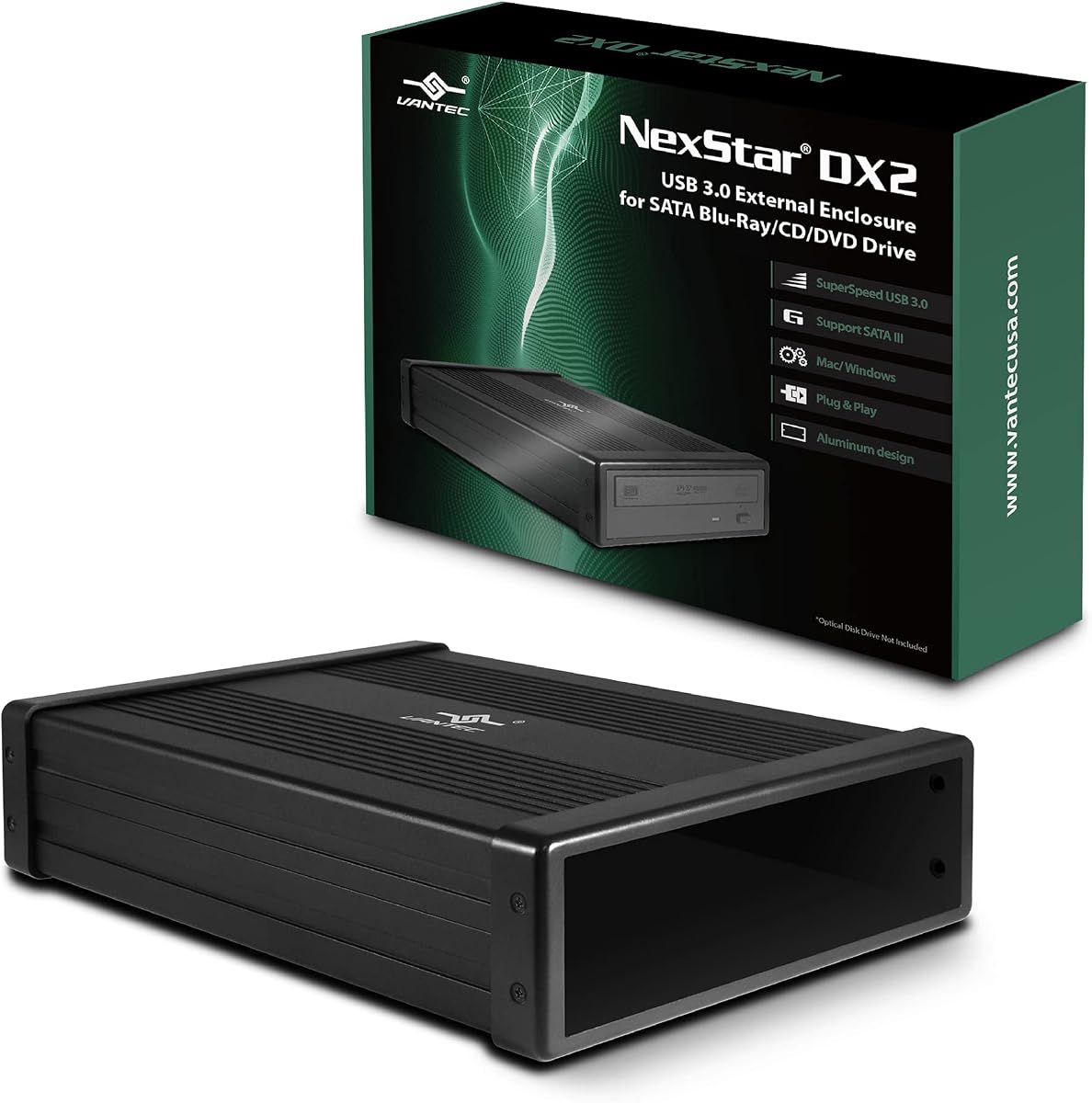
The NexStar DX2 is a full-size external enclosure designed for 5.25-inch Blu-ray, CD, and DVD drives. Its 4.6 rating reflects a generally favorable user response, and its standout qualification is unusually broad drive-depth support. The flexible internal SATA cable and generous space make it a strong choice for reusing desktop optical hardware.
We may earn a commission when you buy through this link, at no additional cost to you.
The enclosure uses an aluminum-alloy casing intended to reduce vibration and operational noise, while the USB 3.0 interface is specified at up to 5Gbps. It is hot-swappable on equipped systems, requires no drivers, and includes a 12V 3A AC adapter. The claimed depth compatibility extends to 185mm, providing more room than many competing desktop cases and reducing the chance that a deeper drive will not fit.
Its main limitation is specialization. This is not a portable enclosure for a 9mm or 9.5mm laptop drive, and the external power supply adds another item to carry. Users with optical drives that draw more than the included adapter can supply might also encounter limitations, although the supplied 3A rating gives it more headroom than many compact alternatives.
The NexStar DX2 is best for users who own a full-size desktop optical drive and want a durable external setup. It is also unusually flexible because the stated design can accept SATA hard drives or solid-state drives with an optional 5.25-inch mounting bracket. For a modern laptop user with a slim drive, however, a dedicated portable enclosure will be a better fit.
Drive depth is a common source of frustration with 5.25-inch cases. The DX2 is specified to accommodate optical drives up to 185mm deep, and its flexible internal SATA cable helps avoid alignment problems caused by different connector positions.
The included 12V 3A adapter is designed to power demanding desktop optical drives, while the USB 3.0 connection supports data rates up to 5Gbps. That combination makes the enclosure more practical for sustained disc reading, writing, and installation tasks than an undersized power supply.
We may earn a commission when you buy through this link, at no additional cost to you.
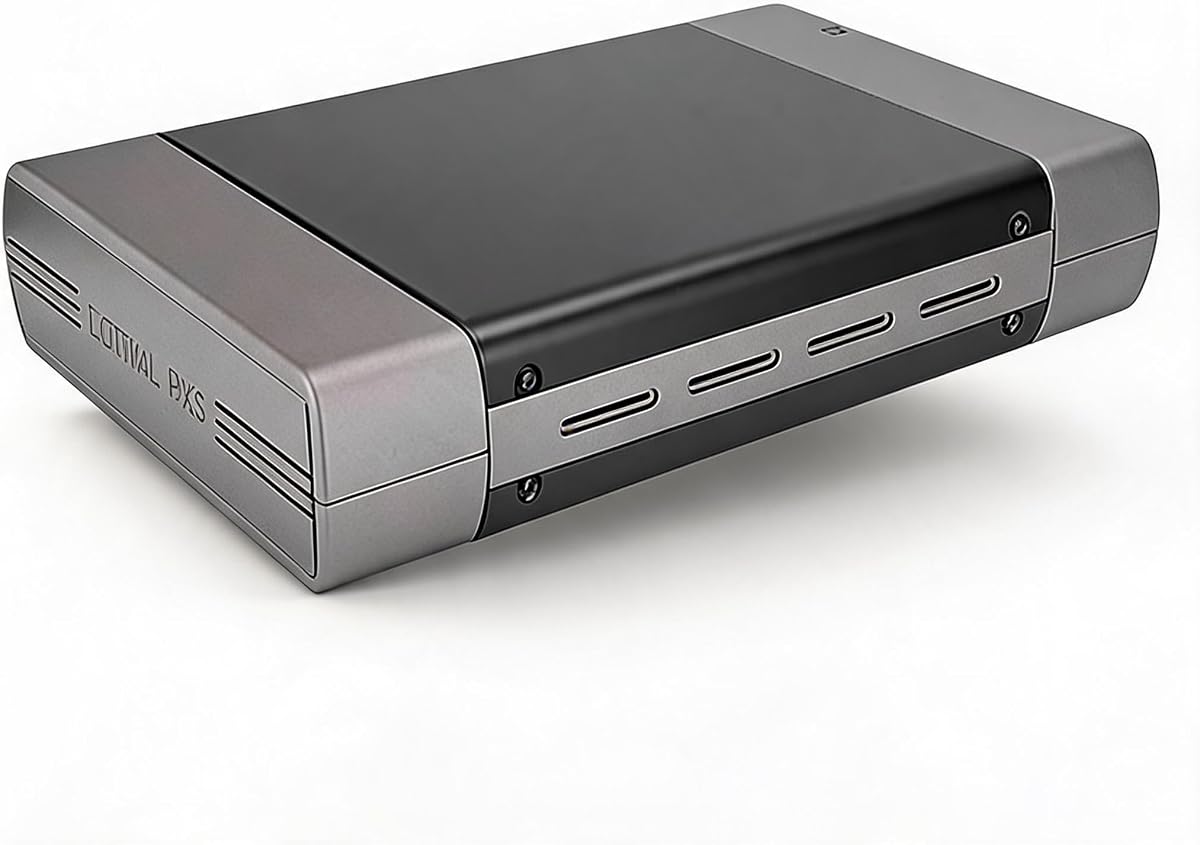
This 5.25-inch enclosure pairs a modern external form with broad support for desktop SATA optical drives. It carries a 4.4 rating and is designed for Blu-ray, CD, and DVD mechanisms up to 171mm deep. USB-A and USB-C connectivity makes it easier to use with a changing mixture of computers.
We may earn a commission when you buy through this link, at no additional cost to you.
The aluminum-alloy body is intended to reduce heat, noise, and vibration, which matters during longer disc-reading or writing sessions. The enclosure is plug-and-play, needs no drivers, supports hot swapping, and offers a stated USB 3.0 transfer rate of up to 5Gbps. It also accommodates drives that lack mounting screw holes on their sides.
Compatibility is the essential caveat. The product supports SATA optical drives but not IDE-interface mechanisms, and the optical drive itself is not included. Installation may also require care when aligning screw holes, although the listing directs buyers to a product-page installation video.
Choose this model when you have a full-size SATA optical mechanism and want a contemporary USB-C-equipped desktop enclosure. It is particularly attractive when aluminum construction, hot swapping, and a 171mm depth allowance matter more than minimum size. Verify the drive thickness, connector type, and mounting arrangement before buying.
Having both USB-A and USB-C is useful for users who alternate between older and newer systems. The listed 5Gbps interface provides ample headroom for optical media tasks while maintaining backward compatibility with lower-speed USB connections.
The aluminum-alloy casing helps dissipate heat and reduce vibration during reading and writing. It is particularly relevant for a desktop drive because a slim plastic case would generally be less substantial.
We may earn a commission when you buy through this link, at no additional cost to you.
The Zunate enclosure is tailored to 9mm ultra-slim SATA optical drives commonly found in laptops. It has no published customer rating, so its appeal comes primarily from the stated compatibility, integrated cable design, and portable form factor. Both USB 3.0 and Type-C connectors are built into the enclosure.
We may earn a commission when you buy through this link, at no additional cost to you.
Its installation method centers on a removable panel and an internal SATA connection. Once the existing drive is inserted, the unit works as a plug-and-play external device without additional drivers or an external power supply. The enclosure is backward compatible with USB 2.0 and supports Windows versions from Vista through Windows 10 as well as OS X.
The woven cable is designed to resist interference and minimize signal loss, while the compact brushed shell can be carried between locations. The built-in eject control is useful for avoiding a disc becoming stuck. On the other hand, 9mm compatibility is narrow, and buyers with 9.5mm or 12.7mm mechanisms need another model.
This is a strong recommendation for someone removing a 9mm laptop optical drive and converting it into an external unit. It suits travel and office use better than a desktop case because the cable stores inside and no power brick is required. Confirm the exact drive thickness and SATA interface before ordering, especially for a used mechanism.
The integrated cable avoids carrying a separate USB lead and can fold into the enclosure for storage. That makes the finished unit easier to place in a laptop bag than a desktop optical enclosure with separate power and data leads.
Because the enclosure is designed to draw power from the USB connection, it avoids an external adapter. The stated 5Gbps interface and woven cable also support stable, interference-resistant data transfer.
We may earn a commission when you buy through this link, at no additional cost to you.
The JOTEC enclosure is designed for 12.7mm-thick SATA optical drives, covering a common slim-drive format found in many laptops. It has no published customer rating, but its specification sheet is notably comprehensive. Both USB 3.0 and Type-C cables are supplied, and the enclosure is driver-free and plug-and-play.
We may earn a commission when you buy through this link, at no additional cost to you.
The aluminum-alloy housing is intended to dissipate heat and support stable operation. Four non-slip feet improve stability on a desk, while ventilation openings assist cooling. The enclosure also includes a 3.5mm DC power port and a USB-micro interface, giving it more connection options than many small cases.
The listed drive support includes SATA-I and SATA-II standards, while the broad disc support spans CD, DVD, VCD, EVD, and DL formats. Operating-system coverage includes Windows, Linux, and Mac OS. The optical drive itself is not included, and the listing specifically notes that the enclosure is for 9.5mm SATA mechanisms despite also describing 12.7mm compatibility, so careful attention to dimensions is essential.
This enclosure is worth considering for users with a compatible standard optical mechanism who want both USB-A and USB-C, cooling features, and broad format support. Because the dimensions described in the bullet points are not fully consistent, buyers should compare the actual drive and enclosure measurements before purchasing. It is not the safest choice when you cannot verify physical fitment.
Ventilation and aluminum construction work together to manage heat, while four non-slip feet help keep the drive stable during spinning operations. These details are valuable for sustained disc reading and writing.
The included USB 3.0 and Type-C cables make it easy to connect to a broad range of computers. Additional power and micro-USB connections provide flexibility, although buyers should still verify the power requirements of the installed drive.
We may earn a commission when you buy through this link, at no additional cost to you.
The Tbest enclosure distinguishes itself by accepting both 12.7mm and 9.5mm SATA optical drives. Its 3.4 rating is the lowest among the rated products in this group, so buyers should consider it carefully. Its strongest specification is the broad physical fit combined with a 5Gbps USB 3.0 interface.
We may earn a commission when you buy through this link, at no additional cost to you.
Both USB Type-A and Type-C connectivity are referenced, along with backward compatibility for USB 2.0. The internal controller supports 1.5Gbps SATA-I and 3.0Gbps SATA-II standards and uses an INIC3609 solution with automatic sleep mode. The enclosure is listed as compatible with Windows, Linux, and OS X systems.
The chief drawback is its mixed user-feedback rating, which may reflect installation, fit, or compatibility issues that are not fully explained in the supplied details. It also does not advertise SATA-III support, despite SATA-I and SATA-II compatibility. While many optical mechanisms may operate correctly, there is no claim of newer 6Gbps SATA support.
The Tbest model is most useful when you own one of two common drive thicknesses and want a single enclosure to cover them. It is less compelling when you need a 9mm ultra-slim drive, a full-size 5.25-inch case, or assured support for the newest SATA standard. Confirming the drive's thickness and SATA generation is essential before choosing this option.
Supporting 12.7mm and 9.5mm mechanisms makes the enclosure less dependent on one exact size. This can be helpful for a workshop, shared workstation, or user who may switch between compatible laptop optical drives.
The stated automatic sleep mode can reduce unnecessary power consumption between tasks. It is a sensible feature for a portable external optical solution that may remain connected intermittently.
We may earn a commission when you buy through this link, at no additional cost to you.
The Vantec CB-ST00U3 is not a conventional box but a compact SATA-to-USB adapter for optical drives and storage devices. Its 4.6 rating matches the leading enclosure in the list, making it a compelling value-oriented alternative. The adapter supports SATA optical mechanisms as well as compatible hard drives and solid-state drives.
We may earn a commission when you buy through this link, at no additional cost to you.
USB 3.0 is specified at up to 6Gbps, and UASP support can improve transfer performance on compatible computers. The adapter is hot-swappable, plug-and-play, and requires no drivers across multiple operating systems. An anti-slip mat helps dampen noise and protect the connected drive, while the compact enclosure simplifies storage and transport.
Because it is an adapter rather than a full protective shell, exposed components receive less physical protection than they would in a metal desktop enclosure. The included 12V 2A adapter may also be insufficient for an unusually power-hungry optical mechanism; the product information specifically advises using a stronger adapter in that situation. A SATA-to-USB bridge may also limit certain drive commands.
This is the best choice for a user who wants a simple, compact way to connect a SATA optical drive without building a large enclosure. It is also unusually versatile for occasional hard-drive or SSD tasks. Choose a full case instead if the drive travels frequently, needs maximum physical protection, or must present a finished external-device appearance.
Support for SATA hard drives and solid-state drives broadens the adapter's usefulness. One compact device can therefore serve several storage tasks, provided the device uses the SATA interface and remains within the adapter's power and command limitations.
The stated 6Gbps USB 3.0 capability and UASP support offer a responsive connection when the computer, cable, and installed drive all support the relevant standards. The product remains plug-and-play and hot-swappable for convenient use.
We may earn a commission when you buy through this link, at no additional cost to you.
This 5.25-inch enclosure is a straightforward option for turning a full-size desktop optical drive into a USB peripheral. Its 4.5 rating indicates a favorable user response. It supports standard Blu-ray, DVD, and CD mechanisms, and the description also notes compatibility with 3.5-inch hard drives.
We may earn a commission when you buy through this link, at no additional cost to you.
The principal feature is simplicity. It uses a USB 2.0 connection and includes a cable, AC adapter, power cable, screws, and manual. Its aluminum housing provides basic protection against everyday bumps and scratches, while the mounting system is intended to keep the drive secure. The enclosure is positioned for reading discs, accessing files, software installation, backup work, and movie playback.
USB 2.0 is the main compromise. Optical media generally does not demand the bandwidth of a modern USB 3.0 connection, but the older interface can be noticeably slower when the same enclosure is used with storage tasks or large file transfers. The case also cannot accept a slim laptop optical drive, so checking drive dimensions is essential.
This enclosure makes sense for a user who primarily wants a stable, protected home or office setup for a desktop optical drive and does not need USB 3.0. The included installation hardware and external power make the initial setup straightforward. If you expect frequent large transfers or plan to reuse the case with an SSD, a faster modern enclosure is the better investment.
The enclosure arrives with a user manual, four screws, a USB cable, adapter, and power cable. That package supports a more structured installation than a minimal adapter and is well suited to a permanent desk setup.
The aluminum housing offers more physical protection than a bare SATA-to-USB adapter. It is a sensible choice when a desktop optical mechanism will remain connected and used around a home or office.
We may earn a commission when you buy through this link, at no additional cost to you.
The Bewinner enclosure is designed for 9.5mm CD, DVD, and BD mechanisms, making it a candidate for converting an internal laptop drive into a portable external device. It has no published customer rating, but its feature set emphasizes easy installation, a detachable cable, and broad operating-system support.
We may earn a commission when you buy through this link, at no additional cost to you.
Users can replace the original front panel, insert the drive, and slide the assembly into the case without complicated tools. The integrated cable combines USB Type-C and USB 3.0 connectors, while the woven construction is intended to reduce interference and signal loss. A stated transfer rate of up to 5Gbps is suitable for optical-media use.
The brushed ABS body is lightweight and designed to resist scratches, making it more travel-friendly than a metal desktop case. The eject key helps prevent a disc from becoming trapped. The limitation is physical specificity: the product is intended for 9.5mm SATA drives and cannot accept 9mm, 12.7mm, or 5.25-inch mechanisms.
Choose the Bewinner when your old optical drive is 9.5mm thick and you want a simple, cable-ready portable enclosure. The procedure is accessible even to a first-time converter, and the broad OS list covers common Windows versions and macOS. As always, inspect the drive label and connector before buying because the optical mechanism is not included.
The removable front panel allows the internal drive to be inserted without a screwdriver. This is convenient for users who may replace the enclosure as their computer or optical mechanism changes.
The detachable integrated cable includes USB 3.0 and Type-C connectors, reducing the need to carry separate leads. Its woven construction also supports stable signal transmission while the case is carried between locations.
We may earn a commission when you buy through this link, at no additional cost to you.
This enclosure is made specifically for 9mm ultra-slim SATA optical drives found in certain laptops. It has no published customer rating, so the decision should be based primarily on a careful physical and connector check. Its defining features are a detachable integrated cable, USB-A and USB-C connectors, and a 5Gbps interface.
We may earn a commission when you buy through this link, at no additional cost to you.
The supplied front panel helps position and secure the optical mechanism during installation. Once assembled, the enclosure is detected through plug-and-play operation and requires no additional drivers or external power supply. The connection is backward compatible with USB 2.0, and the cable folds into the bottom for convenient storage.
A brushed finish helps present a clean appearance, while the woven cable is designed to minimize signal loss and interference. The built-in eject control supports smooth disc release. The trade-off is that the 9mm requirement is narrower than the 9.5mm and 12.7mm options elsewhere in this list, so even a small measurement error can prevent a proper fit.
This model is a good fit for someone removing a known 9mm SATA laptop drive and wanting a compact external unit. It offers useful modern connectivity without a power brick, making it convenient for a mobile kit. Do not select it for a drive with 9.5mm thickness, and confirm that the mechanism has the expected SATA connector before installation.
The enclosure's dimensions are tailored to 9mm ultra-slim SATA drives. This focused approach can produce a compact result, but buyers should measure both thickness and connector arrangement before purchasing.
The fold-away detachable cable includes both USB 3.0 and USB-C connectors. With no separate power adapter, the complete unit is easy to pack for office, classroom, or travel use.
We may earn a commission when you buy through this link, at no additional cost to you.
The Tool-Free 12.7mm enclosure offers a straightforward way to reuse a standard slim SATA optical mechanism. It has no published customer rating, but its defining advantage is an installation process that requires no screws. The detachable front panel accepts a 12.7mm drive and snaps into place after insertion.
We may earn a commission when you buy through this link, at no additional cost to you.
Its integrated cable provides USB 3.0 Type-A and Type-C connections, and the enclosure is designed to work without an external power adapter. The connection supports transfer rates up to 5Gbps and remains backward compatible with USB 2.0. A reinforced woven cable is intended to reduce interference, while the fold-away design keeps the workspace tidy.
The ABS housing has a brushed texture designed to resist scratches and fingerprints. A dedicated eject key helps release discs cleanly. As with the other slim cases, the compatibility boundary is decisive: this model is for 12.7mm SATA drives and will not suit 9mm, 9.5mm, or 5.25-inch mechanisms.
This enclosure is best for a user who wants to convert a 12.7mm drive quickly without handling screws or separate cables. It is practical for travel and temporary use, and its no-adapter design keeps the kit compact. Verify the drive's SATA interface and thickness, and confirm the current operating-system compatibility details on the listing before purchase.
The removable panel lets the drive slide into the enclosure and then lock under the cover without screws. This reduces setup time and lowers the chance of overtightening or misaligning fasteners.
The fold-away USB-A and USB-C cable keeps the enclosure compact, and bus power removes the need for an adapter. These details suit users who want a functional external drive without managing several separate accessories.
We may earn a commission when you buy through this link, at no additional cost to you.
The most important decisions are physical fit, interface compatibility, power, and intended portability. Review the measurements and connector type before considering features such as cable style, finish, or hot swapping.
Optical drives are commonly described by height rather than a single universal size. The products in this guide cover 5.25-inch desktop mechanisms, 9mm ultra-slim drives, 9.5mm slim drives, and 12.7mm slim drives. A drive that is close to the stated limit may also need room for the front bezel, connector, and mounting hardware, so measure the bare mechanism and compare it with the enclosure's installation diagram.
In short, match the exact thickness and form factor before comparing connection features.
Most modern external optical drive enclosures use a SATA-to-USB bridge, while some older optical mechanisms use IDE connectors. The 5.25-inch USB A/C enclosure explicitly supports SATA and not IDE, and the JOTEC listing likewise states that it is for SATA drives. A matching case size is not enough if the internal data connector differs.
In short, verify both the drive thickness and its data interface.
Most slim 9mm, 9.5mm, and 12.7mm drives are designed to draw power through USB, so their enclosures generally operate without an adapter. Full-size desktop drives can require more power for spin-up, tray movement, or writing, making the bundled adapter important. The NexStar DX2 includes a 12V 3A supply, while the Vantec adapter includes 12V 2A and warns that unusually power-hungry drives may need a stronger supply.
In short, use external power for demanding desktop mechanisms and read the adapter rating carefully.
USB 3.0 is the prevailing standard among the modern portable cases, with stated interface rates of up to 5Gbps and backward compatibility to USB 2.0. USB-C improves convenience because one cable can fit many current computers and phones. The included 5.25-inch USB 2.0 enclosure remains functional for optical tasks, but it is less attractive for large file transfers or reuse with storage devices.
In short, prioritize USB 3.0 and USB-C when you want speed and broad modern-device compatibility.
Desktop aluminum enclosures provide greater physical protection, better heat management, and room for a full-size drive, but they are heavier and often require separate power. Slim ABS or aluminum cases are easier to carry and typically draw bus power, yet their fit is restricted to one exact drive thickness. The Vantec adapter sits at the most compact end because it provides less enclosure protection than a complete metal case.
In short, choose a rugged desktop case for a permanent setup and a slim case for frequent transport.
Some enclosures use screws, a removable front panel, or a tool-free sliding design. Tool-free cases are convenient when swapping a laptop mechanism or carrying the enclosure between computers. Screw-mounted desktop cases can feel more secure but require basic assembly. The 5.25-inch USB A/C enclosure also provides installation guidance for buyers having difficulty aligning the drive holes.
In short, select a mounting method that matches your comfort with basic hardware installation.
An enclosure can fit a drive physically and still lack support for a particular disc format or operating system. The JOTEC listing provides an extensive list of CD, DVD, VCD, EVD, and DL formats, while most other products emphasize broad Windows and macOS compatibility. Optical playback also depends on the installed drive and the software available on the host computer.
In short, check disc formats, operating systems, and required playback or burning software.
Hot swapping, an eject key, non-slip feet, ventilation, and an anti-slip mat can improve daily usability. These features are not substitutes for proper compatibility, but they make an external drive more convenient. The Vantec adapter's anti-slip mat helps control noise, the JOTEC case adds non-slip feet and ventilation, and most slim models include an eject control to help prevent stuck discs.
In short, prioritize core fit first, then choose extras that support your setup.
Before installation, identify the drive's thickness, SATA connector, power requirements, and disc formats. Compare those details with the enclosure's specifications, then install the mechanism with the computer powered off. Depending on the model, secure the drive with screws, slide it into a front-panel cradle, or snap a tool-free cover into place.
Connect the enclosure to the computer using the appropriate USB port. For bus-powered slim drives, use a modern USB 3.0 or USB-C port. For a full-size desktop enclosure, connect the supplied power adapter before attempting to use the drive. Allow the operating system to detect the new hardware, and install any required disc-reading or burning software if it is not already present.
Handle discs by the edges, keep the enclosure on a stable surface during access, and avoid moving it while a drive is reading or writing. Do not unplug the enclosure during an active task, and use the eject control or operating system's software-eject command before removing media. Keep the connector and ventilation openings clean, and protect the case from moisture, impact, and prolonged direct heat.
Usually, an enclosure is a separate case for an existing internal optical mechanism. Most of the products reviewed here explicitly state that the optical drive is not included, while the NexStar DX2 is also an enclosure rather than a complete drive. You should have a compatible CD, DVD, or Blu-ray mechanism available before purchasing.
Not reliably. A case designed for 12.7mm drives may leave too much space for a 9.5mm mechanism, while a 9.5mm case will not physically accept a thicker 12.7mm drive. Match the drive's measured thickness to the enclosure specification and check whether the listing includes a specific mounting arrangement.
Most slim laptop-drive enclosures draw power through USB and do not require an external adapter. Full-size 5.25-inch drives often need more power, so their enclosures should include an AC adapter. The NexStar DX2 supplies 12V 3A, and the Vantec CB-ST00U3 includes 12V 2A but notes that some high-power drives require a stronger adapter.
A USB 3.0 enclosure with a SATA-to-USB controller is designed to make a compatible SATA drive work as an external device. You still need to confirm the physical dimensions, interface, disc format, and operating-system support. IDE-interface optical mechanisms are not supported by every enclosure in this roundup.
All of the products described as plug-and-play are intended to work without additional drivers on supported operating systems. Your computer may still need software for playing, authoring, or burning particular disc formats. That software requirement is separate from the enclosure's USB driver support.
No. USB 3.0 describes a data-interface generation, while USB-C describes a connector shape. Some enclosures include both USB-A and USB-C cables so they can connect to different systems. A Type-C connector may also be used for slower USB generations, so cable and enclosure specifications should be checked together.
Some can, but not all are advertised for that use. The NexStar DX2 supports SATA 3.5-inch hard drives and SSDs with an optional 5.25-inch mounting bracket, and the Vantec CB-ST00U3 supports SATA optical drives, hard drives, and SSDs. Other slim optical cases are described specifically for optical mechanisms and should not be assumed to support storage drives.
Plug-and-play means the computer can recognize the device without manual driver installation. Hot swapping goes further by allowing a supported drive to be connected or disconnected while the system is running. The listed hot-swappable options are especially useful for users who frequently change between optical mechanisms, although safe removal practices still apply.
The NexStar DX2 is the strongest all-around choice for a full-size desktop optical drive because of its 185mm depth allowance, flexible SATA connection, aluminum construction, and included 12V 3A adapter. For a smaller budget-conscious solution, the Vantec CB-ST00U3 combines a 4.6 rating with broad SATA device support in a compact adapter. The 5.25-inch USB A/C enclosure stands out as the premium desktop option with modern USB-C connectivity.
For a slim laptop mechanism, match the enclosure to the drive's exact thickness. The Zunate, Bewinner, Detachable 9mm, Tool-Free 12.7mm, and Tbest models cover different combinations of 9mm, 9.5mm, and 12.7mm drives, while the JOTEC case is also marketed for standard slim optical mechanisms. Physical fit and SATA support should always come before cable type, finish, or extra features.
Finally, review the current listing before ordering because product details, ratings, availability, and prices can change. Confirm the drive thickness, connector, power needs, operating system, and disc formats, then compare the current cost against the enclosure's long-term usefulness. This check helps avoid a technically attractive enclosure that is incompatible with the optical mechanism you already own.