
NexusLab Fingerprint Padlock with Backup Keys
4.3Editor score
Stores up to 20 fingerprints
Two mechanical backup keys
Replaceable CR2032 batteries
IPX5 water resistance
Our fingerprint padlock for gym locker guide compares 10 models across fingerprint capacity, app control, battery life, weather resistance, security, and fit.
A fingerprint padlock for gym locker use replaces keys, remembered combinations, and shared combinations with faster biometric access. The best models balance quick unlocking, secure construction, useful sharing options, dependable battery performance, and a body small enough to carry without slowing down your locker routine.
We compared these ten fingerprint padlocks using the supplied specifications, focusing on fingerprint capacity, unlock methods, app support, battery design, weather resistance, physical materials, dimensions, and backup-access options. The list includes app-controlled locks, standalone models, rechargeable designs, and coin-cell alternatives for different locker habits.
Each review identifies the feature that makes a particular lock stand out, while also noting practical trade-offs involving charging, app dependence, dimensions, or outdoor exposure. Ratings and product details reflect the supplied listings, and prices can change, so check the current listing before choosing the option that best fits your routine.
4.3Editor score

4.3Editor score

4.6Editor score
This side-by-side comparison highlights each lock's capacity, access methods, power source, weather rating, construction, and practical fit, helping you narrow the field before reading the detailed reviews.


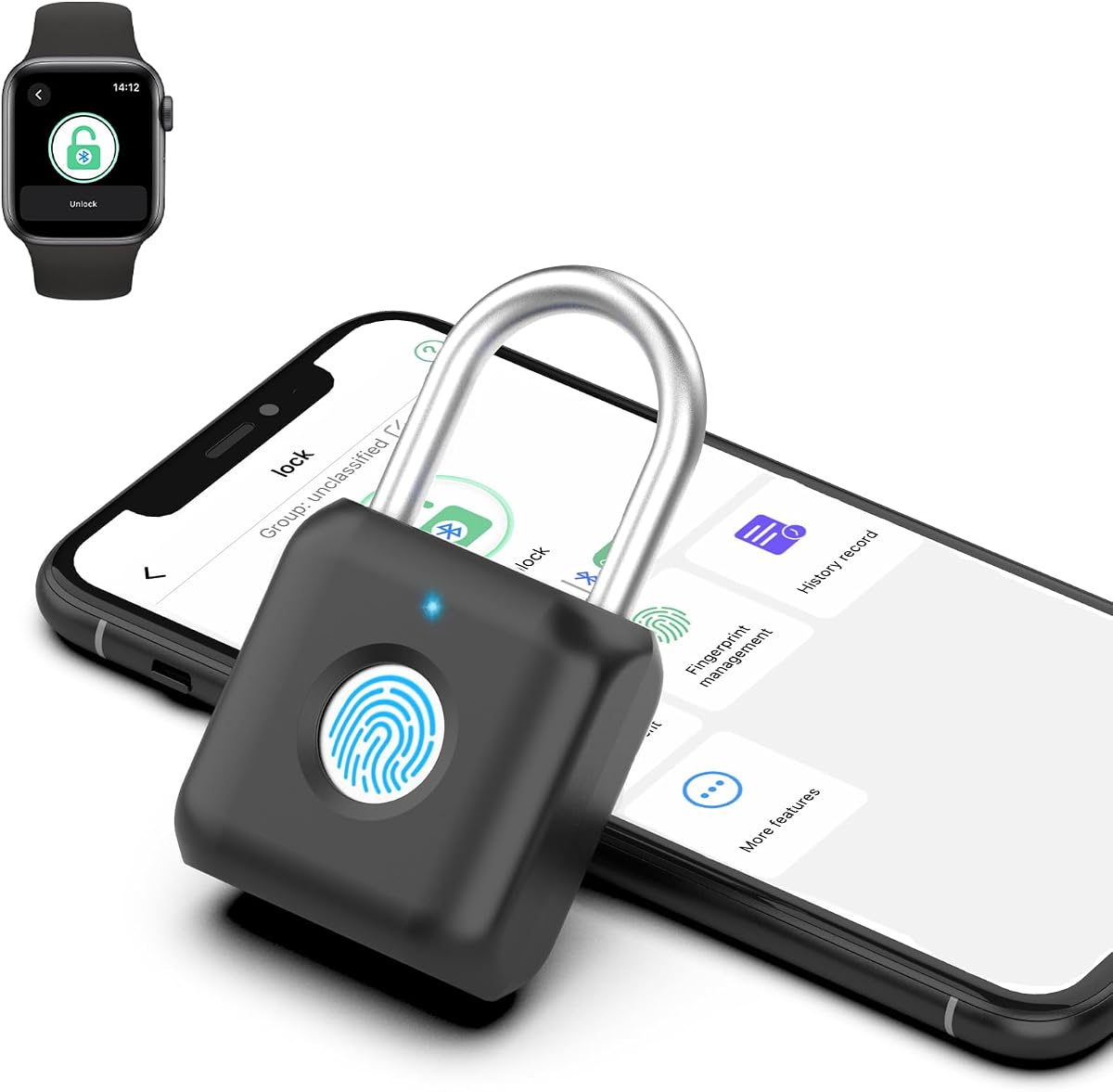
The eLinkSmart Fingerprint Gym Locker Lock combines quick biometric entry with app-based management, giving it the broadest appeal in this roundup. Its listed rating is 4.3, and the standout specification is the claimed 0.2-second fingerprint response. The construction also looks appropriately robust for a locker used every day.
We may earn a commission when you buy through this link, at no additional cost to you.
The lock supports fingerprint management through its Bluetooth app, unlock-record viewing, and remote permission sharing for family members or friends. Its body uses alloy steel and zinc alloy, while the hardened steel shackle is designed to resist cutting. A built-in 110mAh rechargeable battery is said to provide up to six months of standby and approximately 2,000 unlocks after a full charge.
The main compromise is dependence on electronics for normal access. The lock needs a charged internal battery and an app for remote features, so it is better suited to people who already use a smartphone and prefer remote administration. Its listing describes weather resistance, but it does not provide a specific numbered water-resistance rating, so persistent rain deserves caution.
This is the strongest general recommendation for a gym locker because it brings together speed, sharing, and durable construction without asking users to memorize a combination. Choose it if you want an app-assisted daily lock and will keep it reasonably protected from prolonged weather.
A claimed 0.2-second unlock response suits a gym environment where users want to reach their belongings without stopping to handle keys. Fingerprint registration also removes the recurring problem of forgotten or misplaced locker keys.
Bluetooth app control adds more than a remote unlock command. Users can manage fingerprints, inspect unlock activity, and share permissions, making the lock practical for households or teams that need controlled access to the same storage point.
We may earn a commission when you buy through this link, at no additional cost to you.
The Pothunder Smart Fingerprint Padlock has a 4.0 rating and differentiates itself through temporary password generation, making it useful when a friend, training partner, or family member needs limited access. It also supports 15 stored fingerprints and app-based administration.
We may earn a commission when you buy through this link, at no additional cost to you.
Users can register the administrator and other permitted people through Bluetooth, view unlock records, remove fingerprints, and generate a temporary password through the app. The stated fingerprint response is 0.5 seconds, while the listing also claims recognition can occur in 0.2 seconds. Stainless steel bolts and a high-density core alloy body support its security proposition.
Its rechargeable 110mAh battery is claimed to offer a year of standby and more than 2,000 unlocks, with USB charging from a power bank or charger. That claim should be understood as manufacturer-provided information rather than an independently verified result. There is also no detailed physical backup method described for users who lose all administrator access.
Choose this model when the locker occasionally accommodates guests or teammates and you value temporary access over keyless-only operation. It is less compelling for people who prefer simple standalone use, but its sharing tools and compact format make it a credible gym-focused option.
Temporary passwords can be more convenient than registering a visitor's fingerprint or handing over a physical key. The ability to remove access afterward also helps keep permissions limited once the shared visit is over.
An all-metal body and stainless steel bolts give the lock a more substantial feel than a lightweight plastic gadget. The material combination is well matched to a gym locker that may be opened many times each day.
We may earn a commission when you buy through this link, at no additional cost to you.
The NexusLab Fingerprint Padlock with Backup Keys earns a 4.3 rating and stands out as a value-focused alternative to app-heavy smart locks. It stores up to 20 fingerprints, needs no charging cable, and includes mechanical keys for emergencies.
We may earn a commission when you buy through this link, at no additional cost to you.
Its replaceable CR2032 design is unusual in this category and offers a clear convenience advantage. The listing states that two batteries are preinstalled and two spares are included, with up to 9–12 months of standby or approximately 2,500 unlocks per battery. A protective cover shields the fingerprint sensor, and the body combines zinc alloy with an ABS cover.
IPX5 water resistance helps protect against rain and splashes, although the manufacturer recommends using it under cover when possible. The absence of app control also means no remote authorization or unlock history, so this is a more self-contained option. Users must accept that fingerprint management happens directly on the lock.
This is a particularly strong pick for gym members who want fingerprint convenience without managing a rechargeable battery or smartphone application. The backup keys and included coin cells reduce the chance of being stranded, while 20-print capacity makes it suitable for roommates, family members, or a small group.
The replaceable coin-cell setup removes the need to find a USB cable before every several months of use. Included spare batteries make basic maintenance straightforward, although owners should still keep a spare available at the gym.
Two mechanical keys can open the lock if the coin cell is depleted or the fingerprint reader does not recognize an authorized print. This layered access method is a major advantage over smart locks that depend entirely on electronic power.
We may earn a commission when you buy through this link, at no additional cost to you.
This Fingerprint Padlock with eSmartLock App has a 4.3 rating and is a versatile smart option for gym lockers, school lockers, cabinets, toolboxes, gates, and other storage points. Its claimed 0.2-second unlocking and support for 20 fingerprints make it versatile without feeling underpowered.
We may earn a commission when you buy through this link, at no additional cost to you.
The eSmartLock app handles fingerprint registration, unlock records, unlock-method monitoring, and remote authorization for family, friends, or colleagues. Two admin fingerprints are included within the capacity. A low-battery red light and corresponding app alert help avoid an unexpected dead lock, and one full charge is claimed to support more than 3,000 unlocks.
The body uses a zinc alloy construction with a stainless steel shackle that is described as resistant to cutting and sawing. The listing labels it waterproof for outdoor use but gives no specific IP rating, so it should not be interpreted as submersible. It is also a rechargeable model, which means periodic USB charging is part of ownership.
This lock is ideal for a person who wants one smart device to move between a gym bag, shared cabinet, or equipment case. Its broad app functions and high fingerprint capacity outweigh the inconvenience of charging, particularly for users who value remote access and record keeping.
Users can authorize relatives, friends, or colleagues through the app without handing over a physical key. This is helpful when access needs change temporarily, such as during a school project, shared work period, or visit from a family member.
Twenty fingerprint slots can cover several users while leaving room for multiple fingers per person. The included admin fingerprints also help preserve control over reset and management functions.
We may earn a commission when you buy through this link, at no additional cost to you.
The Dhiedas Fingerprint Bluetooth Padlock carries a 4.1 rating and emphasizes speed, compactness, and app-based visibility. Its most eye-catching specification is the claimed 0.1-second fingerprint unlock, making it a natural fit for users who value minimal delay at the locker.
We may earn a commission when you buy through this link, at no additional cost to you.
Through the Bluetooth app, users can register up to 20 fingerprints, review who performed an unlock and when it occurred, and remotely authorize people nearby. The lightweight body is made from zinc alloy and stainless steel for cut resistance. It is marketed for gym and school lockers as well as cabinets, toolboxes, storage boxes, bags, and fences.
A rechargeable lithium battery is claimed to support about six months of standby and roughly 2,000 unlocks. It can be charged using a power bank, laptop, or tablet. A rubber stopper protects the bottom charging port, but the manufacturer explicitly warns against prolonged immersion and advises keeping the lock dry while unlocking.
This model is a good fit for smartphone users who want a quick response and a clear activity record. Its slightly lower listed rating and lack of a mechanical fallback keep it behind the editor's choice and backup-key option, but the fast operation and protected charging design remain appealing.
The listed 0.1-second response makes this one of the fastest options in the group. For a gym, where users may be carrying equipment or moving between sessions, a quick touch-and-open interaction can be particularly convenient.
Recording the unlocking person and time gives administrators useful context when several people share a locker. The information is available through the app instead of requiring manual permission checks.
We may earn a commission when you buy through this link, at no additional cost to you.
The Keylesslife Fingerprint Gym Locker Lock has a 4.3 rating and focuses on a compact, lightweight design. At a listed 59 grams, it is one of the easiest options to carry between a gym bag, backpack, toolbox, or travel case.
We may earn a commission when you buy through this link, at no additional cost to you.
It uses a zinc alloy body and stainless steel shackle while offering a claimed 0.2-second unlock and a 99% recognition rate. The eSmartLock app supports up to 20 fingerprints, including two admin fingerprints, app unlocking, authorization sharing, and unlock-record viewing. Only the admin can reset or manage the stored fingerprints.
The rechargeable system is claimed to provide up to six months of standby and more than 2,000 unlocks per charge. A red light and app alert warn of low power. As with other app-controlled models, the smart functions require a compatible phone and regular charging, which may be inconvenient for a locker used immediately after a long trip.
Choose this lock when portability is the priority and you want a well-rounded combination of speed, compactness, and app controls. It is less suitable if you need a mechanical key, coin-cell battery, or prolonged outdoor protection, but for an indoor gym locker it offers a particularly manageable size.
The listed weight and compact dimensions make this model easy to keep with the items it protects. Carrying the lock rather than leaving it permanently on a locker can also reduce confusion when facilities have multiple similar-looking compartments.
The app handles app unlocking, record viewing, and shared authorization, while fingerprint entry remains the primary method. This balance suits users who want remote flexibility without relying on a temporary password for every visit.
We may earn a commission when you buy through this link, at no additional cost to you.
The NexusLab No-App Fingerprint Padlock is a standalone option with a 4.1 rating. It avoids smartphone pairing and app permissions, allowing up to 20 fingerprints to be managed directly on the lock. That simplicity distinguishes it from most app-controlled competitors.
We may earn a commission when you buy through this link, at no additional cost to you.
Its zinc alloy body and stainless steel shackle are paired with an IP67 water-protection claim, making it one of the strongest options for wet environments within this list. The compact body measures approximately 1.7 by 0.9 by 3 inches, and the shackle has a listed 4-millimeter diameter. A replaceable CR2032 battery eliminates the need for a charging cable.
Fit deserves careful attention because the product works with compatible hasps and locking points designed for a separate padlock. Users should measure the available clearance before ordering. The red flashing low-battery indicator provides a warning, but there is no mechanical key or remote app access described in the supplied information.
This is the most suitable pick for someone who actively prefers a phone-free locker routine. Its weather rating and simple power system are attractive, but the 4.1 rating and limited fallback options make it most compelling for indoor users or prepared owners who monitor the battery indicator.
Keeping fingerprint management on the device reduces setup friction and avoids permission sharing. There is no need to keep a phone charged, connected, or nearby for normal unlocking, which can also make the lock feel more private.
The listed body and shackle dimensions show why fit should be checked. A compact biometric lock is only useful if the shackle can pass through the hasp with enough clearance for the lock body to sit securely.
We may earn a commission when you buy through this link, at no additional cost to you.
The Blue Fingerprint Gym Padlock has a 4.0 rating and combines app control with a specific IP65 water-protection rating. That combination makes it a logical option for gym users who also need a lock for a gate, fence, shed, or other weather-exposed storage point.
We may earn a commission when you buy through this link, at no additional cost to you.
The lock provides fingerprint entry, Bluetooth app unlocking, multi-user authorization, fingerprint management, and unlock history. Its stated response time is 0.5 seconds. The body is described as a 0.91-inch-thick compact design with a sturdy metal shackle and heavy-duty zinc alloy construction, which should make it less delicate than a purely plastic smart tag.
A rechargeable lithium battery is said to support thousands of unlocks and up to six months of standby per charge. Unlike several models in the comparison, the supplied listing does not state fingerprint capacity, so buyers who need a specific number of registered users should verify that detail before purchase. The battery also creates a requirement to monitor charge status.
This is a versatile choice for users who want one lock to move between a locker room and a lightly exposed outdoor cabinet. It earns its place through the stated IP65 rating and app controls, although it is not the most convenient selection for people who want replaceable batteries or mechanical backup.
IP65 provides a more useful buying signal than a general claim of waterproofing. It is particularly appropriate for outdoor gates, sheds, and fences where the lock may encounter rain and splashing during normal use.
The listing identifies gym lockers, school lockers, travel bags, toolboxes, cabinets, gates, fences, and sheds as suitable applications. This broad compatibility makes the lock easier to justify for users who do not want separate devices for indoor and outdoor storage.
We may earn a commission when you buy through this link, at no additional cost to you.
The SFW Fingerprint Padlock with Key has the highest listed rating in the comparison at 4.6 and offers the largest fingerprint capacity. It is a premium choice for shared lockers, busy facilities, or households where many authorized users need quick entry.
We may earn a commission when you buy through this link, at no additional cost to you.
The lock can store up to 60 fingerprints and supports a claimed 0.2-second biometric response. It also accepts passwords, which makes it friendly to children or older users who may have difficulty registering consistently with the reader. Bluetooth app functions include fingerprint registration, user authorization, remote unlocking, and unlock-record monitoring.
Its aluminum alloy body and stainless steel shackle are designed to resist rust, cuts, and water. The rechargeable battery is claimed to last half a year in standby and support more than 2,400 unlocks. It charges through USB-C, a convenient choice for users who already carry that cable. The listing does not provide a formal IP water-resistance level, so it should receive some protection in exposed locations.
This is the premium recommendation for users who need substantial sharing capacity and several ways to unlock. The multiple access methods reduce the chance of a failed fingerprint scan becoming a major inconvenience, while the higher rating and 60-print capacity justify considering it for a heavily shared locker.
Sixty fingerprint entries are substantially more than the 15-to-20-print capacity of most alternatives in this roundup. That makes the lock better suited to a busy gym, a family with many authorized users, or a team sharing a storage cabinet.
Fingerprint, password, and app access offer complementary ways into the lock. Password entry can help users who cannot obtain consistent biometric recognition, while app administration supports remote permission changes.
We may earn a commission when you buy through this link, at no additional cost to you.
The eLinkSmart Black Fingerprint Padlock has a 4.2 rating and stands out for its detailed access scheduling. The app can set general-user unlock periods and schedules, authorize or cancel permissions, and review activity records. This makes it especially relevant for access that changes on a schedule.
We may earn a commission when you buy through this link, at no additional cost to you.
The fingerprint sensor is claimed to unlock in 0.1 seconds and can record 20 fingerprints, including two admin fingerprints. Admin-only management helps preserve control over resets. The app supports one admin and more than 1,000 general users, although those general accounts are not equivalent to individual fingerprint slots and should not be interpreted that way.
The body is compact and light, with listed dimensions of approximately 3.2 by 2.6 by 3.2 by 1.3 centimeters and a weight of 0.06 kilograms. Its stainless steel shackle has a 4-millimeter diameter and an internal length of 2.2 centimeters, so users should verify that the locker hasps offers enough clearance.
Choose this model if scheduled remote access is more important than maximum fingerprint capacity or a mechanical fallback. The 20-print limit, compact shackle, and rechargeable electronics are reasonable trade-offs for a small lock intended to travel easily between the gym and other storage locations.
Set unlock periods and schedules for general users through the app. This is useful when access is granted for a defined period, such as a temporary visit or a recurring arrangement that should not remain open indefinitely.
The zinc alloy body and stainless steel shackle provide a practical metal construction despite the compact dimensions. The small size makes the lock easy to place in a pocket, gym bag, case, or toolbox.
We may earn a commission when you buy through this link, at no additional cost to you.
The right fingerprint padlock depends on how often you use your locker, whether you share access, how much space is available, and how you feel about apps, charging, and mechanical backups.
A biometric lock can be compact and still fail to fit a particular gym locker. Check the hasp opening, the space behind it, and the available depth for the lock body. The listed NexusLab No-App model, for example, measures approximately 1.7 by 0.9 by 3 inches and uses a 4-millimeter shackle. Some of the smallest eLinkSmart models have an internal shackle length of 2.2 centimeters. These dimensions should be compared with your actual locker rather than assumed to be interchangeable.
Rechargeable locks are convenient during regular use because they do not require routine battery replacement, but they must be charged before the battery becomes depleted. A USB-C model may fit your charging setup better than one using another connector, while a model that can be charged from a power bank adds flexibility. Replaceable CR2032 models are the opposite: they avoid a charging cable but require you to keep a coin cell available and watch the low-battery indicator.
Some people want only a fingerprint, while others appreciate temporary passwords, app unlocking, or a mechanical key as a fallback. Fingerprint-only designs are the simplest once set up. App models are useful for remote permissions and unlock records, but they add software and charging responsibilities. Password support can help children or older adults, and included keys are valuable when the battery is dead or a print will not scan.
Capacity should reflect the number of people who need direct biometric access and the number of fingers each person may register. Most options in this guide store up to 20 fingerprints, which is sufficient for a user, several family members, or a small group. The Pothunder option stores up to 15, while the SFW GS55S model stores up to 60. General app accounts should not be confused with fingerprint slots, because remote users may still need a recognized method of entry.
A gym locker is usually indoors, but the same lock may be used for a gate, shed, toolbox, pool area, or fence. The NexusLab No-App model carries an IP67 claim, the Blue Fingerprint Gym Padlock has IP65 protection, and the NexusLab Backup Keys model has IP5 protection. Other listings use general weather-resistant or waterproof language without a numbered rating. Those differences matter: a number offers a more useful basis for comparison, while a general claim should be treated cautiously.
The listed materials range from zinc alloy with a stainless steel shackle to an aluminum alloy body with a stainless steel beam. These choices suggest a stronger alternative to a lightweight plastic-only lock, although material alone does not establish total theft resistance. Look for a solid shackle, a protected sensor cover, a portable body, and enough weight to feel stable when hung from a hasp. For outdoor use, also consider whether the body will collect rain, dirt, or gym residue around the sensor.
App-controlled locks can offer remote unlocking, permission sharing, and activity records, but they also require compatible software, Bluetooth pairing, and account administration. Decide whether these features justify carrying a phone to the locker. If not, a standalone model keeps the experience direct. If yes, examine the administrator controls: several products state that only an admin can reset fingerprints, while some let authorized users be added or removed remotely.
Fingerprint readers can become less reliable when they encounter lotion, chalk, sweat, dirt, or moisture. A protective sliding cover, as seen on the NexusLab Backup Keys model, can help keep the sensor clean between uses. Wipe the body and sensor with a suitable damp cloth, avoid flooding openings, and allow any moisture to dry before touching the reader. For rechargeable models, check the red low-power indicator and app alert before leaving for the gym.
Begin by checking the physical fit, charging the lock if it is rechargeable, or installing the supplied CR2032 batteries if it uses coin cells. Download the required app for app-controlled models, create the administrator account, and pair the lock. Keep the lock close during setup because Bluetooth range can make the initial connection easier when the phone and lock are together.
Register fingerprints carefully. Follow the supplied instructions, and where applicable scan the same finger from several angles or positions to improve recognition. Test each authorized print before securing valuables. App-based locks should also have their admin credentials confirmed, while standalone models should have their backup keys stored separately and their initial fingerprint program verified.
For daily care, wipe the fingerprint sensor with a clean, lightly damp cloth and dry it before use. Remove gym chalk, lotion, and grime from the sensor and shackle. Do not submerge the lock, and keep any charging port cover closed in damp conditions. Check the battery warning regularly, use only the specified charging method, and arrange service if the reader repeatedly rejects a properly registered fingerprint.
No, not every locker uses a compatible hasp or has enough clearance for a padlock body. Measure the hasp opening, the gap behind it, and the space available for the lock before buying. Pay particular attention to shackle diameter and internal length, since a compact body cannot compensate for a shackle that is too thick or too short.
Recovery depends on the model. The NexusLab Backup Keys option includes two mechanical keys, while the standalone NexusLab No-App model does not list a mechanical fallback. App-controlled rechargeable locks generally need to be connected to USB power, although a depleted battery may take time to become usable again. Users should keep a backup method available before the low-battery warning appears.
Some are water-resistant, but the level varies considerably. The NexusLab No-App option is listed with IP67 protection, the Blue Fingerprint Gym Padlock with IP65, and the NexusLab Backup Keys option with IP5. Other products use broader weatherproof or waterproof wording without a numbered rating. Even with a rating, prolonged submersion and charging in wet conditions should be avoided.
That depends on the number of stored fingerprints and the access method. Most of the listed locks hold up to 20 fingerprints, the Pothunder model holds 15, and the SFW model holds 60. Some apps also support general user accounts, but those accounts may not each represent a separate fingerprint and could rely on another authorized entry method.
No. Several products in this guide use Bluetooth apps for registration, remote unlocking, shared permissions, and activity records. The NexusLab No-App Fingerprint Padlock is designed to manage fingerprints directly without smartphone pairing, and the NexusLab Backup Keys model is also presented as a standalone option. App-free models are generally simpler, while app-equipped models provide broader remote administration.
A dirty, wet, dry, or poorly aligned finger can interfere with recognition, particularly after gym chalk, lotion, or sweat reaches the sensor. Clean and dry both the finger and reader, then center the fingerprint over the sensor as instructed. If the problem continues, delete and re-register the print using the recommended procedure, and contact support if the fault persists.
It depends on facility rules and the size of the lock. Some gyms permit personal padlocks, while others require a specific approved model or provide a built-in lock. A compact lock is easier to carry to different facilities and prevents confusion with similar compartments. Always follow the gym's policy and never obstruct a shared locker or emergency access.
Biometric access removes the need to lose or duplicate a physical key, but security also depends on shackle design, body materials, access administration, and how the lock is attached. Electronic locks add another layer through permissions and record keeping, yet a poorly fitted or exposed padlock can still be vulnerable. Secure mounting, reliable fingerprints, and controlled app access remain essential.
The eLinkSmart Fingerprint Gym Locker Lock is the most balanced overall recommendation because it combines fast fingerprint access, app management, remote sharing, and a strong metal construction. The NexusLab Fingerprint Padlock with Backup Keys is the best value-oriented alternative for people who prefer replaceable batteries and mechanical keys, while the SFW Fingerprint Padlock with Key is the premium choice for high-capacity shared access.
Your priorities should determine the winner. Choose an app model if you want remote permissions and unlock history, a standalone model if you want the fewest electronic dependencies, and a coin-cell model if you would rather avoid charging. In every case, verify the physical dimensions before ordering and treat battery and weather specifications as core parts of the decision, not minor details.
Ratings, product configurations, availability, and prices can change over time, so check the current listing and manufacturer instructions before making a final purchase. Use the comparison to narrow the field, then confirm compatibility, power requirements, and included accessories against your specific gym locker.