
RGB Backlit Keyboard, Mouse, and Folio Case
4.7Editor score
Keyboard and mouse included
Seven-color lighting effects
Three adjustable viewing angles
A Galaxy Tab S10 Lite keyboard case can transform a versatile Samsung tablet into a much more practical productivity tool. The best models combine a comfortable keyboard, stable viewing stand, touchpad, protective shell, and convenient S Pen storage while preserving access to ports, speakers, cameras, and buttons. A secure, well-engineered fit also makes the tablet easier to use for work, study, travel, and entertainment.
This guide compares ten keyboard cases listed for the Galaxy Tab S10 Lite and several closely related 10.9- to 11-inch Samsung tablets. The comparison considers confirmed model compatibility, keyboard detachment, touchpad support, viewing-angle control, backlighting, charging, protection, and included accessories. Because listings may change over time, verify the tablet model number before buying and review the current product description carefully.
The recommendations range from a simple detachable folio for essential typing to premium cases with alloy hinges, gesture-capable touchpads, and refined laptop-style layouts. Each review explains the strongest features, practical limitations, and ideal buyer. No tablet, stylus, or other unlisted accessory is assumed to be included, and current prices and availability should be checked before making a purchase.
4.7Editor score

4.5Editor score

4.8Editor score
As an Amazon Associate we earn from qualifying purchases.
The comparison highlights the major differences among these ten folio and detachable keyboard cases, including supported tablet models, input features, viewing mechanisms, backlighting, charging, and stylus storage. Because fit is especially important, start by matching the exact SM-X model number and then compare the features that suit your work, study, and travel routines.

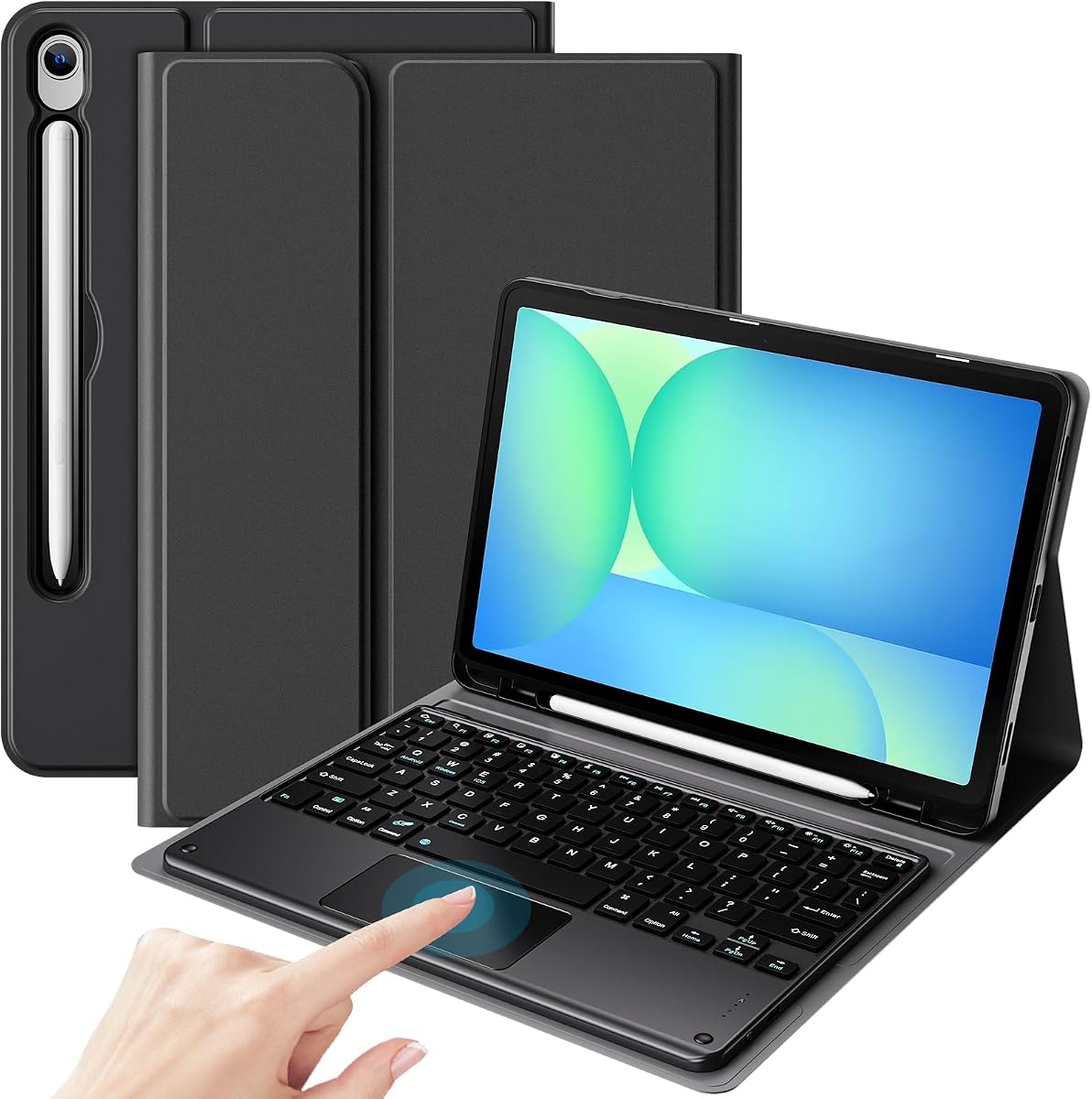


The FINTIE Keyboard Case is a straightforward, versatile folio for Galaxy Tab S10 Lite owners who want a physical keyboard without carrying a full-size laptop. It earns a 4.4 rating and stands out for its genuinely detachable 7mm keyboard, broad selection of compatible 10.9- and 11-inch Samsung models, rechargeable battery, and integrated S Pen holder. Its strongest appeal is the balance between protection, portability, and practical typing.
We may earn a commission when you buy through this link, at no additional cost to you.
The keyboard uses scissor-style mechanical keys designed to provide rebound while reducing noise, which can make extended typing more comfortable than tapping directly on a touchscreen. It connects through Bluetooth with a stated 10M range and works with both iOS and Android operating systems, according to the product information. The cover also functions as the tablet stand, with three viewing positions and anti-slip grooves that let the user slide the tablet forward or backward to change the angle.
Protection comes from a PU leather exterior, an anti-slip rubber-lined interior, and a polycarbonate shell that holds the tablet in place while absorbing bumps. The cover supports auto sleep and wake when used in case-only mode, while the keyboard itself includes an energy-saving mode after ten minutes of inactivity. The main limitation is the lack of a listed touchpad, so users who want mouse-style navigation must rely on taps, shortcuts, or a separate pointing device.
This is a strong recommendation for students, travelers, and casual users who primarily need typing, viewing-angle flexibility, and stylus storage. It is less suitable for buyers who require a built-in trackpad, illuminated keys, or a premium floating hinge. Check the SM-X model number before ordering because the case does not fit every tablet, and verify whether the S Pen sold with your device has the same shape and dimensions as the holder.
The magnetic keyboard separates from the folio with minimal bulk, making it easier to read, sketch, or watch video without typing. When work resumes, the keyboard can return to its magnetic position and turn the tablet into a compact workstation.
The dedicated S Pen holder keeps the stylus accessible without encouraging it to slide around inside a bag. Combined with flexible viewing angles, this makes the case practical for note-taking, document review, and ordinary keyboard-based tasks.
We may earn a commission when you buy through this link, at no additional cost to you.
The Dexnor case is among the most complete productivity-oriented options in this roundup, earning a 4.5 rating for its combination of a magnetic aluminum stand, multi-touch trackpad, backlit keyboard, and two S Pen storage solutions. It is designed for the Galaxy Tab S10 Lite, S10 FE, S9, and S9 FE, but the fit is model-specific and does not extend to the 12.4-inch FE Plus or S9 Plus families.
We may earn a commission when you buy through this link, at no additional cost to you.
Its strongest feature is the high-precision multi-touch trackpad, which supports gesture-based navigation and gives the tablet a more laptop-like feel. The keyboard offers seven solid backlight colors and three brightness levels, while its 650mAh battery is advertised to provide up to 200 hours of working time and 1,200 hours of standby time. It recharges through USB-C and includes a charging cable, quick-start guide, and detailed manual.
The magnetic stand uses an aluminum alloy hinge, allowing the tablet to be adjusted for travel, business, or desk work. A built-in magnetic holder on the keyboard and a rear cut-out provide different ways to carry or charge an S Pen. The folio folds down for front and back protection, and the auto wake/sleep function helps conserve power. The trade-offs are that the tablet and S Pen are not included, and the case cannot be assumed to support any similarly sized tablet.
This is an excellent choice for buyers who want more than an accessory keyboard and want a single folio to handle typing, navigation, viewing, and stylus access. It suits professionals, students, and frequent travelers who will use the tablet as a compact alternative to a laptop. Confirm your exact model, consult the included documentation after setup, and consider whether the trackpad and hinge are important enough to justify a more elaborate case.
Multi-finger gestures can reduce reliance on repeated screen taps when moving through documents, browsing, or managing applications. For Galaxy users comfortable with DeX-style workflows, the combination of a physical keyboard and a responsive trackpad feels considerably more natural.
The embedded-magnet aluminum hinge offers a more refined alternative to a basic folding strap. It should be especially useful when the tablet needs to remain visible during a video call, typing session, or presentation.
We may earn a commission when you buy through this link, at no additional cost to you.
This keyboard-and-mouse folio stands out as a feature-rich budget-oriented option, with a 4.7 rating based on the supplied listing information. It supports the Galaxy Tab S10 Lite, S10 FE, and S9, and its package includes a folio, RGB backlit magnetic keyboard, mouse, USB-C data cable, user manual, and built-in pen slot. The stylus itself is not included.
We may earn a commission when you buy through this link, at no additional cost to you.
The keyboard provides seven adjustable backlight colors plus a breathing effect that cycles through patterns. Dedicated function shortcut keys can support document editing and other common tablet tasks, while the separate mouse supplies an alternative to touch navigation. Although there is no listed built-in trackpad, the included mouse reduces the need to buy another pointing device immediately.
Three viewing-angle settings use anti-slip grooves and allow the tablet to slide along the front-to-back axis. That makes it easy to move among typing, reading, viewing, and creative positions. The PU leather exterior helps guard against water splashes, dust, and stains, while opening or closing the cover triggers auto wake and sleep to conserve tablet battery. The magnetic keyboard allows the tablet to be used without the keyboard when greater portability is needed.
The main drawback is the generic and unusually long product title, which can make the listing difficult to interpret. Buyers must also verify the exact tablet model because the case is not universal. It is a compelling choice for anyone who wants a keyboard, mouse, lighting effects, adjustable stand, and pen holder in one coordinated package without paying for a more elaborate aluminum-hinge design.
The inclusion of both a wireless-style keyboard and mouse makes this package convenient for a first Galaxy tablet setup. Users can begin typing and navigating immediately instead of adding a separate pointing accessory to their checklist.
Seven color choices and a breathing animation make the keyboard visually distinctive, while adjustable illumination can help during low-light use. Buyers who prefer a subtle appearance may disable the lighting while retaining normal keyboard functions.
We may earn a commission when you buy through this link, at no additional cost to you.
The ProCase Keyboard Case is a clean, practical folio with a 4.5 rating and a feature set centered on navigation, detachment, and stable viewing. It supports the Galaxy Tab S10 Lite, S10 FE, S9 FE, and S9, provided the tablet has one of the specified SM-X model numbers. The case is designed to be used on a desk, lap, or sofa without the wobble associated with lighter stands.
We may earn a commission when you buy through this link, at no additional cost to you.
A responsive multi-gesture touchpad allows users to browse, switch applications, and manage files without repeatedly touching the screen. The magnetic keyboard separates in seconds, allowing a quick transition between laptop mode and a lighter tablet experience. Three adjustable angles support typing, streaming, and video calls, while the integrated pencil holder keeps an S Pen or compatible stylus close at hand.
Protection is provided by a sturdy exterior intended to resist drops and scuffs, and the overall profile is described as ultra-slim for easier portability. A low-power design is also listed as helping extend overall usage time. The product information does not specify illuminated keys, a battery capacity, or a charging method, so buyers who require those features should not assume they are present.
This case is a good match for buyers who want a restrained black folio with modern navigation features but do not necessarily need RGB lighting or extensive accessory bundles. It works well for email, web research, document reading, casual editing, and travel. Check the model number in the tablet settings before purchasing, and confirm whether the included magnetic keyboard provides the exact shortcut layout and touchpad behavior you prefer.
The detachable construction lets the tablet leave the keyboard when reading or watching video. That makes the cover more versatile than a permanently attached keyboard folio while avoiding the complexity of a full hinge mechanism.
Three supported angles and a stable base make the case practical for desk work, lap typing, and video calls. This is a more useful set of positions than a single fixed landscape arrangement when comfort and visibility both matter.
We may earn a commission when you buy through this link, at no additional cost to you.
The Rainbow Backlit Pink Case offers a colorful, flexible alternative for users who want their tablet setup to look different from a conventional black office accessory. It has a 4.3 rating and a detachable magnetic keyboard with seven backlight colors. The listed compatibility includes the Galaxy Tab S10 Lite, S10 FE, S8, S9, and S9 FE models within the specified 10.9- to 11-inch range.
We may earn a commission when you buy through this link, at no additional cost to you.
The keyboard can be removed to leave the tablet in a lighter cover, then attached magnetically for a compact laptop arrangement. Seven selectable colors improve visibility in dim conditions and add a visual element to study, work, or gaming setups. Three viewing angles and anti-slip slots allow the tablet to shift between writing, viewing, reading, and drawing positions, while the built-in pen holder keeps a stylus within reach.
The outer cover provides full edge coverage against scratches, bumps, and dents, and a honeycomb-grid inner layer adds cushioning. The product information says this design is intended to reduce overheating and claims a lifespan improvement of more than 30 percent. Opening or closing the lid triggers auto wake and sleep. The tablet and pen are not included, and the exact dimensions of an S Pen-compatible stylus should be checked before use.
This is a good option for buyers who value appearance, detachable typing, and adjustable viewing more than touchpad convenience. It may appeal to students, casual creators, and users who frequently type in low-light environments. Its broad model list is a strength, but it also increases the importance of verifying the exact model code because similar Samsung tablet sizes do not always share identical cutouts or connector placement.
The seven-color backlight is not merely decorative: it lets the user choose a visible setting for different lighting conditions. The pink exterior also gives the case a more personal appearance than the neutral shells common in office accessories.
The full-edge shell and cushioned honeycomb interior address everyday scratch and impact concerns. The perforated pattern also creates space around the tablet, which may help reduce heat buildup during prolonged use.
We may earn a commission when you buy through this link, at no additional cost to you.
This keyboard case combines a 4.4 rating with features that are often treated as upgrades, including a multi-functional touchpad and seven lighting modes. It is listed for the Galaxy Tab S10 Lite, S10 FE, S9 FE, S9, and S8 models within the relevant 10.9- to 11-inch size range, but the user should check the exact model number before ordering.
We may earn a commission when you buy through this link, at no additional cost to you.
The high-sensitivity touchpad supports clicking, swiping, and application switching, allowing more efficient navigation without repeated screen taps. The keyboard offers seven colorful backlight modes plus a pulse effect, and the lights can be turned off without affecting normal typing. The keyboard and mouse are described as easy to store, making the folio convenient to carry between work and entertainment settings.
A built-in pen slot helps prevent stylus loss and surface scratches. The three-point stand lets the tablet angle move through three positions, while an anti-slip texture supports easier front-and-back adjustment. Precise cutouts preserve access to the camera, speakers, ports, and buttons. The exterior is described as scratch-resistant leather, and the honeycomb mesh interior cushions the device while helping limit overheating.
The case is a strong value-oriented choice for buyers who want gesture navigation and colorful illumination without moving to a premium metal-hinge design. Its main uncertainty is that the listing does not provide detailed battery or charging specifications, so the buyer should verify the keyboard's power requirements and included connections. It is best suited to users who value navigation, flexible positioning, and full related-model support.
A gesture-capable touchpad can make browser work, file handling, and document editing more efficient. Its inclusion narrows the gap between this case and more expensive productivity-oriented folio designs.
Precisely placed cutouts help protect access to cameras, speakers, ports, and controls. This is a practical detail that matters for video calls, charging, and switching between tablet and laptop-style workflows.
We may earn a commission when you buy through this link, at no additional cost to you.
Samsung's Book Cover Keyboard Slim provides the most native Galaxy experience in this collection, with a 4.6 rating and tight integration with Samsung features. Its title identifies compatibility with the Galaxy Tab S9, S9 FE, and S10 FE rather than explicitly naming the Galaxy Tab S10 Lite, so users must verify fit through Samsung's model information or the current listing details before purchase.
We may earn a commission when you buy through this link, at no additional cost to you.
The dedicated AI key offers a direct route to Bixby or Gemini prompts, reducing the number of steps needed to access selected AI functions. More broadly, the keyboard supports Samsung DeX Mode for a PC-like experience, making it a natural option for owners who already use that software to create app windows, manage files, and perform desktop-style tasks.
Wireless Keyboard Sharing is a notable convenience because the keyboard can type or navigate on compatible Galaxy devices. The slim magnetic platform installs quickly and detaches when a lighter tablet experience is wanted. Its understated Samsung styling also avoids the visual bulk of a full folio with a separate mouse, and it should pair naturally with other Galaxy accessories.
This is the best choice for committed Galaxy users who value native features, especially DeX and AI access, more than custom RGB lighting. It is less certain for Galaxy Tab S10 Lite buyers because that model is not explicitly named in the supplied product title or feature description. Confirm compatibility carefully rather than inferring it from the similar form factors of the supported tablets.
The dedicated key simplifies entering a request for Bixby or Gemini. For users who regularly use Galaxy AI tools, removing repeated navigation steps can make the keyboard feel more integrated with the tablet rather than like a generic accessory.
Wireless Keyboard Sharing can extend typing and navigation to compatible Galaxy devices, reducing the need to carry a separate keyboard for each screen. The feature is most valuable to users already invested in the wider Galaxy ecosystem.
We may earn a commission when you buy through this link, at no additional cost to you.
The GreenLaw Keyboard Case is a versatile productivity folio with a 4.4 rating and an emphasis on flexible connectivity. It is listed for the Galaxy Tab S10 Lite 5G, S10 FE 5G, and S9 models, with exact SM-X model numbers provided in the description. A key distinction is support for two Bluetooth device channels, allowing the keyboard to switch between a tablet and another paired device.
We may earn a commission when you buy through this link, at no additional cost to you.
The precision touchpad is described as recording small movements accurately and supporting multi-finger operations such as moving left or right and returning to the desktop. That makes it a practical choice for users who alternate between a tablet and a phone, while the dual-channel design reduces the need to repeatedly disconnect and reconnect the keyboard.
Seven backlight colors and three brightness levels allow the keyboard to be customized for different environments. Both the keyboard and case can be used separately, and magnets secure the keyboard during typing. The case includes three card slots and viewing angles of 110, 120, and 130 degrees, providing defined positions for different tasks. The main drawback is that the angular range is less broadly described than the stepless adjustment offered by some competing cases.
This case is recommended for Galaxy users who want one keyboard to serve a tablet and a second Bluetooth device. It is especially suitable for professionals moving between email on a phone and documents on a tablet. Confirm the exact tablet model, pair each device using the stated FN+Q and FN+W controls, and verify the included instructions if you have not used a dual-channel keyboard before.
The dedicated FN+Q and FN+W switching controls make it easier to move from a tablet to a phone without entering the full Bluetooth pairing process. This can be particularly useful in fast-moving work sessions that span both devices.
Three built-in card slots provide a convenient place for a memory card, identification card, or other flat item. The feature adds practical folio utility without changing the case's detachable keyboard design.
We may earn a commission when you buy through this link, at no additional cost to you.
The One-Click DeX Keyboard Case is built for users who want a flexible desktop-style setup and value the ability to change the tablet's position extensively. It has a 4.3 rating and is listed for the Galaxy Tab S10 Lite, S10 FE, S9, and S9 FE. The package does not include the tablet or S Pen, so those must be accounted for separately.
We may earn a commission when you buy through this link, at no additional cost to you.
Its defining feature is the claimed one-click DeX Mode control, intended to make the transition into a PC-like workflow less cumbersome. The keyboard has a full row of Android shortcut keys for brightness, media, volume, and other common actions. A smart touchpad supports multi-finger gestures for document editing, browsing, and presentation work, while a spring mechanism under each ABS key is designed to provide a tactile response.
The stand employs alloy hinges, precision hinges, and self-locking damping, with 270-degree stepless adjustment. That range supports work, gaming, reading, and drawing, and the listing describes four usage modes covering typing, sketching, viewing, and reading. The keyboard detaches from the case for a more versatile arrangement, and auto sleep and wake behavior helps preserve the tablet's battery.
A dedicated S Pen slot keeps the stylus charged and available according to the product description. The main trade-off is that the more complex hinge system may add bulk compared with a basic folio. It is best for buyers who regularly move between entertainment and productivity, use DeX, or need a wider range of viewing positions. Verify the model number and test the case's magnetic alignment before relying on it for mobile work.
The one-click DeX control targets a common obstacle in tablet productivity: the transition between touchscreen and desktop-style operation. It is especially useful for owners who already understand the strengths and limitations of Samsung DeX.
With stepless adjustment across 270 degrees, the case can shift between low-angle typing, upright viewing, and other positions. This flexibility reduces the need to reposition the entire tablet for every new activity.
We may earn a commission when you buy through this link, at no additional cost to you.
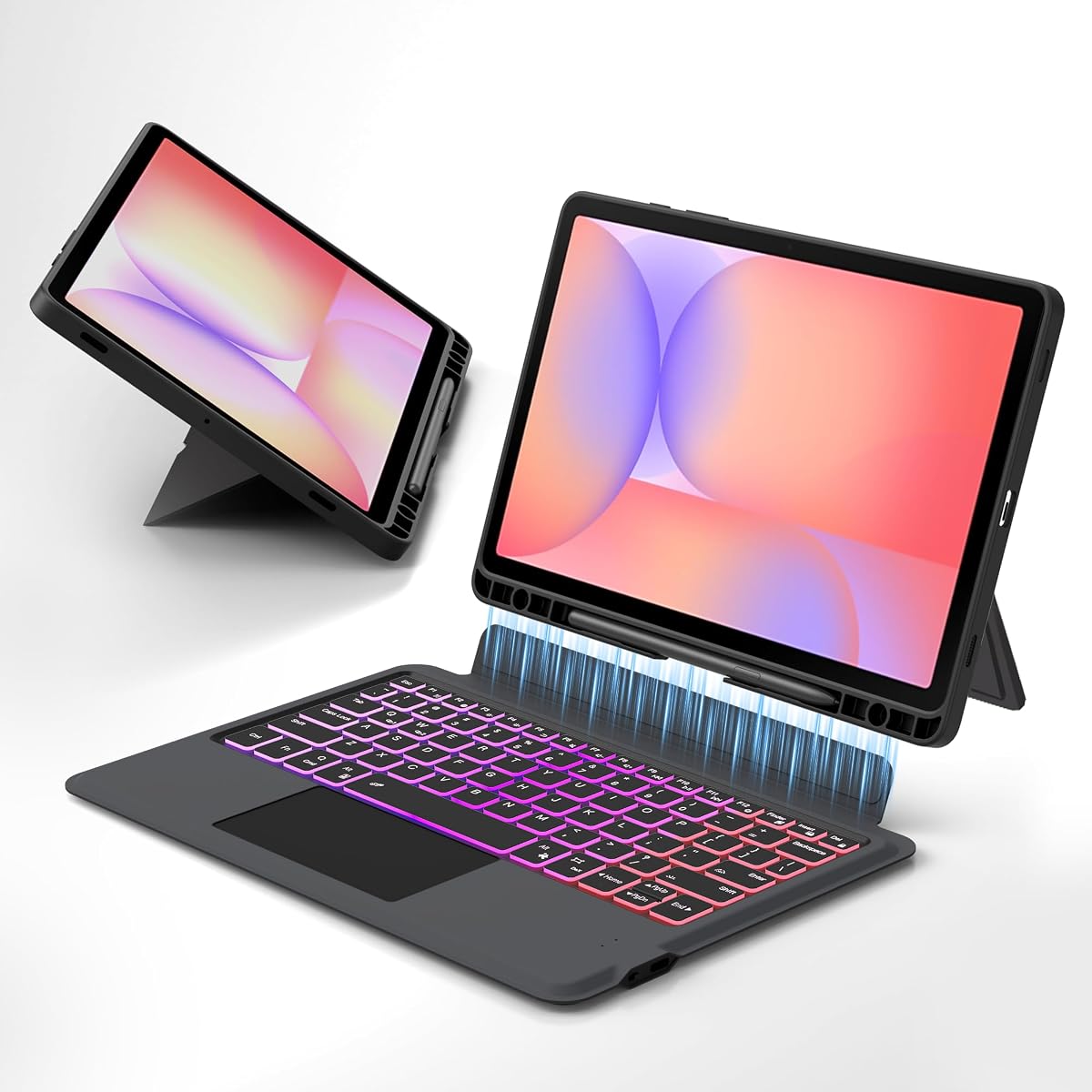
The Magic Style Keyboard Case is the premium choice in this roundup, holding the highest listed rating at 4.8. Its standout design combines a detachable magnetic keyboard, a floating cantilever stand, a large multi-finger touchpad, seven solid backlight colors, and a rechargeable 420mAh battery. It is specifically named for the Galaxy Tab S10 Lite and S10 FE, with additional related Samsung model numbers listed in the compatibility information.
We may earn a commission when you buy through this link, at no additional cost to you.
The magnetic keyboard can remain attached for serious typing or separate so the protective cover becomes a lightweight folio. When attached, the keyboard and tablet create a laptop-like arrangement. The floating cantilever structure permits easy angle changes, with an ergonomic 125-degree viewing angle intended to support study, work, and entertainment. Precision-cut holes preserve access to speakers, the charging port, and buttons.
The large touchpad supports swipes, pinches, and three-finger application switching. Dedicated top-row hotkeys work with the Fn key to streamline common tasks, while the scissor-switch keyboard uses larger, well-spaced keys for a more deliberate typing experience. The built-in battery is advertised to deliver up to 80 hours of continuous typing with the backlight off and charges through USB-C. Seven colors and three brightness levels provide flexible illumination.
This is the most refined recommendation for buyers willing to prioritize a premium stand, spacious keyboard, large touchpad, and polished materials. The outer surface is stain-resistant and designed to be easier to clean, while a durable hinge and premium interior and exterior materials aim for lasting construction. Its total listed weight of 2.04 pounds makes it the heaviest option here, so portability-focused travelers may prefer a slimmer magnetic folio.
The cantilever stand holds the tablet away from the keyboard surface, creating a visually balanced laptop-like profile. It also provides space to reposition the tablet without folding the entire cover into a fixed angle.
The large touchpad and closely spaced scissor keys provide a more desktop-oriented typing experience. Hotkeys, multi-finger gestures, and illuminated keys can reduce reliance on direct screen interaction during longer sessions.
We may earn a commission when you buy through this link, at no additional cost to you.
The most important considerations are exact device fit, typing quality, stand stability, navigation, power management, and protection. A visually attractive case can still be frustrating if its openings do not match the tablet, its keyboard blocks ports, or its angle cannot remain stable on a lap. Use the model number and the intended workflow to narrow the options before comparing secondary features.
Samsung tablets that share a nominal screen size do not always have identical dimensions, camera locations, port placement, or magnetic attachment points. Check the model number in the tablet settings and compare it with every code listed by the case manufacturer. The Galaxy Tab S10 Lite is commonly identified by SM-X400 or SM-X406B, while the S10 FE uses SM-X520, SM-X526, or SM-X528U, depending on the exact variant. The S9 and S9 FE also use several different codes.
Confirm the model before considering color, lighting, or touchpad features. A product that works with the Galaxy Tab S9 FE is not automatically compatible with the S10 Lite, even when both are described as 10.9-inch devices. A model-number check is the safest way to prevent an otherwise well-designed case from becoming an expensive paperweight.
A detachable keyboard is usually the most versatile choice because the tablet can be removed for reading, sketching, or streaming without giving up the protective cover. A permanently attached or magnetic folio may feel more cohesive, but it can be less convenient when a user wants to hold the tablet in one hand. Premium floating designs are particularly polished for desktop use, although they may add weight.
Prioritize detachment if you alternate frequently between typing and handheld use. Choose a fixed or premium hinged arrangement if the tablet will function mainly as a desk-based workstation. In either case, check that the keyboard holds the tablet securely without preventing access to the USB-C port, speakers, cameras, or buttons.
A useful keyboard should offer a familiar QWERTY arrangement, a full row of common shortcut keys, and keys large enough for sustained typing. Some cases emphasize scissor switches and rebound, while others use spring mechanisms beneath ABS keycaps. Backlighting can help in dim rooms, but it should be adjustable or removable so it does not become distracting.
Look for dedicated media, brightness, and volume shortcuts if you use the tablet as a media or presentation device. Avoid judging a case by its appearance alone: key spacing, travel, feedback, and the keyboard's connection stability determine whether it feels productive over a long session. A backlight is useful, but it should complement rather than replace comfortable typing.
A built-in touchpad can make web browsing, document editing, file management, and presentation work feel more like using a laptop. Multi-finger gesture support is particularly helpful for application switching, zooming, and navigating long documents. If the case does not include a touchpad, consider whether it includes a mouse or whether you are comfortable adding a separate pointing device to your tablet kit.
For users who mainly write short messages, browse with a touchscreen, and occasionally work in a document editor, a keyboard without a touchpad may be sufficient. Frequent DeX users, students taking notes, and professionals handling spreadsheets will generally benefit from a larger gesture-capable touchpad or an included mouse.
A useful stand should hold a stable angle on a desk, lap, or sofa and should not let the tablet drift forward during typing. Three discrete positions are common, while premium cases may offer broad stepless or 270-degree adjustment. The floating cantilever designs look refined, but fixed-position folios are often lighter and easier to pack.
Think about where the tablet will be used. A low angle supports typing, a more upright position helps with video calls, and intermediate positions suit reading or watching. Test the claimed adjustment range whenever possible, and look for anti-slip grooves or damping that prevent the tablet from moving when you type.
Bluetooth keyboard cases need a rechargeable battery or replaceable cells, and the charging method should be clear before purchase. Type-C charging is convenient when it matches the tablet's ecosystem, while included charging cables can reduce setup friction. Pay attention to the stated working time, standby time, recharge time, and whether those estimates assume the backlight is off.
Auto sleep and wake is useful because it prevents the tablet from remaining active while the cover is closed. A ten-minute energy-saving mode on the keyboard can also reduce power use. Because battery-life claims vary by lighting settings and use, treat the published figures as comparisons rather than guarantees.
A good case should cover the edges, maintain a secure tablet cradle, and provide access to every port and button. Look for an anti-slip inner lining, raised edges, a rigid shell, or a cushioned honeycomb interior. Detachable magnetic designs are convenient but may need careful alignment to avoid gaps or pressure on the tablet.
An S Pen holder is valuable if you draw, annotate, or take handwritten notes. Confirm whether the holder supports charging and whether it is sized for the S Pen supplied with your tablet. Also note which accessories are included: some packages contain a mouse, charging cable, manual, or card slots, while the tablet and stylus are generally excluded.
Before installation, verify the tablet model, charge the keyboard fully, and read the included pairing instructions. Open the case and place the tablet in the molded cradle, then align the keyboard's magnetic connectors or pairing controls with the tablet. After the device is recognized, test the keyboard, touchpad, shortcut keys, auto wake and sleep behavior, and access to every port before relying on the case for an important session.
Use the viewing angle that suits the task rather than leaving the tablet at a position that causes neck or wrist strain. A lower angle is usually better for typing, while a more upright position is useful for video calls and reading. When using a gesture touchpad, begin with basic clicks and swipes, then add pinches and multi-finger application switching once you are comfortable. If using a separate mouse, disable or adjust any pointer acceleration that feels unnatural.
To care for the case, remove the tablet before cleaning the shell and avoid exposing the openings to dust or liquid. Wipe the outer surface with a soft, slightly damp cloth, and do not spray cleaner directly onto the leather-like finish, keyboard, or touchpad. Keep the charging port free of debris, avoid prolonged keyboard use while the battery is critically low, and store the tablet in a cool, dry place. Check the magnetic alignment and hinge tension periodically, particularly if the case is used in a travel bag.
Some cases support both tablets, but you must confirm the exact SM-X model number rather than relying on screen size alone. The S10 Lite commonly uses SM-X400 or SM-X406B, while the S10 FE uses codes such as SM-X520, SM-X526, or SM-X528U. Camera cutouts, dimensions, and attachment points can differ even among models that share the same general size.
None of the supplied product descriptions states that a tablet or S Pen is included. Most listings include the case and keyboard, with some also providing a mouse, USB-C cable, guide, or manual. The pen holder stores a compatible stylus, but you should confirm that your own S Pen fits and check whether the holder supports charging.
It depends on how you use the tablet. A touchpad is valuable for document editing, browsing, spreadsheet work, presentations, and DeX-style desktop tasks. For short messages, note-taking, and occasional typing, a keyboard without a touchpad can still be useful. If choosing a touchpad, look for multi-finger gesture support and a sufficiently large surface.
Backlights are useful in dim rooms and can add attractive color effects, but they are not inherently better for every user. Consider adjustable brightness, the option to turn the lighting off, battery impact, and whether the light interferes with your preferred viewing angle. Scissor-style keys and comfortable spacing remain more important for long typing sessions.
A magnetic folio generally attaches the keyboard to the cover with small magnets and may use a folding strap or fixed slots for viewing angles. A floating-stand design suspends the tablet above the keyboard on a cantilever hinge, creating a laptop-like appearance and often allowing finer angle adjustment. Floating designs may be more refined and versatile but can also be heavier.
Samsung DeX can provide a desktop-style interface on compatible Galaxy tablets, and a physical keyboard generally makes that mode more practical. However, the case itself does not guarantee that one-click DeX activation or every shortcut will work. Confirm the case's feature list, use the Galaxy's supported DeX activation method, and verify that your software and connected devices are compatible.
Check that the tablet is seated fully in the molded cradle and that any retaining flap or strap is fastened. For a magnetic keyboard, align the connectors carefully and avoid lifting the tablet by the keyboard. Keep the case on a stable surface and do not adjust the viewing angle beyond the range specified by the manufacturer.
A Bluetooth keyboard has its own rechargeable battery, while the tablet powers the keyboard's electrical connection only when the case is designed to do so. Auto sleep and wake can reduce tablet consumption when the cover is closed. Keyboard battery life varies with backlight use, typing frequency, and standby behavior, so check the published estimates and charging instructions.
The Dexnor case is the most balanced recommendation for buyers who want a stable aluminum stand, a multi-touch trackpad, colorful backlighting, and two ways to store an S Pen. The RGB Keyboard, Mouse Case offers the strongest value-oriented package, while the Magic Style case provides the most premium floating-stand design and the highest listed rating in the group.
Prioritize exact model compatibility first, followed by the features you will actually use. A basic detachable model is enough for occasional typing, while a gesture touchpad, broad angle adjustment, and reliable DeX integration make sense for daily productivity. Consider keyboard layout, backlighting, charging, stylus fit, weight, and case protection as a complete package rather than focusing on one isolated specification.
Product listings, included accessories, compatibility details, and current prices can change, so review the seller's current description before ordering. Verify the SM-X code in tablet settings, check the dimensions of any S Pen you intend to carry, and confirm that the supplied charging cable and instructions are included. A final compatibility check can prevent an otherwise excellent case from being a poor fit.