
BITFUNX NGC to HDMI Adapter
4.4Editor score
Extensive GameCube display modes
Digital video and audio
Firmware update port
Protective console bracket
Our GameCube HDMI Adapters guide compares ten converters for image quality, compatibility, setup, latency, display support, and overall value for 2026.
A GameCube HDMI adapter can transform the look of a classic Nintendo console on a modern television, monitor, or projector. The right converter balances signal quality, audio support, latency, aspect-ratio control, and reliable setup. Native digital models generally offer the cleanest result, while analog converters can provide a convenient path for multiple Nintendo systems.
The ten products in this guide cover dedicated DOL-001 GameCube adapters, multi-console HDMI cables, and general-purpose analog video converters. We compared their documented compatibility, supported output modes, power requirements, included accessories, display features, customer-support details, and customer ratings. Products with newer GameCube-specific functions are distinguished from simpler S-Video and composite converters.
Each review explains what stands out, where limitations matter, and which type of player or setup is most likely to benefit. The list includes options for a single GameCube, collections spanning several retro systems, and users who prefer direct digital output over analog conversion. Product prices and promotions change, so check the current listing before purchasing.
4.4Editor score

4.6Editor score

4.2Editor score
The comparison below shows how the ten adapters differ in signal type, console compatibility, output resolution, power needs, and practical features. It is designed to clarify whether a buyer needs a dedicated digital GameCube solution, a multi-console analog converter, or a simple general-purpose adapter.




The Kaico GameCube HDMI Adapter is the most focused recommendation in this guide for owners of a DOL-001 GameCube who want a direct digital connection. It carries a 4.6 customer rating and stands out by taking the signal from the console's rear Digital Port rather than relying on the analog Multi-Out connection. That distinction is important for anyone who wants the cleanest available route from the console to a modern television or other HDMI display.
We may earn a commission when you buy through this link, at no additional cost to you.
Its headline features are line doubling and selectable scanlines, both controlled through an included programmed remote. The adapter runs GCVideo and supports output up to 480p or 576p, depending on the mode and setup. The included remote reduces the need to reach behind a television or navigate obscure on-screen menus whenever you want to change scanline behavior or image scaling. A USB port provides a route for firmware updates, while the 3D-printed shelf is designed to reduce strain on the digital connector.
The main limitation is console compatibility. The product is specified for DOL-001 models that include the Digital Port, so it is not a universal solution for every GameCube revision. Its feature set also focuses on one console rather than serving a larger Nintendo collection. Buyers who want native digital output, physical menu control, and a product designed specifically around GCVideo will find those trade-offs easy to accept.
This is the strongest general recommendation for a player seeking a dedicated GameCube solution without dealing with analog conversion. It balances useful display controls, a straightforward setup, and a generous support and repair policy. It is particularly attractive to DOL-001 owners who value image clarity and want an adapter that can be updated as its operating system evolves.
Connecting through the GameCube's Digital Port avoids the limitations of composite and S-Video analog signals. For compatible DOL-001 consoles, the result is a cleaner digital path to an HDMI television, monitor, or projector.
The included remote makes line doubling, scanlines, and menu navigation more approachable. This is useful when switching between games, display modes, or personal preferences for the image.
We may earn a commission when you buy through this link, at no additional cost to you.
The Multi-Nintendo HDMI Adapter is the budget-oriented choice for users who want one affordable-looking converter to cover the Nintendo 64, GameCube, and Super Nintendo. Its 4.2 rating reflects a practical product aimed at bringing older consoles to modern HDTVs. Rather than specializing in native GameCube digital output, it follows a broader multi-console approach and includes an HDMI cable for a more complete initial setup.
We may earn a commission when you buy through this link, at no additional cost to you.
The advertised conversion supports 720p and 1080p output, which makes it appealing to owners of larger modern televisions. Installation is described as plug-and-play, with no screen lag claimed by the manufacturer. The catch is that this converter requires an external power supply. Although the listing calls the arrangement easy to use, a separate power connection means the setup is not quite as tidy as products that draw enough power directly from the console.
Audio deserves careful attention before purchase. The product information does not clearly promise full audio support, and the troubleshooting note specifically refers to a situation in which no sound appears. Players who depend on stereo sound should examine the current listing and connected-device documentation closely. The stated output resolutions should also be understood as converter claims rather than an indication of native GameCube detail.
The adapter is best for a beginner, a collector testing which legacy console deserves a dedicated setup, or a player who wants a single device across multiple Nintendo systems. It offers a straightforward entry into HDMI gaming without investing in a console-specific product. It is less suitable for DOL-001 owners who prioritize native digital video, scanline controls, or guaranteed audio integration.
Supporting the Nintendo 64, GameCube, and SNES makes this converter useful for mixed retro setups. It reduces the need to keep separate analog leads and display arrangements for each Nintendo console.
The included HDMI cable simplifies the display connection, but the external power requirement adds another cable. Check room behind the console and television before committing to this arrangement.
We may earn a commission when you buy through this link, at no additional cost to you.
The BITFUNX NGC to HDMI Adapter is the feature-rich premium option in this roundup, earning a 4.4 customer rating. Its native NGC HDMI mode is designed for DOL-001 GameCubes with the rear Digital Port and supports an unusually broad selection of display modes: 240p, 288p, 480i, 576i, 480p, and 576p. That range gives players more control over how the console's output is presented on a modern screen.
We may earn a commission when you buy through this link, at no additional cost to you.
Video and audio travel through HDMI in digital form, while line doubling and scanlines can be selected using the included remote. A USB port supports firmware updates, and the supplied black bracket protects the adapter while enhancing its practical durability around the console. These details make the product feel purpose-built for users who want more than a basic analog-to-HDMI box and who are comfortable navigating a deeper menu system.
Compatibility needs careful reading. The native NGC HDMI function is limited to DOL-001 consoles with a Digital Port, while the separate GC2SD Gen2 functionality supports all GameCube consoles and compatible Wii models. The storage-related functions require a compatible microSD adapter, and the device cannot operate as a standalone memory card. It also supports homebrew software such as Swiss, with the latest version advised for GameCube use.
This is the recommendation for a DOL-001 owner who values broad mode control, digital audio, update support, and advanced GameCube-oriented features. It may be more than a casual player needs, but for someone building a carefully configured retro-gaming center, the extra capabilities can justify a more specialized purchase. Verify console revision, storage hardware, and intended use before ordering.
Support for progressive, interlaced, and lower-resolution modes gives players more choices than a basic converter. Matching the output to the television can produce a more considered and authentic presentation.
The GC2SD function expands the product beyond video conversion with storage, backup, and homebrew-related features. Compatible users can use the faster Slot B loading path, while incompatible hardware remains outside that feature's scope.
We may earn a commission when you buy through this link, at no additional cost to you.
The Tengchi RCA to HDMI Converter is not a dedicated GameCube product, but it earns a place because many older consoles and video devices still rely on analog RCA connections. Its 4.4 rating reflects a broadly useful conversion solution. A GameCube can feed its standard composite video and stereo audio into the converter's RCA female input, while an HDMI cable carries the converted signal onward to a television or monitor.
We may earn a commission when you buy through this link, at no additional cost to you.
The converter advertises 1080p HDMI output and accepts several television formats, including PAL, NTSC3.58, NTSC4.43, SECAM, PAL/M, and PAL/N. It is intended for devices such as the PlayStation 2, PlayStation 3, Xbox, Nintendo 64, set-top boxes, VHS units, and DVD players. The box includes an HDMI cable, a USB power cable, and a manual, making it a useful general-purpose accessory for a mixed electronics setup.
The compromises are significant. This is a composite-to-HDMI converter, not a device designed to extract the GameCube's S-Video signal, so it cannot offer the same source quality as a dedicated S-Video solution. The USB power lead must be connected to a 5V 1A source during use, and a power supply is not included according to the product information. The adapter also does not support 3D, 4K, or reverse HDMI-to-AV conversion.
Choose this adapter when the priority is one converter for many legacy devices rather than the best possible GameCube picture. It is a practical option for casual play, setup testing, or owners who still rely on composite output. Players seeking sharper GameCube imagery should favor an S-Video converter or a native digital adapter instead.
The broad RCA compatibility makes this converter useful well beyond Nintendo gaming. It can serve as a shared solution for several consoles, disc players, and other sources that provide standard composite audio and video.
USB power is required during normal operation, so plan for an accessible outlet or powered USB source. The absence of an included power supply may add a small setup inconvenience.
We may earn a commission when you buy through this link, at no additional cost to you.
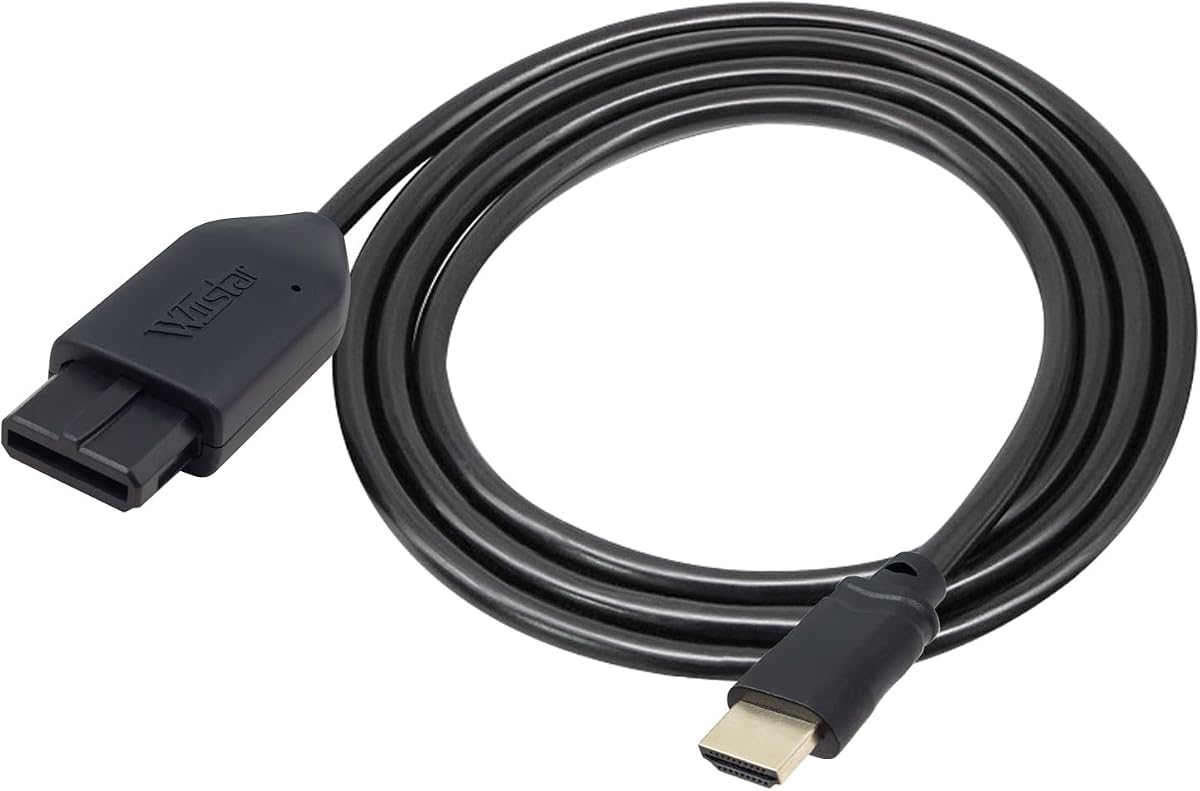
The All-in-One N64 HDMI Link provides a cable-based solution for Nintendo 64, GameCube, SNES, and SFC systems. It has a 4.1 rating and distinguishes itself with an integrated console-specific connection and an HDMI plug, reducing the number of separate leads around the television. The design is aimed at users who want a cleaner-looking installation than a loose collection of analog and HDMI cables.
We may earn a commission when you buy through this link, at no additional cost to you.
Its signal processing converts analog RGB information into digital HDMI output while also offering an S-Video path. The listing describes the S-Video result as brighter and sharper than earlier basic analog output, which can help when connecting a GameCube through its Multi-Out port. It supports a 1080p60Hz HDMI output and does not require a separate power supply, making it convenient to deploy and move.
Audio is the most important limitation. The product information explicitly states that there is no sound and instructs users to reconnect if that occurs. In other words, it should be regarded as a video-focused cable rather than a complete all-in-one audio solution. Its output is also limited to 1080p60Hz, with no 720p60Hz support listed. Players who expect both picture and sound through one adapter may need separate audio routing.
This product makes the most sense for a player focused on video, tidy connections, and several classic Nintendo consoles. The integrated design is convenient, and the lack of external power simplifies the immediate setup. It is a less convincing choice for GameCube owners who require digital audio, extensive display modes, or a fully integrated audiovisual experience.
The all-in-one form reduces visual clutter by combining the console-side connection and HDMI output. It is especially convenient when the television sits close to the gaming shelf.
The listing does not promise audio, so users should plan how sound will reach the television or sound system. Separate audio routing may be necessary to complete the setup.
We may earn a commission when you buy through this link, at no additional cost to you.
The Three-in-One HD Link is a practical adapter for Nintendo 64, GameCube, and SNES owners who want one peripheral that can handle several consoles. It has a 4.4 rating and takes an analog S-Video signal from the consoles' Multi-Out connection before converting it to digital HDMI for a modern television, monitor, or projector. Its detachable cable design also allows a longer or more convenient HDMI cable to be used.
We may earn a commission when you buy through this link, at no additional cost to you.
A standout feature is the physical toggle for 4:3 and 16:9 output. This is particularly helpful for GameCube games, which were originally designed for standard-definition television screens. Choosing the appropriate aspect ratio can prevent unwanted stretching or framing on a widescreen display. The product also claims unnoticeable lag during play and uses upscaled signal processing intended to improve the appearance of classic games.
As an analog-to-HDMI solution, it does not provide the direct digital path available from a GameCube's Digital Port. There are also no listed scanline or line-doubling controls, so users who want deliberate retro display styling have fewer options. S-Video is cleaner than composite, however, and can still produce a more defined image than the oldest standard connections.
This adapter is well suited to collectors who want a manageable multi-console arrangement and value simple aspect-ratio control. It is less suited to a DOL-001 owner whose priority is maximum native image fidelity, digital audio, or advanced GCVideo menus. For those needs, a dedicated digital adapter is the more logical direction.
The 4:3 and 16:9 toggle makes it easy to match classic game framing to different displays. This is a useful feature for GameCube players with widescreen televisions and projectors.
Using the S-Video path produces a more defined source than composite conversion. It remains an analog process, but it is a meaningful step up for standard-definition Nintendo output.
We may earn a commission when you buy through this link, at no additional cost to you.
The OLCLSS HDMI Adapter is a modern-display converter for the Nintendo 64, GameCube, SNES, and SFC. It has no current numeric customer rating, so the product's documented specifications deserve close attention rather than relying on customer feedback. Its central feature is advertised 1080p upscaling, converting analog console signals into a digital HDMI output suitable for HDTVs, monitors, and projectors.
We may earn a commission when you buy through this link, at no additional cost to you.
The adapter supports switching between 4:3 and 16:9 aspect ratios, which helps preserve the intended shape of older games on widescreen displays. Low input lag and stable signal transmission are also claimed, making it a potentially appealing option for action-focused players who do not want an obviously delayed control response. Installation requires no drivers or complicated software; the process is presented as a direct connection from the console to the display.
Power is handled in a flexible way. The upgraded design is said to operate without an additional power source under normal conditions, while an external connection can be added if the user plans to employ accessories or needs extra stability. Despite the product title's reference to USB power, the detailed description emphasizes that extra power is not normally required.
The OLCLSS is a good candidate for someone who wants a simple modern-TV connection and values 1080p presentation, aspect-ratio choice, and low-lag play. Its lack of a customer rating and more limited discussion of audio make it less established than the highest-rated digital options. Checking the latest product details and compatibility notes is advisable before purchase.
The advertised 1080p mode upscales the console's standard-definition signal for a modern display. It offers a familiar full-HD canvas, although it does not create native high-resolution GameCube graphics.
Low-lag claims and broad console support make this useful for a mixed Nintendo setup. The simple installation also reduces friction when moving between systems.
We may earn a commission when you buy through this link, at no additional cost to you.
The Kaico N64 HDMI Adapter offers a straightforward way to connect the Nintendo 64, Super Nintendo, and GameCube to an HDMI display. It carries a 4.2 rating and is especially attractive to owners of several Nintendo consoles who want a single analog-to-HDMI accessory. The adapter supports S-Video and composite outputs through the consoles' proprietary analog connections.
We may earn a commission when you buy through this link, at no additional cost to you.
Its strongest practical feature is that no additional power is needed. That removes a cable from the setup and avoids questions about whether a console is supplying enough current. The adapter is also presented as plug-and-play: no software, driver, or additional hardware installation is required. That simplicity makes it easier to move between a GameCube and the other supported Nintendo systems.
The tradeoff is signal sophistication. There are no listed line-doubling, scanline, resolution-mode, or aspect-ratio controls, and the product does not provide a native digital GameCube path. Players who want to fine-tune their display or exploit a DOL-001's Digital Port will find more capable dedicated adapters elsewhere. Those who simply want a tidy HDMI connection across older Nintendo hardware may find this model more than sufficient.
Kaico's 12-month support, repair, and replace warranty adds reassurance to the purchase. It makes this a good general recommendation for collectors who value broad compatibility, simple power requirements, and accountable after-sales support. The packaging may vary, so buyers should confirm the supplied cable and connector arrangement in the current listing.
One adapter can serve the Nintendo 64, SNES, and GameCube through their analog connections. This makes it easy to establish a consistent display arrangement across multiple classic systems.
The stated 12-month support, repair, and replace warranty provides a useful form of protection. It adds confidence for buyers who want an uncomplicated accessory rather than a complex digital device.
We may earn a commission when you buy through this link, at no additional cost to you.
The N64 GameCube SNES Adapter is a basic multi-console converter designed to bring three Nintendo classics to an HDTV. It has a 4.1 rating and includes an HDMI cable, while the product information says no additional power supply is required. The advertised 16:9 conversion is aimed at reducing awkward framing from older games on modern widescreen televisions.
We may earn a commission when you buy through this link, at no additional cost to you.
Its appeal lies in simplicity. A player can connect the supported console, attach the included HDMI cable, and use the display without installing software or arranging a separate power lead. The listing claims clear, smooth picture quality and no screen lag, although it does not describe scanline controls, selectable native modes, or advanced processing comparable with the dedicated digital adapters in this guide.
The unspecified audio situation deserves attention. The troubleshooting text mentions no sound and advises checking the connection, but it does not clearly state whether every supported console configuration carries stereo audio through the adapter. Users who require sound through the television should review the product documentation and recent customer questions before installation.
This adapter is a sensible value-oriented pick for a player with an N64, GameCube, or SNES who wants an uncomplicated HDMI arrangement without another power cable. It is less suitable for enthusiasts who want native GameCube video, digital audio, or display menus. Its one-year replacement support and 30-day return option add some confidence for buyers trying a new connection style.
Drawing power through the console connection keeps the arrangement relatively clean. It is a meaningful convenience in entertainment centers where cable space is already limited.
The advertised 16:9 mode can improve framing for games designed around 4:3 displays. Players can still consider a native digital adapter if exact scaling and scanline control are important.
We may earn a commission when you buy through this link, at no additional cost to you.
The Nintendo S-Video HDMI Converter is built around a specific philosophy: preserve the original console resolution while extracting the cleaner S-Video signal from the Multi-Out port. It supports the N64, GameCube, SFC, and SNES and carries a 3.9 rating, the lowest in this group. That makes it worth considering for players who value source fidelity over a larger advertised output number.
We may earn a commission when you buy through this link, at no additional cost to you.
The key advantage over composite is the use of the separate S-Video signal path carried by the Multi-Out connection. Converting that source to HDMI can produce a more defined picture than an RCA composite cable. The included 1.5-meter HDMI cable uses nickel-plated connectors at both ends, a thoughtful detail intended to resist oxidation and support stable transmission over time.
The converter does not upscale the image to a high-definition resolution. Instead, it outputs the original console resolution, which may be a better fit for a display and scaling setup that handles the image at its native dimensions. Its Micro USB port is only for optional backup power in unusual situations, such as unstable display output or no signal; it is not needed during normal use.
This product is best for a purist who wants the GameCube's S-Video path rather than composite, values native-resolution presentation, and prefers a simple converter without external power. It is less suitable for someone seeking scanlines, 480p output, digital audio, or a visually filled 1080p canvas. The lower rating may also encourage buyers to consider the latest customer feedback before ordering.
Extracting S-Video rather than composite preserves more image information from the console's original output. That creates a better starting point for conversion to HDMI.
Leaving the signal at its original resolution avoids forced HD upscaling within the converter. Users with a well-configured display may appreciate the directness of that approach.
We may earn a commission when you buy through this link, at no additional cost to you.
The most important decision is whether you want a dedicated native digital adapter for a DOL-001 console or a broader analog converter for several Nintendo systems. Resolution claims, audio behavior, power arrangements, and display controls should then be considered alongside the way you plan to use the console.
A GameCube's rear Digital Port provides a direct route to HDMI and generally represents the cleanest option for a compatible DOL-001 console. The Kaico and BITFUNX dedicated adapters take this approach, while the other products extract analog video from the Multi-Out port. Analog solutions remain useful for broader console compatibility, but the source begins with less detail and depends on the quality of the S-Video or composite path. Choose native digital output when your console supports it and visual fidelity is the priority; consider analog conversion when one adapter needs to serve several older systems.
The word GameCube can refer to more than one internal hardware revision. Native digital adapters in this guide are specifically intended for the DOL-001, which has a Digital Port on the rear. Products based on the Multi-Out connection can work with a wider range of GameCube configurations, although exact connector requirements should still be verified. Before ordering, identify the model number printed on the bottom of the console and check whether the adapter's compatibility statement explicitly includes it. This prevents the most common disappointment in this category: buying a polished digital adapter for a console that lacks the required port.
Resolution labels describe the size of the signal delivered to the display, not the amount of original detail a standard-definition console can create. A product advertising 1080p may be upscaling a 480p or lower source. Native digital GameCube adapters offer modes up to 480p or 576p, while some analog products specifically preserve the original resolution. Consider both the target screen and your desired presentation: a higher output can fill a modern television, but upscaling and scanline control often matter more to the final look. Verify whether a product supports 480p, 60Hz output, aspect-ratio switching, scanlines, or line doubling.
Audio support varies substantially across these adapters. The BITFUNX native HDMI product explicitly carries video and audio digitally, while the All-in-One N64 HDMI Link states that it has no sound. Other multi-console products mention video performance without clearly promising every audio configuration. A GameCube's Multi-Out port carries both video and stereo audio, but the selected signal path and converter design determine what reaches the HDMI output. Players who rely on television speakers should confirm that both video and audio are included before buying, and should be prepared to route sound separately when necessary.
Power requirements affect cable management and reliability. Several products run without an additional power source, while the budget multi-Nintendo adapter and the general-purpose Tengchi RCA converter require external USB power. A no-power design is usually cleaner and easier to move between systems, while externally powered products may offer more consistent operation in some setups. Look closely at what is included: a USB cable is not always the same as a power supply, and some products treat USB as optional backup power rather than a normal requirement. Match the arrangement to the available outlets and ports behind the television.
GameCube games were created primarily for 4:3 displays, so an adapter that can switch between 4:3 and 16:9 can improve framing on a widescreen television. The Three-in-One HD Link, OLCLSS adapter, and budget multi-console product advertise aspect-ratio options. More advanced native digital models add line doubling, scanlines, and selectable display modes through menus or a remote. These controls matter more than a large resolution number for many enthusiasts because they determine whether the image fills the screen, preserves the original shape, or reproduces a retro presentation.
A complete package can simplify installation. The budget Nintendo adapter, Tengchi converter, and several multi-console products include an HDMI cable, while the S-Video-focused converter includes a 1.5-meter cable with nickel-plated connectors. Some products also include a remote, a protective bracket, USB cables, or a manual. Compare those accessories with the cables and support equipment you already own. Warranty details vary from a stated 12-month support, repair, and replace policy to one-year replacement and return arrangements, making after-sales coverage a meaningful tie-breaker.
Low latency is important because even a small delay can change how a game feels. Several products claim stable transmission or unnoticeable lag, but the documentation does not provide standardized comparative measurements. A direct digital path and a short, sound connection are generally less complicated than an arrangement with multiple conversion stages. Secure every plug, use a reliable HDMI cable, and select the matching display mode before judging performance. If the picture flickers, appears blue, or disappears, reconnect the cables and verify that the television is selecting the intended HDMI input.
Before connecting the adapter, identify the relevant port on the back of the console. A DOL-001 with a Digital Port uses the dedicated digital connection for the Kaico and BITFUNX adapters, while analog models use the Multi-Out port or an appropriate proprietary Nintendo lead. Power off the GameCube and television, attach the console-side connector firmly, connect the adapter to the display, and turn on the television before selecting its HDMI input.
Once the picture appears, configure the display and adapter for the preferred resolution and aspect ratio. Use the remote or menu controls where available, enable scanlines or line doubling if desired, and test the image with both GameCube menus and a game. For analog adapters, check the audio path separately, because video appearing correctly does not guarantee that stereo sound is available through the same connection. If the screen is blue or there is no signal, reseat the plugs and confirm that the television has selected the correct input.
For care, keep the console and adapter on a stable surface and avoid placing strain on the rear connector. Use gentle pressure when attaching proprietary plugs, route cables so they do not hang from the GameCube's port, and keep the device away from moisture, excessive heat, and heavy dust. Periodically inspect connections, and use the adapter's firmware or software update route only when instructions call for it. Before changing settings or performing an update, note the current configuration so it can be restored if necessary.
No. The dedicated native digital adapters in this guide are designed for the DOL-001 GameCube, which includes a rear Digital Port. Analog adapters that use the Multi-Out connection have broader compatibility, but buyers should verify connector shape and model requirements. Always check the console model before ordering.
A native digital adapter is generally the better choice when the console has a Digital Port and the goal is the cleanest available image. An S-Video converter is more useful for mixed console setups or when the adapter must work with a broader range of Nintendo hardware. It extracts a cleaner analog source than composite but does not provide the same direct digital path.
No. A standard-definition GameCube does not natively generate 1080p game graphics, so a 1080p label normally means the converter is upscaling the source for the display. Upscaling may fill a modern screen, while native modes around 480p can look more authentic after proper processing. Compare resolution, scaling, aspect ratio, and scanline features together.
A blue screen usually indicates that the display is not receiving a usable video signal. Check that the console-side plug is fully connected, the television is on the correct HDMI input, and any required power cable is attached. For multi-console adapters, also confirm that the correct Nintendo port and video signal path are in use.
No. Audio behavior differs by product. The BITFUNX native digital adapter explicitly supports digital video and audio, while the All-in-One N64 HDMI Link states that it has no sound. Other listings focus on video and do not clearly define every audio configuration. Confirm the current product specifications and plan for separate audio routing if needed.
Yes, if the adapter supports the relevant console connections. The budget multi-Nintendo product, Three-in-One HD Link, OLCLSS, Kaico multi-Nintendo adapter, and the S-Video converter support multiple classic Nintendo systems. You will generally need the appropriate console-side lead for each system, even when the display-side HDMI connection is shared.
A scanline-enabled model can create a more intentional retro appearance by emphasizing the line structure of standard-definition video. It may not suit every television or personal preference, since some viewers prefer a smooth upscaled image. The Kaico and BITFUNX native adapters provide scanline and line-doubling options, allowing you to compare different styles.
Most products require only a console connection, an HDMI connection to the television, and selection of the correct input. Some units also need external USB power, while remote-controlled models require a few menu adjustments. Read the included instructions, especially when connecting a proprietary Nintendo plug or configuring display modes.
The Kaico GameCube HDMI Adapter is the leading all-round choice for a compatible DOL-001 because it combines native digital output, line doubling, scanlines, remote control, and firmware support. The BITFUNX NGC to HDMI Adapter is the more feature-rich alternative, offering a broad set of display modes, digital audio, advanced GCVideo functions, and additional storage-related features. For a lower-cost multi-console arrangement, the budget Nintendo HDMI Adapter supports the N64, GameCube, and SNES and includes an HDMI cable.
The remaining options serve more specific needs. Analog S-Video converters are sensible for collectors who want a shared Nintendo setup or prefer original-resolution presentation, while the general-purpose Tengchi converter is useful for numerous devices with composite output. Prioritize native digital video for the cleanest dedicated GameCube experience, S-Video for a better shared analog source, and explicit audio confirmation if television sound matters.
Finally, compare the console revision, connector, output modes, power arrangement, included accessories, and current customer feedback before placing an order. Prices, availability, and seller details can change over time, so check the latest listing for the chosen adapter. No universal converter improves every setup equally; the right choice is the one that matches your GameCube model, display, audio arrangement, and preferred visual style.
