
SteelSeries QcK XXL
4.7Editor score
Complete desktop-sized coverage
Pinpoint optical tracking
Durable non-slip rubber base
A large gaming mouse pad can give your keyboard and mouse a consistent playing area, reducing edge bumps while adding useful space for a GTA 6 PC setup. The right mat should balance smooth tracking, dependable grip, durable construction, and a size that suits your desk rather than merely looking dramatic.
We compared ten extended gaming mouse pads using the specifications and product details supplied for each model. The list covers cloth surfaces, RGB lighting, waterproof coatings, reinforced edges, non-slip bases, and desk-covering dimensions, helping readers separate practical features from decorative additions.
Each review highlights the most relevant strengths and limitations, while badges identify three standout options within the top picks. Product availability, features, ratings, and prices can change, so shoppers should confirm the current listing and compare the pad dimensions with their available desk space before ordering.
4.7Editor score

4.7Editor score

4.7Editor score
As an Amazon Associate we earn from qualifying purchases.
The table below compares all ten extended gaming mouse pads by their core design, dimensions, surface treatment, base, and defining feature, making it easier to identify the most appropriate option for your desk and preferred setup.






The BladeHawks RGB Gaming Mouse Pad is an extended 31.5-by-12-inch mat that combines a practical tracking surface with pronounced RGB illumination. It carries a 4.7 rating, and its standout feature is the lighting system, which provides seven static modes and seven dynamic modes. For a GTA 6 PC setup, the combination of mouse coverage, keyboard space, and adjustable color makes it a visually complete option.
We may earn a commission when you buy through this link, at no additional cost to you.
The micro-textured cloth is designed to support precise mouse control while remaining smooth enough for fast movement. A natural rubber base grips the desktop, while the textured underside adds another layer of resistance against unwanted movement. The waterproof treatment causes small liquid splashes to bead and slide rather than immediately soaking into the surface, making everyday maintenance more convenient.
Its main trade-off is that the lighting system adds cables and controls to what could otherwise be a simple, low-profile accessory. You also need access to a USB port, and the pad is thinner than some of the fabric-heavy XXL alternatives in this guide. Those considerations matter most if you favor a minimalist desk or prefer not to manage another powered peripheral.
This is a strong choice for players who want their extended mouse pad to become part of the room's ambient gaming aesthetic. It offers enough room for a keyboard and mouse, dependable grip, simple controls, and a generous range of lighting effects. The SteelSeries QcK XXL remains the cleaner premium choice for pure performance, while the BladeHawks model is more compelling when illumination is a priority.
The RGB lighting gives a gaming station an immediate visual anchor without requiring separate accent lights. A single button switches modes and brightness, while power-off memory restores the last selected effect, reducing setup friction between sessions.
At 31.5 by 12 inches, the surface extends under a keyboard and provides generous room for mouse movement. That balance makes it useful for general desktop organization as well as games and creative applications.
We may earn a commission when you buy through this link, at no additional cost to you.
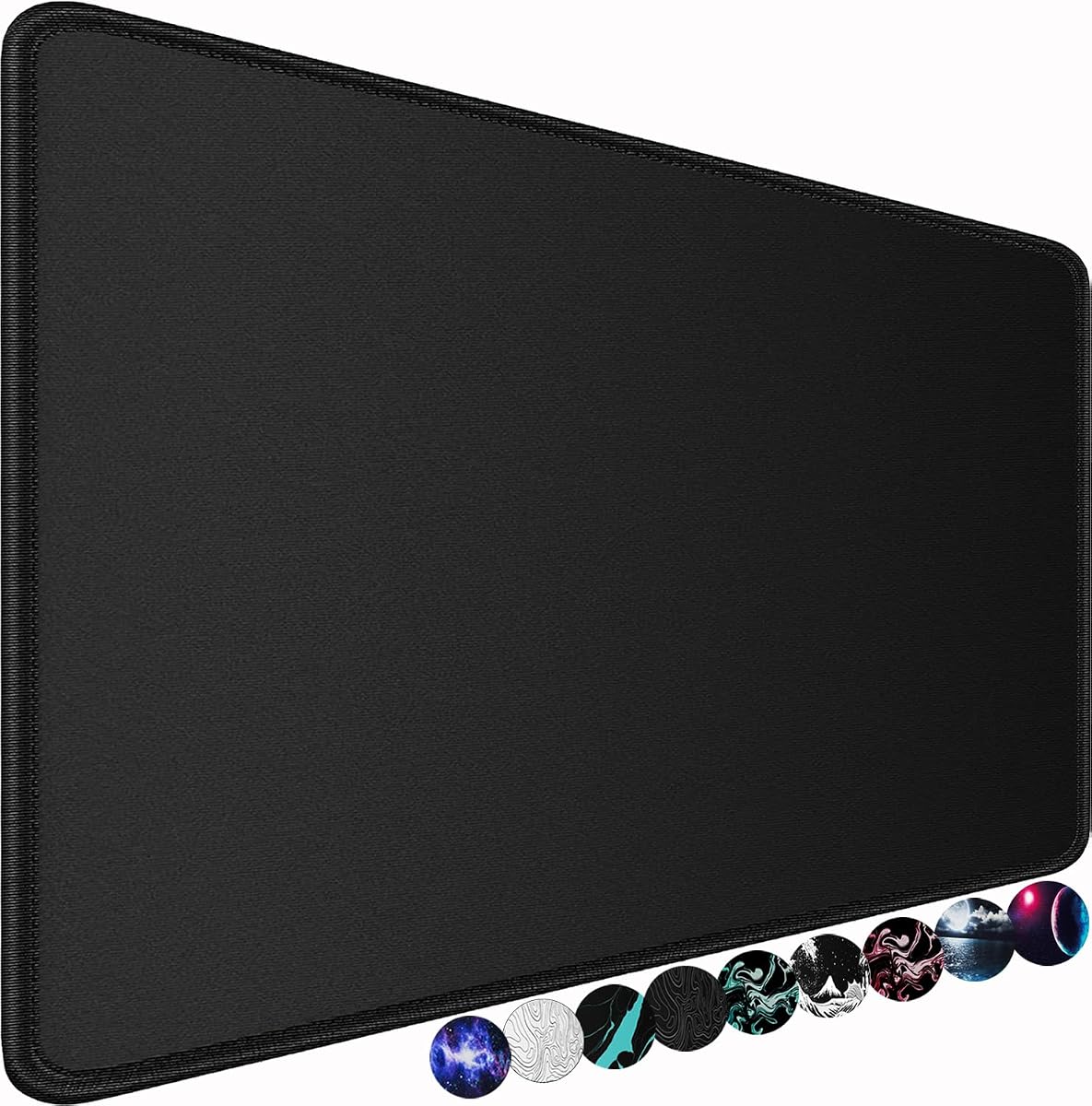
The SteelSeries QcK XXL is a 35-by-16-inch gaming mouse pad built around a single objective: dependable, low-distraction performance across a large desk area. It has a 4.7 rating, and its durable micro-woven cloth is described as optimized for pinpoint mouse accuracy with both optical and laser sensors. That makes it one of the most confident recommendations for a dedicated PC gaming station.
We may earn a commission when you buy through this link, at no additional cost to you.
The XXL dimensions can accommodate a keyboard, mouse, and monitor area, helping the desk look more unified while creating a broad surface for cursor movement. A non-slip rubber base keeps the mat stationary, and the high thread count helps the mouse track smoothly. Unlike many illuminated competitors, the design remains visually restrained, which can be an advantage in a clean setup.
The obvious limitation is that the very large footprint may be excessive for a compact desk. Its lack of RGB lighting also means it will not serve buyers who want the mat itself to become a colorful accent. Neither issue affects the core tracking proposition, and both are reasonable sacrifices for a focused, professional-style gaming surface.
Choose the QcK XXL when reliable movement, broad coverage, and minimal desk clutter are your main priorities. It is particularly well suited to players who want room to reposition the mouse without reaching an edge and who prefer a mature, understated setup over illuminated accessories. Its consistent feature set makes it the strongest all-around option in this roundup.
The 35-by-16-inch area gives the mouse more usable space than a conventional compact mat. This reduces the need to stop or reposition the pointer abruptly near a boundary, which is useful during sustained gaming sessions.
The surface and base concentrate on the fundamentals rather than lighting or decorative effects. That simplicity makes the QcK XXL easy to integrate into a professional, esports-inspired, or understated gaming setup.
We may earn a commission when you buy through this link, at no additional cost to you.
The Razer Gigantus V2 Cloth XXL is a thick, non-slip extended pad designed around tracking consistency. Its 4.7 rating reflects a feature set centered on a calibrated micro-weave surface, quick and controlled glides, and a high-density foam foundation. For players who value mouse feel over lighting, it is a particularly balanced option.
We may earn a commission when you buy through this link, at no additional cost to you.
Razer states that the surface is optimized across mouse sensors and calibrated for pixel-precise accuracy and tracking responsiveness. The micro-weave construction supports both rapid swipes and finer corrections, while the 4-millimeter XXL foam layer helps the mat remain uniformly flat over imperfect desk surfaces. The anti-slip base adds stability when a game becomes fast or physically intense.
The mat does not offer lighting, so shoppers seeking RGB effects must look elsewhere. The supplied product information identifies the XXL format and four-millimeter thickness but does not provide exact width and length, making desk measurement important before purchase. The design is also deliberately understated, with functionality taking priority over visual flourishes.
This is a strong recommendation for gamers who want a thick and stable cloth surface without a wired lighting system. It is especially appealing to users of optical mice who value consistency across fast and controlled movements. For illuminated setups, the BladeHawks mat provides more lighting choices; for maximum coverage, the SteelSeries QcK XXL supplies more explicitly stated desk dimensions.
The four-millimeter high-density foam helps the XXL surface remain flat instead of conforming to every irregularity on a desk. A consistent plane can support steadier movement when the mouse changes direction quickly.
The calibrated micro-weave surface is the defining element. It is intended to deliver responsive tracking while allowing both rapid swipes and precise positioning, covering the two movement styles most PC games require.
We may earn a commission when you buy through this link, at no additional cost to you.
The DIGSOM Gaming Mouse Pad combines a wide work surface with a restrained black-and-white topographic design. It measures 31.5 by 11.8 inches and holds a 4.7 rating. Its smooth cloth top, three-millimeter thickness, and non-slip rubber bottom make it a practical choice for a GTA 6 PC setup that needs generous coverage without powered lighting.
We may earn a commission when you buy through this link, at no additional cost to you.
The extended dimensions leave room for a gaming keyboard and a mouse, while also serving as a protective platform for other desk items. The fabric is treated with a spill-proof coating designed to limit damage from scratches, stains, scuffs, and accidental drinks. The smooth top supports deliberate cursor movement, and the rubber base provides firm grip during use.
It does not have RGB lighting, so it will not deliver the ambient effect sought by players building a colorful setup. The decorative topographic line is also more specific than a completely neutral surface, although the black base keeps it broadly versatile. These are aesthetic limitations rather than problems with its core tracking and stability.
The DIGSOM mat is best for buyers who want an extended, easy-care surface at a practical entry point. It can serve as both a gaming mat and a general desk protector, which broadens its usefulness beyond PC gaming. Check the 31.5-by-11.8-inch footprint against your desk, especially if you also want room for a large mousepad area in front of a monitor.
The broad area can hold a keyboard, mouse, phone, or other daily essentials. Its protective coating and stable base make it useful for office work as well as gaming, extending its value beyond the PC.
The protective coating is intended to make accidental drinks easier to manage. A damp cloth can clean the surface and help it return to dry, reducing the maintenance burden of an extended fabric mat.
We may earn a commission when you buy through this link, at no additional cost to you.
The AREYLO Large Gaming Mouse Pad is an unusually deep 31.5-by-15.7-inch surface designed to hold a keyboard, mouse, and other desk items. With a 4.7 rating, its key attractions are a soft cloth top, a grippy rubber base, reinforced anti-fray stitching, and a spill-resistant coating that can also be washed in water.
We may earn a commission when you buy through this link, at no additional cost to you.
The generous depth gives the mouse more lateral room than conventional desk mats while leaving enough area for a keyboard. Soft cloth supports smooth gliding and precise control, and the rubber bottom helps prevent the pad from moving under active input. Reinforced stitching protects the perimeter, while the flexible construction allows the mat to be rolled for storage or transport.
The two-and-a-half-millimeter fabric is thinner than the four-millimeter Razer XXL construction, so buyers seeking maximum cushioning may prefer that model. There is also no lighting system, and the terrain-inspired pattern is a deliberate design choice rather than a neutral office accessory. These trade-offs do not affect the mat's core utility.
AREYLO is a good option for players who value a large surface, straightforward cleaning, and reinforced edges. The ability to wash the pad makes it especially practical for a frequently used family or shared computer desk. Confirm that the 15.7-inch depth fits your workspace before buying, as this is more expansive than a standard keyboard-and-mouse mat.
The 15.7-inch depth creates a broad movement zone beyond the width of many competing mats. It is particularly helpful for low-DPI setups, large mouse workspaces, and desks where both the keyboard and mouse should share one continuous surface.
The spill-resistant coating protects against everyday accidents, while the stated washable construction allows deeper cleaning when needed. Reinforced stitching helps the edges retain their shape through repeated use and transport.
We may earn a commission when you buy through this link, at no additional cost to you.
The RGB Large LED Mouse Pad offers a 31.5-by-12-inch surface with smooth microfiber material and a prominent lighting system. It holds a 4.6 rating and includes 14 lighting modes, ranging from static monochrome effects to colorful dynamic breathing. That makes it a solid alternative for gamers who prioritize a vivid desk setup.
We may earn a commission when you buy through this link, at no additional cost to you.
The control scheme is easy to understand: one press changes the color, two quick presses adjust brightness, and holding the button for about three seconds turns the lighting on or off. A power-off memory function restores the last chosen mode. USB plug-and-play power means no driver installation is required, while the soft microfiber top is designed to deliver precise movement and resist spilled liquids.
The wired lighting system is the main compromise. A USB port must be available, and the mat is less convenient to move between computers than a purely passive model. The supplied dimensions also describe a three-tenths-inch thickness, which is modest compared with the thick foam options in this roundup. Those are relevant only if portability and cushioning are major priorities.
Choose this mat when you want many RGB effects without needing a separate lighting controller. It provides ample room for a keyboard and mouse, stable rubber construction, and simple controls. For a similarly illuminated format with more explicitly described natural-rubber construction, the BladeHawks mat is the stronger pick; for the broadest feature set in this particular model, the 14 modes are especially appealing.
Fourteen modes offer more variety than a simple fixed-color strip. Players can select a static tone for a restrained desk or use a dynamic effect to complement a more energetic gaming environment.
The single-button design and USB plug-and-play power keep setup straightforward. There is no need to install drivers or navigate a separate configuration program before using the lighting.
We may earn a commission when you buy through this link, at no additional cost to you.
The Rinaze Topographic XXL is a 35.4-by-15.7-inch full-desk mat designed to accommodate a keyboard, mouse, and other equipment. Its 4.6 rating is supported by a smooth tightly woven surface, a non-slip rubber base, and flat-stitched edges intended to resist fraying. It is one of the most expansive options in this comparison.
We may earn a commission when you buy through this link, at no additional cost to you.
The large footprint reduces the amount of exposed desk around the core gaming area and gives the mouse a generous operating zone. Fine, sturdy fibers support a smooth and silent glide, while the base helps keep the entire mat stable. The topographic black pattern adds visual structure without the cable management demands of an illuminated pad.
One important material detail is that the base contains latex. Players with a latex sensitivity should take that specification seriously and consider a model with a different base material. The mat also lacks lighting, and its exceptionally broad dimensions may overwhelm a smaller desk or prevent a conventional tower from fitting comfortably beneath the front edge.
Rinaze is a strong fit for users with a large desk who value a unified full-mat surface and straightforward maintenance. It is less suitable for compact setups or anyone needing a specific material profile. Buyers should measure both width and depth, then check the clearance beneath their monitor, keyboard, and PC case before committing to the extra-large format.
The 35.4-by-15.7-inch footprint provides enough room to group a keyboard, mouse, and related accessories on one surface. It can make a gaming station look more deliberate while helping protect the desk beneath.
The tightly woven fabric is designed to permit effortless, quiet movement. A non-slip rubber base keeps that movement from being interrupted by the entire mat sliding, although the base specifically contains latex.
We may earn a commission when you buy through this link, at no additional cost to you.
The Large Extended Gaming Mouse Pad with Stitched Edges combines a 31.5-by-15.7-inch footprint with a three-millimeter construction. It carries a 4.8 rating, the highest among the ten products listed, and stands out for its high-elasticity natural rubber base, nylon-stitched perimeter, and waterproof surface coating.
We may earn a commission when you buy through this link, at no additional cost to you.
The deep layout creates ample room for both a gaming keyboard and a mouse, making it useful for players who prefer to keep their entire input area on one surface. The smooth top is positioned for accurate and controllable tracking at different movement speeds. Natural rubber grips the desktop firmly, while the reinforced edges are designed to extend the mat's usable life.
The waterproof coating causes splashes to form droplets and slide off, which simplifies cleanup after an accidental drink. The mat can also be rolled without developing obvious wrinkles or creases, making storage easier. As with most large fabric surfaces, however, it offers no lighting, and the 15.7-inch depth may be more than a smaller desk can accommodate.
This is a compelling general-purpose option for PC gamers who want stable footing, a broad tracking area, and easy maintenance without powered effects. Its combination of a high rating and practical construction makes it a strong all-round recommendation. The SteelSeries QcK XXL offers a similarly clean aesthetic and more explicitly detailed sensor optimization, but this mat offers a more deeply described natural-rubber foundation.
The high-elasticity natural rubber base is designed to grip the desktop firmly. This stability is important because even a small movement of the mat can alter the relationship between the mouse and its tracking surface.
Liquid-resistant treatment helps protect the cloth from accidental spills, while nylon stitching reinforces the perimeter. Together, these details target the areas most likely to wear during regular use.
We may earn a commission when you buy through this link, at no additional cost to you.
The Large Gaming Mouse Pad is a 31.5-by-15.75-inch desk mat with a soft lycra surface, breathable material, and a heavy-grip rubber base. It has a 4.7 rating, and its key appeal is a combination of smooth tracking, stability, comfort, and a protective coating in an expansive, understated design.
We may earn a commission when you buy through this link, at no additional cost to you.
The lycra top is intended to deliver accurate and controllable cursor movement while supporting both fast movement and measured positioning. Its soft, thick construction can also reduce the sound produced when typing heavily on the same surface. The rubber base grips firmly to prevent the mat from shifting, while professional edge stitching helps protect against fraying and deformation.
The water-resistant coating lets small spills bead on the surface instead of immediately entering the fabric, which makes cleaning more convenient. The absence of lighting keeps the design simple and avoids a USB cable, but the mat's 15.75-inch depth still requires considerable desk space. It may also feel unnecessarily large for a compact setup or a mouse used at high sensitivity.
The Large Lycra Desk Mat is a versatile choice for gaming, office work, and anyone wanting a broad, soft surface for a keyboard and mouse. It is particularly attractive for shared desks because it can serve multiple input needs while protecting the underlying surface. The SteelSeries QcK XXL is the more explicitly sensor-focused alternative, while the AREYLO mat adds washable construction.
The soft, thick material provides a more comfortable resting place for both mouse and keyboard use. It can also help muffle the sound of heavier typing when the keyboard sits directly on the extended mat.
A heavy-grip base keeps the pad fixed while the water-resistant coating helps shield its fabric from accidental drinks. Edge stitching adds another layer of protection around the most vulnerable part of the mat.
We may earn a commission when you buy through this link, at no additional cost to you.
The Dye-Sublimation Desk Mat combines a 31.5-by-11.8-inch surface with vivid printed artwork and a practical gaming construction. It holds a 4.8 rating and uses a low-friction fabric surface, heavy-duty rubber base, and double-stitched edges. It is especially attractive for buyers who want a vivid anime-inspired or modern graphic without a wired light source.
We may earn a commission when you buy through this link, at no additional cost to you.
Advanced dye-sublimation printing is used to create crisp colors designed to resist fading. Beneath the visual treatment, the low-friction fabric supports precise mouse control, while the rubber base keeps the entire mat firmly in place. The 11.8-inch depth is less expansive than several 15.7-inch competitors, but it still provides room for a keyboard and mouse on a relatively deep desk.
The heavy-duty base and double-stitched perimeter address common weaknesses of large fabric mats: sliding and edge deterioration. The main limitation is aesthetic rather than functional. A specific printed design may not suit every setup, and there are no lighting effects for gamers seeking an illuminated surface. It is also less suitable for users who prefer a completely neutral mat.
This product is a good match for a colorful, themed gaming computer or office that benefits from a defined desk area. It combines a 4.8 rating with practical stability and a manageable extended size. For players prioritizing the widest possible movement zone, the SteelSeries and Rinaze mats cover more desk area; for those prioritizing a graphic-forward look without wiring, this dye-sublimation model is especially relevant.
Dye-sublimation creates detailed, fade-resistant graphics directly in the surface appearance. That gives the desk a themed focal point without adding lighting controls, power requirements, or another wired connection.
The heavy-duty rubber base is intended to resist movement during long typing or gaming sessions. Double-stitched edges help guard against fraying, complementing the low-friction fabric that supports controlled pointer movement.
We may earn a commission when you buy through this link, at no additional cost to you.
The right extended mouse pad depends on your desk size, mouse sensitivity, visual preferences, and tolerance for wired accessories. Consider tracking, grip, dimensions, edge protection, lighting, and maintenance together rather than focusing on a single feature.
The tracking surface is the most important part of any gaming mouse pad. A smooth or micro-textured cloth can support both rapid lateral movements and smaller corrections, while a tightly woven surface may deliver a more consistent feel. The SteelSeries QcK emphasizes sensor accuracy, the Razer Gigantus V2 emphasizes calibration and responsiveness, and several budget-oriented models focus on smooth cloth that supports optical and laser mice.
Choose a surface known to suit your preferred sensor and movement style. More texture is not automatically better, and additional thickness should not be confused with tracking consistency. A stable, even plane is generally more valuable than an elaborate surface description.
An extended mat should fit beneath both the mouse and keyboard without leaving too little room for comfortable movement. Options range from 31.5 by 11.8 inches to 35.4 by 15.7 inches. The deepest mats offer more lateral mouse space, but they also require a larger desk, more clearance beneath a monitor, and more careful placement around a desktop PC tower.
Measure the available surface before buying. Confirm the width of your keyboard, the depth of your desk, and the position of your PC case, then compare those measurements with the listed mat dimensions.
A non-slip base keeps the cloth aligned with the desk so the mouse does not move over an unstable surface. Natural rubber, standard rubber, high-density foam, and latex-containing rubber are among the materials represented. Stability is particularly valuable during fast turns, rapid aiming movements, and sessions that involve leaning on the desk.
Prioritize a firm base, but review material details carefully if you have a latex sensitivity. Also check whether the mat is intended to remain fully flat or may be rolled for storage, since those features can influence desk clearance.
RGB lighting can turn a large mouse pad into a central feature of a gaming setup. The BladeHawks model provides seven static and seven dynamic modes, while the RGB Large LED Mat provides 14 modes and remembers the last selection. Both use USB power and a simple button, requiring no driver. The trade-off is an additional cable and the need to keep a USB port available.
Choose lighting if the visual effect is important. If you prefer a clean desk, maximum portability, or zero added power connections, one of the non-illuminated cloth mats is the more practical choice.
Large fabric mats experience repeated bending, rolling, and contact along their edges. Reinforced stitching can reduce fraying, peeling, and deformation, which is why the AREYLO, Rinaze, Large Lycra, and dye-sublimation options emphasize stitched borders. The SteelSeries QcK focuses on its overall micro-woven durability, while the BladeHawks and DIGSOM products highlight smooth or stitched edges as appropriate.
Look for edge construction that matches how you will use and store the mat. Reinforcement is especially valuable if you plan to roll it frequently or keep it in a shared environment where it will be moved often.
A spill-resistant coating can protect the fabric from drinks and everyday stains without changing the tracking experience. Multiple products describe surfaces that allow small droplets to bead and slide, while the AREYLO model goes further by stating that it can be washed in water. Damp-cloth cleaning is the simplest routine for most fabric mats.
Check the care instructions before using water or cleaning products. A washable mat may be more convenient for a busy household, but an untreated or coated surface should be wiped carefully to preserve its protective finish.
Thickness can influence comfort under the wrist and keyboard, although tracking feel and stability remain the more important gaming considerations. The Razer Gigantus V2 XXL uses four millimeters of high-density foam, while several other models use three millimeters or approximately two-and-a-half millimeters. The BladeHawks and RGB Large LED mats are notably thinner.
More cushioning can be pleasant during long sessions, but a thick mat should also remain uniformly flat. Select thickness as a secondary comfort feature after confirming tracking quality, base grip, and the right dimensions.
A mouse pad occupies a substantial portion of the desk, so its design affects the entire room. The DIGSOM and Rinaze mats use black topographic graphics, the AREYLO model uses a terrain-line pattern, and the dye-sublimation model offers eye-catching printed artwork. The SteelSeries QcK is intentionally black and understated, while the two RGB products emphasize illumination.
Consider how the pad coordinates with your keyboard, mouse, monitor, and wall lighting. A restrained surface often blends into a professional or esports setup, while a colorful print or RGB lighting can become the visual center of a gaming room.
Place the mat on a clean, dry, and relatively level section of the desk. Make sure the rubber base sits flat without wrinkles or trapped debris, then position the keyboard near one end while leaving enough open cloth in front for unrestricted mouse movement. Check that the edges do not sit where a chair, desk lip, or monitor stand will repeatedly compress the surface.
For an illuminated model, connect the USB power before pressing the lighting control. Use the single button to select a color or animation, press twice to change brightness, and hold it for approximately three seconds to turn the lights off. Let the base remain fully flat while using the mouse; folding or sharply creasing an extended fabric mat can affect tracking and edge longevity.
Clean spills promptly by lifting or blotting the affected area and wiping it with a damp cloth as directed by the manufacturer. Avoid harsh chemicals, abrasive tools, and excess moisture. For washable products, follow the stated care guidance, allow the mat to dry completely before reinstalling it, and check the stitching and base for damage during routine cleaning.
Most players benefit from a mat that can hold a keyboard and mouse while leaving enough room for movement. A width around 31.5 inches is common, while depths near 12 inches offer a compact extended format and depths near 15.7 inches provide a larger mouse zone. Measure the desk and check the clearance for a monitor and PC case before choosing.
No. RGB lighting is decorative and does not improve tracking accuracy or control. It is worth considering if ambient lighting is central to your setup, but a non-illuminated cloth mat can be quieter, simpler, and easier to move between computers. Choose illumination for aesthetics and a standard surface for performance-focused fundamentals.
No, because usable area and desk compatibility both matter. A larger mat gives the mouse more room to travel and can unify the desk, but it may leave too little clearance around a monitor or PC tower. The best size is the largest option that fits your available space without lifting, bunching, or interfering with your other equipment.
Smooth cloth, micro-textured cloth, and tightly woven surfaces can all work well with optical sensors. The best choice is a surface that provides consistent tracking and does not snag the mouse feet. Check that the manufacturer supports the sensor type you use and avoid testing only on a small, restricted section of the full mat.
For most models, blot spills and wipe the surface gently with a damp cloth. Avoid saturating the fabric or applying harsh chemicals unless the manufacturer specifically permits them. The AREYLO mat is described as washable in water, so its instructions support deeper cleaning, but it should be allowed to dry fully before use.
Thickness may improve comfort, but it does not automatically improve aim. Aim depends more on the consistency of the surface, mouse sensor performance, sensitivity settings, and practice. A thicker foam construction can remain flat over an imperfect desk, yet you should still choose based on tracking quality, grip, dimensions, and comfort.
Stitching reinforces the perimeter, where fabric mats are most likely to fray, peel, or deform. It is especially helpful if the mat is moved or rolled frequently. A sturdy base and even tracking surface remain more important for performance, but reinforced edges can improve long-term durability.
Yes. The extended surface creates a barrier between keyboards, mice, cups, and other accessories and the underlying desk. Water-resistant coatings add further spill protection, although frequent exposure to liquid can still affect an untreated or coated surface if spills are not cleaned promptly.
The SteelSeries QcK XXL is the strongest all-around selection for its large, explicitly sized coverage, durable micro-woven cloth, stable base, and sensor-focused design. The Razer Gigantus V2 XXL is an excellent alternative for players who prioritize a thick, calibrated, fluid tracking surface, while the DIGSOM topographic mat delivers a practical extended format and easy-care construction at an entry-oriented level.
Prioritize dimensions, tracking consistency, and base grip before optional lighting. Low-sensitivity players may benefit from the deepest mats, while high-sensitivity users can be well served by a smaller 12-inch depth. RGB models add atmosphere but require USB power, and buyers with latex sensitivity should note the material specification on the Rinaze base.
Ratings and product details can change over time, and current prices and availability should be confirmed on each listing. Before ordering, compare the exact dimensions with your desk, verify that your mouse sensor is supported, and consider how often the mat will be cleaned, moved, rolled, or used beneath a keyboard.