
letosan Tempered Glass Bundle
4.5Editor score
Three screen protector pack
Three camera lens protectors
Case-friendly rounded edges
Our Google Pixel 11 Pro screen protector guide compares ten options for clarity, durability, privacy, installation ease, fingerprint support, and case fit.
A Google Pixel 11 Pro screen protector should do more than add a thin layer over the display. It should preserve the phone’s vivid color, smooth touch response, and in-display fingerprint reader while helping shield the curved glass from scratches, impacts, dust, and everyday wear. The right choice depends on whether you value maximum clarity, simple installation, privacy, or comprehensive camera coverage.
This guide compares ten tempered-glass options using the specifications and feature details supplied for each product. The list covers standard clear protectors, privacy models, installation trays, bundled camera lens protectors, multi-packs, and different levels of edge coverage. Ratings are included for quick reference, but compatibility, installation method, sensor support, and daily usability deserve equal attention.
Each review explains the strongest reasons to consider a particular protector while also identifying practical trade-offs. The top selections represent the strongest balance of protection, clarity, convenience, and special features, although the most appropriate option depends on your habits and case. Retail listings and product terms can change, so confirm the details and current device compatibility before buying.
4.5Editor score
4.5Editor score

4.3Editor score
The table below compares all ten protectors across their defining features, including glass type, installation approach, sensor compatibility, bundled accessories, and special features.




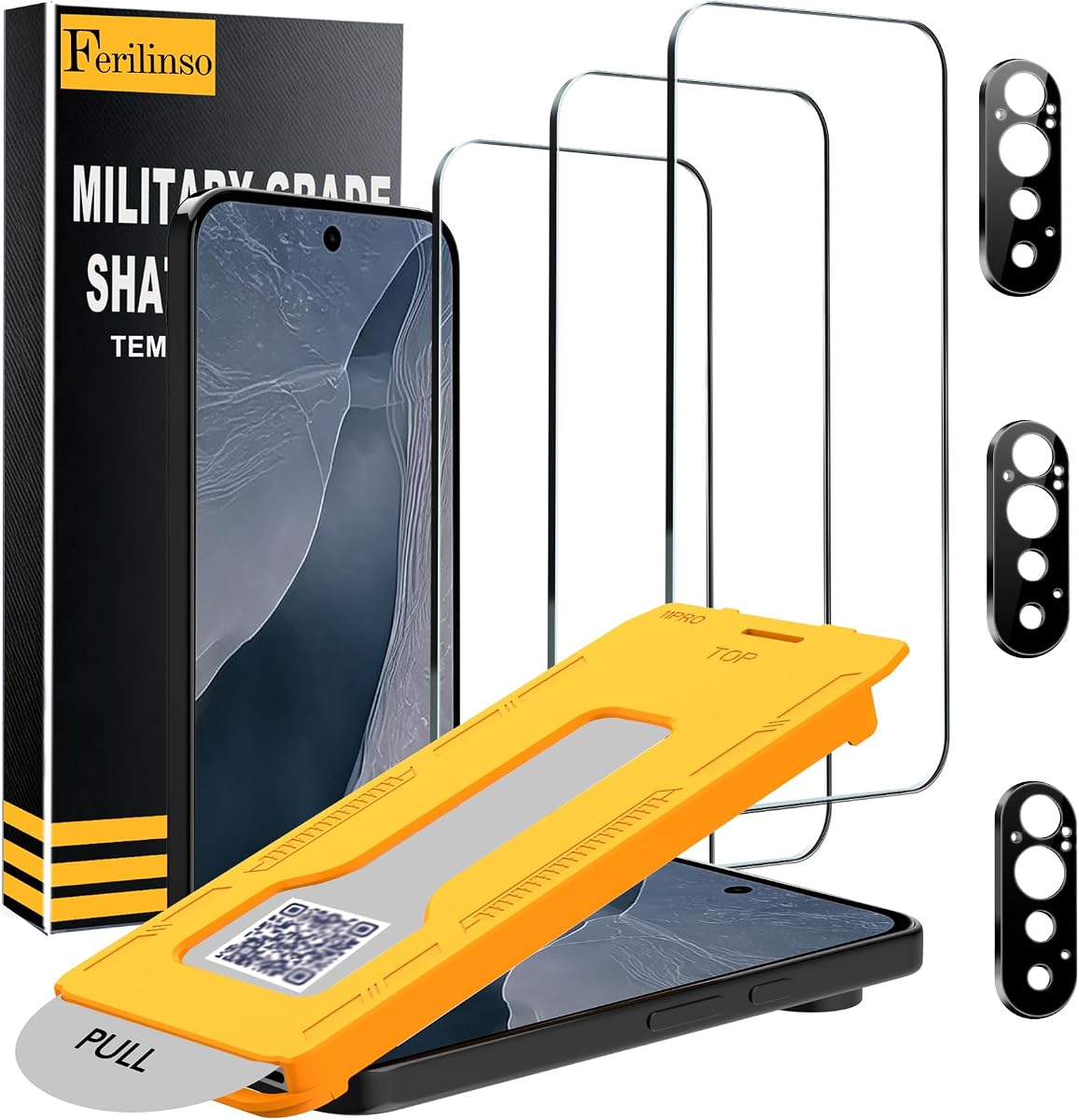
The Ferilinso Screen Protector for Google Pixel 11 Pro combines a single protector with three camera lens protectors, creating one of the most complete protection packages in this comparison. It carries a 4.5 rating and is designed specifically for the Pixel 11 Pro rather than presented merely as a generic 6.3-inch glass. Its standout attraction is the combination of 9H+ tempered glass, automatic dust-removal installation, curved-edge coverage, and a fingerprint-friendly coating.
We may earn a commission when you buy through this link, at no additional cost to you.
Installation is the feature most likely to appeal to first-time users. The supplied positioning system is intended to remove dust and guide the glass into place with less manual adjustment. Once installed, the protector follows the screen’s shape with a reinforced 1:1 3D curved black edge, an approach intended to protect areas that a flat sheet can leave exposed. The manufacturer also reports up to 99.99% optical clarity and substantial reductions in visible marks through its Ferilin-Silk coating, making the protector more useful than a basic scratch shield.
The trade-offs are modest but worth understanding. Fingerprints must be re-registered after application to achieve the intended unlocking experience, and the included three-pack of sapphire-style lens protectors may be more than some buyers need. The listed compatibility is specific to the Pixel 11 Pro, so buyers should not assume it will fit the standard Pixel 11, Pixel 11 Pro XL, or another device. The bundled protection is nevertheless unusually comprehensive for one purchase.
This is a strong choice for Pixel 11 Pro owners who want more than a loose screen protector and prefer a guided installation. It balances edge protection, sensor support, clarity, and camera coverage without requiring separate accessory purchases. The best overall pick is the one that addresses the phone’s vulnerable features and the installation process together, and Ferilinso does that particularly well.
The three included camera lens protectors provide a useful extension to the display shield. They use a glass and sapphire-style material with 9H+ hardness, while their stated high light transmittance is intended to preserve camera clarity and color. Together with the curved screen protector, they cover both of the Pixel 11 Pro’s most visible glass surfaces.
The automatic positioning, dust-removal, and absorption tools reduce the need for repeated alignment. This is especially useful for users who have previously installed adhesive films without a frame. As with any sensor-compatible protector, fingerprint re-registration is an expected final step rather than a sign of installation failure.
We may earn a commission when you buy through this link, at no additional cost to you.
The letosan bundle ranks as the Best Budget option because it combines three Pixel 11 Pro screen protectors with three camera lens protectors while retaining a 4.5 rating. Its feature set goes beyond basic glass protection: the listing highlights 9H hardness, a strengthened edge design, fingerprint and face recognition support, rounded edges, and an automatic adsorption installation process.
We may earn a commission when you buy through this link, at no additional cost to you.
The package has clear appeal for owners who expect a protector to be replaced after minor scratches, accumulated fingerprints, or an imperfect first installation. The three display sheets provide redundancy, while the camera protectors address the exposed camera glass. AGC glass, an oil-resistant surface, and a 99.99% stated HD clarity target a clean and natural viewing experience, and the case-friendly 1.4mm margin is designed to avoid conflicts with most protective cases.
The main concern is that the listing claims substantial military-style impact resistance, but no protector can make drop damage impossible. Its rounded 2.5D edges are also described as 1.4mm inside the device edge, which should reduce case interference but may leave a narrow border exposed. The included alignment frame is valuable, though users still need to clean the screen thoroughly and avoid touching the adhesive surface.
For buyers who want multiple replacements and camera coverage in one straightforward bundle, this product offers excellent utility. It is especially attractive if the phone is carried daily, used around children, or frequently placed on rough surfaces. The combination of redundant protectors, case-conscious dimensions, and simple automatic alignment makes it a persuasive budget-focused recommendation.
Multiple screen and lens protectors are practical because they can serve as replacements after a badly damaged sheet or provide a fresh layer when oils accumulate. The six-piece format also makes it easier to protect more than one device if every unit in the package is intended for compatible hardware.
The stated AGC glass construction, anti-fingerprint surface, and 99.99% HD clarity aim to keep the display responsive and visually clean. The camera film is also designed to maintain image quality during daytime and flash-assisted night photography, although real-world output can vary with fingerprints and application quality.
We may earn a commission when you buy through this link, at no additional cost to you.
The TAURI 2 Pack for Google Pixel 11 Pro is built around a simple proposition: protect the display without making installation feel like a technical project. With a 4.5 rating, it pairs 9H tempered glass with a dedicated one-step tray, high-transmission clarity, and an edge-to-edge cut. The included second sheet provides a backup for future replacement.
We may earn a commission when you buy through this link, at no additional cost to you.
The alignment tray is the defining feature. It is designed to center the glass and help prevent floating dust from becoming trapped underneath, producing what the manufacturer describes as a bubble-free finish. Its precise cut follows the screen from edge to edge, which is important on a curved-display phone where an undersized protector can leave vulnerable gaps where grit may collect.
Unlike some bundles, TAURI concentrates on the display rather than adding camera lens films. Protection claims cover scratches from keys, coins, and similar objects, along with impact absorption and shatter resistance. A thin profile is used to maintain touch sensitivity, while the high-transmission material is intended to preserve the phone’s brightness and color without adding visible haze.
This is a strong pick for anyone who values a clean, uncomplicated installation and wants full display coverage without a dense accessory package. The tray should make first-time application more approachable, while the spare protector offers a future replacement. Buy it if your priority is a streamlined setup and natural-looking screen rather than bundled camera protection.
A dedicated tray reduces the precision required to center a sheet over the curved display. It also creates a physical barrier against some airborne dust during placement, although the phone and glass should still be cleaned immediately before adhesion.
High-transmission glass is designed to preserve the original appearance of the Pixel display, which matters for users who watch HDR content, navigate with detailed maps, or play games. The thin construction also supports responsive typing, scrolling, and touch controls without adding a noticeably heavy layer.
We may earn a commission when you buy through this link, at no additional cost to you.
The TOCOL for Google Pixel 11 Pro is a thin, clear protector that emphasizes optical transparency and a polished surface. Its 4.3 rating is slightly below the leaders in this list, but the stated 0.33mm thickness, 99.99% light transmittance, and anti-fingerprint coating make it appealing for buyers who prioritize the bare-screen experience.
We may earn a commission when you buy through this link, at no additional cost to you.
Its installation system uses automatic alignment, dust removal, and instant adhesion. The stated process is to place the tray, press, and pull, which should be easier than manually positioning a flexible or rigid sheet with no guide. Triple ion-exchange technology is also used to strengthen the surface, with the listing citing eight-foot drops and 16,000 scratches as its performance targets.
A 0.33mm profile helps keep the protector unobtrusive while retaining 9H+ hardness. The rounded edge design is intended to make swiping from the display perimeter comfortable, and the water- and oil-repellent coating should reduce the appearance of smudges. The principal limitation is that the package does not include camera lens protection, so owners wanting full coverage must consider another accessory.
TOCOL is most appropriate for users who want a discreet protector that does not materially change the look or feel of the phone. The combination of automatic installation, thin optical glass, and a smooth coating makes it easy to recommend as a general-purpose option. It is also backed by a stated 365-day warranty and a customer service response commitment.
At a stated 0.33mm, the protector is designed to preserve the original display profile. Its optical-grade transparency and rounded perimeter also support a smooth visual transition, which can be especially noticeable on the Pixel 11 Pro’s curved screen edges.
The nano-coating targets fingerprints, water marks, and oil residue that can make a clear protector look hazy. Re-registering fingerprints after installation is advisable, and users should avoid describing the protector as invisible if they are particularly sensitive to edge reflections.
We may earn a commission when you buy through this link, at no additional cost to you.
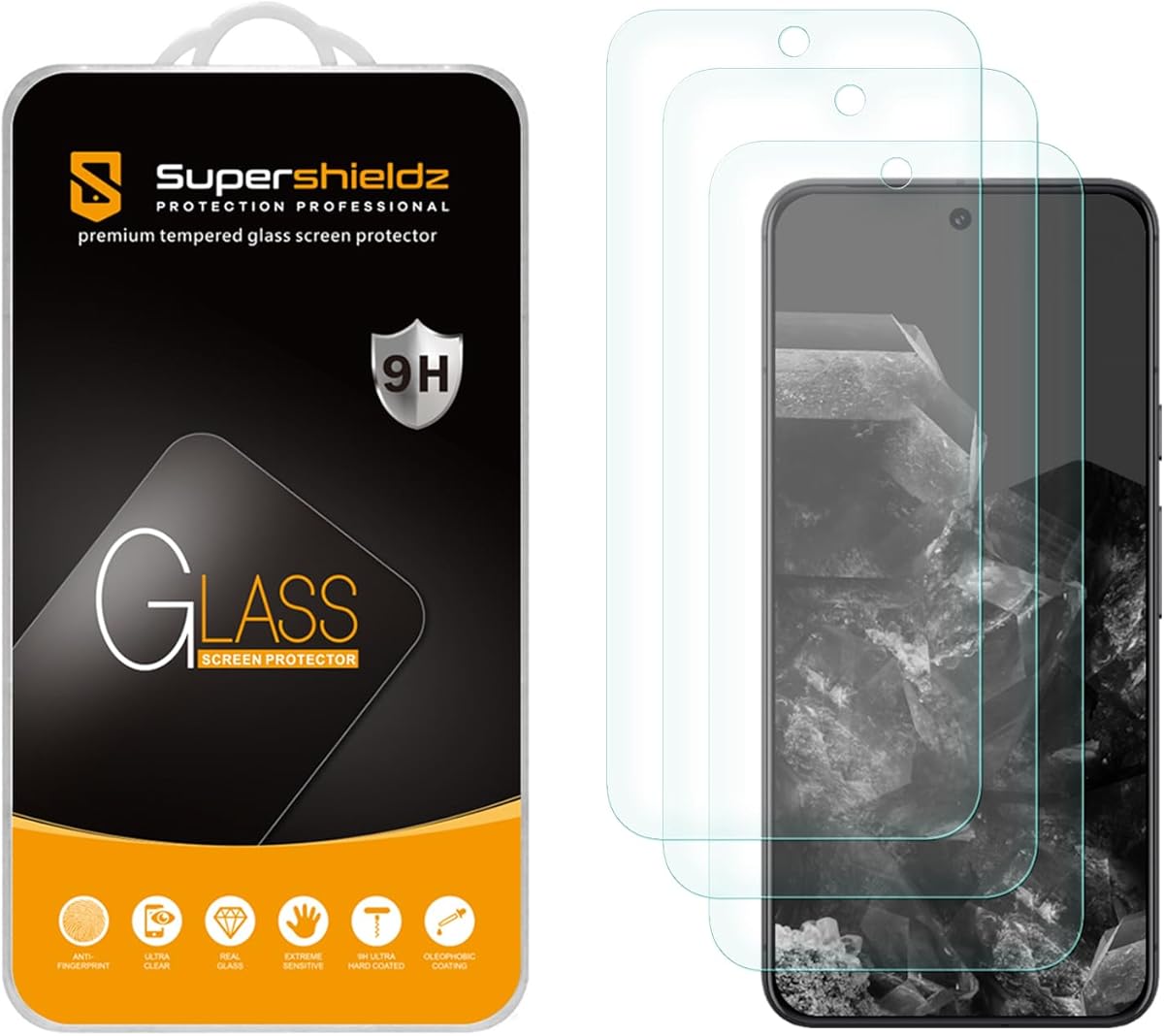
The Supershieldz Three-Pack stands out for its broad device compatibility, covering the Google Pixel 11 Pro, Pixel 10 Pro, and Pixel 9 Pro at 6.3 inches. It holds a 4.4 rating and focuses on the essentials: tempered glass, scratch resistance, clarity, touch preservation, and a coating that reduces sweat and fingerprints.
We may earn a commission when you buy through this link, at no additional cost to you.
The three-piece pack is useful for owners of one or more of the listed phones. Extra sheets can serve as replacements, while the multi-model design adds flexibility for households upgrading between devices. Its 9H hardness and 99.99% stated HD clarity suggest an emphasis on maintaining a sharp display, and the hydrophobic and oleophobic coating helps keep oils from becoming visually distracting.
This listing provides less detail about alignment aids and installation than the more feature-heavy competitors. The title mentions a bubble-free result, but the supplied information does not describe a dedicated tray or automatic positioning system. It also lacks bundled camera lens protectors, making it a more focused screen-only purchase.
Supershieldz is a sensible choice for a Pixel 11 Pro owner who also handles an older compatible Pro model or simply wants multiple screens. Its straightforward specification set and three-pack format appeal to practical buyers. Verify the phone model before ordering, particularly if you are choosing among several similarly named Pixel devices.
The stated compatibility with the Pixel 11 Pro, 10 Pro, and 9 Pro makes this pack useful for people who switch devices or keep an older Pro handset. Because model names can be confusing, checking the physical dimensions and device model before application is still essential.
The oleophobic and hydrophobic coatings are designed to reduce visible sweat and fingerprint residue. The tempered glass is also described as leaving no residue when removed, which helps when replacing a worn protector or preparing the phone for a case change.
We may earn a commission when you buy through this link, at no additional cost to you.
The OMOTON 3+2 Pack combines three display protectors and two camera lens protectors for the 6.3-inch Google Pixel 11 Pro. Its 4.4 rating reflects a generally favorable balance of practical features, including a 9H hardness screen layer, an alignment framework, transparent construction, and a clear warning that the product is not intended for other Pixel models.
We may earn a commission when you buy through this link, at no additional cost to you.
The supplied description is especially helpful about compatibility: it identifies the Pixel 11 Pro 6.3-inch model and warns against the Pixel 11, Pixel 11 Pro XL, and other handsets. It also explains that users should check the model through the phone’s settings before ordering. That specificity can prevent a common buying error in which a visually similar protector is placed on the wrong device.
The package includes enough spare sheets to handle a minor installation mistake or future wear. An alignment framework and instructional video make the process more approachable, while the camera films are described as protecting against smudges and fingerprints without reducing original clarity. As with other sensor-compatible options, fingerprint data must be deleted and recorded again after installation.
There is an inconsistency within the supplied listing: one bullet refers to protecting a Pixel 10a even though the title and compatibility instructions identify the Pixel 11 Pro. That makes the product’s overall clarity less impressive, but the repeated model-specific details still point to the intended device. It remains a useful bundle for a buyer who values several replacements and camera coverage.
The Pixel 11 Pro, standard Pixel 11, and Pixel 11 Pro XL are visually similar but are not interchangeable. Confirming the model in Settings reduces the chance of ordering the wrong protector and also helps determine whether the camera lens accessory fits the intended handset.
Three screen protectors give users room to correct dust contamination or retain a clean spare. The alignment framework is especially useful when a small speck becomes trapped during installation, since the entire sheet can be lifted and cleaned before it is placed again.
We may earn a commission when you buy through this link, at no additional cost to you.
The IMBZBK Privacy Screen Protector is the strongest privacy-focused option in this comparison. Its 4.5 rating, three screen protectors, and three camera lens protectors make it a substantial bundle, while the stated 25-degree viewing angle is narrower than the 30-degree angle associated with many competing privacy films.
We may earn a commission when you buy through this link, at no additional cost to you.
The privacy effect comes from a directional optical coating. Content is intended to remain visible primarily to someone looking directly at the display, reducing shoulder surfing in public places, on public transport, or during sensitive work. The trade-off is inherent: the screen also becomes less visible to people sitting beside you, and the display appears darker from some angles.
Protection is handled through aerospace-grade glass and nano-ceramic fusion, with the listing citing 220-pound impacts, ten-foot drops, and more than 10,000 scratches. A special tool is included for automatic positioning, dust removal, and bubble reduction. An oleophobic coating is said to reduce fingerprints and oil residue by 98%, and fingerprint re-registration is required for reliable unlocking.
This is the ideal pick for commuters, frequent public-transit riders, financial workers, or anyone regularly handling confidential information on a phone. The three-plus-three format provides replacements and complete camera coverage. Accept the narrower viewing experience as a necessary part of the privacy benefit, and verify that fingerprint recognition remains satisfactory in normal conditions.
The 25-degree viewing angle is narrower than the 30-degree angle cited by many other privacy protectors, making it comparatively effective at concealing messages and documents from adjacent viewers. It is most useful when the Pixel is frequently used in crowded or semi-public spaces.
The stated military standards, SGS certification, and extensive impact testing support the protector’s protective positioning. Three camera lens films add scratch and smudge protection, with high light transmittance intended to maintain image quality and support night photography.
We may earn a commission when you buy through this link, at no additional cost to you.
The Ferilinso 3 Pack Privacy Screen Protector combines the brand’s curved 9H+ glass design with a privacy coating. It carries a 4.4 rating and is explicitly limited to the 6.3-inch Google Pixel 11 Pro. Its appeal lies in the combination of three replacement sheets, automatic installation, full edge coverage, and support for the phone’s fingerprint reader.
We may earn a commission when you buy through this link, at no additional cost to you.
The supplied information emphasizes a reinforced 1:1 3D curved black edge that follows the display’s contours. This is valuable for protecting the perimeter of a curved screen and reduces the chance that dust will settle in an uncovered corner. The claimed optical clarity of up to 99.99% and a special coating that reduces visible screen marks by as much as 98% make the privacy model more practical than a heavily darkened conventional film.
As with all privacy protectors, content becomes difficult to see at an angle. That is the feature that provides secrecy, but it can also frustrate the user if they regularly watch video beside someone, use the phone at a low viewing angle, or need to share the display. Fingerprints must be re-registered after installation, and the product does not include camera lens protection.
Ferilinso’s privacy set is a good middle ground for people who want a tempered-glass construction and an alignment system without moving outside the brand’s established design. It is particularly useful for public transportation, offices, and travel. Choose it when private viewing matters more than sharing your screen in unrestricted sightlines.
The 1:1 3D curved edge is designed to protect the most vulnerable sections of the Pixel display. A closer fit also limits the accumulation of dust and grit around uncovered margins, though precise alignment remains important on a curved screen.
The Ferilin-Silk coating is intended to reduce smudges and visible marks, while fingerprint unlock support is confirmed in the supplied information. Re-registering fingerprints after installation helps the sensor learn the new surface and can improve recognition speed and consistency.
We may earn a commission when you buy through this link, at no additional cost to you.
The ZAGG Glass Elite is a premium protector built around aluminosilicate glass, ion-exchange strengthening, and a finish designed specifically for ultrasonic fingerprint scanners. Its 4.3 rating may not lead the list, but the product presents a refined feature set: ClearPrint oil dispersal, a two-step installation system, recycled glass, FSC-certified packaging, and free lifetime replacements.
We may earn a commission when you buy through this link, at no additional cost to you.
Rather than using the 9H terminology common among competitors, ZAGG states that its glass was tested up to five times stronger than basic glass protection. Ion exchange strengthens the surface against keys, scuffs, and daily wear, while the ClearPrint treatment disperses fingerprint oils so marks become less noticeable when the screen is illuminated. The protector is explicitly described as compatible with ultrasonic fingerprint scanners.
The application system uses a simple two-step process designed to align the glass consistently and reduce bubbles. This reduces installation risk, although users should still prepare the display carefully. The listing names both Google Pixel 11 and Pixel 11 Pro, so buyers should check the device label and fit before purchase rather than relying on the product title alone.
This is the premium choice for users who value a refined surface treatment, established installation workflow, environmental packaging, and replacement support. It may be especially appealing to owners who have experienced unreliable fingerprint recognition with generic glass. The trade-off is that the supplied information does not state a multi-pack quantity or include camera lens protection.
ZAGG’s ultrasonic scanner compatibility addresses a frequent concern with rigid screen protectors. The ClearPrint surface treatment is also designed to disperse oil from fingers, making residual marks less visible when the display is on and improving the overall impression of the glass.
Aluminosilicate glass, ion exchange, and recycled glass content distinguish this model from basic tempered films. Free lifetime replacements add long-term value for buyers willing to follow the manufacturer’s replacement process, while FSC-certified packaging appeals to sustainability-minded shoppers.
We may earn a commission when you buy through this link, at no additional cost to you.
The SMARTDEVIL Three-Pack is a detailed, feature-rich option for Pixel 11 Pro owners who want several screens and a guided installation. It has a 4.3 rating and centers on a 0.33mm reinforced tempered-glass profile, a SmartPull Box, ion-exchange treatment, and a stated compressive strength of up to 900MPa.
We may earn a commission when you buy through this link, at no additional cost to you.
The SmartPull system turns installation into a cover, pull, and seal sequence. Automatic alignment is designed to keep bubbles and dust out, while detailed guides and one-year customer support provide assistance if the first attempt is imperfect. The three sheets are also useful for replacement, and the manufacturer says the fit was tested with hundreds of case designs, including the Google Pixelsnap Case and leading third-party alternatives.
The protector is designed for the Pixel’s ultrasonic fingerprint sensor, although users must re-scan fingerprints after installation. Rounded edges are intended to reduce edge lifting, corner snags, and dust buildup. An anti-shatter backing helps contain fragments in severe impacts, while optical-grade glass is formulated to minimize yellowing, dimming, and color shifting over time.
SMARTDEVIL is a good fit for buyers who want more than a simple film and value both installation technology and replacement availability. Its three-piece format provides useful redundancy, while the detailed support materials make the process more approachable. It does not include camera lens protection, and buyers should confirm the slight panel gap mentioned in the product data does not interfere with their preferred case.
The SmartPull Box is designed to center and seal each sheet with less manual pressure than a traditional peel-and-stick installation. It also creates a controlled application environment, although users should avoid touching the exposed adhesive and should clean the phone immediately before pulling the protector into place.
Ion-exchange treatment and the stated 900MPa compressive strength target scratch and impact resistance. Optical-grade glass is intended to resist yellowing and color shift, making the set suitable for owners who want a clear display over an extended ownership period.
We may earn a commission when you buy through this link, at no additional cost to you.
The right screen protector depends on your model, case, fingerprint habits, installation experience, and need for privacy. Focus on confirmed compatibility and the features that address your daily use rather than relying on exaggerated marketing language alone.
The Google Pixel 11 Pro, standard Pixel 11, and Pixel 11 Pro XL may appear similar but require different protectors. Most products in this guide are explicitly intended for the 6.3-inch Google Pixel 11 Pro, while the ZAGG title also names the Pixel 11 and the Supershieldz listing covers several Pro generations. Check the model name in the phone’s settings, compare the camera layout and dimensions, and avoid assuming that any 6.3-inch accessory will fit every compatible device.
A clear protector provides the most natural view and makes it easier to share videos, play games, navigate maps, and show content to another person. A privacy protector limits viewing angles, which is valuable in crowded spaces but can make the display look darker from the side. The IMBZBK model offers a stated 25-degree viewing angle, making it the more privacy-focused option, while the Ferilinso privacy set provides a similar concept for users who prefer that brand’s installation and curved-edge design.
Frames, trays, and automatic alignment systems can be the difference between a clean installation and a frustrating one. The Ferilinso products, TOCOL, TAURI, and SMARTDEVIL all use some form of positioning aid, while the letosan package includes an automatic adsorption system. Whichever option you choose, clean the display with a suitable cloth, remove dust from the environment, and follow the supplied instructions rather than applying the sheet by touch alone.
The Pixel 11 Pro uses an in-display ultrasonic fingerprint reader, and not every generic glass offers the same level of sensor compatibility. The products here state fingerprint support, but most also recommend deleting saved fingerprints and recording them again after installation. This recalibration helps the sensor recognize the new surface and can improve unlock speed. It is especially important to test fingerprint performance if you depend on it for frequent unlocking or mobile payment authentication.
Look for high-transmission or optical-grade glass, anti-fingerprint coatings, and a thin profile. Clear protectors should preserve the display’s brightness, color, and contrast without visible haze. Privacy coatings inevitably alter off-axis visibility, so clarity expectations should be adjusted accordingly. A thin design such as the stated 0.33mm profiles can also feel more natural during typing, gaming, and edge swipes, but the final experience depends on proper alignment.
Curved displays are more vulnerable at their perimeter, so full-edge coverage can be useful. Ferilinso emphasizes a 1:1 3D curved black edge, while TAURI claims an edge-to-edge cut. Conversely, a protector that extends too close to the screen’s border may conflict with a bulky case. The letosan sheet leaves a stated 1.4mm margin for most cases, and SMARTDEVL says its fit was tested across hundreds of case designs. Compare your case’s lip with the protector’s dimensions before ordering.
Some packages protect only the display, while others include camera lens protectors. Ferilinso, letosan, IMBZBK, and OMOTON include camera protection, whereas TAURI, TOCOL, Supershieldz, ZAGG, and SMARTDEVIL do not. The bundled films can add useful coverage to exposed camera glass, but they also require careful installation to avoid affecting clarity or creating unwanted reflections around the lenses.
A 9H or 9H+ rating is useful for comparing scratch resistance, but it does not guarantee that a drop will leave the display undamaged. Impact performance also depends on edge reinforcement, installation quality, the phone’s condition, and the surface onto which it falls. The SMARTDEVIL and ZAGG listings highlight different strength measurements, while TOCOL cites drop and scratch testing. Treat these as comparative marketing details rather than a promise that damage cannot occur.
Begin in a clean, dust-free area and fully power off the Pixel. Wash your hands, clean the display with a microfiber cloth, and remove oily residue using a screen-safe cleaning method. Inspect the protector and tray, then place the phone in the alignment frame before touching the adhesive surface. Avoid pressing hard against the center of the glass, where a small particle can create a persistent bubble.
Follow the supplied application path. For automatic systems, seat the phone in the tray, pull the protective tab as instructed, and lower the protector using the guide rather than dropping it from above. For a conventional adhesive sheet, peel back only a small section at a time and use a card to guide it. After seating the glass, press lightly around the edges and inspect the display under strong light for bubbles, gaps, or trapped particles.
Once installation is complete, reopen the phone’s fingerprint settings and re-record your saved fingerprints. Clean the protector regularly with a soft microfiber cloth, and avoid abrasive pads or cleaning sprays that are not labeled for coated display surfaces. If a small edge lifts, do not pull the entire sheet away; follow the manufacturer’s removal guidance or use the included replacement system if the protector separates.
Do not assume so. Although some listings combine model names, the Pixel 11 Pro and standard Pixel 11 have different dimensions and camera arrangements. Check the model in Settings and verify that the protector specifically identifies the Google Pixel 11 Pro. The products in this guide are primarily intended for the 6.3-inch Pixel 11 Pro.
Yes, it is strongly recommended. The ultrasonic fingerprint sensor reads through the new glass surface, and the saved fingerprint data may need to adapt to that change. Open the phone’s fingerprint settings, delete the existing fingerprints, and record them again after the protector is fully seated and clean.
A privacy coating can make the screen look darker from off-axis viewing angles, while the image may look clear when viewed directly. The IMBZBK and Ferilinso privacy products are designed to limit side visibility. If you frequently share videos or view content with someone beside you, a conventional clear protector will be more convenient.
Many of the listed models are designed with case-friendly margins or have been tested with multiple case designs. The letosan protector has a stated 1.4mm margin, and SMARTDEVIL reports testing across hundreds of cases. Still, check the dimensions of your specific case because raised lips, tight edges, or bulky designs can interfere with any protector.
Use the removal method supplied with the product whenever possible. If the protector has lifted at a corner, pull it away slowly at a shallow angle rather than snapping it upward. A little heat may soften the adhesive, but avoid using excessive heat or sharp tools. If the glass breaks, stop handling loose fragments and use adhesive tape to collect sharp pieces safely.
They are optional, but they can protect the Pixel 11 Pro’s exposed camera glass from scratches, fingerprints, and minor impact. Several bundles include them, while screen-only options save effort for users who already use a raised-case camera surround. Apply lens films in a clean environment because trapped dust can become conspicuous in photographs.
No. A 9H or 9H+ rating primarily indicates scratch resistance and does not guarantee drop protection. Edge reinforcement, installation quality, case coverage, and the circumstances of an impact also affect the outcome. A protector is one layer in a broader protection strategy and should be combined with a suitable case and careful handling.
Dust, fingerprints, uneven pressure, and misalignment are the most common causes. Clean the phone and work surface, keep the installation area calm, and use the supplied alignment tray. If a small bubble appears, it may disappear as the adhesive settles, but a large bubble or one containing a visible particle often requires lifting and cleaning the sheet before reinstalling it.
The Ferilinso clear tempered-glass set is the strongest all-around choice because it combines a guided dust-removal installation, curved-edge coverage, fingerprint support, and three camera lens protectors. The letosan six-piece bundle is the best budget-oriented option, offering several replacements and strong everyday features, while TAURI provides one of the simplest installation systems for buyers who want a streamlined experience.
Your priorities should determine the rest of the field. IMBZBK is the strongest privacy selection, Ferilinso’s privacy set serves a similar need with its established curved-edge design, and ZAGG Glass Elite offers a premium construction with ultrasonic fingerprint support and lifetime replacements. Choose clear glass for maximum viewing flexibility, a simple tray for easy installation, or a multi-pack when having a clean spare is important.
Before ordering, verify the exact Pixel 11 Pro model, compare the protector’s edge dimensions with your case, and review the installation steps for your fingerprint sensor. Product listings and availability can change, so confirm the current specifications and manufacturer instructions on the product page before making your final selection.