
PGST 12-Piece WiFi+GSM/4G Kit
4.3Editor score
Twelve-piece starter package
Automatic 4G failover
Smart Life app control
Alexa voice compatibility
Our GSM Home Security System guide compares ten wireless alarm kits for app control, 4G backup, sensors, alerts, expandability, and easy setup with confidence.
A GSM home security system combines wireless sensors, local alarms, and cellular connectivity to help protect homes, apartments, offices, and secondary properties. The best kit is the one that covers important entry points, remains usable during an internet outage, and provides alerts through dependable app, SMS, or phone channels.
This guide compares ten systems on installation method, sensor selection, network support, alert options, tamper resistance, expansion potential, voice-control compatibility, and ongoing costs. The list includes compact and comprehensive packages for renters, homeowners, small businesses, and users who want dual Wi-Fi and GSM coverage without a monitoring contract.
Each review explains what the kit offers, where it fits best, and which compromises buyers should consider. Ratings and specifications reflect the supplied product information, while availability and prices can change. Readers should confirm compatibility, included accessories, network requirements, and current listing details before purchasing.
4.3Editor score

4.8Editor score

4.7Editor score
The comparison below highlights the supplied sensor counts, connectivity, alert methods, and standout capabilities of each GSM home security system, making it easier to identify the kit that best matches your property and routine.
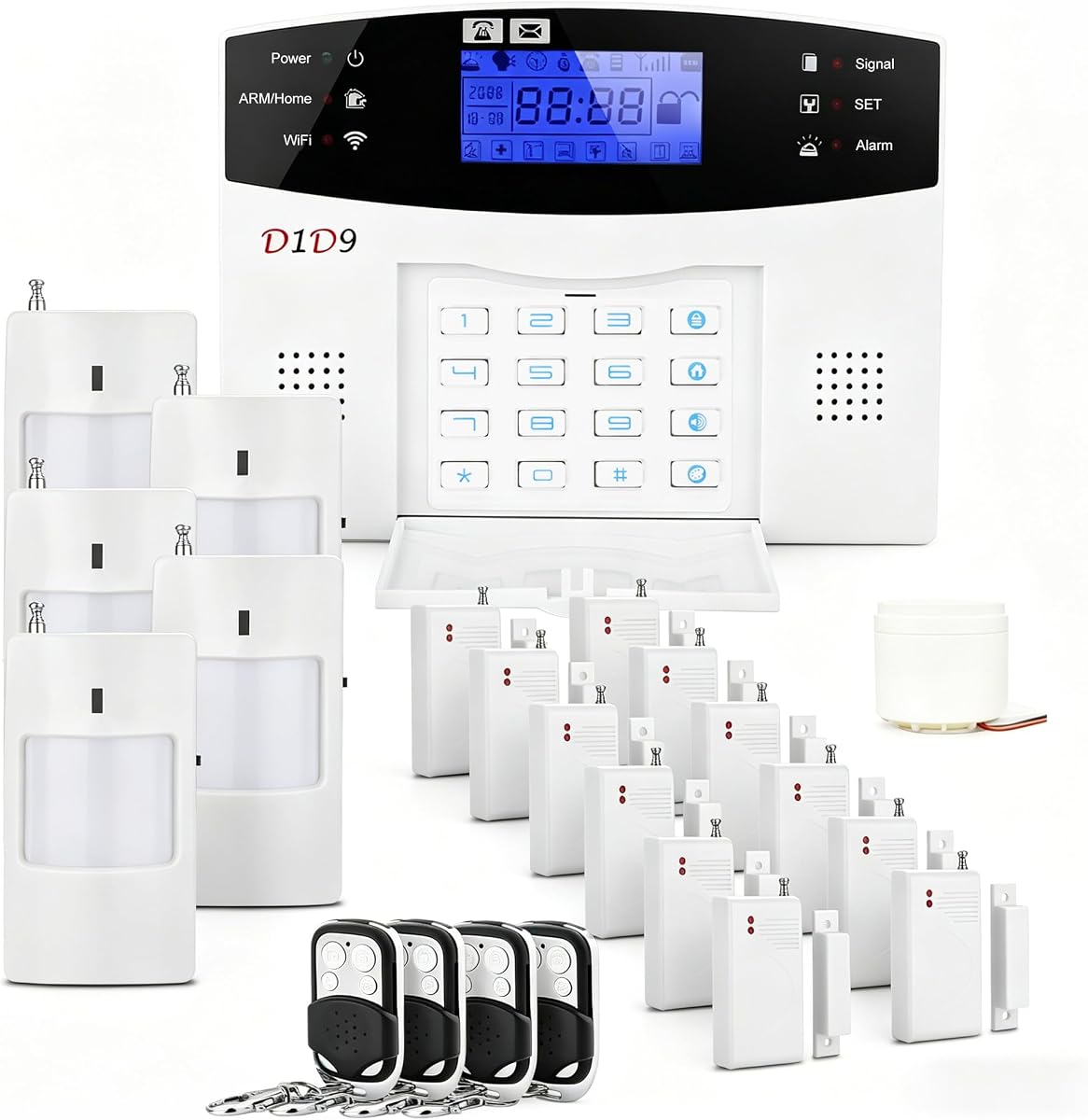



This 24-piece wireless DIY alarm system has a 4.0 rating and presents a broad, flexible approach to home protection. Its assortment of door and window sensors, motion detectors, remote controls, and a siren makes it a practical choice for buyers who want more coverage than a small starter package can provide.
We may earn a commission when you buy through this link, at no additional cost to you.
The strongest feature is the combination of wireless installation, 4G and Wi-Fi connectivity, and expandable accessories. Peel-and-stick placement can simplify installation in homes, offices, vacation properties, and elder-care environments, while the app provides remote awareness. The absence of a monthly subscription also makes the ongoing cost structure relatively straightforward.
There are important setup considerations. The listing notes that a SIM card or Wi-Fi connection is needed, and it specifically warns that the included batteries are gifts, meaning replacement batteries may need to be purchased separately. Buyers should therefore consider ongoing sensor power and cellular service before treating the package as a complete long-term solution.
This system makes sense for a buyer who wants broad, customizable coverage and values the ability to add accessories as needs change. It is less suited to someone seeking a minimalist kit with every essential consumable already included. Overall, the flexible configuration and dual-network approach outweigh the need for careful planning around batteries and connectivity.
With 24 pieces and support for additional sensors, the kit can cover several entry points and common movement areas. Its use in homes, offices, vacation homes, and elder-care settings makes it versatile, although the exact sensor count included should be checked before installation.
The peel-and-stick design and wireless accessories make a straightforward DIY approach possible. Buyers should still position sensors thoughtfully and confirm that the hub receives a strong signal from every intended location.
We may earn a commission when you buy through this link, at no additional cost to you.
The PGST 12-Piece Kit carries a 4.3 rating and offers a focused starting point for homes and small businesses. Its package includes a base station, keypad, four door or window sensors, two motion detectors, and two remote controls, creating a useful balance between coverage and manageable installation.
We may earn a commission when you buy through this link, at no additional cost to you.
Network resilience is the standout benefit. The system supports 2.4GHz Wi-Fi and 4G, and the supplied information says it automatically moves to 4G when Wi-Fi disconnects. Buyers can manage arming, disarming, and different defense modes through the keypad, Smart Life, or Tuya while receiving mobile notifications without an additional monthly charge.
The trade-off is its smaller scale. While additional PGST sensors can extend monitoring, the initial package is lighter on contacts and motion coverage than the 22-, 24-, and 16-piece alternatives. Cameras are not included, and any cameras used to create a visual monitoring setup must be bought separately. Voice control is convenient, but it depends on Alexa compatibility rather than the broader voice-assistant range offered by some competitors.
This is an appealing choice for a three-to-five-bedroom home that needs a reasonably complete foundation without a monitoring contract. It also suits buyers who want app control, cellular backup, and a keypad at an accessible entry point. Those wanting abundant sensors or a bundled camera should consider one of the larger kits instead.
The automatic switch from Wi-Fi to 4G is particularly useful when an internet outage could otherwise interrupt remote notifications. A compatible SIM card and active cellular service are still needed for the backup route.
Stay, away, and emergency modes let users adapt the system to occupancy and activity patterns. Programmed modes can reduce repetitive arming and disarming, though owners should test the settings after installation.
We may earn a commission when you buy through this link, at no additional cost to you.
This PGST system has a 4.7 rating and distinguishes itself through deep configuration options. It can learn accessories at up to 100 wireless storage locations, support several PGST accessory types, and provide app push alerts, SMS alerts, and voice monitoring through a broad set of programmable functions.
We may earn a commission when you buy through this link, at no additional cost to you.
It is built for owners who expect their security needs to grow. Separate phone and SMS groups can be configured, twelve alarm types can receive custom names, and sensors such as door contacts, motion detectors, SOS buttons, remotes, doorbells, and outdoor sirens can be combined. Android and iOS app support adds remote arming, disarming, voice monitoring, and intercom functions without a subscription.
The sophistication creates a learning curve. The supplied description recommends consulting the user manual or an operation video if setup is difficult, which is a sensible warning for a highly configurable platform. Voice monitoring, custom parameter settings, and multiple notification groups may offer more than a small apartment needs, and a camera is not necessarily bundled merely because the product title references one.
This is a strong match for larger homes, offices, or properties likely to receive additional accessories over time. Buyers who prioritize extensive expansion, granular notification control, and no contract should find the platform particularly compelling. Those wanting the simplest possible setup may prefer the pre-paired 24-piece system.
The large accessory capacity allows the system to grow alongside the property. A buyer can begin with essential contacts and motion sensors, then add specialized accessories as rooms, access points, or monitoring requirements change.
Separate phone and SMS groups, configurable alarm names, and support for push, SMS, and voice monitoring give users more control over who receives which alert. Clear labeling also makes troubleshooting faster after an event.
We may earn a commission when you buy through this link, at no additional cost to you.
The 22-Piece Home Security System carries a 4.8 rating and offers the most balanced combination of sensors, connectivity, visibility, and control in this guide. It includes a 2K HD camera, door and window sensors, motion detectors, an SOS button, and remote control, making it especially attractive for buyers who want more than contact-only detection.
We may earn a commission when you buy through this link, at no additional cost to you.
Its color display can show system status, weather, and date, while the hub supports ten international languages. Tamper protection is a meaningful strength: unauthorized removal triggers an alarm and sends phone, SMS, and app alerts. The system supports 2.4GHz Wi-Fi, 4G SIM calling and SMS, Alexa, and Google, with a stated alarm output above 110dB.
The main limitation is network compatibility: 5GHz Wi-Fi is not supported, and buyers wanting cellular calling or SMS need a separate compatible SIM card. Voice assistant requirements should also be considered, as the included camera and multilingual hub add complexity that may exceed the needs of a small studio or single-room apartment.
For homeowners seeking a visually complete, expandable package without recurring monitoring charges, this is a particularly strong recommendation. The bundled camera reduces the need to source visual monitoring separately, while tamper protection and three alert routes provide useful resilience. It is the most complete-looking option in this roundup.
The included 2K HD camera makes this package more versatile than a standard sensor-and-siren kit. It can provide visual context when paired with the alarm system, although placement and privacy considerations remain important.
A physical tamper-resistant design helps prevent someone from quietly removing the main unit. The alarm requires a security code to disarm and can send phone, SMS, and app notifications after tampering.
We may earn a commission when you buy through this link, at no additional cost to you.
The AGSHOME Security Alarm System has a 4.1 rating and is built around a large number of security zones. It supports up to 99 wireless defense zones and seven wired zones, making it a compelling option for buyers planning to cover a substantial house, office, or multi-building property.
We may earn a commission when you buy through this link, at no additional cost to you.
Its GSM panel can automatically call or send SMS messages to programmed numbers when a sensor is triggered. Six groups of calling recipients and two groups of SMS recipients are supported, and a remote emergency button is useful for children or older residents. Five groups of scheduled arming or disarming functions help automate the system according to a weekly routine.
Unlike many newer dual-network kits, this model centers on GSM connectivity and does not describe Wi-Fi app control in the supplied specifications. It also requires a separate SIM card, which should be compatible with the listed 850/900/1800/1900MHz GSM frequencies. A ten-second manual recording function can leave a message, while the system supports two wired sirens.
This alarm is best for a technically minded buyer who prioritizes many zones, flexible wired or wireless expansion, and direct call-out alerts. It is less appropriate for someone who wants a polished smartphone app, Wi-Fi failover, or voice-assistant integration. Its large capacity may be more than a compact residence requires.
The combination of 99 wireless and seven wired zones gives this system unusual room for expansion. Buyers can distribute sensors across numerous doors, windows, and movement areas without quickly exhausting the host's available locations.
The panel can dial multiple recipient groups and send SMS messages when an event occurs. A recorded help message can give those called a brief description of the system or emergency context.
We may earn a commission when you buy through this link, at no additional cost to you.
This 24-Piece Wireless Alarm System has a 4.8 rating and centers on simple, rapid deployment. Its accessories arrive pre-paired with the main hub, eliminating the manual pairing process described by some competing systems and supporting a stated installation time of just ten minutes.
We may earn a commission when you buy through this link, at no additional cost to you.
The system supports 2.4GHz Wi-Fi along with 2G and 4G networks, allowing SMS, phone, or app notifications through a SIM card when Wi-Fi is unavailable. It includes a portable SOS device and remote with emergency functions, making it relevant to apartments, family homes, and situations involving children or elderly residents. Event history and shared access let several family members monitor the property.
The connectivity caveats require attention. Only 2.4GHz Wi-Fi is supported, and the listing explicitly warns that third-party charges may apply to in-app SMS or phone alarms even though the system itself carries no monthly fee. That distinction matters for buyers who want frequent voice calling or messaging alerts rather than app-only use.
This is an excellent match for a renter, homeowner, or small business seeking extensive coverage without a complicated pairing routine. It is particularly useful where children or older adults benefit from a readily accessible SOS control. Buyers who need predictable cellular pricing should verify the carrier and service plan before relying on phone or SMS alerts.
Factory pairing can save meaningful time and reduce common troubleshooting problems. Installation still involves placing sensors intelligently, connecting the hub to the app, and testing each access point rather than simply attaching the accessories.
Shared app access and event history allow several relatives to follow alerts. The included portable SOS device gives children or older adults a simple way to request help when a phone is not immediately available.
We may earn a commission when you buy through this link, at no additional cost to you.
The 16-Piece Wireless Alarm System has a 4.6 rating and offers a well-balanced mix of entry sensors, motion detection, tamper resistance, and outage support. Its nine-sensor assortment consists of six door or window contacts and three motion detectors, providing a sensible starting point for a typical house or apartment.
We may earn a commission when you buy through this link, at no additional cost to you.
One of the strongest differentiators is the built-in rechargeable battery, which is stated to keep the hub working for up to 48 hours during a blackout. A password keypad helps prevent accidental or unauthorized disarming, while a back-mounted physical anti-removal device triggers both a local alarm and real-time phone alerts if the hub is pried loose.
The system supports 2.4GHz Wi-Fi with 4G SIM backup, Smart Life and Tuya app control, and Alexa voice control. The supplied information also describes 120dB siren output, 110-degree motion detection, and a 12-meter range. Mounting is more involved than a peel-and-stick arrangement because the hub supports drilled installation, and 5GHz networks are not supported.
This kit is a strong fit for buyers who prioritize resilience during power or internet failures while wanting a moderate number of sensors. It is especially appropriate for a home with several exterior entries and shared living areas. Those wanting a faster adhesive-based installation or a much larger starting package should compare the pre-paired and 24-piece alternatives.
A stated 48-hour rechargeable backup can preserve local protection and remote connectivity when electricity is unavailable. The actual runtime depends on conditions and use, so owners should test the hub after installation and keep the backup maintained.
The hub's rear anti-removal device and password-controlled disarming provide two layers against casual interference. Together they make the system more appropriate for occupied homes where children or other household members might operate a control.
We may earn a commission when you buy through this link, at no additional cost to you.
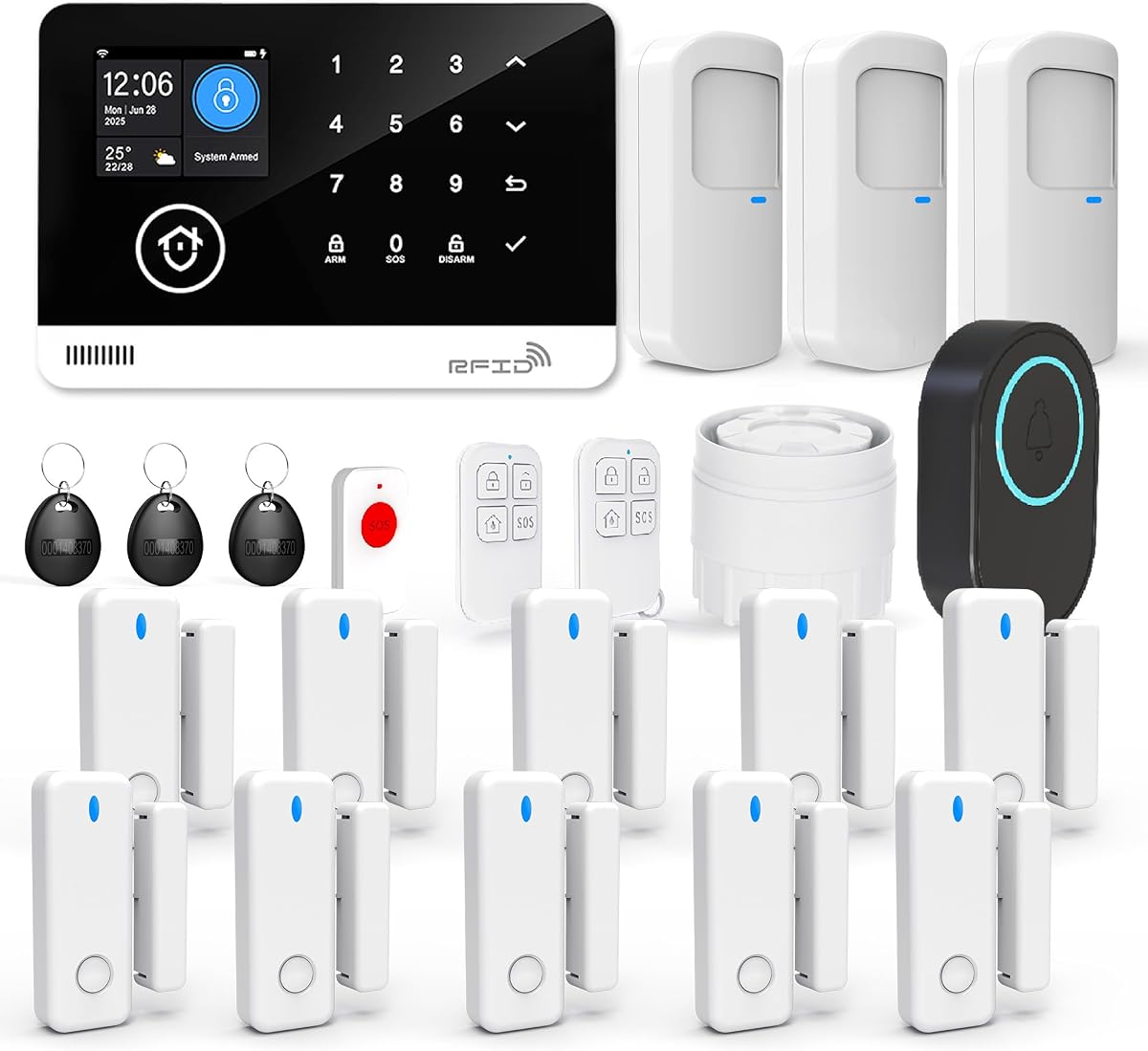
This 22-Piece WiFi/GSM Alarm has a 4.0 rating and is built around extensive entry-point monitoring. The package includes ten door and window sensors, three PIR motion detectors, two remote controls, three RFID cards, a siren, an SOS button, and a doorbell push button, giving it a broad assortment of useful accessories.
We may earn a commission when you buy through this link, at no additional cost to you.
Programmable arming and disarming help users avoid repetitive keypad operations, and a time limit can help prevent false alarms as occupants leave or cross a protected area. The Tuya or Smart Life app provides remote control and notifications, while a preset phone number can receive a call or message. Alexa and Google Assistant support adds another control option.
Connectivity is more dated than several newer alternatives. The system uses 2.4GHz Wi-Fi and a 2G SIM card, and it does not support 5GHz Wi-Fi. Buyers should verify 2G coverage and device compatibility in their area, particularly if they expect cellular backup to remain reliable over time. The app and network configuration may also require more attention than the advertised wireless convenience implies.
This system suits a property with many doors and windows, particularly one where users value RFID access, a siren, SOS control, and a doorbell button as part of a coordinated package. It is less suitable for buyers seeking modern 4G failover or voice calling through cellular service. Accessory selection and local network support should be confirmed early.
Ten entry sensors create a meaningful foundation for apartments, homes, and small offices with many accessible points. Placing contacts on perimeter doors and accessible windows can make the most of the package.
Programmable arming, disarming, and time limits support changing routines. Users can set useful periods, but should test departure delays and entry timing to avoid accidental alerts.
We may earn a commission when you buy through this link, at no additional cost to you.
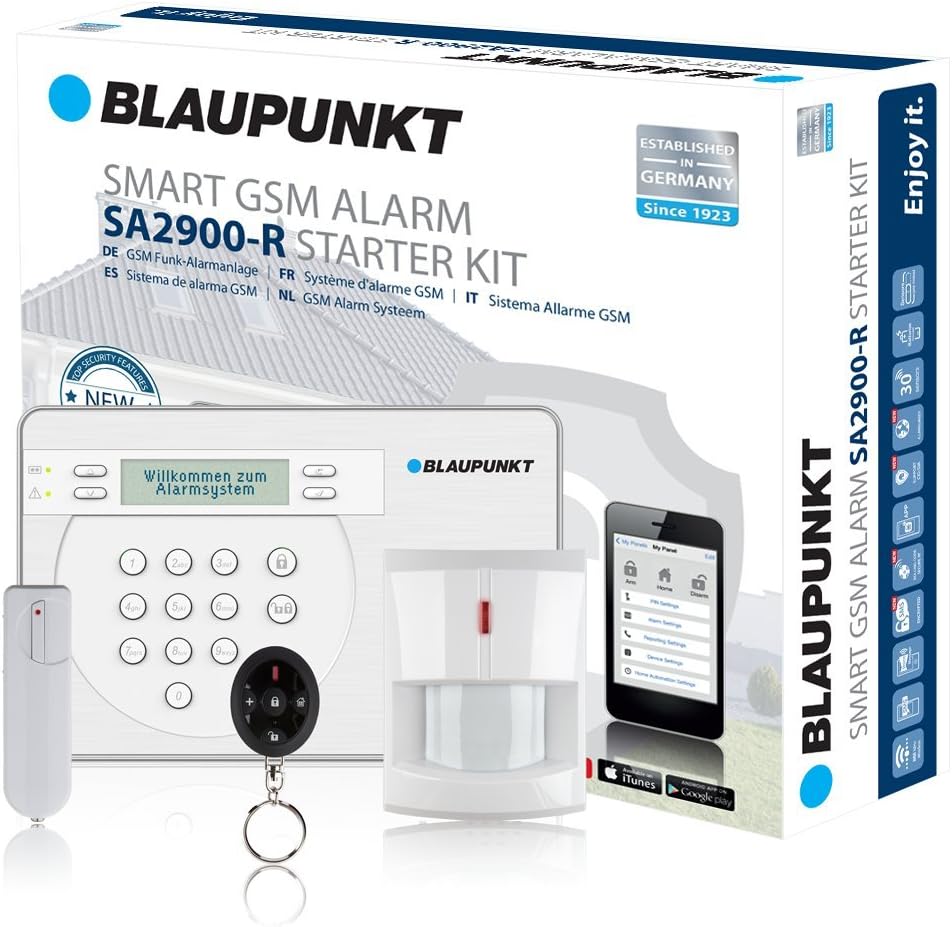
The Blaupunkt SA 2900 has a 4.4 rating and takes a focused approach to wireless home security. The package includes a motion sensor, a door or window sensor, and a remote control, with additional indoor or outdoor sirens available. It is best suited to buyers establishing security in a home, office, or workplace one area at a time.
We may earn a commission when you buy through this link, at no additional cost to you.
The alarm's call function and built-in listening capability allow a notified person to assess a situation after an event. Rounding-code protection is designed to guard radio signals against manipulation and replay attacks. The system also detects sabotage, damage, wireless breakdowns, and errors, reporting them through SMS, while an 18-hour emergency power supply offers a meaningful backup during outages.
The product requires a GSM SIM card, which is not included, so cellular service must be arranged separately. Although it is described as easy to install with plug-and-play wireless devices, the supplied product information does not describe the extensive app controls, Wi-Fi failover, or large sensor counts found among the newer PGST systems. It also does not present a complete high-rise apartment kit.
This is a compelling choice for a buyer who values signal manipulation resistance, listening, fault reporting, and emergency power more than app-rich feature lists. It is especially relevant to small offices and properties where a compact GSM system with direct calls is preferred. A larger home would likely need additional compatible sensors and sirens.
Rounding-code protection is intended to prevent replay attacks against wireless communication. This focus on radio-level security differentiates the system from packages centered mainly on app convenience and sensor quantity.
The alarm can report damage, breakdowns, and errors through SMS instead of waiting for the next routine event. That visibility can be useful for remote installations where physical inspection is not frequent.
We may earn a commission when you buy through this link, at no additional cost to you.
The 13-Piece Wireless Home Alarm System has a 3.8 rating and combines a color-screen host, a C20 camera, and a useful collection of detection accessories. The package includes one alarm host, one siren, four window sensors, two PIR motion detectors, two remote controls, two RFID cards, and the camera.
We may earn a commission when you buy through this link, at no additional cost to you.
Its 2.4-inch color IPS screen displays status, data, and the clock, while multilingual menus, voice commands, and SMS alerts improve accessibility. The Tuya Smart app, remote controls, and voice-control support for Alexa, Google Home, and Siri Shortcuts provide several ways to operate the system. Remote arming, preset call groups, SMS switching, and 20-second alarm or voice recording round out the feature set.
The system supports up to 100 sensors and ten remote controls, so its expansion ceiling exceeds the initial 13-piece package. However, cellular operation depends on a 2G SIM card, and buyers should confirm current carrier and regional support. The camera's resolution and viewing capabilities are not detailed in the supplied information, so it should not be assumed to match the 2K camera offered in a competing kit.
This alarm is a practical choice for an apartment, garage, or small office where a compact package, camera, and expandable sensor platform are priorities. It is less attractive for buyers seeking the strongest listed rating, modern 4G failover, or extensive bundled sensor variety. The final purchase decision should confirm cellular compatibility and camera placement needs.
Bundling the C20 camera with a siren, sensors, remotes, and RFID cards gives buyers a ready starting point. The camera is modest compared with dedicated high-resolution security cameras, but it adds value for basic visual confirmation.
Support for up to 100 sensors and ten remotes means the compact starter package does not define the final system size. Water leak detectors, keypads, doorbells, and other accessories can extend protection as needs develop.
We may earn a commission when you buy through this link, at no additional cost to you.
A useful GSM home security system should balance detection coverage, reliable communication, practical installation, and the type of monitoring required. Comparing the total components and network dependencies is more useful than focusing on the largest advertised sensor count alone.
Begin by mapping the doors, windows, hallways, living spaces, garage, and other areas that need protection. A kit with many door and window contacts is useful for properties with numerous entry points, while PIR motion detectors are more valuable in open rooms and central passages. Some packages include an SOS button, RFID cards, remotes, a siren, or a camera, which can make a smaller kit more versatile.
Choose a package with enough sensors for your actual floor plan, not simply the highest count. Confirm the number of door sensors, window sensors, and motion detectors included, then budget for expansion if the property has additional vulnerable areas.
Dual-network systems can remain useful when the primary internet connection fails. Most modern options connect to 2.4GHz Wi-Fi and can use a 4G SIM card as backup, while some older or less advanced systems use 2G. A 4G connection is generally the more contemporary cellular choice, but local coverage, carrier compatibility, and service terms must be confirmed.
Prioritize automatic failover if uninterrupted remote notifications are important. Do not mistake GSM capability for a bundled SIM card; most products require the buyer to provide one and may charge separately for SMS or phone alerts.
App notifications are convenient for everyday status checks, while phone calls and SMS messages can reach family members who do not keep the app open. Some panels support multiple preset contact groups, recorded help messages, intercom listening, or separate notification toggles. The best channel is the one that reaches the intended caretaker under real-world conditions.
Check whether third-party messaging or calling fees apply. Systems advertised without a monthly fee may still rely on the cellular carrier for SMS, call, or data charges, which can vary substantially by plan and alert volume.
Wireless accessories can make installation faster and less invasive, but pre-paired systems are especially convenient. Peel-and-stick sensors are useful for rental properties, while drilled mounting can produce a more permanent result. Keypads, coded disarming, and physical anti-removal devices are useful in occupied homes where children or other household members may interact with the system.
Consider arming modes, exit delays, entry delays, schedules, and the need to disarm quickly. A system that is inconvenient to use may be disabled or left improperly armed, so test the complete routine before relying on it.
Expandability lets a starter system grow as rooms, buildings, or monitoring priorities change. Look for support for additional door contacts, motion detectors, SOS buttons, outdoor sirens, keypads, water sensors, doorbells, RFID readers, and cameras. The host's storage capacity matters because the number of supported accessories may be much higher than the number supplied.
Confirm that the desired accessories are compatible with the selected brand and hub. A large stated ceiling is less useful if the exact sensor needed is unavailable or difficult to pair.
A security system should remain useful when a power cut, internet outage, or attempted hub removal occurs. Look for a rechargeable backup battery, an estimated backup duration, automatic cellular failover, and a physical tamper mechanism. Some systems also report breakdowns or sabotage through SMS, while others require a security code before a tampered unit can be disarmed.
Backup figures are useful comparisons but are not guarantees. Battery condition, network quality, alert volume, and installed accessories can affect runtime, so periodic testing remains necessary.
App control is valuable for remote arming, disarming, status checks, event history, and sharing access with family members. Alexa and Google Assistant support can make everyday operation hands-free, while some systems also support Siri Shortcuts. Voice compatibility does not necessarily mean every sensor function can be controlled verbally, so verify the available commands.
Smart-home integration should support rather than complicate the core alarm workflow. A dependable keypad, remote, and physical SOS control remain important for occupants who do not own a phone or prefer not to issue voice commands.
A local siren is a core part of deterrence, and a display can make status easier to understand. Kits that include a camera provide visual context, but image resolution, viewing angle, storage, and privacy controls should be checked separately. A color screen with status, date, and weather information may be helpful for users who want at-a-glance information.
Prioritize visible and audible local feedback when the property is occupied or the user needs a clear event message. A sophisticated app cannot fully replace a sufficiently loud siren or a visible display on the main unit.
Start by mapping entry points and high-traffic areas, then identify the hub, siren, and sensor positions before mounting anything. Place door and window contacts on accessible openings, position motion detectors where they can observe meaningful movement without being triggered unnecessarily, and install the hub where it can communicate reliably with the sensors. Connect the hub to the intended 2.4GHz Wi-Fi network, install the required app, and complete any cellular activation before considering the system operational.
Configure the arming and disarming modes, contact groups, notification channels, exit delays, and emergency procedures. Test every door contact, motion detector, remote, SOS button, and siren individually, then ask a household member to perform an armed entry while another person monitors the app, SMS, or phone alerts. Record a brief test of any voice command and verify that shared family access is working. The system should only be relied upon after these tests demonstrate that the selected notification methods reach the intended recipients.
For ongoing care, test sensors according to the manufacturer's guidance, inspect battery levels, clean the motion detectors, and confirm that the hub has unobstructed access to power and network service. Keep a compatible SIM card active if cellular backup is part of the plan, but avoid placing sensitive personal information in screenshots or messages. After a real alert, check event history, reset the system correctly, and review whether sensor placement or notification settings need adjustment. Replace batteries or service components promptly when indicated rather than waiting for a failure.
Most GSM or dual-network alarm systems require a compatible SIM card for cellular calling, SMS, or data backup, but it is usually not included. Check the product listing and carrier compatibility before buying. The SIM card must also be activated with a plan that supports the specific functions the system uses, particularly if it sends calls or SMS messages.
Wi-Fi security systems generally connect to an internet router and offer convenient app-based control, while GSM systems use a cellular connection to make calls or send messages. Dual-network systems combine both approaches and can switch to cellular when Wi-Fi fails. For the strongest continuity, choose a kit with 2.4GHz Wi-Fi and 4G backup, then verify local carrier coverage.
A GSM alarm can continue operating its local sensors and siren without an internet connection, subject to having cellular service and a compatible SIM card. Remote app access may require a working internet connection, while call and SMS alerts can use the cellular network. A dual-network system provides the most practical combination of local detection and remote notification.
The correct number depends on the number of accessible doors and windows, the size of the property, and the areas that need motion detection. Apartment residents may need only a few contacts, while larger homes can benefit from a dozen or more sensors. Counting openings and walking through the property provides a more accurate requirement than selecting a package solely by its advertised piece count.
The alarm hardware may not charge a subscription, but cellular service, SMS messages, phone calls, and data can still incur carrier fees. Some kits also offer optional professional monitoring or camera services for additional charges. Buyers should review the alert methods they plan to use and the pricing terms of their mobile provider before installation.
Most systems in this guide support additional compatible sensors, remotes, SOS buttons, sirens, or other accessories. Expansion limits vary, with some hosts supporting around 100 sensor locations and others offering a smaller number of zones. Check brand compatibility, the host's pairing capacity, and whether required accessories are currently available before finalizing the system choice.
Several kits in this guide support Alexa, Google Assistant, or both for convenient voice control. Voice assistants can typically handle basic operations such as arming, disarming, or checking status, but they may not expose every advanced setting. The keypad, app, remote controls, and SOS buttons remain useful backup controls and should be tested independently.
Test each sensor, remote, SOS button, siren, app command, and notification method separately. Trigger an armed entry while a second person confirms the app, SMS, and phone alerts, then verify the correct recipient groups receive them. Repeat the test periodically and after adding accessories, changing SIM plans, moving the hub, or updating the app.
The 22-Piece Security System stands out as the strongest all-around choice because it combines a 4.8 rating, a bundled 2K HD camera, app, phone, and SMS alerts, voice-platform compatibility, and physical tamper protection. The pre-paired 24-Piece Wireless Alarm System is another strong option for fast setup, while the highly expandable PGST system suits buyers who want extensive accessories and granular notification controls.
Prioritize the coverage your property actually needs, reliable cellular support where internet is unreliable, and a notification method that reaches the people responsible for responding. A large sensor count, camera, color display, or voice-control feature is useful only when it fits the user's routine. Confirm Wi-Fi frequency, SIM requirements, third-party fees, mounting methods, and accessory compatibility before ordering.
Current listings, ratings, package contents, and prices can change, so shoppers should review the live product page before making a final decision. Comparing the included components, network requirements, and ongoing service costs will help identify a GSM home security system that offers dependable protection without unnecessary features or hidden dependencies.