
Acer HDMI 2.1 Cable 6.6FT
4.7Editor score
48Gbps high-speed bandwidth
8K and 4K support
Braided cable construction
This HDMI Cable for Dual Monitors guide compares ten options for bandwidth, length, gaming features, durability, compatibility, and dual-screen setups today.
A dual-monitor setup depends on more than having two displays. Each connection must deliver a stable image, support the resolution and refresh rate you need, and fit cleanly around your desk. HDMI cables for dual monitors vary in bandwidth, length, shielding, connector design, and support for modern gaming and audio features.
We compared all ten products using the specifications and ratings provided, focusing on HDMI version, maximum bandwidth, supported resolutions, cable length, construction, gaming capabilities, and compatibility with computers, consoles, TVs, projectors, and soundbars. The list includes both standard HDMI-to-HDMI cables and unidirectional DisplayPort-to-HDMI adapters for mixed-port systems.
Each review explains where the cable stands out, where its specifications impose limits, and which setup it suits best. The top selections reflect the strongest balance of performance, value, and useful features. Product listings and prices can change, so confirm the current specifications and seller details before purchasing.
4.7Editor score

4.8Editor score

4.6Editor score
The table below compares each cable by connection type, headline bandwidth, supported display modes, and practical dual-screen considerations, making it easier to identify the right option for your equipment and desk layout.





The UGREEN 8K HDMI 2.1 Cable 48Gbps 6.6FT is our top overall recommendation for dual monitors because it combines certified HDMI 2.1 performance with broad support for high-resolution displays, gaming, HDR, and audio return. Its 4.8 rating is also the highest among the listed products, giving it a strong combination of customer feedback and technical coverage.
We may earn a commission when you buy through this link, at no additional cost to you.
The cable delivers up to 48Gbps of bandwidth and supports 8K at 60Hz as well as 4K at 240Hz. That headroom is valuable in a two-monitor workstation because each display can demand a substantial data rate when running high-resolution panels, high refresh rates, HDR, or wide color formats. Variable refresh rate, Quick Frame Transport, auto low-latency mode, and quick media switching add useful capabilities for compatible gaming setups.
Its construction is also designed for regular desktop use. The listed features include an aluminum alloy housing, nickel-plated connectors, and a nylon braided jacket intended to withstand repeated bending while retaining flexibility. Dynamic HDR, eARC, HDCP 2.3 and 2.2, Ethernet, and 3D support extend its usefulness beyond basic extended-desktop or mirrored-display work.
This is the most versatile option for users who want one cable type for modern PCs, gaming consoles, Apple TV, projectors, AV receivers, TVs, and monitors. The main limitation is that it is sold as one 6.6-foot cable, so a two-monitor build may require two units. Its advanced features also depend on compatible source devices, displays, and adapters. Even so, the balance of certification, bandwidth, rating, and broad compatibility makes it the strongest all-around pick.
With up to 48Gbps of bandwidth, this cable has ample headroom for two high-resolution monitors. It is especially relevant when one display uses 4K gaming modes, HDR, or a high refresh rate that exceeds the capabilities of older HDMI 2.0 cables.
Variable refresh rate, low-latency features, Dynamic HDR, and eARC give the cable broad utility beyond productivity. Those functions still require compatible graphics hardware, consoles, monitors, TVs, and audio equipment.
We may earn a commission when you buy through this link, at no additional cost to you.
The Acer HDMI 2.1 Cable 6.6FT is the best value-oriented choice in this guide. It provides 48Gbps bandwidth, 8K at 60Hz, and support for 4K at 120Hz, 144Hz, and 240Hz while maintaining a 4.7 rating. Those specifications make it a practical upgrade for dual-monitor users who want current HDMI capabilities without moving to a more specialized premium cable.
We may earn a commission when you buy through this link, at no additional cost to you.
Its strong point is flexibility across source types. The product details list compatibility with PS5, Xbox Series X, gaming monitors, TVs, Roku, Fire TV, Apple TV, PCs, laptops, Mac mini M4 and M4 Pro models, projectors, and other displays. eARC and ARC support can also simplify audio connections between a television and a compatible soundbar or receiver.
The cable uses a high-purity copper core, an aluminum alloy shell, and a braided jacket intended to resist electromagnetic interference, bending, and everyday wear. Variable refresh rate is included for reducing screen tearing when the complete source-to-display chain supports it. Backward compatibility with HDMI 2.0 and earlier standards adds flexibility for mixed equipment.
This cable is well suited to a two-monitor productivity setup, a console-and-TV arrangement, or a workstation with one high-refresh gaming display. The main practical point is that the package includes one cable, so two displays generally require two cables. Variable refresh rate and high refresh modes also depend on the graphics card, console, monitor, and any intermediate adapter. Overall, its combination of bandwidth, construction, and compatibility offers an excellent balance.
The cable supports the same headline 48Gbps bandwidth and 8K resolution found on many premium HDMI 2.1 options. That makes it a sensible choice when the goal is a capable dual-display connection rather than specialized physical construction.
Compatibility with consoles, streaming devices, computers, projectors, and monitors makes the Acer useful across a changing setup. Its six-foot-plus length also provides room to route the cable behind a monitor stand.
We may earn a commission when you buy through this link, at no additional cost to you.
The Belkin Ultra HD HDMI 2.1 Cable, 6.6ft is our premium selection for buyers who prioritize a recognized brand, UHD certification, and a strong emphasis on physical protection. Its 4.6 rating is slightly below the highest scores in the list, but its specified 48Gbps bandwidth and support for demanding display modes make it a compelling high-end option.
We may earn a commission when you buy through this link, at no additional cost to you.
Belkin describes the cable as 2.1 UHD certified, with data transfer speeds up to 48Gbps and support for 4K gaming at 120Hz, 8K at 60Hz, and 10K output. Compatibility information includes Sony PlayStation 5, Xbox Series X, Apple TV 4K, 4K HDR, HDR10, Dolby Vision, laptops, PCs, and MacBooks.
Its most distinctive physical feature is two-layer shielding, which is intended to protect delicate internal wiring while reducing exposure to electrical stress. A 6.6-foot, or two-meter, length is useful for connecting a laptop or streaming device to a television and for reaching between monitors without an excessive amount of loose cable.
Choose the Belkin when brand reputation, certification, and shielding justify a more premium-oriented purchase. For many dual-monitor users, however, the extra cost may not produce a visible advantage over other certified 48Gbps cables in this guide, especially when equivalent capabilities are available at a lower tier. The package contains one cable, so you will need another matching cable for a conventional two-HDMI-display arrangement.
Two-layer shielding is the defining construction detail. It is particularly reassuring for desks where cables are moved frequently, routed around furniture, or placed near other electronics and power cords.
Support for 4K at 120Hz, 8K at 60Hz, HDR10, and Dolby Vision suits mixed work-and-play displays. Actual output depends on the source device, display, firmware, and any adapter used.
We may earn a commission when you buy through this link, at no additional cost to you.
The Highwings 8K HDMI 2.1 Cable 2-Pack stands out because it includes two 6.6-foot cables, making it one of the most convenient choices for a complete dual-monitor arrangement. It has a 4.7 rating and specifications that center on 48Gbps bandwidth, 8K at 60Hz, and 4K at 120Hz, including higher refresh-rate support.
We may earn a commission when you buy through this link, at no additional cost to you.
The cable is marketed as a certified ultra-high-speed HDMI 2.1 option and describes support for 10K, 8K at 60Hz, and 4K at 240Hz and 120Hz. Variable refresh rate is included for compatible gaming systems. These capabilities make it relevant for users pairing a productivity display with a higher-refresh gaming monitor.
Construction details include an aluminum alloy shell, an anti-bending tail design, and military-grade tensile nylon. The two-pack also reduces the need to search for a matching second cable, which is helpful because even minor differences in cable generation or length can complicate a dual-display setup.
The Highwings is most attractive to buyers who need exactly two matching HDMI cables and want modern bandwidth in the same package. Users wanting the absolute latest connector construction or a broader formal compatibility list may prefer another option, and every advanced mode still depends on the connected equipment. Even with those considerations, the included two-pack makes it a practical pick for dual screens.
The two-pack is the clearest practical advantage. It streamlines a dual-monitor setup and removes the need to verify whether a separately purchased second cable supports the same bandwidth and features.
Support for 4K at 120Hz, 4K at 240Hz, 8K at 60Hz, and variable refresh rate creates strong potential for modern gaming displays. The graphics card, monitor, and any dock must support the selected mode.
We may earn a commission when you buy through this link, at no additional cost to you.
The Silkland Certified HDMI 2.1 Cable Ultra High Speed 48Gbps is a feature-rich option for users who want extensive format support and a verifiable certification. It carries a 4.7 rating and is described as a certified ultra-high-speed cable with a QR code that can be used to verify the certification through a scanner application.
We may earn a commission when you buy through this link, at no additional cost to you.
Its format list is especially broad: 10K, 8K at 60Hz, 5K at 120Hz and 90Hz, 4K at 144Hz and 120Hz, and 2K at 240Hz and 165Hz. The product details also identify support for 12-bit color, dynamic HDR, HDCP 2.2 and 2.3, Dolby Atmos, DTS:X, and eARC or ARC.
The cable uses double-layer fishnet winding and nylon braiding, together with copper cores and ferrite magnetic beads. According to the supplied information, those elements are intended to support consistent signal transmission and resist black screens or flickering. Backward compatibility from HDMI 2.1 down to HDMI 1.1 adds flexibility with older equipment.
This is a strong choice for a mixed productivity and entertainment system, particularly when one display handles HDR or high-resolution gaming. It is less convenient for users who specifically want two cables because only one is included. Furthermore, every advertised resolution, refresh rate, gaming feature, and audio format still requires compatible endpoints. With those limits understood, its broad specification coverage makes it an attractive premium-feature option.
A QR code provides a way to check the stated HDMI 2.1 certification. This can be helpful when comparing cables whose listings otherwise use similar bandwidth and resolution language.
The cable's listed support for high refresh rates, 12-bit color, dynamic HDR, and eARC makes it useful across both gaming and home-theater functions. Hardware compatibility remains the deciding factor.
We may earn a commission when you buy through this link, at no additional cost to you.
The UGREEN HDMI 2.1 Cable Certified 8K 6.6FT is a well-rounded choice for dual-monitor users who want certified bandwidth and broad multimedia support. Its 4.7 rating reflects strong customer feedback, while the listed 48Gbps bandwidth and 8K at 60Hz capability place it alongside the most technically advanced HDMI 2.1 cables in this guide.
We may earn a commission when you buy through this link, at no additional cost to you.
Resolution support includes 4K at 120Hz, 4K at 144Hz, and 4K at 240Hz. Dynamic HDR and eARC allow compatible systems to carry detailed high-dynamic-range imagery and full-resolution audio, including formats such as Dolby Atmos and DTS:X, from a television to a soundbar or receiver. Ethernet support is another useful listed capability.
The cable includes nickel-plated connectors and a high-quality nylon braided jacket, with the product information emphasizing resistance to repeated bending without sacrificing flexibility. Compatibility spans TVs, projectors, monitors, PS5, PS4 Pro, Xbox consoles, Nintendo Switch models, laptops, PCs, Blu-ray players, AV receivers, streaming devices, and other equipment.
It is best suited to users who want a dependable general-purpose cable for several source devices rather than a specialized high-refresh gaming lead. Variable refresh rate is not explicitly listed in the supplied specifications, so buyers whose priorities center on VRR should verify that feature or consider the newer UGREEN model at rank one. Otherwise, this cable offers broad compatibility, modern bandwidth, and a practical six-foot-plus length.
The compatibility list makes this a practical shared cable for consoles, streaming hardware, computers, receivers, and displays. That versatility is especially helpful in a dual-screen setup where different sources may be connected over time.
eARC can deliver full-resolution audio from a compatible television to a soundbar or receiver, while Ethernet support adds another networking function. The connected equipment must support the relevant standard.
We may earn a commission when you buy through this link, at no additional cost to you.
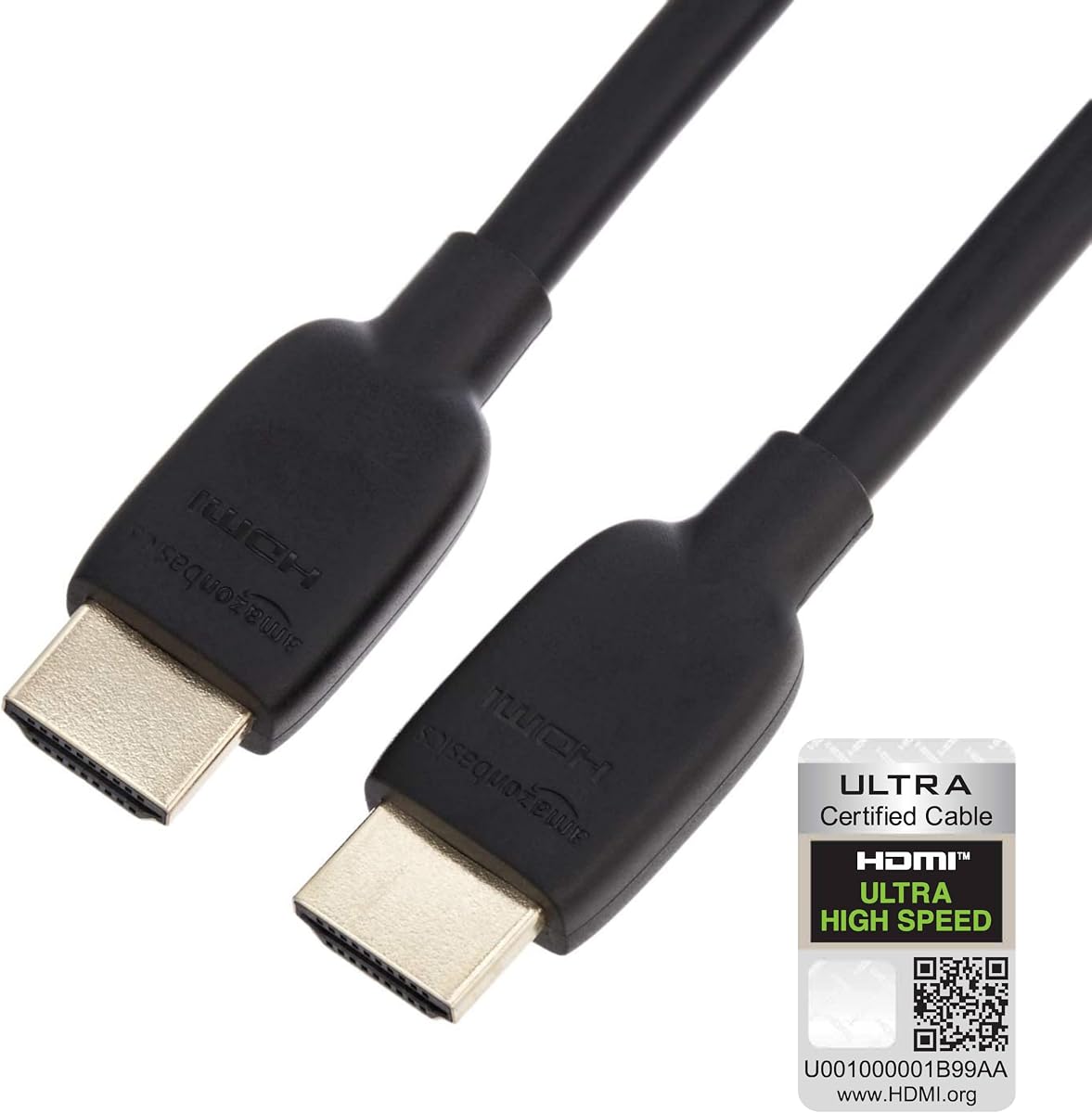
The Amazon Basics HDMI 2.1 Cable is a compact option for dual monitors positioned close to a computer. It has a 4.7 rating, a three-foot length, and certified 48Gbps bandwidth with support for 8K at 60Hz and 4K at 120Hz. That makes it technically modern despite being much shorter than most cables in the list.
We may earn a commission when you buy through this link, at no additional cost to you.
The cable can connect tablets, laptops, and other host devices to projectors, video-conference systems, HDTVs, and monitors. Its listed feature set includes Ethernet, 3D, and Audio Return Channel. A flexible PVC jacket and gold-plated HDMI connectors are designed to resist corrosion and abrasion while supporting dependable signal transmission.
Its biggest advantage is simple cable management. A three-foot lead is easy to route behind a compact desk, monitor arm, or workstation, and it reduces excess cable around screens that sit near the host device. The plug-and-play design also avoids driver installation or complicated configuration.
The Amazon Basics cable works best for compact desks, closely positioned displays, laptop-based workstations, and standard conference-room screens. It may be too short when monitors are spaced farther apart, placed on opposite sides of a desk, or connected to equipment mounted behind a larger television. In those cases, a six-foot-plus cable would offer more flexibility.
The three-foot length minimizes excess slack and simplifies management behind monitor arms. It is especially convenient when both displays remain close to the computer.
Despite its compact size, the cable offers 48Gbps bandwidth, 8K at 60Hz, 4K at 120Hz, ARC, and Ethernet support. These features make it more versatile than a basic legacy HDMI lead.
We may earn a commission when you buy through this link, at no additional cost to you.
The PowerBear 4K HDMI Cable 10 ft is the best choice in this list when cable reach matters more than top-tier bandwidth. It has a 4.7 rating, supports 4K at 60Hz, and extends ten feet, or three meters. It is explicitly not designed for 8K, but it remains a capable option for office productivity, general entertainment, and 4K dual-monitor systems.
We may earn a commission when you buy through this link, at no additional cost to you.
The cable uses 30WG copper wire, triple tin shielding, a double-braided nylon exterior, and gold-plated connectors. Those features are designed for signal reliability, wear resistance, and physical durability. It also carries a CL3 rating, which makes it a notable choice for a more permanent installation than a typical temporary desktop lead.
Its feature set includes 4K at 60Hz, 2K, 1080p, 48-bit-per-pixel HDR color depth, TrueHD 7.1 audio, Audio Return Channel, and Ethernet. Backward compatibility extends to HDMI 1.3, 1.4, 2.0, and 2.0a. Compatibility is broad across Blu-ray players, streaming devices, game consoles, computers, laptops, monitors, and projectors.
Choose this cable for extended desktops where monitors sit several feet from the computer, or when cable routing needs to cross a wider distance. It should not be selected for 4K high-refresh gaming above 60Hz, 8K output, or other advanced HDMI 2.1 modes. Its defining value is the combination of useful 4K support, lengthy reach, durable shielding, and an in-wall-rated option.
The ten-foot length is useful when displays are spaced apart or mounted farther from the host computer. It also reduces the need for extension adapters in suitable installations.
Triple shielding, double-braided nylon, and gold-plated connectors support long-term use. The CL3 rating is the key distinction for buyers considering an in-wall cable route.
We may earn a commission when you buy through this link, at no additional cost to you.
The AVACON 4K DisplayPort to HDMI 6 Feet Cable is a straightforward solution when a computer has DisplayPort output but a monitor or projector accepts HDMI. It has a 4.6 rating, uses a six-foot length, and supports a maximum listed resolution of 3840 by 2160 at 30Hz. The connection is expressly unidirectional.
We may earn a commission when you buy through this link, at no additional cost to you.
The DisplayPort end must connect to the source computer, while the HDMI end connects to the display. It can support an extended desktop or mirrored displays for office productivity, streaming, presentations, or gaming. Audio pass-through is supported for uncompressed digital 7.1, 5.1, or two-channel audio.
Construction includes gold-plated connectors, bare copper conductors, and both foil and braid shielding. The specifications cover 4K at 30Hz, 1080p at 60Hz, 720p, 1600 by 1200, and 1280 by 1024. It also supports common computer brands such as Lenovo, HP, ASUS, and Dell.
This cable is most useful when HDMI inputs are available but the computer does not have a convenient HDMI output. It is less appropriate for gaming monitors that require 4K above 30Hz or for users wanting the bandwidth of HDMI 2.1. It also cannot send an HDMI source signal to a DisplayPort display. Confirm both connector types and the intended signal direction before buying.
The cable connects a DisplayPort-equipped source directly to an HDMI-equipped display. That can avoid replacing an existing monitor or relocating a computer to a different port.
Signal flows only from DisplayPort to HDMI. Maximum 4K output is limited to 30Hz, so this is primarily a productivity and general-display solution rather than a high-refresh gaming cable.
We may earn a commission when you buy through this link, at no additional cost to you.
The DisplayPort to HDMI Cable 6.6FT 2-Pack is designed specifically for a dual-monitor setup and includes two matching cables. Its 5.0 rating is the highest listed, making it an attractive choice for users with a DisplayPort-equipped computer and two HDMI-capable displays, televisions, or projectors.
We may earn a commission when you buy through this link, at no additional cost to you.
Each cable uses DP 1.2-to-HDMI 1.4 conversion and provides support for 4K Ultra HD and 1080p. The set supports both Extend Mode and Mirror Mode, so it can serve productivity workflows involving spreadsheets, presentations, video conferences, and multitasking as well as shared-screen entertainment.
The construction details include gold-plated connectors, aluminum connector housings, reinforced strain relief, braided nylon jackets, and multilayer shielding. The product is described as providing synchronized audio and stable video transmission. It is also plug-and-play and does not require software or driver installation.
This two-pack is best for a matched pair of HDMI displays driven by one DisplayPort source. Its main limitation is directionality: it works from DisplayPort source to HDMI display and cannot reverse that path. The supplied specifications also do not state a maximum 4K refresh rate, so buyers prioritizing high-refresh gaming should verify that requirement before purchase. For standard office, productivity, and general multimedia use, however, the included pair is convenient and purpose-built.
Two matching 6.6-foot adapters are included, reducing the inconvenience of finding a second compatible cable. The set is ready for a standard dual-HDMI-monitor arrangement.
The DisplayPort-to-HDMI direction works well with many desktop and laptop systems. It supports extended and mirrored displays while preserving a simple plug-and-play installation.
We may earn a commission when you buy through this link, at no additional cost to you.
The right dual-monitor cable depends on your source ports, display capabilities, resolution, refresh rate, audio needs, and physical routing. Review these factors before choosing a cable to avoid paying for unsupported features or discovering that the connection cannot deliver your intended display modes.
Bandwidth determines the highest combinations of resolution, refresh rate, color depth, and HDR data a cable can carry. HDMI 2.1 cables in this guide are listed with up to 48Gbps of bandwidth and support demanding combinations such as 8K at 60Hz or high-refresh 4K. Older 18Gbps HDMI 2.0-style cables can still handle 4K at 60Hz, which is sufficient for many office setups, but they cannot support the same range of gaming and high-resolution modes.
A 4K label alone does not reveal whether a cable is appropriate for your monitors. For productivity, 4K at 60Hz may be enough, while gaming displays may require 4K at 120Hz, 144Hz, or even 240Hz. The two monitors do not need identical specifications, but each connection must independently satisfy the resolution and refresh rate required by its display. Also check whether the graphics card or docking station supports the intended modes.
Traditional HDMI-to-HDMI cables connect the same standard on both ends, making them straightforward for computers with HDMI output. DisplayPort-to-HDMI cables are useful for DisplayPort-equipped desktops and laptops, but both unidirectional options in this guide transmit only from DisplayPort to HDMI. They cannot send an HDMI source signal to a DisplayPort display, so inspect the ports on the computer and both monitors before ordering.
Length should cover the distance from the source to each display while leaving enough slack for routing behind a desk or monitor arm. Three feet suits compact arrangements, 6.6 feet offers flexible reach for most desks, and ten feet can accommodate wider workstations or permanent installations. Excessive length may create unnecessary clutter, while insufficient length can force awkward angles, tight bends, or an unwanted extension.
Variable refresh rate, auto low-latency mode, Quick Frame Transport, dynamic HDR, Dolby Vision, and eARC can improve the experience when the entire chain supports them. Variable refresh rate is particularly relevant to reducing screen tearing on compatible gaming displays, while eARC can carry full-resolution audio from a compatible television to a soundbar or receiver. These features do not upgrade incompatible hardware, so check specifications at every connection point.
A braided nylon jacket, reinforced strain relief, and sturdy connector housing help a cable withstand repeated handling. Aluminum alloy shells, gold-plated connectors, and multiple shielding layers are also useful indicators of attention to physical and signal integrity. For a cable routed through furniture or an in-wall path, look for an appropriate fire-rating designation, such as the CL3 rating stated for the PowerBear cable.
The best cable depends on whether your displays share a source, connect to separate ports, or involve different connector types. A two-pack is convenient when two matching cables are needed, while separate certified cables can provide more flexibility in cable length or placement. Some laptops and desktops require docking stations or adapters for the second display, and those intermediary components can determine the final supported resolution and refresh rate.
A certified cable provides clearer evidence that it is designed to meet stated HDMI bandwidth requirements. Some products also include a verification method, such as the QR-code certification check described for the Silkland cable. Certification does not guarantee a flawless result in every installation, because damaged connectors, poor ports, excessive interference, firmware limitations, and incompatible adapters can also affect performance.
Identify the output on your computer or docking station and the input on each monitor before connecting anything. Power off the display and source when practical, connect one end of each cable to its matching port, and power the equipment back on. For DisplayPort-to-HDMI options, the DisplayPort end must connect to the source computer while the HDMI end connects to the display.
After connecting the cables, select the correct input on each display and configure the source operating system for Extend Mode or Mirror Mode. Windows and macOS both allow multiple-display layouts to be arranged, scaled, and repositioned. If the chosen resolution or refresh rate is unavailable, verify that the graphics output, cable, monitor, and any dock all support the desired combination.
Route cables without creating tight bends, and do not place connectors under excessive strain. Keep the connector seated but avoid pulling the cable itself when unplugging. For DisplayPort connections, press the release mechanism before removing the plug. If a display is unstable, test another port, reseat both ends, remove intermediate adapters, and confirm that the selected mode is supported by all connected equipment.
Two matching cables are often the simplest approach, but the cables do not need to be identical if each connection independently supports the resolution, refresh rate, HDR, and audio features you need. A two-pack can provide convenience and consistent construction. If one monitor uses HDMI and the other uses DisplayPort, you may need one HDMI-to-HDMI cable and one appropriate DisplayPort cable.
No. A cable can only carry the capabilities supported by the source device, display, graphics hardware, and any intermediate dock or adapter. HDMI 2.1 gives the connection more bandwidth, but it cannot create a higher refresh rate on a monitor that lacks support. Both the computer's graphics output and the display's input must support the desired mode.
The DisplayPort-to-HDMI cables in this guide are unidirectional. They carry a signal from a DisplayPort source to an HDMI display and cannot carry HDMI to DisplayPort. This distinction is important for setups involving docking stations, adapters, or monitors with inputs in different locations.
For most desks, 6.6 feet provides a practical balance between reach and manageable cable clutter. Three feet works well when displays sit close to the computer, while ten feet is useful for wider workstations or longer permanent routes. Measure the full path, leave enough slack for routing, and avoid sharp bends at the connectors.
A single cable normally connects one source to one display. A dual-monitor setup generally requires two separate connections, although a compatible docking station or MST hub can expose multiple display outputs. Check whether your dock supports extended desktop mode, because some configurations mirror the same image or impose shared bandwidth limits.
Price alone does not guarantee better image quality. On properly functioning equipment, a cable that meets the required bandwidth and feature specifications should provide the same digital signal as another compliant cable. Premium construction can improve durability or offer stronger shielding, while certification and verified specifications provide more confidence than price by themselves.
The limitation may come from the graphics card, dock, monitor input, cable, system settings, or a combination of those factors. Check the native resolution and maximum refresh rate of each display, confirm that the source supports simultaneous output, and update relevant device firmware. Testing without a dock or adapter can help isolate the cause.
Yes, if the connected devices support the selected display mode. The 48Gbps HDMI 2.1 options listed here support demanding 4K gaming features, while older options remain suitable for many 1080p and 4K at 60Hz applications. Variable refresh rate, HDR, and eARC require compatible hardware at both ends of the connection.
The UGREEN 8K HDMI 2.1 Cable 6.6FT is the strongest all-around choice because it combines a 4.8 rating, certified 48Gbps bandwidth, high-refresh display support, gaming features, and broad device compatibility. The Acer HDMI 2.1 cable offers similar core bandwidth and broad versatility at a value-focused tier, while the Belkin Ultra HD HDMI 2.1 cable is the premium pick for buyers prioritizing brand reputation and two-layer shielding.
Start with your actual source and display ports, then identify the highest resolution and refresh rate each monitor needs. Favor 48Gbps HDMI 2.1 for high-refresh 4K gaming, 8K displays, or broad future headroom. Choose a DisplayPort-to-HDMI two-pack when both screens require that one-way conversion, and select a longer CL3-rated cable only when the installation path genuinely benefits from extended reach.
Finally, review the current product listing before purchasing because specifications, compatibility claims, seller information, and prices can change over time. Confirm that the complete source-to-display chain supports your intended resolution, refresh rate, HDR, gaming, and audio functions. That step is what turns a capable cable into a dependable dual-monitor connection.