
Standard 5ft Black 3-Prong AC Power Cord
4.7Editor score
Five-foot cable length
Standard three-prong connection
18 AWG durable construction
Supports many device types
An HP monitor replacement power cord must match the display’s voltage, current capacity, connector type, and supported model before it can be considered a safe substitute. The right cable also depends on whether the monitor uses a detachable power brick, a fixed proprietary adapter, or a standard IEC-style mains connection.
This guide compares ten replacement options by examining their documented electrical ratings, connector dimensions, compatibility lists, cable lengths, protective features, and intended uses. It includes 19V models with 5.5 x 2.5mm yellow tips, 19.5V blue-tip options for M-series displays, a 12V alternative, and standard AC cords.
Each review explains who the product best suits, while the comparison table makes the technical differences easier to scan. Ratings and specifications reflect the supplied product information, but availability, compatibility, and prices can change, so readers should verify their monitor’s model and connector before ordering.
4.7Editor score

4.6Editor score
4.7Editor score
As an Amazon Associate we earn from qualifying purchases.
The ten options cover three distinct replacement needs: monitor-specific power adapters, standard detachable AC cords, and lower-voltage adapters for selected HP displays. Compare connector design, output requirements, model support, and cable reach rather than selecting solely by screen size.
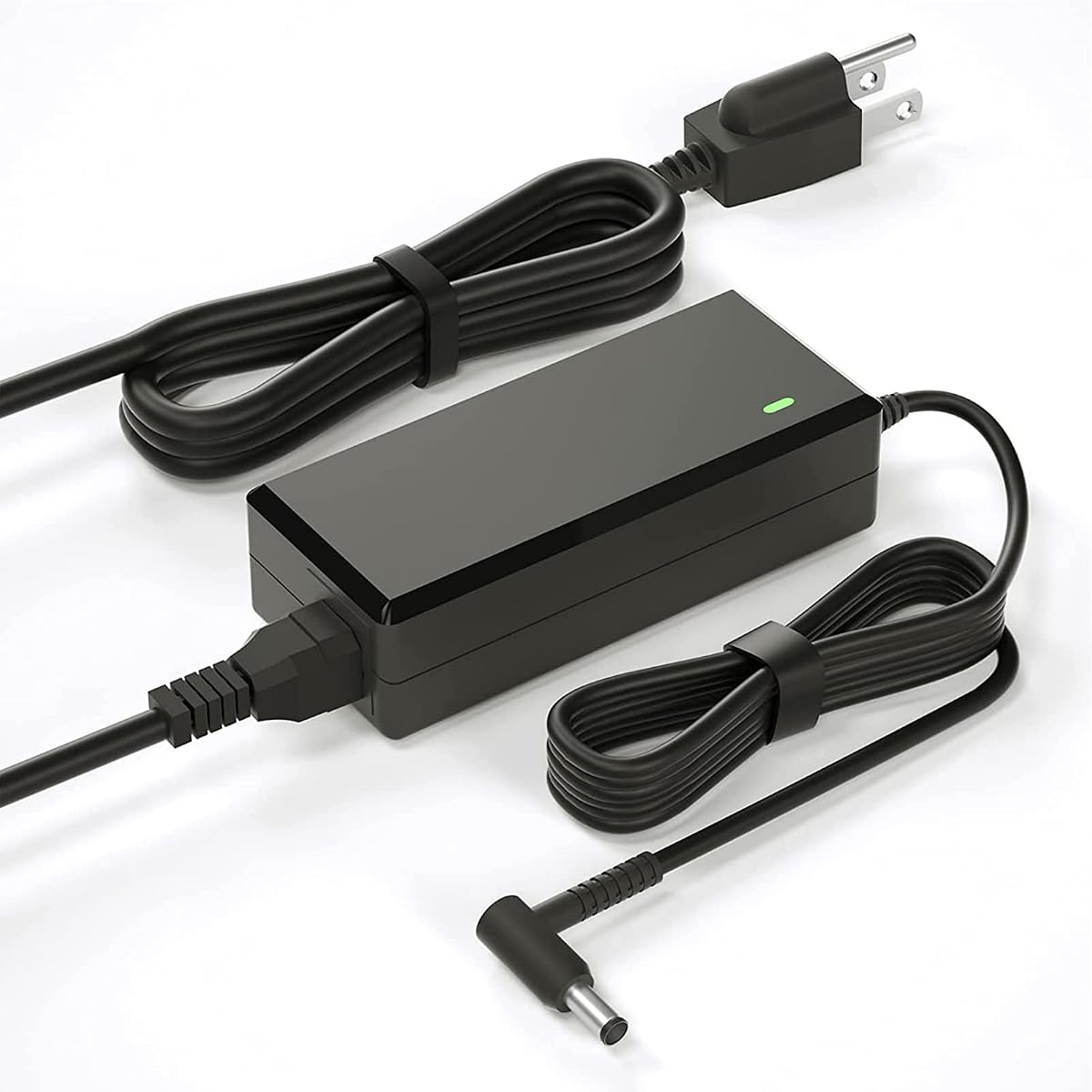


This replacement adapter carries a 4.4 rating and targets a broad collection of HP desktop monitors that use a 19V supply. Its standout combination is a 19V 3.42A maximum output, support for lower current ratings, universal 100-240V input, and an extended 8.2-foot layout that gives users more freedom in desk placement.
We may earn a commission when you buy through this link, at no additional cost to you.
The compatibility list is unusually extensive, covering model families and part numbers associated with 20, 22, 23, 24, 25, 27, and 32-inch displays. Documented safety features include over-voltage, overload, over-current, and short-circuit protection, while the cable is described as resistant to bending. The package includes a power cord, adapter, and connector cable.
A crucial limitation is that the listing explicitly excludes 2011X, 2211X, 2311X, 2511X, 2711X, M22F, M24F, M24FW, M27F, and M27FD. The listing also mentions trying a blue adapter cable when no metal contact pins appear in the monitor’s power port, so buyers should understand that this is a model-specific power system rather than a universal replacement.
This is a strong choice for owners of the listed 19V VH240A-style monitors who need a long, protected replacement. It is less suitable for M-series users or anyone unable to confirm the monitor’s exact model and original adapter label.
The 8.2-foot total arrangement can reduce pressure on the wall outlet and simplify routing behind a larger desk. It is especially helpful when the display is positioned farther from the outlet than a short factory-style cable allows.
A long model list is useful, but it does not make the adapter universal. Confirm the monitor label, output requirements, connector style, and all printed exclusions before purchasing.
We may earn a commission when you buy through this link, at no additional cost to you.
This standard five-foot, three-prong AC cable holds a 4.7 rating and is a straightforward option for replacing a worn mains lead. It is rated for 10 amps at 125 volts and uses heavy-duty 18 AWG construction, making it relevant to monitors whose external power brick accepts a standard three-pin cord.
We may earn a commission when you buy through this link, at no additional cost to you.
The fully molded design is intended to improve durability at the plug and cable entry points. Its five-foot length reaches beyond many basic monitor leads without creating a cumbersome cable across the desk. The universal design is also suitable for televisions, printers, radios, computers, and other compatible electronics.
This cord does not include a voltage converter or a DC output brick, so it cannot replace a monitor-specific adapter. It also differs from the StarTech option because it is not documented as an IEC C13 cable. Users should inspect the original monitor brick and confirm that the replacement terminates in the same three-pin configuration.
It is a sensible budget pick when only the detachable AC portion is missing and the original power brick remains functional. For most other HP monitor replacement situations, a model-specific 19V, 19.5V, or 12V adapter is the more relevant solution.
When the adapter brick is intact but its original mains cord is cracked, frayed, or missing, this three-prong replacement can restore power without replacing the entire power supply.
The cable’s IEC appliance inlet must physically and electrically match the monitor’s power brick. A standard three-prong plug at the wall does not guarantee compatibility with every monitor adapter.
We may earn a commission when you buy through this link, at no additional cost to you.
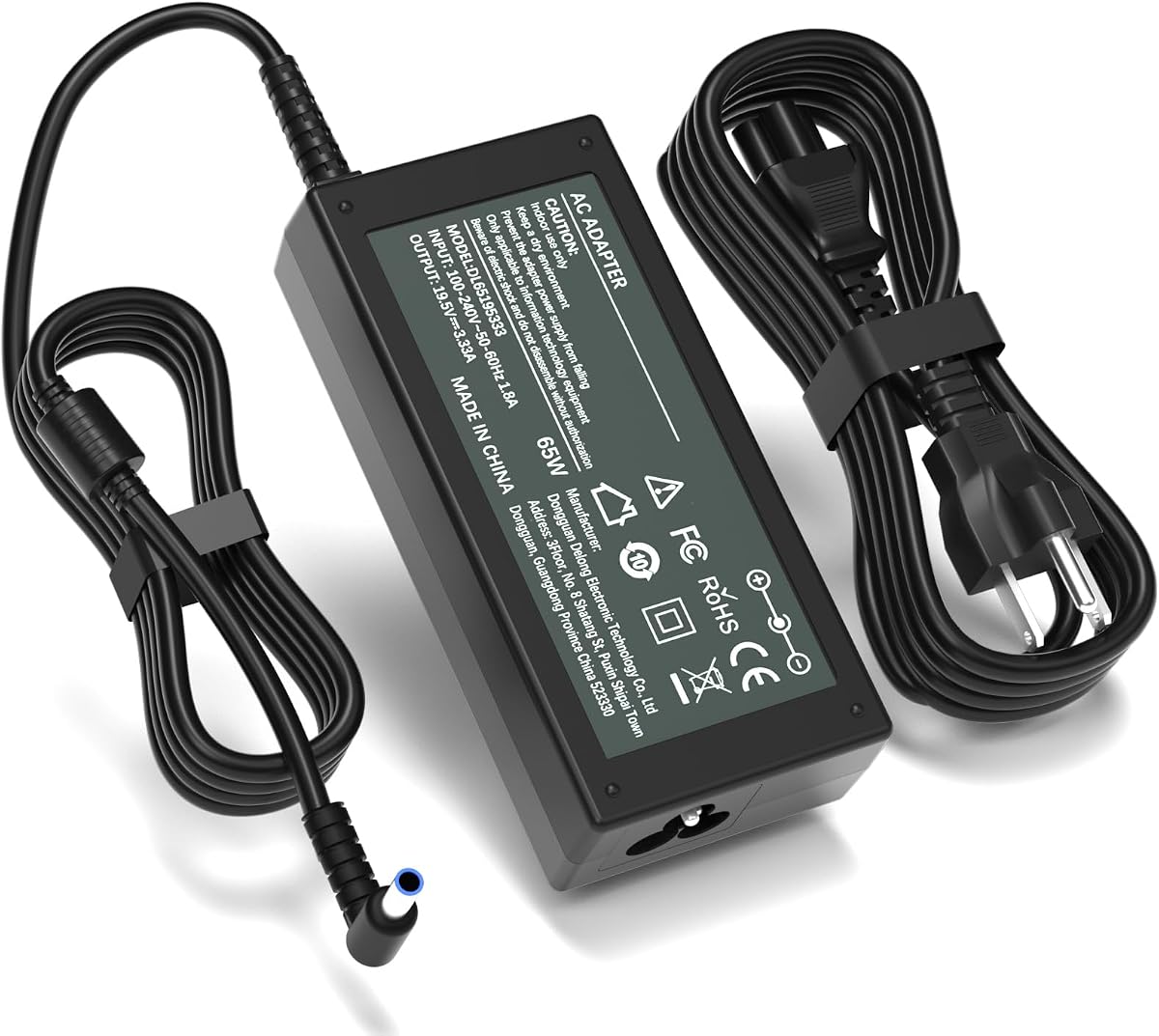
This VH240A-oriented replacement has a 4.6 rating and supplies up to 19V at 3.42A for a maximum of 65W. Its 100-240V, 50/60Hz input range makes it suitable for use in regions with different mains systems, while the listed output accommodates several lower-current HP monitor requirements.
We may earn a commission when you buy through this link, at no additional cost to you.
The package contains a 4.9-foot AC cord and a 19V 3.42A adapter with a 3.9-foot DC lead. The listing states that the finished products undergo testing and aging tests and identifies over-voltage, overload, over-current, and short-circuit protection. It also supports documented lower outputs including 2.1A, 2.37A, 2.53A, and 3A configurations.
Although the title focuses on HP models and part numbers such as 1KL30AA#ABA and 1KL30AA#ABB, the supporting description also names other hardware. Those additional mentions do not necessarily represent HP monitor compatibility and should not be treated as broad permission to use the adapter on unrelated equipment.
This adapter is a good match for a compatible 19V HP monitor that requires a 5.5 x 2.5mm-style connection and up to 65W. Buyers should verify the original label and model, while appreciating the clearly stated voltage, current, testing, and protection information.
The maximum output and accepted lower-current levels are clearly stated, making it easier to compare this product with the original adapter. Match voltage first, then confirm the connector and current capacity.
Over-voltage, overload, over-current, and short-circuit protection are documented, but these features do not remove the need to use the correct connector and electrical rating.
We may earn a commission when you buy through this link, at no additional cost to you.
This 19.5V adapter has a 4.4 rating and is intended for several HP M-series displays, including M27f, M24f, and M22f variants. It produces 19.5V at up to 3.33A for 65W and uses a 4.5 x 3.0mm blue round connector, distinguishing it from the common 19V yellow-tip system.
We may earn a commission when you buy through this link, at no additional cost to you.
Its combined reach is 8.8 feet, formed from a 1.5-meter adapter cord and a 1.2-meter AC cable. That generous layout is useful in home offices, classrooms, and installations where the outlet is not close to the desk. The product description also identifies safeguards for overcurrent, short circuits, and overheating.
Compatibility is narrow by design. The listing says it does not fit a substantial collection of older 22, 23, 24, 25, and 27-inch models, as well as 2011X, 2211X, 2311X, 2511X, 2711X, 24f, 25f, 27f, and VH240A-related systems. Using the wrong tip can prevent the monitor from powering on.
This is a practical choice for a listed M-series owner who needs a long replacement. It should not be considered a general substitute for 19V adapters, and the blue tip should be compared carefully with the original monitor port before purchase.
The nearly nine-foot combined reach gives users flexibility in positioning the power brick and monitor. Route the cable without creating a sharp bend near either connector.
Even when voltage appears similar, the 4.5 x 3.0mm blue connector may have a different physical profile or communication arrangement. Match the monitor model and original connector rather than relying on voltage alone.
We may earn a commission when you buy through this link, at no additional cost to you.
This focused 19V replacement has a 4.4 rating and is designed around the VH240A-style HP monitor power system. Its maximum output is 19V at 3.42A, or 65W, and the connector is specified as 5.5 x 2.5mm. The input range of AC 100-240V at 3A supports use across varied mains environments.
We may earn a commission when you buy through this link, at no additional cost to you.
Compatibility covers a large selection of 20-inch, 22-inch, 23-inch, 24-inch, 25-inch, and 27-inch models, including 27XW, 25VX, 24EA, and several 27-series variants. The product describes CE, FCC, and RoHS certifications and safeguards against short circuits, over-current, over-voltage, and overheating.
The warnings are essential. The adapter does not fit M22F, M24F, M24H, M24FW, M27F, M32F, L7014, L7016, S230T, 2011X, 2211X, 2311X, 2511X, or 2711X. A correct-looking plug is not enough; the connector protocol and model family must match.
This option suits buyers who can positively identify a listed 19V HP monitor and its original 5.5 x 2.5mm connector. It is less versatile than the M-series blue-tip products but offers a conventional, widely recognized yellow-tip replacement for appropriate displays.
The list includes many Pavilion-style monitor references and part numbers, which can help owners narrow down the correct replacement without guessing from screen size.
The excluded list covers several popular families. Treating the product as universally compatible would risk a poor fit or an unsuccessful connection.
We may earn a commission when you buy through this link, at no additional cost to you.
This 19V AC power cord replacement has a 4.4 rating and provides up to 3.42A at 19V for a maximum of 65W. Its input specification is 100-240V at 50-60Hz, while the output is also described as compatible with 45W arrangements. The connector size is clearly listed as 5.5 x 2.5mm.
We may earn a commission when you buy through this link, at no additional cost to you.
The model list covers common HP monitor references such as 27f, 24f, 22cwa, 24m, 23er, 23es, 27eb, 32f, VH240A, 24ea, 27es, and 25vx, along with numerous related variants. The seller advises using Ctrl+F to locate the model and provides 12 months of after-sales support.
A built-in smart chip is listed as providing over-temperature, over-current, over-voltage, and short-circuit protection. The cable uses copper wiring under a PVC outer jacket and is documented as remaining usable after more than 10,000 bending tests, which is relevant to a cable expected to move with the desk setup.
This is a practical option for a compatible 19V monitor, particularly when support and a durable cable are priorities. Still, the buyer should compare both the model number and original output label; the 45W statement is not a substitute for confirming every electrical requirement.
The stated after-sales period adds practical value if the adapter is defective or mismatched. Documented bending resistance suggests attention to the stresses commonly placed on monitor leads.
Electronic safeguards help manage abnormal conditions, but they cannot make an incorrect connector or incompatible voltage safe. Always prioritize the original adapter label.
We may earn a commission when you buy through this link, at no additional cost to you.
This M-series-focused blue-tip adapter carries a 4.7 rating and is built for displays using a 19.5V, 3.33A supply with a maximum output of 65W. Its 4.5 x 3.0mm smart blue round connector places it in a separate compatibility category from common 19V yellow-tip adapters.
We may earn a commission when you buy through this link, at no additional cost to you.
Supported HP references include M27f, M27fe, M27fw, M27ha, M27fq, M27fd, M27fwa, M24f, M24fw, M24fe, M24fwa, and M22f. The listing also names 527sa, 527sh, 527sf, 527sw, 524sh, 524sf, 524sw, and 524sa displays and several replacement part numbers.
The electrical range is specified as 100-240V at 50-60Hz. Although the maximum output is 65W, the description states compatibility with 19.5V 2.05A and 19V 2.1A or 1.58A devices. Buyers should nevertheless verify the exact requirements printed on the original adapter and the monitor model.
This is the leading choice in the group for owners of the specifically listed M-series and Series 5 or 7 models. Its precise model targeting and clear connector description make it preferable to a generic 19V option, provided the user’s display appears on the supported list.
The detailed list covers several M-series suffixes and related Series 5 and 7 references. This precision is useful because similar-looking monitors can use different power connectors.
The stated compatibility with lower-current configurations can make the adapter useful across more than one supported display. Confirm the exact current requirement before installation.
We may earn a commission when you buy through this link, at no additional cost to you.
This fixed-connector adapter has a 4.5 rating and delivers a documented maximum of 19V at 3.42A for 65W. It supports universal input from 100V to 240V at approximately 50-60Hz and 1.8A, making it a conventional replacement for compatible 19V HP desktop monitors.
We may earn a commission when you buy through this link, at no additional cost to you.
Its permanently attached 5.5mm outer-diameter by 2.5mm inner-diameter hollow yellow tip is designed to avoid the loose connections or interruptions associated with multi-tip universal adapters. The listed models include 27F, 25F, 24F, 23F, VH240A, several BW, CW, FW, XW, and ER variants, and 24EA.
The listing explicitly says the product does not fit M-series or X-series displays, 7.4mm ports, and blue or black tips. It is also intended exclusively for desktop monitors and lacks the smart-chip protocol required for laptops, tablets, and USB-C devices. Its standard North American Type B wall plug includes a grounding pin.
For a compatible desktop HP monitor, the fixed connector and seven-point-nine-foot combined reach offer a clean setup. The detailed exclusions reduce ambiguity, and the advice to keep the adapter ventilated is sensible because the listing notes that 40°C to 50°C is normal during active use.
A single permanently attached output lead removes the need to select and fit a swappable tip. That can reduce accidental disconnections in a frequently adjusted workspace.
Warmth is documented as normal for this output level. Keep the brick uncovered and ventilated, avoid enclosing it in a crowded cable tray, and inspect it if operating temperatures exceed the stated range.
We may earn a commission when you buy through this link, at no additional cost to you.
The StarTech PXT10110 holds a 4.8 rating and is a ten-foot, three-conductor AC cable rated for 10 amps at 125V. It uses a NEMA 5-15P wall plug and an IEC 60320 C13 appliance connector, a standardized combination used with many desktop computers and some monitors, scanners, and printers.
We may earn a commission when you buy through this link, at no additional cost to you.
The 18 AWG cable is described as flexible and equipped with fully molded strain relief. It is made from copper wire, carries an SVT PVC jacket and VW-1 fire rating, and is documented as UL listed under UL62 and UL817. The operating temperature range is listed from 37°F to 140°F.
This is not a replacement power brick and cannot replace a monitor adapter that requires 19V, 19.5V, or 12V DC output. Its usefulness depends on whether the monitor’s power supply has an IEC C13 inlet. The C13 shape is broader than many monitor-specific connectors and should not be confused with a small barrel plug.
It is a strong choice for users who need a long, conventional AC lead for an IEC C13-equipped monitor or computer. The ten-foot length supports flexible routing, while the documented safety ratings and molded strain relief make it a dependable general-purpose cord.
Ten feet provides useful routing flexibility for desks positioned away from an outlet. It can also pass through a cable-management opening without requiring an extension cord.
Check the socket on the monitor’s original power brick. It must accept the IEC 60320 C13 female connector shown by this cable’s C13 designation.
We may earn a commission when you buy through this link, at no additional cost to you.
This specialized replacement has a 4.9 rating and provides a 12V output at up to 5A. It is intended for HP monitor references including 2011X, 2211X, 2311X, 2011xi, 2311F, 2311CM, 1503 D5061-A, F1503, 1703 F1703, and L1800 LED LCD displays.
We may earn a commission when you buy through this link, at no additional cost to you.
Its input rating is 100-240V at 50-60Hz, and the product description says it also works with monitor devices drawing 12V at 4A, 3A, 2A, or 1A. The connector is specified as a 5.5 x 2.5mm round tip. The combined cable reach is 8.8 feet, consisting of a 1.5-meter adapter lead and 1.2-meter AC cable.
Documented safeguards include overcurrent, short-circuit, and overheating protection. The description also presents the adapter as lightweight, portable, and constructed with heat-resistant, flame-retardant materials. These features are most relevant when the display and power supply are used in a home office, school, or travel setup.
This is the leading option for someone whose HP monitor explicitly requires 12V and whose model appears on the list. It must not be selected for the many 19V and 19.5V monitors in this roundup, even when the barrel dimensions appear similar.
The explicit 12V specification and named model families distinguish this product from the broader 19V replacements. Consult the original power-supply label before considering it.
The long, lightweight cable arrangement is suitable for moving between a home and office. Pack the adapter with adequate protection and avoid pinching its cables during transport.
We may earn a commission when you buy through this link, at no additional cost to you.
The safest choice is determined by the monitor’s original power label, connector, and model family. Start with those specifications, then consider cable length, build quality, protections, and whether you need a complete adapter or only a standard mains lead.
Find the model number on a label attached to the back or underside of the display, then search the seller’s compatibility list exactly as printed. Monitor size alone is not enough because screens with similar dimensions can use different power bricks, tips, and signal protocols. If the label is missing, photograph the rear port and compare it with the original adapter’s connector and part numbers before ordering.
Match the complete model designation, including suffixes such as f, fw, fe, or x. These letters often identify different hardware revisions and power configurations.
Read the output specification on the original power supply. Most options in this roundup provide 19V or 19.5V at up to 65W, while the specialized adapter supplies 12V at 5A. A replacement with adequate maximum capacity can generally support a lower-current original, but voltage and connector protocol must still align.
Use wattage as a quick cross-check: volts multiplied by amps gives maximum power. Never choose based on wattage alone when voltage or connector type differs.
Common 19V HP options use a 5.5 x 2.5mm yellow tip, while the M-series products in this guide use a 4.5 x 3.0mm blue tip. The 12V option uses a stated 5.5 x 2.5mm round tip, but matching barrel dimensions does not guarantee electrical or communication compatibility. Compare outer diameter, inner diameter, shape, and whether the original connector is hollow or contains a center pin.
For a standard AC cord, identify whether the monitor power brick uses an IEC C13 inlet rather than a small barrel connector.
Some damage affects only the detachable cord leading to the wall, while the monitor’s power brick remains intact. In that case, a five-foot three-prong or ten-foot IEC C13 cord may be sufficient. If the brick is cracked, discolored, smells unusual, or has a damaged output connector, replace the complete monitor-specific adapter instead.
Do not attempt to repair a damaged mains cord with electrical tape or improvised splices. Replacement is the safer choice.
A 100-240V input allows the adapter to operate across a broad range of AC mains systems, while standard monitor-specific products typically include 50 and 60Hz operation. This matters if the display moves between countries or different power networks. A 125V-only standard cord is less versatile than a universal-input adapter.
The plug shape must also be appropriate for the intended outlet. The listed North American Type B plug is intended for compatible grounded receptacles.
Five feet is often adequate for a close wall outlet, while eight-and-a-half-foot and ten-foot products provide more placement flexibility. Longer cables can reduce visible strain on the monitor connection, but they should be routed without tight bends. A cable that must cross a walkway or pull the monitor sideways is not a good length match.
Consider where the adapter brick will sit. Keep it uncovered and ventilated rather than hiding it behind the display or inside a closed drawer.
Over-voltage, over-current, overload, short-circuit, and thermal safeguards are valuable features in a replacement power supply. Some listings also identify CE, FCC, RoHS, or UL certifications. These markings help establish the product’s documented compliance, but users should still select the correct electrical rating and avoid damaged or modified cords.
Protection features are a backup layer, not permission to use an incompatible connector or exceed the rated load.
Look for molded strain relief, flexible conductors, heat-resistant insulation, and evidence of bending testing. Warranty or after-sales support can also be valuable when the replacement fails to fit a specific model. A reputable product should clearly state its connector dimensions, output rating, supported models, and limitations rather than relying on vague claims of universal compatibility.
Read customer feedback for fit and reliability patterns, but base the final choice on the written specification and your monitor’s label.
Before installation, disconnect the monitor from the wall and its original adapter. Record the monitor model, output voltage, current, wattage, and connector type. Inspect the new replacement and compare it with the original before inserting anything into the monitor’s power port.
Connect the DC output to the monitor first if the replacement includes a detachable brick, then connect the AC cord to the adapter and wall outlet. Keep connectors dry, seated fully, and free of dust. Switch on the monitor and verify that it reaches a stable power state without unusual flickering, odor, buzzing, or excessive heat.
Route the cable without sharp bends and avoid placing it beneath furniture wheels or where it can be pinched. Keep the adapter brick ventilated, periodically inspect the cable for cracks or discoloration, and replace it if the insulation becomes damaged. For travel, disconnect the wall end first and coil the cable without tightly wrapping it around the brick.
No. HP monitors may use different voltages, current requirements, barrel connectors, and communication protocols even when their screen sizes are identical. Match the monitor model and compare the original adapter’s output label and connector. If either specification is uncertain, do not force the connector or assume that a similar-looking tip is interchangeable.
The yellow-tip options in this guide use a 5.5 x 2.5mm connector and generally target 19V HP desktop monitor systems. The blue-tip options use a stated 4.5 x 3.0mm connector and target selected 19.5V M-series and related displays. Their dimensions and supported model families differ, so identify the connector before choosing.
Check the output label on the original power adapter or the input specification printed near the monitor’s power socket. The replacement must have the same voltage and a compatible connector. Do not infer voltage from the monitor model or screen size, because several HP families use different power requirements.
A 65W adapter may be suitable for a compatible monitor that requires lower current, provided the voltage and connector match. The listed products specify some lower-current compatibility, but the original label remains the authority. Never use a lower-voltage adapter merely because its maximum wattage is similar.
You can if the monitor’s original power brick is undamaged and the replacement cord matches its inlet. A standard three-prong cord is suitable only if the brick accepts that exact appliance connection; an IEC C13 cord is needed for a C13 inlet. If the brick or DC connector is damaged, replace the complete adapter.
The wall plug and monitor connector are only part of the electrical system. The voltage, current, connector dimensions, center-pin arrangement, or communication protocol may not match. Also check that every joint is fully seated and that the monitor is powered on after the adapter is connected. Forceful insertion can damage the port.
Some warmth is normal, particularly for an adapter operating at 65W. The product guidance for the 19V 65W adapter cites approximately 40°C to 50°C during active use. Keep the brick uncovered and ventilated, and treat smoke, a burning odor, buzzing, discoloration, or temperatures beyond the stated range as reasons to disconnect and replace it.
Choose the shortest length that comfortably reaches the outlet without tension or sharp bends. Five feet may suit a nearby outlet, while the 8.8-foot and ten-foot options provide flexibility for larger desks. Longer is not automatically better if the excess cord creates clutter, crosses a walkway, or prevents the adapter from being ventilated.
The strongest general-purpose 19V choice is the broadly compatible VH240A-style adapter with a 3.42A maximum output and extended reach. The five-foot standard three-prong cord is the budget option when only the mains lead is missing, while the 19.5V blue-tip adapter is the most suitable for the specifically listed M-series and related displays.
Prioritize the monitor model, original voltage, current requirement, and connector profile before considering length or appearance. A 12V adapter belongs only with the named lower-voltage models, and a yellow-tip 19V replacement should never be assumed to fit a blue-tip system. Matching the written specifications is more important than guessing from screen size.
Ratings, product details, availability, and prices can change, so review the current listing and compare the replacement against the original power label before buying. Taking a few minutes to identify the correct connector and electrical rating is the most effective way to avoid an incompatible order.