
C3 Mini PC
4.2Editor score
8GB expandable DDR memory
512GB M.2 solid-state drive
Dual 2560×1600 displays
Compact one-kilogram design
Our Intel Core i3 Mini PC guide compares ten compact models for performance, memory, storage, connectivity, display support, and everyday productivity.
An Intel Core i3 Mini PC combines a familiar desktop processor with a compact enclosure that can sit beside a monitor, behind one, or beneath a desk. The best models deliver enough responsiveness for browsing, office work, learning, media playback, and light multitasking while freeing desk space and keeping cable clutter under control.
This guide compares ten Core i3 mini computers using the specifications and features supplied for each product. We considered processor generation, core count, memory, storage, display support, wired and wireless connectivity, operating systems, physical design, and practical business features rather than treating every compact PC as a general-purpose replacement for a full tower.
The selections show that a good Intel Core i3 Mini PC is not defined by one specification. Some models emphasize affordable productivity, others prioritize newer processing, expandability, business manageability, or multi-monitor flexibility. Product availability, configurations, and prices can change, so confirm the current listing and exact component details before purchasing.
4.2Editor score

5.0Editor score
4.9Editor score
The table below places all ten systems side by side, highlighting processor class, memory, storage, display capability, and major connectivity features. It is designed to clarify which models fit basic productivity, modern business use, or compact multi-monitor workspaces.




The GMKtec G3 PRO combines a 10th Generation Intel Core i3-10110U processor with 16GB of dual-channel DDR4 memory and a 512GB storage drive. Its 4.4 rating reflects a strong balance of compact size, connectivity, and practical office capability. The most immediately noticeable advantage is the unusually broad selection of network and peripheral options for a mini PC.
We may earn a commission when you buy through this link, at no additional cost to you.
Connectivity is the G3 PRO's defining strength. It includes four USB 3.2 ports, two HDMI 2.0 outputs, a 3.5 mm audio jack, WiFi 6, Bluetooth 5.2, and 2.5GbE Ethernet. The faster wired connection is particularly relevant for file transfers, network storage, and server-oriented configurations, while Wake on LAN, PXE boot, RTC wake, and automatic power-on add flexibility for unattended use.
Its dual-channel 16GB memory configuration helps with browser-heavy productivity and multitasking, while the primary M.2 2280 PCIe or SATA slot and secondary M.2 2242 SATA slot offer more flexibility than many similarly compact alternatives. The trade-off is that the Core i3-10110U belongs to an older processor generation, and the listing's broad support for particular operating systems and workloads should be checked against your exact requirements.
The G3 PRO makes the most sense for an office, reception area, home laboratory, or lightweight server role where fast Ethernet, dual displays, and abundant USB connectivity matter more than having the newest mobile processor. It is a particularly compelling choice when a conventional office computer would occupy far more space. For buyers who prioritize modern performance, however, the Core i3-1215U, i3-13100, and i3-14100T alternatives in this guide represent newer architectural steps.
The 2.5GbE interface, WiFi 6, and Bluetooth 5.2 provide a stronger connectivity foundation than a basic wired-only mini PC. Together with four USB 3.2 ports and two display outputs, that makes the G3 PRO easy to integrate into an existing office without requiring several adapters.
Dual-channel DDR4 memory is a meaningful advantage for multitasking, while the two M.2 positions allow users to balance an operating-system drive with additional storage. Verify the exact interface and physical format of the installed and secondary drives before upgrading.
We may earn a commission when you buy through this link, at no additional cost to you.
The QAZIPO i3-8109U earns a perfect 5.0 rating and stands out for its unusually complete package in a very small enclosure. It combines Intel Iris Plus 655 graphics, 12GB of memory, a 256GB NVMe drive, dual 4K display support, and an included VESA mount. It is aimed at users who want a polished everyday workstation without a large tower.
We may earn a commission when you buy through this link, at no additional cost to you.
The processor operates at a 3.0 GHz base frequency and can boost to 3.6 GHz within a 28-watt design, allowing it to maintain higher clock speeds for longer than many lower-power alternatives. Iris Plus 655 also adds useful media capability, including smooth 4K playback and light gaming. Two SSD positions give users a practical storage path, with support stated for up to 4TB in total.
Its main limitation is the combination of an older 8th Generation processor and a 256GB starting drive. The supplied information does not state the final upgraded memory capacity or clarify every expansion detail, so buyers should confirm compatible components. Even so, the included VESA hardware and dimensions of approximately 4.9 by 4.4 by 1.3 inches make placement exceptionally flexible.
This mini PC is best for home-office productivity, online learning, media use, and light creative work where a compact system and tidy installation matter. Windows 11 Home is preinstalled, while Linux and Ubuntu are also supported, and Wake on LAN, PXE boot, and auto power-on broaden its usefulness. It is a strong pick for users who prioritize size, convenience, and everyday responsiveness over newer business-platform features.
At roughly 4.9 by 4.4 by 1.3 inches, the system can occupy less desk area than many mini PC competitors. The included VESA mount allows it to move behind a display or under a desk, which is useful for a clean workstation.
Iris Plus 655 provides a meaningful step above basic integrated graphics for 4K playback and light online games. The dual-display configuration also supports workflows that need reference material, messages, and primary applications visible simultaneously.
We may earn a commission when you buy through this link, at no additional cost to you.
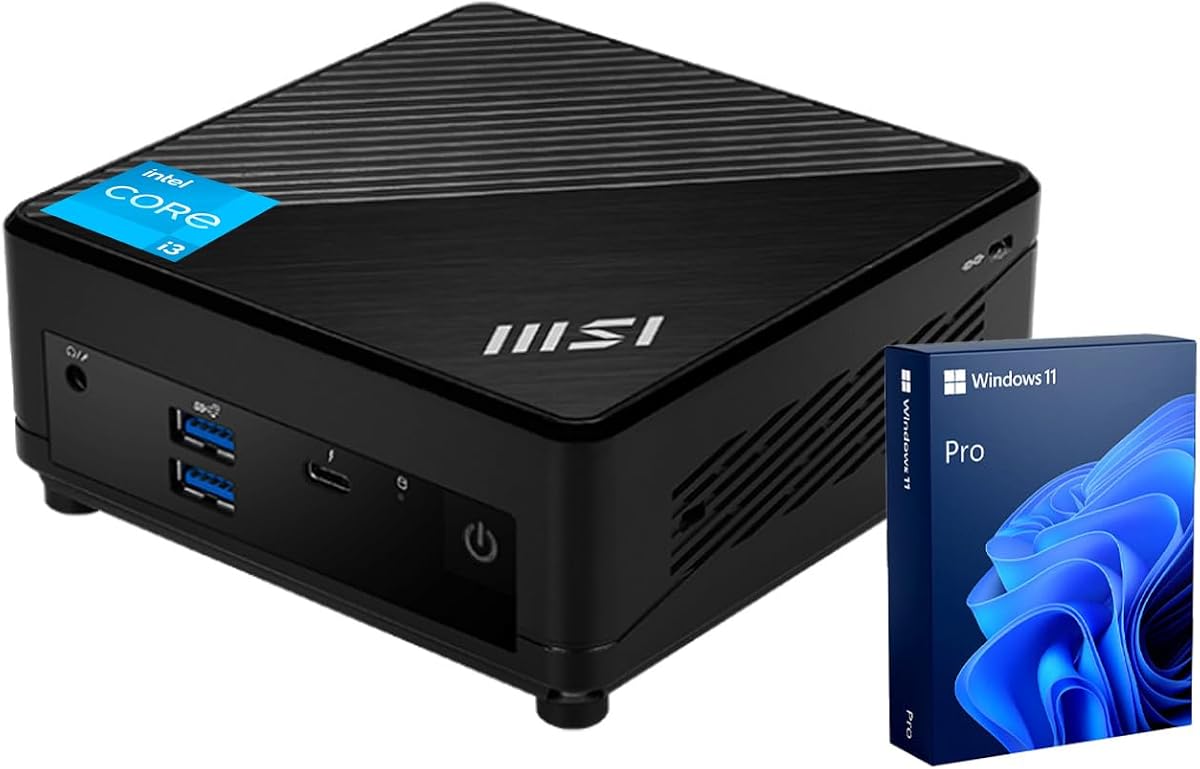
The C3 Mini PC delivers a 4.2 rating and distinguishes itself with 8GB of memory, a 512GB SSD, and extensive storage expansion within a sub-kilogram enclosure. Its Core i3-5005U processor is the oldest chip here, but the package is aimed at buyers who need a straightforward, efficient computer rather than demanding modern processing power.
We may earn a commission when you buy through this link, at no additional cost to you.
Storage is the standout value. The system includes a 512GB M.2 2280 SSD, supports M.2 SATA or NVMe expansion up to 2TB, and offers a separate 2.5-inch SATA SSD or hard-drive bay with a cable. That gives buyers more ways to create room for documents, photographs, media libraries, and backups than many compact competitors offer.
The principal limitation is processor age. A Core i3-5005U may feel restrained under heavy modern workloads compared with the 12th, 13th, and 14th Generation choices in this list. WiFi 5 and Bluetooth 5.0 also trail newer wireless standards, although Gigabit Ethernet, USB 3.2, and USB Type-C provide solid wired connectivity. The listing states support for Windows 10 and Linux rather than Windows 11.
The C3 is a sensible choice for digital signage, thin-client duties, monitoring, media playback, and elementary office tasks where 24/7 operation and storage flexibility matter. Its claimed 15-watt low-power architecture, quiet cooling, and three-year limited warranty make it particularly interesting for business or institutional use. It is the budget selection here, not the recommendation for intensive multitasking.
The included 512GB drive is generous for a value-oriented compact PC. An additional M.2 position and a 2.5-inch bay create a clear path to larger storage without requiring a full desktop replacement.
The supplied information identifies 7-by-24 use as a target environment, supported by a low-power processor and optimized cooling. That makes the C3 particularly relevant to signage, terminal, and monitoring installations where stable operation is more valuable than peak benchmark performance.
We may earn a commission when you buy through this link, at no additional cost to you.
The MSI Cubi 5 Professional combines a six-core Intel Core i3-1215U processor, 16GB of DDR4 memory, and a 512GB PCIe M.2 SSD. Its 4.8 rating reflects a balanced configuration for office work and home use, with Windows 11 Pro, three-monitor 4K support, Thunderbolt 4, WiFi 6, and a broad collection of business-oriented ports.
We may earn a commission when you buy through this link, at no additional cost to you.
The processor's six cores and eight threads provide more parallel workload capability than the quad-core systems elsewhere in this comparison. It runs at a stated 3.3 GHz base frequency and can reach 4.4 GHz, with 10MB of cache. For office applications, numerous browser tabs, conferencing, and connected work, that additional core count can be more useful than a marginally faster but less parallel processor.
Its physical specifications deserve careful attention. The listing identifies two RJ45 network ports, which is unusual for a compact PC, alongside four USB 3.2 Gen2 Type-A ports, Thunderbolt 4, DisplayPort 1.4, HDMI, WiFi 6, and Bluetooth. Confirming the final I/O arrangement and exact processor configuration before ordering is advisable, particularly if the machine will connect to specialized peripherals.
This Cubi 5 is a strong recommendation for business users who want a modern operating system, professional connectivity, and multi-monitor flexibility. BitLocker, Remote Desktop, and Windows management features add practical value beyond raw specifications. It is also a good home-office system when enough CPU parallelism and port selection matter more than purchasing the absolute lowest-cost option.
Windows 11 Pro brings security and remote-access tools that are especially useful in managed or hybrid workplaces. BitLocker and Remote Desktop can make the compact system easier to integrate with existing business workflows.
Three-display 4K support creates room for a primary work area, communication panel, and reference screen. Thunderbolt 4 also offers a modern route to compatible docks, storage, and displays while preserving useful USB Type-A connectivity.
We may earn a commission when you buy through this link, at no additional cost to you.
The renewed Dell OptiPlex 3060 Micro is a 4.2-rated option built around the 8th Generation Core i3-8100T, 8GB of DDR4 memory, and a 128GB SSD. Its strongest appeal is the familiar OptiPlex business platform, which pairs a compact enclosure with a useful collection of ports and preinstalled Windows 11 Pro.
We may earn a commission when you buy through this link, at no additional cost to you.
The quad-core i3-8100T runs at 3.1 GHz and has a 6MB cache, providing a competent foundation for administrative work, browsing, document editing, and communication applications. Dual 4K output is supported through HDMI and DisplayPort, allowing a two-monitor office setup. Six USB 3.0 ports are also generous enough to support several peripherals without immediate adapter dependence.
As a renewed product, its condition and included components can differ from a new unit, which is the most important caveat. Storage is another limitation because 128GB leaves relatively little room after the operating system and essential applications. Memory may also be sufficient rather than generous for heavy browser use, and the supplied data does not describe the warranty in detail.
This OptiPlex is best for buyers seeking a compact, recognizable business PC for a reception desk, home office, classroom, or standard productivity role. It makes more sense when the purchase includes acceptable refurbishment protection and the goal is a straightforward Windows Pro system rather than cutting-edge processing. A storage upgrade should be part of the setup plan for long-term use.
The OptiPlex 3060 Micro design is intended to deploy in compact workspaces while preserving a broad port selection. Its enclosure can fit easily beside or behind a monitor without losing access to essential connections.
Windows 11 Pro adds familiar business functionality without requiring a separate operating-system purchase. For standard office users, that can make the renewed system more useful than a similarly aged consumer mini PC.
We may earn a commission when you buy through this link, at no additional cost to you.
The MSI PRO DP21 pairs the 13th Generation Intel Core i3-13100 with 16GB of memory and a 512GB PCIe NVMe SSD. Its 4.6 rating and inclusion of Windows 11 Pro, a wired keyboard, and a mouse make it a convenient complete setup for work or study. It is particularly attractive for users who want a newer platform without moving to the upper end of the guide.
We may earn a commission when you buy through this link, at no additional cost to you.
The processor provides four cores and eight threads, a 3.4 GHz base frequency, boost capability up to 4.5 GHz, and a 12MB L3 cache. The supplied information also notes Intel UHD Graphics. The combination is well suited to office productivity, web applications, conferencing, and entertainment while preserving efficient everyday performance.
The 16GB memory and 512GB NVMe drive provide a comfortable balance for many active applications. Its port selection includes USB 3.2 Type-A, USB 2.0, USB Type-C, DisplayPort 1.4, HDMI 2.0b, RJ45, audio connections, WiFi, and Bluetooth. Two 4K displays are supported, although some competing systems offer three. The lack of an optical drive is typical for this compact category and rarely relevant to general users.
The DP21 is a strong recommendation for a home office, classroom, reception area, or compact worker station. The included peripherals simplify initial setup, while Windows 11 Pro supports more structured business use. Buyers who need substantial parallel processing should compare it with the six-core Core i3-1215U models, but for mainstream productivity the Core i3-13100 offers a modern and balanced foundation.
A wired keyboard and mouse are included, reducing the need to purchase basic input devices immediately. Combined with Windows 11 Pro, this makes the DP21 convenient for a first office, study desk, or managed deployment.
A PCIe NVMe drive supports prompt boot and application loading, while the 13th Generation Core i3 provides a current platform for mainstream tasks. Together, they create a more modern foundation than the older Core i3 designs in the guide.
We may earn a commission when you buy through this link, at no additional cost to you.
The ASUS ExpertCenter PB63 is a 4.0-rated business mini PC built around 14th Generation Intel processing. It supports two 4K displays, includes Intel WiFi 6 and Bluetooth 5.2, and offers physical security through a built-in Kensington lock slot. Those details point toward office, institutional, and managed deployments rather than a simple home browsing computer.
We may earn a commission when you buy through this link, at no additional cost to you.
The most distinctive benefit is the combination of current hardware and practical enterprise features. Dynamic tuning technology is included to optimize system performance automatically, while the Kensington slot can help protect a unit in a shared workspace. The stated three-year warranty also provides a clearer ownership advantage than the one-year coverage offered by some products in this comparison.
The supplied listing gives fewer exact specifications than the other reviews, so buyers should verify the particular Core i3 model, memory capacity, storage type, operating system, included accessories, and port layout. The fact that it is TAA-compliant may matter for government or institutional purchasing, but it may have little effect on an ordinary home user. These details should be confirmed on the live listing.
The PB63 is most compelling for organizations that value manageability, physical security, and warranty coverage in a compact form. It can also serve as a tidy personal workstation when its configuration meets the buyer's needs. For a home user, the less prescriptive competition may be easier to understand, but for a business buyer, the documented deployment features can justify closer consideration.
The built-in Kensington lock slot is a meaningful feature in reception areas, offices, and other semi-public environments. It offers a simple way to secure a compact computer that may otherwise be easy to move.
Dynamic tuning, TAA compliance, and a three-year warranty align the PB63 with managed procurement. These benefits matter more when reliability and support are evaluated over a multi-year deployment than when a system is used only as a temporary personal computer.
We may earn a commission when you buy through this link, at no additional cost to you.
The Lenovo ThinkCentre Neo 50q Gen4 1L stands out with a 5.0 rating and one of the most balanced specifications in the guide. Its Core i3-1215U processor offers six cores, 16GB of memory fits typical productivity workloads, and a 512GB NVMe SSD provides a useful balance of speed and capacity. Windows 11, WiFi 6, and dual 4K output complete a versatile everyday configuration.
We may earn a commission when you buy through this link, at no additional cost to you.
The 12th Generation processor can reach up to 4.4 GHz and supplies six cores for better parallel performance than traditional four-core Core i3 chips. That advantage is helpful when running office applications alongside many browser tabs, video calls, and background services. The PCIe NVMe drive supports fast startup and file access, while 16GB of RAM offers enough headroom for most mainstream users without requiring immediate memory expansion.
The one-liter chassis measures approximately 1.4 inches tall, 7 inches wide, and 7.2 inches deep, making it extremely space-conscious. It can stand upright, lie flat, or use an optional VESA mount behind a display or beneath a desk. Its limitation is that it supports two simultaneous 4K displays rather than the three-display arrangements offered by the Dell OptiPlex 7020 models and MSI Cubi 5 Professional.
This is the strongest overall recommendation for a buyer seeking a balanced Intel Core i3 Mini PC without moving to the guide's premium tier. It suits home offices, small businesses, reception desks, and study spaces where performance, footprint, and practical connectivity all matter. The ENERGY STAR certification and flexible placement options further improve its appeal for a tidy, energy-conscious workspace.
Six processor cores, 16GB of memory, and NVMe storage form a well-rounded specification set. It handles the multitasking demands of office and study use while avoiding the constraints of an older dual-core or four-core compact PC.
The 1L chassis can reclaim a meaningful amount of desk area while remaining flexible enough for upright, flat, or mounted placement. That makes it easy to create a professional workstation around a single large display or a two-monitor setup.
We may earn a commission when you buy through this link, at no additional cost to you.
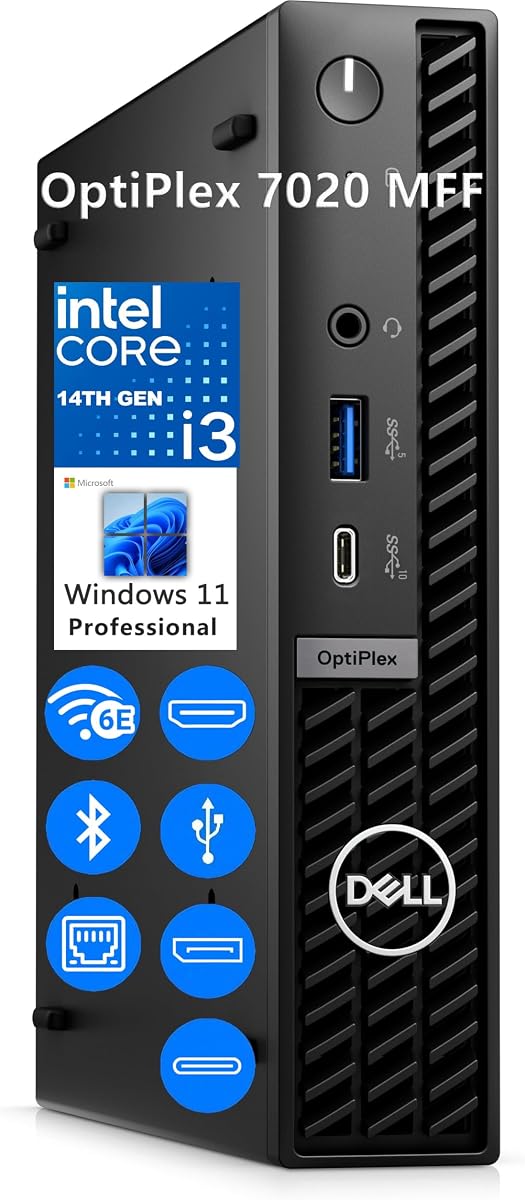
The Dell OptiPlex 7020 MFF is the premium choice here, pairing the 14th Generation Intel Core i3-14100T with 32GB of DDR5 memory and a 1TB PCIe NVMe SSD. Its 4.9 rating reflects an especially complete business configuration, including Windows 11 Pro, WiFi 6E, Bluetooth, Gigabit Ethernet, Thunderbolt-class USB Type-C, and support for up to three displays.
We may earn a commission when you buy through this link, at no additional cost to you.
The processor provides four cores, eight threads, a 2.7 GHz base clock, up to 4.4 GHz boost, and 12MB of cache. The more important productivity advantage comes from 32GB of fast DDR5 memory, which gives heavy browser users and business applications considerable headroom. The 1TB drive offers enough capacity for a substantial document library, application suite, and project files without immediate storage pressure.
The display arrangement is particularly strong. Two DisplayPort 1.4a outputs and one HDMI port can drive up to three displays simultaneously, making the system suitable for analytical work, customer-service dashboards, and detailed productivity layouts. Its downside is the cost of this more complete configuration, and Intel UHD Graphics 730 remains a business-oriented solution rather than a dedicated gaming card.
The OptiPlex 7020 MFF is the recommendation for buyers who want a current Core i3 platform, generous memory, ample storage, and professional deployment features. It can suit a high-end home office, compact IT deployment, reception workstation, or multi-screen business environment. Buyers should compare current pricing against the less generously equipped OptiPlex 7020 Mini in this guide before deciding how much headroom they actually need.
The 32GB DDR5 configuration gives modern office applications, browser sessions, and collaboration tools room to operate without constant memory pressure. A 1TB NVMe drive complements that capacity by delivering fast startup and ample room for active project data.
Two DisplayPort outputs and HDMI enable an expansive three-screen arrangement. This is useful for live reporting, shared dashboards, or research workflows where separating information across displays reduces repetitive application switching.
We may earn a commission when you buy through this link, at no additional cost to you.
The Dell OptiPlex 7020 Mini combines the 14th Generation Core i3-14100T with 8GB of DDR5 memory and a 256GB PCIe NVMe SSD. Its 4.4 rating reflects a capable current-generation platform in a compact enclosure, along with Windows 11 Professional and support for up to three simultaneous displays.
We may earn a commission when you buy through this link, at no additional cost to you.
The processor's four cores and eight threads, 2.7 GHz base frequency, 4.4 GHz maximum turbo, and 12MB cache provide a responsive platform for business applications, browsing, streaming, conferencing, and office productivity. The compact OptiPlex design also includes modern connectivity such as WiFi 6E, Bluetooth, a front USB Type-C port rated at 10 Gbps, and multiple USB Type-A connections.
Its main limitation is the 8GB memory and 256GB storage combination. The NVMe drive supports quick startup, but it will require careful housekeeping if many applications, large media collections, or business datasets are stored locally. Likewise, 8GB is workable for standard office use but offers less headroom than the 16GB and 32GB alternatives elsewhere in the guide.
This model is a good choice for a compact Windows Pro workstation where the current processor, three-display support, and extensive ports matter more than maximum memory. It can work well behind a single display or in a multi-screen reception, kiosk, or office setup. Users expecting heavy multitasking should plan to verify memory expansion options before buying or choose a 16GB or 32GB configuration.
The 14th Generation processor and DDR5 memory provide a modern foundation even though the system remains physically small. That combination is useful for office tasks that benefit from efficient operation without a large tower.
One HDMI and two DisplayPort outputs allow up to three displays, while the front USB Type-C port simplifies modern peripheral connections. The broad port layout is a major advantage for a compact business system.
We may earn a commission when you buy through this link, at no additional cost to you.
A useful Core i3 mini PC should fit your actual workspace and workload rather than merely advertise a familiar processor family. Processor generation, memory, storage, display outputs, connectivity, operating system, and deployment needs should all influence the decision.
For browsing, office work, learning, and media, prioritize a recent processor with at least four modern cores where possible. Choose six cores for heavier multitasking or business applications. Older chips may still suit basic dedicated roles, but they are less attractive when the mini PC must serve as a long-term general-purpose computer.
Choose 16GB when the system will be used daily for productivity. Opt for 32GB only when your software and workflow justify it. If expansion is limited, prioritize a larger memory configuration from the outset rather than assuming an upgrade will be available later.
Prioritize NVMe for the best combination of speed and compactness. Ensure capacity matches your active file set, and avoid choosing the smallest drive merely to reduce the initial purchase cost. Extra M.2 or 2.5-inch bays can provide useful flexibility when the system supports them.
Choose dual 4K support for a modern two-screen office. Consider three displays if your workflow benefits from persistent dashboards or reference panels. Verify maximum resolution and refresh rate against the exact monitors you plan to connect, especially for older systems.
Match the ports to your peripherals before buying. Use the network standard and remote-management features relevant to your home, office, or institutional environment. Avoid paying for advanced connectivity that will remain unused, but do not compromise on the essentials you know you need.
Choose Pro for managed work, encryption, and remote access. Home is usually sufficient for a personal productivity machine. Linux support may be preferable for development or technical use, but verify the exact configuration and driver support first.
Measure your available space and decide how the computer will be positioned before ordering. A compact design is most useful when it can be mounted neatly or positioned without blocking airflow. Confirm that every required cable remains accessible in the chosen orientation.
Match the support package to the expected service life. Longer coverage and clearer deployment features help in offices, while a short-term personal use may not require the same level of support. Renewed systems should be evaluated with the same attention to warranty and included components.
Begin by checking the processor, memory, storage, and operating system shown in the final listing, particularly when purchasing a compact computer assembled with multiple possible component options. Confirm that the included power adapter, storage, memory, keyboard, mouse, mounting hardware, and operating system match your needs. Before moving the unit, save important work and shut it down through the operating system.
Place the mini PC on a stable, hard surface with its vents unobstructed. Do not place it inside a tightly closed cabinet unless adequate airflow is maintained. Use a properly rated Ethernet connection when consistent network performance matters, connect displays before starting, and attach peripherals directly to the available ports. For a mounted arrangement, secure the unit properly and leave enough room for cable routing and airflow.
Keep software current, use trusted antivirus or endpoint protection appropriate for the operating system, and enable system backup for irreplaceable files. Monitor storage capacity and memory use, and clean exterior vents with compressed air while the system is powered off. Do not open the enclosure unless the product guidelines permit it and the user is comfortable with the required precautions. A regular update, backup, and ventilation routine will help preserve reliable performance.
Yes, an Intel Core i3 Mini PC is well suited to document editing, spreadsheets, email, web applications, video calls, and general home-office productivity. A recent processor with 16GB of memory and a 512GB SSD offers the best balance for demanding browser use and multiple open applications. Older Core i3 models can handle basic tasks, but they are less appropriate for intensive multitasking or demanding creative software.
For light use, 8GB may be sufficient, especially with a Windows 10 system or a dedicated task such as digital signage. For a modern Windows 11 productivity computer, 16GB is a more comfortable choice because browsers and collaboration applications can consume considerable memory. Choose 32GB for extensive multitasking, business workloads, large project files, or a system that is difficult to upgrade.
Most models in this guide support dual displays, and several support two 4K screens. The C3 supports two displays up to 2560×1600, while the GMKtec G3 PRO, QAZIPO i3-8109U, MSI PRO DP21, Lenovo ThinkCentre Neo 50q, and Dell OptiPlex 3060 support 4K output. Confirm the connector type, maximum resolution, and refresh rate for your specific monitors.
A 512GB drive offers more room for applications, updates, and local files without immediately filling up. A 256GB SSD can still provide fast startup and application loading, but it may require regular cleanup and careful file management. If the mini PC has multiple storage positions, a smaller drive can be complemented with a secondary SSD or hard drive; otherwise, capacity should be chosen carefully.
They are primarily designed for productivity, media playback, and light entertainment rather than serious gaming. Some systems include relatively capable integrated graphics, such as Iris Plus 655 or Intel UHD Graphics 730, which can handle casual games and 4K video. A dedicated gaming desktop or laptop remains better for demanding titles, high settings, and sustained gaming performance.
For office work, browsing, learning, media playback, and light development, a modern Core i3 mini PC can replace a tower while using less space and often consuming less power. Users with demanding creative workloads, specialized software, extensive local storage, or a need for dedicated graphics may still benefit from a larger system. The included display and peripherals should also be considered.
Check the stated refurbishment grade, included accessories, operating system, warranty, and condition of ports, chassis, and display output. Confirm that the exact processor, memory, and storage match the listing. It is also wise to inspect seller protections and return terms because a renewed computer may show cosmetic wear or have different included components.
WiFi 6 is useful when a modern router and compatible devices are available, particularly in busy wireless environments. Wired Gigabit Ethernet can still provide a stable and low-latency connection, while 2.5GbE is valuable for large local transfers. The most important consideration is whether the mini PC offers the network connection type and wireless standard your location and infrastructure can actually support.
The Lenovo ThinkCentre Neo 50q Gen4 1L is the strongest overall choice because it balances a six-core Core i3-1215U processor, 16GB of memory, a 512GB NVMe drive, dual 4K displays, and a particularly compact one-liter enclosure. The C3 Mini PC is the budget-oriented selection with generous starting storage and expansion options, while the Dell OptiPlex 7020 MFF leads the premium group with 32GB of DDR5 memory, a 1TB NVMe drive, and three-display support.
Prioritize the specifications that directly affect your work. General office users should seek at least 16GB of memory and a 512GB SSD, while dedicated terminal or signage systems may work well with older processors and smaller storage. Multi-monitor professionals should count display outputs, and business deployments should examine Windows Pro features, remote-management options, security features, warranty coverage, and mounting options.
Before making a final purchase, verify the current listing because configurations, included components, availability, and prices can change. Confirm the exact processor, memory capacity, storage type, display resolutions, ports, operating system, and warranty. Those checks are especially important for mini PCs, where the same product family may appear with different specifications or accessories.