
TCL 55T7
4.3Editor score
120Hz panel refresh rate
QLED wide color gamut
Four HDMI inputs
A 120Hz TV for next-generation consoles should make fast movement feel fluid, preserve detail in dark scenes, and offer modern features such as variable refresh rate and automatic low-latency mode. Picture quality matters too, especially when the same television must handle cinematic games, live sports, streaming, and everyday viewing.
This guide compares ten televisions based on their stated panel refresh rates, gaming technologies, high dynamic range support, processors, smart platforms, connectivity, and audio features. The list covers Mini LED, QLED, OLED, and LED models at different screen sizes, with each product assessed using only the supplied manufacturer information.
The selections show how console-focused performance can range from a value-oriented 120Hz panel to native 144Hz, 165Hz, or premium OLED options. Along the way, the guide explains the practical differences between refresh rate, VRR, ALLM, Game Accelerator, and motion interpolation. Prices and promotions can change, so check current listings before purchasing.
4.3Editor score

4.6Editor score

3.6Editor score
As an Amazon Associate we earn from qualifying purchases.
The comparison below places the ten televisions side by side, emphasizing panel type, refresh rate, gaming support, HDR formats, and smart-platform features relevant to current game consoles.


The Samsung 55-Inch Class M70H Series is a Mini LED 4K smart television built around smooth motion and a strong balance of picture features. It carries a 4.3 rating and stands out for its Mini LED processor, one-billion-color claim, Supreme Mini LED dimming, and DLG 120Hz gaming technology. Those specifications make it a credible all-round choice for next-generation console gaming.
We may earn a commission when you buy through this link, at no additional cost to you.
Its key strength is the combination of Mini LED backlighting and advanced processing. The listed features emphasize brighter highlights, deeper blacks, richer reds and blues, and a Color Booster that increases color intensity. Motion Xcelerator analyzes scenes to optimize refresh behavior, which should be useful during racing games, competitive shooters, sports, and other fast-moving console experiences.
The Gaming Hub is another meaningful benefit because it gathers console, cloud, and gaming-app content in one location. That convenience is valuable for modern living rooms where games may come from several sources. The supplied specifications do not explicitly list VRR or ALLM, however, so buyers seeking confirmation of those exact standards should check the final manual or manufacturer support material.
This television is a sensible recommendation for a gamer who wants Mini LED contrast, 120Hz motion, and a well-developed smart interface without moving to the largest screen in the room. Its 55-inch format is manageable for many spaces, although viewers seated far away may prefer a larger model. Overall, it offers one of the more balanced feature sets in this guide.
Mini LED backlighting gives the M70H finer control over bright and dark areas than a conventional edge-lit LED design. The result should be more visible shadow detail in dim games and stronger perceived contrast when bright highlights appear against dark environments.
Samsung's Gaming Hub reduces the need to move between separate console and gaming-app interfaces. It also offers personalized recommendations, making it easier to resume a game, explore cloud options, or find something new.
We may earn a commission when you buy through this link, at no additional cost to you.
The TCL 55-Inch T7 is a QLED 4K Google TV with a stated 120Hz panel refresh rate and a 4.3 rating. It focuses on the fundamentals that matter to console gamers: smooth motion, wide color, useful HDR formats, and multiple high-speed HDMI connections. Its combination of gaming capability and a familiar Google TV interface makes it a practical middle ground.
We may earn a commission when you buy through this link, at no additional cost to you.
The TCL AIPQ Pro processor is intended to optimize color, contrast, clarity, and HDR performance. QLED quantum-dot color covers nearly the entire DCI-P3 color space according to the supplied details, which can make saturated game worlds and high-contrast HUD elements look more vivid. Dolby Vision, HDR10+, HDR10, and HLG support also gives players a broad choice of formats.
Its Motion Rate 480 and MEMC frame insertion are separate from the panel's 120Hz refresh rate, so buyers should not interpret the larger motion figure as a 480Hz native panel. The native 120Hz specification is the important number for smooth console output. Likewise, the title mentions 144Hz gaming, but the detailed feature list identifies a 120Hz panel, making the available gaming mode worth confirming before purchase.
Choose the T7 if you want 120Hz, QLED color, Dolby Vision, and Google TV without the complexity or cost of a premium Mini LED or OLED set. It may not be the strongest choice for enthusiasts who require extensive VRR and ALLM details, but it covers the core needs of a modern console gaming television.
Quantum-dot technology supports a wide DCI-P3 color gamut, helping game environments look saturated without sacrificing the structure of darker scenes. The TCL processor is designed to refine both color and contrast according to the incoming content.
Four HDMI inputs provide practical flexibility for a current console, streaming device, set-top box, and soundbar or receiver. One input supports eARC, which can simplify a theater-style audio setup.
We may earn a commission when you buy through this link, at no additional cost to you.
The TCL 65-Inch QM6K is a large QD-Mini LED television built for sports, gaming, and streaming. Its 4.3 rating and 144Hz native refresh rate place it among the strongest high-refresh options here, while the 65-inch panel gives cinematic games more visual presence than a compact living-room set.
We may earn a commission when you buy through this link, at no additional cost to you.
TCL combines Mini LED precision with Quantum Dot color. The listed Halo Control System uses local dimming to improve shadow detail, reduce haloing, and enhance picture accuracy. Its high-brightness design also supports Dolby Vision, HDR10+, HDR10, and HLG, covering the major HDR formats used by current consoles and streaming services.
The 144Hz native refresh rate is the model defining gaming feature. It provides more headroom than a standard 120Hz panel and is particularly relevant for fast sports, competitive multiplayer, and consoles capable of driving higher frame rates. Its Motion Rate 480 is a separate motion enhancement system, so buyers should distinguish that figure from actual panel refresh capability.
The QM6K is a strong all-around recommendation for a large gaming room where the television will also serve as the main entertainment display. The supplied title mentions Dolby Atmos and Onkyo audio, but it provides limited technical detail about the speaker configuration, so sound quality should be evaluated separately or supplemented with a soundbar.
A 144Hz native panel can display more distinct frames per second than a 120Hz television. That additional headroom can make very fast action look cleaner when the console, game, and supported display mode all cooperate.
The Halo Control System is designed to keep bright objects from producing distracting halos around dark surroundings. It also improves the perception of shadow detail, which matters in nighttime games and dark cinematic environments.
We may earn a commission when you buy through this link, at no additional cost to you.
The Sony 65-Inch BRAVIA 3 II is a 4K HDR Google TV with a 4.1 rating and a strong focus on gaming, particularly for PlayStation 5. Its HDMI 2.1 feature set explicitly includes 4K/120, VRR, and ALLM, giving console buyers clear next-generation connectivity credentials.
We may earn a commission when you buy through this link, at no additional cost to you.
PlayStation-specific features are the model's defining advantage. Auto HDR Tone Mapping adjusts the PS5 picture output for compatible games, Auto Genre Picture Mode tailors the display to the type of content, and Game Menu gathers the relevant gaming options and assist features into a dedicated interface. The XR Processor also uses scene recognition to adjust color, contrast, and clarity.
Motion handling is described as enhanced 120Hz clearness and smoothness, with Motionflow XR intended to keep fast scenes legible. That language is useful for setting expectations: the listing promotes a 120Hz-class gaming experience rather than a higher native panel specification. The TV is also designed to reduce reflections on its 65-inch and 75-inch versions, which is helpful in bright rooms.
This is a compelling option for PlayStation households that want automatic picture optimization and a clearly documented 4K/120 gaming package. Its 65-inch size suits larger spaces, and support for Dolby Vision and Dolby Atmos adds broad appeal. Buyers should compare it with Mini LED and OLED alternatives when deep blacks or higher native refresh rates are priorities.
Auto HDR Tone Mapping and Auto Genre Picture Mode can reduce the need to adjust picture settings between games with different visual styles. The consolidated Game Menu also keeps assist features and gaming settings together.
HDMI 2.1 with 4K/120, VRR, and ALLM addresses the features many modern console gamers prioritize. The 120Hz-focused motion handling further supports competitive play and fast cinematic action.
We may earn a commission when you buy through this link, at no additional cost to you.
The Hisense 65-Inch U7SG is the strongest high-performance console choice in this guide. It has a 4.6 rating, the highest listed rating among the ten televisions, a native 165Hz refresh rate, and VRR support extending to 330Hz. Those numbers make it especially interesting for fast games, sports, and users seeking more headroom than a standard 120Hz panel.
We may earn a commission when you buy through this link, at no additional cost to you.
Picture quality is supported by Mini LED ULED technology and up to 3,000 local dimming zones. The listed peak brightness of up to 3,000 nits is especially useful for HDR highlights, while precise zone control can improve contrast and keep dark detail visible. Hi-View AI Engine Pro continuously analyzes scenes and adjusts color, contrast, and detail.
Its dual-layer anti-reflection treatment is designed to reduce the effect of windows, overhead lights, and afternoon sun. That makes the large 65-inch screen more practical in bright rooms. Dolby Vision IQ, HDR10+, Dolby Atmos, and IMAX Enhanced support broaden the entertainment experience beyond gaming, while the listed 2.1.2-channel audio indicates a more serious built-in sound configuration than many competitors.
Choose the U7SG when high refresh, bright-room usability, and detailed Mini LED contrast rank above simplicity or a lower-tier platform. Its specification list is extensive, and some terminology may require careful comparison, but the core gaming credentials are exceptionally strong. It is our top overall pick for next-generation console use.
The native 165Hz panel can refresh more quickly than a conventional 120Hz television, reducing the chance that fast motion will appear hesitant. Combined with VRR, it gives supported games more opportunities to match frame output to display capability.
Up to 3,000 nits of peak brightness gives HDR highlights greater impact, while the anti-reflection layer helps preserve clarity under ambient light. The result is especially useful for daytime sports and consoles connected to a large viewing area.
We may earn a commission when you buy through this link, at no additional cost to you.
The TCL 75-Inch F8D is a large 4K QLED television with a native 144Hz refresh rate, VRR, ALLM, and Game Accelerator 288. Its 4.0 rating is the lowest among the products in the top half of the list, but its screen size and gaming feature set make it a distinctive option for dedicated entertainment spaces.
We may earn a commission when you buy through this link, at no additional cost to you.
The QLED panel covers 93% of the DCI-P3 color space and uses a high-brightness LED backlight. Dolby Vision, HDR10+, HDR10, and HLG support provide flexible HDR compatibility. An ambient light sensor can adjust picture brightness according to room conditions, while the Fire TV platform adds direct access to recommendations, watchlists, and Alexa+ voice functions.
The key point for console gamers is that the native 144Hz panel is supported by Variable Refresh Rate, Auto Game Mode, and Game Accelerator 288. Game Accelerator is an upscaling and latency-oriented feature rather than a substitute for panel refresh, but it can make supported games appear smoother when the source is below the panel's native rate. The TV also offers four HDMI inputs and Bluetooth 5.4.
This F8D is best for buyers who value a huge 75-inch image and modern gaming features more than Mini LED-level local dimming. It should be measured carefully before purchase, and the room must support the extra viewing distance. For a large dedicated gaming area, however, the combination of 144Hz, QLED color, and comprehensive connectivity is compelling.
At 75 inches, the F8D can make open environments, racing courses, and cinematic worlds feel more immersive. Its 4K resolution and wide color gamut also help justify the large panel when the television is viewed from a proper distance.
VRR, ALLM, and Game Accelerator 288 cover several common gaming needs. Four HDMI inputs allow the console to sit alongside a streaming device, receiver, or other source without constant reconnection.
We may earn a commission when you buy through this link, at no additional cost to you.
The Roku 55-Inch Pro Series OLED combines a 4K OLED panel, 120Hz refresh rate, and a streamlined Roku experience. Its 3.6 rating is the lowest in this guide, so the picture and gaming specifications should be evaluated alongside the comparatively limited user feedback. For buyers who prioritize true blacks and clean contrast, OLED remains a compelling premium technology.
We may earn a commission when you buy through this link, at no additional cost to you.
Each OLED pixel can produce its own light, allowing the panel to display true black when switched off. That characteristic creates exceptionally high perceived contrast, making dark games and widescreen films visually distinct. Dolby Vision support and Roku Smart Picture Max add automated picture optimization, while Dolby Atmos provides object-based audio for supported content.
For gaming, the television supports 120Hz, Freesync Premium, ALLM, and VRR. That covers the fundamental adaptive-refresh and automatic-latency features expected from a modern console television. Its slim frame, adjustable tool-less stands, cable management, and Bluetooth Headphone Mode are useful design details, though the listing gives no specific brightness or local-dimming figures.
Choose this model if OLED picture quality, a 55-inch footprint, and uncomplicated smart-TV navigation matter more than a higher refresh rate or Mini LED brightness. The lower rating may warrant caution, and buyers should consider the current user feedback. Even so, it is our premium picture-quality recommendation for console gaming.
Independent pixel illumination gives the Pro Series exceptional black levels and very high perceived contrast. This makes the television well suited to dark game environments, horror titles, and letterboxed cinematic content.
The 55-inch panel avoids the extreme dimensions of a 75-inch display while still supporting 120Hz, Freesync Premium, VRR, and ALLM. It is a sensible option for a dedicated console setup that values picture quality over a larger screen.
We may earn a commission when you buy through this link, at no additional cost to you.
The Roku 65-Inch Pro Series QLED Mini LED television combines a 120Hz gaming refresh rate with the simplicity of the Roku platform. Its 4.4 rating is among the strongest in the guide, and the 65-inch screen offers more cinematic scale than the OLED Pro model while using Mini LED backlighting for brighter overall presentation.
We may earn a commission when you buy through this link, at no additional cost to you.
Thousands of Mini LEDs provide localized brightness control, richer highlights, and deeper darks than a conventional LED television. Dolby Vision IQ enhances compatible HDR content, while Roku Smart Picture Max uses AI to clean up signals and refine color, sharpness, and clarity. Roku Soundstage Audio and Dolby Atmos provide a more advanced built-in sound platform than many basic television designs.
The gaming package includes a 120Hz refresh rate, automatic game mode, Freesync Premium Pro, ALLM, and VRR. That combination covers adaptive refresh and low-latency switching, although the 120Hz ceiling is lower than the 144Hz and 165Hz panels in this list. It may still provide ample headroom for many console games, especially those targeting stable 60 or 120-frame-per-second output.
This television is well suited to buyers who want the Roku interface, strong Mini LED performance, and a 65-inch display without moving to the most advanced high-refresh specification. Its side-firing speakers, rechargeable voice remote, headphone mode, and flexible stands add everyday convenience. It is a balanced, user-friendly console choice.
The Mini LED backlight provides bright highlights and deeper blacks, while Smart Picture Max automates many source-dependent adjustments. This combination reduces setup work for viewers who do not want to calibrate every console game manually.
Freesync Premium Pro, ALLM, VRR, and an automatic game mode cover the major adaptive gaming functions. Roku's uncluttered interface and voice remote keep navigation simple between games, streaming apps, and live television.
We may earn a commission when you buy through this link, at no additional cost to you.
The TCL 55-Inch Q7 is a QLED 4K Google TV with a native 120Hz panel and a 4.3 rating. Although it is identified as a 2023 model, its feature set remains well aligned with current console expectations: Dolby Vision IQ, HDR Ultra, Full Array PRO local dimming, Game Accelerator 240, and up to 240Hz VRR through AMD FreeSync.
We may earn a commission when you buy through this link, at no additional cost to you.
More than 200 local dimming zones give the Q7 finer control over bright objects and nearby shadows. Its HighBright Pro LED backlight and Quantum Dot color help produce vivid highlights and more than a billion claimed colors. Dolby Vision IQ, HDR10+, HDR10, and HLG support round out the HDR compatibility.
The television's gaming headline is Game Accelerator 240, which can create smoother perceived motion for supported lower-frame-rate content. Its actual panel refresh rate is 120Hz, and the additional Motion Rate 480 and MEMC frame insertion are enhancement features. Buyers who care about native speed should focus on the 120Hz panel and the stated VRR range rather than equating frame insertion with native refresh.
Choose the Q7 if you want a well-equipped 55-inch set with strong local dimming, modern HDR, and a 120Hz gaming panel. Its older model year is a consideration, particularly when newer equivalents are available, but the QLED picture hardware and gaming feature set remain capable. It is a versatile option for mixed gaming and home-entertainment use.
Over 200 independently controlled zones can darken portions of the picture while keeping adjacent highlights bright. This reduces the washed-out appearance that sometimes appears in dark scenes on basic LED televisions.
Game Accelerator 240 can make eligible content appear smoother by increasing the perceived frame rate. The feature is useful when a game does not run at the television's native 120Hz, although it does not change the underlying panel specification.
We may earn a commission when you buy through this link, at no additional cost to you.
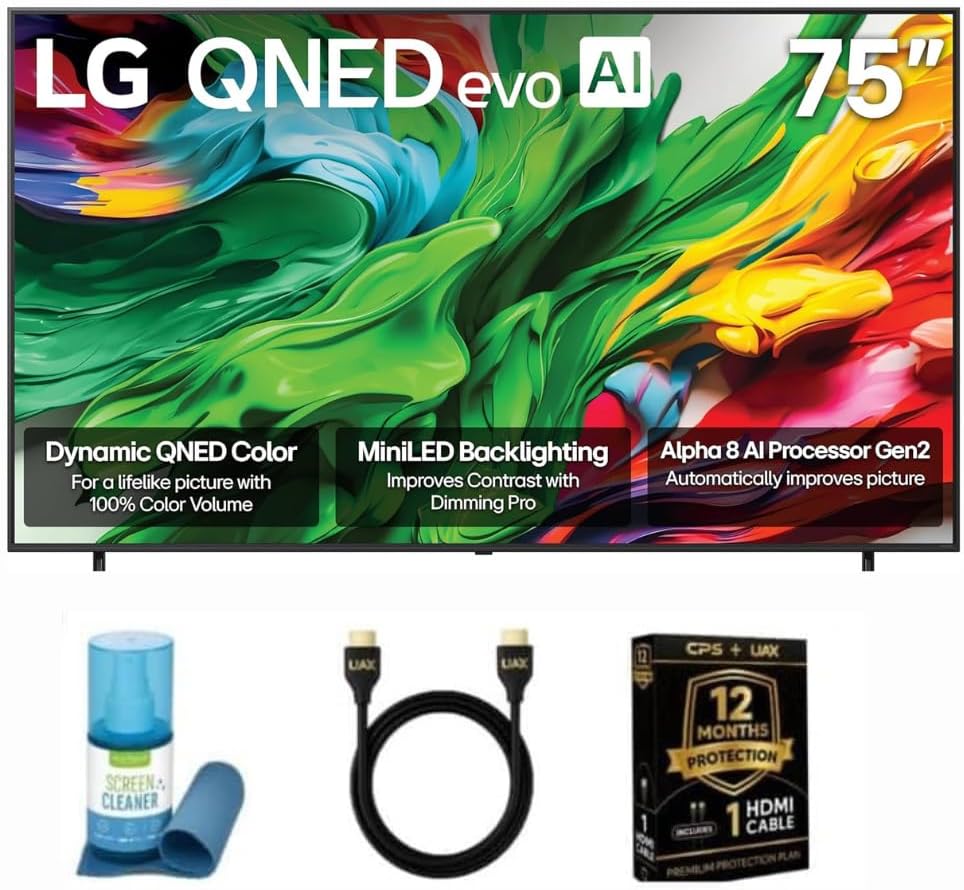
The LG 65-Inch QNED85A is a 2025 Mini LED television with a 120Hz refresh rate and a 4.5 rating. It combines Quantum Dot and NanoCell color with the alpha 8 AI Processor 4K, local dimming, Dolby Vision IQ, and Dolby Atmos, creating a premium feature set for both console games and general entertainment.
We may earn a commission when you buy through this link, at no additional cost to you.
The Mini LED backlight enables precise local dimming for deeper black levels and improved picture depth. The processor automatically optimizes image and sound, while Quantum Dot and NanoCell technologies work together to produce vibrant color. Dolby Vision IQ adapts supported content to viewing conditions and screen capabilities, adding flexibility for mixed HDR viewing.
For gaming, the QNED85A offers 120Hz refresh, Game Optimizer, ALLM, and VRR compatibility. Game Optimizer gives users access to gaming settings, while ALLM can switch the television into its low-latency mode automatically. The native 120Hz rate is lower than several competing models, but it remains a meaningful upgrade over 60Hz sets and meets the central requirement of this guide.
The package also includes a Monster 4K Ultra HD HDMI cable, SURF201V surge protector, and a 12-month protection plan. Connectivity includes Bluetooth 5.3, Wi-Fi 6, multiple HDMI and USB ports, while webOS 24 provides quick access to major streaming apps. This is a strong premium recommendation for buyers who want advanced processing, smart features, and a polished mixed-use television.
The alpha 8 AI Processor 4K automatically adjusts image and sound according to content and room conditions. That processing can reduce the need for repeated manual changes when moving between games, movies, news, and sports.
ALLM, VRR compatibility, and Game Optimizer cover essential modern gaming functions. The included HDMI cable, surge protector, and protection plan add convenience for setting up a new console and television.
We may earn a commission when you buy through this link, at no additional cost to you.
The right console television combines a sufficiently fast panel with low-latency features, strong contrast, and a smart platform that suits your setup. The following factors explain how to evaluate refresh rate, gaming support, picture technology, connectivity, and practical installation factors.
A 120Hz panel can display twice as many frames per second as a 60Hz display, making motion cleaner when the console and game provide enough frames. Native refresh is also more meaningful than a large motion-interpolation number because the screen itself updates at that rate. Models with 144Hz or 165Hz native panels offer additional headroom for supported high-frame-rate games.
Prioritize the actual panel specification, not only the marketing name or Game Accelerator figure. Frame insertion can make lower-frame-rate content appear smoother, but it does not replace native refresh capability.
Variable Refresh Rate, commonly called VRR, synchronizes the display refresh with the frame rate produced by the console. This can reduce tearing and make frame pacing feel more consistent in games that fluctuate between frame rates. Compatibility should be checked for the specific console, television, and supported game.
Look for clear VRR support in the manufacturer's specifications. Some models offer broader or higher-range VRR than others, making that difference relevant to owners of high-end consoles and demanding competitive games.
ALLM can automatically enable a television's low-latency or game mode when it detects a console signal. This is especially helpful for modern consoles because supported games may not require the player to alter an external television setting. It also reduces the chance that a viewer accidentally leaves the display in a mode with unnecessary processing.
Confirm that the specific model supports ALLM through the required HDMI connection. Automatic switching is convenient, but it works best when the console and television are connected directly or through a compatible receiver.
QLED and Mini LED sets use precise backlighting to improve brightness and color, while OLED panels can switch individual pixels off to produce true blacks. Traditional LED televisions may offer less local control and more blooming around bright objects. The right choice depends on whether maximum brightness, deep blacks, viewing-room conditions, or screen size matters most.
For bright rooms, strong peak brightness and anti-reflection treatment are particularly useful. For dark-room movies and games, OLED's black levels can be more compelling. Mini LED often provides a practical middle ground with high brightness and extensive local dimming.
HDR can improve visible contrast, highlight intensity, and color when a game and television support it. Dolby Vision and Dolby Vision IQ are widely relevant, while HDR10+ and HLG broaden compatibility across streaming services and broadcast sources. Gaming consoles can also output HDR when the game, hardware, and display settings all align.
Check the full list of supported formats rather than relying on a generic HDR label. Peak brightness and local-dimming performance also affect how strong those formats appear, so a model with less brightness may not deliver the same visual impact.
A 55-inch display is easier to place in a typical room and often gives console players a higher pixel density for their viewing distance. A 65-inch model creates a more cinematic image and suits a larger dedicated gaming area. A 75-inch screen can be excellent in a spacious room, but it requires sufficient distance and careful planning for furniture and wall mounting.
Measure the available space before ordering, including the width of the stand and the depth required by the television. A larger screen is not automatically better for gaming, and the best size is the one that feels immersive without forcing players to strain or overpower the room.
Google TV, Fire TV, Roku TV, Samsung's platform, and webOS all provide access to streaming apps, but navigation, voice assistants, and recommendation systems differ. Consider which ecosystem the household already uses, how quickly the interface runs, and whether the remote and smart-home controls meet your preferences. The television should also have enough HDMI inputs for a console, streaming device, soundbar, and receiver.
Check eARC support if you plan to connect a soundbar or use the television for home-theater audio. Wi-Fi speed, Bluetooth, AirPlay, and app casting are useful additions, while built-in voice control can make everyday navigation more convenient.
A capable processor can improve upscaling, color accuracy, noise reduction, and scene-aware picture adjustments. These features are useful when a console is running at 4K but the source has a lower-resolution component, and they can also simplify day-to-day setup. Motion enhancement can help sports and slower games, although it may introduce artifacts or a cinematic look in some console titles.
Use picture processing as a supporting feature rather than the primary reason to buy. The more important elements for modern gaming are the native panel, low-latency behavior, VRR, strong contrast, and a picture that remains accurate across different genres.
Begin by connecting the console to the most suitable HDMI input, then select the matching source and enable the television's game mode or confirm that ALLM activates it automatically. Check the console's display output so that it targets the correct resolution and refresh rate. If the game supports HDR, verify that the television and console are both configured for the same HDR format.
After basic setup, use the television's gaming menu to review VRR, motion enhancement, picture mode, and any game-specific assist features. Avoid assuming that a frame-insertion feature or Game Accelerator increases native panel refresh. Test several games with different frame-rate targets, and adjust brightness, room lighting, and audio to suit the space rather than relying on the default settings alone.
For care, use a soft microfiber cloth to remove fingerprints and dust from the screen. Avoid harsh cleaners, liquid sprayed directly onto the panel, and abrasive materials. Keep the console well ventilated, organize cables to reduce strain, and follow the mount or stand instructions. If using a wall bracket, confirm that the hardware and wall are suitable and allow convenient access to the television's connections.
A 120Hz TV is a major improvement over a 60Hz model because it can present motion more smoothly and provide more frame-rate options for supported games. The practical benefit depends on the title, console, and game mode. Fast competitive games, sports, and cinematic action are among the experiences that benefit most from the higher refresh rate.
No. The console, game, graphics mode, and television must all support the desired frame rate. Some games cap performance below 120 frames per second, while demanding scenes may fall short even when a higher target is available. The display's refresh rate describes its capability, not the guaranteed output of every game.
A 144Hz panel can refresh more quickly and provides additional headroom for games that support higher frame rates. The difference is most noticeable in competitive titles, fast sports, and games with consistently high output. A well-tuned 120Hz television can still deliver an excellent experience, particularly when paired with VRR and a low-latency game mode.
OLED is especially attractive for dark rooms, cinematic games, and viewers who prioritize true blacks and high perceived contrast. Mini LED is often better suited to bright rooms, sports, and HDR highlights because it can combine high brightness with extensive local dimming. Both are strong choices when the television is selected around the room and viewing habits.
Variable Refresh Rate allows a compatible television to adjust its refresh timing to match the frame rate delivered by a console. This can reduce tearing and make frame delivery appear more consistent. Support varies by model, so check the television specifications and game compatibility before assuming every console game will benefit.
No. Game Accelerator is a feature that can make supported content appear smoother by interpolating additional frames. Native refresh describes how quickly the panel itself updates. When comparing televisions, treat frame insertion and acceleration as useful extras rather than substitutes for a genuine high-refresh panel.
Not necessarily, but the intermediary device must pass through the required resolution, refresh rate, HDR format, VRR, and ALLM signals. Some older or budget receivers do not support the full feature set. A direct connection is the simplest way to guarantee compatibility, while a properly configured modern receiver can also work.
A 55-inch model is easier to accommodate and can provide a sharp image from a closer typical viewing distance. A 65-inch model feels more cinematic and is preferable when the seating arrangement and room size support it. The decision should balance immersion, pixel density, furniture space, and the distance from the screen.
The Hisense 65-Inch U7SG stands out as the strongest overall console option because its native 165Hz refresh rate, VRR capability, extensive local dimming, high brightness specification, and anti-reflection treatment cover the most demanding performance requirements. The TCL 55-Inch T7 provides a more straightforward 120Hz option with QLED color and Google TV, while the Roku 55-Inch Pro Series OLED is the premium choice for viewers who prioritize true blacks and exceptional contrast.
For most console gamers, the most important factors are a genuine 120Hz-or-higher panel, VRR, ALLM, low input lag, and a picture that handles dark scenes well. A larger screen adds immersion, but it should not be chosen ahead of motion handling, contrast, and the room's ambient light. Matching the television's strengths to the games and viewing environment produces a more satisfying setup than chasing a single specification.
Ratings, configurations, and promotional offers can change over time, and manufacturers may update software or firmware as well. Before purchasing, confirm the current refresh-rate modes, HDMI bandwidth, VRR range, HDR support, input-port layout, and physical dimensions. Checking the latest listing and manufacturer support information will help ensure that the selected television remains compatible with the console setup at home.