
KNAON Bluetooth Thermal Shipping Label Printer
4.4Editor score
Compact portable construction
Bluetooth and USB options
180 mm/s maximum speed
Extensive design template library
Label Printer for Pirate Ship guide comparing ten thermal printers for wireless printing, 4x6 labels, platform compatibility, speed, setup, and portability.
A Label Printer for Pirate Ship should make buying labels faster without adding unnecessary setup headaches. The most useful models support standard 4×6 thermal media, connect to phones or computers, and handle barcodes and address text clearly. Bluetooth models offer more freedom, while USB-only printers can provide a steadier desktop workflow.
This guide compares ten thermal printers using the specifications and features supplied for each model. It considers connectivity, supported label widths, print resolution, speed, carrier and marketplace compatibility, design resources, physical size, and included accessories. Every product in the list can create labels, although their capabilities differ significantly in mobility and label size.
Each review identifies the strongest reasons to consider a particular model and also explains its limitations. The top recommendations cover a wireless all-rounder, a value-focused portable option, and a more substantial desktop model. Product listings and prices can change, so readers should verify current availability, compatibility, and accessories before purchasing.
4.4Editor score

4.3Editor score

4.6Editor score
The comparison below highlights each printer's connection method, print performance, supported media, and practical differentiators. All ten options are thermal models, but they range from compact Bluetooth devices to USB-focused desktop printers and a small tape-label machine.






The Nelko Bluetooth Thermal Shipping Label Printer is a well-rounded option for sellers who want a single device to handle standard shipping labels, small merchandise labels, barcodes, name tags, and organizational labels. It carries a 4.3 rating and stands out for offering both Bluetooth and USB connections, broad marketplace support, and a compact footprint. Its 203 DPI resolution is appropriate for clean address text, barcodes, and common shipping graphics.
We may earn a commission when you buy through this link, at no additional cost to you.
Its main advantage is flexibility. Mobile users can print through the NELKO app on iOS and Android, while compatible Windows computers can also use Bluetooth. Mac users with M1 or M2 processors are instructed to install the app and connect through Bluetooth, and standard Mac printing is handled through USB. Direct thermal technology supports both roll and fanfold labels, including common 4×6, 3×2, 3×1, and 2×1 formats.
There are a few workflow qualifications. Not every device can establish a direct Bluetooth connection, and the manufacturer specifically recommends saving a logistics label as a PDF before importing it into the NELKO app. The supported width begins at 1.54 inches, which is narrower than some competing models but still covers the principal shipping-label sizes most sellers are likely to need. These are manageable restrictions for a versatile wireless printer.
This is a strong recommendation for small businesses, home shippers, and sellers who alternate between a phone and computer. It combines a useful design app with several connection routes and broad compatibility with services such as Amazon, eBay, Shopify, USPS, UPS, Etsy, PayPal, and Poshmark. Buyers who require a completely cable-free workflow and frequently print 4×6 labels will find it particularly well suited to the role.
Bluetooth lets a seller print from a phone without remaining beside a computer, while USB provides a direct path for desktop systems. This combination is useful for businesses that alternate between packing stations, mobile order management, and fixed workstations.
Support for fanfold media, rolls, barcodes, price labels, and name tags makes this more than a dedicated parcel printer. Those broader functions can help small sellers organize inventory and package branding without a separate device.
We may earn a commission when you buy through this link, at no additional cost to you.
The NULLTONEX Thermal Shipping Label Printer is a strong all-rounder for small businesses that want more design flexibility than a basic parcel printer. It has a 4.4 rating, 203 DPI resolution, and a maximum speed of 150 mm/s, which translates to up to 72 standard labels per minute. Its matte finish and reinforced coating give it a more professional appearance, while the compact enclosure helps conserve desk space.
We may earn a commission when you buy through this link, at no additional cost to you.
Bluetooth and USB connectivity offer several ways to work. The FlashLabel Pro app handles Bluetooth pairing and label creation, while the included USB cable provides a direct connection to a laptop. The app includes more than 1,800 customizable templates, over 300 fonts, and multiple editing tools. It also stores templates and designs locally for offline use, reducing dependence on cloud downloads during busy periods.
Compatibility extends to Amazon, Shopify, Etsy, USPS, UPS, FedEx, and DHL. The printer supports 4×6 shipping labels and other widths from 1.57 to 4.3 inches. It prints only in black and white, but that is normal for a direct thermal shipping label and remains appropriate for addresses, barcodes, routing data, and monochrome branding. A built-in printhead overheat protection supports more stable long-run operation.
The package includes the printer, power cord, USB cable, and 25 sheets of 4×6 thermal labels, making it a convenient starting point. This model is especially appropriate for sellers who want extensive templates, offline editing, and broad carrier support in a compact unit. It may be less attractive for users whose primary requirement is a full-color output, although color shipping stock requires a separate thermal-color printing process.
The template and font library reduces the need to build every label from scratch. It is particularly useful for product identification, branded packing inserts, QR codes, shipping notices, and recurring order layouts.
Local template and design storage allows a seller to continue preparing labels when internet access is limited. That can be valuable during busy packing periods or in temporary spaces with unreliable connectivity.
We may earn a commission when you buy through this link, at no additional cost to you.
The JADENS Bluetooth Shipping Label Printer combines a 4.4 rating with a clear emphasis on shipping compatibility and customer support. It uses a Japanese thermal print head at 203 DPI and handles both roll and fanfold labels. That makes it a practical choice for sellers who print parcel labels regularly and want access to more than the most common carrier platforms.
We may earn a commission when you buy through this link, at no additional cost to you.
The printer supports a broad list of services, including Endicia, Dazzle, ShipStation, ShippingEasy, Shippo, ShipWorks, Ordoro, eBay, Amazon, and Shopify. It can produce shipping labels, warehouse labels, and market labels, extending its usefulness beyond order fulfillment. Windows 8 or later and Mac systems can use Bluetooth, while Android and iOS users need the JADENS printer app. USB is also available for Windows 7 or newer and Mac OS 10.9 or newer.
A key operational detail is the need to long-press the feed button to identify and calibrate the label size whenever the media changes. This adds a step, but it helps prevent mismatched positioning and wasted labels. The supplied setup materials, including drivers and instructional or troubleshooting videos on a USB drive, make the initial process easier. The product also includes a one-year warranty, with support offered by email, phone, and remote control.
This model suits small online businesses that rely on a broad range of shipping-management services and value direct support after purchase. It is less convenient for someone who insists on printing directly from a phone without an app. For sellers who can adapt to the app-based workflow and calibrate the machine when loading a new roll, the compatibility and support package make it a strong contender.
Compatibility with both shipping services and marketplaces covers many common fulfillment workflows. This is valuable for sellers who move between platforms or use a dedicated shipping-management application rather than generating every label from a marketplace account.
Drivers, tutorials, troubleshooting videos, a one-year warranty, and several support channels reduce the risk that an unfamiliar printer will be difficult to maintain. The included resources are especially helpful for first-time thermal printer owners.
We may earn a commission when you buy through this link, at no additional cost to you.
The Rollo USB Shipping Label Printer earns the highest customer rating among the listed products at 4.6. Designed as a commercial-grade 4×6 thermal printer, it focuses on consistent desktop output, straightforward computer compatibility, and broad integration with shipping systems. Its 203 DPI print head produces sharp text and barcodes, while its 150 mm/s speed is described as one 4×6 label per second.
We may earn a commission when you buy through this link, at no additional cost to you.
The printer connects through USB and works with Windows XP and newer as well as Mac OS 10.9 and newer after installing the appropriate Rollo driver. Rollo Ship provides a separate streamlined shipping application, and the printer is compatible with FedEx, UPS, USPS, ShipStation, ShippingEasy, Shippo, ShipWorks, Amazon, Shopify, Etsy, eBay, and other major services. This makes it a strong choice for a fixed packing station managed from a computer.
Its label-making capabilities extend beyond standard shipping labels. The supported width range is 1.57 to 4.1 inches, and the app can create barcodes, product labels, thank-you stickers, QR codes, and business or name stickers. Direct thermal technology removes the need for ink or toner, simplifying routine operation. The tradeoff is that it lacks Bluetooth, so it does not suit sellers who need to print directly from a phone or move between packing locations.
This is the most compelling choice for a dedicated home or office fulfillment desk where reliable USB output matters more than mobility. Its high rating, fast speed, and extensive software and service compatibility make it a premium-oriented recommendation. Users should be comfortable installing the driver and keeping the printer connected, while those seeking a more flexible multi-device system may favor a Bluetooth model.
USB creates a consistent path from a laptop or desktop, which can simplify label production when the same computer manages orders throughout the day. The printer is built around the expectation of continuous desktop use.
Barcode, QR code, product, thank-you, and name-label templates make the device useful for packaging operations that want to add identification or presentation details to every order.
We may earn a commission when you buy through this link, at no additional cost to you.
The KNAON Bluetooth Shipping Label Printer is a compact, speed-focused option for mobile sellers and small businesses. It has a 4.4 rating and reaches up to 180 mm/s, the highest stated maximum print speed in this group. Its physical size of 7.17 by 3.9 by 3.43 inches makes it easy to store in a drawer, carry to another room, or use in a mobile packing setup.
We may earn a commission when you buy through this link, at no additional cost to you.
Connectivity options include Bluetooth and USB. Mobile users can print through the FlashLabel Pro app, while compatible Windows and macOS computers can also use the app. Direct Bluetooth from every device is not supported, however. USB works with macOS, Windows 7 and later, ChromeOS, and Linux, and the printer contains a built-in USB drive with drivers and tutorial videos. ChromeOS users need to install the FlashLabel extension.
The app provides more than 3,000 templates, over 5,000 icons, and more than 100 fonts. It supports shipping addresses, barcodes, thank-you labels, mailing labels, name tags, price tags, and other small thermal formats. The printer accepts media from 1.5 to 4.2 inches wide and works with Amazon, eBay, Shopify, USPS, UPS, Etsy, PayPal, Poshmark, DHL, and other services. As with several competitors, shipping labels must be saved as PDF files and imported into the app.
KNAON is a good fit for a seller who values portability and speed over a permanently installed desktop setup. Its included test papers also make it convenient to begin using the printer immediately. The main compromise is that nearly every wireless print route runs through FlashLabel Pro, so users who want entirely unrestricted operating-system support may prefer a more conventional USB-focused design.
Combining a 180 mm/s stated speed with a small footprint makes the printer appealing for sellers who work in limited spaces. It can remain on a crowded counter or be relocated when a different packing station is needed.
Thousands of templates, icons, and fonts provide a ready-made starting point for common parcel labels and small business packaging details. The library is particularly helpful when the same layout is repeated across many orders.
We may earn a commission when you buy through this link, at no additional cost to you.
The Rongta Bluetooth Shipping Label Printer differentiates itself through automatic label identification. Rather than requiring the user to repeatedly adjust or calibrate the media position, the printer is designed to detect, grab, and feed labels automatically. It carries a 4.0 rating and supports direct thermal media from 0.98 to 4.37 inches wide, including 4×6 shipping labels, 2×2 circular labels, 2×1 barcodes, and 1×1 QR codes.
We may earn a commission when you buy through this link, at no additional cost to you.
Phone and tablet users can download the RONGTA app from the App Store or Google Play, then connect to the printer through Bluetooth. For Windows and Mac, driver software is available from Rongta's official website. The listed desktop support covers Windows 7 and newer, Mac OS 10.11 and newer, and Chrome OS. This combination makes the printer accessible to mobile-first sellers as well as those working from a desktop computer.
Print performance is based on direct thermal technology, 203 DPI resolution, and a maximum speed of 150 mm/s. Its compact dimensions of 10.2 by 7.4 by 5.3 inches make it larger than several mini competitors but still suitable for a desk, drawer, office, or travel setup. The product description emphasizes use in warehouses, offices, and mobile environments.
This model is a sensible option for users who change label formats frequently and value automatic setup more than the highest customer rating in the list. Its exceptionally broad media range also allows the same machine to handle shipping labels and smaller identification labels. The principal concern is that a separate driver download is needed for computer setup, and the 4.0 rating is lower than those of the other shipping-focused printers here.
Automatic detection, grabbing, and feeding reduce the chance that a newly loaded label roll will print in the wrong position. This is valuable for users who alternate among several label sizes.
The 0.98-to-4.37-inch range covers full shipping labels and compact barcode, QR code, and circular options. One device can therefore cover both parcel fulfillment and smaller stock-management tasks.
We may earn a commission when you buy through this link, at no additional cost to you.
The Westinghouse Thermal Shipping Label Printer is a desktop-oriented option built for high output and broad technical compatibility. It has a 4.4 rating, 203 DPI resolution, and a stated top speed of six inches per second. It works with Windows, macOS, Linux, and ZPL software, making it suitable for users who need a stationary printer connected to more than a single mobile ecosystem.
We may earn a commission when you buy through this link, at no additional cost to you.
Connectivity is a notable point of distinction. The printer supports USB and Ethernet, with the Ethernet capability intended for compatible routers operating below 1 GHz. It is not Bluetooth-capable, so mobile users must accept a wired workflow. A USB flash drive contains setup resources, and the package includes starter labels, a label holder, a USB cable, power cord, and power adapter. Ethernet cables and USB-C cables or adapters are sold separately.
The media system is flexible. It supports fanfold labels and rolls, media widths from 0.78 to 4.6 inches, a maximum printing width of 4.25 inches, material thickness from 0.06 to 0.25 millimeters, a maximum roll diameter of 4.75 inches, and core diameters from 1 to 3 inches. This range makes it practical for 4×6 parcel labels as well as smaller barcode and inventory formats.
The best fit is a business with a permanent packing desk, a need for high throughput, and a preference for stable network or USB connections. Direct thermal technology removes ink and toner, while the commercial-grade construction is intended for consistent daily use. The lack of wireless connectivity and the need to obtain certain cables separately keep it from being the most convenient option for a mobile-only seller.
The six-inch-per-second stated rate and desktop design target consistent order fulfillment in a dedicated space. Ethernet support can also reduce cable clutter when a fixed network connection is more convenient.
Support for Windows, macOS, Linux, ZPL, fanfold media, and multiple roll dimensions provides a broad foundation for varied packaging operations. It also allows the printer to handle more than full-size parcel labels.
We may earn a commission when you buy through this link, at no additional cost to you.
The MUNBYN Bluetooth Shipping Label Printer stands out for its flexible design workflow. It has a 4.4 rating, 203 DPI precision, and a simple three-step process: connect, design, and print. iOS and Android users can use the MUNBYN Print app, while PC users can open the Munbyn Editor in Google Chrome for wireless design and printing without installing a traditional desktop editor. USB remains available for desktops without Bluetooth.
We may earn a commission when you buy through this link, at no additional cost to you.
The creative library is unusually large, with more than 3,500 elements, over 2,000 templates, and more than 80 fonts. Users can import PDFs or text files, use OCR for image-based text recognition, and prepare labels in multiple languages. Compatible MUNBYN label series include standard shipping labels, circles, rectangles, and specialty materials such as gradient, shell, aurora, glitter, rainbow, and Morandi styles.
Standard shipping and marketplace compatibility is broad, and the printer supports label widths from 1.57 to 4.3 inches. It can create shipping labels, branding, QR codes, prices, and home-organization labels. The manufacturer recommends genuine MUNBYN thermal paper for consistently crisp results and notes that the 130B Bluetooth model may not be compatible with UPS thermal paper. That caveat makes the media choice an important part of setup.
This printer is a good fit for a visually oriented seller who wants polished label designs and a convenient browser-based computer workflow. It is particularly attractive for users who already work in Chrome and prefer not to install a separate editing program. Buyers should check the carrier-specific paper note and should plan to use compatible thermal media for the most consistent output.
The browser-based Munbyn Editor removes the need to install a dedicated PC design program for wireless label creation. USB provides a fallback for desktops that do not support the intended Bluetooth connection method.
OCR, PDF and text imports, multilingual support, QR codes, and a substantial graphics library support more sophisticated label designs. These features extend the printer's appeal to branding and product presentation as well as shipping.
We may earn a commission when you buy through this link, at no additional cost to you.
The Phomemo 241BT Shipping Label Printer combines a 4.4 rating with broad media support and a strong technical-support offering. It prints at up to 150 mm/s, or as many as 72 4×6 labels per minute, and uses 203 DPI direct thermal technology. Label widths range from 1 to 4.6 inches, giving it one of the broadest supported ranges among the conventional shipping printers listed.
We may earn a commission when you buy through this link, at no additional cost to you.
Mobile users download the Labelife app from the Apple App Store or Google Play, enable Bluetooth, and connect the 241BT through the app. For a laptop or PC, the process involves downloading the appropriate driver from the Phomemo website, connecting by USB, and selecting the printer from the computer's device list. This is less immediate than a browser-based editor, but it provides a clear path for desktop users.
The printer is compatible with eBay, Shopify, Amazon, Etsy, UPS, USPS, FedEx, and other services. It can print text, barcodes, QR codes, and forms, with templates available for home or business. Output is black-and-white only, and color labels require separate compatible thermal-color paper. Phomemo also recommends its own thermal labels for consistent clarity and resistance to fading or smudging.
The major distinguishing feature is support. Phomemo offers live chat, telephone, email, and remote desktop assistance, with published weekday hours for each channel. This is useful for users who want help beyond a basic setup guide. The 241BT is a strong recommendation for a mobile seller who wants wide carrier and media compatibility plus readily available technical assistance.
Live chat, email, phone, and remote support can help resolve driver, app, and printing questions. This makes the printer more approachable for users who do not already have experience configuring thermal devices.
A supported range beginning at one inch allows the device to produce shipping labels, QR codes, forms, and compact identification labels. That versatility can simplify inventory and packaging workflows for a small operation.
We may earn a commission when you buy through this link, at no additional cost to you.
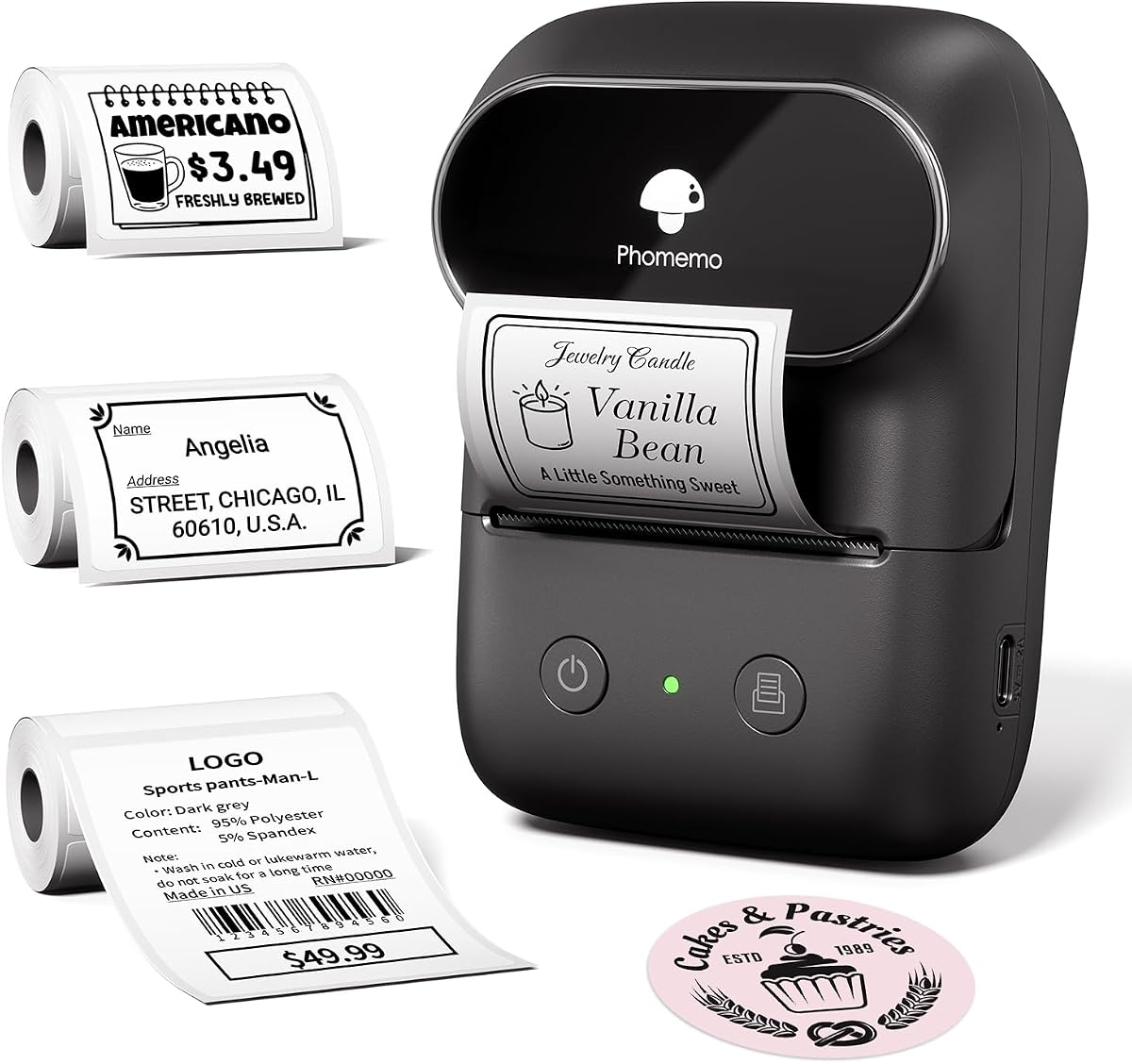
The Phomemo Thermal Label Maker is different from the other products in this guide because it is a compact tape-label machine rather than a full-size parcel printer. It weighs 184 grams and measures 4.49 by 3.43 by 2.32 inches. Its supported media width is 3/4 to 2 inches, or 20 to 50 millimeters, so it cannot print standard 4×6 shipping labels. It earns a place for users who also need compact product, storage, or identification labels.
We may earn a commission when you buy through this link, at no additional cost to you.
The included 1200 mAh rechargeable battery is rated for up to 6,000 prints per charge, while Bluetooth 4.0 provides a stated range of up to 33 feet. USB provides an alternate connection to a PC. Mobile users can use the Print Master app, while PC users can install a driver from the Phomemo website. The package includes three rolls of labels: 230 labels at 40 by 30 millimeters, 230 at 50 by 30 millimeters, and 90 at 50 by 80 millimeters.
Print Master includes more than 1,900 templates, over 7,900 icons, more than 450 borders, and over 550 fonts. Users can create QR codes, barcodes, logos, images, timestamps, and custom templates. OCR recognizes text from images in about four seconds, and voice input allows hands-free label creation. These features are more relevant to compact inventory and organization labels than to full parcel labels.
This is the right choice for a small-business operator who needs a portable printer for boxes, jars, bottles, name tags, folders, QR codes, and narrow shipping-address labels. It is not a substitute for a 4×6 thermal printer when standard parcel labels are the main requirement. It also has no listed numerical customer rating, so its evaluation relies on the supplied specifications and included accessories rather than a comparable rating.
The rechargeable battery, light weight, and compact dimensions make the machine useful for storage areas, retail shelves, workshops, and other locations where a full-size parcel printer would be inconvenient.
Users who already print 4×6 labels can use this machine for smaller product identification and organization tasks. Its three included rolls also provide enough media to explore several common label sizes immediately.
We may earn a commission when you buy through this link, at no additional cost to you.
The most useful choice depends on where labels are printed, which devices you use, and the formats you need. Consider connectivity, media range, print performance, software, and support together rather than focusing on one specification.
Bluetooth is valuable when a seller needs to print from a phone, move between packing areas, or avoid a permanent cable. However, most Bluetooth printers still rely on a vendor app or driver, and a direct connection is not always possible. USB provides a more consistent path for a fixed computer-based workflow. Rollo and Westinghouse emphasize wired operation, while the Nelko, NULLTONEX, JADENS, KNAON, Rongta, MUNBYN, and Phomemo 241BT support wireless and wired routes.
Choose Bluetooth for mobility and mixed-device use. Choose USB when the printer will remain beside one computer and predictable desktop operation matters more.
Most Pirate Ship shipping labels require a printer that can handle 4×6-inch direct thermal media. Every conventional shipping printer in this list supports that format, but its supported width range determines whether it can also handle narrower stock. The Phomemo Tape Label Maker is the exception because it supports only widths from 20 to 50 millimeters and cannot produce a full 4×6 label.
Verify the stated media width before buying, especially if you plan to print 2×2, 2×1, 3×2, QR code, or other compact labels alongside parcels.
A 203 DPI print head is the standard among the shipping-focused choices in this guide. It provides sufficient detail for address text, barcodes, QR codes, and basic monochrome graphics. Resolution should not be evaluated independently of media quality, calibration, and label positioning, because even a capable print head can produce weak results when the wrong settings or unsuitable thermal paper are used.
Prioritize a 203 DPI thermal model and use compatible labels. Run a test print and confirm that small text and codes scan clearly before processing a large order.
Stated speeds range from 150 to 180 mm/s in the portable group, while Westinghouse advertises six inches per second. A faster printer can help during concentrated fulfillment periods, but speed matters less when only a few packages leave each day. Consider the full workflow, including label preparation, Bluetooth stability, media loading, and the number of active packing stations.
For occasional home shipping, prioritize simplicity. For regular or high-volume fulfillment, favor a fast model with stable USB or network connectivity and a broad platform workflow.
A printer that can open a standard PDF from a shipping or marketplace account is generally more versatile than one tied to a single service. Many products support PDF import, and the MUNBYN Chrome editor provides a particularly direct browser-based route. Buyers should confirm the workflow described by the manufacturer, including any need to download a PDF before opening it in a mobile app.
Avoid assuming that listed marketplace support means direct integration with every shipping workflow. Confirm how labels are transferred, which app or editor is used, and whether computer drivers are required.
Templates, fonts, icons, QR code tools, OCR, and image support influence how easily a seller can create branded or consistent labels. NULLTONEX, KNAON, MUNBYN, and the Phomemo Tape Label Maker provide particularly large creative libraries. These tools are useful for product stickers, thank-you labels, price tags, and inventory identifiers as well as shipping addresses.
Choose the software that matches your design needs. A large library is valuable for frequent branding, while a simple document-and-PDF workflow may be sufficient for straightforward shipping labels.
Look beyond maximum width and check the supported minimum, roll dimensions, core size, material thickness, and whether fanfold media works. Automatic identification can make changing rolls easier. Some models require calibration or a feed-button press after media changes, so frequent format switching may influence the buying decision more than headline speed.
Match the printer to the media you actually use. Broad ranges are useful for mixed labeling, but stable support for one common format may be more valuable for a dedicated fulfillment desk.
Setup can be easier when the package includes a USB drive with drivers, instruction videos, test labels, or starter label rolls. JADENS includes a one-year warranty and several support routes, while Phomemo offers phone, email, live chat, and remote assistance. Other packages include power cords, USB cables, label holders, or starter media. Check whether a required cable, adapter, or labeled roll is included before ordering.
Support can be as important as hardware for a new owner. Choose a brand with accessible documentation or technical assistance, especially if you are unfamiliar with thermal media and printer calibration.
Begin by confirming the operating system, connection method, and required app or driver. For Bluetooth printing, install the manufacturer's app, power on the printer, and pair it through the app as instructed. For USB, connect the supplied cable, install the appropriate driver, and select the printer from the computer's device list. Users should also download or save the shipping label as a PDF when the platform workflow requires it.
Load the appropriate direct thermal media into the printer, confirm the paper width, and perform a test print before processing orders. Check the address, barcode, QR code, and small text for clarity. If the printer provides automatic identification, allow it to finish; if calibration is required, follow the stated feed or calibration procedure. Keep labels flat and feed each label through the same path recommended by the manufacturer.
For care, use compatible thermal paper and keep the printhead and feed mechanism free of adhesive residue. Do not use harsh liquids on the casing, and unplug the printer before maintenance. Store unused labels in a cool, dry place away from direct heat, and keep the device itself clear of crowded packing areas. Periodic test prints can reveal fading, smudging, or feed issues before they affect customer shipments.
Thermal printers commonly print a label downloaded from Pirate Ship as a PDF rather than connecting directly to the account. The exact workflow depends on the printer's app and driver, so save the label as a PDF, open it in the supported editor, and select the correct media size before printing.
A 4×6 thermal printer is the standard choice for standard shipping labels. Smaller compact machines may handle product or organization labels but generally cannot print the full parcel format. Confirm both the paper width and the printer's maximum printing width before purchasing.
Bluetooth is better for mobile and flexible workflows because the printer can connect from a phone or nearby computer without a cable. USB is often steadier for a permanent packing station and can simplify a single-computer setup. Some models offer both, providing the most flexibility.
Yes, the shipping-focused models can print text, standard barcodes, QR codes, and related label graphics. Print quality still depends on 203 DPI output, correct media settings, clean printhead conditions, and compatible thermal paper. A test print should be used before sending important shipments.
An inkjet can produce a shipping label, but a direct thermal printer offers a more focused workflow for typical parcel stock. Thermal models avoid ink and toner, are compact, and are designed around common shipping formats. Their main limitation is that standard direct thermal output is monochrome.
The printer must know where each label begins and ends to avoid printing across gaps or missing part of the next label. Models that do not detect media automatically may require a feed-button hold or another calibration step whenever the roll or label format changes.
Most models in this guide support more than one thermal media width, allowing standard shipping labels alongside barcodes, price tags, name tags, QR labels, and product stickers. Check the exact minimum and maximum widths, plus roll and fanfold compatibility, to confirm that every required format is supported.
Check connection options, operating-system support, media width, label-roll specifications, print resolution, and the required app or driver workflow. Also consider whether starter labels or cables are included and what technical support is available. Current product configurations can change, so verify the latest listing details before ordering.
The Nelko Bluetooth Thermal Shipping Label Printer is the strongest overall recommendation because it combines wireless and USB connections, 203 DPI output, broad marketplace support, and support for both roll and fanfold labels. The KNAON is a compelling budget-oriented alternative for buyers who prioritize portability, fast stated output, and extensive templates, while the Rollo USB model is the premium desktop choice for steady computer-based fulfillment.
The remaining products offer distinct advantages for particular workflows. NULLTONEX emphasizes customization and offline editing, JADENS provides broad shipping-service compatibility and after-sales support, Rongta simplifies media handling, Westinghouse targets high-throughput fixed workstations, MUNBYN offers a polished browser-based editor, and the Phomemo 241BT emphasizes support and wide media compatibility. The compact Phomemo tape printer is best reserved for narrow labels rather than standard 4×6 parcels.
Before buying, confirm the printer's current software workflow, supported media dimensions, included accessories, and carrier-specific requirements. Product listings, configurations, and prices can change, and both Amazon availability and third-party platform behavior may vary. Comparing the current details against the intended daily workflow will help identify the most suitable model for a home shipper, mobile seller, or established fulfillment desk.