
McAfee+ Premium 2027
4.3Editor score
Unlimited device protection
Personal data removal scans
Social privacy management
Identity threat monitoring
Public Wi-Fi VPN
Laptop protection software can shield devices from malware, ransomware, phishing, identity theft, and data loss; this guide compares ten leading options.
Laptop protection software helps guard computers from malware, ransomware, phishing, unsafe websites, identity exposure, and other online threats. A strong package should combine real-time antivirus with privacy tools, clear alerts, reliable support, and features that suit the number and types of devices you use.
The products in this guide were compared using their published device limits, supported platforms, threat-detection features, privacy utilities, identity monitoring, cloud backup, webcam protection, customer support, and subscription terms. The list includes comprehensive security suites as well as a hardware-protection plan that serves a different purpose.
Each review explains where a product stands out, where its scope is limited, and which users may benefit most from it. Product ratings and features can change over time, while subscription costs also vary, so readers should verify the latest terms, compatibility, and pricing directly before purchasing.
4.3Editor score

4.3Editor score

4.2Editor score
This side-by-side comparison highlights device allowances, platform support, core threat defenses, and the types of coverage each plan provides, helping readers distinguish cybersecurity software from accidental-damage protection.




McAfee Total Protection 2027 is a broad security suite for laptop users who want antivirus, web protection, a VPN, identity monitoring, and scam protection in one subscription. Its 4.2 rating reflects a generally positive user history, while the five-device allowance gives households or small teams room to cover several computers, phones, and tablets.
We may earn a commission when you buy through this link, at no additional cost to you.
The principal strength is the combination of features that are often sold separately. McAfee says its system detects suspicious links, risky sites, viruses, and scams automatically, while identity monitoring watches for exposed personal information. A VPN can protect activity on public Wi-Fi, and guided alerts are designed to explain what deserves attention rather than presenting users with unexplained warnings.
The main trade-off is the subscription structure. This is an auto-renewing annual plan, and the seller states that a payment method is required for activation, renewal reminders are sent, and cancellation is available through the McAfee account. Buyers should therefore compare the current introductory and renewal terms before committing rather than assuming the displayed purchase option represents every future term.
This plan works especially well for users who want one manageable suite covering both malware and identity-related risks. It is less compelling for someone already invested in a separate password manager, backup service, and VPN, or for a single user who needs no more than basic antivirus protection. Overall, it is a balanced choice with useful support and a generous device allowance.
Identity monitoring and scam protection make this more than a conventional antivirus subscription. These tools can alert users when exposed information is found and help them evaluate suspicious messages, adding practical value for anyone who shops, communicates, or manages sensitive accounts online.
McAfee emphasizes clear alerts and actionable instructions, while 24/7 phone and chat support is available. That combination may be useful for users who want straightforward guidance rather than having to interpret every technical warning on their own.
We may earn a commission when you buy through this link, at no additional cost to you.
This McAfee Total Protection edition is aimed at individuals or small households that need comprehensive security for three devices. It earns a 4.2 rating and combines antivirus, identity monitoring, a VPN, a password manager, and dark web monitoring, covering several common layers of online risk in a single one-year subscription.
We may earn a commission when you buy through this link, at no additional cost to you.
Its password manager is a notable addition because securely generating and storing complex credentials can reduce the temptation to reuse weak passwords. Identity monitoring can flag exposed email addresses, identification details, or phone numbers, while the VPN is intended to protect browsing on public networks. The antivirus component also alerts users to risky websites and current threats.
The limitation is straightforward: three devices is a narrower allowance than the five-device and unlimited-device options elsewhere in this list. It is also a subscription product delivered by digital code, so users should retain the activation instructions and verify that the product is being purchased for the correct region and accounts. The features described here make the package valuable, but a user with a larger device ecosystem may need broader coverage.
This is a good fit for a laptop, phone, and tablet belonging to one person, a couple sharing protection across a few devices, or anyone who wants a password manager included without maintaining a separate subscription. Choose it when three devices are enough and the bundled tools matter more than unlimited coverage.
The included password manager helps users generate and store complex passwords, addressing account security alongside conventional malware defense. It can make the subscription more useful between the relatively infrequent occasions when a threat warning appears.
By watching for exposed personal information and including dark web monitoring, the package helps users respond to identity risks that ordinary antivirus software may not detect. The alerts are most useful when paired with secure account changes and careful review of suspicious activity.
We may earn a commission when you buy through this link, at no additional cost to you.
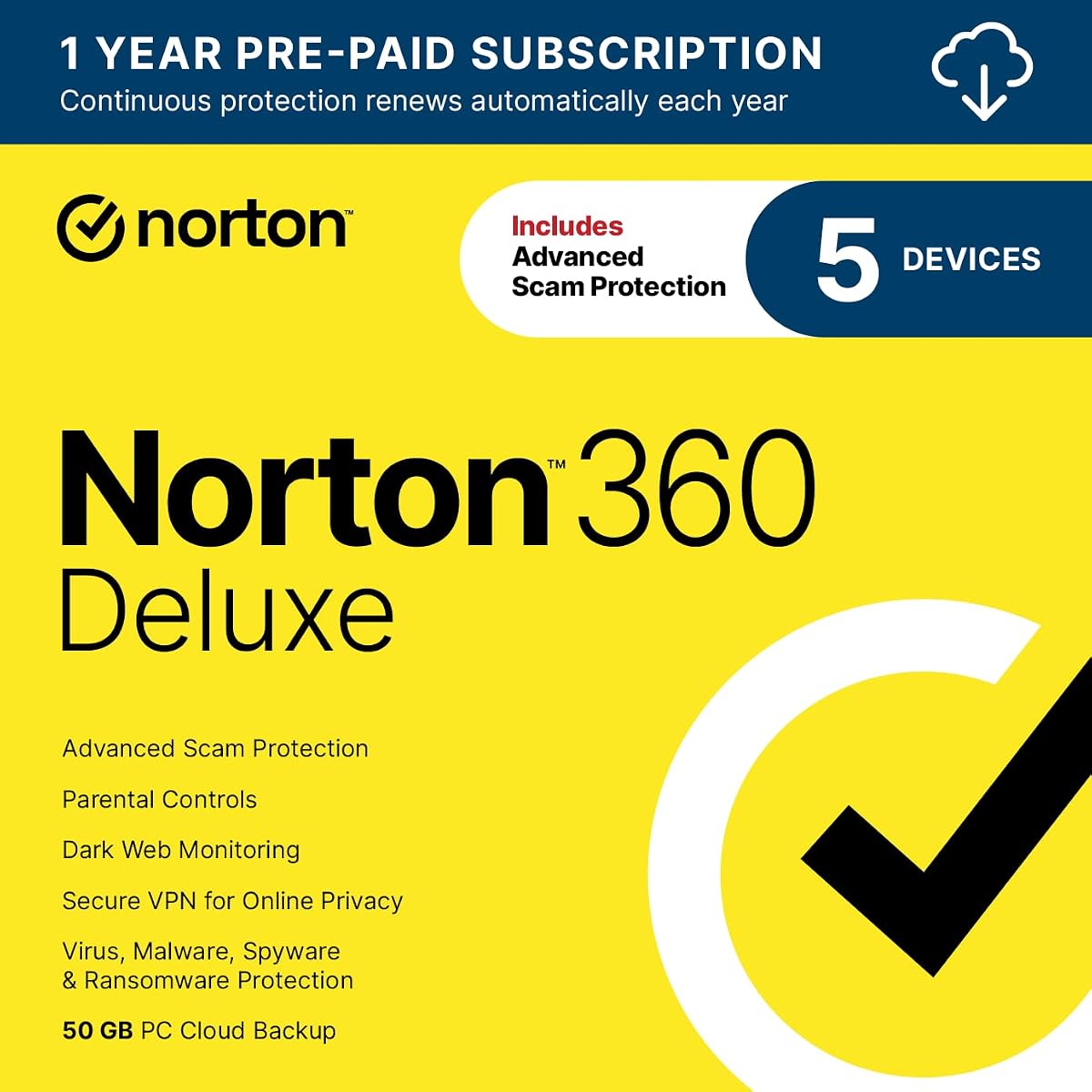
Norton 360 Deluxe provides protection for five PCs, Macs, iOS devices, or Android devices, making it a versatile option for laptop users with several personal devices. Its 4.0 rating is solid, and the suite stands out for combining real-time threat protection, VPN access, scam assistance, identity monitoring, and 50 GB of secure cloud backup.
We may earn a commission when you buy through this link, at no additional cost to you.
The built-in Genie AI assistant is designed to help users inspect suspicious emails or messages and understand whether content appears fraudulent. Meanwhile, real-time protection addresses existing and emerging malware, including viruses and ransomware. The VPN includes connection controls and supports privacy across multiple device types, while dark web monitoring can alert users if their information appears in places where stolen data is traded.
Cloud backup is another important feature because ransomware can make local files inaccessible. A 50 GB allowance gives users room to preserve selected documents and photos, although it will not suit someone with a much larger archive. As with the other auto-renewing options, users should note the introductory-term language, stored payment method requirement, annual renewal, and account-based cancellation process.
Norton 360 Deluxe is best for users who want antivirus and privacy tools while also valuing scam guidance and recovery-oriented backup. It is a particularly practical fit for students, remote workers, and families who need five device slots and regularly use online banking or communication services.
The Genie AI assistant offers a user-friendly way to assess questionable messages and emails. This is particularly relevant in a laptop protection guide because phishing often arrives through everyday communication channels rather than as a traditional computer virus.
The 50 GB secure PC cloud backup can preserve important files against ransomware and drive failures. It complements real-time prevention by providing a recovery layer when prevention alone cannot keep every local document safe.
We may earn a commission when you buy through this link, at no additional cost to you.
McAfee+ Premium 2027 is the most privacy-focused option in this roundup and carries a 4.3 rating. It combines unlimited-device antivirus with identity monitoring, scam protection, a VPN, web protection, personal data scans, and a social privacy manager, giving it the broadest collection of account and data-control tools here.
We may earn a commission when you buy through this link, at no additional cost to you.
Its personal data scans are especially distinctive. McAfee says it can locate personal information on sites selling it and guide users through removal. The social privacy manager finds privacy settings buried within social accounts and helps control what is shared. These features complement more familiar antivirus protections such as threat detection, risky-site warnings, and secure connections on public Wi-Fi.
Unlimited-device coverage is the headline advantage for households with many computers and mobile devices, but it does not mean every tool is essential for every user. The added privacy utilities can be unnecessary for someone whose primary requirement is malware detection. The auto-renewal terms also call for attention: payment information is required, annual renewal applies, and a reminder is issued before renewal.
McAfee+ Premium is the strongest recommendation for privacy-conscious users, larger households, and anyone who values identity monitoring alongside endpoint security. It is a sensible premium option when the goal is to centralize device, identity, and sharing controls rather than buy several separate services.
Personal data scans and the social privacy manager extend protection beyond files stored on the laptop. They help users identify exposed information and reconsider default sharing settings, areas where a standard antivirus engine would have little direct involvement.
The unlimited-device allowance is valuable for households, students with multiple devices, and small offices. It removes the need to choose which machines receive protection when the number of active devices changes over time.
We may earn a commission when you buy through this link, at no additional cost to you.
K7 Total Security Antivirus Software 2026 is a straightforward security option for one laptop or PC user. Its 4.2 rating indicates a favorable user reception, while the product concentrates on intelligent antivirus, ransomware protection, webcam access blocking, phishing defense, and broader internet-security controls without the larger bundles found elsewhere in the guide.
We may earn a commission when you buy through this link, at no additional cost to you.
Ransomware protection is particularly important because the product is described as guarding photos and files against untrusted applications that could change, delete, or encrypt them. Webcam protection prevents unauthorized applications from accessing the camera, adding useful protection for home offices and shared spaces. The internet-security tools also cover threats such as viruses, malware, spyware, and phishing.
The trade-offs are its narrow scope and user limit. The listing specifies one user and one year, so it is less suitable for a family or business needing a broader license. It also does not advertise the same identity-monitoring, password-management, cloud-backup, or personal-data tools found in competing suites. Users should carefully consider whether a focused antivirus plan meets their needs or merely postpones buying other security services.
This is a good fit for a single personal laptop user who primarily wants malware, ransomware, phishing, and webcam defense. It is also a practical choice for anyone who wants a conventional security tool without paying for a larger collection of privacy and identity utilities.
K7's ransomware protection is designed to stop untrusted apps from modifying, deleting, or encrypting important files. That focus makes the product especially relevant to users who store irreplaceable work or personal media on their computer.
Blocking unauthorized camera access can reduce a risk that ordinary antivirus may not emphasize. It is especially useful for remote workers, video-call users, and anyone who has installed unfamiliar software on a laptop used in private spaces.
We may earn a commission when you buy through this link, at no additional cost to you.
The ASURION 2 Year Laptop Protection Plan is different from the antivirus products in this guide: it provides hardware protection and technical assistance rather than malware detection. It has the highest listed rating at 4.5 and may appeal to readers who interpret laptop protection broadly or want coverage alongside their own security software.
We may earn a commission when you buy through this link, at no additional cost to you.
Under normal-use terms, the plan covers drops, spills, and cracked screens from the date of purchase. It also covers malfunctions after the manufacturer's warranty ends, although the typical manufacturer warranty period is one year and should be checked for the specific laptop. Repairs include parts, labor, and shipping, with no additional repair cost described in the supplied listing.
This is not a replacement for endpoint security, encryption, secure backups, or careful account habits. Pre-existing conditions are excluded, and the plan must be bought with the covered product or within 30 days of its purchase. Claim handling may result in a repair, replacement, or an Amazon e-gift card reflecting the covered product's purchase price when a repair cannot be completed.
The plan is best for buyers seeking accidental-damage coverage, repair support, and around-the-clock help with setup, connectivity, and troubleshooting. Those who only want virus protection should choose a cybersecurity suite instead, while travelers, students, and frequent remote workers may find the hardware protection particularly reassuring.
Drops, spills, and cracked screens represent some of the most common laptop problems. Addressing these risks through a plan can be useful for anyone who travels frequently, studies in shared environments, or uses a device for demanding daily work.
Round-the-clock experts can assist with setup, connectivity, troubleshooting, and other technical issues. That support may be valuable to users who want a single point of help for both hardware concerns and common configuration problems.
We may earn a commission when you buy through this link, at no additional cost to you.
McAfee Total Protection 2027 for three devices combines endpoint protection with identity and privacy features and has a 4.1 rating. It suits individuals who want more than antivirus but do not need to protect a large collection of computers and mobile devices.
We may earn a commission when you buy through this link, at no additional cost to you.
Threat detection covers suspicious links, risky sites, viruses, and scams, while identity monitoring looks for exposed personal information. The VPN can activate with a few clicks when users connect to public Wi-Fi. McAfee also describes adaptive protection that tunes alerts to the user and adjusts detection as threats change, offering a more personalized experience than a basic warning list.
Three devices remain the central constraint. People with a laptop plus two mobile devices can use the allowance well, but adding another computer or tablet may exceed it. The plan is also an annual auto-renewing subscription, and users are told that a payment method is required for activation, reminders occur before renewal, and cancellation is handled through the McAfee account.
This plan is a good match for a solo user with three active devices who travels, works across public networks, and wants a single suite for malware, scams, and identity exposure. It is less suitable for shared homes with numerous devices unless they are willing to manage limits or select an unlimited alternative.
Adaptive protection is one of the distinguishing features of the 2027 line. Tying alerts to the user may make warnings more relevant, while continuously updated detection is intended to keep pace with changing threats.
The simplified VPN workflow is designed for people who connect to public Wi-Fi without wanting to manage a separate security utility every time. It adds privacy protection at moments when unsecured networks are especially common.
We may earn a commission when you buy through this link, at no additional cost to you.
Bitdefender Total Security 2026 is a feature-rich, cross-platform suite for five devices, and its 4.3 rating places it among the strongest options here. It supports major Windows versions, Mac OS, iOS, and Android, making it a natural choice for users who do not want separate security subscriptions for different device families.
We may earn a commission when you buy through this link, at no additional cost to you.
Its advanced threat defense combines real-time data protection, multi-layer malware and ransomware protection, social-network protection, anti-phishing, anti-fraud, anti-spam, a file shredder, and a microphone monitor. Webcam protection, anti-tracker functions, parental controls, and dedicated game, movie, and work modes create a well-rounded package. A dedicated browser is included for secure online banking, while the VPN allowance is 200 MB per day.
Two details deserve attention. The daily VPN data limit makes the feature more constrained than the unlimited VPN advertised by some competitors, and the extensive feature set may require time to configure or understand. The product also uses a printed activation code in recyclable cardboard packaging rather than a disc, which reduces physical waste but requires the buyer to locate and retain the code.
Bitdefender is a strong recommendation for cross-platform households or small work groups that need one subscription and a broad selection of security controls. It is especially compelling for users who value specialized tools such as webcam protection, anti-tracking, a file shredder, and flexible operating modes.
Support for Windows, Mac, iOS, and Android makes license management easier for people with mixed devices. Readers should still confirm the precise operating-system version requirements listed for the software before installation.
Multi-layer malware and ransomware protection works alongside webcam monitoring, anti-tracker functions, phishing protection, and a file shredder. Together, these features address both malicious software and everyday privacy exposures.
We may earn a commission when you buy through this link, at no additional cost to you.
Norton 360 Deluxe for three devices is a compact security suite for users who want malware protection, privacy tools, scam assistance, and backup without paying for a larger device allowance. It has a 3.9 rating, the lowest among the listed products, but its published feature set remains broad and relevant to everyday laptop security.
We may earn a commission when you buy through this link, at no additional cost to you.
Installation is designed to be quick, with download-based protection for PCs, Macs, iOS devices, or Android devices. Real-time protection guards against existing and emerging malware, including ransomware and viruses, while the VPN provides privacy and connection controls. Genie AI assistance helps users assess suspicious communications, and dark web monitoring can report exposed personal information.
The 25 GB secure PC cloud backup is more limited than the 50 GB and 75 GB allocations offered by Norton's larger plans. The three-device limit is also restrictive for larger households. Auto-renewal, introductory-term conditions, a stored payment method, and account-based cancellation are important points to review before activation.
This product is best for a user with a laptop and one or two mobile devices who values Norton's scam assistant and backup tools. The lower rating may warrant reading recent customer feedback, but it does not erase the suite's usefulness for basic threat prevention and privacy.
The Genie AI assistant is designed to make scam recognition more approachable. It can help users investigate a questionable message before they click, reply, disclose information, or make a payment.
The 25 GB backup allowance is a meaningful addition for a modest security plan. Users can preserve a focused selection of important files without needing to maintain a separate consumer backup service.
We may earn a commission when you buy through this link, at no additional cost to you.
Norton 360 Premium is built for users who need protection across as many as ten PCs, Macs, iOS devices, or Android devices. Its 4.0 rating is positive, and the package is a logical option for larger households, shared offices, or individuals whose device count changes frequently.
We may earn a commission when you buy through this link, at no additional cost to you.
The core security tools include real-time protection against existing and emerging malware, particularly viruses and ransomware. The VPN supports privacy and connection control, including across smart TVs, while dark web monitoring searches for exposed information. Genie AI assistance helps users evaluate suspicious emails and messages. A 75 GB secure PC cloud backup provides a larger recovery allowance than Norton's three- and five-device Deluxe options.
Ten devices may be more capacity than a single user needs, making this plan less efficient for someone protecting only a laptop. The introductory-pricing structure, auto-renewal, stored payment method, and annual renewal at the then-current rate should be reviewed carefully. Users should also consider whether they need backup for PCs only, as the listing identifies the cloud backup specifically with PCs.
This is the preferred Norton option for a large multi-device ecosystem, particularly when centralized administration and ample backup space are important. It is less compelling for beginners with one computer, but it provides a capable suite for families and small teams that want fewer license-management decisions.
A ten-device allowance gives users room to add phones, tablets, and additional computers without changing products. It is especially useful for shared households where each person may use several connected devices.
The 75 GB secure PC cloud backup is the largest allocation among the Norton plans listed here. It provides a more practical recovery layer for users who maintain substantial document or photo collections on a laptop.
We may earn a commission when you buy through this link, at no additional cost to you.
The right laptop protection software depends on your operating systems, device count, threat priorities, and tolerance for subscriptions. Comparing these factors before buying helps avoid paying for unnecessary features or ending up with inadequate coverage.
Choose a limit that comfortably covers your current devices with room for additions, and confirm operating-system compatibility before buying.
Prioritize real-time protection, ransomware defenses, phishing detection, and automatic threat updates as the essential foundation.
Check the VPN data allowance and select privacy tools that match your actual activities rather than buying features you will rarely use.
Identity alerts and password management add measurable value, especially for people handling sensitive or frequently reused account credentials.
Treat backup as a recovery layer, not merely another antivirus feature, and confirm that the included allocation is large enough for your essential files.
Favor a product that explains warnings clearly, offers practical support, and fits comfortably into your normal computer workflow.
Read the renewal and cancellation terms before activating, and retain your account information and digital code in a secure place.
Do not mistake repair coverage for malware defense; evaluate hardware plans only as an additional layer for accidents and technical support.
Begin by confirming that the product supports your laptop's operating system, create the required vendor account, and save the digital activation code or warranty information. Install the security suite only after checking the listing and delivery details. Review the main protection status, schedule an initial scan, and avoid installing multiple competing antivirus products at the same time, since overlapping real-time engines can cause conflicts or unnecessary system activity.
Next, explore the controls that match your routine. Enable cloud backup for essential documents, activate automatic updates, configure the VPN for Wi-Fi networks you trust less, and adjust notifications so important warnings remain visible. If identity monitoring or dark web alerts appear, read them carefully and change affected passwords through the legitimate service website. Do not dismiss a repeated warning merely because a scan no longer displays it.
Treat security software as one layer of a broader care routine. Keep the laptop's operating system and applications updated, use strong and unique credentials, enable multifactor authentication where available, and avoid opening unexpected attachments or links. Review subscription renewal notices, update the software regularly, and periodically check that backup restoration works as expected. If the device is replaced, transfer or cancel the appropriate coverage and remove obsolete activations.
A dedicated security suite can add features beyond the operating system's built-in tools, such as identity monitoring, password management, cloud backup, scam assistance, and advanced privacy controls. However, it should complement rather than replace normal system updates, strong account practices, and careful browsing. Confirm that the suite works correctly with the security tools already present on your laptop.
No. Antivirus primarily identifies malicious software and unsafe activity, while identity theft can result from exposed personal information, weak passwords, phishing, or data breaches. Identity monitoring and password management can improve your response, but they do not guarantee prevention. Use unique credentials, multifactor authentication, and careful review of account alerts to reduce the risk.
A three-device or five-device plan protects a limited number of compatible devices, while an unlimited plan removes that numerical restriction. Unlimited coverage is useful for large households and people who frequently add mobile devices. Smaller plans may be more suitable for one user, but you should allow room for future devices and confirm exactly which platforms are supported.
A VPN can encrypt traffic and improve privacy when connected to an untrusted network, but it cannot eliminate every public Wi-Fi risk. You should still verify the network, avoid sensitive activity where confidence is low, keep the operating system updated, and use multifactor authentication. A VPN is one layer of protection rather than a guarantee against interception or account compromise.
It is highly beneficial. Antivirus is designed to prevent and detect threats, while cloud backup can preserve important files if ransomware, accidental deletion, or a drive failure occurs. Check the included storage allowance and confirm which devices can use it. For critical documents, maintaining an additional tested backup is a prudent practice.
The ASURION product in this guide is a hardware and accidental-damage protection plan rather than antivirus software. It covers eligible drops, spills, cracked screens, and certain post-warranty malfunctions under its terms, along with repair-related services and technical support. These protections can complement cybersecurity software, but they do not detect malware or protect against online threats.
One-year coverage is convenient for people who want a defined period of protection and prefer not to commit to a longer relationship with a vendor. Auto-renewing plans reduce the chance of an accidental lapse but require reviewing the renewal terms, stored payment method, and cancellation process. Either format works when you understand the billing schedule and calendar the renewal date.
Any security suite adds some background activity, and large feature bundles may have a greater effect than focused antivirus tools. Modern products are generally designed to balance protection with performance, and users can configure scan schedules and operating modes. If performance suffers, check for duplicate security programs, update the software, and review which optional features are actually needed.
McAfee Total Protection 2027 for five devices offers a balanced combination of antivirus, web protection, a VPN, identity monitoring, scam protection, and support. McAfee+ Premium stands out for unlimited-device coverage and deeper privacy tools, while Bitdefender Total Security 2026 is particularly attractive for mixed-platform users who want a broad collection of defensive features in one suite.
For a single laptop user who mainly needs malware, ransomware, phishing, and webcam protection, K7 Total Security delivers a focused approach. Norton 360 Deluxe and Premium are compelling when scam assistance, dark web monitoring, and cloud backup are priorities, while ASURION serves a separate hardware-protection need rather than replacing endpoint security. Prioritize device compatibility, device count, threat coverage, and the tools you will genuinely use.
Before purchasing, compare the current subscription and renewal terms, activation method, support policies, and product features shown on the seller's page. Prices and promotions can change, and the information available during activation may differ from an earlier listing. Checking those details and your laptop's requirements will help ensure that the selected protection plan remains appropriate throughout its term.
