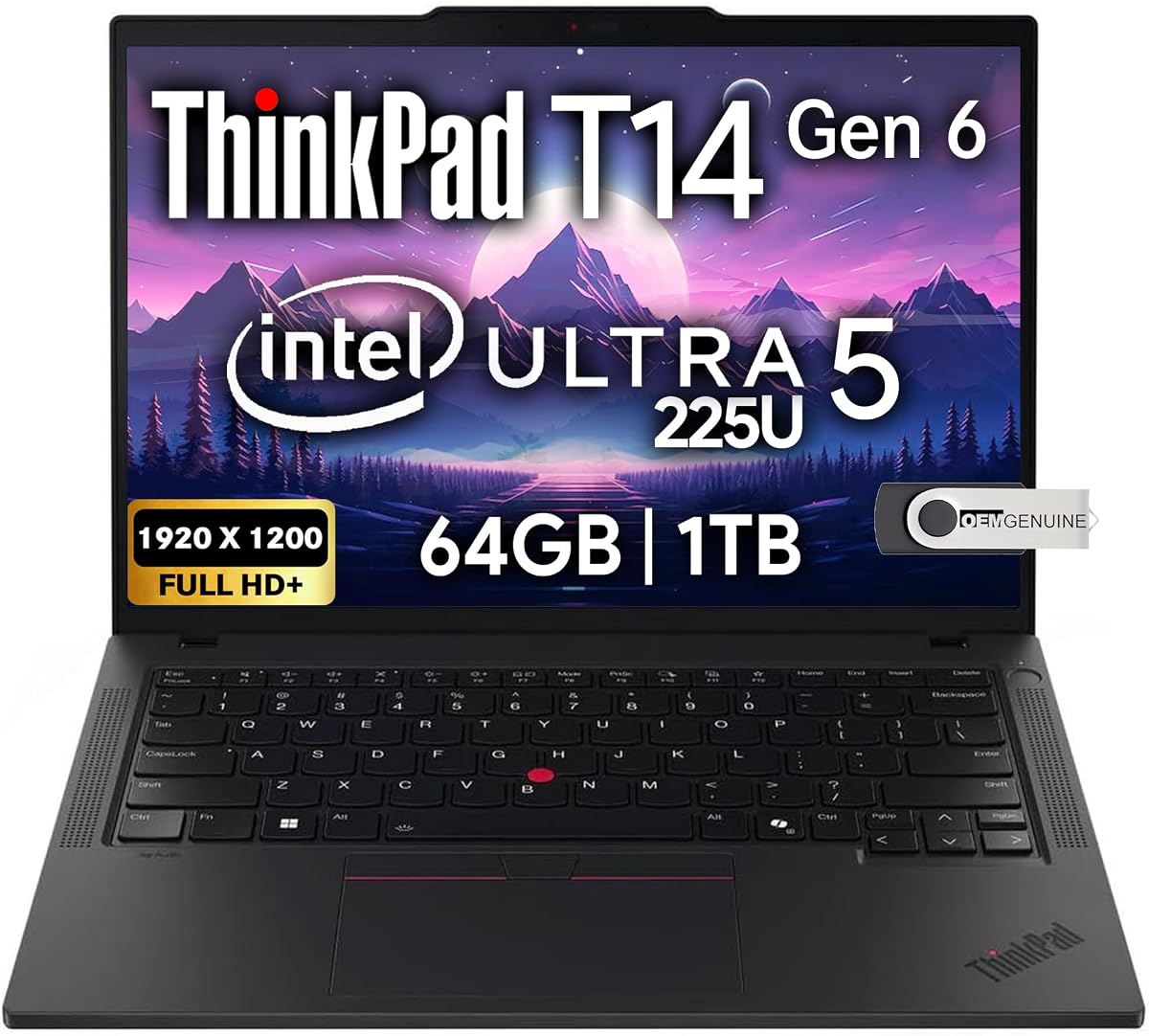
Lenovo ThinkPad T14 Gen 6
Compact 14-inch business design
64GB DDR5 memory
Thunderbolt 4 and Wi-Fi 6E
A laptop with 64GB RAM is built for demanding multitasking, large project files, virtual machines, development environments, and workloads that can overwhelm machines with less memory. The best model balances abundant memory with a capable processor, responsive storage, a comfortable display, and enough connectivity for the way you work.
We compared all 10 laptops using their stated processors, memory, storage, displays, ports, operating systems, and business-oriented features. The list includes conventional business notebooks, large-screen models, a compact ThinkPad, and an OLED touchscreen, allowing buyers to compare performance and portability rather than relying on RAM alone.
Each pick reveals which shopper it suits best, from buyers seeking straightforward productivity to professionals who value premium displays, extensive connectivity, or enhanced device management. Product listings and prices change frequently, so confirm the current configuration, warranty terms, and final cost before purchasing.

4.0Editor score

4.3Editor score
As an Amazon Associate we earn from qualifying purchases.
This side-by-side comparison highlights the major hardware and feature differences among all 10 models, helping you identify the right balance of processing power, screen size, storage, connectivity, portability, and operating-system features.




The HP 255 G10 15.6-inch combines an AMD Ryzen 7 7730U processor with 64GB of RAM and a 2TB PCIe SSD, making it an unusually well-balanced recommendation for business and productivity buyers. Its stated 4.3 rating reflects a generally favorable customer response, while the specification mix supports heavy multitasking, large document libraries, and demanding office applications.
We may earn a commission when you buy through this link, at no additional cost to you.
The Ryzen 7 7730U provides eight cores and 16 threads with boost speeds up to 4.50GHz, giving this laptop more processing headroom than many entry-level 64GB configurations. The 64GB of memory is especially valuable for users who keep large spreadsheets, numerous browser tabs, messaging applications, and communication tools open simultaneously. A 2TB PCIe M.2 drive adds enough capacity for project folders, media, applications, and data that no longer needs to live in the cloud.
Its 15.6-inch Full HD IPS anti-glare display is practical for offices and everyday travel, although 250 nits and 45% NTSC color coverage are not exceptional. The inclusion of a numeric keypad makes sense for accounting, data entry, and spreadsheet work, while two USB-A ports, one USB-C port, HDMI, a headset jack, Wi-Fi 6, and Bluetooth cover routine peripheral needs. Windows 11 Pro adds enterprise-oriented management, security, and remote-access features, making this more compelling for organizational use than its basic exterior suggests.
This is the strongest general-purpose choice for shoppers who want substantial RAM and storage without moving to a premium display or ultra-portable chassis. The main compromise is visual quality: creative professionals seeking accurate color may prefer the OmniBook 7 OLED, while mobile users may prefer the smaller ThinkPad. For office-heavy computing, however, the balance of processor power, memory, storage, connectivity, and Windows 11 Pro makes this a particularly persuasive recommendation.
The 64GB configuration leaves considerable room for demanding productivity workflows. It is especially useful for developers working with containers, students maintaining large research files, and professionals keeping numerous applications open without relying on disk swapping.
The Full HD IPS panel provides a comfortable canvas for documents, spreadsheets, presentations, and web work. Its anti-glare treatment helps with reflections, although the stated brightness and color coverage make it less compelling for color-critical creative work.
We may earn a commission when you buy through this link, at no additional cost to you.
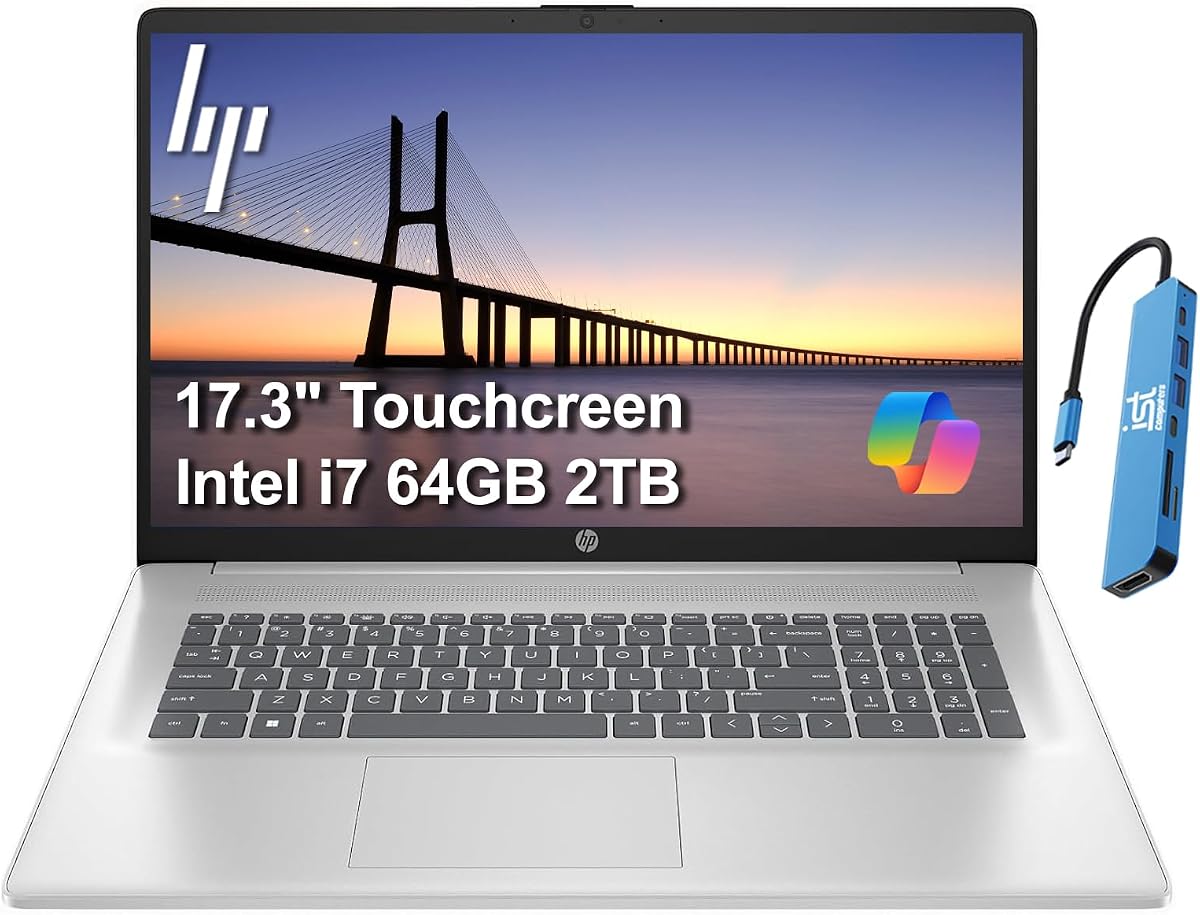
The HP Essential 17t is an attractive option for buyers who want a large touchscreen and 64GB of memory without moving to the highest-tier display technology. It carries a 4.3 rating and pairs a 13th-generation Intel Core i7-1355U processor with 64GB of DDR4 RAM, a 2TB PCIe NVMe drive, and Windows 11 Home.
We may earn a commission when you buy through this link, at no additional cost to you.
The Core i7-1355U offers 10 cores, 12 threads, and boost performance up to 5.0GHz, making it well suited to office applications, research, communication, and concurrent workloads. The 64GB RAM is the headline specification, but the fast NVMe storage also matters because it reduces delays when opening files, launching applications, and transferring project data. Together, these components suit a user who wants room to grow rather than a minimal office machine.
The 17.3-inch HD+ touchscreen is useful for presentations, browsing, and casual tablet-style interaction. Its 1600-by-900 resolution provides more room than a typical compact display, though it does not match the sharpness of the Full HD and 2K alternatives. Wi-Fi 6, Bluetooth 5, USB-C, two USB-A ports, HDMI, a fingerprint reader, and a combined audio jack make it appropriately equipped for a working office. Windows 11 Home is the stated operating system, which may matter to business users who need Pro administration features.
The unusual warranty arrangement deserves attention. The listing states that the original seal was opened for upgrades, with a one-year warranty on the upgraded RAM and SSD from PCOnline US and the remaining components retaining the original one-year manufacturer warranty. Buyers should retain that distinction in mind. Subject to those terms, this laptop is a compelling choice for students and home-office users who prioritize screen area, touch interaction, and memory over a high-resolution display.
The large 17.3-inch canvas is particularly helpful when working with long documents, financial models, multiple application windows, or browser-heavy research. The touchscreen adds direct input options, while the numeric-oriented productivity focus suits home offices and study spaces.
The Core i7 processor provides ample capability for everyday business tasks, while 64GB of RAM makes the configuration attractive to power users. NVMe storage further improves the feel of the machine by accelerating everyday data access.
We may earn a commission when you buy through this link, at no additional cost to you.
The Lenovo ThinkPad T14 Gen 6 is the most refined business-focused option in this guide, combining 64GB DDR5 memory with a compact 14-inch form factor and an extensive connectivity suite. No customer rating is published in the supplied listing, so the evaluation rests on the documented hardware and business-oriented design rather than a numeric score.
We may earn a commission when you buy through this link, at no additional cost to you.
Its Intel Core Ultra 5 225U processor uses a hybrid architecture to balance efficiency and performance across productivity tasks. The 64GB of DDR5 RAM provides ample headroom for virtualization, data analysis, large code projects, and numerous open applications, while the 1TB NVMe SSD supports fast boot and file access. The FHD+ IPS anti-glare display has a 1920-by-1200 resolution, giving the compact notebook enough detail for documents and professional interfaces.
Connectivity is a major strength. The laptop includes two USB-A 3.2 Gen 1 ports with one Always On capability, two Thunderbolt 4 ports, HDMI, Ethernet, and a headphone and microphone combination jack. Wi-Fi 6E, Bluetooth 5.3, a backlit keyboard, fingerprint reader, and a 5MP webcam with privacy shutter reinforce its business positioning. The stated support for up to three external monitors at up to 4K and 60Hz is useful for desk-based work.
Windows 11 Pro 64-bit adds built-in AI features, Copilot support, and the management and security tools that make sense for organizations. The 1TB storage capacity is the main limitation relative to competitors offering 2TB drives, and buyers needing enormous local storage may need to verify upgrade options. For professionals who want portability without surrendering memory, modern connectivity, biometrics, or device-management features, the T14 Gen 6 is the strongest premium pick.
The 14-inch display keeps the ThinkPad more compact than the 17-inch alternatives while preserving a high-resolution workspace. That balance makes the 64GB configuration especially useful for commuters and hybrid workers who still need serious multitasking capability.
Thunderbolt 4, USB-A, HDMI, and Ethernet provide flexibility for storage, displays, networking, and conventional peripherals. The inclusion of a fingerprint reader, privacy shutter, backlit keyboard, and Wi-Fi 6E makes the feature set appropriately business-oriented.
We may earn a commission when you buy through this link, at no additional cost to you.
The HP 17.3-inch Business Laptop stands out for a broad package that combines 64GB RAM, 2TB of SSD storage, and a 256GB docking station. It has a 4.1 rating and is aimed at people who want a large work area, flexible connectivity, and enough memory and storage for demanding office environments.
We may earn a commission when you buy through this link, at no additional cost to you.
The listed processor is a 10-core, 12-thread Intel Core i5 with a boost clock up to 4.6GHz and 12MB of cache, paired with Intel Iris Xe Graphics. While the listing does not name the exact Core i5 model, the stated core count and clock support strong performance for business software, web applications, collaboration tools, and media-heavy multitasking. The 64GB DDR4 memory creates abundant working space, while the 2TB PCIe SSD provides quick access to large document sets and local media.
The 17.3-inch LED display has a 1600-by-900 resolution and 250-nit brightness. It is large enough to reduce scrolling in documents and spreadsheets, though the resolution is not especially sharp by current standards. USB-C, two USB-A ports, HDMI, a combined audio jack, Wi-Fi, and Bluetooth cover core peripheral requirements. The included docking station is the notable accessory, offering a larger total storage package for files that can remain connected to the host laptop.
Windows 11 Pro and the stated inclusion of Microsoft Office make the package attractive for users who want to begin working immediately. Buyers should note that the title describes 2.2TB total storage by combining the 2TB SSD with a 256GB docking station, rather than claiming 2.2TB internal laptop storage. With that distinction understood, this is a solid choice for desk-based users who value capacity, a large screen, and a bundled dock.
The 2TB internal SSD handles active projects and installed applications, while the included 256GB docking station adds a separate location for files or backups. That separation can be useful for users who want to move between desk and travel configurations.
At 17.3 inches, the display offers a comfortable desktop-like workspace for documents, spreadsheets, and communication applications. The 250-nit specification is practical for indoor use, while the modest resolution limits some fine-detail viewing.
We may earn a commission when you buy through this link, at no additional cost to you.
The HP OmniBook 7 is the most display-focused recommendation, combining a 16-inch 2K OLED touchscreen with 64GB of RAM and a powerful Intel Core 9 270H processor. Its 4.0 rating reflects a favorable overall listing, and the feature set gives it an obvious edge for users who spend long hours viewing images, editing media, or working with visually rich applications.
We may earn a commission when you buy through this link, at no additional cost to you.
The OLED panel offers a 2048-by-1280 resolution, 120Hz refresh rate, 0.2ms response time, HDR support at 500 nits, wide viewing-angle coverage, and a low-blue-light feature. It is a compelling canvas for creative review, entertainment, presentations, and general productivity. The Intel Core 9 270H provides 14 cores, 20 threads, a 24MB L3 cache, and boost speeds up to 5.8GHz, so the internal performance is suitably ambitious.
Memory and storage are also generous. The 64GB RAM supports heavy application concurrency, while the 1TB SSD provides fast storage for an active project library. Connectivity includes Thunderbolt 4 with 40Gbps signaling, an additional 10Gbps USB-C port, and two USB-A ports. Wi-Fi 7, Bluetooth 5.4, a backlit keyboard, and a 128GB docking station add further flexibility, while Poly Studio-tuned audio and dual-array microphones suit meetings and media consumption.
Windows 11 Pro makes the device suitable for business use and provides familiar productivity and management features. The trade-offs are the smaller 1TB storage allocation compared with several rivals and the potentially premium power requirements of an OLED panel. Some users are sensitive to PWM dimming or prefer the battery efficiency of conventional displays, so this recommendation works best when visual quality is the priority. Otherwise, it delivers an unusually complete combination of speed, memory, and multimedia refinement.
The 2K OLED touchscreen combines sharp resolution, rich contrast, HDR capability, and a smooth 120Hz refresh rate. These qualities are particularly useful for media review, design work, and presentations where visual impact matters.
The 14-core Core 9 processor, 64GB of RAM, Wi-Fi 7, and Thunderbolt 4 create a forward-looking platform. The package is well suited to intensive productivity and a permanent desk setup using the included docking station.
We may earn a commission when you buy through this link, at no additional cost to you.
The HP 17 Touchscreen Laptop is a balanced 64GB machine for home users, students, and professionals who want a large interactive display without sacrificing processing power or storage. It has a 4.2 rating, an Intel Core i7-150U with 10 cores, 64GB of DDR4 memory, and a 2TB PCIe NVMe M.2 solid-state drive.
We may earn a commission when you buy through this link, at no additional cost to you.
The Core 7 150U processor provides 10 cores and emphasizes efficiency alongside performance, which fits the machine's stated all-day productivity positioning. The generous RAM supports heavy multitasking, while the 2TB NVMe drive ensures quick startup, application access, and file transfers. Together, the specifications are more than sufficient for research, video meetings, office applications, family use, and moderately intensive creative workflows.
The 17.3-inch HD+ BrightView touchscreen has a 1600-by-900 resolution and supports touch interaction, making it convenient for browsing, annotation, and casual tablet use. A webcam privacy shutter improves privacy, and the listing states support for up to two external 4K monitors at 60Hz without a docking station. USB-C with Power Delivery and DisplayPort 1.4, two USB-A ports, HDMI 1.4b, Wi-Fi 6, and Bluetooth 5.3 make the system flexible for peripherals and displays.
The listing also states a battery life of up to 11 hours and support for HP Fast Charge from zero to 80% in about 60 minutes, though real-world results depend on settings and workloads. The computer has been resealed for memory and storage upgrades, with a three-year upgraded-component warranty and one-year manufacturer coverage for remaining parts. Buyers should read those terms closely. Within them, this laptop offers a capable, well-equipped 64GB configuration with particularly generous storage.
The combination of 64GB of memory and a 10-core processor is ideal for students and remote workers who move among coursework, video calls, documents, and browser research. It offers more capacity than most mainstream configurations at the same broad usage level.
HDMI and DisplayPort-capable USB-C support an extended workstation, while the touchscreen provides an intuitive alternative to conventional input. The privacy shutter is a thoughtful addition for frequent video conferencing.
We may earn a commission when you buy through this link, at no additional cost to you.
The HP 255 G10 Home and Work laptop delivers the core benefit sought in this category at a value-focused level: up to 64GB of RAM in a conventional 15.6-inch notebook. It carries a 4.3 rating and pairs the memory with a Ryzen 3 7330U processor, a Full HD display, and flexible storage options.
We may earn a commission when you buy through this link, at no additional cost to you.
The Ryzen 3 7330U uses a four-core architecture designed to handle daily productivity while remaining power-conscious. Although it lacks the additional cores of the Ryzen 5 and Ryzen 7 models in this roundup, 64GB of RAM can help keep many standard applications responsive. The listing allows for up to 2TB of PCIe NVMe M.2 storage, although the title identifies a 1TB SSD configuration, so buyers should confirm the selected capacity.
A 15.6-inch Full HD LED-backlit display offers a practical resolution for documents, browsing, streaming, and schoolwork. AMD Radeon Graphics handles ordinary visual tasks, while the listed thin-and-light design supports mobile use. HDMI and USB-C cover common display and accessory connections, though the supplied summary does not enumerate every port. Windows 11 Home provides the stated modern interface, window management, improved multi-monitor functionality, and compatibility with Android applications.
This laptop makes the most sense for a student, home-office worker, or secondary computer user who values abundant memory more than maximum processor performance. The Ryzen 3 chip is adequate for email, web use, office work, streaming, and many applications running concurrently, but heavy compilation, intensive rendering, and sustained professional workloads would benefit from a Core i7, Core i5, Core 9, or Ryzen 7. For general use, the combination of 64GB memory, a Full HD screen, and everyday connectivity is compelling.
The 64GB option is the main attraction, allowing users to keep many applications and browser tabs open with ample memory remaining. This makes the configuration useful even though the processor is not among the most powerful in the guide.
The Full HD LED-backlit panel offers a more detailed image than many HD+ alternatives. Its stated thin-and-light construction also makes the laptop more appropriate for regular movement between home, school, and shared workspaces.
We may earn a commission when you buy through this link, at no additional cost to you.
The HP 15.6-inch Touch Laptop is included as an important alternative rather than a qualifying 64GB model. It has 32GB of RAM, a 1TB PCIe NVMe SSD, a Ryzen 5 7530U processor, and a 15.6-inch Full HD IPS touchscreen. Its 4.6 rating is the second-highest among the listed products with published ratings.
We may earn a commission when you buy through this link, at no additional cost to you.
The Ryzen 5 7530U uses six cores and 12 threads, providing more processor capability than the entry-level Ryzen 3 alternative in this guide. The 32GB memory remains ample for extensive browser use, office applications, research, and conventional creative work, although it does not deliver the extra headroom associated with 64GB configurations. The 1TB NVMe drive supports quick bootups, file transfers, and efficient access to larger documents and media.
Its 15.6-inch 1920-by-1080 IPS touchscreen is one of the strongest aspects of the package. The listing emphasizes high color accuracy, wide viewing angles, and sensitive touch controls for presentations, design, and entertainment. A full-size backlit keyboard and dedicated numeric keypad improve productivity in dim rooms and make spreadsheet or accounting tasks more convenient.
Windows 11 Pro with Copilot, Wi-Fi 6, and Bluetooth 5.4 make this a modern business-and-student system. It could be the more sensible choice for someone whose actual workload does not require 64GB, especially given its touchscreen, numpad, processor configuration, and favorable rating. However, it does not meet the core 64GB requirement of the keyword. It is best understood as a feature-rich fallback when budget matters more than maximum memory.
A responsive Full HD IPS touchscreen adds direct interaction that many conventional business laptops omit. The included backlit keyboard and numeric keypad make it a strong all-around productivity device for presentations and spreadsheet-heavy work.
Memory beyond 32GB offers diminishing returns for many users, and the Ryzen 5 processor contributes useful performance beyond raw capacity. Buyers who rarely operate large virtual machines or intensive datasets may receive better overall value from this alternative.
We may earn a commission when you buy through this link, at no additional cost to you.
The HP 15.6-inch FHD Touch combines a perfect 5.0 customer rating with a Ryzen 7 7730U processor, 64GB of RAM, 2TB of PCIe storage, and a Full HD touchscreen. It is one of the most attractive specifications in this roundup and a particularly strong recommendation for touch-focused productivity users.
We may earn a commission when you buy through this link, at no additional cost to you.
The eight-core, 16-thread Ryzen 7 processor can boost to 4.5GHz and works with AMD Radeon Graphics for business applications, presentations, streaming, and light creative workloads. The 64GB of high-speed memory creates substantial multitasking room, while the 2TB SSD provides abundant local storage and fast transfer performance. That combination supports large project libraries and productivity software without forcing users toward cloud-only storage.
The 15.6-inch Full HD anti-glare touchscreen is a meaningful upgrade over standard non-touch panels. It supports direct interaction for browsing, drawing, presentations, and casual creative work. A full numeric keypad helps with data entry, while a 720p HD webcam, dual microphones, stereo speakers, USB-C, USB-A, HDMI, an audio jack, Wi-Fi 6, and Bluetooth 5.3 cover routine communication and peripheral needs.
Windows 11 Pro brings security and management features, while a dedicated Copilot key offers quick access to AI-assisted drafting, idea generation, report summarization, and search. The listing states up to 11 hours of battery life and fast charging from zero to 80% in about 60 minutes, although actual endurance depends on the workload and settings. The limited number of listed ports means buyers should verify physical connectivity, but as a 64GB touchscreen configuration, the overall package is especially compelling.
The Ryzen 7 provides eight cores and strong boost performance, while 64GB of RAM supports substantially more concurrent work than a typical laptop. It is a sensible fit for office professionals, students, programmers, and creators who want abundant memory without a large-screen chassis.
The Full HD anti-glare touchscreen offers useful direct input in a relatively portable 15.6-inch format. Windows 11 Pro and the dedicated Copilot key add quick access to business features and AI-assisted everyday workflows.
We may earn a commission when you buy through this link, at no additional cost to you.
The HP 17-inch Business Laptop pairs a perfect 5.0 customer rating with 64GB of RAM, 2TB of storage, and a large 17.3-inch display. Its Ryzen 5 7430U processor and included wireless accessories make it a practical option for office users who want a desktop-style workspace and plenty of local file capacity.
We may earn a commission when you buy through this link, at no additional cost to you.
The Ryzen 5 7430U provides six cores, 12 threads, and boost speeds up to 4.3GHz, which is suitable for office work, web browsing, online learning, presentations, streaming, and simultaneous applications. Radeon Graphics supports routine visual tasks. The 64GB of memory is the main differentiator, giving the system considerable breathing room for many open programs, extensive browser sessions, and larger working files.
The 17.3-inch FHD IPS display provides a roomy canvas for documents, spreadsheets, and multitasked windows, while anti-glare technology supports comfortable viewing. The full-size keyboard includes a numeric keypad and a dedicated Copilot key. Unlike many ultraportable alternatives, the package also includes a wireless backlit keyboard and matching wireless mouse, allowing the laptop to operate as the center of a desktop-style setup.
Wi-Fi 6, Bluetooth 5.2, HDMI, USB-C, and USB-A provide the expected everyday connectivity. The product is positioned for professionals, students, and power users, although the Ryzen 5 is not as fast as the Core i7, Core 9, or Ryzen 7 choices elsewhere in the guide. Buyers should also verify the exact display resolution for the selected configuration because the listing describes a 17.3-inch FHD IPS panel. With its 5.0 rating, generous memory, large screen, and useful accessories, it remains an excellent high-capacity business option.
The large display reduces scrolling and makes side-by-side work more practical, while the numeric keypad accelerates data entry and financial calculations. These qualities make the model particularly suitable for administrators, bookkeepers, and office teams.
The included wireless backlit keyboard and mouse add flexibility for users who want a comfortable seated setup. With 64GB of RAM and 2TB of storage, the laptop can serve as a central productivity and file-storage machine.
We may earn a commission when you buy through this link, at no additional cost to you.
Selecting a 64GB laptop requires looking beyond the headline memory capacity. Processor capability, storage speed, display quality, portability, ports, warranty coverage, and intended workload all influence whether the extra RAM creates meaningful value.
The value of 64GB depends on the applications you intend to run. Ordinary browsing, document editing, and video calls may operate comfortably with less memory, while large spreadsheets, software development, virtual machines, high-resolution media, data analysis, and many simultaneous applications can benefit from the additional capacity. Consider also whether software is memory-intensive, whether you keep large working datasets outside the system, and whether your applications create temporary files that consume additional space.
A capable processor prevents 64GB of memory from becoming underutilized during intensive tasks. The selections in this guide range from a four-core Ryzen 3 to a 14-core Core 9, with Ryzen 5, Ryzen 7, Core i5, Core i7, and Core Ultra 5 options between them. Integrated graphics are adequate for office work, presentations, streaming, and lighter creative tasks, but demanding 3D rendering, gaming, or specialized design software may require stronger graphics hardware.
A 1TB SSD may be sufficient for applications, active documents, and frequently used media, while 2TB provides comfortable room for larger libraries, project files, backups, and installed software. A 2.2TB figure in one title includes a separate 256GB docking station, so read the complete package carefully. Confirm whether the stated capacity is internal, comes from an accessory, or depends on the selected configuration before ordering.
A 14-inch FHD+ display is easier to carry, while 15.6-inch and 17.3-inch models provide more room for documents, spreadsheets, and side-by-side windows. Touchscreens can improve direct interaction, and OLED panels offer strong contrast, color richness, and HDR capability. However, higher-resolution and touch-enabled displays may increase cost and power demands. HD+ panels provide useful size but less fine detail than Full HD, 2K, or FHD+ alternatives.
USB-A remains useful for peripherals that have not moved to USB-C, while USB-C and Thunderbolt 4 add faster data transfer, display support, and device compatibility. HDMI simplifies monitor connections, and Ethernet can provide a stable wired network. For desk-based setups, verify the number and capabilities of USB-C ports, whether the included dock supports displays, storage, and networking, and whether an external monitor can be driven at your desired resolution and refresh rate.
Windows 11 Home supports general consumer and small-business use, while Windows 11 Pro adds capabilities relevant to managed work environments, including stronger administration, security, and remote-access functions. The exact benefits can depend on an organization's configuration, but business buyers should confirm edition requirements before purchase. Features such as Copilot, biometric login, privacy shutters, and built-in AI assistance may add convenience without being essential to every workflow.
Several upgraded 64GB configurations have had their original seals opened to install memory or storage. The resulting coverage may differ by component: upgraded RAM or SSD might have separate protection while other components retain manufacturer coverage. Review the specific warranty language, including duration, responsible provider, and whether accidental damage is included. The extended upgrade warranty on one model may be useful, but it does not necessarily cover the entire computer.
Large-screen laptops can be effective desktop replacements but less convenient in bags and on long journeys. Memory-heavy processing, OLED screens, touchscreens, and fast wireless hardware can also influence energy use. Published battery estimates are best treated as maximum figures rather than guaranteed results. If mobility is important, look for a stated thin-and-light design, battery-life claim, and fast-charging support, then compare that with the performance and screen size you genuinely need.
Begin by completing operating-system setup, connecting to a trusted network, enabling system updates, and confirming that Windows recognizes the full advertised memory and storage. Create separate user accounts for work and personal activity, and use a strong sign-in method such as the fingerprint reader on supported models. If the machine is intended for business use, apply the organization's management and security policies before transferring sensitive files.
Take advantage of 64GB by organizing active work into focused workspaces and closing applications that are no longer needed. Use the storage drive for active projects, but maintain an orderly folder structure and a reliable backup plan for irreplaceable documents. Do not rely on extra RAM or SSD capacity as a substitute for backups, and leave reasonable free space so that system updates and temporary application files can operate normally.
For care, keep liquids away from the keyboard, use a padded case during transport, and avoid blocking the vents with bedding or other soft materials. Clean the screen with a soft microfiber cloth and the display with a dry or lightly dampened cloth after shutting the system down. Keep the system software, applications, firmware, and wireless drivers current, and have storage health, battery condition, and cooling airflow checked periodically.
A 64GB laptop is better when you regularly run memory-intensive applications, maintain many open programs, work with large datasets, or use virtual machines. It provides more headroom and can reduce slowdowns caused by memory pressure. For ordinary browsing, office work, and media consumption, however, 32GB may already be sufficient, so the processor, display, and overall build matter as much as the extra capacity.
It can make a workload feel faster when the computer previously lacked sufficient memory and was relying on slower storage-based swapping. It does not increase the speed of the processor or graphics, and applications that are already lightweight will show little difference. The most noticeable benefits appear during heavy multitasking and sustained work with large project files.
It is useful when running development environments, containers, emulators, local servers, browsers with many tabs, and virtual machines simultaneously. A single lightweight code editor and compiler may need much less. The most relevant measure is the memory required by your frameworks, services, virtual machines, and development tools working at the same time.
A 14-inch model is easiest to carry, a 15.6-inch model offers a balanced workspace, and a 17.3-inch screen is useful for documents, spreadsheets, and desktop-like work. Consider resolution, brightness, color quality, and touch support alongside size. A larger screen is not automatically better if it makes the laptop awkward to travel with.
Choose 2TB if you maintain large project libraries, media, applications, local backups, or data that you do not want to rely on cloud storage for. A 1TB drive remains practical for many users and can cost less. Also check whether a listed capacity is internal or comes from a bundled docking station, because the total package capacity may be presented in a single number.
Windows 11 Pro is worth considering for managed business environments, advanced administration, remote access, and enterprise security features. Windows 11 Home is sufficient for many personal, student, and small-business tasks. The better edition depends on your operating requirements rather than the amount of installed memory.
Confirm the exact processor model, RAM amount and speed, internal storage capacity, display resolution, operating-system edition, included accessories, and port inventory. Because some systems are resealed after upgrades, review the component-specific warranty as well. Checking the final configuration prevents assumptions based solely on the product title.
Memory capacity alone does not determine battery life, although memory-intensive tasks and demanding processors can increase power use. A 64GB laptop that is lightly loaded may behave similarly to a lower-capacity machine under the same workload. Display technology, wireless activity, background applications, battery condition, and power settings usually have a more noticeable effect.
The HP 255 G10 15.6-inch is the strongest all-around recommendation because it combines a Ryzen 7 processor, 64GB of RAM, 2TB of storage, a useful numeric keypad, and Windows 11 Pro without relying on a premium display. The ThinkPad T14 Gen 6 takes the premium business lead with DDR5 memory, excellent connectivity, biometrics, and a portable 14-inch format, while the HP OmniBook 7 wins for visual quality with its 2K OLED touchscreen.
Your priority should determine the right alternative. Choose a large HD+ or Full HD business model for spreadsheets and documents, the Ryzen 7 touchscreen for direct interaction, or the HP Essential 17t for a numeric-heavy, large-screen setup. If most tasks are lightweight, the 32GB touchscreen alternative may offer better practical value even though it does not satisfy the 64GB requirement.
Finally, check the live listing before ordering. Configurations, included accessories, warranty coverage, operating systems, and prices can change, and a title may combine details from different components. Confirm that the selected laptop has the intended processor, 64GB of RAM, desired internal storage, suitable display, and acceptable return and warranty terms.