
HP OmniBook 3 14 2K OLED
4.1Editor score
Up to 41-hour 45-minute runtime
2K OLED touch display
Fast charge reaches 50% quickly
A laptop with long battery life gives you more freedom to work, study, travel, and attend meetings without constantly searching for an outlet. The strongest models combine efficient processors, capable displays, sensible weight, fast charging, and enough performance for daily tasks, although published battery figures use different testing methods.
This guide compares ten laptops using their stated endurance, charging support, displays, processors, memory, storage, portability, connectivity, and user ratings. It includes Snapdragon-based systems, Intel configurations, and more conventional designs, while distinguishing claimed maximum battery life from real-world endurance.
Each review explains who should consider the model, where it is strongest, and what compromises deserve attention. Maximum runtime figures can vary with screen brightness, workloads, battery condition, network activity, and plugged-in use, so readers should compare the underlying hardware and check current listings before buying.
4.1Editor score
4.6Editor score

4.8Editor score
As an Amazon Associate we earn from qualifying purchases.
The comparison below highlights each laptop's claimed endurance, processor, display, and portability. Because battery ratings are not perfectly standardized, the listed hours should be treated as manufacturer claims rather than guaranteed real-world runtimes.



The Lenovo IdeaPad Slim 3 combines a practical touchscreen design with a capable Ryzen 7 5825U processor and a user rating of 4.4. Its stated battery life reaches up to 10 hours, making it a sensible all-day option for classes, commuting, office work, and travel. It is not the longest-runtime model in this guide, but its balanced specifications make it easier to recommend for a broad range of users.
We may earn a commission when you buy through this link, at no additional cost to you.
Performance is well suited to browsing, office documents, spreadsheets, online learning, video calls, and light creative work. The eight-core Ryzen processor can reach 4.5GHz, while 16GB of RAM and a 512GB SSD support responsive multitasking and fast application launches. A 15.6-inch 1920-by-1080 touchscreen offers 300 nits of brightness and an anti-glare finish, making it practical for both work and entertainment.
Connectivity is another strength. The laptop includes USB-C 3.2 Gen 1, two USB-A 3.2 Gen 1 ports, HDMI with support for 4K output at 60Hz, and an SD card reader. Wi-Fi 6 and Bluetooth 5.2 cover everyday wireless needs, while the 720p webcam and physical privacy shutter provide a thoughtful layer of privacy for calls. The main limitation is endurance: efficient Snapdragon alternatives can claim substantially longer runtimes under favorable conditions.
This IdeaPad is best for students, home users, and office workers who want a touchscreen, ample memory, and modern connectivity without moving to a premium ultraportable. Choose it when display interaction, familiar x86 software support, and a broad port selection matter more than maximum battery life. It remains a strong general-purpose choice, but buyers whose priority is spending an entire workday away from an outlet should examine the longer-lasting models further down the list.
The Ryzen 7 5825U, 16GB of memory, and 512GB SSD form a capable everyday configuration. This combination is better suited to broad productivity than the lower-power processors found in some ultraportables, particularly when users rely on standard x86 applications.
The anti-glare touchscreen is useful for browsing, presentations, and casual creative work. USB-A, USB-C, HDMI, and the SD card reader also reduce the need to carry adapters for many everyday peripherals.
We may earn a commission when you buy through this link, at no additional cost to you.
The Dell XPS 13 9345 stands out with a 4.8 rating, premium construction, and an industry-leading claim of up to 27 hours of battery life. Powered by Snapdragon X Elite, it brings efficient computing and dedicated AI acceleration to a highly portable 13.4-inch chassis. It is an especially attractive option for professionals who need strong endurance without accepting a large, heavy laptop.
We may earn a commission when you buy through this link, at no additional cost to you.
The processor includes 12 cores with dual-core boost up to 4GHz and a neural processing unit capable of 45 TOPS. That dedicated NPU can handle supported on-device AI functions such as Recall, Cocreate, Windows Studio Effects, and Live Captions. With 16GB of LPDDR5X memory and a 512GB PCIe NVMe SSD, the laptop is equipped for everyday productivity, large application sets, and demanding mobile workflows.
Its 1920-by-1200 display reaches 500 nits, uses an anti-reflective finish, and can drive two external 4K monitors at 60Hz through USB4. Wi-Fi 7, Bluetooth 5.4, a fingerprint reader, and a backlit keyboard reinforce the premium feature set. The trade-offs center on the Snapdragon platform and storage capacity. Software compatibility is improving, but buyers dependent on specialized x86 applications, legacy peripherals, or gaming should verify their requirements first.
The XPS 13 9345 is a strong recommendation for consultants, remote workers, frequent travelers, and creative professionals who prioritize endurance, a refined display, and local AI features. Windows 11 Pro adds BitLocker, Remote Desktop, Hyper-V, and Group Policy support for professional use. It is a more premium and specialized choice than the IdeaPad Slim 3, but for users who need long battery life and value sophisticated construction, it offers an excellent balance.
The 27-hour claim positions this model among the strongest long-running options here. Efficiency comes from the Snapdragon platform, allowing the laptop to balance demanding productivity features with a highly portable 13.4-inch form factor.
The 45-TOPS NPU can accelerate supported AI features locally rather than relying entirely on cloud services. For compatible workflows, this can improve responsiveness while helping keep certain tasks available when connectivity is limited.
We may earn a commission when you buy through this link, at no additional cost to you.
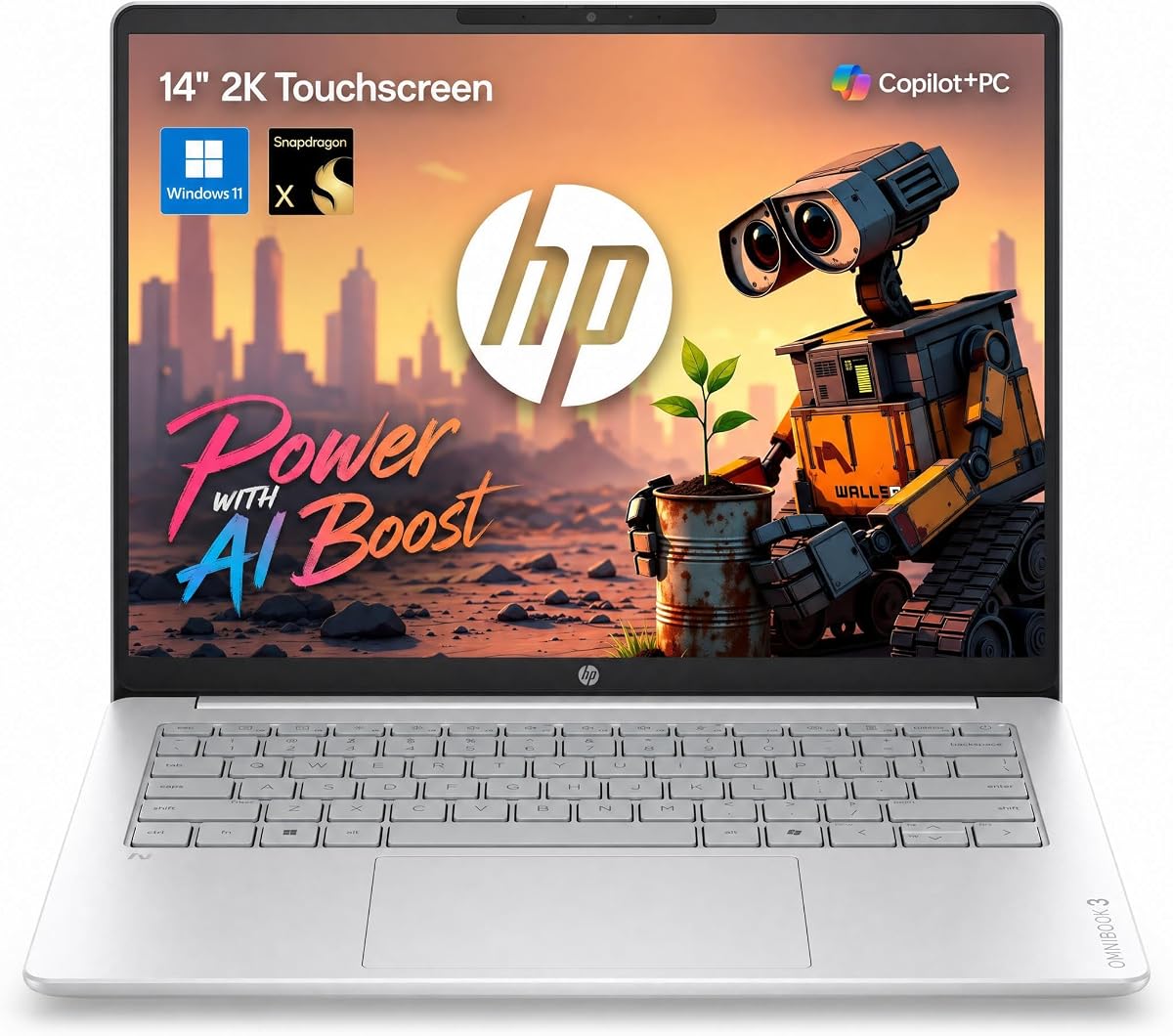
The HP OmniBook 3 14 2K Touch delivers an unusually convincing combination of endurance, portability, and value. Its rating is 4.6, and the supplied specifications claim up to 30 hours of local video playback. At 3.13 pounds, it is light enough for regular commuting while still offering a roomy 2K touchscreen and a dedicated 45-TOPS neural processor.
We may earn a commission when you buy through this link, at no additional cost to you.
Its Snapdragon X X1-26-100 processor is intended to handle everyday productivity, online collaboration, and local AI tasks efficiently. The 16GB of LPDDR5X memory provides enough capacity for everyday multitasking, while the 512GB PCIe Gen4 SSD supports quick startup and file access. The 14-inch 1920-by-1200 IPS touchscreen uses a 16:10 aspect ratio, offers 300 nits, and occupies 88% of the chassis for a modern, expansive appearance.
Charging is designed for interruptions as well as long work sessions. The included 65-watt USB-C GaN adapter can restore the battery from 0% to 50% in approximately 45 minutes. Connectivity includes Wi-Fi 6E, Bluetooth 5.3, two 10Gbps USB-C ports with power delivery and DisplayPort 1.4, two USB-A ports, and HDMI 2.1. The 1080p IR camera includes a physical privacy shutter and Windows Hello support.
This OmniBook is a compelling recommendation for students, mobile professionals, and value-focused buyers who want a long-lasting 2K touchscreen laptop. Its main caveat is the same one associated with many Snapdragon systems: software and driver compatibility should be checked before purchase, especially for specialized desktop applications. For ordinary web, office, communication, and media tasks, however, the combination of efficiency, low weight, and fast charging is unusually well rounded.
The 30-hour local-video claim makes this a strong endurance choice, while the roughly 45-minute half-charge figure reduces the inconvenience of a short break. Actual runtime will vary when brightness, networking, and application demands increase.
The 16:10 display provides more vertical room than a traditional 16:9 panel, while 300-nit brightness suits typical indoor environments. The IR camera, privacy shutter, and modern port selection support both meetings and flexible workspaces.
We may earn a commission when you buy through this link, at no additional cost to you.
The Lenovo 15.6 FHD i7 is a performance-oriented option with a 4.6 rating, a 10-core Intel Core i7-13620H processor, 24GB of memory, and a 1TB NVMe SSD. Unlike several Snapdragon entries, the supplied product information does not state a maximum battery life. That omission makes it less suitable for buyers whose only objective is maximum endurance, but its overall specifications are impressive for intensive daily productivity.
We may earn a commission when you buy through this link, at no additional cost to you.
The processor combines six performance cores and four efficiency cores across 16 threads, reaching speeds as high as 4.9GHz. That headroom benefits demanding applications, content creation, and heavy multitasking. A full 1TB of fast PCIe 4.0 storage provides room for large project files, while 24GB of dual-channel DDR4 supports numerous open applications and works well with software that needs more memory than a typical entry-level configuration.
The 15.6-inch 1920-by-1080 anti-glare display has an 87% screen-to-body ratio, while Dolby Audio stereo speakers and a 720p camera with a privacy shutter support entertainment and calls. Connectivity is extensive, including Wi-Fi 6, Bluetooth 5.2, Gigabit Ethernet, USB-C with power delivery and DisplayPort, HDMI 1.4b, and multiple USB ports. TPM 2.0, a Kensington lock slot, and MIL-STD-810H testing reinforce its professional positioning.
This Lenovo makes the most sense for users who need strong conventional computing performance and abundant memory or storage but do not need to remain untethered for an entire workday. Its 1.65-kilogram weight is manageable for a 15.6-inch notebook, though it is not as travel-friendly as the lightest models here. For stationary office work and demanding productivity, it is a compelling choice; for frequent flights and remote work, consider a more explicitly efficient long-runtime design.
Twenty-four gigabytes of dual-channel RAM is unusual in this category and gives heavy users more room to work. It is especially relevant for large datasets, many browser tabs, virtual meetings, and professional applications running simultaneously.
TPM 2.0, a lock slot, Windows 11, durable construction, and a broad port inventory make the laptop suitable for conventional office environments. Ethernet is also useful where dependable wired connectivity matters more than absolute mobility.
We may earn a commission when you buy through this link, at no additional cost to you.
The Dell XPS 13 9350 pairs premium construction with up to 26 hours of claimed battery life, making it one of the most balanced high-end options in the guide. Its 4.5 rating reflects a strong combination of design, display quality, and efficient performance. The Intel Core Ultra 7 256V platform provides eight cores, speeds up to 4.8GHz, and Intel Arc Graphics in a compact 13.4-inch form factor.
We may earn a commission when you buy through this link, at no additional cost to you.
The 1920-by-1200 display reaches 500 nits and has a 120Hz refresh rate, giving it a more fluid appearance than many standard 60Hz panels. Narrow bezels, a backlit keyboard, a precision haptic glass touchpad, and a streamlined function row create a refined user experience. An FHD RGB camera and dual-array microphones support video communication, while the premium chassis suits buyers who value craftsmanship as well as endurance.
Two Thunderbolt 4 ports can support external storage and displays, with up to two 4K displays at 60Hz according to the supplied information. Wi-Fi 7 and Bluetooth 5.4 keep modern wireless accessories responsive. Windows 11 Pro adds BitLocker, Remote Desktop, Hyper-V, and Group Policy features. The principal trade-offs are the premium cost, 16GB memory configuration, and a 1TB drive that may eventually need additional storage for very large media libraries.
The XPS 13 9350 is best for professionals and creators who want a refined x86 laptop with long claimed endurance, an excellent display, and modern connectivity. It is a particularly compelling option for users who move between home, office, and client meetings without wanting to carry a charger every day. Those wanting maximum absolute runtime should compare its 26-hour claim with the longer figures listed for some HP models, while buyers focused purely on value may find less expensive alternatives more compelling.
The 120Hz panel provides smoother motion and scrolling than a conventional 60Hz display, while 500-nit brightness supports clear visibility in brighter rooms. The haptic touchpad and backlit keyboard add refinement to everyday use.
The Core Ultra 7 256V is designed to balance performance and power efficiency, supporting the XPS model's long-runtime claim. Its eight-core design and Intel Arc graphics are well suited to mainstream professional workloads.
We may earn a commission when you buy through this link, at no additional cost to you.
The Lenovo Essential 15.6 is a straightforward laptop for browsing, document editing, streaming, online learning, and video calls. Its 4.1 rating is the second-lowest in the comparison, but that figure should be considered alongside a deliberately modest configuration. With an Intel N150 processor, 8GB of memory, and 128GB of storage, it is best suited to users with clearly defined, relatively light computing needs.
We may earn a commission when you buy through this link, at no additional cost to you.
The N150 is a quad-core processor that can reach 3.6GHz and includes 6MB of cache. It delivers smooth basic multitasking when applications are not overly demanding. Paired with 8GB of LPDDR5-4800 memory and 128GB of UFS 3.1 storage, the laptop should serve browsing, schoolwork, document handling, communication, and entertainment effectively, but it is not a strong choice for intensive editing, large datasets, or advanced software.
Its 15.6-inch 1920-by-1080 anti-glare display offers 250 nits and an 88% screen-to-body ratio. The 3.42-pound weight and 0.70-inch profile are easier to carry than many full-size conventional laptops. USB-A, USB-C with DisplayPort, HDMI, an SD reader, and a headphone jack provide practical connectivity, while Wi-Fi 6 and Bluetooth 5.2 cover wireless accessories. A 720p camera with a privacy shutter is a useful inclusion.
The Essential model makes sense for students, secondary work machines, and households that need an affordable general-purpose computer. ENERGY STAR 9.0 certification and EPEAT Silver registration support its efficiency positioning, although the supplied information does not quote a maximum battery runtime. Buyers who need long working days away from outlets should favor a model with an explicit endurance claim, while those wanting more storage should plan to use cloud storage or an external drive.
The N150 and 8GB of memory are sufficient for browser-based work, office documents, school assignments, and video communication. More demanding applications may benefit from additional memory, which this configuration does not provide.
The thin 0.70-inch profile and 3.42-pound weight make the Essential easier to carry than many full-size laptops. Its anti-glare panel, privacy shutter, and useful mix of ports add practical value for students and home users.
We may earn a commission when you buy through this link, at no additional cost to you.
The HP OmniBook 5 14 OLED combines a claimed 34-hour battery life with a vivid 2K OLED display and a 1TB SSD. Its 3.7 rating is the lowest in the comparison, so buyers should not treat it as an across-the-board winner. It is nevertheless a compelling long-runtime model for people who prioritize display quality, fast charging, and efficient Snapdragon-based productivity.
We may earn a commission when you buy through this link, at no additional cost to you.
The Snapdragon X Plus X1P-42-100 processor and Qualcomm Adreno GPU are intended to provide responsive everyday performance while limiting power consumption. With 16GB of LPDDR5X memory and a 1TB PCIe Gen4 NVMe drive, the laptop has ample storage and good multitasking capacity. HP also includes AI tools such as HP AI Companion, Paint Cocreator, and Live Captions, alongside Windows 11 and Copilot+ PC features.
Its 1920-by-1200 OLED panel reaches as much as 300 nits and offers a 0.2-millisecond response time. That makes it well suited to media consumption, creative browsing, and smooth interface interaction. HP claims the battery can charge from 0% to 50% in approximately 30 minutes when it runs low. OLED displays can consume additional power at high brightness, so the maximum runtime may require moderated settings and lighter workloads.
The OmniBook 5 is best for mobile students, commuters, and professionals who want long runtime and a premium-looking display in one package. The generous 1TB drive, efficient processor, and rapid charging make it well equipped for all-day work and travel. Those sensitive to a lower user rating should examine recent customer feedback, while buyers prioritizing the most predictable battery result can compare the 30-hour local-playback claim of the HP OmniBook 3 14 2K Touch.
The OLED panel provides strong contrast, quick response, and rich colors while the Snapdragon platform helps preserve efficiency. As with other OLED laptops, battery results may vary noticeably with brightness and the kinds of content being displayed.
The approximately 30-minute charge from 0% to 50% is especially useful for short breaks. A full 1TB SSD also reduces pressure to maintain only a small working set locally, although the most meaningful battery benefit comes from efficient power use rather than storage capacity.
We may earn a commission when you buy through this link, at no additional cost to you.
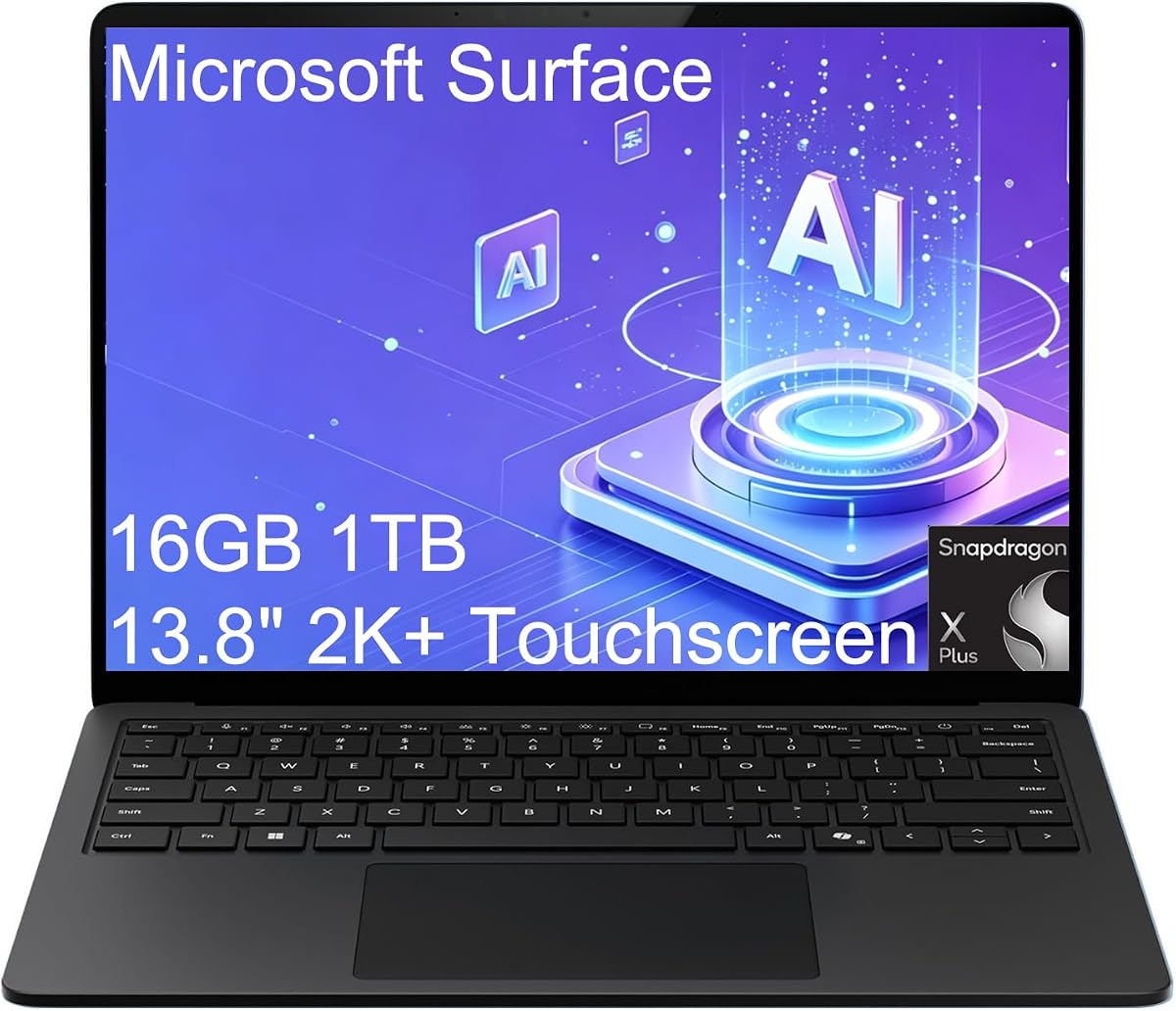
The Microsoft Surface Laptop 7 offers a polished balance of mobility, display quality, and claimed endurance. It weighs 2.96 pounds and carries a 4.3 rating, while its up-to-20-hour battery claim makes it a solid choice for a full workday of typical professional activity. It is not the endurance leader in this comparison, but its touchscreen, 120Hz refresh rate, and premium build create a distinctive alternative.
We may earn a commission when you buy through this link, at no additional cost to you.
The Snapdragon X Plus processor, Qualcomm Adreno graphics, 16GB of DDR5 memory, and 1TB PCIe SSD support quick startup, application switching, and everyday business workflows. A neural processing unit with up to 45 TOPS provides hardware for supported on-device AI functions, while a dedicated Copilot key offers quick access to Microsoft's assistant. As with other Arm-based Windows systems, users should confirm that their required applications and accessories are compatible.
The 13.8-inch 2304-by-1536 touchscreen has a 2K+ resolution and 120Hz refresh rate, making it particularly engaging for browsing, media, and touch interaction. Two USB4 ports can support two external 4K monitors at 60Hz without a docking station. The 1080p front IR camera includes Windows Studio Effects for framing and background blur, while a backlit keyboard supports work in dim environments.
The Surface Laptop 7 is best for consultants, remote workers, and mobile professionals who appreciate Microsoft's design language and a high-resolution touchscreen. Its light body and fast charging support make it easy to travel with, while 1TB of storage accommodates professional files. Users focused strictly on maximum hours should look farther down the list, but those wanting a refined 20-hour machine with strong multimedia and display capabilities may find this model especially appealing.
The 2K+ panel provides more detail than a standard full-HD laptop, while the 120Hz refresh rate makes touch navigation and scrolling appear especially smooth. The result is well suited to media, browsing, and presentation-oriented work.
At 2.96 pounds, the Surface is easy to carry between meetings and travel days. The 1TB SSD, Windows Hello camera, Windows 11 Home, and AI-assisted features give it a strong foundation for everyday professional use.
We may earn a commission when you buy through this link, at no additional cost to you.
The Lenovo Slim 7i Aura Edition is built for users who want an exceptionally light laptop without giving up a high-resolution OLED display or substantial memory. Its rating is 4.3, the chassis weighs 2.82 pounds, and the listed battery life reaches up to 17 hours. It is an attractive option for travelers and professionals who value low weight more than the highest possible runtime.
We may earn a commission when you buy through this link, at no additional cost to you.
The Intel Core Ultra 7 258V includes a 47-TOPS NPU for supported offline AI workloads and integrated Intel Arc graphics. With 32GB of LPDDR5X memory and a 1TB SSD, it offers generous headroom for multitasking and large project directories. The included Windows 11 Home and Copilot features support research, writing, image tools, live captions, and common professional applications, subject to software compatibility.
The 14-inch 100% DCI-P3 OLED touchscreen reaches up to 600 nits and carries TÜV Low Blue Light certification, a useful feature for late work sessions. The 5MP IR camera and physical privacy shutter support secure calls. Two Thunderbolt 4 ports, HDMI 2.1, USB-A, and an SD card reader allow up to three external monitors, with 4K output at 60Hz through HDMI and Thunderbolt 4.
The Slim 7i Aura is best for mobile professionals, students, and creators who want a premium OLED canvas in a very light chassis. Thirty-two gigabytes of memory is especially attractive for heavy multitasking, while the multi-monitor support helps it function as a flexible desktop replacement. Its stated 17-hour runtime is not exceptional beside the 30-to-41-hour claims in this guide, so buyers should choose it primarily for its weight, display, and expandability.
At 2.82 pounds, the Slim 7i Aura is among the lightest laptops listed. That portability makes it easier to carry between classrooms, offices, airports, and client meetings without adding much weight to a bag.
The 100% DCI-P3 display, 600-nit peak brightness, and touchscreen create a strong platform for visual work and media. Low Blue Light certification and a privacy-equipped 5MP camera add practical benefits for frequent users.
We may earn a commission when you buy through this link, at no additional cost to you.
The HP OmniBook 3 14 OLED carries the longest stated battery figure in this guide: up to 41 hours and 45 minutes. That makes it the clearest choice for buyers who place maximum endurance at the top of their priorities. The 4.1 rating suggests a mixed but broadly positive reception, so potential buyers should examine current feedback as well as the technical specification.
We may earn a commission when you buy through this link, at no additional cost to you.
Its Snapdragon X X1-26-100 processor is designed for essential productivity, AI capabilities, and efficient operation. With 16GB of LPDDR5X memory and a 256GB PCIe Gen4 NVMe SSD, it handles web work, communication, documents, and media smoothly. The Qualcomm Adreno GPU supports a responsive interface and supports more demanding graphics while remaining power-conscious. The main capacity compromise is the relatively small 256GB storage allowance.
The 1920-by-1200 OLED display reaches up to 300 nits and offers rich colors for productivity and entertainment. HP Fast Charge restores the battery from 0% to 50% in approximately 45 minutes, which helps when a full recharge is not possible. An FHD IR camera with HDR auto-switch can balance contrast and color in difficult backlighting, while Otter.ai features provide audio recording, transcription, notes, slide capture, and meeting summaries.
This OmniBook is best for students, commuters, travelers, and remote workers who want maximum claimed runtime and can manage their storage needs. It also supports Wi-Fi 6E, Windows 11 Home, Copilot+ PC experiences, and a dedicated Copilot key. The headline 41-hour-and-45-minute figure is a maximum claim, so users should treat it as a comparative indicator rather than a promise. Subject to that caveat, it is the strongest endurance-focused option in the guide.
An up-to-41-hour-and-45-minute figure exceeds every other stated runtime here. It is most relevant to light, efficiency-focused workloads, and screen brightness, wireless activity, and processor demand can shorten the result considerably.
The Snapdragon platform prioritizes responsive everyday operation and power efficiency, while the 2K OLED display and fast charging complement the endurance focus. Otter.ai meeting tools add value for frequent remote collaborators.
We may earn a commission when you buy through this link, at no additional cost to you.
Battery endurance depends on more than a headline runtime. Compare processor efficiency, display technology, weight, charging speed, workload demands, and the testing conditions behind each published figure before deciding which laptop fits your routine.
Maximum battery figures are generally measured under controlled conditions, and different manufacturers may emphasize different activities. Local video playback, web browsing, office work, and maximum-load testing can produce very different results. The HP OmniBook 3 14 2K Touch specifically identifies local video playback for its 30-hour claim, while other products simply state an overall maximum. A longer number does not automatically mean every real-world task will last longer, particularly when a bright OLED screen, high refresh rate, or intensive application is involved.
Compare claims cautiously and prioritize models with clearly defined testing conditions. In practice, screen brightness, battery age, Wi-Fi signal, background applications, video calls, and plugged-in charging behavior can materially alter runtime. Look for efficient processors and sensible power settings as well as a large published figure.
Modern low-power processors can make a substantial difference in battery life. The Snapdragon X systems in this guide are designed to balance responsiveness with efficiency, while the Intel Core Ultra 7 models in the Dell XPS 13 9350 and Lenovo Slim 7i Aura also target efficient computing. The conventional Core i7-13620H in the larger Lenovo notebook offers higher performance potential but may consume more energy under sustained load. The Intel N150 configuration prioritizes affordability and basic efficiency over demanding throughput.
Choose the processor that matches your workload. Efficient platforms suit long mobile sessions, while high-performance processors are better for intensive work that occurs near an outlet. Compatibility is also important, particularly for older drivers, specialist applications, and peripheral hardware.
Displays can be among the largest power consumers in a laptop. OLED panels provide excellent contrast and color, but their output varies with brightness and displayed content, while a 120Hz screen may consume more energy than a 60Hz panel. The anti-glare IPS display in the HP OmniBook 3 14 2K Touch and the 500-nit panels in the Dell XPS models offer a different balance of clarity, smoothness, and efficiency. Resolution, brightness, and refresh rate all influence the result.
For maximum endurance, consider an efficient panel and avoid assuming OLED is automatically superior. For visual quality, OLED may justify slightly shorter real-world runtime. The best choice depends on whether your priority is hours away from an outlet or a more vibrant and responsive display.
A lightweight laptop is easier to carry throughout a day, and the 2.82-pound Lenovo Slim 7i Aura, 2.96-pound Surface Laptop 7, and 3.13-pound HP OmniBook 3 14 2K Touch are especially travel-friendly. Larger 15.6-inch models generally provide more screen space but can be less convenient on trains, airplanes, and in crowded work areas. Weight also affects the perceived endurance: a compact device is more likely to accompany you on the longest day.
Choose a screen size that remains comfortable for your tasks. Smaller displays help control size and weight, while larger panels benefit document work, media, and multitasking. Avoid choosing solely by category label, because screen dimensions, bezels, and chassis design affect the final footprint.
Fast charging can restore useful capacity during a lunch break, commute, or short stop between meetings. The HP OmniBook 5 14 OLED states that a 65-watt USB-C adapter can take it from 0% to 50% in approximately 30 minutes. The HP OmniBook 3 14 2K Touch claims a similar 45-minute increase to 50% using its included 65-watt USB-C GaN charger. USB-C Power Delivery also simplifies carrying one charger for multiple compatible devices.
Treat half-charge figures as useful recovery estimates, not full-charge promises. A small charger and a USB-C battery pack may provide more practical freedom than waiting for a full recharge. Verify charger wattage, port capabilities, and whether the laptop charges from a standard power bank.
Snapdragon-based Windows laptops can deliver strong battery life, but application, driver, and accessory support may differ from traditional x86 systems. The Dell XPS 13 9345, Surface Laptop 7, and HP OmniBook models are intended for mainstream work, and compatibility continues to improve, but specialist engineering tools, older business software, gaming libraries, and specialized peripherals may behave differently. Intel-based models offer a more familiar environment for some users.
Before ordering, search for the exact applications and accessories you use. Confirm whether they are native, browser-based, emulated, or virtualized. This check is particularly important for professional purchases, where a long runtime cannot compensate for an essential application failing to launch.
Battery life and capacity are separate concerns. A larger battery can power an efficient computer for many hours, but limited storage can still cause inconvenience and prevent users from taking important files offline. The 32GB and 1TB configurations in the Lenovo Slim 7i Aura and Dell XPS 13 9350 provide generous headroom, while the 256GB HP OmniBook 3 14 OLED may need cloud storage or an external drive. The 8GB Lenovo Essential is best for lighter tasks.
Select enough RAM for your applications and enough storage for offline documents, media, and project files. Fast SSD storage improves responsiveness, but it does not independently extend runtime. Memory-intensive work and large application libraries benefit from the higher-capacity configurations in the guide.
Sustained video calls, compiling, gaming, rendering, and other intensive tasks use far more energy than document editing or local playback. Efficient processors help, but cooling design, workload duration, and ambient temperature also affect performance and consumption. A laptop that lasts all day for routine office tasks may need a charger during extended creative or technical work.
Read the performance specifications in relation to your normal day rather than evaluating processors in isolation. If work is mostly web-based, communication, and document-focused, long-runtime efficiency models should meet the requirement. If the machine must also handle sustained rendering or gaming, prioritize processing power and accept more frequent charging.
Start by configuring power settings for the way you actually work. On Windows 11, open Settings, select System, and review Power and battery options for screen brightness, sleep behavior, energy-saving modes, and battery use. Lowering brightness, enabling battery saver, and reducing unnecessary background activity can make a noticeable difference without sacrificing essential features. For displays with multiple refresh rates, selecting a lower rate during travel may conserve energy.
Protect long-term battery health by avoiding prolonged heat and leaving the laptop at a very low charge for long periods. Use the charger supplied with the system or a compatible USB-C power adapter with adequate wattage. Keeping the case open and the device cool during heavy workloads is wise, while regularly updating the operating system, chipset software, and application packages helps maintain efficient power management and compatibility.
Build a charging plan around your schedule. Use fast charging for short breaks, carry a compact USB-C power bank for emergencies, and avoid leaving the machine in a hot car or bag. When comparing expected endurance, keep screen brightness and workloads consistent across laptops, and treat maximum battery claims as comparative guidance rather than guaranteed results.
The HP OmniBook 3 14 inch Next Gen AI PC with the 2K OLED display has the longest stated figure, at up to 41 hours and 45 minutes. The HP OmniBook 3 14 2K Touch claims up to 30 hours of local video playback, while the HP OmniBook 5 14 OLED reaches up to 34 hours. Actual results depend on the workload, settings, battery condition, and testing method.
Not always, but OLED panels can consume additional power depending on brightness and the colors being displayed. Efficient processors and power-management features can offset that effect, allowing some OLED laptops to remain competitive. Compare maximum claims carefully because manufacturers may test different workloads, and the HP OmniBook 5 14 OLED combines an OLED screen with a claimed 34-hour runtime.
No. Advertised life usually represents a controlled maximum, often involving local video playback or a light workload. Browsing with many tabs, video calls, bright displays, and demanding software reduce runtime. Battery age, Wi-Fi strength, power settings, and thermal conditions also matter, so treat published figures as comparative guidance.
Most mainstream web, office, communication, and creative applications are supported or available in compatible versions. However, some specialist x86 programs, older drivers, games, and niche peripherals may not work identically. Check the requirements of every essential application and accessory before purchasing any Snapdragon-based model.
Modern laptops manage charging and thermal conditions, so occasional fast charging is generally practical for travel. Repeated heat exposure and prolonged time spent at an extremely high charge can contribute to long-term wear. Keeping the system cool, following the recommended charging settings, and avoiding storage in hot environments helps maintain battery health.
For browsing, notes, documents, and video calls, 8GB of RAM and 128GB or 256GB of storage can be sufficient when cloud services are used. For heavier multitasking, large media libraries, and offline files, 16GB or 32GB of RAM and 512GB or 1TB of storage provide a more comfortable experience. The Lenovo Slim 7i Aura and Dell XPS 13 9350 are particularly generous in that respect.
A 13-inch model is often easier to carry and can provide stronger battery efficiency, while a 14-inch display offers a little more room for documents, media, and split-screen work. The Dell XPS 13 9345, Surface Laptop 7, HP OmniBook 3 14 2K Touch, HP OmniBook 5 14 OLED, and Lenovo Slim 7i Aura all fall into this compact 13-to-14-inch category with different balances of display, weight, and endurance.
Open the Windows battery report by searching for Battery report in the system settings or command line. Review recent usage, active sessions, and capacity history to see whether the battery is discharging faster than expected. If capacity has fallen substantially or the machine shuts down unexpectedly, contact the manufacturer or a qualified service provider rather than relying on calibration alone.
The HP OmniBook 3 14 OLED offers the most eye-catching maximum endurance figure, while the HP OmniBook 3 14 2K Touch balances a 30-hour local-video claim with a light 2K touchscreen design. The Dell XPS 13 9345 is the premium alternative, combining 27 hours of claimed battery life with a Snapdragon X Elite processor, a 500-nit display, and professional Windows features.
Your priorities should determine the right model. Choose maximum claimed runtime for travel, a touchscreen and value for the HP OmniBook 3 14 2K Touch, or premium construction and local AI for the Dell XPS 13 9345. The Dell XPS 13 9350 and Lenovo Slim 7i Aura are better for users who also value high-end Intel platforms, refined OLED displays, and exceptional portability.
Before ordering, verify current product details, software compatibility, charger specifications, and the manufacturer's latest battery claims. Prices and configurations change over time, so checking the current listing can prevent surprises. With the right balance of endurance, portability, display quality, and performance, these laptops can make a workday far less dependent on walls, desks, and charging cables.