
HP Everyday Laptop 2026 Edition
5.0Editor score
Microsoft Office 365 included
Portable 14-inch design
Up to 11-hour playback
Laptops with Microsoft 365 included are especially appealing to students, home-office users, and first-time computer buyers because the essential productivity suite is part of the package. A suitable model should balance usable performance, a comfortable display, dependable battery life, and enough storage for documents, coursework, and everyday files.
We compared ten listings based on their stated processors, memory, storage, displays, connectivity, operating systems, included productivity software, portability, and intended users. The list covers affordable everyday models, larger business-oriented laptops, and more powerful configurations, while also noting important differences between Microsoft 365 subscriptions and lifetime Office licenses.
Each pick highlights who the laptop best suits and the trade-offs worth considering before purchase. Ratings, bundle details, specifications, and availability can change over time, so shoppers should confirm the current product listing and verify exactly which version of Office or Microsoft 365 is included before placing an order.
5.0Editor score

5.0Editor score

4.3Editor score
As an Amazon Associate we earn from qualifying purchases.
The table below compares all ten laptops by their core hardware, display size, memory, storage, and stated Microsoft software benefit, making it easier to identify the model that matches your budget, workload, and preferred screen size.




The HP Everyday Laptop 2026 Edition combines a 14-inch anti-glare display, 8GB of memory, 192GB of SSD storage, Windows 11, and Microsoft Office 365 in an attractive 3.24-pound package. Its 5.0 rating reflects a highly favorable buyer response, while its feature set makes it a strong all-around choice for students and users who want a complete laptop without a complex configuration decision.
We may earn a commission when you buy through this link, at no additional cost to you.
The strongest qualities are portability, practicality, and the readiness to work out of the box. The listing claims up to 11 hours of video playback or 7.5 hours of wireless streaming, and the thin, light chassis should be easier to carry than a conventional business notebook. A dedicated Microsoft Copilot key, a 720p camera with temporal noise reduction, dual microphones, and a multi-touch HP Imagepad cover the essentials for classes, calls, browsing, and document-based work.
The compromises are equally important. An entry-level Intel processor and 8GB of memory position this laptop for everyday productivity rather than demanding software, intensive editing, or advanced gaming. The 192GB internal SSD is also modest, although 1TB of cloud storage is included. Buyers who regularly keep large media libraries offline may want more local capacity, but most school and office files can fit within the available storage or remain synchronized to the cloud.
This is our Best Budget selection because it balances the included productivity suite, low weight, practical connectivity, and strong stated battery life without overwhelming a first-time buyer with complexity. It is best suited to web browsing, schoolwork, video calls, email, spreadsheets, Microsoft 365 documents, and media streaming. Buyers wanting a larger screen or more processing headroom should move up to the Lenovo FHD or HP 17.3-inch options.
Microsoft Office 365, Windows 11, and 1TB of cloud storage make this configuration especially approachable for students and new users. It is a sensible starting point for Word, Excel, online meetings, homework, and household document organization.
At 3.24 pounds, the laptop is well suited to classes, commuting, and working from different rooms. The anti-glare panel and stated all-day battery figures further improve its appeal for mobile use.
We may earn a commission when you buy through this link, at no additional cost to you.
This HP 14-inch business and student laptop pairs a quad-core Intel N150 processor with 16GB of DDR4 memory, making it one of the better-equipped basic models in the group. Its 4.3 rating reflects a generally positive reception, and the bundled storage, docking hub, wireless mouse, and lifetime Office 2024 license create a particularly complete desktop-style package.
We may earn a commission when you buy through this link, at no additional cost to you.
The main technical strength is 16GB of memory, which gives the laptop more breathing room for browser tabs, office applications, video editing, and other programs running simultaneously. Storage totals 628GB across 128GB of UFS storage and a 500GB external drive. Windows 11 Pro adds management and security features, while Wi-Fi 6 supports faster wireless connectivity. The near-bezel display, 720p camera, and dual microphones suit remote learning and online meetings.
A key buying consideration is that this model includes lifetime Microsoft Office 2024 rather than a Microsoft 365 subscription. That distinction matters because the two offerings are not interchangeable, and the listing specifically says not to install Office 365 in the configuration that includes Office 2024 because doing so invalidates the lifetime license. Shoppers who want current Microsoft 365 services should confirm their account and preferences before buying.
The laptop is best for students, home-office users, and professionals who value memory and accessories over a subscription-based bundle. Its 14-inch format balances usable screen space with portability, while the external drive expands file capacity without altering the core configuration. It is a strong option for general business productivity, provided you are comfortable with the stated Office 2024 license and the need to carry or keep the external drive connected.
The 16GB allocation is a meaningful advantage over the 4GB and 8GB models in this guide. It provides more comfort when keeping communication apps, browser tabs, documents, and media applications open at the same time.
The included USB-C hub, external drive, mouse, mouse pad, HDMI cable, and USB extension cord reduce the need for immediate accessory purchases. The hub adds USB, HDMI, and memory-card connectivity for a more flexible setup.
We may earn a commission when you buy through this link, at no additional cost to you.
The HP Ultrabook is designed around mobility, with a stated weight of 3.64 pounds and a slim profile designed to fit in most backpacks. It includes 8GB of memory, an Intel Core processor, Windows 11 Home, Microsoft Office for web, and several connection options. Its 4.2 rating indicates solid buyer sentiment, although the product description leaves the exact internal storage amount unstated.
We may earn a commission when you buy through this link, at no additional cost to you.
For everyday study and work, the emphasis is on portability, connectivity, and practical input. Wi-Fi 6 supports stable online classes, conferences, and streaming, while multiple USB ports, HDMI, and a headphone jack make it easier to connect peripherals. The full-size keyboard includes a numeric keypad, which is unusual at this size and helpful for data entry, while the anti-glare display is intended to remain comfortable during extended use.
The main uncertainty is the bundle wording. The title references Microsoft 365, whereas the detailed description specifies lifetime Office for web. A shopper should verify the activation method, included applications, and whether the offer is a browser-based Office package or a full desktop installation. The unspecified SSD capacity also deserves attention, particularly for users who want to store large video files or extensive application libraries locally.
This laptop makes sense for students, commuters, and families seeking a compact general-purpose machine with a numeric keypad. It is less compelling for intensive editing or gaming, but for browsing, Office documents, remote learning, email, and media consumption, the listed features are sensible. Confirming the exact software and storage details before ordering is essential to getting the value you expect.
The 3.64-pound weight and slim enclosure prioritize easy carrying. Long battery life and fast charging are also stated, making the model more practical for users who regularly work away from a fixed desk.
Wi-Fi 6, a numeric keypad, an anti-glare screen, and multiple ports create a capable everyday setup. These details are often more valuable to a student or home worker than a heavier, more specialized configuration.
We may earn a commission when you buy through this link, at no additional cost to you.
The Lenovo IdeaPad listing combines Microsoft 365 Office with an Intel processor, 128GB of local storage, and 1TB of cloud storage. It carries a 4.1 rating and appears designed for users who want a conventional Windows laptop with cloud-centered storage. The package also includes a wireless keyboard and mouse, making it a convenient option for a first computer or basic home office.
We may earn a commission when you buy through this link, at no additional cost to you.
Its feature list emphasizes connectivity. The stated ports include an SD card reader, two USB 3.2 Gen 2 ports, USB-C, HDMI in and HDMI out, and a combined headphone and microphone jack. Wi-Fi 6 and Bluetooth support modern peripherals, while a hardware TPM, lock slot, and padlock loop add physical and platform-level security options. The battery is listed for up to 11 hours, and the display includes a webcam.
There is an important configuration inconsistency in the supplied information. The title states 4GB RAM, while the description discusses options of up to 36GB memory and up to 2TB of PCIe SSD. It also refers to Dell near the end despite the product being named Lenovo. As a result, buyers should carefully confirm the processor, exact RAM, display size, storage configuration, and included accessories on the actual listing rather than assuming every description line applies to this configuration.
The IdeaPad is best viewed as a value-oriented option for web work, Microsoft 365 documents, online learning, and general home use. Its generous cloud allowance, SD card reader, and included peripherals are attractive, but 4GB of memory is the main limitation if the title reflects the delivered configuration. It is worth considering for someone who prioritizes connectivity and a complete basic bundle over demanding performance.
The stated 1TB cloud allowance gives users room to keep documents and media online. This is especially helpful with 128GB of local storage, although reliable internet access remains important for routine use.
Separate HDMI input and output, USB-C, USB-A, an SD reader, and a combined audio jack provide more options than many basic laptops. The included wireless keyboard and mouse make the package ready for immediate desk use.
We may earn a commission when you buy through this link, at no additional cost to you.
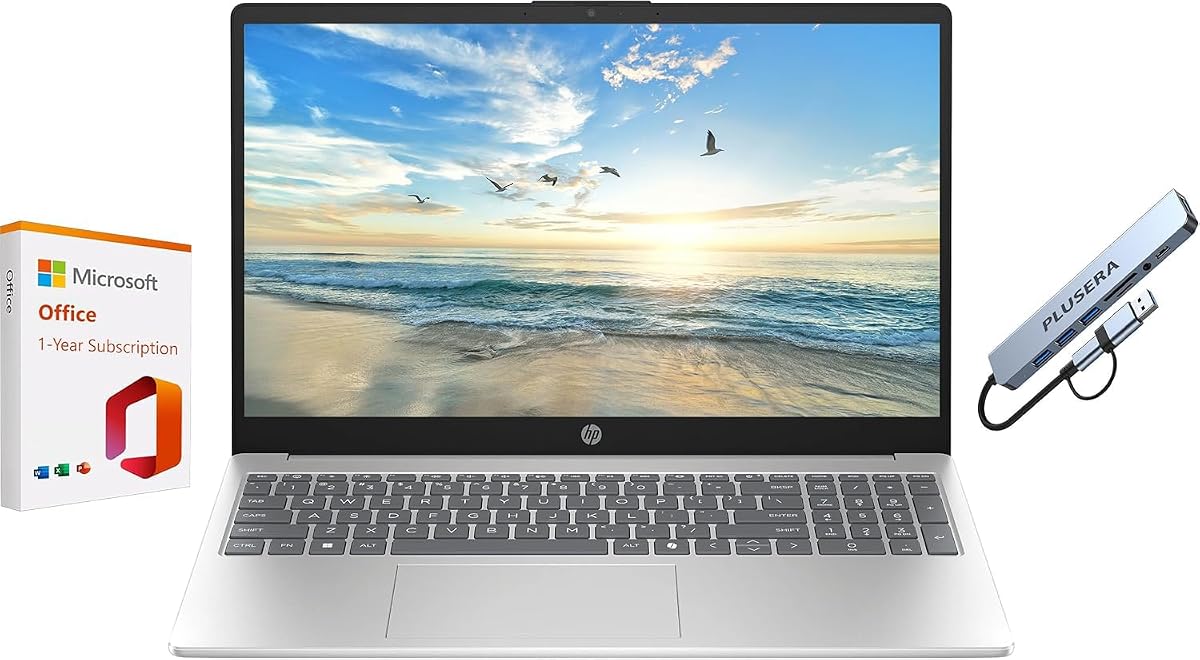
This HP 15.6-inch business laptop is listed with a one-year Microsoft 365 subscription, Copilot AI, 16GB of RAM, a 128GB SSD, and a quad-core Intel processor. Its 4.1 rating indicates a positive reception, and the inclusion of an eight-in-one hub and PLUSERA earphones gives it more of a ready-to-use bundle character than a bare-bones laptop listing.
We may earn a commission when you buy through this link, at no additional cost to you.
The larger 15.6-inch format is the defining feature. It offers more screen space for spreadsheets, browser research, video calls, and document work, while the stated thin case is intended to preserve portability. The 16GB memory allocation supports smoother multitasking than 4GB or 8GB configurations. Connectivity includes USB-C, two USB-A ports, HDMI, and a combined headphone and microphone jack, with Wi-Fi and Bluetooth also stated.
The 128GB SSD is the clearest constraint for buyers creating large document archives, storing high-resolution media, or installing demanding applications. The supplied description is also relatively brief, so potential purchasers should verify display resolution, battery rating, processor model, and webcam details on the listing. Inclusion of accessories does not change the fundamental limits of the stated hardware.
This model is best for office users, students, and travelers who prefer a larger display and value the one-year Microsoft 365 package plus bundled accessories. It should handle standard productivity tasks comfortably, especially with 16GB of RAM. If crisp display resolution, long battery life, and a more detailed hardware specification are priorities, the Lenovo 15.6-inch FHD model in this guide provides a clearer all-around proposition.
A 15.6-inch panel can make side-by-side research, spreadsheet work, and video calls less cramped. The 16GB RAM further supports the multitasking expected in a student or office workflow.
The eight-in-one hub and included earphones are helpful for buyers who want a connected workstation immediately. They complement rather than replace the need to assess storage, screen quality, and battery specifications.
We may earn a commission when you buy through this link, at no additional cost to you.
The HP Student Laptop is an approachable 14-inch model with an Intel N4102 processor, 8GB of memory by implication from the general product category, 1TB of OneDrive cloud storage, and Microsoft 365 included. Its 4.2 rating suggests solid satisfaction, while the stated battery life of up to 12 hours makes it a natural fit for students who carry their computer between classes.
We may earn a commission when you buy through this link, at no additional cost to you.
Its practical features are carefully aligned with school life. The anti-glare 1366-by-768 display has 220 nits of brightness, the chassis weighs 3.24 pounds, and the listing claims up to 11.5 hours of video playback or 7.5 hours of wireless streaming. A 720p camera with temporal noise reduction, dual microphones, and a dedicated Copilot key support online classes and virtual meetings. USB-C, two USB-A ports, HDMI 1.4b, and an audio jack cover essential accessories.
The principal consideration is Windows 11 S Mode, which is designed around applications from the Microsoft Store and can restrict some traditional desktop software. Users who need specialist academic or business programs should verify compatibility before buying. The N4102 processor is also an entry-level chip, and 220-nit brightness is better suited to indoor learning environments than bright outdoor use.
This laptop is well matched to middle-school, high-school, and college students who primarily use web-based applications, Microsoft 365, online learning, and communication tools. The included cloud storage helps keep school files accessible across devices, and the light chassis reduces the burden of carrying it. It is a strong choice for budget-conscious students, provided the software required by the course is available in S Mode.
Microsoft 365, OneDrive, a webcam, and a dedicated Copilot key cover the common needs of assignments, video lessons, and group collaboration. The one-terabyte cloud allowance adds useful flexibility for storing coursework online.
The stated playback and wireless streaming figures make the laptop suitable for a full day of classes when actual use is moderate. Its 3.24-pound weight also helps when moving between lectures, libraries, or study spaces.
We may earn a commission when you buy through this link, at no additional cost to you.
The Lenovo 15.6-inch FHD Business Laptop earns our Editor's Choice because it combines a crisp anti-glare IPS display, modern DDR5 memory, a one-year Microsoft 365 subscription, and a stated battery life of up to 12 hours. Its 5.0 rating is among the highest in the group, and the balanced feature set gives it broad appeal for college students and daily home users.
We may earn a commission when you buy through this link, at no additional cost to you.
The display is the main differentiator. A 15.6-inch Full HD panel with slim micro-edge bezels offers more usable detail and space than the HD screens on several competing picks. The built-in privacy shutter is a thoughtful addition for students and remote workers who value control over the webcam. Dolby Audio stereo speakers, dual-array microphones, and a 720p camera round out the communication and entertainment features.
Performance is aimed at everyday productivity. The Intel N150 has four cores and is designed for browsing, office work, streaming, and video calls, while 8GB of DDR5 memory provides a modern memory standard. The 128GB SSD is the main limitation, but the included Microsoft 365 subscription can complement it with cloud storage. Rapid charging and the stated 12-hour maximum battery life are useful for full school or work days.
This is the most balanced recommendation for someone who wants a clear display, comfortable screen size, modern connectivity, and productivity software without moving to a large workstation. It is particularly appropriate for college students, hybrid workers, and families replacing a shared older computer. Those who need more local file capacity can look toward the 1TB models, while buyers prioritizing extreme portability may prefer one of the 14-inch alternatives.
The anti-glare IPS display provides more sharpness than the 1366-by-768 panels used by several alternatives. Wide viewing angles also make the larger screen more suitable for shared study, presentations, and media.
Wi-Fi 6, a webcam privacy shutter, rapid charging, stereo speakers, dual microphones, and a one-year Microsoft 365 subscription create a well-rounded package. The design is aimed squarely at productive everyday use rather than specialist workloads.
We may earn a commission when you buy through this link, at no additional cost to you.
The HP 17.3-inch Business Laptop is the most expansive configuration in this roundup, combining a large HD+ display, 16GB of DDR4 memory, a one-terabyte storage bundle, Windows 11 Pro, and a lifetime Office license. Its 4.3 rating reflects favorable buyer sentiment, and the size, memory, and accessory package justify considering it as the premium desktop-replacement option.
We may earn a commission when you buy through this link, at no additional cost to you.
The Intel Core i3-N305 is specified with eight cores and eight threads, offering more stated processing resources than the quad-core N-series alternatives. Storage combines a 500GB M.2 NVMe SSD with a 500GB external drive, and the listing states performance of up to 15 times that of a traditional hard drive for supported operations. Windows 11 Pro adds hardware-based isolation, encryption, and malware protection, while Wi-Fi 6 supports modern wireless use.
The 17.3-inch display contains 1.4 million pixels and uses a non-reflective, low-gloss surface. A 720p camera and dual microphones support online classes and meetings. MarxsolAccessory adds a six-in-one USB-C hub, HDMI and USB cables, mouse pad, wireless mouse, and the external drive. The trade-off is bulk: a 17.3-inch notebook is less convenient to carry than the 14-inch picks in the guide.
This laptop is best for buyers who work primarily at a desk, need a large visual workspace, or want a generous amount of storage. It is also compelling for families sharing a computer because each family member can have more applications and files open. As with the other lifetime-Office models, users who specifically want a Microsoft 365 subscription should recognize that the stated license is a different product and verify the bundle carefully.
The 17.3-inch HD+ panel gives spreadsheets, browser research, and media a noticeably larger working area. The low-gloss finish is also appropriate for users who want less reflection during long sessions.
A 500GB NVMe SSD supports local files and applications, while the included 500GB external drive expands capacity. The hub and peripherals make it easier to create a connected desk setup without sourcing each item separately.
We may earn a commission when you buy through this link, at no additional cost to you.
The HP 15.6-inch touchscreen business laptop combines a 12th-generation Intel Core i3-1215U processor, 16GB of DDR4 memory, a 1TB PCIe NVMe SSD, and Windows 11 Pro. It is also listed with a lifetime Microsoft Office LTSC Professional Plus 2024 license. Its 4.0 rating is the lowest among the top-rated group, but the hardware and storage make it one of the strongest configurations for serious productivity.
We may earn a commission when you buy through this link, at no additional cost to you.
The processor has six cores and eight threads, with a stated maximum boost clock of 4.4 GHz, giving it more headroom than the N-series chips found in several cheaper models. A 1TB NVMe drive provides ample local capacity, while 16GB of memory supports demanding multitasking. The 15.6-inch 1366-by-768 touchscreen offers touch interaction, though its resolution is less detailed than the Full HD Lenovo option.
Battery life is the most important limitation. The listing states up to five hours of mixed usage and notes that fast charging can take the battery from zero to approximately 50 percent in 45 minutes. The product also includes Office 2024 rather than Microsoft 365, and the listing explicitly warns against installing Office 365 because doing so invalidates the lifetime license. Connectivity includes USB-C data transfer, two USB-A ports, HDMI, an audio jack, an SD reader, Wi-Fi, and Bluetooth.
This is a strong choice for a buyer who prioritizes processing power, local storage, Windows 11 Pro, and a touchscreen over long battery life. It may suit an office, reception desk, shared family computer, or productivity-focused stationary setup. People who need a current Microsoft 365 subscription or all-day untethered use should examine the Lenovo and other subscription-based bundles more closely.
The 1TB NVMe drive removes the need to rely on cloud storage for routine files, while the six-core processor provides useful responsiveness in complex office tasks. These specifications favor users who keep large project folders locally.
The touchscreen offers an additional way to navigate the Windows 11 interface, while Windows 11 Pro provides management and security tools. A non-backlit keyboard and modest stated battery runtime are important considerations for mobile use.
We may earn a commission when you buy through this link, at no additional cost to you.
The HP Everyday Laptop in rose gold combines an Intel processor, 8GB of memory, a 128GB SSD, 1TB of cloud storage, Windows 11, and Microsoft Office 365. It carries a 4.7 rating, making it one of the better-reviewed options in the group. Its clean, modern finish and 3.24-pound chassis are designed to appeal to students and young professionals who want a simple daily machine.
We may earn a commission when you buy through this link, at no additional cost to you.
Wireless connectivity is a clear strength. Wi-Fi 6 with a 2-by-2 configuration and Bluetooth 5.4 provide a modern platform for routers, phones, headphones, and other accessories. The port selection includes USB-C, two USB-A ports, HDMI 1.4b, an SD media card reader, a headphone and microphone jack, and an AC smart pin. A 720p camera with temporal noise reduction, dual microphones, a dedicated Copilot key, and a multi-touch imagepad cover communication and navigation needs.
The 128GB SSD is more restrictive than the 192GB option in the first HP Everyday model and considerably smaller than the 1TB configurations. The included cloud storage helps, but frequent offline media use, large application libraries, or extensive file archives may require external storage. The generic Intel processor description offers little detail for comparing performance, and the 1TB cloud allowance does not replace local capacity.
This laptop is a good fit for browsing, school assignments, Microsoft 365 documents, video calls, streaming, and light creative use. It is especially appealing for buyers who prioritize a light, attractive design, modern wireless standards, and a broad selection of ports. If storage is a primary concern, choose the 192GB HP Everyday model or another configuration with more local capacity; if screen sharpness matters, the Lenovo Full HD option offers a clearer display.
Wi-Fi 6, Bluetooth 5.4, USB-C, HDMI, USB-A, and an SD card reader provide a useful range of connections. At 3.24 pounds, the laptop is straightforward to carry for school, commuting, or hybrid work.
The combination of 128GB local storage and 1TB cloud storage is workable for document-focused users who are comfortable accessing files online. Local media and application management will still require attention.
We may earn a commission when you buy through this link, at no additional cost to you.
The best laptop in this category is not necessarily the one with the longest specification list. Start with your workload, operating-system preferences, screen size, and software needs, then balance those priorities against battery life, storage, memory, and the exact terms of the included Microsoft offer.
A Microsoft 365 subscription and a lifetime Office license are materially different offers. Microsoft 365 generally provides access to current applications and cloud services for the stated subscription period, while a lifetime Office 2024 or Office LTSC license is a perpetual product. Some listings in this guide use Microsoft 365 wording, some provide one year of it, and others include lifetime Office 2024 instead. Buyers should check the software name, subscription duration, activation method, eligible applications, and account requirements before ordering.
Choose a genuine Microsoft 365 subscription if you want recurring cloud services and regularly use applications such as Word, Excel, PowerPoint, and OneDrive. A lifetime Office package may be preferable for someone who wants a fixed desktop installation and does not need every cloud service.
The group includes Intel N-series processors, a quad-core N150, an eight-core Core i3-N305, and a 12th-generation Core i3-1215U. These levels suit different tasks. N-series chips are appropriate for web browsing, Microsoft 365, online classes, communication, and streaming, while the newer Core i3 models offer additional headroom for heavier multitasking and more demanding applications.
For standard office and school use, prioritize a modern processor with enough memory for your applications. For video editing, programming, large project files, or frequent multitasking, choose a higher-tier Core i3 configuration and verify available memory and storage.
Memory determines how comfortably a laptop handles several open applications and browser tabs. The 4GB Lenovo configuration is the least demanding and may struggle with intensive multitasking. Models with 8GB provide a more practical baseline for Office work and online learning, while 16GB configurations offer additional room for many applications running simultaneously.
Aim for at least 8GB for a new general-purpose computer, particularly if it will be used for remote classes or several browser-based applications. Choose 16GB when the laptop will also handle communication tools, large files, photo work, video editing, or a shared household workload.
Local storage determines how many applications and files you can keep available offline. Options range from 128GB and 192GB SSDs to 500GB, 628GB, and 1TB configurations, including external drives. Cloud storage is useful for syncing documents, but it does not provide the same flexibility for offline files, large media collections, or application storage.
Look beyond the advertised total and distinguish internal storage from bundled external capacity. A larger external drive is useful for archiving, but the laptop remains dependent on it for access. Choose sufficient internal storage if you work offline frequently or retain substantial media.
Screen size affects comfort, portability, and productivity. The 14-inch models are easier to carry and are appropriate for commuting, classes, and compact desks. The 15.6-inch choices offer more room for spreadsheets, research windows, and media, while the 17.3-inch model functions as a more stationary desktop alternative. Resolution matters too: several compact models use 1366-by-768 panels, whereas the Lenovo 15.6-inch FHD model provides noticeably finer detail.
Choose 14 inches for mobility, 15.6 inches for a balanced desk setup, and 17.3 inches when screen area takes priority over weight. Check brightness and anti-glare properties as well, especially if you will work near windows or in brighter environments.
Battery estimates usually reflect controlled video playback or streaming rather than maximum productivity performance. The HP and Lenovo models in this guide state figures of approximately 11 to 12 hours, while the 12th-generation Core i3 touchscreen model lists up to five hours of mixed use. Fast charging can reduce downtime, but the 45-minute estimate to reach approximately 50 percent on that model is not equivalent to a full charge.
Compare the stated activity behind each battery claim and use the most conservative figure as a guide. For all-day untethered work, favor a model with a long stated runtime and efficient processor. If you work near an outlet, faster charging may be more valuable than maximum untethered endurance.
Modern laptops should provide more than a single USB port. Useful combinations in this group include USB-C, multiple USB-A ports, HDMI, an audio jack, an SD card reader, and Wi-Fi 6. The HP 17.3-inch and 14-inch business bundles add USB-C hubs, while the Lenovo IdeaPad includes a wireless keyboard and mouse. These extras can save setup time, but they should not distract from screen quality, memory, or warranty-related considerations.
List the peripherals you already own and the connections you expect to add. Use a hub for occasional extra devices, but avoid relying on it for essential displays or power if its exact capabilities are unclear.
Windows 11 Home, Windows 11 Pro, and Windows 11 S Mode serve different purposes. Home is appropriate for ordinary personal, school, and small-business tasks. Pro adds management and security capabilities useful for organizations or advanced configuration. S Mode is intended primarily for applications distributed through the Microsoft Store and may require switching modes for traditional desktop software.
Confirm the edition and mode before buying, especially for college majors, business users, or anyone relying on specialist engineering, accounting, or creative applications. Also verify the compatibility of peripheral devices and any software that must run outside the Microsoft Store.
Begin by completing Windows setup, connecting to a trusted Wi-Fi network, and signing into the Microsoft account associated with the included software. Confirm that Word, Excel, PowerPoint, OneNote, Outlook, and other required applications launch correctly. If the listing specifies a lifetime Office license rather than Microsoft 365, use only the included activation instructions and avoid installing a competing version that could invalidate it.
Configure cloud synchronization thoughtfully. Choose the folders you want available across devices, but keep large video files, installers, and active project folders on the internal SSD or an external drive for faster access. Regularly save important documents locally as well as in the cloud, maintain separate backups, and avoid treating a synchronized folder as the only copy of important information.
Protect the machine with sensible charging, cleaning, and update habits. Use the supplied or approved power adapter, keep vents unobstructed, and avoid leaving the laptop in excessive heat. Clean the screen and surfaces with a soft microfiber cloth, and update Windows and applications when prompted. For long storage periods, shut the laptop down, save all work, and keep it in a dry environment.
Not necessarily. A one-year Microsoft 365 offer includes access for the stated period, while some listings provide a lifetime Office 2024 or Office LTSC license instead. These are different products with different activation terms. Check the product page carefully for the subscription duration, included applications, and whether renewal is required after the initial term.
It depends on how you use the software. A lifetime desktop license can provide permanent access to a fixed version of Office without recurring subscription payments. Microsoft 365 is generally better for users who want current updates, broad cloud synchronization, and online services. The best choice depends on your operating preferences and the exact bundle being offered.
You should not do so without understanding the license terms. In the HP 15.6-inch touchscreen listing, the seller specifically states that installing Office 365 invalidates the Office 2024 license. For other models, verify the seller's activation and compatibility instructions before adding another Office version.
At least 8GB is a sensible baseline for browsing, video meetings, documents, and remote learning. Four gigabytes may work for light tasks but offers less room for many tabs and applications. Sixteen gigabytes is more comfortable for intensive multitasking, shared household use, photo editing, or video editing.
It can be enough for documents, browser-based classes, and applications stored primarily in the cloud. It becomes restrictive when keeping large media files, installers, course recordings, or games locally. Consider a larger internal SSD or an external drive if you routinely work offline or download substantial media.
Choose 14 inches if portability, commuting, and carrying the computer to class are your main priorities. A 15.6-inch model provides a larger work area for research, spreadsheets, and media, making it more comfortable for prolonged desk use. The 17.3-inch option goes further in that direction and is best suited to a relatively fixed workspace.
Lifetime Office generally provides installed desktop applications under a perpetual license, although the precise applications depend on the edition. Office for the web provides browser-based access to core applications and is usually tied to a Microsoft account and its available services. Confirm which format the listing supplies and whether you need offline desktop applications.
S Mode is designed for applications obtained through the Microsoft Store and can work well for web-based learning and standard productivity. However, it may not support every traditional installer used in advanced courses or business environments. Confirm that all required academic or professional software is compatible before choosing a model that ships in S Mode.
The HP Everyday 2026 Edition stands out as the best overall budget option because it combines Microsoft Office 365, 1TB of cloud storage, a light 3.24-pound design, and useful everyday features. The Lenovo 15.6-inch FHD model is our Editor's Choice for its sharper display, DDR5 memory, privacy shutter, rapid charging, and balanced one-year Microsoft 365 package. For a large-screen, higher-storage desk setup, the HP 17.3-inch Business Laptop offers the strongest premium configuration.
Your priority should determine the remaining choice. Select a compact 14-inch model for mobility, a 15.6-inch option for a larger full HD workspace, or the touchscreen HP when processing power and 1TB of local storage matter most. Above all, confirm the exact Microsoft software, subscription term, storage layout, and Windows mode before purchase, because the wording differs significantly across the listings.
Ratings, bundle contents, software terms, and availability can change, so check the current Amazon listing before ordering. Compare the live configuration with the features that matter most to your work, and verify that the included productivity software activates correctly on the exact model you receive.