
HP OmniBook 5 16
4.5Editor score
2.8K 120Hz OLED display
Snapdragon X Plus processor
Touchscreen with 300 nits
Laptops with OLED displays stand out for deep blacks, vivid color, high contrast, and smooth motion, but the strongest models also need balanced processors, batteries, keyboards, and connectivity. This guide compares ten options for productivity, creative work, entertainment, gaming, and travel.
The products were compared using the supplied specifications, including panel resolution, refresh rate, brightness, color coverage, processor, memory, storage, graphics, ports, weight, and stated battery life. The list covers conventional Windows laptops, touchscreen ultraportables, creator systems, and gaming models.
Each review explains where that particular laptop fits and which buyers should pay close attention. Award labels are limited to the top three selections, and configurations can change, so readers should verify the current screen, component, and accessory details before purchasing.
4.5Editor score
4.5Editor score

5.0Editor score
As an Amazon Associate we earn from qualifying purchases.
This side-by-side comparison highlights each laptop's display format, processor class, memory, and primary strength, making it easier to separate touchscreen mobility, creator performance, general productivity, and high-refresh gaming.



The Lenovo IdeaPad Pro 5-2025 combines a high-resolution 16:10 OLED display with hardware suited to demanding creative and productivity tasks. Its 2880 x 1800 panel, 120Hz refresh rate, and VRR support make it a versatile center for design, editing, media, and general office work.
We may earn a commission when you buy through this link, at no additional cost to you.
Performance comes from the AMD Ryzen AI 7 350 processor and NVIDIA GeForce RTX 5050 graphics. The dedicated GPU adds useful capability for rendering, video editing, and games, while 16GB of memory and 1TB of storage provide a practical foundation for demanding applications and sizable project files.
Connectivity is unusually complete for a modern laptop. Two USB-C ports support USB4, DisplayPort, and power delivery, while USB-A, HDMI 2.1, an SD card reader, and a 3.5mm audio jack reduce the need for adapters. A webcam shutter, Windows Hello, TPM 2.0, and Microsoft Pluton also suit professional use.
This is the strongest all-around recommendation for buyers who want one OLED laptop without choosing between a slim productivity machine and a graphics-capable system. Its larger 16-inch format is less convenient for ultralight travel, but it makes sense for desk-based work, creative projects, and users who value ports and display quality.
The main tradeoff is portability: a 16-inch chassis and discrete graphics will be heavier and bulkier than the ultraportable alternatives in this guide. Even so, the combination of a detailed OLED screen, smooth refresh rate, capable graphics, and broad connectivity makes the IdeaPad Pro 5 the most versatile selection here.
The 2880 x 1800 resolution offers useful extra detail for timelines, photographs, documents, and design canvases. Its 16:10 proportions also provide more vertical working area than a conventional widescreen panel, while the 120Hz rate makes everyday scrolling and cursor movement appear notably fluid.
The Ryzen AI 7 350 and RTX 5050 give this laptop more headroom for accelerated graphics work than an integrated-only configuration. The trade-off is bulk, so buyers should expect to keep it primarily on a desk or carry it in a roomy bag rather than treat it as an ultraportable.
We may earn a commission when you buy through this link, at no additional cost to you.
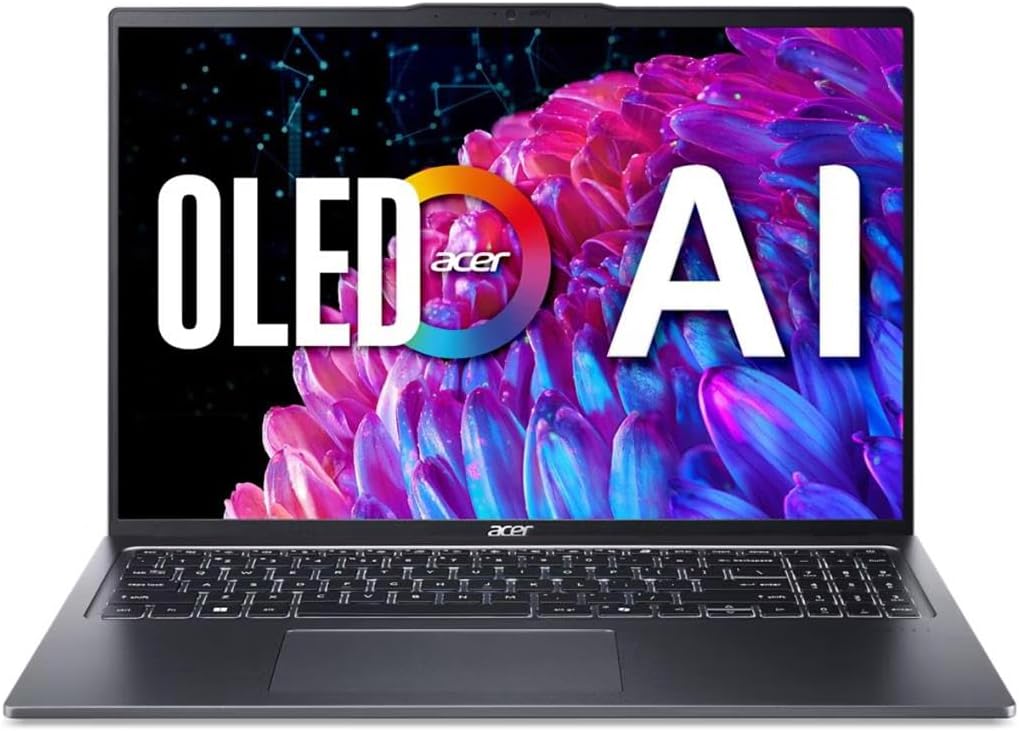
The Acer Swift Go 16 puts a 3200 x 2000 OLED panel at the center of its configuration, making it particularly compelling for photographers, video editors, and viewers who notice fine detail. DisplayHDR True Black 500 and 100% DCI-P3 color coverage support rich, accurate color reproduction.
We may earn a commission when you buy through this link, at no additional cost to you.
Its Intel Core Ultra 5 125H processor includes integrated AI acceleration and is designed for efficient multitasking. The package also includes Killer Wireless Wi-Fi 6E, dual USB-C ports with Thunderbolt 4 and USB4, and an aluminum chassis with a fingerprint reader and backlit keyboard.
The most notable limitation is the 8GB memory configuration. While 512GB of storage is adequate for many mainstream applications, only 8GB can become restrictive when running large creative files, numerous browser sessions, and demanding applications together. Buyers should verify whether the installed memory is upgradeable.
This model is best for users who place display quality above internal expandability. The high resolution, broad color gamut, deep contrast, and eye comfort certification are particularly useful for visual work, while Wi-Fi 6E and Thunderbolt 4 support help modernize an otherwise conventional productivity setup.
It is also a strong media laptop because OLED black levels can give dark scenes more depth than many conventional panels. As a daily work computer, it is competent and portable in spirit, but the limited memory makes the IdeaPad Pro 5 and several other models more attractive for heavy multi-application work.
At 3200 x 2000 pixels, the Swift Go's panel has the highest stated resolution in this roundup. Combined with 100% DCI-P3 coverage and HDR True Black 500, it is well suited to color-sensitive tasks, image review, and high-contrast entertainment.
Thunderbolt 4 and USB4 support fast transfers, power delivery, and multi-monitor output, while Wi-Fi 6E supports faster wireless networks. These details make the laptop easier to integrate into a modern desk, although the absence of listed USB-A and HDMI ports may encourage dock use.
We may earn a commission when you buy through this link, at no additional cost to you.
The Ryzen-powered ASUS Vivobook S16 combines a spacious 16:10 OLED display with 32GB of memory and 1TB of storage. That memory capacity is especially useful for heavy browser use, large documents, communication platforms, and many applications running simultaneously.
We may earn a commission when you buy through this link, at no additional cost to you.
Its AMD Ryzen AI 7 445 processor supports up to 50 TOPS of NPU performance within the listed Copilot+ PC configuration. The system also offers a stated battery life of up to 21 hours, along with fast charging that can add 60% in 49 minutes under the stated test conditions.
The display is less ambitious than the Acer's because its 1920 x 1200 resolution is WUXGA rather than 3.2K. It nevertheless provides OLED contrast, vivid detail, and narrow borders across a roomy 16-inch surface. Dolby Atmos, an array microphone, and the 3.75-pound chassis broaden its appeal.
This is a good choice for students, office professionals, and multitaskers who value memory, battery endurance, and a large OLED panel more than discrete graphics. The 32GB configuration also leaves more room for demanding applications than systems equipped with only 8GB or 16GB.
Buyers should set expectations for integrated Radeon graphics rather than gaming-class performance. For smooth 3D rendering or modern games, the Legion 5a provides a more appropriate GPU, while the IdeaPad Pro 5 offers another option for creator-oriented workflows.
Thirty-two gigabytes of memory is the defining practical advantage in this configuration. It provides more room for large project files, many browser tabs, and concurrent applications, reducing the likelihood that memory pressure will disrupt switching between demanding tasks.
The stated 70Wh battery and fast-charge capability are well suited to workdays away from an outlet. Actual endurance depends on screen brightness, wireless conditions, and workload, so users should treat the stated figure as a guide rather than a guaranteed result.
We may earn a commission when you buy through this link, at no additional cost to you.
The HP OmniBook 3 14 is built around mobility, efficiency, and an OLED display. Its 1920 x 1200 OLED panel offers crisp 2K-class detail, rich color, and up to 300 nits of brightness, making it practical for documents, streaming, and everyday creative viewing.
We may earn a commission when you buy through this link, at no additional cost to you.
Inside, the Snapdragon X X1-26-100 processor, 16GB of LPDDR5x memory, and 256GB PCIe Gen4 NVMe drive form a power-efficient platform. Qualcomm Adreno graphics support responsive interfaces, while the listed Copilot+ PC features and Otter.ai tools can assist with meetings, transcription, and summaries.
The standout specification is the stated battery life of up to 41 hours and 45 minutes. HP also states that Fast Charge can restore the battery from zero to 50% in approximately 45 minutes. These figures are particularly relevant to students and commuters who spend long periods away from outlets.
The 256GB storage capacity is the clearest compromise, especially for large media libraries or extensive project archives. Users who keep most files in the cloud may find that capacity adequate, while others may prefer a model with more room for local assets.
Overall, the OmniBook 3 14 suits buyers seeking a compact OLED laptop with strong efficiency and abundant stated endurance. It does not attempt to be a gaming system or a high-end workstation, but its focus on battery life, wireless connectivity, and practical AI features is coherent and useful.
A 14-inch chassis and power-efficient Snapdragon platform make this a natural companion for classes, commutes, and travel. The very long stated battery figure reduces dependence on chargers, while Wi-Fi 6E supports fast connections in compatible networks.
The FHD IR camera supports Windows Hello, while the listed Otter.ai integration can handle recording, transcription, notes, and meeting summaries. These features are most useful for remote students and office users who regularly participate in online conversations.
We may earn a commission when you buy through this link, at no additional cost to you.
This Intel version of the ASUS Vivobook S16 pairs a large OLED display with a Core Ultra 9 386H processor, 32GB of memory, and 1TB of storage. It is aimed at users who want a capable general-purpose system without moving into a dedicated gaming chassis.
We may earn a commission when you buy through this link, at no additional cost to you.
The processor's listed NPU capability of up to 50 TOPS supports the system's Copilot+ PC functions. Intel Arc graphics add hardware-accelerated features, while the 70Wh battery is stated to deliver up to 25 hours of uninterrupted use under controlled video playback conditions.
A 16:10 WUXGA OLED panel provides vivid detail, deep contrast, and narrow borders, though it does not match the Acer Swift Go or Lenovo IdeaPad Pro 5 in pixel density. For users who prioritize processor class and memory over extreme display resolution, that distinction may be acceptable.
Connectivity includes two USB 3.2 Gen 1 Type-C ports, two USB 3.2 Gen 1 Type-A ports, HDMI 2.1 TMDS, and a 3.5mm audio jack. That is enough for most accessories without requiring a permanent docking station, although a more modern USB4 configuration would offer broader bandwidth.
The 3.75-pound chassis, military-standard durability testing, physical camera shutter, Dolby Atmos audio, and Windows Hello camera make this a refined daily computer. It is best for professionals, students, and multitaskers who want a large OLED screen alongside strong internal specifications.
The Core Ultra 9 386H is the headline feature, supported by 32GB of memory and 1TB of storage. This combination suits demanding productivity, development, and content workflows that benefit from a faster processor without requiring a dedicated graphics card.
The 16-inch OLED panel creates an immersive workspace and entertainment surface, while the narrow-bezel design preserves a relatively modern appearance. Its 3.75-pound weight remains portable for its size, though it is less travel-friendly than the 13-inch Dell XPS 13.
We may earn a commission when you buy through this link, at no additional cost to you.
The HP OmniBook 5 16 brings together a 2K OLED touchscreen, efficient Snapdragon X Plus hardware, 16GB of memory, and 512GB of storage. That combination makes it one of the most balanced options for general productivity, media, and mobile work.
We may earn a commission when you buy through this link, at no additional cost to you.
Its 1920 x 1200 OLED panel offers rich color and crisp detail, while the touchscreen provides direct control for drawing, annotation, navigation, and casual content consumption. The listed brightness of up to 300 nits is adequate for many indoor environments, though it may be less impressive outdoors than brighter premium panels.
The Snapdragon X Plus processor, Qualcomm Adreno graphics, Wi-Fi 6E, and Bluetooth 5.3 form a modern efficiency-focused platform. HP states up to 34 hours of battery life, and its Fast Charge system can take the battery from zero to 50% in approximately 30 minutes.
Storage and memory are more balanced than those of the OmniBook 3 14. Sixteen gigabytes handles demanding productivity use well, while 512GB offers enough room for applications, active project files, and a substantial local media collection without immediately feeling constrained.
This laptop is a strong general recommendation for buyers who want an OLED touchscreen, generous storage, and long stated endurance without moving to a discrete graphics system. Its limitations are the modest brightness figure and lack of a stated high refresh rate, both of which may matter to demanding media users or fast-action gamers.
Doubling the storage from the smaller OmniBook model's 256GB to 512GB makes a meaningful difference for downloaded applications, media, and project files. Together with 16GB of memory, it offers enough capacity for many demanding but not graphics-intensive workflows.
The OLED touchscreen adds direct-input flexibility without turning the laptop into a bulky convertible. Up to 34 hours of stated battery life and a 50% charge in about 30 minutes further support a mobile workflow, subject to real-world conditions.
We may earn a commission when you buy through this link, at no additional cost to you.
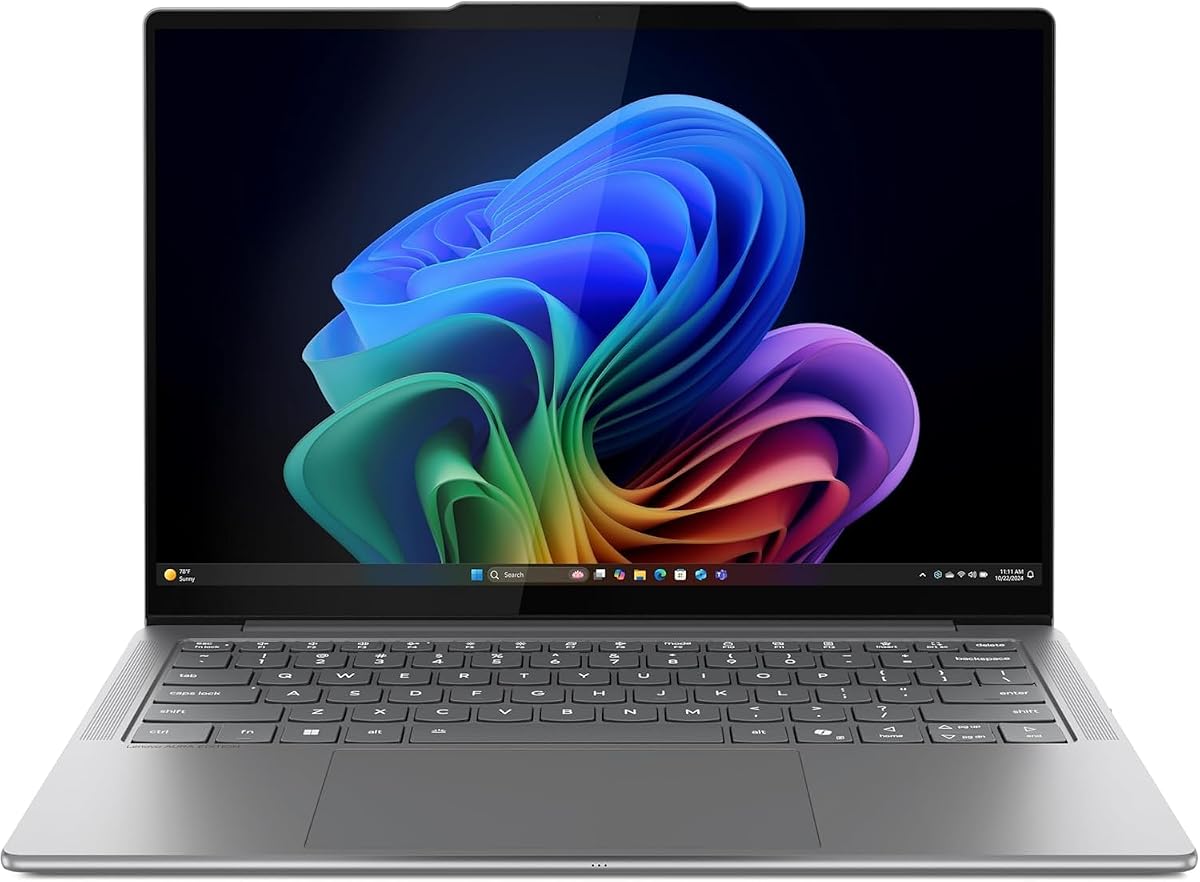
The Lenovo Slim 7i is designed for creators who want a color-accurate OLED touchscreen in a genuinely portable chassis. Starting at 2.82 pounds, it combines an aluminum body, 32GB of memory, and a Core Ultra 7 258V processor in a form suited to mobile work.
We may earn a commission when you buy through this link, at no additional cost to you.
Its WUXGA OLED display covers DisplayHDR True Black 500 and reaches 600 nits at peak brightness. That brightness is among the strongest listed here and makes the screen more practical in bright rooms, while the 60Hz rate is less suitable for competitive gaming or high-frame-rate animation.
The thermal design uses a 30W TDP and internal blowing technology to support sustained performance with reduced noise. Quad speakers, dual microphones, a 5MP RGB+IR camera, and Lenovo's Premium Suite features make it particularly well equipped for calls, meetings, and collaborative creative work.
Lenovo states a battery life of 17 hours, with intelligent switching between performance and efficiency cores. Intel Unison integration allows users to tap an Android or iOS phone against the computer and transfer photos or other content for editing and sharing.
The Slim 7i is most convincing for mobile creators, remote workers, and users who value brightness, touch input, and low weight. Those seeking smoother motion or finer resolution should instead examine the 120Hz Lenovo IdeaPad Pro 5, GEEKOM GeekBook X14 Pro, or gaming-focused Legion 5a.
DisplayHDR True Black 500, true-to-life color, and 600-nit peak brightness provide a capable foundation for visual review. The touchscreen also makes pen-friendly navigation, annotation, and design tasks more natural when paired with a compatible stylus.
A starting weight of 2.82 pounds, quad speakers, a high-resolution camera, and 32GB of memory reduce the compromises associated with a compact creator laptop. The 17-hour stated battery figure and phone-to-PC transfer tools support a flexible mobile workflow.
We may earn a commission when you buy through this link, at no additional cost to you.
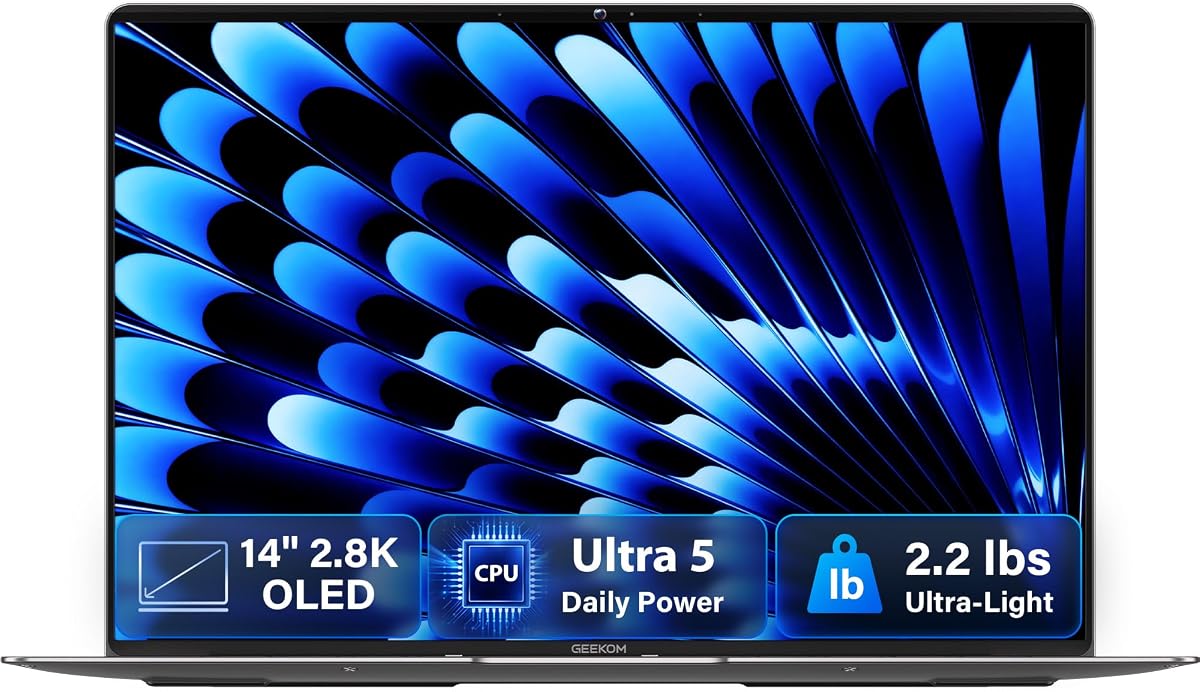
The GEEKOM GeekBook X14 Pro combines a 2.8K 120Hz OLED display with an exceptionally compact 2.2-pound magnesium-alloy chassis. Its display provides 100% DCI-P3 color coverage and up to 450 nits, positioning it as a strong option for color-aware mobile users.
We may earn a commission when you buy through this link, at no additional cost to you.
The Core Ultra 5 125U processor includes 12 cores, 14 threads, an NPU, and Intel Arc graphics. Sixteen gigabytes of LPDDR5 memory and a 512GB PCIe Gen4 NVMe SSD provide capable everyday performance, while the IceBlade 2.0 cooling system is designed to limit noise and thermal throttling.
Its port selection is one of the strongest in the guide. Two 40Gbps USB4 ports support power delivery and DisplayPort 2.1, with HDMI 2.1, a USB 3.2 Type-A port, and a 3.5mm audio jack also included. A docking station is supplied, reducing the need to purchase one immediately.
The 72Wh battery is stated to last up to 16 hours, while the compact 65W GaN charger can reach 80% in about an hour. Privacy controls include fingerprint unlock and a physical camera shutter, and DTS:X Ultra audio adds a stronger entertainment focus than many business-oriented alternatives.
This model is best for users who prioritize a refined 14-inch OLED screen, exceptional portability, and modern connectivity. Its smaller brand footprint and integrated graphics may give some buyers pause, but the supplied specifications present a notably complete package for mobile productivity and media use.
At 2.2 pounds and 0.23 inches thick, the GeekBook X14 Pro is one of the lightest full-size laptops in the comparison. A magnesium-alloy unibody and 2.8K OLED panel make it particularly attractive for travelers who do not want to compromise screen quality.
Dual USB4, HDMI 2.1, USB-A, and an included dock cover most desk-accessory needs. Fingerprint authentication, a physical camera shutter, Wi-Fi 6E, and Bluetooth 5.4 add convenience and privacy without requiring a separate accessory bundle.
We may earn a commission when you buy through this link, at no additional cost to you.
The Lenovo Legion 5a is the most specialized recommendation in this guide, combining a 2560 x 1600 165Hz OLED gaming display with an NVIDIA GeForce RTX 5060. That pairing makes it the natural choice for buyers who want both high-refresh motion and excellent color.
We may earn a commission when you buy through this link, at no additional cost to you.
The display includes NVIDIA G-SYNC, 100% DCI-P3 coverage, and DisplayHDR True Black 1000. These features suit fast games as well as cinematic entertainment, while the 15.3-inch format offers a useful balance between visual immersion and manageable screen size.
Its Ryzen 7 250 processor has eight cores and 16 threads with speeds up to 5.1GHz. The RTX 5060 adds 8GB of GDDR7 memory, a stated 115W TGP, and 572 AI TOPS, benefiting modern games, video editing, rendering, and other graphics-intensive applications.
The configuration includes 32GB of DDR5 memory, 1TB of storage, Wi-Fi 7, Bluetooth 5.4, USB4, HDMI 2.1, Ethernet, and multiple USB-A ports. An 80Wh battery, RGB keyboard, 5MP camera with privacy shutter, and included portable 500GB drive round out a feature-rich package.
This is the premium option for gaming, high-end creative work, and users who value display refresh and HDR performance. Its approximate five-pound weight and pronounced gaming design make it less attractive for travel, but no other model in the list combines this OLED specification with such strong dedicated graphics.
The 165Hz rate, G-SYNC support, and RTX 5060 graphics work together to favor smooth interactive entertainment. At the same time, the 2.5K resolution and 100% DCI-P3 coverage make the panel equally useful for high-quality content creation.
Wi-Fi 7, Bluetooth 5.4, USB4, HDMI 2.1, Ethernet, and several USB-A ports make it straightforward to connect peripherals, displays, and fast networks. The 80Wh battery and portable drive add convenience for gaming events and travel.
We may earn a commission when you buy through this link, at no additional cost to you.
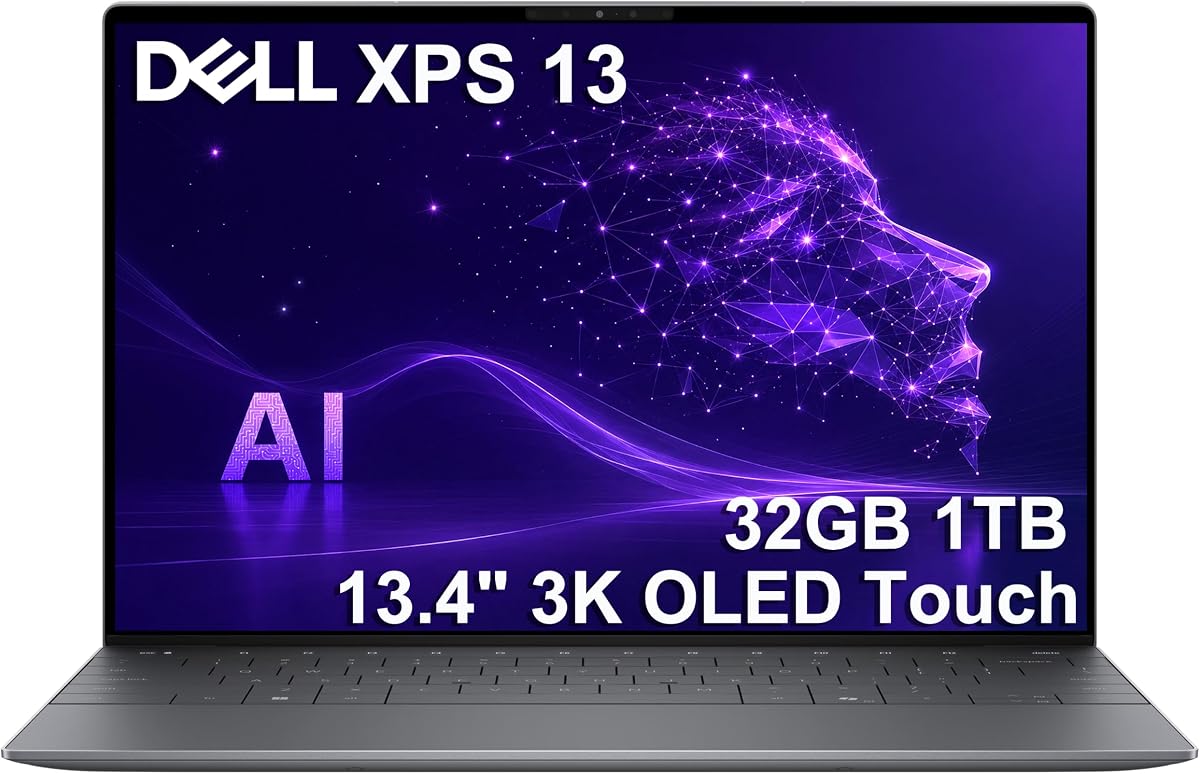
The Dell XPS 13 9345 brings a 2880 x 1800 OLED touchscreen to a compact premium chassis. At 13.4 inches, it offers an impressive balance of screen detail, portability, and a smaller footprint than the 16-inch alternatives in this guide.
We may earn a commission when you buy through this link, at no additional cost to you.
Qualcomm's Snapdragon X Elite X1E-80-100 processor provides 12 cores with dual-core boost up to 4GHz and an NPU rated up to 45 TOPS. Paired with 32GB of 8448MT/s DDR5 memory and a 1TB PCIe NVMe SSD, it is well equipped for multitasking and AI-assisted workflows.
Its 400-nit anti-reflective touchscreen produces crisp visuals while reducing glare in bright environments. The display can also drive two external 4K monitors at 60Hz through the USB-C ports, making the laptop useful as a portable workstation connected to a larger desk setup.
Windows 11 Pro adds BitLocker, Remote Desktop, Hyper-V, and Group Policy support, which are meaningful advantages for professional and technical users. The stated 27-hour battery life, fingerprint reader, backlit keyboard, Wi-Fi 7, and Bluetooth 5.4 complete the mobile package.
The principal concern is software compatibility. Some specialist applications, peripheral drivers, games, or engineering tools may require careful validation with Snapdragon-based Windows systems. For users who need the best combination of compact size, premium display quality, and strong on-device efficiency, it remains an excellent choice.
The 3K OLED touchscreen delivers more pixel density than most 14-inch and 16-inch options here. Combined with its 13.4-inch size, it creates a sharp, portable canvas for professional documents, media, and touch-based workflows.
Windows 11 Pro provides remote access, encryption, virtualization, and centralized policy controls. These tools distinguish the XPS 13 from many consumer-oriented ultraportables, although buyers should confirm that every required application and accessory supports the Snapdragon platform.
We may earn a commission when you buy through this link, at no additional cost to you.
Choosing among laptops with OLED displays requires balancing panel quality with processor capability, memory, graphics, battery life, portability, and connectivity. The most vivid screen cannot compensate for an underpowered configuration if your work involves demanding applications, while excessive specifications may add bulk without improving your day-to-day experience.
Resolution determines how much text, imagery, and interface detail the screen can present. The Acer Swift Go leads the supplied group with 3200 x 2000 pixels, while the Dell XPS 13 and Lenovo IdeaPad Pro 5 use 2880 x 1800. Higher resolution is valuable for photo review, timelines, and dense documents, but it can place more demand on the graphics system. Contrast, brightness, color coverage, and refresh rate are equally important because an OLED label alone does not communicate the full viewing experience.
Choose 3K or 2.8K resolution for detailed creative work and compact screens. A WUXGA panel remains suitable for office tasks, study, and streaming, especially when a larger display or stronger battery is the priority.
Refresh rate controls how many times the display updates each second, influencing cursor movement, scrolling, animation, and gaming smoothness. The 165Hz Legion 5a is the clear motion leader, followed by 120Hz models such as the IdeaPad Pro 5 and GeekBook X14 Pro. The Slim 7i lists 60Hz, and some configurations do not provide a refresh-rate figure in the supplied data.
Favor 120Hz or higher for frequent scrolling, creative timelines, and modern games. A 60Hz OLED can still provide excellent color and contrast, but it will feel less fluid when switching from a faster panel.
Creative buyers should look beyond resolution and examine color gamut, peak brightness, and HDR certification. The Acer Swift Go and GEEKOM GeekBook X14 Pro list 100% DCI-P3 coverage, while the Legion 5a combines that gamut with DisplayHDR True Black 1000. The Slim 7i reaches a listed 600-nit peak brightness, and the Dell reaches 400 nits.
Wide DCI-P3 coverage and meaningful HDR capability are useful for photo and video work. For general browsing and office use, they are pleasant extras rather than essential requirements.
The list includes AMD Ryzen AI, Intel Core Ultra, and Qualcomm Snapdragon platforms, each with different strengths. Ryzen and Core Ultra models are generally more familiar choices for broad Windows application use, while Snapdragon systems emphasize efficiency and on-device AI but may require software validation. Dedicated NVIDIA graphics in the IdeaPad Pro 5 and Legion 5a are important for 3D rendering, modern games, and accelerated video workflows.
Match the processor and GPU to your workload rather than choosing on processor tier alone. Verify that creative software, games, engineering applications, and connected peripherals support the selected architecture and graphics configuration.
Memory determines how comfortably a system can keep applications, browser tabs, and large files active at once. The ASUS Vivobook S16 configurations and Dell XPS 13 provide 32GB, the strongest capacity in this group, while most other models provide 16GB. The Acer Swift Go's 8GB configuration is the most constrained and may limit intensive multitasking.
Choose at least 16GB for a current productivity laptop and 32GB when running large creative projects, development tools, or many concurrent applications. A 512GB SSD is a more practical starting point than 256GB, while 1TB is preferable for extensive local media.
OLED laptops range from the extremely compact GeekBook X14 Pro and Dell XPS 13 to larger 16-inch systems such as the Acer, ASUS, and Lenovo IdeaPad. Battery figures are also highly workload-dependent. The HP OmniBook models and Lenovo Slim 7i emphasize efficient platforms and long stated endurance, while gaming systems naturally place more emphasis on plugged-in performance.
For frequent travel, prioritize weight, battery capacity, and charging convenience. For desk-based work, a larger OLED screen and stronger performance components may matter more than shaving off a fraction of a pound.
Modern laptops increasingly rely on USB-C for charging, data transfer, and external displays, but full-size USB-A and HDMI remain convenient for peripherals. The IdeaPad Pro 5 includes USB4, USB-A, HDMI 2.1, an SD reader, and an audio jack, while the GeekBook X14 Pro offers dual USB4 and includes a docking station. The Dell XPS 13 supports two external 4K displays through its Type-C ports.
List the peripherals you already own before choosing a model. A dock or adapter can solve missing connections, but it adds cost, weight, and another item to carry when a built-in port solution is more convenient.
Touchscreens can improve direct interaction, drawing, and media use, but they add weight, cost, and some energy consumption. The HP OmniBook 5, Lenovo Slim 7i, and Dell XPS 13 include touchscreens. Dolby Atmos, DTS:X Ultra, quad speakers, and an array microphone improve the entertainment and meeting experience, while Windows Hello cameras and physical shutters provide straightforward privacy controls.
Treat touchscreen, audio, and webcam features as a connected package rather than isolated specifications. Choose them when they directly support how you work, and prioritize battery, keyboard, and display quality when they are secondary.
Begin by configuring display scaling, brightness, and color settings for your environment. OLED panels can render text sharply at native resolution, but Windows scaling may make small text more comfortable without creating an overly soft image. For photo and video work, use a calibrated reference workflow and avoid judging color from an uncalibrated screen alone.
Care for the panel by using a protective case or sleeve during transport, cleaning it with a soft microfiber cloth, and avoiding pressure or pointed objects. Do not leave a bright static image on the display for long periods, and use screen savers or sleep settings when leaving the computer unattended. Adjusting brightness to the environment is also a practical way to manage energy use.
To keep performance consistent, keep the laptop's ventilation paths clear and follow the manufacturer's guidance for battery charging and storage. For gaming or demanding creative work, allow the system to use its full thermal design and connect to power when sustained performance matters. Periodically back up important files, particularly when choosing a configuration with limited local storage.
OLED displays generally provide deeper blacks, stronger contrast, and more vivid color than conventional LCD panels. They are especially noticeable in movies, photos, and interfaces with dark backgrounds. For office work, the difference is less dramatic, so screen resolution, battery life, keyboard quality, and processor performance may matter more.
OLED power use depends on the content, brightness, and the specific panel implementation. Bright content can consume more energy, while dark content may use less because individual pixels can switch off. A darker interface, moderate brightness, and automatic sleep settings can help extend runtime, but the stated battery figures remain workload dependent.
Thirty-two gigabytes is ideal for heavy multitasking, large creative files, development environments, and professional applications. Sixteen gigabytes is comfortable for most everyday use and many creative workflows, while 8GB may be limiting over time. Memory capacity matters independently of the OLED display, so buyers should assess both needs together.
They can be excellent for gaming because high-contrast visuals make dark scenes more immersive, and some models support very high refresh rates. The Lenovo Legion 5a pairs a 165Hz OLED with RTX 5060 graphics, making it the strongest gaming-focused option here. Performance also depends on the GPU, cooling system, and memory configuration.
A touchscreen is useful for drawing, annotation, casual tablet use, and navigating large interfaces. It is less essential for standard office work and may add weight and cost to a conventional clamshell. The HP OmniBook 5, Lenovo Slim 7i, and Dell XPS 13 are the touchscreen choices in this guide.
Windows applications are increasingly optimized for Arm-based Snapdragon processors, including common productivity and communication tools. However, specialized software, drivers, games, and accessories may not be fully compatible. Before purchasing a Snapdragon system, check the requirements of every essential application and peripheral you plan to use.
A 2880 x 1800 or 3200 x 2000 panel provides excellent detail for text, media, and creative work. WUXGA resolution is still suitable for office tasks, study, and entertainment, particularly on a large screen. Resolution should be balanced against panel size, graphics performance, and battery life rather than selected in isolation.
No. Higher resolution improves text and image detail, while a higher refresh rate makes motion and interaction smoother. Creative professionals may prioritize both, office users may favor resolution or battery life, and gamers will often value refresh rate and graphics performance most. The best choice depends on which visual improvements you will notice and use every day.
The Lenovo IdeaPad Pro 5 offers the strongest overall balance with its detailed 2.8K 120Hz OLED, discrete RTX 5050 graphics, extensive ports, and professional security features. The HP OmniBook 5 16 stands out as a balanced value with a touchscreen, 512GB drive, modern wireless support, and strong stated battery life, while the Lenovo Legion 5a delivers the most premium gaming experience.
Priority should always match the workload. Choose the Acer Swift Go 16 for high resolution and broad color coverage, the Lenovo Slim 7i for a light touchscreen creator design, the GEEKOM GeekBook X14 Pro for exceptional portability, or the Dell XPS 13 9345 for a compact premium display and Windows 11 Pro features. Memory, graphics, and application compatibility deserve as much attention as the panel itself.
Configuration details and current prices can change, particularly for models with multiple component options. Before purchasing, verify the exact display resolution, refresh rate, brightness, memory, storage, graphics, included accessories, operating system, and warranty terms on the current product page.