
ThinkPad T14s Gen 1
4.1Editor score
Intel Core i5 processor
16GB DDR4 memory
512GB solid-state storage
Lenovo ThinkPad laptops span a broad range of business and everyday computing needs, from compact renewed models to large-screen workstations with advanced security. A worthwhile ThinkPad should balance dependable performance, a comfortable keyboard, practical connectivity, and durability. The right configuration depends on how you work, travel, collaborate, and manage sensitive information.
We compared all ten products using the supplied specifications, focusing on processor capability, memory, storage, display characteristics, ports, wireless support, security features, portability, and intended use. The guide includes current ThinkPad E16, L16, L14, P14s, and T14s configurations, plus two more affordable Lenovo laptops that may suit students and light users.
Each review explains who the model is best positioned to serve, along with the strengths and limitations that can affect everyday ownership. Rankings reflect the information available for this guide rather than subjective testing in a controlled laboratory. Product configurations and prices can change, so confirm the current listing and specifications before making a purchase.
4.1Editor score

5.0Editor score
4.6Editor score
As an Amazon Associate we earn from qualifying purchases.
The following side-by-side comparison highlights the major differences in processor class, memory, display, and connectivity across the ten shortlisted Lenovo laptops.




The ThinkPad E16 Ryzen 7 combines AMD's eight-core Ryzen 7 7735HS processor with 16GB of DDR5 memory and 512GB of PCIe NVMe storage. Its 4.5 rating reflects a generally favorable response, and the supplied specifications position it as a capable business laptop for office work, analysis, remote collaboration, and multitasking. The 16-inch form factor gives users a generous workspace without moving into a much larger workstation.
We may earn a commission when you buy through this link, at no additional cost to you.
One of the configuration's strongest advantages is the balance between memory and storage. Sixteen gigabytes of DDR5 is suitable for substantial browser use, office applications, communication tools, and several concurrent business workflows. The NVMe drive supports responsive startup and file access, while the Ryzen 7 processor offers eight cores for more demanding multitasking. Radeon 680M graphics also make the system more versatile than a basic productivity notebook.
The 1920-by-1200 IPS panel includes a 300-nit anti-glare finish, which is useful for fluorescent office lighting and prolonged document work. A 720p RGB camera with a privacy shutter supports calls, and Wi-Fi 6 plus Bluetooth 5.3 covers current wireless needs. There are trade-offs, however. The 45% NTSC color coverage is not ideal for color-critical design work, and the listed weight of 3.9 pounds makes the E16 better suited to a desk or occasional travel than to highly mobile use.
This is a strong recommendation for buyers who want mainstream ThinkPad capability, a large screen, and generous memory without stepping into the specialized P14s or premium E16 configurations. The included 5-in-1 hub improves immediate connectivity, while Windows 11 Pro adds management and security tools for workplace use. Choose it over lighter models when screen area, processor cores, and a full-size numeric-oriented workspace matter more than minimum weight.
The eight-core processor and 16GB of DDR5 provide useful headroom for document-heavy workflows, browser tabs, virtual meetings, and business software running together. The fast NVMe drive also helps keep active files and frequently used applications responsive.
The anti-glare 300-nit IPS screen is well suited to office use, where readable text and consistent visibility are generally more important than saturated color. A privacy shutter helps block the camera when it is not needed.
We may earn a commission when you buy through this link, at no additional cost to you.
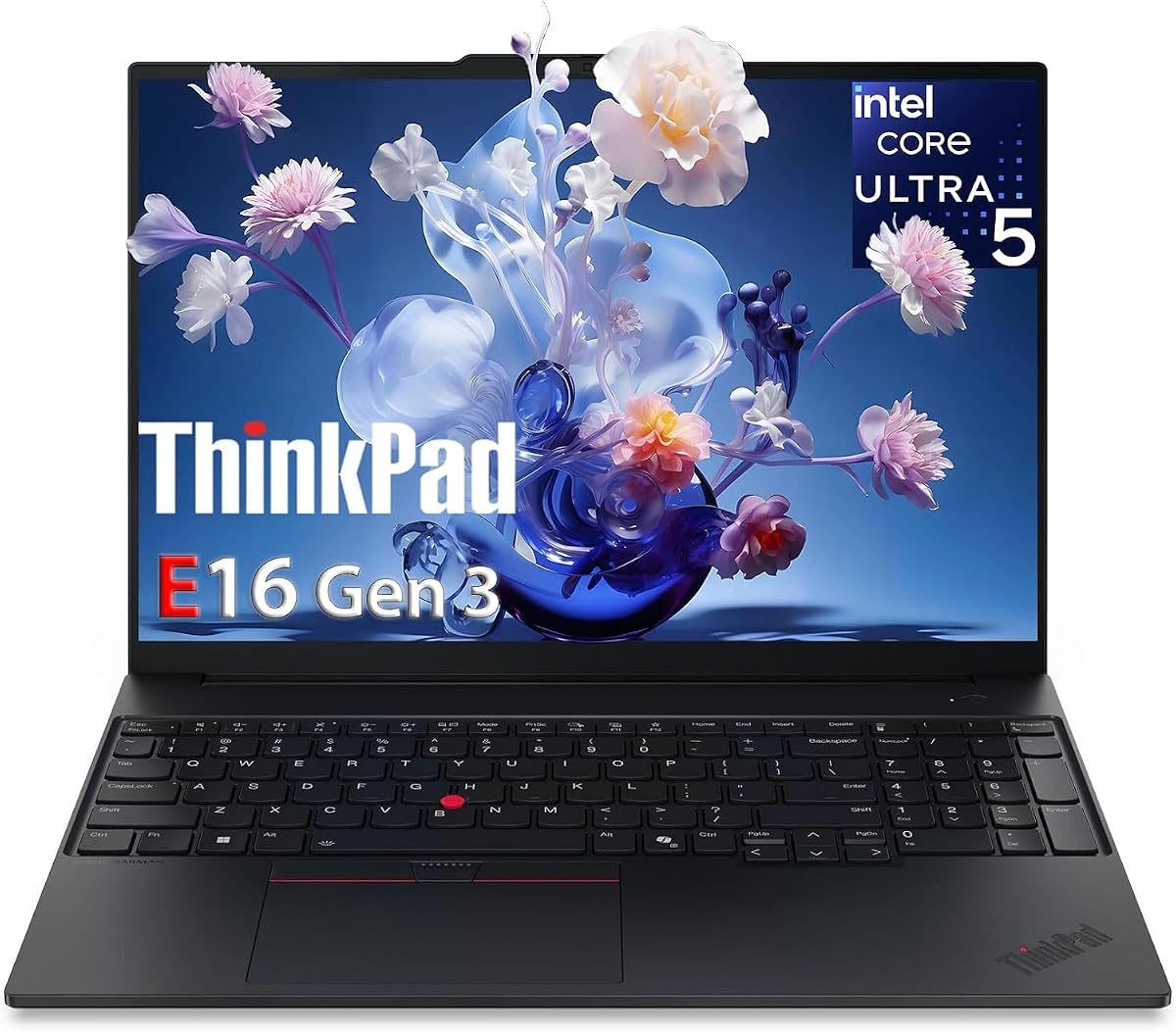
The ThinkPad E16 Gen 3 is a security-conscious business laptop built around the Intel Core Ultra 5 225H. Its 4.4 rating and detailed feature set make it a practical option for organizations and individuals that value modern performance, Windows 11 Pro, and enterprise-style access controls. The 14-core processor includes performance, efficiency, and low-power cores that can balance responsiveness with workload demands.
We may earn a commission when you buy through this link, at no additional cost to you.
A particularly notable feature is the integrated AI Boost NPU, listed at 13 TOPS. Rather than replacing the CPU or GPU, it provides hardware acceleration for compatible AI-oriented workflows. The supplied information also highlights Intel Arc 130T graphics, a 16-inch 300-nit anti-glare display, and 16GB of DDR5 memory. These features should suit productivity applications, presentations, data analysis, conferencing, and light CAD tasks.
Connectivity is one of the model's strongest arguments. Thunderbolt 4, USB-C Power Delivery, HDMI 2.1, Wi-Fi 6E, and Ethernet allow it to connect with a broad range of peripherals. A fingerprint reader integrated into the power button, TPM 2.0, and a camera privacy shutter reinforce its business orientation. The backlit keyboard includes a numeric keypad, which is useful for finance, administration, and spreadsheet-heavy workflows.
The main limitation is physical size. A 16-inch business laptop is more comfortable on a desk and less convenient during flights or frequent commutes. Its integrated graphics may also fall short for demanding 3D rendering or intensive professional visualization. It is nevertheless an excellent match for executives, analysts, students, and remote workers who prioritize security, connectivity, and a capable display over maximum mobility.
The fingerprint reader, TPM 2.0, privacy shutter, and Windows 11 Pro combine hardware and software protections suited to professional environments. These features make the laptop especially relevant to organizations with formal access and device-management requirements.
Thunderbolt 4, USB-C charging, HDMI 2.1, Ethernet, and Wi-Fi 6E give the E16 Gen 3 a flexible selection of modern connections. The practical result is less dependence on dongles when moving between desks, meeting rooms, and shared workspaces.
We may earn a commission when you buy through this link, at no additional cost to you.
The ThinkPad L16 is designed for users who want a large, touch-enabled business workspace. It combines a 16-inch FHD+ IPS touchscreen, 32GB of DDR5 memory, a 1TB SSD, and an Intel Core Ultra 5 225U processor. Its 4.1 rating is respectable, although the product's distinguishing advantages are its screen size, memory allowance, extensive port selection, and suitability for multi-monitor productivity.
We may earn a commission when you buy through this link, at no additional cost to you.
The 400-nit anti-glare display is brighter than the panels in most of the other 16-inch E16 configurations reviewed here. Touch input can be valuable for presentations, interactive applications, and navigating large workspaces. Its 1920-by-1200 resolution provides more room than a typical compact notebook, while the numeric keypad benefits users who enter figures frequently.
This L16 is unusually well equipped for external displays. The supplied specifications state that it can support up to three external monitors through HDMI and Thunderbolt 4, with the latter listed for up to 8K at 60Hz. Two Thunderbolt 4 ports, two USB-A 3.2 ports, another USB-A 2.0 port, Ethernet, HDMI 2.1, and an audio jack eliminate the need for a permanent desktop dock.
The 225U processor has 12 cores and can reach up to 4.8GHz, giving it ample capability for professional applications, programming, conferencing, and light creative work. The model's disclosed resealed-memory and upgraded-storage arrangement deserves attention: the listing states that the memory and SSD were upgraded by a third-party seller, with separate warranty periods for those components and the remaining system. Buyers comfortable with that arrangement will find the large screen and 32GB memory particularly compelling.
The 16-inch 400-nit touchscreen makes the L16 useful for presentations, collaborative work, and detailed productivity applications. Its size creates a roomy canvas, although buyers should account for the added bulk when planning to carry it regularly.
Support for up to three external displays is a major advantage for users who divide applications across multiple screens. Two Thunderbolt 4 ports and HDMI 2.1 provide the primary routes for high-resolution external displays.
We may earn a commission when you buy through this link, at no additional cost to you.
The Lenovo 15.6 FHD laptop is an approachable option for students, home users, and light office workers. It pairs an Intel N150 quad-core processor with 8GB of LPDDR5 memory and 128GB of UFS 2.2 storage. The listed 4.4 rating suggests broad satisfaction, and the supplied specifications clearly position this machine around browsing, streaming, communication, and routine document work rather than intensive professional computing.
We may earn a commission when you buy through this link, at no additional cost to you.
Its 15.6-inch Full HD anti-glare display offers a useful balance of screen size and portability. The listed weight of just 1.55 kilograms, or 3.42 pounds, makes it easier to carry than the ThinkPad E16 and L16 models in this guide. A 250-nit panel and 45% NTSC coverage are acceptable for schoolwork and general media, although image creators should not treat the screen as a color-accurate reference display.
Connectivity is stronger than the basic processor category might suggest. Two USB-A ports, a USB-C port with Power Delivery and DisplayPort 1.2, HDMI, an SD card reader, and an audio jack cover common accessories. Wi-Fi 6 and Bluetooth 5.2 support everyday wireless needs, while a 720p camera with privacy shutter makes online classes and calls more practical.
The included one-year Microsoft 365 Personal subscription provides access to Word, Excel, PowerPoint, and Outlook during the stated period, which is useful for students beginning an academic cycle. Its limitations are predictable: 8GB of memory and 128GB of storage leave less room for demanding applications or a large local game library. For a lightweight school or home computer that primarily uses cloud services, however, the configuration is logically balanced.
Windows 11 Home and the included Microsoft 365 subscription make the laptop approachable for students who need standard office applications. The anti-glare display and comfortable non-backlit keyboard also fit extended study sessions.
At 3.42 pounds, this model is substantially easier to carry than the 16-inch ThinkPads reviewed. Its selection of USB, HDMI, card-reader, and charging connections is also generous for a basic everyday notebook.
We may earn a commission when you buy through this link, at no additional cost to you.
The ThinkPad E16 with Intel Ultra 5 225H is a straightforward business configuration aimed at executives, entrepreneurs, remote workers, and other professionals. Its 4.3 rating, 16GB of DDR5 memory, 512GB SSD, and Windows 11 Pro make it a practical all-round choice. The supplied information emphasizes strong multitasking, business applications, video conferencing, and productivity software.
We may earn a commission when you buy through this link, at no additional cost to you.
The 225H processor belongs to Intel's newer Core Ultra family, which combines conventional CPU cores with an AI-oriented NPU. Although the exact NPU figure is not stated for this listing, the platform is intended to support a growing collection of local AI features. For standard productivity work, 16GB of DDR5 provides a sensible amount of headroom, while the SSD supports quick startup and file access.
A fingerprint reader gives the system a clear business advantage over many consumer laptops, and the backlit keyboard is useful in dim offices or during evening work. Windows 11 Pro adds enterprise-oriented tools that can be valuable for security policies, device management, BitLocker, and remote access. The inclusion of these features makes the E16 more compelling for work than for casual entertainment.
The supplied listing provides less detail about display brightness, port selection, and wireless generation than some competing E16 configurations. That makes direct comparison harder, and buyers should verify the full specification before ordering. Its main practical limitation is likely the same one shared by other 16-inch E16 models: a larger, heavier design than a 14-inch business laptop. Even so, the core combination of processor, memory, storage, and Pro software is well suited to a professional office setup.
The fingerprint reader provides a faster and more convenient sign-in method while adding a layer of device security. Windows 11 Pro strengthens the package for managed business environments and sensitive work.
The backlit keyboard supports comfortable typing in varied lighting, while 16GB of DDR5 helps when several communication, browser, and productivity applications are open. A 512GB SSD provides practical room for active work files.
We may earn a commission when you buy through this link, at no additional cost to you.
The 32GB ThinkPad E16 Gen 3 is the most generously equipped traditional E16 configuration in the guide. It combines the 14-core Intel Ultra 5 225H processor, an AI Boost NPU rated at 13 TOPS, 32GB of expandable DDR5 memory, and a 1TB NVMe PCIe SSD. Its 4.6 rating makes it one of the strongest-reviewed products here and supports its position as a premium business desktop replacement.
We may earn a commission when you buy through this link, at no additional cost to you.
The memory is the configuration's standout feature. Thirty-two gigabytes allows demanding spreadsheets, virtual meetings, browser sessions, and resource-intensive business applications to coexist comfortably. It can also be expanded to 64GB, making this E16 a better long-term candidate for users whose software demands may grow. The 1TB NVMe drive provides fast boot times, quick access to large files, and enough room for active projects.
Its 16-inch 300-nit anti-glare IPS display supports clear office visibility, while the integrated graphics can handle presentations, conferencing, and light CAD work. Connectivity is comprehensive: Thunderbolt 4, USB-C Power Delivery, dual USB-A ports, HDMI 2.1, Gigabit Ethernet, and Wi-Fi 6E support a professional desk setup. The ability to connect up to three external 4K displays is especially useful for analysts, editors, and finance professionals.
Windows 11 Pro with Copilot AI, a fingerprint reader, TPM 2.0, and a camera privacy shutter make the system particularly appropriate for managed or security-conscious work. The trade-off is size: 32GB and 1TB configurations are generally larger and heavier than basic laptops, and the integrated graphics are not intended for demanding 3D rendering. Within the E16 family, however, this is the configuration to choose when performance headroom matters most.
Thirty-two gigabytes of DDR5 is especially useful for heavy multitasking and data-intensive applications. The stated ability to expand to 64GB adds longevity for users who may later introduce virtual machines, large datasets, or specialized business tools.
Support for three external 4K displays can simplify complex workflows by separating documents, communications, and reference material. Thunderbolt 4 and HDMI 2.1 provide the necessary bandwidth and make the system well suited to a permanent desk.
We may earn a commission when you buy through this link, at no additional cost to you.
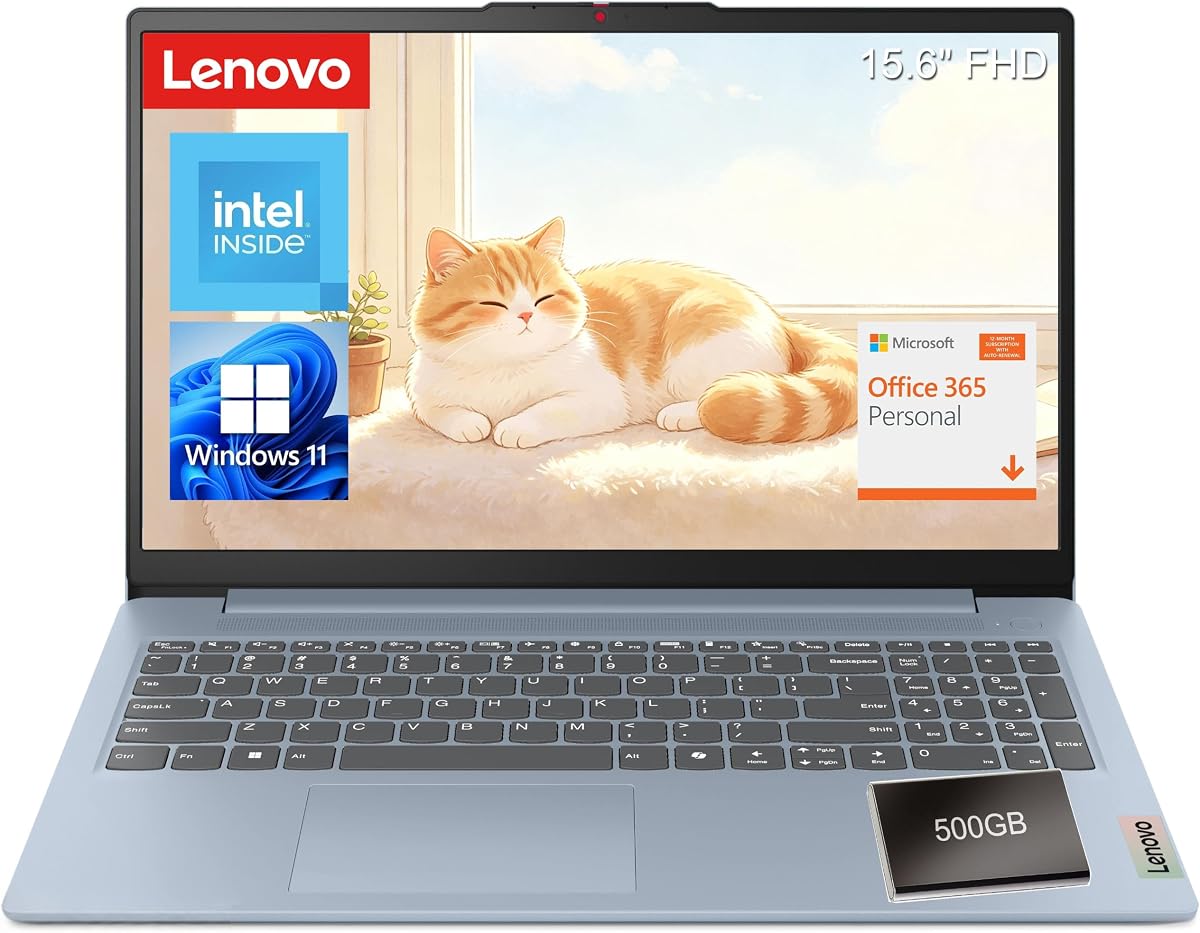
The Lenovo 15.6 FHD 2026 Edition is an entry-level laptop with a surprisingly strong 4.6 rating. It uses an Intel N150 quad-core processor, 8GB of LPDDR5-4800 memory, and 128GB of UFS 2.2 storage for browsing, document editing, streaming, and light productivity. A bundled 500GB portable external hard drive helps offset the limited internal capacity.
We may earn a commission when you buy through this link, at no additional cost to you.
The 15.6-inch 1920-by-1080 display has an 88% screen-to-body ratio, which allows a relatively compact chassis despite the large nominal screen size. An anti-glare coating helps with prolonged viewing, and the listed Dolby Audio-enhanced stereo speakers improve the experience for video and music. The webcam includes a physical privacy shutter.
Portability is a central advantage. At 3.42 pounds and just 0.70 inches thick, the laptop is easier to fit into a daily bag than the 16-inch ThinkPads in this guide. Its 1.55-kilogram weight, Wi-Fi 6, Bluetooth 5.2, USB-A ports, USB-C with Power Delivery and DisplayPort, HDMI, card reader, and headphone jack make it a functional general-purpose travel and home computer.
The Intel N150 reaches up to 3.6GHz and is suitable for light tasks, but it is not intended for intensive editing, large professional datasets, or advanced gaming. The 8GB memory is adequate for cloud-centered productivity but offers little multitasking headroom. The included external drive and Microsoft 365 Personal subscription improve out-of-box usefulness. It is best considered an affordable secondary computer or a straightforward home and study machine rather than a substitute for a full business ThinkPad.
The included 500GB portable hard drive gives users immediate room for files that would not fit comfortably on the 128GB internal drive. It also demonstrates how this laptop can be expanded without changing the main device.
An 88% screen-to-body ratio helps the 15.6-inch display fit within a relatively slim enclosure. At 0.70 inches thick and 3.42 pounds, the machine is practical for students and commuters who need a larger view than a compact notebook.
We may earn a commission when you buy through this link, at no additional cost to you.
The ThinkPad P14s with Ryzen AI 7 PRO 450 is the most sophisticated specialist laptop in this guide. It earns a perfect 5.0 rating and combines 32GB of memory, 1TB of storage, a 14-inch 100% sRGB display, and a professional AMD platform. The result is a compelling option for engineers, architects, designers, IT administrators, and mobile business users who need more than a conventional office laptop.
We may earn a commission when you buy through this link, at no additional cost to you.
The Ryzen AI 7 PRO 450 processor operates from a 2.0GHz base clock up to 5.10GHz in turbo mode and includes AMD XDNA 2 NPU hardware. That dedicated accelerator is designed to improve local AI workflows and reduce reliance on cloud processing for supported tasks. AMD PRO capabilities, ThinkShield security, a power-button fingerprint reader, a webcam privacy shutter, and an optional IR camera with human-presence detection add professional protections.
The 1920-by-1200 IPS display is a major advantage over the 45% NTSC panels in several competing models. Full 100% sRGB coverage makes it more appropriate for visual work, while its 14-inch size preserves portability. The system also supports up to three external 4K displays through HDMI and Thunderbolt 4, providing flexibility for a mobile workstation that can expand into a desktop setup.
Wireless support includes Wi-Fi 7 and Bluetooth 5.4, while the native port selection includes Thunderbolt 4, USB-A, HDMI, Gigabit Ethernet, and an audio combination jack. MIL-STD-810H testing and an EPEAT Gold rating further strengthen its corporate appeal. The premium-oriented specification may be more than a student or casual user needs, but for professional creative and technical work, it offers the strongest balance of color accuracy, security, mobility, and computing power in this roundup.
The 100% sRGB IPS panel is a meaningful step up for designers, photographers, and media workers who need more credible color than a basic office panel provides. Its 14-inch footprint also keeps the system more manageable than a large-screen mobile workstation.
AMD PRO, ThinkShield, TPM-class platform protection, a fingerprint reader, and privacy controls suit managed business environments. These features go beyond the basic privacy shutter offered on many consumer laptops and support more formal corporate use cases.
The stated use of recycled post-consumer materials, plastic-free packaging, and EPEAT Gold, ENERGY STAR, and RoHS compliance can matter to organizations with sustainability goals. It also makes this model relevant to environmentally conscious professional buyers.
We may earn a commission when you buy through this link, at no additional cost to you.
The renewed ThinkPad L14 Ryzen 5 PRO 7530U is a business laptop aimed at users who value a traditional ThinkPad feature set without needing a newer premium platform. It has a 3.9 rating, the lowest in this group, but its specifications remain practical: six processor cores, 16GB of DDR4 memory, a 256GB PCIe SSD, and Windows 11 Professional.
We may earn a commission when you buy through this link, at no additional cost to you.
The Ryzen 5 7530U operates at 2.00GHz and can boost to 4.50GHz, with 16MB of cache and support for 12 threads. Those characteristics provide enough capability for office applications, browsing, communication, and regular business multitasking. The 16GB RAM configuration is useful in an older platform, while 256GB of storage is adequate for an active working set but can quickly feel limited if large files must be stored locally.
Connectivity is one of the L14's strengths. It includes two USB-A 3.2 Gen 1 ports, USB-C 3.2 Gen 2 and Gen 1 connections, HDMI 2.1 with support for up to 4K at 60Hz, RJ45 Ethernet, a memory-card reader, and a combined headphone and microphone jack. Wi-Fi 6E and Bluetooth 5.3 provide modern wireless support, while the TrackPoint preserves a defining ThinkPad input feature.
Because this is a renewed product, buyers should review its condition and warranty terms carefully. The listing describes it as Amazon Renewed and certified refurbished, which can be an effective way to obtain a business notebook at a lower entry point. Its lower rating may reflect the condition variability associated with renewed inventory rather than a major hardware deficiency. It is best for value-conscious professionals who need Windows 11 Pro, Ethernet, a durable ThinkPad design, and practical ports.
The TrackPoint, Ethernet connection, full-size port selection, and Windows 11 Pro make the L14 feel more purpose-built for work than a basic home laptop. It is well suited to offices that still rely on wired networking.
Refurbished inventory can provide access to durable business hardware at a more accessible entry point. The condition, included accessories, return policy, and warranty coverage should be examined closely before ordering.
We may earn a commission when you buy through this link, at no additional cost to you.
The renewed ThinkPad T14s Gen 1 is the most budget-oriented traditional ThinkPad in this roundup. It combines a 14-inch Full HD display, a 10th-generation Intel Core i5-10310U processor, 16GB of DDR4 memory, a 512GB SSD, and Windows 11 Pro. Its 4.1 rating makes it a credible option for students, home offices, and budget-conscious professionals who want a recognizable ThinkPad design.
We may earn a commission when you buy through this link, at no additional cost to you.
The four-core processor can reach 4.4GHz, which is sufficient for browsing, document editing, email, videoconferencing, and routine multitask demands. It is not a strong choice for intensive content creation, large engineering workloads, or prolonged gaming, but those tasks are outside the purpose of this configuration. Sixteen gigabytes of memory is a useful amount for a general-purpose machine and reduces pressure on virtual memory during ordinary use.
Storage is particularly generous for the budget tier, with a 512GB SSD providing room for applications and local files while supporting quicker startup and application loading than a comparable hard-drive system. The backlit keyboard improves comfort in low-light conditions, while HDMI offers a straightforward route to an external display. The 1920-by-1080 panel is suitable for common productivity and media tasks.
The principal limitation is the age of the underlying platform. A 10th-generation mobile processor lacks the newer AI acceleration, display capabilities, efficiency features, and platform support associated with current Core Ultra and Ryzen AI systems. This is also renewed hardware, so buyers should inspect the stated condition and warranty. Even so, for basic professional use, the T14s delivers a durable chassis, familiar ThinkPad ergonomics, 16GB of memory, and ample storage at a restrained entry point.
The 14-inch format balances portability with a comfortable full-size keyboard. Its backlit design and Full HD resolution make the T14s practical for commuting, home offices, and regular business use.
The combination of 16GB of RAM and a 512GB SSD is well proportioned for general productivity. It provides enough capacity for everyday applications, communication tools, browser use, and a working collection of local documents.
We may earn a commission when you buy through this link, at no additional cost to you.
Choosing a ThinkPad means balancing processor capability, display size, memory, storage, security, connectivity, and portability. The following factors help narrow the field according to workload and working environment.
Processor selection should reflect the heaviest applications you expect to run. The Intel N150 models in this guide are suitable for browsing, streaming, schoolwork, and routine documents, while Core Ultra 5 and Ryzen 5 or 7 platforms provide more headroom for multitasking, conferencing, and business applications. The Ryzen AI 7 PRO 450 is the most specialized option, with ISV validation and AI hardware intended for technical and creative workflows.
Memory determines how many applications can remain active without excessive slowdown. The 8GB configurations serve basic web and document use, but 16GB is a more comfortable minimum for modern multitasking, and 32GB is preferable for large spreadsheets, multiple virtual meetings, several browser sessions, and resource-intensive applications. The 32GB E16 and P14s configurations also provide stronger longevity because demanding software tends to evolve over time.
All ten models use solid-state storage, but capacity varies from 128GB to 1TB. A 128GB drive is most practical for cloud-centered users who keep relatively few files locally, while 256GB suits a modest working set. A 512GB drive offers a useful balance, and 1TB is appropriate for large project files, extensive application libraries, or users who prefer not to rely on external storage. Confirm whether a model includes an external drive before making a storage-based decision.
A 14-inch display is generally easier to carry, while a 16-inch panel offers more room for documents, spreadsheets, and side-by-side work. Brightness and color coverage also matter. The 300-nit and 400-nit panels are more practical in bright offices than a 250-nit screen, while the P14s 100% sRGB display is the strongest choice for color-sensitive professional work. A touchscreen adds flexibility but can increase weight and expense.
Business users should consider more than a password. Fingerprint readers, TPM 2.0, privacy shutters, Windows 11 Pro, AMD PRO, ThinkShield, and optional IR camera functions support different layers of protection and administration. The P14s stands out for its professional security platform, while several E16 configurations combine a fingerprint reader with Pro software. Basic Lenovo models include a camera shutter and firmware TPM 2.0 but fewer stated identity features.
ThinkPads frequently serve as primary work computers, so port selection can determine how many adapters you need. USB-C with Power Delivery, Thunderbolt 4, HDMI 2.1, USB-A, Ethernet, and card readers are useful in different environments. The L16 and 32GB E16 Gen 3 support as many as three external 4K displays according to the supplied information, making them strong desktop replacements. Always verify the exact port inventory because specifications differ among E16 configurations.
Screen size and weight are closely connected. The 15.6-inch Lenovo models are listed at 3.42 pounds, making them suitable for mobile study and home use, while the 16-inch ThinkPads occupy more space and the E16 Ryzen 7 is listed at 3.9 pounds. Consider how frequently you will carry the computer, whether a roomy screen is worth the extra bulk, and whether rapid charging or long battery life matters for your schedule.
Some listings include renewed or seller-modified systems. Renewed inventory can offer a practical route into durable business hardware, but buyers should review cosmetic condition, battery expectations, included accessories, and warranty coverage. The L16 listing also states that its memory and SSD were upgraded and resealed by a third party, with different warranty periods for upgraded and original components. These arrangements require careful reading before purchase.
Begin by signing into Windows or your organization's managed account, completing the initial setup, and installing the required security, communication, and productivity applications. For a business ThinkPad, enroll the device in your organization's management system and verify that Windows 11 Pro features such as BitLocker, remote access, and device policies are configured according to organizational requirements. Use the supplied charger during the first full cycle and connect the device to its intended docking equipment before transferring a complex setup.
Protect the display and keyboard by using a padded sleeve or protective case during transport. Avoid placing heavy objects on the keyboard, eating or drinking over the machine, and leaving the screen open in a hot car. Keep vents unobstructed, clean the ports gently with dry compressed air when needed, and use a microfiber cloth with a suitable screen cleaner. The built-in camera privacy shutter should remain closed whenever the camera is not actively required for a call or authentication.
For longevity, keep solid-state storage from becoming nearly full, install operating-system and firmware updates promptly, and use the manufacturer's power-management controls to balance performance with battery life. Check the condition of the charger and cables, particularly on renewed models. Back up important files to trusted storage, enable encryption, and avoid relying on a single copy of critical documents. When performance declines, check storage space, memory-heavy browser tabs, and pending updates before assuming the hardware has become inadequate.
The ThinkPad P14s with Ryzen AI 7 PRO 450 is the strongest fit for specialized professional work, combining a 100% sRGB display, professional security features, modern AI hardware, and extensive connectivity. The E16 Gen 3 configurations are compelling alternatives for conventional office productivity and multi-monitor setups. Your choice depends mainly on whether you need specialist software, a more accurate display, or simply a capable general-purpose business laptop.
Yes, for most office, academic, and communication workloads. Sixteen gigabytes allows several applications and browser tabs to remain active while preserving responsive performance. If you routinely work with large spreadsheets, virtual machines, advanced editing, or numerous professional applications, 32GB provides a safer margin. The 32GB P14s and E16 Gen 3 are better suited to those demanding workflows.
The E16 is positioned as a business-focused series, while the L16 emphasizes a larger workspace and value-oriented professional use. In this guide, the L16 adds a touchscreen, 32GB of memory, and support for up to three external displays, while several E16 configurations emphasize fingerprint security, backlit keyboards, and business manageability. Both can serve as capable office laptops.
Renewed ThinkPads can be worthwhile when durable construction, familiar business features, and capable specifications matter more than buying the newest processor. They can provide a practical entry into the T14s or L14 families at a lower cost. Inspect the condition description, warranty, included adapter, return policy, and battery expectations carefully, as refurbishment quality can vary between sellers and inventory.
The two 15.6-inch Lenovo laptops are the lightest models in the guide, each listed at 3.42 pounds. The ThinkPad T14s Gen 1 offers a more traditional 14-inch ThinkPad alternative, while the 16-inch models provide larger workspaces at the cost of additional bulk. The E16 Ryzen 7 configuration is listed at 3.9 pounds and is better suited to occasional travel than daily carrying.
A touchscreen is useful for interactive applications, presentations, and direct navigation, but it is not essential for conventional document and browser work. The L16 is the main touchscreen option in this guide and also pairs that feature with 32GB of memory and broad external-display support. If your workflow is mostly keyboard-and-mouse based, a non-touch model may be more practical.
Windows 11 Pro is valuable when you need BitLocker, Remote Desktop, centralized device management, or advanced business security controls. It also provides a more complete feature set for organizations and power users. Home-oriented models can still handle everyday work, but Pro is generally the more suitable edition for a device intended for business use.
The 1920-by-1200 resolution used by the 16-inch business models provides a useful balance of text clarity and workspace. The P14s 100% sRGB panel is the leading option for color-sensitive design, while 45% NTSC panels are better suited to office text and general media. Editors and photographers should prioritize wider color coverage over screen size alone.
The ThinkPad P14s with Ryzen AI 7 PRO 450 is the standout professional recommendation, combining a perfect 5.0 rating, 32GB of memory, 1TB of storage, a 100% sRGB display, and layered enterprise security. The 32GB ThinkPad E16 Gen 3 is the stronger large-screen business alternative, while the renewed ThinkPad T14s Gen 1 delivers the most restrained traditional ThinkPad configuration.
Prioritize the components that affect your daily workload rather than focusing only on generation labels. Light users can consider the 15.6-inch N150 models, regular professionals should favor at least 16GB of memory and modern wireless connectivity, and intensive workers benefit from 32GB, 1TB storage, specialized security, and a higher-quality display. Verify port selection and display color coverage as carefully as processor specifications.
Product configurations, seller offers, and prices can change, so confirm the current Amazon listing before purchasing. Pay particular attention to warranty coverage on renewed systems and the modified-component disclosure on the L16. By matching memory, display, security, and connectivity to your actual working day, you can select a Lenovo ThinkPad that remains useful long after the initial specification comparison is over.