
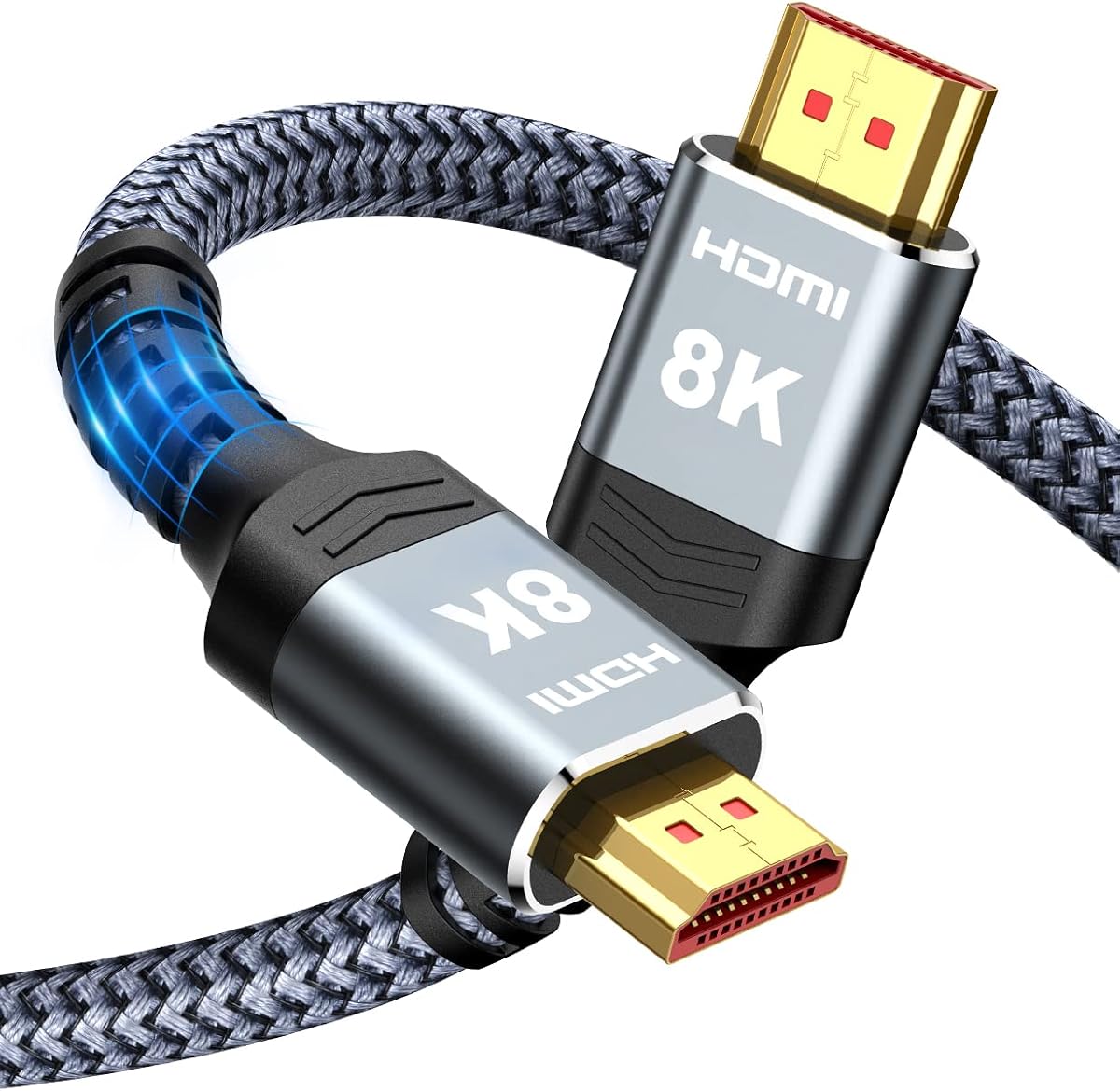
Highwings 15FT 8K HDMI Cable
4.5Editor score
48Gbps bandwidth capacity
15-foot in-wall rating
VRR and eARC support
Dynamic HDR support
Explore the best Long HDMI Cable options for home theaters, gaming setups, offices, and projectors, with key features, compatibility, length, and performance
A Long HDMI Cable gives you the freedom to connect a television, projector, gaming console, or computer across a room without keeping equipment awkwardly close together. The best cable balances usable reach, reliable signal transmission, current video standards, durable construction, and compatibility with the devices in your setup.
This guide compares ten extended-length HDMI cables ranging from 10 to 50 feet, with an emphasis on resolution, refresh rate, bandwidth, gaming features, directional limitations, and connector construction. It includes both modern HDMI 2.1 options and 4K-focused cables for setups that do not require the newest specifications.
Each numbered review explains the cable's strongest benefits, practical limitations, and ideal placement in a home or professional environment. The top selections represent the most balanced options for different priorities, while product availability and prices can change, so readers should confirm the current listing and specifications before purchasing.
4.5Editor score
4.7Editor score

4.6Editor score
The comparison below highlights cable length, maximum bandwidth, headline resolution and refresh rates, and major gaming or installation considerations across all ten options.

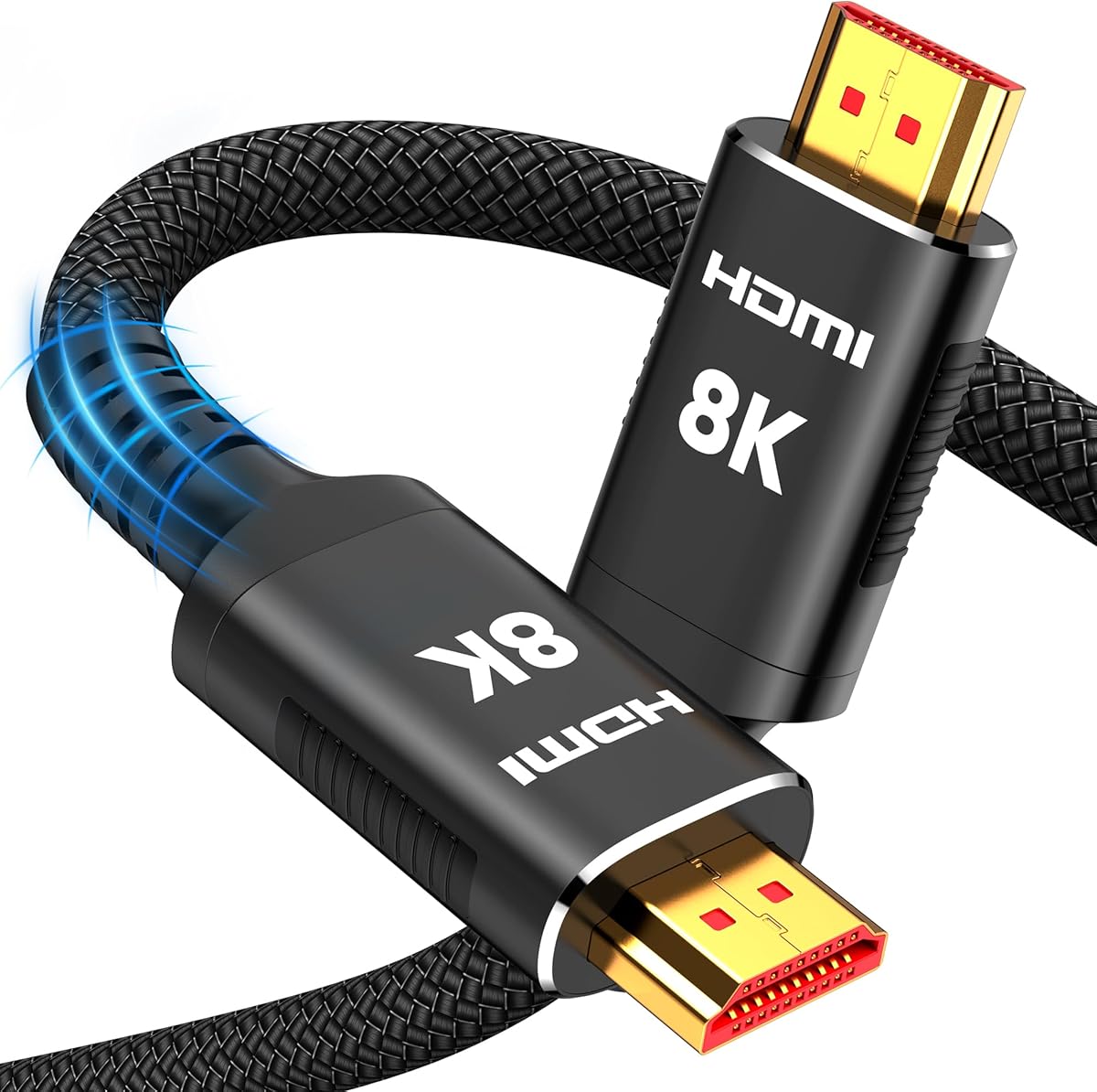




The Highwings 8K Long HDMI Cable 20FT/6M combines a practical 20-foot run with a 48Gbps bandwidth target and support for 8K at 60Hz and 4K at 120Hz. Its 4.7 rating reflects a strong overall proposition, especially for buyers who want modern headline specifications without moving into the longest or most specialized cables in this guide.
We may earn a commission when you buy through this link, at no additional cost to you.
The standout feature is its balance of reach and capability. According to the supplied information, it supports variable refresh rate and is backward compatible with HDMI 2.0b, 2.0a, and several earlier standards. That makes it a sensible bridge between newer gaming hardware and an existing collection of displays, consoles, projectors, and media players rather than a cable limited to one generation of equipment.
Construction is designed with longevity in mind. Highwings describes an upgraded anti-bending connector tail and military-grade tensile nylon material, both useful details because the strain relief near each plug is usually the first place a long cable experiences repeated pulling, bending, and twisting. The connectors themselves are also easier to grip when the cable is being connected in a tight entertainment cabinet.
This is the most broadly useful choice for a living room, dedicated media room, or gaming area where equipment is roughly 20 feet from the display. It is not the best choice for an in-wall installation, a one-way projector arrangement, or a very large room requiring greater reach. Within those limits, its bandwidth, feature set, and reasonably manageable length make it an excellent all-around recommendation.
Support for 4K at 120Hz and variable refresh rate makes this cable relevant to compatible high-end gaming systems and displays. The actual resolution and refresh rate remain limited by the connected source, display, graphics settings, and any intervening hardware.
Twenty feet provides useful placement flexibility without creating as much excess cable as a 30- or 50-foot option. That makes routing around furniture, desks, and wall-mounted displays easier while preserving support for current high-bandwidth standards.
We may earn a commission when you buy through this link, at no additional cost to you.
The Highwings 8K@60 Long HDMI Cable 15FT is designed for setups that need more distance than a basic patch cable but do not require an ambitious run across a room. It carries a 4.7 rating and shares several headline capabilities with the brand's 20-foot model, including 48Gbps bandwidth, 8K at 60Hz, and 4K at 120Hz support.
We may earn a commission when you buy through this link, at no additional cost to you.
Its most appealing quality is efficient length. A 15-foot cable can connect a nearby game console, laptop, or media player to a wall-mounted television while leaving enough slack for a cleaner installation. The described anti-bending connector design and tensile nylon construction should also make it better suited to daily reconnections than a bare, minimally reinforced cable.
The specification listing includes variable refresh rate and backward compatibility with multiple HDMI generations. That makes it particularly attractive for mixed-device households where one television may connect to a modern console and another device uses an older standard. As always, a cable can support a format, but every connected component must also support it.
Buyers should note a potential source of confusion in the dimensions. The product information describes a total length of 14.76 feet and a middle cable length of 14.4 feet, while also describing the 15-foot model as relatively short for distant equipment. For compact spaces and moderately separated components, that is helpful advice; for a large room, a longer alternative will be easier to route.
A 15-foot lead is long enough to solve many furniture and mounting problems but short enough to conceal behind a television or desk. This is one of the most practical lengths for frequently connected home equipment.
Variable refresh rate support and broad backward compatibility make the cable suitable for both current gaming hardware and older HDMI equipment. Confirm the selected display and source support the exact format you intend to use.
We may earn a commission when you buy through this link, at no additional cost to you.
The Highwings Long HDMI Cable 15 FT stands apart because its description highlights a CL3 in-wall rating. That makes it a particularly relevant option for permanently routed installations, provided local electrical codes, construction requirements, and the manufacturer's installation guidance are followed. Its 4.5 rating is still solid within this group.
We may earn a commission when you buy through this link, at no additional cost to you.
The cable supports 48Gbps high-speed transmission, 8K at 60Hz, 4K at 120Hz, Dynamic HDR, 3D, and HDCP 2.2 and 2.3. It also includes variable refresh rate and eARC, giving it a broad feature set for home entertainment and gaming. The listed compatibility with projectors, televisions, consoles, laptops, receivers, Blu-ray players, and graphics systems makes it versatile.
Highwings describes advanced copper wire technology intended to support bandwidth, reduce signal attenuation, and improve interference resistance. The mention of bidirectional transmission is also notable because some specialized fiber-optic alternatives only carry a signal in one direction. That distinction matters when considering return audio or other bidirectional functions.
This is the leading choice for a fixed 15-foot installation where in-wall suitability is a priority. It may not be ideal for a living room requiring a much longer visible run, but its modern bandwidth and gaming features provide more capability than many basic 4K cables. Buyers should plan the route carefully and avoid creating tight bends or using staples that could damage the jacket.
The stated CL3 rating is the model's defining feature for installers and homeowners who intend to conceal the cable. Electrical and building-code requirements should still be checked before any in-wall installation.
VRR can benefit compatible gaming systems, while eARC supports high-resolution audio return from a television to a compatible soundbar or receiver. These functions depend on the entire device chain, not the cable alone.
We may earn a commission when you buy through this link, at no additional cost to you.
The Snowkids 8K Long HDMI 2.1 Cable 25 ft provides enough reach for a television, projector, or gaming display positioned well away from a media shelf or console. Its 4.6 rating reflects a generally strong profile, while the generous 48Gbps bandwidth target supports modern high-resolution and high-refresh-rate applications.
We may earn a commission when you buy through this link, at no additional cost to you.
The feature list is extensive. It includes 8K at 60Hz, 4K at 120Hz, 3D, Ethernet, 48-bit-per-pixel HDR color depth, TrueHD 7.1, eARC, VRR, quick frame transport, quick media switching, ALLM, and DSC. These features make it appealing for mixed entertainment and gaming environments, although each advanced function requires compatible source and display hardware.
Snowkids emphasizes a flexible strength design, 24K gold-plated ports, and military-grade tensile nylon. The listed durability figure is up to 25,000 flexes, which indicates attention to the repeated bending that occurs around connectors. The product is also described as suitable for both indoor and outdoor use, although a connector exposed to moisture should still be protected.
The Snowkids 25-foot model is a strong fit for medium-to-large rooms, especially when gaming latency features and high-bandwidth video are priorities. Its main limitation is practical rather than technical: long cables can develop tight coils behind furniture, and every additional foot adds more cable to conceal. Plan the route and connector orientation before installation.
VRR, ALLM, and quick media switching can make a compatible gaming setup more responsive and convenient. The benefits will not appear unless the console or computer, television, and game settings all support them.
The stated flexible construction and gold-plated connectors target a common weakness of extended cables: strain at the plug and repeated flexing. Avoid placing the connector tip under load when routing the cable.
We may earn a commission when you buy through this link, at no additional cost to you.
The Snowkids 8K Long HDMI 2.1 Cable 30 ft is one of the most convincing premium options in the guide because it combines meaningful room-spanning reach with a complete set of current video and gaming features. Its 4.6 rating and 48Gbps bandwidth target place it firmly among the stronger long-run choices.
We may earn a commission when you buy through this link, at no additional cost to you.
The cable supports 8K at 60Hz, 4K at 120Hz, 2K, 1080p, 3D, Ethernet, HDR color depth, TrueHD 7.1, eARC, VRR, QFT, QMS, ALLM, and DSC. That makes it suitable for a television, laptop, monitor, projector, console, Blu-ray player, video conference system, or AV receiver, as stated in its product information.
Durability receives particular attention. The SR Flexible Strength Design, 24K gold-plated ports, and military-grade tensile nylon are presented as helping the cable withstand up to 25,000 flexes. Snowkids also states that its cables undergo laboratory performance testing before delivery, providing useful brand-level quality-control context without replacing independent verification.
The 30-foot format works best when the source and display are separated by a substantial distance but still within a single room. It is less convenient for a compact desk or close console arrangement. For a large entertainment area, projector installation, or a gaming room with widely separated components, this is a premium cable with the specifications and physical design to match the task.
The long feature list covers high-resolution video, synchronized gaming, fast media switching, low-latency behavior, and advanced audio return. This breadth is valuable when a cable will serve multiple source devices over time.
A 30-foot lead can reach across wider rooms, furniture arrangements, or installation positions. Use gentle curves rather than tight folds, and secure the middle of the run so the connectors do not carry the cable's weight.
We may earn a commission when you buy through this link, at no additional cost to you.
The Highwings 4K Fiber Optic HDMI Cable 50FT is the reach specialist in this collection. Its 50-foot length and fiber-optic construction make it attractive for large rooms, projection systems, commercial displays, and installations where conventional copper wiring would be impractical. It carries a 4.7 rating despite offering a narrower bandwidth target than the HDMI 2.1 selections.
We may earn a commission when you buy through this link, at no additional cost to you.
The stated maximum bandwidth is 18Gbps, with support for 4K at 60Hz resolution. That remains useful for many home-theater, office, and presentation systems, but it does not match the 48Gbps offered by the modern HDMI 2.1 cables in this guide. It is therefore best treated as a specialized long-distance 4K solution rather than a future-proof choice for every possible high-end display format.
Its most important caveat is directionality. The cable is explicitly unidirectional, so the source end and display end must be connected correctly. It may also require active electronics and a power source at the receiving end, depending on the product's actual implementation and instructions. Users should inspect both connectors and the supplied guide before permanent routing.
Highwings highlights gold-plated connectors, an SR joint design intended to resist cracking, and a laboratory-tested ability to withstand more than 15,000 bends. For a dedicated projector or display run across a large space, that focused construction is meaningful. The right buyer values maximum distance and dependable 4K delivery more than 8K gaming features or two-way audio functionality.
Fiber-optic construction is intended to support long runs while minimizing the signal-loss and interference concerns associated with extended copper cables. It remains a specialized choice with directional and power requirements.
With 18Gbps bandwidth and 4K at 60Hz support, the cable suits many conventional home-theater and commercial applications. Verify that no source, display, or intermediate device requires a higher bandwidth HDMI mode.
We may earn a commission when you buy through this link, at no additional cost to you.
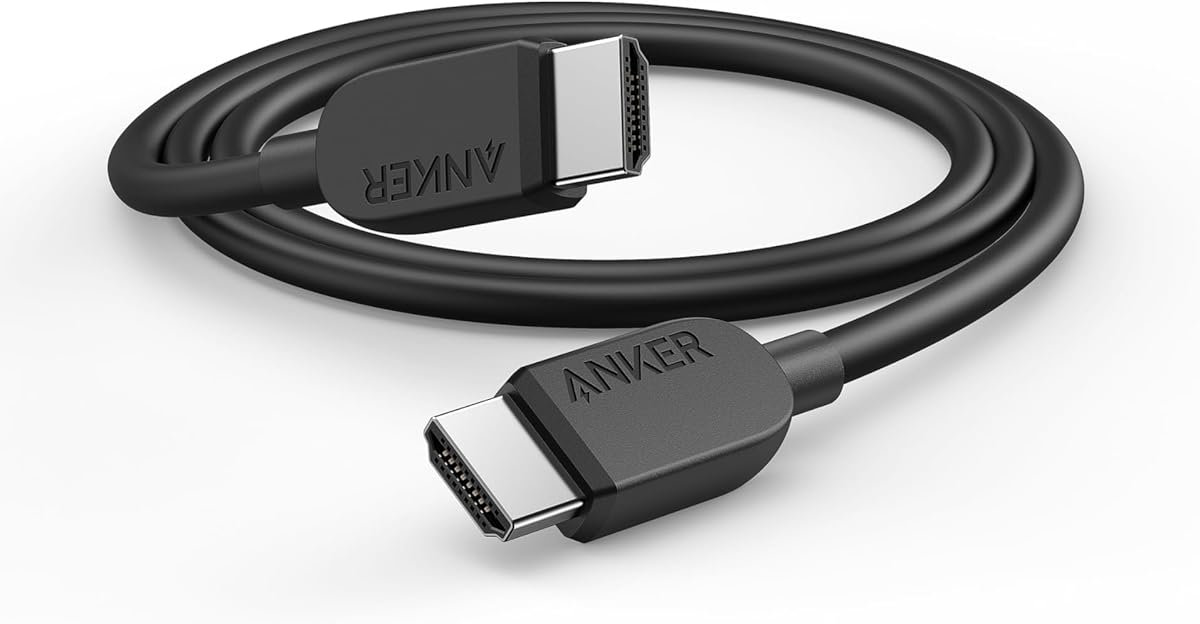
The Anker HDMI 2.1 Cable may not be among the longest physical cables here, but its 10-foot length still qualifies as an extended option for desktop displays, compact entertainment centers, projectors, and wall-mounted televisions. Its 4.7 rating reflects a well-rounded product with 48Gbps bandwidth and broad device support.
We may earn a commission when you buy through this link, at no additional cost to you.
The listed formats include 8K at 60Hz, 4K at 120Hz, and 4K at 60Hz. The title also highlights 4K at 240Hz, while the supplied feature bullets emphasize the first three modes and 48Gbps transfer capacity. For compatibility planning, the source, display, graphics card, and cable must all agree on the chosen resolution and refresh rate.
Durability is described as handling up to 1,000 bends, which is a more modest figure than some competing products in the guide. Nevertheless, a 10-foot cable is less likely to be moved repeatedly than a long lead, and the stated lifespan figure is not the only factor affecting real-world longevity. Connector care and avoiding sharp bends remain important.
This cable is best for buyers who want modern HDMI 2.1 capability in a relatively short run. It includes a welcome guide and an 18-month warranty according to the supplied information. It is less suitable when the display sits across a large room, but it offers a cleaner option for nearby equipment and straightforward installation.
Ten feet provides enough length for common desktop and media-center arrangements without leaving a large loop of excess cable. That reduces visual clutter and can make regular reconnections easier.
The product is described for tablets, laptops, projectors, desktop screens, and other HDMI devices. Its 48Gbps capability makes it suitable for modern displays when the connected hardware supports the desired format.
We may earn a commission when you buy through this link, at no additional cost to you.
The UGREEN 8K HDMI 2.1 Cable 48Gbps 10FT earns the highest rating in this comparison at 4.8. It combines certified HDMI 2.1 performance, a 10-foot length, and one of the most extensive compatibility lists, making it an excellent option for nearby high-end displays and flexible entertainment arrangements.
We may earn a commission when you buy through this link, at no additional cost to you.
Its specification set is particularly strong. UGREEN states support for 8K at 60Hz and 4K at 240Hz, with 48Gbps bandwidth, variable refresh rate, QFT, ALLM, quick media switching, Dynamic HDR, 12-bit color, eARC, HDCP 2.3 and 2.2, Ethernet, and 3D. These features make it well matched to compatible modern consoles, computers, televisions, projectors, and sound systems.
Construction includes an aluminum alloy housing, nickel-plated connectors, and a durable nylon braided jacket. The braided exterior should provide useful grip and abrasion resistance in everyday installations. The certification claim is also a meaningful purchasing point because it distinguishes a cable engineered for a high-bandwidth standard from one that merely advertises similar headline numbers.
The main limitation is reach. Ten feet is excellent for a desk, console shelf, compact media cabinet, or nearby wall-mounted display, but it may not span a large entertainment room. Even so, the UGREEN cable is a compelling pick for buyers who prioritize specification completeness, certification, and strong construction over maximum physical distance.
HDMI 2.1 certification and 48Gbps bandwidth provide a clear specification foundation for modern displays. This is valuable when connecting recent gaming hardware or high-resolution televisions that can take advantage of the available bandwidth.
VRR, ALLM, Dynamic HDR, and eARC address several separate parts of a modern media setup. Using them requires compatible source devices, displays, sound equipment, and correctly configured display settings.
We may earn a commission when you buy through this link, at no additional cost to you.
The Highwings HDMI Cable 40 ft is a long-run option for buyers who need substantial physical reach but do not require the full 48Gbps bandwidth of an HDMI 2.1 cable. It supports 4K at 60Hz with an 18Gbps capacity and carries a 4.7 rating, which makes it a credible option for standard 4K installations.
We may earn a commission when you buy through this link, at no additional cost to you.
Its suitability depends on the formats used by the source and display. At 18Gbps, it is appropriate for many 4K video, gaming, and home-theater applications, but it cannot deliver the full bandwidth of 8K at 60Hz, 4K at 240Hz, or every high-bitrate audio feature found in the newest HDMI 2.1 options.
The connectors use gold plating and an SR joint design intended to reduce connector cracking. Highwings states that the cable can withstand more than 15,000 bends in laboratory testing, while the easy-grip housing should make the connectors more approachable in a tight installation. The plug-and-play design requires no drivers or separate configuration.
This cable works well for a projector mounted far from a media console, a large room with a wall-mounted display, or an office installation where the source is several dozen feet away. If your equipment is already limited to 4K at 60Hz, the additional specification of 48Gbps may offer little practical benefit. Confirm the target mode before choosing.
The cable's 18Gbps capacity and support for 4K at 60Hz cover many common display formats. It is a practical option when a conventional 4K experience is the goal rather than the highest refresh rate available.
Gold-plated connectors, reinforced joints, and a stated bend-test figure address physical longevity. The connector is still the most vulnerable area, so avoid using it to pull the cable from a mounted display.
We may earn a commission when you buy through this link, at no additional cost to you.
The Highwings Long HDMI Cable 30FT is a straightforward 4K cable for extending a display connection across a room. It supports resolution up to 3840 by 2160 at 60Hz, 18Gbps bandwidth, HDR, 3D, and multiple-view video, and its 4.7 rating indicates broad appeal among buyers with conventional 4K equipment.
We may earn a commission when you buy through this link, at no additional cost to you.
Compatibility is one of its advantages. The listed devices include PS3, PS4, HDTVs, Blu-ray players, projectors, 4K televisions, and displays from brands such as Samsung, Dell, LG, and Panasonic. The cable also supports mirror and extended modes, making it relevant to laptop users who need either a duplicated desktop or a larger working area.
Its 30-foot nylon braided construction should be easier to manage than a much longer lead while still providing enough reach for many furniture arrangements. The product listing mentions lifetime support and a replacement-oriented service policy, which adds reassurance for a basic accessory that may be installed in a difficult-to-reach location.
The trade-off is bandwidth. HDMI 2.0 and 18Gbps are still effective for 4K at 60Hz, but they do not match the capabilities of the HDMI 2.1 models in this guide. This cable makes the most sense when your source, television, projector, or computer is designed around 4K at 60Hz and you do not need VRR, ALLM, 8K, or advanced high-refresh-rate modes.
The cable focuses on the formats most commonly required for 4K television, projection, and gaming setups. It is a sensible match for equipment with an HDMI 2.0-era connection.
Support for mirror and extended modes is useful for presentations, multitasking, and laptop arrangements. The selected operating system and display configuration must also support the chosen mode.
We may earn a commission when you buy through this link, at no additional cost to you.
The right long HDMI cable depends on distance, source and display capabilities, installation conditions, and the video or gaming features you expect to use. Reviewing these factors before purchasing avoids paying for unnecessary bandwidth or choosing a cable that cannot satisfy the setup.
Measure the actual path between the source and display rather than estimating by room dimensions. Include the space needed behind furniture, around corners, along walls, and near the connectors. A cable should reach with enough slack for installation and service, but excessive unused length can create coils, pressure on connectors, and a cluttered appearance.
Choose a length close to the required route, with a small amount of extra flexibility. Remember that the advertised length may describe the whole cable, while connector housings and strain relief occupy some of that space.
An HDMI cable cannot create a resolution, refresh rate, gaming feature, or audio format that the source and display do not support. Check the specifications of the console, graphics card, computer, television, projector, receiver, and soundbar before deciding which cable class to buy. If one device in the chain has a lower limit, the entire connection will use the shared capability.
Prioritize the highest mode you actually expect to use. A standard 4K setup may be completely satisfied by an 18Gbps cable, while an 8K or high-refresh-rate gaming system benefits from a certified 48Gbps HDMI 2.1 option.
Bandwidth describes the amount of digital data the cable is designed to carry. The 18Gbps HDMI 2.0 selections in this guide target 4K at 60Hz, while the 48Gbps HDMI 2.1 models support higher headline modes such as 8K at 60Hz and 4K at 120Hz or 240Hz, depending on the specific product and connected hardware.
Higher bandwidth is useful only when the source and display can take advantage of it. Otherwise, a well-made lower-bandwidth cable can provide the same visible result at a more appropriate length or installation type.
Most conventional HDMI cables in this guide support a two-way connection, while the 50-foot fiber-optic Highwings model is explicitly unidirectional. Bidirectional operation can matter for features such as eARC, control functions, and device interaction. Unidirectional cables may also require active electronics and a powered receiving end.
Inspect both connector labels and follow the manufacturer's setup directions. For a permanent installation, confirm that you can connect the cable correctly on the first attempt and that it can be reached when servicing is required.
Variable refresh rate can reduce visual tearing on compatible systems, while ALLM can enable low-latency display behavior automatically. Other listed functions, including quick media switching and quick frame transport, can improve convenience when every device in the chain supports them. A cable may preserve these signals, but cannot enable the functions on incompatible hardware.
Competitive gaming setups should also check whether the desired resolution and refresh rate require DSC. Modern 48Gbps cables provide the bandwidth needed for the highest modes, while older source hardware may remain limited by its own output.
Longer cables should follow smooth paths without sharp bends, especially close to the connectors. Secure the middle section so that weight and tension are not transferred to the plug. Avoid placing a cable where furniture, doors, foot traffic, or repeated handling can create stress.
For concealed or in-wall routes, look for a relevant installation rating and verify local building and electrical requirements. The 15-foot Highwings CL3 model is the option in this guide explicitly highlighted for in-wall use.
Flexible strain relief, reinforced connector necks, grippable housings, and braided nylon jackets can improve longevity. Gold-plated or nickel-plated contacts are also described on several selections. While connector plating alone does not determine image quality, robust physical design matters when a long cable is repeatedly plugged, unplugged, bent, or routed behind furniture.
Choose a jacket that feels appropriate for your environment and allows manageable handling. Very stiff cables can be difficult to route in compact spaces, while excessively loose construction can tangle more easily.
eARC sends high-resolution audio from a television back to a soundbar or receiver through HDMI. It can simplify a home-theater setup by reducing the need for a separate audio return cable. The source television, sound system, and cable must all support compatible eARC operation, and the relevant audio format must be carried by the display.
If your setup relies on return audio, verify eARC support before purchasing. If it does not, prioritize length, bandwidth, and installation fit instead of paying attention to features that will never be used.
Before connecting the cable, identify the source end and display end, particularly for a directional fiber-optic model. Power off the source and display if the manufacturer recommends it, connect the cable fully, and then power the equipment on. For an active or directional cable, check for a required power indicator or receiver power supply before troubleshooting the image.
Route the cable through gentle curves and secure its midpoint or outer edge where it cannot be pinched. Keep connectors out of floor traffic, behind closing doors, and beneath heavy furniture. If the cable passes through a wall, use a suitable installation method, avoid building-code conflicts, and never drive staples or fasteners through the jacket.
When cleaning, disconnect the cable and use a soft, dry microfiber cloth to remove dust from the connector faces. Do not use sharp objects to clear debris from a port. Grip the connector housing rather than the cable when unplugging, and inspect the jacket for damage if the cable has been moved repeatedly or pinched.
Measure the route from the source to the television rather than simply the straight-line distance. Include furniture clearance, wall routing, and service slack. A modest extra margin is helpful, but a very long cable creates excess loops and increases the risk of poor routing around furniture.
A properly designed cable at a supported distance should deliver a stable signal within its rated specifications. Quality can decline if the run exceeds the cable's rated capability, connectors are damaged, the route creates tight bends, or interference is present. Fiber-optic construction can help with specialized long-distance requirements.
It is generally sufficient for 4K at 60Hz, which covers many common gaming setups. The 48Gbps HDMI 2.1 options support higher modes such as 4K at 120Hz or 240Hz, depending on the exact cable and equipment. The console or graphics card and television must also support the desired mode.
Yes, if the cable supports the required bandwidth and the source and display both support 8K at the desired refresh rate. The 48Gbps HDMI 2.1 models in this guide are designed for that category. A long cable does not guarantee 8K if the connected equipment has lower limits.
A bidirectional cable can carry signals in both directions, which supports functions such as eARC and device control. A unidirectional cable has a fixed signal path and must be connected in the correct orientation. The 50-foot fiber-optic Highwings model is explicitly unidirectional and may require active power at its receiving end.
Only use a cable whose listing explicitly supports the intended installation method and satisfies applicable local codes. Among these options, the 15-foot Highwings CL3-rated cable is specifically highlighted for in-wall use. Installation should avoid sharp bends, staples, damaged insulation, and conflicts with electrical wiring.
The cable, source device, and display must all support the relevant VRR standard. A high-bandwidth HDMI 2.1 cable is useful for modern high-refresh-rate combinations, but it cannot add VRR to hardware that lacks support. Correct display and console settings are also necessary.
Hold the connector housing when unplugging rather than pulling the cable itself. Use gentle curves near each end, relieve strain away from the plug, and secure the cable so furniture or doors cannot pinch it. Inspect the strain relief and jacket periodically, especially in frequently connected setups.
The Highwings 20-foot 8K cable is the strongest all-around choice because it combines 48Gbps bandwidth, modern gaming support, and a length that remains practical for many rooms. The Highwings 15-foot CL3 model stands out for fixed in-wall installation, while the Snowkids 30-foot option offers premium long-run capability with a comprehensive gaming feature set.
Before buying, prioritize the distance actually needed, the highest resolution and refresh rate your equipment supports, and any need for directional operation, eARC, VRR, or in-wall routing. Compact users can consider the UGREEN or Anker 10-foot HDMI 2.1 cables, while larger spaces may benefit from the 25- to 40-foot options or the specialized 50-foot fiber-optic cable.
Product listings, specifications, promotions, and prices can change, so confirm the current details and connector requirements before checkout. Read recent customer feedback, verify that your source and display support the intended format, and plan the cable route before opening the package.