
TOPGRO T1-Pro
4.5Editor score
RTX 4060 mobile graphics
Core i9-13900HX processor
32GB DDR5 memory
1TB PCIe 4.0 storage
Our mini PC with Nvidia GPU guide compares ten compact systems for gaming, graphics performance, cooling, connectivity, storage, and expandability today.
A mini PC with Nvidia GPU brings dedicated gaming graphics to a compact desktop that can free up desk space and travel more easily than a conventional tower. The strongest models pair capable mobile GPUs with fast processors, generous memory, modern networking, and cooling systems designed to sustain demanding workloads.
This guide compares ten systems based on the supplied processor, graphics, memory, storage, connectivity, cooling, display, and upgrade information. It includes compact machines with Nvidia GeForce graphics alongside broader mini PC options that can use integrated or external graphics for gaming, creation, and AI workloads.
The selections show that the category spans different priorities, including accessible RTX gaming, enthusiast-grade mini desktops, creator systems, and expandable platforms for local AI. Ratings and specifications reflect the information available when the listings were prepared, while prices and promotions can change at any time.
4.5Editor score

5.0Editor score

The comparison covers Nvidia-equipped gaming mini PCs, Nvidia alternatives with external or integrated graphics, and high-memory mini workstations. It highlights each system's processor, graphics, memory, storage, cooling, connectivity, and intended use without treating every platform as a conventional gaming desktop.



The ASUS ROG GR70 is a compact gaming desktop built around the Ryzen 9 9955HX and an Nvidia GeForce RTX 50-Series mobile GPU. Its supplied rating is 5.0, and the combination of high-end mobile graphics, a powerful processor, and a carefully managed cooling design makes it the strongest all-around recommendation in this guide.
We may earn a commission when you buy through this link, at no additional cost to you.
Its main appeal is the RTX 5070 mobile GPU, which brings the graphics features associated with Nvidia's RTX 50 Series into a desk-friendly enclosure. The Ryzen 9 9955HX supplies ample processing capability for demanding games, streaming, multitasking, and content work, while 32GB of DDR5 memory gives modern applications room to operate without becoming the immediate bottleneck.
The custom cooling system is intended to keep temperatures and noise under control during sustained loads. Wi-Fi 7, certified Bluetooth 5.4, and a compact silver chassis add practical value, although the machine still has the usual limitations of a high-powered mobile GPU and occupies a more advanced price tier than conventional mini PCs.
This GR70 suits a gamer who wants serious RTX graphics without building a full-size tower, especially someone who values a clean desk, strong processor performance, and modern wireless networking. It is our Editor's Choice because the specification balance is more complete than that of many alternatives, while its 5.0 supplied rating supports its position at the top of the list.
The RTX 5070 mobile GPU is the GR70's defining component. It is suited to high-refresh gaming, ray-traced visual effects, and Nvidia features such as DLSS-supported workflows, all while occupying substantially less space than a typical desktop graphics card and full-size tower.
A custom cooling system helps preserve performance during extended play, while Wi-Fi 7 and Bluetooth 5.4 provide a modern alternative to wired networking. The understated silver enclosure also makes the system more suitable for a shared office, entertainment area, or minimalist workspace.
We may earn a commission when you buy through this link, at no additional cost to you.
The TOPGRO T1-Pro delivers dedicated RTX 4060 mobile graphics in a small-form-factor desktop. It carries a supplied rating of 4.5 and pairs that GPU with a 24-core, 32-thread Core i9-13900HX, making it an appealing option for gamers who want a recognizable Nvidia card without moving to flagship graphics.
We may earn a commission when you buy through this link, at no additional cost to you.
The Core i9-13900HX can boost to 5.4GHz and supports DDR5 memory, providing strong multitasking and content-creation performance beyond gaming. The RTX 4060 mobile GPU supports Ada Lovelace features, including real-time ray tracing, DLSS 3.0, and Max-Q technologies, while 32GB of dual-channel DDR5-5200 memory helps keep the overall platform responsive.
Storage is particularly flexible for a compact system. It includes a 1TB PCIe 4.0 M.2 NVMe SSD and two additional M.2 2280 slots, while the installed DDR5 memory can be expanded to 64GB. Adjustable RGB lighting, manual fan controls, Wi-Fi 6E, Bluetooth 5.3, and 2.5Gbps Ethernet add conveniences that are often absent from similarly compact systems.
The T1-Pro is best for a gamer who values a complete, expandable package without moving to the highest GPU tier. Its RTX 4060 is less powerful than the RTX 5070 options in the guide, but the older Core i9, generous memory, triple-display support, and storage expansion make this a strong value-oriented recommendation for 1440p gaming and mixed productivity.
The combination of an RTX 4060 mobile GPU, 32GB of DDR5 memory, and a 1TB PCIe 4.0 SSD gives buyers the core ingredients of a modern gaming mini PC. Nvidia ray tracing and DLSS 3.0 support add useful graphics options without requiring a full-size desktop.
Two extra M.2 SSD positions and memory expansion up to 64GB make the T1-Pro easier to adapt as games, project files, and applications accumulate. A 2.5Gbps network port is also a meaningful addition for local file transfers, network storage, and fast wired internet.
We may earn a commission when you buy through this link, at no additional cost to you.
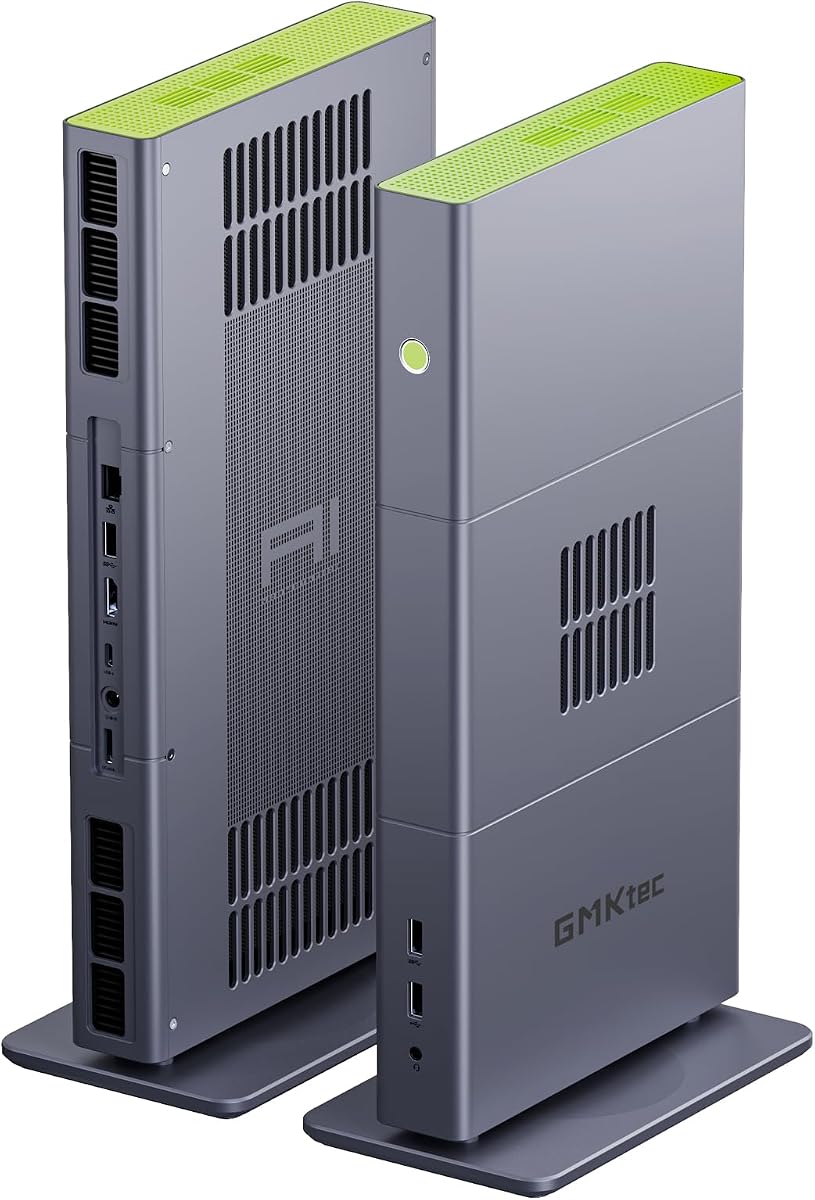
The GMKtec EVO-T1 is not a conventional mini PC with an installed Nvidia gaming card, but it offers a useful alternative for buyers considering a compact AI, productivity, or gaming system with expansion potential. The supplied listing does not provide a numerical rating, and its graphics rely on the integrated Intel Arc 140T rather than an Nvidia GeForce GPU.
We may earn a commission when you buy through this link, at no additional cost to you.
Its Core Ultra 9 285H provides 16 cores and 16 threads with a boost clock of 5.4GHz, combining six performance cores, eight efficiency cores, and two low-power efficiency cores. The processor also includes an Intel AI Boost NPU capable of up to 13 TOPS for INT8 calculations, while the Arc 140T supports modern graphics APIs, Quick Sync, and AV1 encoding and decoding.
The EVO-T1's 32GB of dual DDR5 memory and three M.2 2280 positions support considerable storage expansion. Display flexibility is another strength: the system supports four-screen 4K or 8K output through HDMI 2.1, DisplayPort 1.4, and USB Type-C. Its Oculink interface can also connect an external graphics solution for a more gaming-focused configuration.
This mini PC is best for an AI developer, editor, or office power user who values ports, memory, and an Oculink upgrade path. It is less appropriate for someone specifically seeking an out-of-the-box Nvidia gaming experience, but its PCIe x4 Oculink support gives it a credible route to dedicated graphics.
Oculink operates at PCIe x4 speeds and can connect an external graphics dock, giving the EVO-T1 more graphics bandwidth than many conventional compact setups. The actual experience depends on the external GPU, enclosure, and display configuration.
Quad-display support, dual-channel memory, and three storage positions suit editing suites, development desks, and productivity systems. AV1 support and Quick Sync also make the platform relevant to creators who regularly process video.
We may earn a commission when you buy through this link, at no additional cost to you.
The 2025 ROG NUC with RTX 5070 mobile graphics combines an Intel Core Ultra 9 processor, 32GB of DDR5 memory, and a 2TB NVMe SSD in the ROG 3L enclosure. Its supplied rating is 3.5, so the core hardware is compelling, but the available customer feedback should be considered carefully before purchasing.
We may earn a commission when you buy through this link, at no additional cost to you.
Intel's Series 2 Core Ultra platform is described as offering up to 200-plus platform TOPS and an 18% generation-over-generation improvement. The RTX 50-Series mobile GPU adds DLSS support and high-end graphics capability, making this a suitable platform for high-refresh gaming, streaming, and visual creation.
Cooling is handled by three fans and dual vapor chambers, a design intended to maintain performance with less noise. The thumb-screw access makes memory and storage upgrades more convenient, while Thunderbolt 4 and ARGB lighting add flexibility and recognizable ROG styling.
Despite the strong specification sheet, this ROG NUC's 3.5 rating means it is not our primary recommendation for a buyer who values proven customer satisfaction above all else. It makes more sense for an enthusiast who specifically wants the ROG NUC chassis, upgrade access, and RTX 5070 graphics and who is comfortable evaluating the current listing feedback before buying.
Tool-free access to memory and storage is unusual in a gaming mini PC of this size. Buyers can make the 3L system easier to maintain or expand without treating every component change as a major teardown.
Three fans and dual vapor chambers reflect the difficulty of cooling a high-performance mobile GPU and a powerful processor in a compact enclosure. The design is aimed at sustained gaming while reducing the chance of performance loss caused by heat.
We may earn a commission when you buy through this link, at no additional cost to you.
This ASUS ROG GR70 variation pairs the Ryzen 9 9955HX3D with an RTX 5070 laptop GPU, creating a particularly gaming-focused version of the compact ROG platform. No numerical rating is supplied for this listing, so buyers should treat its visible customer feedback and warranty terms as important parts of the purchase decision.
We may earn a commission when you buy through this link, at no additional cost to you.
The 9955HX3D processor is built around AMD's Ryzen 9000 Series and is designed to place substantial emphasis on gaming performance. Combined with the RTX 50-Series mobile GPU, low-latency play, high frame rates, and DLSS-supported graphics options make it an attractive combination for compact gaming builds and living-room systems.
Its custom cooling architecture is intended to control temperatures and acoustics under intense workloads. Wi-Fi 7, certified Bluetooth 5.4, and the silver, ultra-compact chassis complement the gaming hardware, while the ROG branding gives the machine a more enthusiast-oriented appearance than a typical office mini PC.
This is a strong option for a gamer who specifically wants an X3D Ryzen processor paired with Nvidia's RTX 5070. The main reasons to hesitate are the lack of a supplied rating and the limited listing information compared with the first GR70 entry, making careful review of the final Amazon page essential.
The Ryzen 9 9955HX3D is tailored toward workloads that benefit from strong gaming performance and efficient processing. In a small desktop, pairing that processor with a capable RTX mobile GPU creates a focused platform for high-refresh play and demanding titles.
The same silver enclosure and custom cooling approach make this machine visually consistent with other GR70 systems. It is easier to recommend for a display area or shared desk than a visually bulky gaming tower, provided its performance targets meet your needs.
We may earn a commission when you buy through this link, at no additional cost to you.
The GMKtec EVO-X3 is a high-memory mini workstation centered on the Ryzen AI Max+ 395 rather than a discrete Nvidia card. Its supplied rating is 4.1, and its defining strength is the ability to combine 128GB of shared LPDDR5X memory with a capable Radeon 8060S integrated GPU and extensive local AI capabilities.
We may earn a commission when you buy through this link, at no additional cost to you.
The processor offers 16 Zen 5 cores, 32 threads, a boost clock up to 5.1GHz, and up to 126 TOPS of AI performance. Its XDNA 2 NPU contributes 50-plus peak AI TOPS, while the integrated Radeon 8060S uses 40 RDNA 3.5 compute units and can access the large memory pool. This is a platform tailored to local language models, 8K editing, development, and rendering.
Its Oculink PCIe 4.0 x4 interface is the major reason to consider it for gaming. Connecting a dedicated external GPU can raise graphics capability beyond the Radeon 8060S, although the supplied information does not specify a bundled Nvidia GPU or a complete external gaming configuration.
The EVO-X3 is best for AI developers, video professionals, and engineers who need extraordinary memory capacity in a small chassis. A traditional gamer should choose one of the RTX-equipped systems instead, while a creator who understands external graphics may find the Oculink route unusually flexible.
The 128GB LPDDR5X pool is the system's defining advantage. It gives integrated graphics and AI applications access to a much larger working set than conventional mini PCs, supporting demanding models, creative timelines, and multitasking without relying on a separate full-size tower.
Oculink gives the EVO-X3 a direct PCIe 4.0 x4 expansion path for an external graphics dock. That makes it possible to use the compact base system for serious graphics work or gaming when an appropriate enclosure and GPU are available.
We may earn a commission when you buy through this link, at no additional cost to you.
The BOSGAME M5 is another high-capacity Ryzen AI Max+ 395 mini PC, this time with a supplied 4.3 rating. It is built for local AI, professional creation, and compact workstation tasks, using 128GB of LPDDR5X-8000 memory and a Radeon 8060S integrated GPU rather than a discrete Nvidia card.
We may earn a commission when you buy through this link, at no additional cost to you.
The Ryzen AI Max+ 395 provides 16 Zen 5 cores, 32 threads, 64MB of L3 cache, a 5.1GHz boost clock, and 126 total TOPS of AI compute. The supplied description states that the 40-CU Radeon 8060S can dynamically allocate as much as 96GB of system memory to graphics workloads, which is particularly relevant to demanding games and 8K editing.
A 2TB PCIe 4.0 SSD comes preinstalled, with a second M.2 slot for expansion or RAID. Networking includes 2.5GbE, Wi-Fi 7, and Bluetooth 5.4. Display output is unusually flexible, with four 8K at 60Hz monitors supported through HDMI 2.1, DisplayPort 1.4, and dual USB4 connections that support data, power delivery, and DisplayPort Alt Mode.
The M5 is best for creators, researchers, and developers who need high memory bandwidth and capacity in a compact, quiet-style enclosure. Traditional gaming buyers looking for plug-and-play Nvidia graphics should consider an RTX-equipped mini PC, because this system relies on integrated Radeon graphics unless a separate graphics solution is added.
The 8000MT/s LPDDR5X configuration is designed to accelerate model loading, multitasking, and graphics operations. Sharing that large pool with the integrated GPU is especially useful when applications cannot fit comfortably within a conventional 16GB or 32GB mini PC.
Dual USB4 ports provide high-speed data transfer, charging, and video output, while HDMI and DisplayPort expand the total display count. This makes the M5 well suited to command desks, editing suites, and professional multi-screen workspaces.
We may earn a commission when you buy through this link, at no additional cost to you.
The ROG NUC 16 Edition 20 represents the premium end of this list, combining an RTX 5090 mobile GPU with an Intel Core Ultra 9 290HX Plus processor. Its headline specifications target the most demanding gaming and creation workloads that can be concentrated into an ultra-compact small-form-factor system.
We may earn a commission when you buy through this link, at no additional cost to you.
The RTX 5090 mobile GPU brings flagship Nvidia graphics to a mini PC chassis, while the Core Ultra 9 290HX Plus provides high-end processing for games, streaming, rendering, and multitasking. A substantial 64GB of DDR5 memory makes the system more future-proof for creator applications and large game libraries than many competing compact builds.
Storage uses a 2TB PCIe Gen5 SSD, placing this model among the fastest-storage options in the guide. Wi-Fi 7 supports modern high-bandwidth wireless networks, and Thunderbolt 4 provides a versatile wired connection for compatible displays, storage, docks, and accessories.
This is the best choice for a buyer who wants the highest-tier Nvidia mobile graphics without a full tower, but it is also the least conventional value option. No numerical rating is supplied, and a flagship mobile GPU can impose meaningful power and cooling demands. It is best suited to an enthusiast with a high-resolution display and demanding graphics workload.
The RTX 5090 mobile GPU is the defining feature and places this model well above the RTX 5070 and RTX 5060 alternatives. It targets smooth frame rates, high visual fidelity, and demanding games in a chassis that remains dramatically smaller than a conventional desktop.
With 64GB of DDR5 memory and a 2TB PCIe Gen5 SSD, the NUC offers substantial capacity for games, creative projects, and background applications. The combination is particularly attractive for users who want a compact system that can serve both gaming and serious productivity duties.
We may earn a commission when you buy through this link, at no additional cost to you.
The ROG NUC with RTX 5060 mobile graphics pairs a Core Ultra 7 processor with 32GB of DDR5 memory and a 1TB NVMe SSD. Its supplied 4.6 rating is among the strongest in this guide, giving it a more favorable customer-feedback profile than the closely related ROG NUC configurations.
We may earn a commission when you buy through this link, at no additional cost to you.
The RTX 50-Series mobile GPU includes DLSS technology and is aimed at smooth, visually enhanced gaming in a compact chassis. The Intel Core Ultra 7 platform contributes more than 200 platform TOPS according to the supplied description, along with stated AI-driven efficiency and up to an 18% generation-over-generation improvement.
Three fans and dual vapor chambers form the QuietFlow cooling arrangement, intended to manage heat while keeping noise low. Tool-free access simplifies memory and storage upgrades, while Thunderbolt 4 and ARGB lighting provide modern connectivity and customizable ROG aesthetics.
This NUC is a good fit for a gamer who likes the ROG design and wants an Nvidia RTX system without stepping up to flagship graphics. It is also a strong choice for a smaller desk because it combines gaming, upgrade access, and a refined enclosure in a 3L-style format. The 1TB storage capacity is the main specification a buyer may need to evaluate against library size.
The 4.6 supplied rating distinguishes this model from several other ROG NUC listings. While no single rating guarantees the right purchase, it provides useful evidence that the configuration has generated comparatively positive customer feedback.
QuietFlow combines three fans with dual vapor chambers, helping preserve performance during extended workloads. The thumb-screw design makes it easier to add memory or replace storage without a full conventional desktop teardown.
We may earn a commission when you buy through this link, at no additional cost to you.
This ROG NUC combines the Core Ultra 9 with an RTX 5070 mobile GPU, placing it among the more powerful compact Nvidia systems in the guide. Its supplied rating is 4.1, and the configuration targets enthusiasts who want strong processor performance and dedicated graphics in the ROG 3L enclosure.
We may earn a commission when you buy through this link, at no additional cost to you.
The Core Ultra 9 Series 2 processor is described as delivering up to 200-plus platform TOPS and an 18% generation-over-generation improvement. Nvidia's RTX 50-Series mobile GPU adds DLSS support and modern ray-tracing capabilities, creating a capable platform for high-refresh gaming, streaming, and graphics-heavy applications.
The system includes 32GB of DDR5 memory, a 1TB NVMe SSD, and a 2.5Gbps Ethernet port. A three-fan cooling system with a vapor chamber helps manage sustained workloads, while tool-free access makes memory and storage upgrades more convenient than on many sealed compact PCs.
This ROG NUC is a good match for a buyer who wants an RTX 5070 but does not need the Core Ultra 9's highest tier of processor performance. Compared with the 2TB version in the guide, the main sacrifice is storage capacity. Check current feedback and configuration details carefully, as closely related ROG NUC listings use the same enclosure and image.
The RTX 5070 is the primary gaming attraction, while the Core Ultra 9 provides abundant general-purpose performance. The combination can balance games, streaming tools, browser tabs, and creative applications without relying on cloud-based processing.
Tool-free access supports future memory and storage changes, which is useful in a compact system where the internal layout may be less familiar to buyers. Keeping the operating system and applications current will help the platform make full use of its modern hardware.
We may earn a commission when you buy through this link, at no additional cost to you.
The right mini PC depends on more than the presence of an Nvidia label. GPU tier, processor, memory, cooling, ports, storage, and upgradeability should be matched to your games, display resolution, workload, and tolerance for compact-system limitations.
The RTX 5070 and RTX 5090 mobile GPUs represent the strongest discrete graphics options in this guide, while the RTX 5060 and RTX 4060 sit at different performance levels. A higher-tier GPU generally provides more headroom at demanding resolutions, higher graphics settings, heavier ray tracing, and smoother frame rates. For competitive gaming at high refresh rates, also consider the monitor's resolution and whether DLSS is an acceptable part of the image-quality strategy.
A powerful CPU keeps frame pacing smooth, supports background applications, and benefits content creation. The Ryzen 9 9955HX, Ryzen 9 9955HX3D, Core i9-13900HX, and Core Ultra 9 processors all provide strong multi-core performance, while the X3D variant emphasizes gaming workloads. Integrated systems such as the EVO-T1 and high-memory AI platforms need more careful thought because their performance can depend more heavily on graphics configuration and workload.
Memory determines how many applications can remain active without heavy disk paging and affects gaming frame pacing in demanding titles. Most conventional gaming systems in this guide provide 32GB of DDR5, with some allowing upgrades to 64GB. The AMD AI Max+ 395 systems offer 128GB of LPDDR5X, but that capacity comes with trade-offs, including lower conventional upgrade flexibility because the memory is installed on the board.
Compact systems generate considerable heat relative to their enclosure size, so cooling design matters as much as the component names on the specification sheet. The ASUS ROG GR70 uses a custom cooling arrangement, while the ROG NUC models employ three fans and dual vapor chambers. A laptop-class mobile GPU is designed around efficient operation, but sustained performance still depends on cooling, ambient temperature, fan curves, and the workload placed on the system.
A 1TB SSD is often enough for a focused game library, but modern titles and creative assets can consume space quickly. The TOPGRO T1-Pro includes two additional M.2 2280 slots, and the ROG NUC models advertise convenient access for memory and storage upgrades. The GMKtec EVO-T1 and BOSGAME M5 also include multiple storage positions. Check the exact slot format, supported capacity, and whether RAID is offered before planning expansions.
A mini PC's port selection can determine how easily it fits into an existing setup. The guide includes systems with HDMI, DisplayPort, USB Type-C, Thunderbolt 4, 2.5GbE, Wi-Fi 6E, Wi-Fi 7, and Bluetooth 5.4. Multi-monitor support is particularly useful for productivity, while high-bandwidth USB and display interfaces can simplify docks. Verify the exact port layout and monitor compatibility in the listing because connector counts do not always reveal active-display limitations.
A mini PC that can accept more memory or storage is easier to keep useful as applications become more demanding. The TOPGRO T1-Pro supports memory expansion and additional M.2 drives, and the ROG NUC uses thumb screws for more convenient access. By contrast, the 128GB LPDDR5X systems prioritize a large integrated memory pool and advanced packaging but do not offer the same conventional memory upgrade path. Decide which kind of longevity matters more before purchasing.
Mini PCs are chosen partly for their ability to reclaim desk space, but a tiny computer is not automatically quiet. Gaming systems with RTX mobile GPUs can still produce noticeable fan activity under load. The ROG GR70 and ROG NUC prioritize quiet or controlled cooling, while the TOPGRO T1-Pro offers manual fan-speed adjustment and adjustable RGB lighting. Consider the physical location, nearby microphone use, display size, and whether a visible gaming aesthetic suits the room.
Begin with a clean, ventilated workspace and leave open space around the chassis's intake and exhaust areas. Connect the display and peripherals, attach the appropriate power adapter, and allow the system to reach its normal desktop before installing demanding games or creative applications. For a new Windows installation, complete operating-system updates, graphics-driver updates, and security setup before transferring a large game library.
Use the system's fan controls to balance noise and performance. Quieter settings work well for browsing, office tasks, and video playback, while stronger cooling is appropriate during long gaming or rendering sessions. Do not block vents, store the unit inside a closed cabinet without airflow, or place it on soft fabric that can obstruct intake. Periodic dust removal can help preserve thermal performance, although the system should be powered off and disconnected before any physical inspection.
For upgrades, consult the manufacturer's instructions, back up important data, and confirm that replacement memory or storage is compatible. The ROG NUC's tool-free access and the TOPGRO T1-Pro's expandable storage make maintenance more convenient, but no upgrade should be attempted while the machine is running. After adding components, update the firmware and drivers, verify that the full memory and storage capacity appears in the operating system, and run a sustained test before returning the system to normal use.
Yes, especially when it includes a current RTX mobile GPU such as the RTX 5060, RTX 5070, or RTX 5090. Performance depends on the exact GPU, memory, cooling, display resolution, and selected settings. DLSS support can improve frame rates, but it changes rendering behavior and image characteristics, so players may prefer native rendering for competitive matches or visual comparisons.
An RTX 5070 mini PC prioritizes a much smaller footprint and a portable-looking design, while a full-size desktop usually offers more component choice, easier cooling, and more upgrade flexibility. The mini PC can still provide strong gaming performance, but its mobile GPU operates under tighter power and thermal constraints. The right choice depends on whether desk space or maximum expandability matters more.
Not always. A capable mobile GPU may perform similarly to a desktop card in some scenarios, but processor power, memory configuration, cooling, and power limits can affect the result. A full-size desktop with a desktop GPU generally provides more predictable headroom for sustained performance. Buyers should compare the specific game, graphics settings, and target frame rate rather than relying only on the GPU family name.
For most modern games, 32GB is a comfortable amount of memory and allows games, streaming tools, browsers, and background applications to coexist. Large creative projects, local AI models, and heavy multitasking can benefit from 64GB or more. The 128GB systems in this guide target those higher-memory workloads rather than ordinary gaming alone.
Several models do, including the TOPGRO T1-Pro with up to three displays and the GMKtec EVO-T1 and BOSGAME M5 with high-resolution multi-screen support. The exact resolution and refresh rate depend on the output combination, operating-system configuration, and active displays. Check the product listing for supported resolutions and whether all ports can operate simultaneously.
It depends on the integrated GPU and intended games. The Radeon 8060S systems in this guide have unusually capable integrated graphics and can use a large portion of their shared memory, but dedicated RTX systems offer a more predictable gaming path. The GMKtec EVO-T1 also supports Oculink external graphics expansion, which can add a dedicated GPU when a suitable enclosure is available.
Install current chipset, graphics, firmware, and network drivers after setup, then check periodically for important updates. Stable releases are usually more appropriate for a system that must remain available for work or gaming, while updated graphics drivers can improve compatibility and performance in new releases. Avoid installing multiple conflicting versions of the same driver and restart after major updates.
They can be because the enclosure is smaller, components may sit close together, and some memory may be soldered to the motherboard. Models with tool-free access, multiple M.2 slots, and replaceable SODIMMs are easier to maintain. Reviewing the available components before purchase is the most reliable way to avoid discovering an upgrade limitation later.
The ASUS ROG GR70 with Ryzen 9 9955HX and RTX 5070 is the most balanced overall choice, combining dedicated high-end mobile graphics, a powerful processor, modern wireless connectivity, and a compact enclosure. The TOPGRO T1-Pro stands out as the best budget-oriented RTX option, while the ROG NUC 16 Edition 20 delivers the highest-tier graphics and memory configuration for premium buyers.
Prioritize the GPU that matches your display and target settings, then confirm that cooling, memory, and storage suit the rest of your workload. A higher graphics tier is useful for demanding games and ray tracing, but a good RTX 5060 or RTX 4060 system can still deliver a satisfying compact gaming experience. For creators and AI developers, the 128GB AMD AI systems and Oculink-capable EVO-T1 offer more specialized value.
Before purchasing, compare the current Amazon listing with the specifications in this guide and read the latest customer feedback. Prices, promotions, configurations, and availability can change, and closely related models may share similar enclosures or images. Confirm the exact processor, GPU, memory, storage, ports, warranty, and included accessories before placing an order.