Roku Indoor Camera
4.4Editor score
Roku TV viewing
Smart Home app access
Motion and sound alerts
A useful monitor for Ring Cameras should make checking visitors simple, protect private activity, and fit comfortably into your home. The most important considerations include display size, connection method, image quality, night vision, local recording, remote access, and whether a subscription is required.
This guide compares ten relevant products spanning dedicated video-doorbell systems, indoor security cameras, webcams, and video-conference lighting. We evaluated the supplied specifications for connectivity, privacy controls, viewing options, installation demands, detection features, and suitability for monitoring a doorway or living space.
Each review explains what the product is best suited for, where it falls short, and who may still find it worthwhile. Product features and availability can change, so readers should confirm current specifications, compatibility, included accessories, and pricing before making a final purchase decision.
4.4Editor score
4.1Editor score

3.9Editor score
As an Amazon Associate we earn from qualifying purchases.
The comparison below highlights each product's most important viewing, connectivity, privacy, and monitoring characteristics. Because several items serve different roles, readers should first decide whether they need a dedicated doorway intercom, an indoor camera, a computer webcam, or supplementary lighting.




The TKMARS Doorbell Camera Wireless combines an exterior doorbell camera with a 4.3-inch IPS monitor and a private 2.4 GHz connection. With a 3.9 rating, it stands out for households that want dedicated doorway monitoring without creating a router, cloud account, or smartphone-app dependency.
We may earn a commission when you buy through this link, at no additional cost to you.
Its most useful feature is active wake-up viewing. Holding the monitor's call button for two to three seconds activates the exterior camera, allowing occupants to inspect the entrance without waiting for a visitor to ring. The camera also has a 170-degree field of view, automatic LED-assisted night viewing, and push-to-talk communication through the indoor screen.
The system stores doorbell-triggered recordings on a compatible 8–32 GB TF or microSD card and supports playback on the monitor. That local approach reduces reliance on cloud services, although the card is not included. The outdoor unit has an IP65 weather-resistant design and a rechargeable 1800 mAh battery, while the indoor monitor includes a smaller battery but should remain connected to 5V/1A USB-C power.
This is a practical recommendation for apartment residents, seniors, and anyone who values a dedicated screen without account setup. Buyers should verify the recommended 16–98-foot indoor range in their own building because walls, windows, metal doors, and wireless interference can shorten it. It is less suitable for people who require remote viewing over the internet or a large dedicated display.
The direct point-to-point connection keeps everyday use independent of home Wi-Fi. A router, password, app, and monthly subscription are unnecessary, making the system easier to operate and reducing the number of external services involved.
The combination of a wide-angle lens, automatic low-light illumination, push-to-talk audio, and active camera wake-up gives occupants several ways to assess visitors before opening the door.
We may earn a commission when you buy through this link, at no additional cost to you.
The Evershop Clip-On Ring Light is not a Ring security monitor or a standalone camera. It is a lighting accessory designed to improve the appearance of laptop, desktop, phone, and webcam feeds, earning a 4.4 rating among users looking for flexible video-call illumination.
We may earn a commission when you buy through this link, at no additional cost to you.
Its adjustable stand can accommodate screens between roughly two and 2.5 inches in width, including straight or curved laptop and desktop displays. The main light assembly adjusts from approximately 6.5 to 8.5 inches, while folding hinges and horizontal rotation make it easier to position beside a computer or hold a phone for calls and recordings.
The light uses 64 LEDs with a 10-watt output and offers white, natural, and warm color modes. The supplied information also describes 30 brightness levels and a color-rendering index above 98. Because it draws power through USB, it can run from a computer, laptop, phone power source, or charging plug without a battery.
This product makes sense for someone whose real goal is a better-looking monitor view during calls or recordings, especially in a dim room. It should not be treated as a substitute for an indoor security camera or doorbell display. Buyers should confirm that its clamp and stand will fit their computer and that their setup provides a convenient USB power source.
A front-facing ring light can reduce facial shadows and make faces appear more evenly illuminated. The adjustable temperature and brightness controls make it easier to balance the light with a room's existing conditions.
The broad folding and rotation range allows the light to move between a laptop, desktop display, and phone holder. Its seven-ounce weight also makes it comparatively easy to carry between workspaces.
We may earn a commission when you buy through this link, at no additional cost to you.
The Winnes Wireless Doorbell Camera is a dedicated entry system with a 1080p camera, a 4.3-inch IPS monitor, and a 170-degree viewing angle. Its 3.9 rating reflects a simple product aimed at users who want to see visitors on a dedicated screen without managing an app or recurring plan.
We may earn a commission when you buy through this link, at no additional cost to you.
Pairing uses a 2.4 GHz wireless interconnection, while two-way talk allows communication with visitors. The camera can take a snapshot when the doorbell is pressed without requiring a memory card. If a microSD card is inserted, the system can also record video automatically when someone presses the button, providing a basic record of activity.
The exterior unit has an IP65 weather-resistant design and a rechargeable 1000 mAh battery rated for approximately 800–900 rings under stated conditions. In open air, the listed connection distance is 50–80 meters, although solid walls and iron doors can reduce range and standby performance.
The key limitation is that users cannot view the outdoor camera unless the doorbell is pressed. The indoor display must also remain connected to power. It is therefore a better fit for people who want a basic, glanceable visitor screen than for those who need continuous camera access, remote viewing, or proactive motion monitoring.
The 1080p camera, broad viewing angle, and two-way intercom provide a clear way to identify and communicate with callers. The one-step pairing process also reduces setup complexity for older users or less technical households.
Snapshot capture works without a storage card, while local video recording becomes available when a compatible microSD card is inserted. This offers more documentation than a purely visual chime system without requiring cloud storage.
We may earn a commission when you buy through this link, at no additional cost to you.
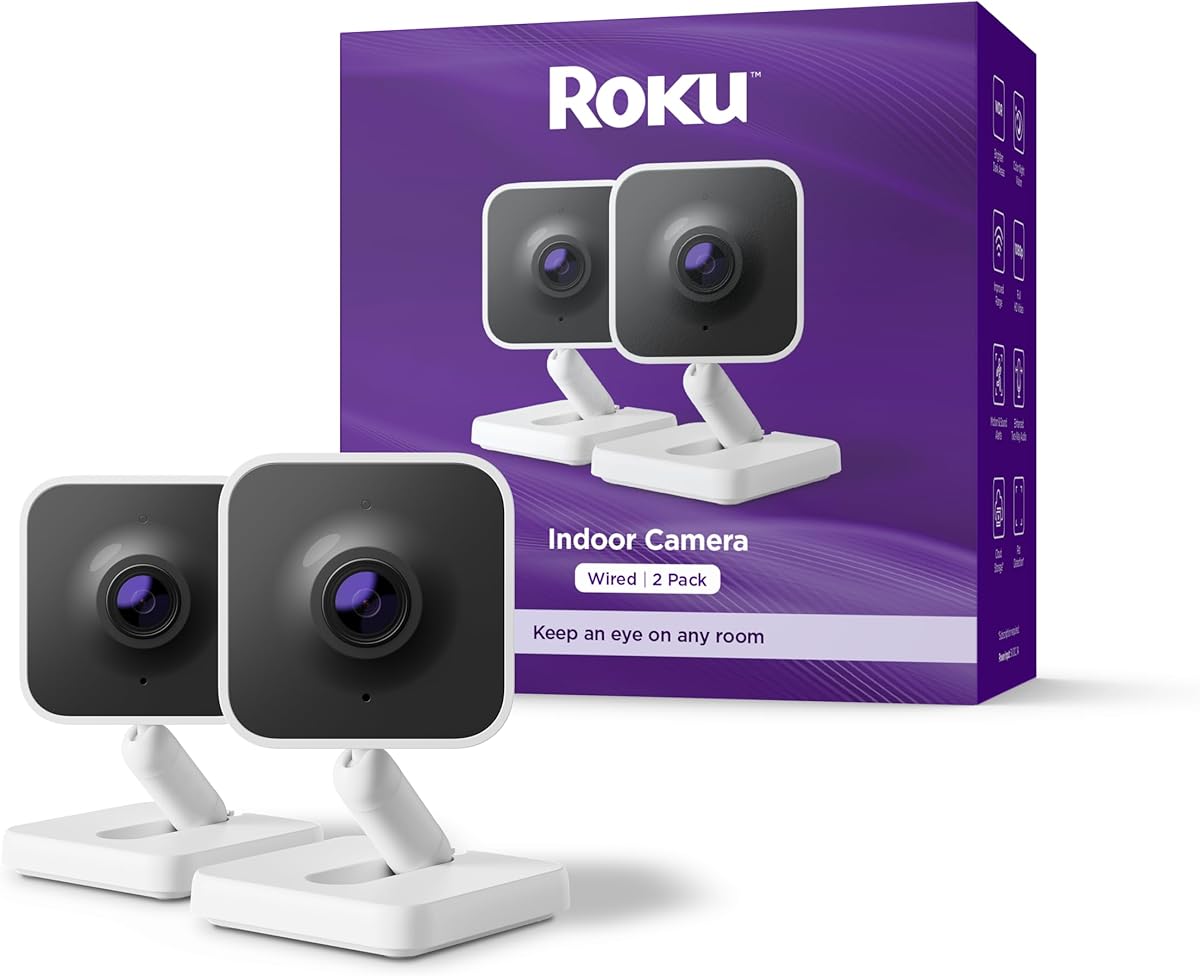
The Roku Indoor Camera is a two-camera indoor monitoring system designed for use with Roku televisions, Roku players, and the Roku Smart Home mobile app. Its 4.4 rating makes it one of the stronger choices in this guide for households that already use Roku for primary home viewing.
We may earn a commission when you buy through this link, at no additional cost to you.
Each camera provides 1080p HD video, full-color night vision, live streaming, motion and sound alerts, and two-way communication. The ability to open a camera feed on a television through the remote control or Roku Voice is especially useful for people who want a large display rather than checking a phone.
The two-camera pack is practical for monitoring separate areas such as a nursery, living area, or pet space. Users can adjust camera settings and interact with a pet through the app, while instant alerts provide notice when the sensor detects movement or sound.
This is the top choice for indoor household monitoring rather than answering a front door. People without a Roku television or player may find the app-only experience less convenient, and the system does not replace a video doorbell intercom. Those seeking a single monitor for visitors should instead examine the dedicated doorbell-screen models in this comparison.
Connecting the feed to a Roku television or player turns the television into a convenient wall-mounted viewing screen. That can make routine checking easier for children, pets, and household members who do not want to use a smartphone.
Motion and sound detection provides alerts within seconds, while 1080p color night vision preserves visibility in dark rooms. Two-way audio adds practical value when an occupant needs to speak to a pet.
We may earn a commission when you buy through this link, at no additional cost to you.
The Angetube 4K Webcam is a computer camera with integrated ring lighting, autofocus, dual microphones, and a physical privacy shutter. It holds a 4.4 rating and is best suited to people who want a sharp, well-lit video feed for meetings, classes, streaming, and online conversations.
We may earn a commission when you buy through this link, at no additional cost to you.
It captures from 4K at 30 frames per second down to 1080p at 60 frames per second, with phase-detection autofocus intended to keep the subject sharp. The three-level built-in ring light offers an easy way to improve illumination without adding a separate lamp to the desk.
Privacy receives particular attention through a physical shutter that blocks the lens when closed. Plug-and-play USB operation means the camera is automatically recognized without driver installation, while a USB-C adapter supports newer laptops. Compatibility includes Windows, macOS, Linux, and popular platforms such as Zoom, Teams, Skype, FaceTime, Twitch, and Google Meet.
The webcam is a strong choice for personal video monitoring or communication at a computer, but it does not monitor a front door or provide a dedicated indoor security display. It should be positioned toward a desk and treated as a webcam rather than as a substitute for a Ring camera or security system.
Supporting 4K at 30 frames per second gives users flexibility for detailed calls and recording, while 1080p at 60 frames per second offers smoother motion. PDAF autofocus helps maintain clarity as a speaker moves.
The physical shutter provides an immediate visual and mechanical barrier to image capture. Dual microphones support clearer voice pickup, and the integrated three-level ring light reduces the need for separate desk lighting.
We may earn a commission when you buy through this link, at no additional cost to you.
The Doorbell Camera Wireless No Subscription is a dedicated 1080p entry camera bundled with a 4.3-inch IPS monitor. It earns a 3.9 rating and targets users who want straightforward visitor monitoring without an app, cloud account, router configuration, or subscription.
We may earn a commission when you buy through this link, at no additional cost to you.
The camera uses a private 2.4 GHz connection and offers a 170-degree view with automatic night vision. Users can speak to visitors through the indoor screen, while holding the call button for two to three seconds wakes the outdoor camera for an on-demand look at the entrance.
Pressing the doorbell can create a snapshot without a storage card. Adding a compatible 8–32 GB TF card enables local video recording, with the memory card not included. The outdoor unit has an IP65 weather-resistant design and installs with adhesive or other mounting options, while its rechargeable 1800 mAh battery is stated to last as long as two months depending on use.
The product fits apartments, front doors, and homes where a wall-mounted screen is desired without remote access. Keep the monitor connected to USB-C power, and plan for a separate memory card if video history is important. People who need remote viewing or cloud-supported recording should choose a Wi-Fi model instead.
The private wireless link pairs quickly without linking the system to a home network. This keeps the setup approachable and removes the need to create an account or manage application permissions.
Snapshots can document a visitor without additional storage, while a compatible TF card adds video recording. Local playback and storage are attractive for users seeking more control over where footage is kept.
We may earn a commission when you buy through this link, at no additional cost to you.
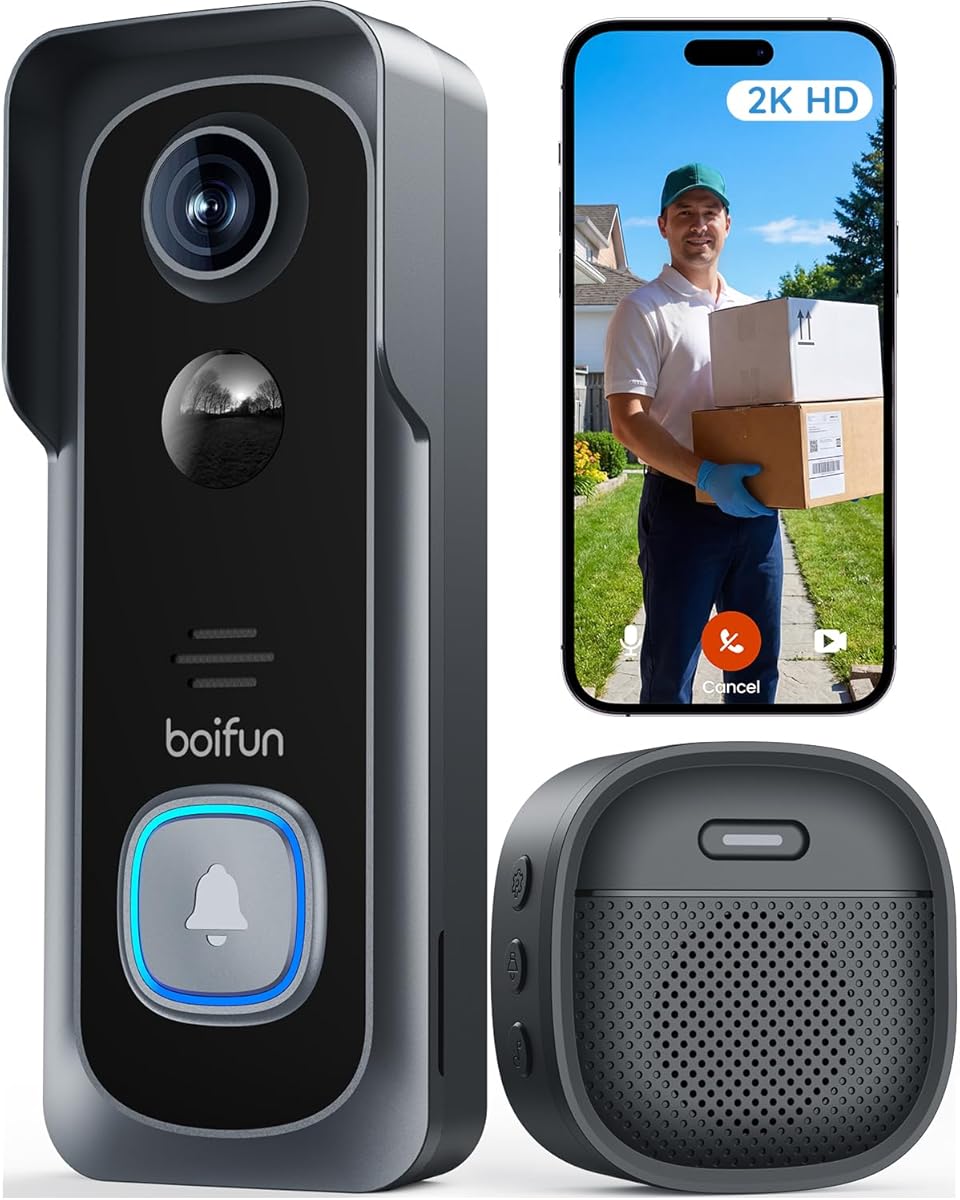
The BOIFUN Video Doorbell Camera is a 2K wireless doorbell with a 166-degree field of view, human detection, two-way audio, and no-subscription access to essential features. Its 4.3 rating suits people who want phone-based monitoring rather than a permanent indoor display.
We may earn a commission when you buy through this link, at no additional cost to you.
The camera supports 2.4 GHz Wi-Fi and works through the BoifunCam app, which provides live viewing, alerts, intercom communication, and video playback. A fast AI chip handles detection and event processing, while HDR and 940 nm infrared illumination support night visibility without a visible red glow.
The doorbell can use a microSD card up to 128GB for local storage, although no card is included. A built-in anti-theft alarm provides tamper notifications if the device is forcibly removed. In laboratory conditions, the rechargeable battery is rated for up to 60 days with 30 daily motion activations and ten-second recordings, though real results vary.
This is a strong fit for remote monitoring and mobile alerts, but it does not include a dedicated indoor monitor for Ring-style viewing. It also requires a compatible 2.4 GHz network rather than working as a standalone private link. Optional paid services may add cloud storage and enhanced AI classification, while core functions remain available without them.
Human detection can reduce irrelevant notifications, and the app provides real-time alerts and two-way communication. Core features remain accessible without a subscription, although advanced cloud and AI services are optional.
The 166-degree lens covers a broad portion of the porch, while HDR processing and invisible 940 nm infrared light improve nighttime visibility. The wide angle still requires careful placement to avoid excessive distortion at the edges.
We may earn a commission when you buy through this link, at no additional cost to you.
The Orbitell Wireless Video Doorbell is a compact 1080p Wi-Fi camera designed for phone alerts, two-way communication, and cloud-based monitoring. Its 3.9 rating makes it relevant to users seeking a modern smart entry camera even though it does not include a dedicated indoor screen.
We may earn a commission when you buy through this link, at no additional cost to you.
AI detection is intended to identify people while filtering vehicles and animals. Motion and doorbell-press notifications reach a smartphone, and a built-in microphone and speaker support immediate conversation with visitors. The wide-angle view broadens coverage around the entrance.
Recordings are protected with AES-128 encrypted cloud storage, while subscribers also receive pre-capture functionality that begins recording as motion starts. The camera also uses four infrared LEDs and an advanced image sensor for nighttime images. Its IP65 housing is designed for year-round outdoor use.
This model is best for people who rely on their phone and cloud services rather than a fixed home display. It supports only 2.4 GHz Wi-Fi, so a compatible network is essential. Buyers should understand which storage functions are included, which depend on a subscription, and whether the missing dedicated monitor is acceptable for their monitoring habits.
Person-focused AI detection is intended to filter out common non-human triggers. This can make smartphone alerts more useful when the camera overlooks a sidewalk, driveway, or busy exterior area.
AES-128 encryption protects stored recordings, and pre-capture adds an extra record before a subscriber's standard clip begins. This is useful for people who want event history without managing a continuously installed memory card.
We may earn a commission when you buy through this link, at no additional cost to you.
The Computer Conference Ring Light is designed to improve illumination for computer-based video calls, distance learning, broadcasting, and live streaming. It holds a 4.4 rating and offers a six-inch circular design with several color temperatures and brightness levels.
We may earn a commission when you buy through this link, at no additional cost to you.
Color temperature spans 3200K to 6800K, covering warm, mixed warm, mixed, mixed cool, and cool white modes. A separate dimming control provides ten levels from 10% to 100%, allowing users to adapt the illumination to daylight, evening rooms, or a nearby monitor.
Its curved circular structure is intended to produce soft, even light with fewer harsh shadows than a flat lampshade. A color-rendering index above 95 helps maintain realistic skin tones and colors, which is helpful for calls, streaming, photography, and makeup-oriented content.
This light is most useful when the appearance of the user's camera feed is the priority. It cannot record, alert, or provide a security view, and it does not replace a webcam privacy shutter. Buyers should confirm the mounting arrangement and whether its brightness and color settings work well with the existing room lighting.
Multiple temperatures and ten dimming levels make it possible to tune the light for different times of day. This flexibility is more useful than a fixed single-color lamp for users who move between work, school, and streaming.
The round, curved design spreads light around the subject and is intended to reduce harsh shadows. Its high color-rendering index also supports natural-looking video and photography results.
We may earn a commission when you buy through this link, at no additional cost to you.
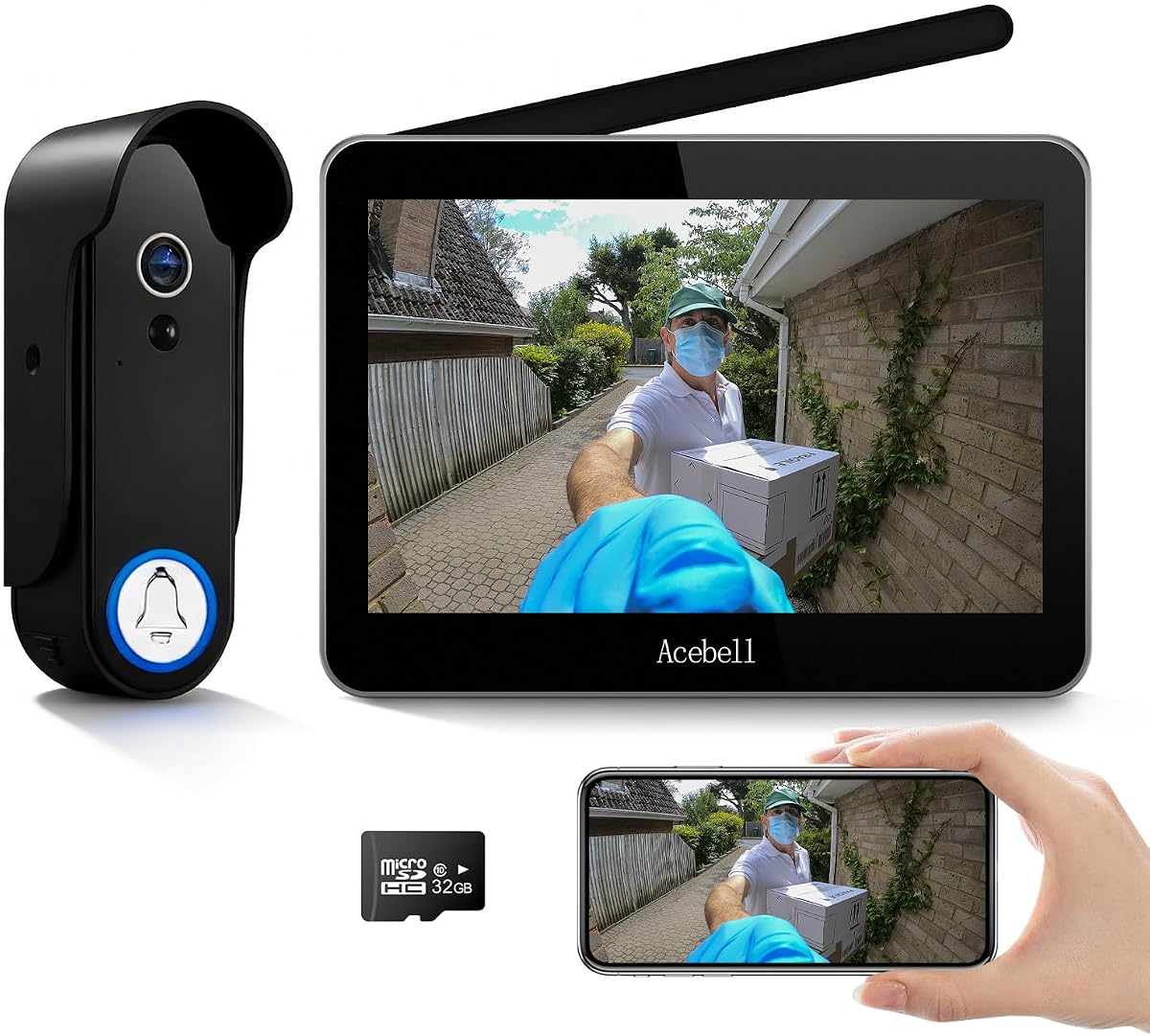
The Wireless Smart Doorbell Intercom is the most complete dedicated monitor in this guide, combining a 1080p exterior camera, a seven-inch touch display, app control, motion detection, and local storage. Its 4.1 rating suits buyers who want both an indoor screen and remote access.
We may earn a commission when you buy through this link, at no additional cost to you.
The system can operate with or without Wi-Fi through its private protocol, and the indoor monitor supports 2.4 GHz or 5 GHz networks. The TuyaSmart app allows remote camera viewing, shared household access, visitor notifications, and two-way communication. A 160-degree lens and four automatic infrared lights support daytime and nighttime monitoring.
A 32GB memory card is included and installed in the indoor monitor, allowing recordings to be viewed locally and synchronized through the app without a subscription. Motion alerts can trigger automatic video capture, and the memory card's placement protects it if the exterior unit is removed or damaged. The outdoor unit also supports two-way audio and adjustable PIR sensitivity.
The seven-inch monitor has a 5000 mAh battery that provides approximately five to eight hours of home use per charge, while the doorbell's 7000 mAh battery is listed for approximately 45–60 days depending on activity. Users seeking constant display availability should keep the monitor powered. This is a strong recommendation for people who want a large dedicated screen and optional remote monitoring in one package.
The seven-inch touch display provides a clear, familiar interface for answering calls, monitoring the entrance, and reviewing footage. App support adds remote visibility for times when nobody is near the indoor monitor.
The supplied 32GB card avoids a separate storage purchase and supports playback on the indoor monitor. Keeping the card in the indoor unit also means a stolen or damaged exterior camera is less likely to remove access to the stored footage.
The doorbell can operate wirelessly or connect to compatible existing wiring, while the system supports private transmission and Wi-Fi. Installers should avoid metal doors, which can substantially interfere with the wireless signal.
We may earn a commission when you buy through this link, at no additional cost to you.
The right monitoring setup depends on whether you want a fixed visitor screen, phone-based alerts, indoor household coverage, or improved video-call lighting. Review connection requirements, display quality, privacy controls, recording options, and installation constraints before choosing.
A dedicated monitor is useful when household members should be able to check a doorway without unlocking a phone or using a voice assistant. Dedicated doorbell systems include an indoor screen and generally emphasize visitor alerts, two-way communication, and local playback. App-based cameras are better for travel, motion alerts, and remote viewing, while television-connected indoor cameras are convenient for active household monitoring.
Choose a dedicated screen for routine visitor checks. Choose app or television viewing for remote awareness and flexible indoor coverage.
Some doorbell monitors communicate through a private 2.4 GHz connection and do not need home Wi-Fi, an account, or a router. Others require a 2.4 GHz Wi-Fi network, while a few support both 2.4 GHz and 5 GHz. Builders, metal doors, solid walls, windows, and interference can reduce range, so the manufacturer's recommended distance should be treated as a guide rather than a guarantee.
Confirm that your network and doors support the selected system. Test a temporary installation before permanent mounting whenever possible.
Resolution influences how much facial and environmental detail appears on the monitor. The products here range from 1080p to 2K, while one webcam supports up to 4K. A wide field of view can cover more of the porch, but it may also introduce edge distortion and reduce the effective detail of a person near the side of the frame. Lens placement matters as much as the headline resolution.
Prioritize enough detail to identify a visitor plus a lens that covers the area that matters. Avoid relying on a very wide view if facial recognition is the main goal.
Automatic infrared illumination, HDR processing, and visible LED assistance support nighttime viewing in different ways. Doorbell cameras may use invisible 940 nm infrared light, while some dedicated monitor systems use automatic visible LEDs. Indoor cameras may provide full-color night vision. The best option depends on how much detail and natural color the household needs after dark.
Look for automatic switching, adequate infrared range, and an image sensor designed for low light. Test the entrance under its actual nighttime conditions when possible.
Local recording keeps footage on a memory card in the home, while cloud storage can simplify remote access and event retention. Some products include a card, while others require the buyer to provide one. Privacy features may include a physical webcam shutter, private wireless transmission, encrypted cloud records, local playback, or no cloud requirement at all. Read the distinction between free and subscription features carefully.
Prioritize local storage if data control is important. Review renewal terms and exact cloud features if convenience and off-site records matter more.
Battery estimates vary with ring frequency, motion activations, viewing sessions, temperature, and signal strength. Some indoor monitors include a backup battery but still work best when connected continuously to USB power. Installation methods include adhesive, screws, and existing low-voltage wiring. A rechargeable system is easier to install, while a wired option may suit users who prioritize continuous availability.
Estimate actual use before trusting a stated battery duration. Choose continuous power for a display that must remain ready and follow voltage instructions for wired installations.
Two-way audio lets occupants speak to a visitor or pet, but the implementation may be push-to-talk or simultaneous conversation. Motion, sound, and human detection help distinguish relevant events, while pre-capture can preserve footage that begins before a standard alert. A dedicated doorbell screen generally prioritizes ringing and visitor interaction; an indoor camera may emphasize sound alerts and pet monitoring.
Match alerts to the area being watched. A porch may need person detection, while a quiet room may benefit more from sound detection and two-way talk.
Screen size affects how easily a household can identify visitors from across a room. The dedicated products in this guide use 4.3-inch or seven-inch displays, while televisions and computers can provide much larger viewing areas for indoor or webcam use. Touch controls can make operation intuitive, but a fixed screen still needs a clear mounting location near the entrance.
Choose a larger display for shared viewing and easier recognition. A smaller screen may be sufficient when the monitor stays close to the door and is used mainly for caller identification.
Begin by identifying the intended viewing area and the power and network locations. For a dedicated doorbell system, charge the outdoor unit fully, place the indoor monitor where household members can see it, and test the camera-to-monitor connection before mounting. For indoor cameras, position the device where it can observe the intended space without pointing into a neighbor's window or a highly reflective surface.
Pair and configure the system according to its instructions. Users of app-connected products should connect the camera to a supported network, complete any required account setup, enable the preferred alerts, and adjust motion or sound sensitivity. Dedicated no-app systems should be checked for both doorbell-triggered viewing and active wake-up functionality, with brightness, audio, and recording settings adjusted for the room.
Maintain the equipment by keeping the exterior lens clean, checking the weather seal, and inspecting the mount and power connection. Charge or replace batteries according to the stated guidance, and keep the indoor screen connected when continuous availability is required. Check memory-card capacity and playback regularly, update firmware or app software when prompted, and avoid prolonged water exposure beyond the product's specified weather rating.
A monitor is optional for many app-based cameras because live viewing and alerts can be handled on a phone. A dedicated indoor screen is useful for people who want visitors to appear without checking a device, or who want visitor communication from a fixed location. Choose a camera and display as a coordinated system rather than assuming every camera will support an additional monitor.
Some dedicated doorbell systems use a private 2.4 GHz connection between the exterior camera and indoor screen without home internet. Those systems generally do not provide internet-based remote viewing. App-connected models require a supported Wi-Fi network, and many support only 2.4 GHz, so check network compatibility before installation.
A 4.3-inch screen is compact enough for a narrow interior wall or small table, while a seven-inch display is easier to view from farther away. The best size depends on mounting position and how many people need to identify visitors. Consider viewing distance, wall space, power access, and whether a touchscreen is useful for your household.
No. Several systems provide live viewing, two-way audio, snapshots, and local recording without a recurring fee. Other products offer core features for free while placing cloud storage, pre-capture, or enhanced event classification behind optional plans. Review exactly which functions require payment before deciding that a model is subscription-free.
The Roku Indoor Camera included here can display its feed on compatible Roku televisions or players, in addition to the Roku Smart Home app. Other cameras may require a smart display, voice assistant, or separate accessory. Confirm supported platforms and current compatibility before planning to use a television as the primary monitor.
Local recording keeps footage on a memory card in the home and can reduce dependence on a cloud account. It is not automatically risk-free, because anyone with physical access to the card or monitor may be able to view it. Cloud storage offers remote access and sometimes pre-capture, but requires attention to account security, encryption, retention, and subscription terms.
Yes. Solid walls, windows, metal doors, and nearby wireless equipment can reduce range or trigger repeated signal searching. The products list different recommended distances, and those figures may apply under open or favorable conditions. Testing before mounting is the best way to identify a reliable placement.
A ring light helps only with image appearance; it does not record, send alerts, or provide security monitoring. It can be valuable for video calls, streaming, and computer webcams by improving facial illumination. For home or doorway monitoring, prioritize a camera's resolution, night vision, detection features, storage, and privacy controls.
The Wireless Smart Doorbell Intercom is the strongest all-around option for buyers who want a large seven-inch screen, remote app access, motion alerts, and included local storage. The Roku Indoor Camera is an attractive alternative for indoor household monitoring through Roku televisions, while the TKMARS system is ideal when a private, app-free connection and dedicated 4.3-inch screen are the priority.
Start by deciding between a fixed visitor display, television-based indoor viewing, phone-based remote monitoring, and computer lighting. Then verify Wi-Fi requirements, low-light performance, storage choices, privacy features, power needs, and installation limits. A larger screen is not automatically better if it is difficult to reach, while a simpler system may suit a household that only needs caller identification.
Current specifications, included accessories, ratings, and pricing can change over time, so check the listing and compatibility details before ordering. Also review whether the chosen system works in a dedicated pair, whether it needs an account, and whether any storage or advanced detection features require a paid plan.