
Macally Dual USB-C + A Wired Mouse
4.6Editor score
Dual USB-C and USB-A
Driver-free plug-and-play operation
Ambidextrous three-button design
Discover the best Mouse for iMac Desktop options, comparing wireless, wired, quiet, rechargeable, compact, and premium designs for everyday use.
A mouse can make an iMac desk feel more comfortable, precise, and productive than a touchpad, especially for long work sessions. The right model should match your desk, hand size, connection preferences, and daily tasks, whether you need dependable wired control or flexible wireless freedom.
We compared ten mice using the supplied specifications, customer ratings, connection methods, button layouts, sensor options, and intended uses. The list includes basic wired models, multi-device wireless mice, compact travel designs, rechargeable options, and a premium slim model for discerning users.
Each pick highlights a distinct reason to consider it, from straightforward USB-C plug-and-play operation to quiet clicking, adjustable sensitivity, and multi-mode connectivity. Product specifications and customer ratings can change, so readers should verify the latest details and current prices before purchasing.
4.6Editor score

4.4Editor score

4.5Editor score
This side-by-side comparison organizes the ten mice by connection style, core features, and practical desktop needs, helping you identify the most suitable option for your iMac setup.


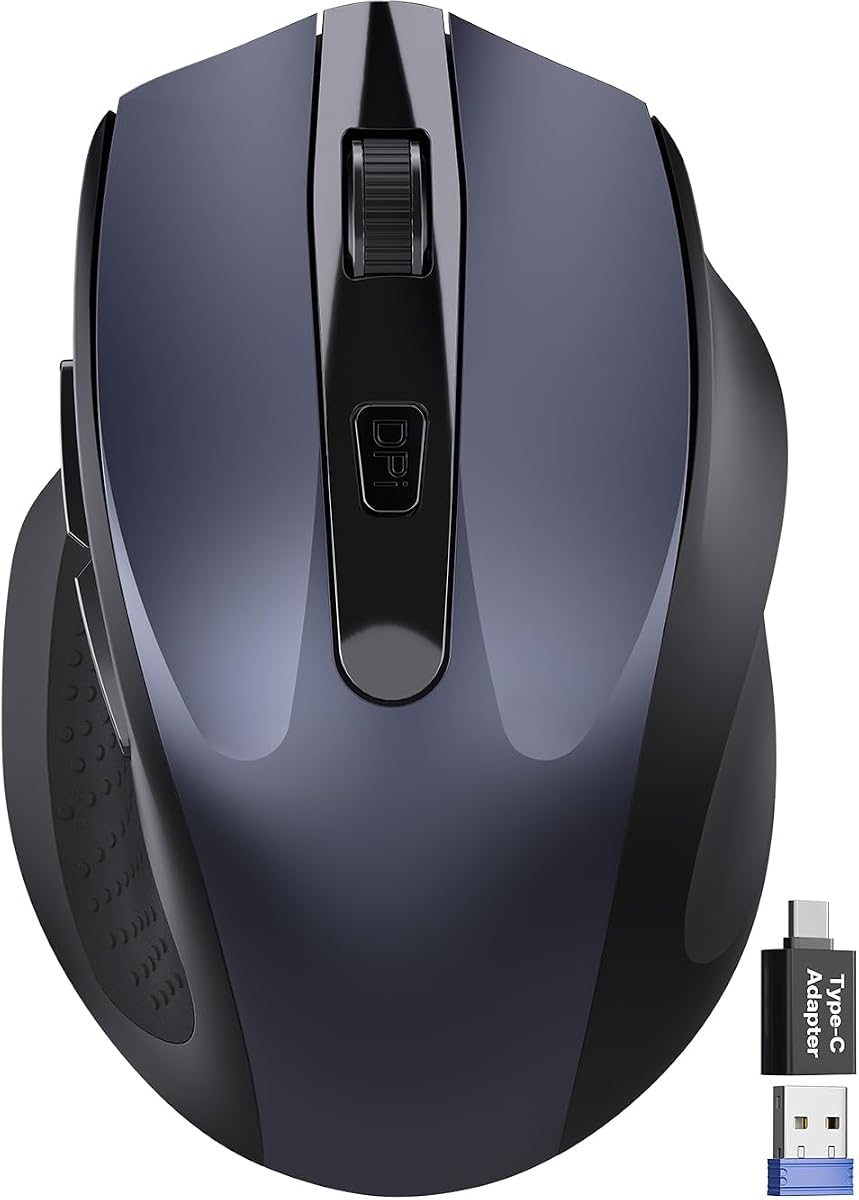


The Suteke Multi-Mode Wireless Mouse combines Bluetooth 5.2, Bluetooth 3.0, and a dual-head 2.4GHz receiver that includes both USB-A and USB-C connections. Its 4.4 rating reflects a versatile package that stands out for broad device support, rechargeable operation, and an emphasis on quiet clicking. It is especially relevant to iMac owners who alternate between desktop and portable devices.
We may earn a commission when you buy through this link, at no additional cost to you.
The strongest feature is connection flexibility. Bluetooth can pair directly with compatible Macs and other Bluetooth-enabled equipment, while the USB-A and USB-C receiver heads allow the mouse to work across systems that lack the preferred wireless protocol. An optical sensor offers three selectable DPI levels of 800, 1200, and 1600, giving users a practical choice between general navigation and more controlled cursor movement.
The supplied specifications state that the buttons reduce click noise by 96 percent, making the mouse attractive in shared offices or quiet home environments. Its slim, contoured shell includes a rubber scroll wheel for grip, although the product information specifically recommends a mouse pad for the best experience. That caveat matters because optical sensors can behave differently on bare glass, fabric, or highly reflective surfaces.
This is a well-rounded choice for a student, home-office user, or multitasker who does not want to limit the mouse to one computer. Small and medium hands are likely to find its 68-gram construction more manageable than a large desktop mouse. Those with larger hands should consider a roomier ergonomic design, while users who want maximum simplicity may prefer a wired plug-and-play model.
Direct Bluetooth and dual 2.4GHz receiver options make this mouse easy to move between an iMac, a MacBook, an iPad, a Windows PC, or a compatible tablet. The supplied USB-C and USB-A receiver heads reduce the need to carry a separate adapter.
The claimed 96 percent click-noise reduction supports focused work in shared spaces. A built-in rechargeable battery is rated for roughly three to four weeks in the stated usage mode, with approximately ten days in Bluetooth mode and a USB-C charging time of about two and a half hours.
We may earn a commission when you buy through this link, at no additional cost to you.
The Macally Dual Connector Mouse is a straightforward wired option built around the controls many iMac users actually need: left click, right click, and a scroll wheel. It carries a 4.6 rating and distinguishes itself through a single plug that works with either USB-C or USB-A ports, eliminating the adapter often required by basic wired mice.
We may earn a commission when you buy through this link, at no additional cost to you.
Its 1200 DPI optical sensor provides smooth, responsive cursor control for everyday browsing, document editing, spreadsheet work, and common applications. The contoured shell is designed for either hand, which makes the mouse practical for shared workstations, classrooms, and homes where more than one person may use the same iMac setup.
This product also removes several recurring sources of inconvenience. There is no battery to replace, no charging routine to remember, and no wireless pairing process. The listed compatibility includes Mac, PC, and Chromebook computers, with the expectation that users can connect the mouse and begin working without installing drivers.
It is an especially practical recommendation for buyers who value reliability and simplicity over adjustable sensitivity or wireless movement. The fixed 1200 DPI setting may not suit someone who needs a broad sensitivity range, and the wired cable occupies desk space. Even so, for a stationary iMac desk, a dual-connector wired mouse remains one of the most uncomplicated ways to improve navigation.
The dual connector combines USB-C and USB-A in one wired design. That makes it useful for newer iMac configurations as well as computers that still rely on traditional USB-A ports without requiring a separate dongle.
A wired optical mouse avoids battery replacements, charging cables, and pairing procedures. Its straightforward three-button layout also reduces the learning curve, making it appropriate for everyday users and shared environments.
We may earn a commission when you buy through this link, at no additional cost to you.
The Macally Quiet USB-C Mouse is a slim wired option designed for users who want adjustable sensitivity without the complexity of a wireless or multi-button productivity mouse. It has a 4.4 rating, a three-button layout, and a scroll wheel, with the supplied information identifying USB-C connectivity and four selectable DPI levels.
We may earn a commission when you buy through this link, at no additional cost to you.
Its main advantage over basic 1200 DPI mice is sensitivity control. Users can choose 800, 1200, 1600, or 2400 DPI to suit different applications, from navigating large documents to working with detailed visual content. The product is fully plug-and-play with compatible USB-C devices, including MacBook Pro, MacBook Air, iMac, and Apple iPad models as described in the listing.
The quiet-click feature is another meaningful benefit. The manufacturer states that the buttons reduce click noise by 90 percent, which can make a shared office or late-night workspace feel less disruptive. The design deliberately avoids complicated features and unnecessary buttons, focusing instead on the standard navigation controls people use most often.
This mouse suits an iMac owner who works at a fixed desk and wants a cable-based connection, quieter operation, and a wider DPI range. It may not be the first choice for a desk with a single legacy USB-A port, because no USB-A variant or adapter is listed. Otherwise, it provides a clean balance of focused features and everyday functionality.
Four DPI options give the mouse more range than a fixed-sensitivity model. Lower settings can support routine browsing, while higher options are useful for detailed pointer control and creative work that benefits from finer movement.
The stated 90 percent click-noise reduction makes this a considerate choice for shared or quiet spaces. Keeping the button count to three also provides a familiar experience for users moving from an Apple mouse or conventional office mouse.
We may earn a commission when you buy through this link, at no additional cost to you.
The Macally Silent USB-A Mouse is a compact wired mouse aimed at Mac and Windows users who want quiet operation, adjustable sensitivity, and a smaller footprint. Its 4.6 rating is among the strongest in this list, and the design is notably uncomplicated, offering three primary controls and a physical DPI switch.
We may earn a commission when you buy through this link, at no additional cost to you.
Users can select 800, 1200, 1600, or 2400 DPI, giving the mouse flexibility for both ordinary productivity and more precise pointer tasks. The optical sensor and line-style wheel support familiar desktop navigation, while the stated 90 percent click-noise reduction is a central feature for offices, libraries, and homes where repeated clicking can become distracting.
The mouse is designed for right- or left-handed use and requires relatively little desk space. Its five-foot USB-A cable is long enough for many computer arrangements, while a wired connection avoids latency concerns and removes the need for batteries. Plug-and-play operation means it can work across platforms without driver installation.
Its main limitation is the fixed USB-A connection. Some newer iMac models and other modern computers emphasize USB-C, so buyers should confirm that an appropriate port is available or that a suitable adapter is already part of the setup. Within USB-A-equipped environments, however, it is a strong, quiet, and adaptable choice.
The slim body helps conserve desk area while still supporting a four-level DPI range. That combination is useful on busy desks where a larger mouse would occupy valuable workspace or interfere with keyboard positioning.
The five-foot cable supports common desk arrangements and removes wireless pairing as a concern. With no battery to service, the mouse can remain ready for daily work while providing a consistent USB-A connection.
We may earn a commission when you buy through this link, at no additional cost to you.
The Macally Rechargeable Bluetooth Mouse delivers a clean wireless experience designed with Apple users in mind. It has a 4.4 rating and an ultra-thin profile intended to complement a MacBook, iPad, or iMac workspace. Its refined appearance is paired with quiet buttons, broad platform compatibility, and a rechargeable battery.
We may earn a commission when you buy through this link, at no additional cost to you.
Bluetooth connectivity is specified to work at distances of up to 30 feet, providing ample movement around an iMac desk. The mouse pairs with Bluetooth-enabled Macs and PCs, and silicone membranes beneath the buttons are said to deliver up to 90 percent quieter clicks. The scroll wheel is explicitly excluded from that noise-reduction claim, which is useful context when judging the overall sound level.
Rechargeable operation removes the routine of replacing disposable batteries. A USB-C charging cable is included, and the product information describes it as offering extended use between charges. The slim shape supports either right- or left-handed users, making it less visually intrusive than many full-size wireless mice.
This is a strong recommendation for iMac owners who want a minimalist desk, wireless freedom, and uncomplicated Mac-compatible operation. It is less versatile than multi-mode products that include a 2.4GHz receiver, and it may not satisfy buyers who need a physical DPI control. For a general-purpose wireless experience, however, its combination of styling, quiet operation, and rechargeable convenience is difficult to ignore.
The thin, understated body is intended to blend into an Apple-oriented workspace. It also takes up relatively little room, making the mouse convenient for users alternating between an iMac and a MacBook or iPad.
The included USB-C charging setup helps reduce ongoing battery maintenance. Broad Bluetooth compatibility allows the mouse to move between Mac and PC systems, while the stated 30-foot range provides flexibility beyond the immediate desk.
We may earn a commission when you buy through this link, at no additional cost to you.
The FYBC Wireless Mouse and Jiggler is designed for iMac, MacBook, iPad, and PC users who want more than basic pointer control. It carries a 4.3 rating and combines wireless connectivity, adjustable sensitivity, rechargeable operation, and a mouse-jiggler function designed to help keep a computer awake during brief absences.
We may earn a commission when you buy through this link, at no additional cost to you.
Its connection options include Bluetooth 5.2, Bluetooth 3.0, and a two-in-one 2.4GHz receiver with USB-A and USB-C heads. The optical sensor provides 800, 1200, or 1600 DPI, controlled with a quick button press. A separate press-and-hold action lasting three to five seconds activates the jiggler, allowing the device to simulate movement without separate software or drivers.
The rechargeable battery is listed as lasting up to 90 days on a single charge, with a full recharge time of approximately one and a half to two hours. The mouse weighs 68 grams and uses a slim shape intended for small and medium hands. Its claimed 90 percent click-noise reduction adds another practical benefit in shared work areas.
The combination is especially appealing to office and remote workers who step away from their desks frequently, although the jiggler may have little value in a home environment where the computer can simply be left running. Users who dislike moving the mouse to keep a system active should also consider whether automatic screen-lock settings would serve them better. For the stated use case, the feature set is notably versatile.
Bluetooth and dual-head 2.4GHz receivers give the mouse broad compatibility with iMacs, MacBooks, iPads, and PCs. Its portable weight and slim body also make it easier to move between a home desk, office, and travel setup.
Holding the DPI button for several seconds activates the mouse-movement function. This can be useful during short breaks, though it should be used responsibly and may not replace the system’s intended security and energy-management practices.
We may earn a commission when you buy through this link, at no additional cost to you.
The Compact Wireless Office Mouse is a small, right-hand-oriented cordless mouse designed for travel, shared offices, and compact workspaces. It has a 4.4 rating, dimensions of 4.09 by 2.68 by 1.49 inches, and an asymmetrical shape with a built-in thumb rest intended to reduce grip pressure during extended work.
We may earn a commission when you buy through this link, at no additional cost to you.
It connects through a 2.4GHz nano receiver, and the package includes a USB-C adapter for broader compatibility. The supplied information lists support for Windows, Mac, Linux, Chrome OS, Android, and iOS, including compatible tablets and USB-C phones with OTG. Three DPI levels of 800, 1200, and 1600 are available, along with forward and back buttons for document and page navigation.
Quiet operation is another important feature, with up to 90 percent noise reduction while retaining a conventional click response. The product also claims reliable tracking on wood, fabric, paper, and leather, which can be helpful when a mouse pad is unavailable. Smart sleep enters light sleep after ten seconds and deep sleep after ten minutes of inactivity.
The mouse is best suited to small and medium hands that prefer right-handed use. Its claimed battery life of up to 18 months depends on an AA battery, which is not included. A dedicated iMac owner who values travel readiness and broad operating-system support will find this option flexible, though a rechargeable model may be more convenient over long-term ownership.
At just over four inches long, the mouse fits easily into laptop bags and travel cases. Its lightweight approach and broad compatibility make it convenient for people who work across an iMac, portable computer, tablet, and other devices.
Forward and back buttons can streamline document and web navigation, while three sleep levels reduce unnecessary power use. The stated long battery life makes replacement infrequent under typical conditions, although an AA cell is required.
We may earn a commission when you buy through this link, at no additional cost to you.
The Multi-Mode Bluetooth Mini Mouse combines direct Bluetooth, 2.4GHz USB-A or USB-C receiver operation, adjustable DPI, a rechargeable battery, and a mouse-jiggler function. Its 4.4 rating and broad compatibility make it a credible option for an iMac user who moves among Apple and Windows devices throughout the day.
We may earn a commission when you buy through this link, at no additional cost to you.
The wireless options are extensive. Bluetooth 5.2 and 3.0 provide direct pairing with compatible Macs, iPads, phones, and other devices, while the dual-head 2.4GHz receiver supports systems using either USB-A or USB-C. The optical sensor offers 800, 1200, and 1600 DPI levels, switched through a short button press.
A 500mAh rechargeable lithium battery is specified to provide up to 500 hours after a full charge. The mouse enters sleep mode after eight minutes of inactivity and can wake with a click. A press-and-hold DPI-button action lasting approximately three to ten seconds activates the jiggler, which is intended to simulate natural pointer movement and help keep the computer active.
Its slim, portable shell, skin-like surface, and quiet clicking suit mobile use, while the wide list of compatible systems is useful for mixed-device owners. The large collection of functions may feel excessive to a user who only wants reliable pointer control, and there is no stated dedicated DPI button. Even so, it offers a practical combination of charging convenience, wireless flexibility, and cross-platform support.
Direct Bluetooth and a dual-port receiver make the mouse adaptable to different iMac and peripheral setups. The included USB-C charging cable also complements modern desk arrangements that favor reversible connectors.
The listed 500mAh battery is claimed to run for up to 500 hours after charging. Automatic sleep helps conserve power, while click-to-wake behavior allows the mouse to return to normal use without an elaborate power procedure.
We may earn a commission when you buy through this link, at no additional cost to you.
The Logitech M185 Compact Mouse is a familiar wireless option with a 4.4 rating, a contoured ambidextrous shape, and straightforward 2.4GHz connectivity. It is a practical choice for iMac owners who prefer a proven compact design and do not need adjustable DPI, rechargeable power, or numerous shortcut buttons.
We may earn a commission when you buy through this link, at no additional cost to you.
The included nano receiver provides a connection range of up to 33 feet, and the mouse works with Windows and Mac computers without software or setup hassles. Its line-by-line scroll wheel, left and right buttons, and smooth cursor control cover the essential needs of general computer use. The product information also specifically notes that the receiver may be found inside or alongside the mouse.
Logitech states that the M185 can deliver up to one year of battery life under typical conditions, and an AA battery is included. A smart sleep function helps conserve power. The contoured shape supports either right- or left-handed use, while the compact dimensions make it appropriate for small to medium hands, tight workspaces, and busy desktops.
The tradeoff is that the M185 focuses on simplicity rather than advanced features. There is no stated adjustable DPI control, rechargeable battery, USB-C adapter, or modern full scroll plane. Buyers who need those features should look at the multi-mode models in this guide, while those prioritizing familiar operation and dependable wireless basics may find the M185 sufficient for an iMac.
The M185 avoids complicated controls and focuses on a comfortable shape, two primary buttons, and a conventional scroll wheel. Plug-and-play setup makes it an easy transition for users accustomed to touchpads or standard office mice.
A stated one-year battery duration reduces ongoing maintenance, and the included AA battery helps the mouse get started quickly. The 33-foot receiver range provides freedom to move around the desk without losing the 2.4GHz connection.
We may earn a commission when you buy through this link, at no additional cost to you.
The Microsoft ARC Mouse – Lilac is the most design-forward premium option in this guide. It holds a 4.5 rating and distinguishes itself with an ultra-slim body, an innovative full scroll plane, and a shape that folds flat for storage. The supplied information confirms compatibility with Windows and Mac computers.
We may earn a commission when you buy through this link, at no additional cost to you.
Its most useful signature feature is the full scroll plane, which permits both vertical and horizontal scrolling. That can be valuable in wide documents, spreadsheets, creative applications, and web pages where sideways movement is common. The mouse also offers precise tracking and optimized left and right click response for standard navigation.
Portability is a major part of the design. The body snaps flat, weighs little, and can slide into a pocket or bag without occupying much space. Bluetooth connectivity removes the receiver from the desk, which helps maintain a clean iMac workspace and allows the mouse to move between compatible computers.
This model is intended for buyers who value industrial design, portability, and a more expansive scrolling surface over dense feature lists. The supplied product data does not mention adjustable DPI, a rechargeable battery, or extra shortcut buttons, so it may not satisfy users who require those functions. For a premium, minimalist desk, however, its distinctive form and full scroll plane offer clear reasons to consider it.
The full scroll plane provides a larger interaction area than a conventional narrow wheel. It supports vertical and horizontal movement, which can reduce the need to shift the mouse across the desk in wide software views.
The mouse folds flat and weighs very little, making it easy to carry between locations. Its receiver-free Bluetooth design also leaves the iMac desk visually uncluttered while supporting use with compatible Mac systems.
We may earn a commission when you buy through this link, at no additional cost to you.
The best mouse for an iMac depends on how you work, which ports your computer offers, how much desk space you have, and whether wireless freedom matters more than zero-maintenance operation. These factors help narrow the field before you compare individual models.
Wired mice provide a direct, stable connection without batteries, charging, or pairing. They are especially convenient for a stationary iMac desk, although the cable can occupy space or feel restrictive. Wireless mice reduce cable clutter and can move between computers more freely, but they require batteries or periodic charging. Some products also use a 2.4GHz receiver, while others pair directly through Bluetooth. Check your iMac's available ports before choosing a wired model, particularly when it offers only USB-C.
A mouse designed for USB-C can connect directly to a modern iMac without an adapter, while a USB-A mouse may require a hub or adapter. Dual-connector options provide greater flexibility across changing desks and computer systems. The supplied list includes a wired mouse with both connector types, several multi-mode wireless mice with USB-A and USB-C receiver heads, and a compact wireless mouse that includes a USB-C adapter. Verify the physical ports and accessories rather than assuming a model is compatible.
A mouse should fit your hand without forcing a cramped grip or awkward wrist position. Several choices in this guide are specifically described as compact or intended for small and medium hands, while the Suteke model is also not recommended for large hands. The Logitech M185 and Microsoft ARC Mouse emphasize ambidextrous shapes, whereas the Compact Wireless Office Mouse uses a right-hand-oriented asymmetrical form. Think about grip style, finger reach, and available desk space before choosing.
DPI determines how far the cursor travels for a given physical mouse movement. A fixed setting is sufficient for many office tasks, but adjustable DPI gives you more control over large displays, detailed editing, and different applications. The list includes fixed 1200 DPI options, three-level models ranging from 800 to 1600 DPI, and four-level models extending from 800 to 2400 DPI. More settings can be useful, but they should complement a mouse that feels comfortable in the first place.
Quiet clicks can make shared offices, libraries, video calls, and late-night work more comfortable. Several products claim noise reductions of 90 percent or more, and the Suteke mouse lists 96 percent reduction. Noise claims are not directly interchangeable, and the Macally Bluetooth model specifically excludes its scroll wheel from the quieter-click claim. Consider whether the entire pointing experience matters or whether reducing the primary button clicks is enough for your environment.
Wired mice offer the lowest maintenance because they never need a battery replacement or recharge. Rechargeable wireless models include USB-C charging and avoid disposable cells, while battery-powered models may use an included AA battery and smart sleep functions. The list includes rechargeable designs with stated runtimes ranging from several weeks to as long as 500 hours, as well as wireless models claiming much longer battery life. Actual duration varies with usage, sleep settings, and operating conditions.
Extra buttons and jiggler functions can improve workflow efficiency, but they are not essential for every user. The Compact Wireless Office Mouse offers forward and back navigation, while the FYBC and Multi-Mode Bluetooth Mini Mouse include driver-free jiggler functions intended to simulate pointer movement. The Microsoft ARC Mouse provides a full scroll plane for vertical and horizontal movement. Decide which additions solve a real problem in your routine; otherwise, a simple three-button mouse may be easier to manage.
The mouse remains on the desk throughout the workday, so appearance and footprint can matter as much as specifications. The Macally Bluetooth and Microsoft ARC models offer especially slim, minimalist profiles, while the Macally wired options use a simple white shell. Compact designs leave more space for a keyboard and writing area. If your iMac serves as a professional workstation or media center, a streamlined mouse can help preserve the visual calm of the setup.
Begin by confirming that your iMac has a compatible port or wireless mode. For a USB-C mouse, connect the cable directly; for USB-A, use an available port or suitable adapter. A 2.4GHz mouse requires inserting the included nano receiver into a compatible port, while a Bluetooth mouse should be paired through the Mac's Bluetooth settings according to the manufacturer's pairing instructions.
Adjust the DPI to suit your display and preferred pointer speed. A lower setting gives finer movement, while a higher setting covers the screen with less hand movement. If the mouse includes forward and back buttons, test them in the applications you use most. For a jiggler function, learn the required button press and activation duration, and use the feature only when appropriate for your computer's security and energy settings.
Keep the sensor free of dust and debris, and clean the underside gently with a dry or lightly damp cloth. Avoid dropping the mouse or pulling hard on a connected cable. Rechargeable models should be charged with the supplied or appropriate USB-C cable, while battery-powered models need only occasional replacements. Store a folding or ultra-slim wireless mouse in a protective pocket or pouch when it is not in use.
It depends on the ports available on your iMac and the connectors included with the mouse. A USB-C mouse can connect directly to compatible USB-C ports, while a USB-A mouse may require an adapter or hub. Dual-connector mice offer the simplest option because they work with either port type without a separate receiver.
Wireless mice provide a cleaner desk and easier movement between devices, while wired mice avoid charging and pairing. A wired model can be preferable for a fixed workstation because it offers a stable connection with almost no maintenance. Wireless models are better for people who switch among an iMac, MacBook, iPad, or other compatible equipment.
Most models in this guide support both operating systems, but the connection method matters. Bluetooth mice can pair with compatible Macs and PCs, while 2.4GHz receiver mice generally use a platform-neutral USB receiver. Multi-mode mice are especially convenient because they support direct Bluetooth and receiver-based connections across a wider range of devices.
There is no single setting that suits every user and screen size. 800 to 1200 DPI offers more precise movement, while 1600 to 2400 DPI can make it easier to cross a large display with less hand movement. Adjustable models let you test several levels and select one that feels accurate without requiring excessive hand movement.
Silent mice can be useful in shared spaces, but they are not necessarily designed for the rapid clicking and continuous movement associated with gaming. The products here focus on general productivity, document work, browsing, and desktop navigation. Gaming users should also consider polling rate, sensor performance, weight, and button durability, which are not emphasized in the supplied specifications.
Turn on the mouse and open the Bluetooth section of the Mac's System Settings. Select the device when it appears in the list, then follow any on-screen confirmation. If the mouse also has a 2.4GHz receiver, you may be able to use the receiver mode instead, which can be convenient when switching among several computers.
That depends on the model. Several wireless options in this guide are rechargeable through USB-C, while others use an AA battery. Rechargeable models eliminate disposable battery replacement but require periodic charging. Battery-powered models can offer very long intervals between replacements, although actual runtime depends on usage and sleep behavior.
A mouse pad usually provides a consistent, low-friction tracking surface and can improve control compared with bare glass, fabric, or uneven desks. Some products in this guide are specifically designed to track across several surfaces, but a suitable pad remains useful for precision, consistency, and comfort. It is particularly advisable if the cursor movement feels inconsistent on your desk.
The Suteke Multi-Mode Wireless Mouse offers the broadest feature set, including Bluetooth, USB-A and USB-C receiver support, adjustable DPI, rechargeable power, and very quiet clicking. For the simplest practical setup, the Macally Dual Connector Mouse provides a dependable wired connection and no battery maintenance, while the Macally Rechargeable Bluetooth Mouse delivers an elegant wireless experience for Apple-oriented workspaces.
Your priority should determine the most important feature: choose USB-C and USB-A flexibility for changing ports, adjustable DPI for varied precision needs, rechargeable power for frequent wireless use, or a full scroll plane for a premium minimalist setup. Hand comfort and desk size remain equally important because even a technically capable mouse will not feel right if its shape does not suit your grip.
Before purchasing, confirm current port support, wireless pairing requirements, dimensions, and the latest customer feedback. Specifications and prices can change over time, so checking the current listing ensures that the chosen mouse still matches your iMac, your work habits, and your desk.