
20V Power Cord for MSI Monitors
4.4Editor score
Broad Optix model support
100–240V AC input
20V DC output
Multiple protection features
The best MSI Monitor Power Cord guide compares compatibility, voltage, wattage, connector design, safety features, and cord length for popular Optix monitors.
An MSI monitor power cord is more than a simple cable: the adapter must deliver the correct voltage, current, connector fit, and electrical protections demanded by the display. A mismatched replacement can cause instability, intermittent shutoffs, or damage, making the original model label and power-brick markings the most important starting points for a safe search.
This guide compares ten replacement and universal-style options for popular MSI Optix gaming monitors. The comparison considers supported model numbers, input voltage, DC output, wattage or current, connector configuration, cable length, safety claims, package contents, and the degree of documentation provided by each manufacturer.
Each review explains who the adapter is most likely to suit, what distinguishes it from the alternatives, and where compatibility still needs confirmation. Ratings and product information reflect the supplied listings, while prices and availability can change, so shoppers should verify the current listing and their monitor’s requirements before ordering.
4.4Editor score

4.7Editor score
4.7Editor score
The table below places all ten adapters side by side, emphasizing the compatibility lists, electrical ratings, construction details, and extras that distinguish them.
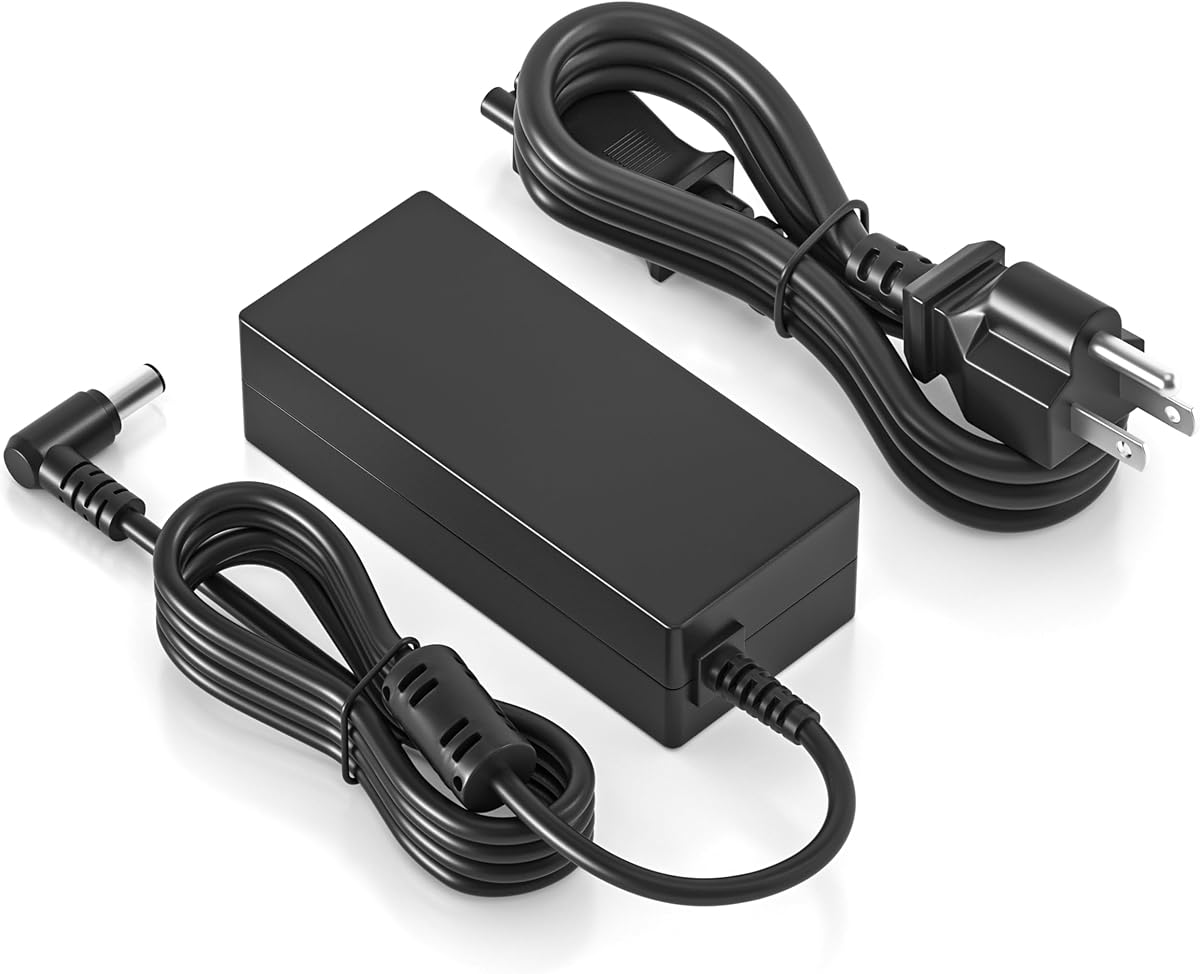


The Emaks adapter is a replacement 20V DC power supply for a wide range of MSI Optix monitors, including G241, G241V, G24C6, G271, G272, G27C5, and G32-series displays. It carries a 4.3 rating, and its defining strength is the unusually broad device list. The listing also includes several Philips monitors and TVs alongside the MSI models.
We may earn a commission when you buy through this link, at no additional cost to you.
Its input range of 100–240V at 50–60Hz makes it suitable for use with widely varied household mains supplies, while the output is a steady 20V DC. The description says it can serve household electronics, sound bars, speakers, LED lighting, and security cameras that accept compatible 20V DC connections. That flexibility can be useful when a buyer wants one replacement brick for more than one supported product.
The principal drawback is that the listing repeats its compatibility information and does not clearly state the output current in the supplied description. The stated 20V output alone is not enough to prove compatibility; shoppers should compare the connector dimensions and current requirement printed on their original adapter. Buyers should also ensure that any secondary device has the proper polarity and current rating before using this product.
This cord is a practical choice for an owner of one of the named Optix models who wants a flexible replacement with a broad input range. It is especially attractive for users who may also need it with a listed Philips display. For anyone with a different MSI monitor, first locate the model number and compare every electrical specification rather than relying on broad family names such as G32.
The additional Philips and household-device compatibility gives this adapter more potential utility than a model-specific brick. That versatility is meaningful only when the target equipment uses the same voltage, connector, polarity, and acceptable current.
The listing clearly identifies a 20V DC output but does not provide a clear current figure. Checking the label on the original MSI power adapter remains the safest way to ensure the replacement can supply everything the display requires.
We may earn a commission when you buy through this link, at no additional cost to you.
This 20V replacement power cord is intended for numerous MSI Optix gaming monitors and earns a 3.8 rating. It is designed as a substitute for the ADPC2045 3CB5 adapter and supports models including G241, G241V, G24C6, G27C5, G271, G24C4, G27C4, G27C4W, and the curved OPTIXG271. Several select Philips displays are also listed.
We may earn a commission when you buy through this link, at no additional cost to you.
The 6.5-foot output cable is a meaningful practical advantage. It gives users more freedom to position a monitor, route the lead behind a desk, or reach an outlet without an immediate need for an extension. Its 100–240V AC input and 20V DC output are clearly presented, making the primary electrical specifications easy to compare with the original MSI brick.
The lower 3.8 rating suggests that its overall customer experience is less consistently favorable than that of the leading products in this guide. The supplied listing also does not provide a clear maximum-current specification, so buyers cannot determine the wattage solely from the product description. The connector and polarity should therefore be verified against the original adapter before installation.
The option makes sense for a compatible Optix owner who values cable placement flexibility and wants a straightforward replacement for the ADPC2045 3CB5. It is less compelling for a buyer who needs certification details, a stated wattage rating, or a very broad monitor list. Checking the physical label and model number can prevent an otherwise avoidable return.
A 6.5-foot output lead can make a powered monitor easier to arrange, particularly when the wall outlet is not directly behind the display. The additional reach is useful without making the cable unnecessarily difficult to manage.
The listing names many of MSI’s common Optix families and identifies a specific original adapter type. A shopper whose monitor label matches one of those entries can order with more confidence than one relying only on a broad product-family description.
We may earn a commission when you buy through this link, at no additional cost to you.
The HSXIRQA adapter combines a 4.4 rating with one of the most extensive compatibility lists in the group. It covers MSI Optix 24-inch, 27-inch, 32-inch, and 34-inch displays, including curved models such as MAG342CQR, MAG342CQM, G32CQ4, and G321CQP. The standard G241, G271, G242, G273, G27C5, and related families are covered as well.
We may earn a commission when you buy through this link, at no additional cost to you.
Its box includes one power adapter and one power cord, providing the major components needed for a replacement setup. The electrical input is listed as 110–240V, and the output is a maximum of 20V. The description also discusses overcurrent, short-circuit, overheating, and heat-resistant housing materials, giving shoppers several advertised protection features to consider.
Some of the product language is framed like a general device charger, including claims about automatic adjustment and battery status that are less relevant to a fixed-output monitor power brick. The current rating is not presented clearly enough to calculate 65W capability, and the long model list can be difficult to scan. Buyers should locate their exact display model and compare the connector, polarity, and required current before ordering.
This adapter is a strong candidate for owners of one of the many listed MSI Optix models, especially those who want a complete replacement set rather than only a cable. Its rating and extensive size coverage are encouraging, but the buyer still needs to verify the exact hardware requirements printed on the original power supply.
The compatibility list spans 24-inch, 27-inch, 32-inch, and 34-inch Optix monitors. That breadth is valuable for buyers who may replace another compatible display later, provided every electrical specification still matches.
One adapter and one AC power cord are included, so users are not left needing to source the wall-side lead separately. It is still wise to compare the included cord and connector with the original MSI setup.
We may earn a commission when you buy through this link, at no additional cost to you.
This 20V power cord earns a strong 4.6 rating and presents one of the clearest replacement specifications in the roundup. It supports a 100–240V AC input, a 20V DC output, and a 6.5-foot output cable. Its construction is described as a fireproof PC shell with a pure copper core, while the electronics include voltage, current, temperature, and overload protection.
We may earn a commission when you buy through this link, at no additional cost to you.
Its compatibility coverage is extensive. The listing names standard and curved MSI Optix models in the 24-inch, 27-inch, 32-inch, and 34-inch categories, including G241, G241V, G242, G24C4, G271, G272, G273, G27C4, G27C5, G27CQ4, G32CQ4, MAG275R, and MAG342CQR. This makes it useful for buyers who can match their display to the detailed list.
The missing element is a clearly stated maximum-current or wattage rating. Although the protection features and 20V output are well documented, shoppers still need to ensure that the replacement can supply the current required by the original MSI adapter. The product listing itself advises buyers to double-check that their equipment matches the listed models.
Overall, this is a well-rounded option for a compatible Optix owner who wants a long output cable, extensive model coverage, and clearly described safety features. Its high rating and specific construction information make it easier to shortlist than many alternatives. Exact connector, polarity, and current compatibility remain the final checks before purchase.
Voltage, current, temperature, and overload protection are specifically named in the listing. These protections are valuable additions to a replacement brick, although they do not replace the need to match the original adapter’s electrical requirements.
The 6.5-foot output cable offers enough slack for common desk arrangements. It can reduce awkward strain on the connector while remaining easier to route than a substantially longer cable.
We may earn a commission when you buy through this link, at no additional cost to you.
This Optix charger stands out because it states a maximum output of 65W at 20V and 3.25A, along with a 5.5mm by 2.5mm connector tip. It has a 4.4 rating and supports numerous 24-inch, 27-inch, 32-inch, and 34-inch MSI gaming monitors. Explicit electrical and connector information makes it easier to evaluate than options that list only voltage.
We may earn a commission when you buy through this link, at no additional cost to you.
Its input range is 100–240V at 50–60Hz, allowing use across different mains systems. The listing identifies CE, FCC, and RoHS certification, along with overvoltage and overcurrent output protection. A six-foot cord provides reasonable placement flexibility, while documented operating and storage temperature ranges indicate attention to different environmental conditions.
The specified connector size still does not guarantee a proper fit because barrel dimensions alone do not establish the internal pin configuration or polarity. A buyer must compare the connector and center-pin arrangement with the original MSI power brick. Likewise, the broad compatibility list should be treated as a guide, not a substitute for checking the monitor’s exact model designation.
This charger is a sensible choice for a shopper who values transparent wattage, current, and connector specifications. It may be especially attractive to owners of one of the listed curved models who want a clearly documented 65W replacement. Confirming polarity and the original adapter’s output before ordering will help ensure a smooth setup.
Listing 65W, 20V, and 3.25A allows buyers to compare the adapter against the original power brick without performing guesswork. It also makes it easier to distinguish this model from lower-current 20V replacements.
The 5.5mm by 2.5mm tip size is useful information, but the internal pin arrangement and polarity must still match. Comparing the original connector physically is the most reliable way to prevent an incompatible fit.
We may earn a commission when you buy through this link, at no additional cost to you.
The MSI 20V Power Adapter Charger carries a 4.7 rating and offers one of the strongest combinations of customer feedback and broad Optix coverage. Its input range is 100–240V at 50–60Hz, with a 20V DC output. The compatible list includes popular 24-inch, 27-inch, 32-inch, and 34-inch models from the G241, G271, G27, G32, and MAG families.
We may earn a commission when you buy through this link, at no additional cost to you.
Its electronics are described as using an advanced IC with voltage, current, temperature, and overload protection. That level of detail is helpful for a replacement power supply because it addresses more than basic output voltage. The package includes one 20V DC power supply, and the seller states that questions can be submitted before ordering.
As with many compact replacements, the listing does not clearly identify the maximum current, wattage, connector dimensions, or polarity. Those omissions make the original MSI adapter label especially important. A buyer should not infer compatibility solely from a shared 20V output because monitors with the same voltage can still require different plugs or current levels.
This is our Editor’s Choice because its 4.7 rating, wide model coverage, and clearly described protection features offer a convincing balance for many Optix users. It is particularly suitable for owners of the listed standard 24-inch, 27-inch, or 32-inch models. Those shopping across brands or requiring a certified 65W adapter may prefer one of the alternatives with more explicit technical or certification details.
The adapter covers the monitor families most frequently encountered in the roundup, from 24-inch G241 models through 32-inch G32 variants and 34-inch MAG curved displays. That makes it a practical starting point for many owners.
Voltage, current, temperature, and overload protection are all named. While no specification can guarantee universal compatibility, these claims make the product more informative than an otherwise generic 20V brick.
We may earn a commission when you buy through this link, at no additional cost to you.
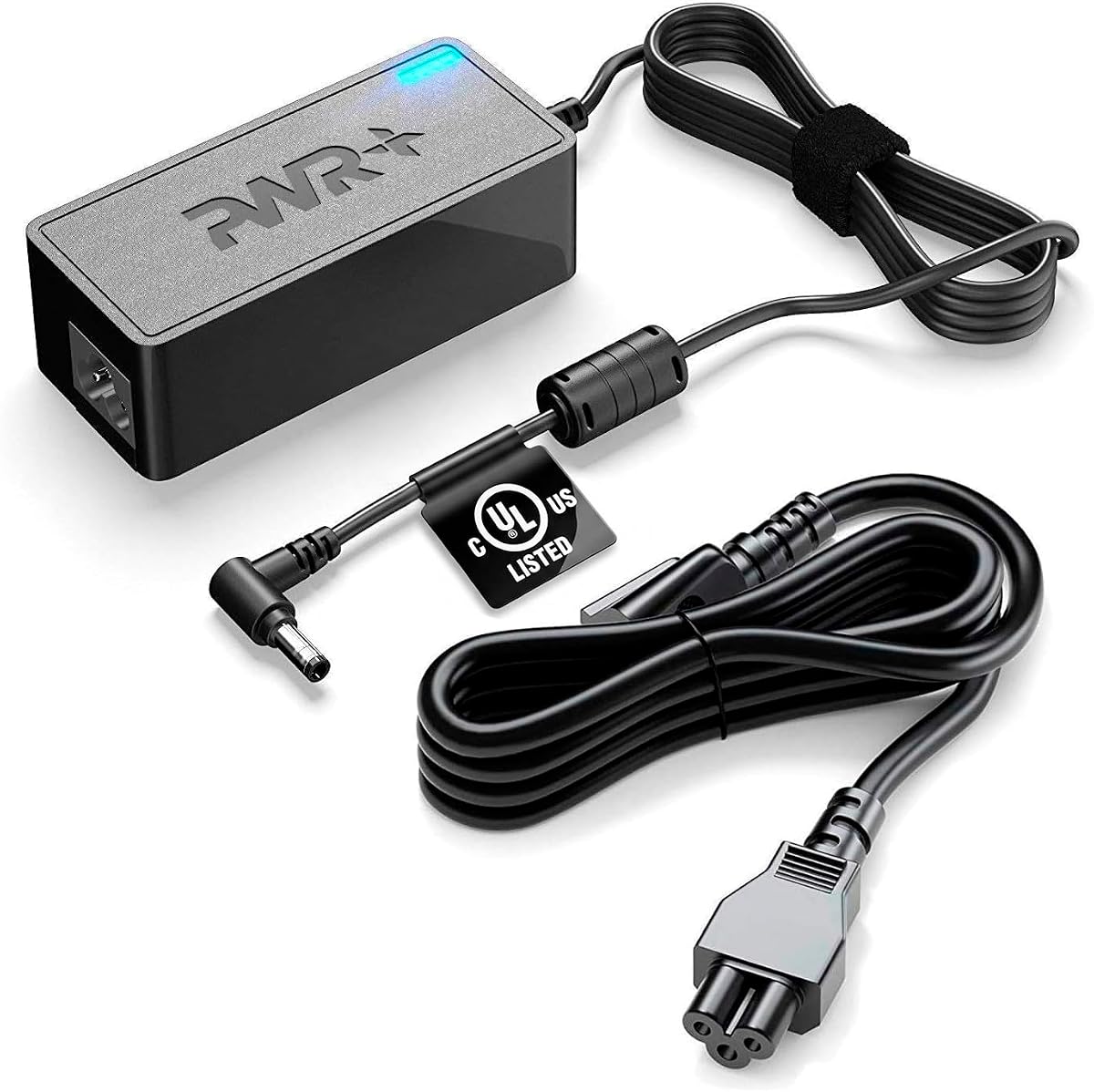
The PWR+ AC Adapter combines a 4.7 rating with unusually strong certification and documentation. It is rated for 19V at 3.42A and 65W, with 20V and 45W compatibility noted in the description. Unlike most options in this roundup, it also claims UL and ULC listing and provides a certification number that buyers can verify.
We may earn a commission when you buy through this link, at no additional cost to you.
Its compatibility list is extensive across MSI Optix displays and numerous ASUS gaming monitors. It also identifies many original manufacturer part numbers, including ADP-40KD BB, ADP-65GD B, EXA1203YH, EXA1204YH, and PA-1650-78. This level of detail can help buyers locate the exact adapter family they are replacing rather than relying on monitor size alone.
The extra-long 12-foot AC and DC cords are a notable premium feature, providing substantial installation flexibility. On the other hand, 19V is the primary output, not the 20V used by most products in this guide, and the listing states that 20V is a compatibility rating. Buyers must confirm the original adapter’s output and connector before assuming it will work.
This is the premium selection for someone who prioritizes formal safety certification, verifiable documentation, long cables, and support for both MSI and ASUS hardware. It is less suitable when a buyer needs a plainly stated 20V, 65W replacement with a specifically documented barrel connector. For the right original part number, however, its documentation is unusually reassuring.
UL and ULC listing, together with a certification number available for verification, offers a stronger documentation standard than the generic protection claims found on many competing adapters. Buyers can still check the label and listing themselves.
The stated 12-foot power cords can make wall placement and rear-cable management much easier. They may be excessive for a compact workstation, but the extra reach is useful in installations where the outlet is remote.
We may earn a commission when you buy through this link, at no additional cost to you.
The 20V MSI Power Cord is a value-focused option with a 4.4 rating. It provides an AC input range of 100–240V and a 20V DC output, and the package contains both a power cord and an adapter. Its compatibility list covers 24-inch, 27-inch, 32-inch, and 34-inch MSI Optix monitors, including many curved variants.
We may earn a commission when you buy through this link, at no additional cost to you.
The product description highlights a fireproof PC casing, a pure copper core, and protection against overcharging, short circuits, overload, overcurrent, and overvoltage. These are useful attributes for a replacement adapter and make this option more clearly documented than a basic cable with only a voltage claim. The listing also notes that the product is not sponsored, endorsed by, or affiliated with the brands it fits.
The specification does not state a maximum current or wattage, and it does not list external safety certification standards. As a result, buyers with higher-powered monitors should compare the original brick’s output label before ordering. Connector size and polarity are also not provided, so physical confirmation remains important despite the extensive model list.
This is the Best Budget pick because it combines a broad compatibility range with a complete adapter-and-cord package and a solid customer rating. It is a sensible choice for a compatible Optix owner seeking straightforward protection features and broad model coverage. Shoppers who need formal certification or a stated 65W output should consider one of the more technically documented alternatives.
The included adapter and cord provide the principal components needed to restore power. This is simpler than assembling a replacement from separate parts, provided the output and plug match the monitor.
A fireproof PC enclosure, pure copper core, and five named protection functions form a solid feature set. These claims make the adapter appealing for buyers who prioritize construction details over a narrowly specific model fit.
We may earn a commission when you buy through this link, at no additional cost to you.
The 20V 65W 3.25A Monitor Power Supply holds the highest supplied rating in the guide at 5.0. It provides a clearly defined 20V DC output at 3.25A, corresponding to the stated 65W capacity. Its 100–240V, 50–60Hz input range also makes it suitable for a broad range of household electrical environments.
We may earn a commission when you buy through this link, at no additional cost to you.
Compatibility extends across common MSI Optix 24-inch models such as G241, G241V, G24C6, G242, and MAG245R. The listing also covers the G27 family in 27-inch sizes, G32 and G322C models at 32 inches, and MAG342CQR and MAG342CQM curved displays at 34 inches. This four-category coverage makes the adapter a well-rounded choice for many gaming-monitor owners.
The listing is less detailed about external certifications, protection circuitry, connector dimensions, and polarity than some competing products. A 5.0 rating is encouraging, but it should not be treated as a substitute for checking the physical specifications of the original adapter. Buyers also need to ensure that the barrel plug’s internal configuration will physically and electrically match.
For a compatible Optix owner seeking a clearly stated 20V and 65W replacement, this product leads the roundup on rating and specification clarity. It is especially appealing for users of the listed 32-inch or 34-inch curved models. Before ordering, confirm the connector and compare the original adapter’s label with the 20V, 3.25A output.
A 5.0 rating gives this replacement a notable advantage in customer satisfaction. The rating is most persuasive when paired with the explicit 20V, 3.25A, and 65W specifications.
The stated 3.25A current provides a clear benchmark when comparing it with the original power supply. That information is more useful than voltage alone for distinguishing higher-capacity replacements.
We may earn a commission when you buy through this link, at no additional cost to you.
The KFD adapter is a 45W, 20V replacement with a 4.4 rating. It accepts a 100–240V input at 50–60Hz and lists UL, CE, FCC, and RoHS certification. The product is backed by a 36-month warranty and a 30-day free-exchange offer, adding reassurance beyond the basic electrical specifications.
We may earn a commission when you buy through this link, at no additional cost to you.
Its compatibility list includes several MSI Optix models, the Philips 278E9QJAB/00, multiple Philips TVs and monitors, and other 20V DC equipment such as sound bars, speakers, LED strips, and security cameras. It also provides an extensive HP monitor list and specific replacement part numbers. This makes it a versatile option for a household with more than one compatible 20V device.
The 2.25A current and 45W power rating are lower than the explicit 65W options elsewhere in the guide. That is adequate for many lower-consumption monitors but may not satisfy a model designed around a higher-capacity brick. The connector and polarity are not clearly described, and the long list of supported products can make exact model matching more involved.
KFD is a good fit for an owner of a listed MSI or Philips product who values certification and a long warranty more than maximum power capacity. It can also serve as a shared adapter for other compatible 20V devices. Shoppers should confirm that their monitor’s original adapter is rated for 20V at no more than 2.25A and that the connector matches.
UL, CE, FCC, and RoHS certification, combined with a 36-month warranty, make this listing comparatively transparent. Buyers can therefore consider both documented safety standards and after-sale coverage.
The Philips, MSI, sound-bar, speaker, lighting, and security-camera compatibility can make one adapter useful around a home. Every connected device must still match the voltage, current, connector, and polarity.
We may earn a commission when you buy through this link, at no additional cost to you.
The safest replacement is the one that reproduces the voltage, current, connector, and polarity of the original MSI adapter while matching the display’s model requirements. These factors matter more than broad family names or attractive product descriptions.
Start with the complete model designation printed on the rear of the monitor, inside the on-screen display, or on the original power brick. MSI Optix families can contain closely related variants such as G27C4, G27C4W, G27C4X, G27C4 E2, and G27C4 E3. A listing that mentions one version does not automatically prove that it fits every sibling, and size alone is not enough to establish compatibility. Check the complete suffix rather than assuming every display in the same diagonal size uses the same power supply.
Match the full model number against the seller’s list, then check the original adapter’s label. If the listing names a broad series but omits the precise model, do not rely on the series name alone. Ask the seller for confirmation and compare the physical connector before placing the order.
Most of the replacements featured here provide a 20V DC output, but matching voltage is only the first step. The replacement must also be able to supply the current required by the monitor without being driven beyond its own rating. A 20V adapter with insufficient current may cause flickering, unexpected shutdowns, boot loops, or an apparent failure to power on. A higher-current supply can sometimes work, but connector, polarity, and the manufacturer’s requirements still have to align.
Read the amperage or wattage label on the original brick and compare it with the replacement. The 45W KFD option and the explicitly 65W products illustrate why voltage alone is an incomplete specification. When the original and replacement match, the fit is much easier to trust.
A connector that appears to fit can still be wired differently inside. Outer barrel diameter, inner diameter, and center-pin configuration all matter, as do the positive and negative conductor positions. Some listings state a connector dimension, such as 5.5mm by 2.5mm, while others provide no measurement. If the specifications are absent, compare the replacement physically with the original adapter and look for the polarity diagram on the monitor or power-brick label.
Never force a connector or alter its wiring to make it fit. A mismatched plug may damage the monitor’s power input. When the original brick is unavailable, obtain the exact monitor model and confirm both connector and polarity with the seller before ordering.
Wattage combines voltage and current into a single measure of electrical capacity. A 20V supply rated at 2.25A delivers 45W, while a 20V supply rated at 3.25A delivers 65W. The monitor does not automatically require the highest available capacity, but the replacement should match or safely exceed the original requirement. Choosing a clearly documented 65W adapter can be advantageous for models listed with a 3.25A original brick.
Do not assume that a product described as a charger offers adjustable output. Unless the listing specifically says otherwise, treat it as a fixed 20V supply. Clear current and wattage ratings are preferable to vague claims about fast or stable charging.
Look for recognized certification marks and traceable certification identifiers where available. UL and ULC listing, CE, FCC, and RoHS are among the standards mentioned by products in this guide. Many listings also describe internal protection against overvoltage, overcurrent, overload, short circuits, and excessive temperature. These claims are useful differentiators, although a broad list of protections does not establish compatibility with a particular monitor.
The PWR+ option provides the most formal certification documentation, while the KFD option lists four standards and a long warranty. For any replacement, inspect the labeling for relevant marks and retain the original packaging and invoice in case a defect develops.
Cord length determines how easily the monitor can be positioned relative to a wall outlet. Options in this roundup range from a 6.5-foot output cable to the PWR+ product’s stated 12-foot cords. Extra length can prevent sharp connector strain and simplify rear-cable management, but an excessively long cable may create clutter or hang loosely across the floor. A six-foot lead is often sufficient for a conventional desk.
Measure the distance from the intended monitor position to the outlet and leave enough slack for movement. Also consider whether the cable must pass behind a mounted display, through a desk grommet, or behind a cabinet. A cord with the right length reduces the temptation to use an unsuitable extension or leave the power connection under strain.
Some listings include both a power adapter and an AC wall cord, while others primarily provide a replacement power brick with an integrated output lead. The KFD and several other products in the guide mention an included wall cord, but package contents should still be checked on the current listing. A monitor power cord can refer loosely to the low-voltage lead, the mains cable, or the complete external power supply.
Owners replacing only a damaged section should match which component failed. Those rebuilding an entire setup should confirm that they receive both the AC input cable and DC output adapter. A complete package may be more convenient, while separate components can offer more flexibility if one part is still serviceable.
Customer ratings can help identify consistently positive experiences, but they do not replace technical compatibility checks. Reviews may also reveal missing cables, connector fit issues, heat, or misleading descriptions that are not obvious in a specification table. The seller’s support policy, warranty, return period, and geographic base are also relevant when a replacement arrives damaged or is not listed correctly.
Compare the product’s current listing, customer feedback, and customer-support information before buying. For a niche compatibility claim, clear answers from the seller can be worth more than a large volume of vague reviews. Keep screenshots of the listing and adapter labels in case a return becomes necessary.
Before installation, switch off and unplug the monitor, then disconnect the old power supply from the wall. Compare the replacement’s voltage, current, connector, and polarity with the label on the original brick. Inspect the new cable for damaged insulation, bent pins, a loose barrel plug, or cracks in the housing before connecting anything.
Connect the low-voltage output to the monitor’s power input and the AC cord to a grounded wall outlet. Keep the adapter and connections dry, avoid pinching the cable behind the display, and do not place the power brick under the monitor where it could be pressed or exposed to excessive heat. Route the lead so it does not become a trip hazard.
Power on the monitor and confirm that the display starts normally without flickering, repeated shutdowns, buzzing, unusual heat, or a visible error message. If any symptom appears, disconnect the power immediately and reconsider the electrical or connector match. Keep the replacement in a dry, ventilated location, inspect it periodically, and replace it if the cable, connector, or housing becomes damaged.
No. A shared 20V output does not guarantee compatibility because the connector, polarity, current, and wattage may differ between models. Find the full model designation and compare the replacement with the original adapter label before ordering. If the manufacturer or seller cannot confirm the match, use an adapter designed for the exact model.
Look for the model number on a sticker on the back of the display or in its settings menu, then inspect the original power brick for its input voltage, output voltage, current, wattage, and polarity. Photograph these details and compare them with the replacement listing. The original adapter’s part number can also help narrow the search.
Reversed polarity can prevent the monitor from powering on and may damage its input circuitry in some circumstances. Check the positive and negative markings on the original adapter or monitor documentation. If the polarity is not stated, do not guess or alter the connector; obtain a confirmed compatible replacement.
A higher-capacity 65W supply may be electrically suitable when voltage, connector, and polarity match, because the monitor should draw only the power it needs. However, the manufacturer’s compatibility guidance and the monitor’s original specification should still be checked. Voltage and connector fit must never be ignored simply because the wattage is higher.
Choose 6.5 feet for a typical desk where the outlet is nearby and you want easier cable management. A 12-foot cable is useful when the outlet is remote, the display sits on a wide desk, or additional routing flexibility is important. Measure first and choose the shortest length that comfortably reaches without straining the connector.
Current determines how much electrical power an adapter can safely provide. If a monitor expects 3.25A but the replacement is rated for only 2.25A, the replacement may be overloaded, causing flicker, shutdowns, or failure to start. Compare amperage and wattage as well as voltage whenever possible.
Only when the voltage, current, connector, polarity, and manufacturer compatibility all match. Several products in this guide list specific Philips or ASUS models, while the PWR+ option supports a broad range of both brands. Generic claims that an adapter works with all 20V devices should not replace model-specific verification.
Disconnect both ends and inspect the connector, socket, cable, and wall outlet for visible damage. Recheck voltage, current, wattage, connector size, and polarity against the original adapter. Try a known-good wall outlet, and contact the seller or monitor manufacturer if the specifications match but power is still absent.
The strongest all-around option in this guide is the MSI 20V Power Adapter Charger, which combines a 4.7 rating with extensive coverage across 24-inch, 27-inch, 32-inch, and 34-inch Optix families. The 20V Optix Power Cord also stands out for its clear 6.5-foot output lead, construction details, and protection features, while the 65W Optix Power Supply leads on customer rating and explicit electrical capacity.
For shoppers who prioritize formal certification, documented safety standards, extra-long cords, and cross-brand support, the PWR+ adapter is the premium-minded choice. The KFD adapter provides another well-documented alternative with multiple certifications and a 45W rating. The 20V MSI Power Cord is a value-focused option with a complete cord-and-adapter package and a broad MSI model list.
Whichever product appears most suitable, the final decision should come from the monitor’s exact model and the original adapter’s label, not the broad wording of a product title. Confirm voltage, current or wattage, connector size, and polarity before ordering. Current prices, availability, package contents, and seller terms can change, so review the latest listing immediately before making a purchase.