
Synology RT6600ax
4.2Editor score
Tri-band 4×4 wireless
2.5GbE connectivity
VLAN network segmentation
Our NAS routers guide compares 10 Wi-Fi 6, Wi-Fi 6E, and Wi-Fi 7 routers with multi-gigabit, VPN, mesh, and security features for storage access.
A NAS is only as useful as the network connecting it to your computers, phones, and other devices. Reliable wired throughput, low-latency wireless performance, sensible network segmentation, and fast ports matter, especially when transferring large files or accessing a home lab remotely.
This guide compares ten general-purpose routers that can serve as the networking centerpiece for a NAS setup. We evaluated the supplied Wi-Fi generation, band configuration, Ethernet options, wireless capacity, VPN support, security tools, coverage claims, processing hardware, and suitability for a dedicated storage network.
The picks range from a straightforward dual-band model to tri-band gaming systems, high-speed multi-gigabit routers, and a portable cellular option. The labels identify the three leading choices, while the detailed reviews explain where each model fits and where its compromises matter. Prices and availability can change.
4.2Editor score

4.5Editor score

4.4Editor score
The table below compares all ten candidates by wireless standard, network scale, wired connectivity, and the features most relevant to a NAS. Use it to identify the right balance of capacity, speed, security, and portability before reading the full reviews.

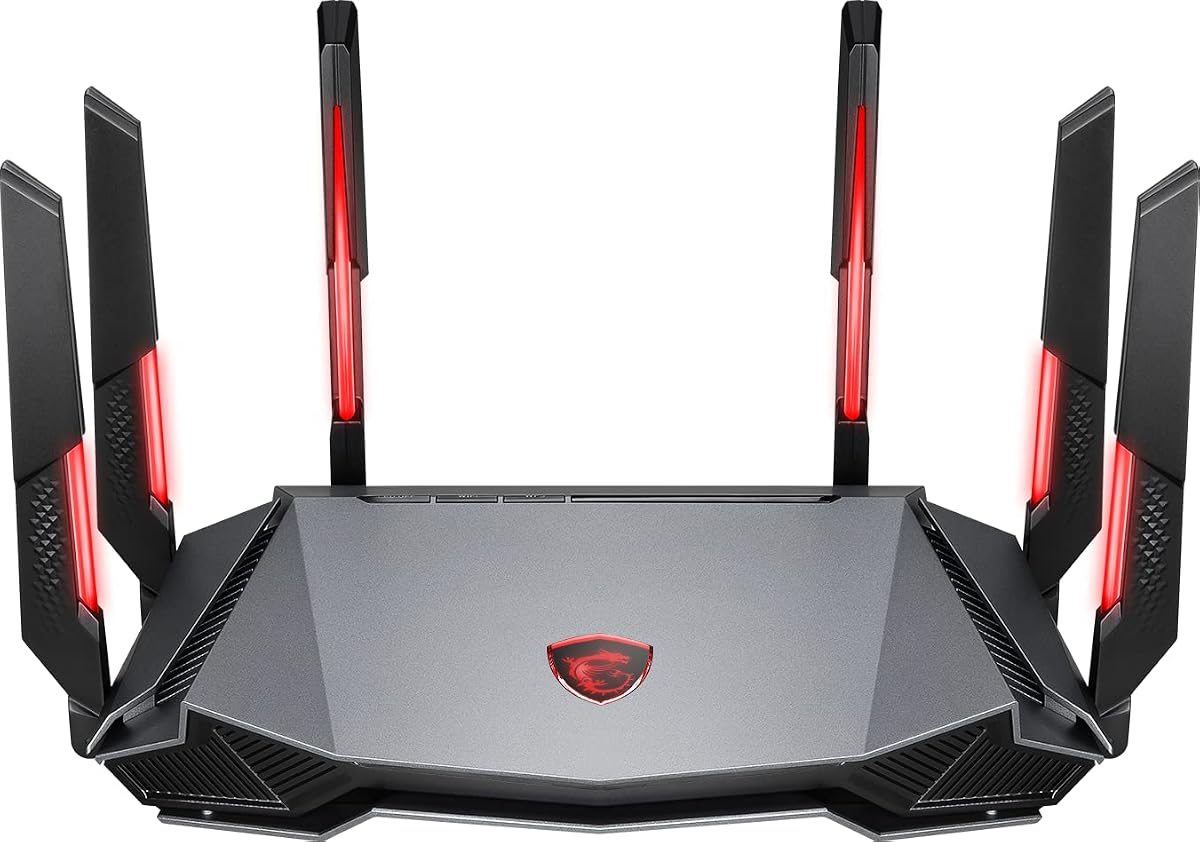


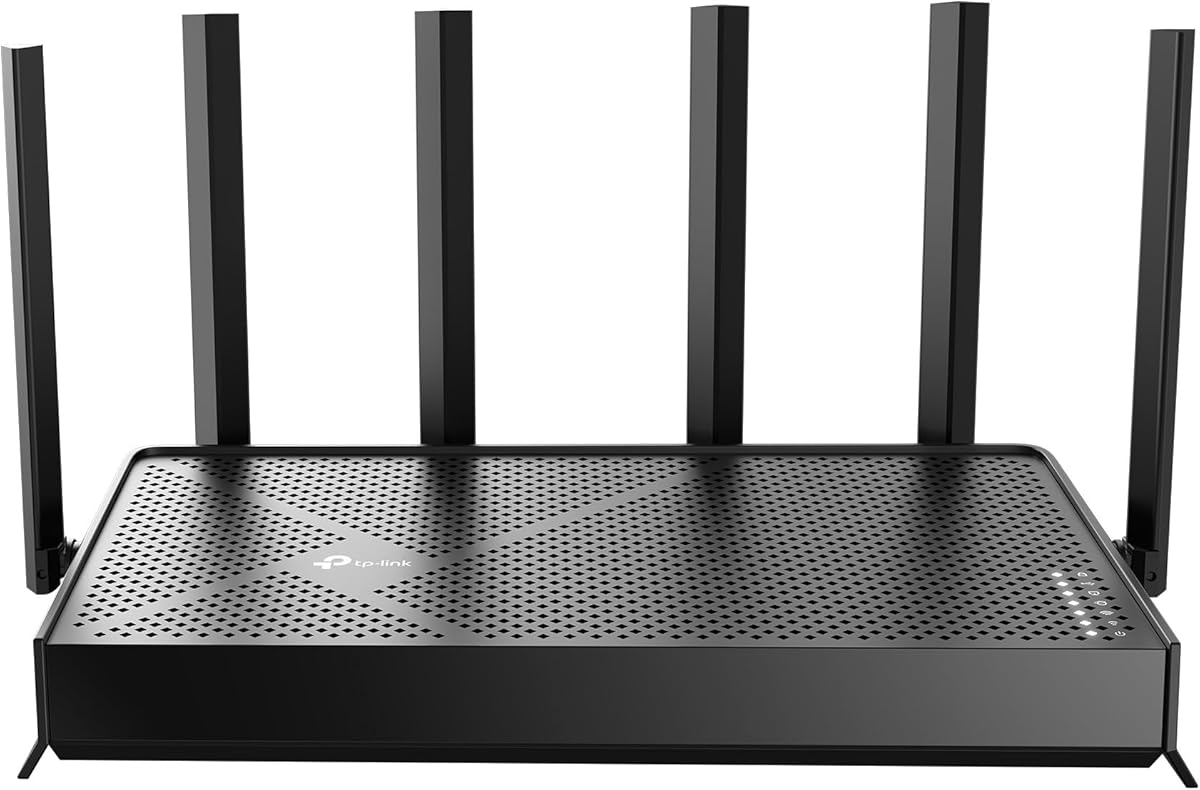



The TP-Link Archer BE230 is an approachable way to build a Wi-Fi 7 network around a NAS. It carries a 4.2 rating and combines a dual-band BE3600 class with one 2.5Gbps WAN/LAN port, one 2.5Gbps LAN port, and three 1Gbps LAN ports. It is not a storage appliance, but it can provide a modern path between internet services, wireless clients, and a wired storage system.
We may earn a commission when you buy through this link, at no additional cost to you.
Its headline technologies include Multi-Link Operation, Multi-RUs, and 4K-QAM, which are intended to improve responsiveness, efficiency, and throughput. The 5GHz band is listed at up to 2,882 Mbps, while the 2.4GHz band reaches up to 688 Mbps. Beamforming and four internal antennas support the stated coverage of up to 2,000 square feet and as many as 60 connected devices.
The most important NAS-specific strength is the combination of gigabit and 2.5-gigabit interfaces. A 2.5Gbps WAN/LAN port can accommodate a faster internet service or a suitably equipped switch, while the separate 2.5Gbps LAN port can make a high-speed wired connection to a NAS or network switch. The limitation is that only two ports exceed 1Gbps, so additional multi-gig expansion requires appropriate switching.
This router is best for a user who wants modern Wi-Fi 7 and a useful 2.5G path without moving to a large tri-band system. It also supports EasyMesh, HomeShield, parental controls, IoT security, and voice-assistant control. Choose it as a value-oriented centerpiece when the NAS itself will normally be connected by a modest Ethernet link.
The dedicated 2.5Gbps LAN port gives a NAS a faster wired path than standard Gigabit Ethernet. That advantage is most useful for large file transfers, but internet service, switch backhaul, and storage capabilities must also support multi-gigabit operation.
Wi-Fi 7 features and EasyMesh compatibility make the Archer BE230 a sensible base for a mixed wired-and-wireless home network. It can serve as the primary router while additional EasyMesh hardware covers distant rooms.
We may earn a commission when you buy through this link, at no additional cost to you.
The TP-Link AX3000 is a simple, affordable router that can make a modest NAS accessible throughout a home. Its 4.4 rating is the second-highest among the listed models. It provides 2,402 Mbps on 5GHz and 574 Mbps on 2.4GHz, along with four external antennas and a design intended to maintain performance through improved cooling.
We may earn a commission when you buy through this link, at no additional cost to you.
For NAS use, the four Gigabit LAN ports are the defining feature. A NAS can be attached directly with Ethernet, while other computers, access points, or switches can use the remaining ports. Gigabit Ethernet is often the practical limit for a single home NAS, particularly with conventional hard-drive arrays, making this model more than adequate for many file-serving and backup systems.
OFDMA allows multiple clients to share a band more efficiently, while beamforming directs the radio signal toward connected devices. Target Wake Time is intended to improve battery efficiency for compatible clients. The router also supports a VPN server and VPN client, useful for secure remote access to a home network, and TP-Link HomeShield supplies basic security, parental controls, quality of service, and reporting.
The tradeoff is that the AX3000 lacks Wi-Fi 7 and multi-gigabit ports. It is best for value-conscious households that need reliable Gigabit wired connections and good dual-band wireless performance. Buyers with a 2.5Gbps internet plan or a high-speed NAS should look toward the Flint 2 or a tri-band alternative.
Four Gigabit LAN ports make this router easy to integrate with a NAS and several wired peripherals. For a single home server using Gigabit networking, the available ports can provide a direct, uncomplicated connection.
OFDMA, beamforming, and a 5GHz band rated at up to 2,402 Mbps help wireless clients coexist with a busy storage network. The design focuses on useful capacity rather than newer radio features.
We may earn a commission when you buy through this link, at no additional cost to you.
The MSI Radix AXE6600 is a high-capacity Wi-Fi 6E router for a busy home that mixes a NAS with gaming, streaming, and many connected devices. It has a 4.4 rating and uses three bands: 2.4GHz, 5GHz, and 6GHz. The supplied specifications describe eight simultaneous streams and a maximum combined speed of up to 6.6Gbps.
We may earn a commission when you buy through this link, at no additional cost to you.
Its 1.8GHz quad-core processor provides substantial computing headroom for routing, quality-of-service decisions, and wireless traffic management. AI QoS automatically prioritizes data packets, which can help keep latency-sensitive sessions responsive when a NAS backup, media transfer, or another bandwidth-heavy task is active.
The dedicated 6GHz band provides additional spectrum for compatible modern clients, while the 6GHz and 5GHz bands offer useful separation between demanding wireless devices. A game accelerator is included, and Mystic Light can synchronize RGB effects with compatible ecosystem products. The limitation for a NAS is its Gigabit Ethernet rather than 2.5GbE.
Choose the Radix AXE6600 when wireless capacity, processing power, and gaming-oriented traffic management matter more than multi-gigabit wired connectivity. It is a strong fit for homes with many Wi-Fi 6E devices and a NAS used for backups, media, and game assets, although the Flint 2 offers a faster 2.5G path.
The tri-band layout gives compatible clients access to less crowded 6GHz spectrum. That separation can be useful when NAS traffic, gaming systems, and ordinary household devices are all active.
A 1.8GHz quad-core processor supports the router's handling of multiple streams and automatic traffic prioritization. AI QoS can improve consistency, although network design and internet conditions still influence results.
We may earn a commission when you buy through this link, at no additional cost to you.
The TP-Link Archer AXE75 is a balanced tri-band Wi-Fi 6E router for a home that wants broad wireless capacity and a dependable NAS connection. It carries a 4.3 rating and aggregates up to 5,400 Mbps across 6GHz, 5GHz, and 2.4GHz bands, with 2,402 Mbps listed for each of the two faster bands.
We may earn a commission when you buy through this link, at no additional cost to you.
The 6GHz radio offers additional bandwidth and low-latency potential for compatible devices. True tri-band operation and OFDMA increase the number of clients that can transmit simultaneously, which helps when a NAS backup or media server is active alongside remote work, gaming, and smart-home equipment.
Processing and memory are notable strengths. A 1.0GHz dual-core CPU and 512MB of high-speed memory support routing demands, while the housing is designed for heat dissipation. The router also supports OpenVPN, PPTP, and L2TP in server and client roles, providing useful options for remote access to a home NAS.
EasyMesh compatibility allows additional compatible routers, extenders, or wireless powerline adapters to improve whole-home coverage. The principal compromise is wired: it does not offer a 2.5Gbps interface. It is therefore best for users whose NAS and internet service are adequately served by Gigabit Ethernet and who value a mature, expandable Wi-Fi 6E platform.
Two 2,402Mbps bands and a separate 2.4GHz band provide good flexibility for mixed client populations. The 6GHz band is particularly useful for recent phones, laptops, and other Wi-Fi 6E equipment.
Built-in VPN server and client support gives the NAS a secure path for remote use. EasyMesh support also makes it easier to add coverage without treating each access point as a completely separate network.
We may earn a commission when you buy through this link, at no additional cost to you.
The GL.iNet Flint 2 stands out as the most balanced option for a NAS-centered network. It has the highest rating in the group at 4.5, combines Wi-Fi 6 with speeds advertised up to 6Gbps, and provides two 2.5G Ethernet interfaces. That wired combination is especially relevant when a NAS, switch, and high-speed internet service coexist.
We may earn a commission when you buy through this link, at no additional cost to you.
Its eight-stream Wi-Fi 6 design supports a high-volume household, while 1GB of DDR4 memory and 8GB of eMMC give the platform more resources than many similarly positioned routers. The supplied data also states that it can support more than 100 connected devices, making it relevant to homes with smart-home equipment, work devices, media consoles, and storage clients.
VPN performance is another major strength. WireGuard and OpenVPN are listed at up to 900Mbps and 880Mbps respectively, although actual results depend on the internet service, VPN server, location, and network environment. The router can also run a VPN server to reach a home NAS while traveling. AdGuard Home support provides local DNS filtering for tracking and selected advertisements.
The trade-offs are a dual-band radio and the need to update firmware during initial setup. Despite those limitations, the Flint 2 best combines multi-gigabit wired networking, capable Wi-Fi, generous hardware, VPN functionality, and extensive device capacity. It is the strongest general-purpose choice for a NAS router, particularly when one 2.5Gbps path to storage matters.
Two 2.5G ports allow a multi-gigabit NAS to connect directly while another port carries a fast internet or switch connection. This is more future-oriented than a router limited to Gigabit Ethernet.
The supplied 1GB DDR4 memory and 8GB eMMC specification supports demanding router use and customization. It also provides a strong foundation for VPN services, filtering, and management features.
We may earn a commission when you buy through this link, at no additional cost to you.
The Synology RT6600ax is the premium choice for a NAS user who values network organization and security above headline speed. It has a 4.2 rating, tri-band 4×4 wireless hardware, 160MHz channel support, and a 2.5Gbps Ethernet interface that can be used for a fast WAN or LAN connection.
We may earn a commission when you buy through this link, at no additional cost to you.
Its most important feature is the ability to create up to five separate networks. VLAN segmentation and multiple SSIDs allow the NAS, computers, cameras, smart-home equipment, and guests to occupy different logical segments. This reduces unnecessary cross-network access and provides a cleaner foundation for permissions, threat prevention, and traffic management.
Parental controls, web filtering, traffic control, and built-in threat prevention add further utility for a mixed home network. The comprehensive VPN server solution includes remote desktop and site-to-site tunneling, making it possible to connect to home services or link networks. Expanded 5.9GHz spectrum support adds access to additional 80MHz and 160MHz channels where permitted.
The limitation is that only one 2.5GbE port is specified, and the price positioning is well above conventional dual-band models. Choose the RT6600ax for a sophisticated NAS environment where VLANs, multiple SSIDs, security, and Synology-oriented administration are central priorities rather than optional extras.
Creating up to five networks lets administrators isolate storage services, trusted computers, vulnerable devices, and guests. That structure is especially valuable once a NAS contains important shared data.
Threat prevention, filtering, traffic controls, and a full VPN server solution make remote NAS access more manageable. Site-to-site tunneling can also connect distributed household or office networks.
We may earn a commission when you buy through this link, at no additional cost to you.
The TP-Link Archer BE600 is a high-speed Wi-Fi 7 router for a large home that plans to use a NAS alongside many modern wireless clients. It has a 4.2 rating and a tri-band BE9700 class, with listed maximums of 5,765 Mbps on 6GHz, 2,882 Mbps on 5GHz, and 1,032 Mbps on 2.4GHz.
We may earn a commission when you buy through this link, at no additional cost to you.
Multi-Link Operation, Multi-RUs, 4K-QAM, and support for 320MHz channels form the core of its Wi-Fi 7 design. These technologies are intended to improve throughput and stability when compatible devices can use multiple links. The router also uses beamforming and six positioned antennas, with a stated coverage area of up to 2,600 square feet and capacity for up to 120 devices.
Its ports are especially relevant to storage networks. There is one 10Gbps WAN/LAN port, one 2.5Gbps WAN/LAN port, and three 2.5Gbps LAN ports. A NAS can therefore receive a multi-gigabit wired connection while other devices use additional 2.5G paths, and a multi-gig modem can feed the 10G interface.
HomeShield, parental controls, IoT security, and VPN client support make it suitable for securing remote access. The trade-off is cost and the need for compatible endpoints to realize the headline gains. It makes the most sense for users building a high-capacity, current-generation network rather than merely adding a basic NAS to an existing home.
The 10Gbps port offers a substantial upgrade path for a NAS, switch, or multi-gig modem. Three 2.5Gbps LAN ports prevent the rest of the wired network from being limited to standard Gigabit networking.
Multi-Link Operation and wide 6GHz channels can benefit compatible phones, laptops, consoles, and computers. The benefit is most visible in dense homes with recent Wi-Fi 7 equipment and high local traffic.
We may earn a commission when you buy through this link, at no additional cost to you.
The GL.iNet MUDI 7 is a specialized portable router for users who need to reach a NAS or storage workflow away from a conventional home connection. It has a 4.4 rating and combines tri-band Wi-Fi 7 with an integrated 5G modem powered by a Qualcomm Dragonwing MBB Gen 3 X72 chipset.
We may earn a commission when you buy through this link, at no additional cost to you.
The cellular side is the defining feature. It supports up to 4.67Gbps 5G downloads, an onboard eSIM, and two nano-SIM slots with dual standby. A 2.5Gbps Ethernet port can provide wired backhaul, while the 10Gbps USB-C port supports tethering, OTG storage, and external NAS synchronization for content creators working in temporary locations.
Quad-Path Multi-WAN Failover allows Ethernet, wireless repetition, USB tethering, and 5G to operate together, with traffic rerouting when a link fails. A 2.8-inch touchscreen provides quick access to SIM selection, VPN clients, Wi-Fi sharing, and data monitoring, while the mobile app and administrative interface handle advanced configuration.
Preinstalled OpenVPN-DCO and WireGuard support is offered at up to 700Mbps and 600Mbps respectively, and the router can act as either a VPN client or server. The 5,150mAh battery is listed for up to 13.5 hours, with roughly 1.3 hours of 30W PD fast charging. It is an excellent choice for mobile NAS workflows, but it is not a conventional replacement for a permanently installed home router.
The integrated 5G modem removes the need for a separate cellular router when the primary connection must travel. It can provide a direct internet path for a portable drive, remote workstation, or small NAS.
Ethernet, repeater, USB tethering, and cellular links can operate as a coordinated Multi-WAN system. Automatic failover is particularly valuable for mobile work, temporary retail sites, and media production.
We may earn a commission when you buy through this link, at no additional cost to you.
The ASUS RT-AX1800S is a secure, expandable dual-band router that works well for a conventional Gigabit NAS. Its 4.3 rating and Wi-Fi 6 radio combine MU-MIMO, OFDMA, and 1024-QAM to improve efficiency and throughput across multiple clients. Four external antennas support the wireless installation.
We may earn a commission when you buy through this link, at no additional cost to you.
The five Gigabit Ethernet ports—one WAN and four LAN—make it particularly easy to wire a NAS, access point, and several computers. This configuration is a major advantage for a storage network because the NAS can remain on a stable wired link rather than sharing the airwaves with wireless clients.
AiProtection Classic, powered by Trend Micro, supplies subscription-free network and IoT security. ASUS Instant Guard offers a one-click VPN option for connecting through public Wi-Fi, while parental controls and built-in VPN functions add further protection. AiMesh compatibility allows additional ASUS mesh nodes to expand coverage while maintaining a unified network.
The main limitations are the lack of a 2.5Gbps port and the absence of a newer Wi-Fi standard. Choose the RT-AX1800S when a NAS uses Gigabit Ethernet, security without a recurring subscription is important, and future expansion through AiMesh is desirable.
Four Gigabit LAN ports provide enough flexibility to connect a NAS and several infrastructure devices directly. This makes the router well suited to a wired core with wireless coverage added as needed.
AiProtection Classic and ASUS Instant Guard provide built-in protection for a home network and its remote users. These features make secure travel access to a NAS easier to configure.
We may earn a commission when you buy through this link, at no additional cost to you.
The ASUS RT-BE9700 is a high-end Wi-Fi 7 platform with a listed aggregate speed of up to 9,700 Mbps. It has a 3.9 rating, the lowest among the ten products, but its specification sheet targets demanding users who want high wireless capacity, flexible WAN behavior, and advanced networking controls around a NAS.
We may earn a commission when you buy through this link, at no additional cost to you.
The router supports 320MHz channels in the 6GHz band, 4096-QAM, and Multi-Link Operation. Those features are intended to increase network capacity, throughput, and connection stability when paired with compatible Wi-Fi 7 clients. A USB port is also positioned for 4G LTE or 5G mobile tethering, adding another possible route to a remote storage service.
AI WAN detection can establish an internet connection automatically, while the dual-WAN configuration is useful for redundancy or aggregation with suitable equipment. Subscription-free triple-level protection, a commercial-grade cloud database, site-to-site VPN, and Instant Guard support cover network security and remote access. AiMesh enables seamless expansion across a larger home.
Its lower rating and premium platform make it a less universally safe recommendation than the top picks. It is most appropriate for a user with recent Wi-Fi 7 devices, a demanding local network, and an interest in advanced WAN and mesh behavior. Buyers with mostly Wi-Fi 6 equipment may see more benefit from the Flint 2 or a less costly tri-band router.
A listed 9.7Gbps aggregate rate and 320MHz 6GHz channel support provide substantial capacity for compatible clients. The practical benefit depends on Wi-Fi 7 devices, local traffic, and environmental conditions.
AI WAN detection, dual-WAN configuration, and USB cellular tethering offer multiple ways to establish connectivity. Site-to-site VPN and Instant Guard support remote access to a home NAS.
We may earn a commission when you buy through this link, at no additional cost to you.
The right NAS router should provide a stable path to storage without introducing bottlenecks in wired networking, wireless access, remote connectivity, or device segmentation. The most important factors depend on your storage system, internet speed, home layout, and tolerance for configuration.
A NAS should usually be connected by Ethernet rather than Wi-Fi. A Gigabit LAN port can support theoretical transfers of up to 1Gbps, while a 2.5Gbps port offers considerably more headroom for large files, fast SSDs, RAID arrays, and local editing. The Flint 2, Archer BE230, Archer BE600, and Synology RT6600ax provide 2.5G options, while the BE600 also includes a 10Gbps interface. Confirm that your NAS, cable, switch, computer, and operating system support the selected speed because a slower link at any point will limit the transfer.
Wi-Fi 6 remains practical for most homes, while Wi-Fi 6E adds a dedicated 6GHz band and Wi-Fi 7 introduces features such as Multi-Link Operation, Multi-RUs, 4K-QAM, and wider channels. A dual-band router is simpler and generally sufficient for smaller homes. Tri-band designs are more useful in dense spaces with many compatible clients, while the Archer BE600 and ASUS RT-BE9700 provide the most advanced Wi-Fi 7 platforms in this group. Do not equate an aggregate speed rating with real application throughput; walls, distance, radio interference, client capabilities, and network overhead all matter.
VLANs, multiple SSIDs, guest networks, and traffic rules can keep a NAS and vulnerable IoT devices from sharing the same logical network. The Synology RT6600ax is the clearest choice in this group for segmentation, with support for up to five networks and multiple SSIDs. Other routers offer parental controls, IoT security, and related management tools, but segmentation depth varies. If your storage system contains sensitive information or you operate cameras, smart locks, and other vulnerable devices, isolate them from everyday computers and guest traffic whenever the router supports it.
Remote NAS use often requires a secure connection to home rather than exposing administrative interfaces directly to the internet. The Flint 2, Synology RT6600ax, and ASUS models include substantial VPN functionality, while the Archer AXE75 supports server and client roles for OpenVPN, PPTP, and L2TP. WireGuard is specified for the Flint 2 and MUDI 7, with the latter also offering a preinstalled VPN server for reaching a home NAS while abroad. Consider protocol support, client compatibility, processing capacity, and the convenience of the management interface alongside raw VPN throughput.
A faster processor and more memory can help a router manage many clients, VPNs, traffic rules, and other services. The Flint 2 lists 1GB of DDR4 memory and 8GB of eMMC, while the Archer AXE75 includes 512MB of high-speed memory. The MSI Radix AXE6600 uses a 1.8GHz quad-core processor for demanding tri-band workloads. These specifications are most useful when running advanced features continuously. A basic NAS on a quiet Gigabit home network may not need extra processing power, but advanced users should not choose a limited platform for heavy plugin, VPN, or security workloads.
A strong router cannot eliminate every dead zone in a large building. The Archer BE230 and BE600 advertise coverage up to 2,000 and 2,600 square feet respectively, but real coverage depends on construction and placement. EasyMesh compatibility on both TP-Link models and AiMesh support on the ASUS routers create more flexible expansion options. A common approach is to place the primary router near the internet entry point and NAS, then add compatible mesh nodes in difficult rooms. Avoid treating a coverage estimate as a guarantee, especially when floors, masonry, mirrors, or long corridors are present.
A NAS router should support current wireless security, firmware maintenance, IoT protection, parental controls, and secure remote access. TP-Link HomeShield appears throughout the Archer range, ASUS includes subscription-free AiProtection and Instant Guard, and Synology offers threat prevention, filtering, and traffic control. The MUDI 7 adds a touchscreen and mobile app for quick operational checks. Look for a vendor with an ongoing update process and a management interface you can comfortably understand, because advanced features are only useful when they are configured and maintained correctly.
The number of LAN ports determines how many devices can connect without an additional switch, while multi-gig ports support faster NAS and backhaul links. The ASUS RT-AX1800S provides four Gigabit LAN ports, and the Archer BE600 provides one 10G, one 2.5G, and three 2.5G LAN interfaces. A router with fewer high-speed ports can still work well with a suitable switch, but that adds another device, cost, and potential point of failure. Plan the entire topology, including the modem, router, switch, NAS, and access points, before buying.
Begin by placing the router near the modem or primary internet connection and in a central, elevated location. Connect the NAS using the fastest supported Ethernet port, then connect additional wired clients or a switch. If the home has difficult coverage areas, add compatible mesh nodes after confirming that the main router is positioned well. Change default administrator credentials, update the firmware, select a strong wireless security mode, and create separate networks for trusted users, guests, and IoT equipment.
Configure network services around the way the NAS will actually be used. Enable encrypted remote access through a supported VPN rather than exposing storage administration directly to the internet. Set up shared folders with the minimum permissions necessary, require strong credentials, schedule backups, and monitor available storage. Use quality-of-service or traffic-prioritization features when real-time applications, backups, and media transfers are likely to compete for bandwidth. Document VLAN assignments, static reservations, and port connections so the network remains manageable later.
Maintain the router by installing security updates, checking device logs, and reviewing connected clients periodically. Keep the NAS and router firmware separate from ordinary household devices, and do not store the only copy of critical data on the NAS itself. For portable cellular models, monitor battery health, carrier data allowances, and SIM security. Test wired and wireless throughput independently so a slow Wi-Fi client or storage bottleneck is not mistaken for an inadequate router.
No. The routers in this guide are network devices, not storage systems. A NAS or other storage server must be connected separately by Ethernet or another supported network link. The router determines how quickly and securely clients can access that storage.
It is helpful when the NAS and client both support 2.5Gbps, especially for large files, SSDs, RAID arrays, and local media workflows. A Gigabit connection may be sufficient for ordinary backups and light use. The slowest device in the entire path sets the practical limit, so matching cables and switch ports matter.
Ethernet is strongly recommended for a primary NAS because it provides more consistent throughput, lower latency, and fewer radio-related interruptions. Wi-Fi is appropriate for convenient access from phones and laptops or as a temporary path. Even when clients use wireless, keeping the NAS itself wired is usually the best configuration.
Not necessarily. The NAS-to-router connection is normally wired, so the wireless generation mainly affects nearby client access. Wi-Fi 7 becomes valuable when you own compatible phones, laptops, televisions, or consoles and need higher wireless capacity in a busy home.
Yes. Many homes use a capable primary router for the NAS and wired switch, then add mesh nodes for wireless coverage. The Archer BE230 and AXE75 support EasyMesh, while the ASUS RT-AX1800S and RT-BE9700 support AiMesh. Confirm that all expansion hardware belongs to a compatible ecosystem.
Use a properly configured VPN and avoid directly publishing the NAS administration interface to the internet. The Flint 2, Synology RT6600ax, Archer AXE75, and ASUS routers offer relevant server or client capabilities. Also enable strong NAS authentication, multifactor authentication where available, and current firmware.
The TP-Link AX3000 is a straightforward Gigabit option, while the ASUS RT-AX1800S provides more LAN ports and subscription-free security features. The Flint 2 is the stronger choice when 2.5Gbps connectivity and additional memory are important. The right answer depends on the NAS, internet speed, number of clients, and desired management features.
Not by itself. A high aggregate wireless rating describes radio capability under favorable conditions, not guaranteed application speed. NAS performance also depends on the storage drives, RAID configuration, NAS hardware, Ethernet path, client device, file protocol, and internet service.
The GL.iNet Flint 2 is the strongest all-around NAS router in this group because it combines two 2.5G ports, capable Wi-Fi 6, generous memory, AdGuard Home support, and strong VPN capabilities. The Synology RT6600ax is the premium pick for advanced segmentation, multiple SSIDs, threat prevention, and organized remote access, while the TP-Link AX3000 serves buyers who want a simple and affordable Gigabit foundation.
Prioritize the slowest essential part of the network rather than focusing only on the largest headline speed. A 2.5GbE port is valuable only when the modem, switch, cables, NAS, and client also support it. Reliable security, a practical port layout, adequate processing resources, and easy management may deliver more value than an extra wireless band. If the storage device is a portable system, the MUDI 7's cellular connectivity and failover may be more valuable than maximum stationary wireless throughput.
Before purchasing, verify the router's compatibility with your internet service, NAS, existing access points, and intended remote-access method. Current prices, promotions, firmware maturity, and feature availability can change, so compare the latest listing details and recent customer feedback before making the final choice.