
UBUYONE Wireless Presenter Remote
4.6Editor score
Broad software compatibility
Long 100-foot control range
Essential presentation controls
Explore the best Office Presentation Remotes, comparing compatibility, wireless range, pointer features, power, and ease of use for every presentation.
Office presentation remotes make it easier to move through slides, emphasize information, and control a meeting without remaining tethered to the computer. A useful model should combine dependable wireless operation, intuitive controls, broad software compatibility, and enough range to let presenters engage with an audience. The right choice depends heavily on your venue and device setup.
We compared ten presentation remotes based on the features and specifications supplied for each product. The comparison covers slide navigation, hyperlink and window controls, laser or air-mouse pointing, receiver design, power requirements, operating-system support, range, portability, and storage. It includes budget options, rechargeable models, and premium choices designed for frequent presenters.
Each review explains the product's strongest attributes, practical limitations, and ideal user so you can judge it against your own workflow. The list ranges from simple clickers for routine meetings to advanced remotes with air-mouse control, green lasers, or presentation timers. Product availability and prices can change, so confirm current specifications before making a final purchase.
4.6Editor score

4.4Editor score

4.6Editor score
This side-by-side comparison highlights the receiver format, pointing capability, control range, power approach, and software compatibility of all ten office presentation remotes, making it easier to identify the model that fits your computer and speaking environment.




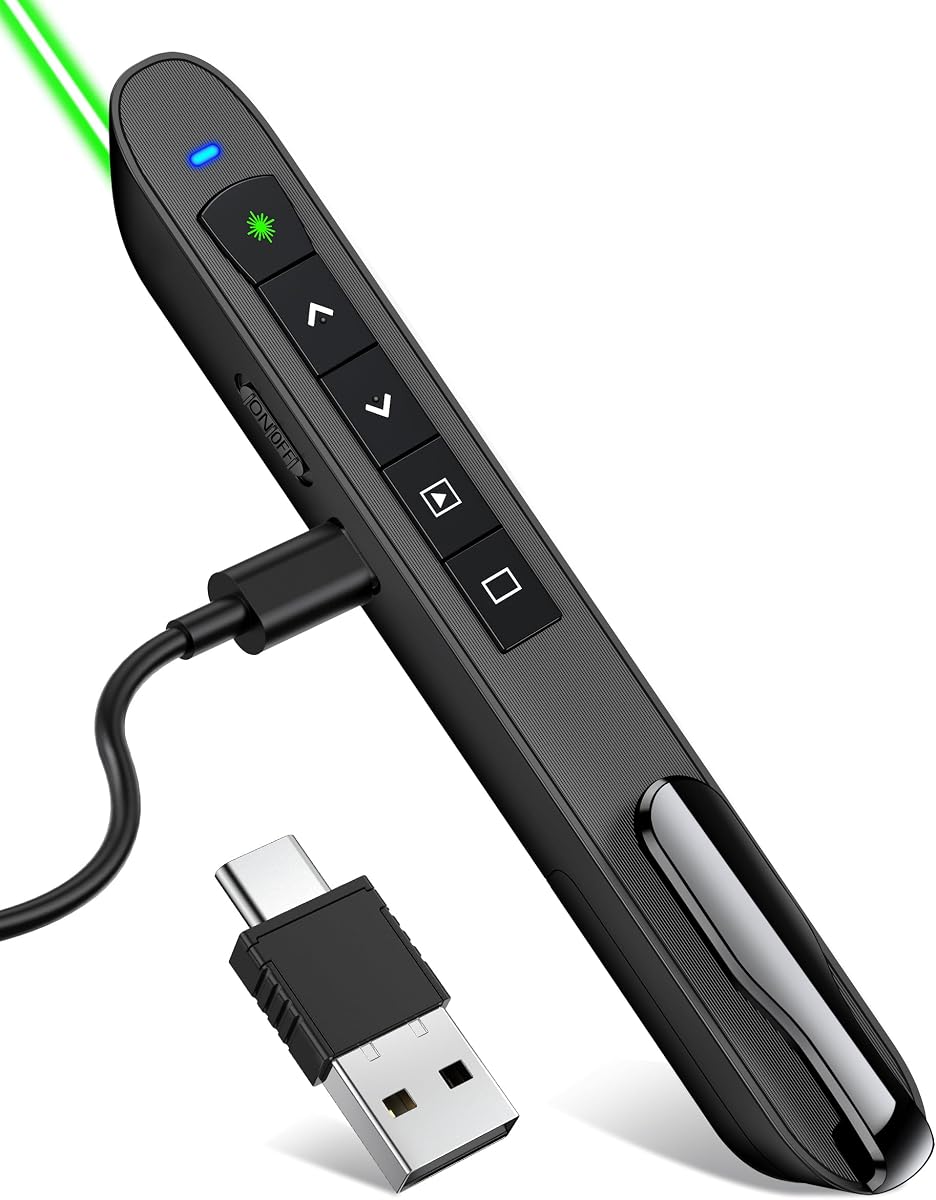


The UBUYONE Wireless Presenter Remote is a versatile, budget-oriented choice with a 4.6 rating. It combines a 100-foot wireless control range, a red laser, and controls for hyperlinks, window switching, page movement, full screen, and black screen. That combination covers the core needs of classroom, business, and meeting presentations without introducing a complicated setup process.
We may earn a commission when you buy through this link, at no additional cost to you.
Its strongest attraction is compatibility. The listed operating systems include Windows, Mac OS, Linux, and Android, while the supported presentation applications include PowerPoint, Keynote, Prezi, Word, Excel, ACDSee, and iWork. You can generally plug in the receiver and begin presenting, although the product information notes that Mac users may need a simple setup step.
The red pointer is designed to remain visible against many backgrounds, helping you call attention to specific information while moving away from the laptop. A single AAA battery powers the device, and the battery is included. Its limitation is that it lacks the more specialized functions found in premium models, such as a timer, air-mouse cursor control, or a rechargeable battery.
This is a strong recommendation for teachers, office workers, and occasional presenters who want dependable essential controls at a modest cost. Choose it when broad application support and a long control range matter more than a timer, green laser, or cursor mode. For routine presentations, it offers more functionality than the simplest slide advancers without adding unnecessary complexity.
The receiver works across several operating systems and major slide applications, making the remote useful for mixed personal and workplace computers. Its plug-and-play approach is particularly helpful when a presentation must be delivered on someone else's equipment.
Beyond forward and backward navigation, the remote handles hyperlinks, volume, full-screen mode, black-screen mode, and window switching. These additions let a presenter manage more of the room from one compact device.
We may earn a commission when you buy through this link, at no additional cost to you.
This 2.4GHz presentation clicker stands out with a receiver that incorporates both USB-A and USB-C connectors. It has a 4.4 rating and directly addresses a common compatibility problem: the need to carry an adapter when the presentation computer has a different port from the one used at work or at home.
We may earn a commission when you buy through this link, at no additional cost to you.
The device works with Mac OS, Windows, and Linux, and supports PowerPoint, Keynote, Google Slides, and Prezi. Installation is described as plug-and-play, with no driver or software required. Its magnetic storage slot keeps the receiver at the bottom of the remote, reducing the chance that a small USB dongle will be misplaced between presentations.
A bright red pointer can extend to 100 meters, while the wireless slide controls have a stated range of up to 100 feet. The remote also includes page-up and page-down, full-screen and black-screen toggles, volume adjustment, and window switching. Its soft-touch coating and contoured keys are intended to keep important controls easy to locate by touch.
The main trade-off is that two AAA batteries are not included. A red pointer also may not offer the visibility of a green laser in bright or highly saturated displays. Even so, the combined receiver, broad software support, and thoughtful storage make this an excellent all-around choice for a presenter who wants flexibility without purchasing a separate adapter.
The built-in USB-A and USB-C connectors make the receiver unusually adaptable. It can be used with both traditional USB-A computers and newer USB-C laptops without relying on a separate adapter.
The contoured body, soft-touch finish, and separated slide-navigation controls support comfortable use during extended sessions. Volume, hyperlink, window, and screen controls add useful management options without requiring the presenter to touch the laptop.
We may earn a commission when you buy through this link, at no additional cost to you.
The DINOSTRIKE Wireless Presenter Remote is the most functionally unconventional product in this roundup. It combines conventional slide controls with an air-mouse mode that can move a wireless cursor without a physical mouse. Its 4.4 rating reflects a versatile option for presenters who want more than simple page advancement.
We may earn a commission when you buy through this link, at no additional cost to you.
The remote supports black-screen and full-screen functions, page navigation, volume, hyperlinks, and window switching. The air mouse is described as sensitive and is activated with a cursor-switch button. Its listed control distances are 82 feet for air-mouse movement, 164 feet for wireless presentation control, and 656 feet for the red pointer light, giving it exceptional flexibility in larger rooms.
Unlike most competitors, it has a built-in 300 mAh rechargeable battery. A three-hour charge is said to provide weeks of use, while a sleep mode helps conserve power. The USB receiver resides in the rear housing, and the pen-like clip lets the presenter attach the remote to a pocket or notebook.
The trade-off is that it is more specialized and potentially bulkier than a basic clicker. Air-mouse control also requires a little more practice than pressing forward and backward. It is best for instructors, designers, and speakers who need cursor movement, hyperlinking, and pointer control from one rechargeable device rather than a simple slide advancer.
The cursor mode can reproduce the core movement of a physical mouse without requiring a surface. That makes the remote useful for applications, diagrams, and presentations that need more precise visual attention than a laser alone can provide.
The internal 300 mAh battery removes the routine inconvenience of hunting for spare AAA cells. Automatic sleep behavior further reduces unnecessary power consumption between sessions.
We may earn a commission when you buy through this link, at no additional cost to you.
The Logitech Wireless Presenter R800 is the premium choice in this guide, earning a 4.6 rating. Its defining features are a green laser, an LCD timer, and a receiver that stores inside the remote. Together, they give professional presenters more control over both visibility and time management.
We may earn a commission when you buy through this link, at no additional cost to you.
Logitech describes the green laser as easy to see on LCD and plasma displays and in brightly lit rooms. The LCD timer can be adjusted and provides silent, vibrating alerts, helping a speaker stay on schedule without creating obvious distractions. The remote offers a wireless range of up to 100 feet and includes a reception-level indicator so the presenter knows when to move closer.
Slide controls are designed to be easy to locate by touch, while the smooth shape provides a comfortable grip. The storable plug-and-play receiver eliminates software installation and simplifies packing. After the presentation, the receiver can be returned to the remote, which is particularly helpful for presenters who carry a small bag to client sites or travel between venues.
The trade-offs are its premium positioning and the absence of USB-C or rechargeable features mentioned in the supplied information. However, its timer and visible green pointer are specialized advantages that many basic clickers cannot match. It is an excellent recommendation for executives, trainers, keynote speakers, and anyone who regularly needs to manage a timed presentation in a professional setting.
The integrated LCD gives presenters a separate time reference while the slides remain the audience's focus. Silent vibrating alerts provide a discreet way to track remaining time without interrupting the flow of a talk.
A green pointer tends to stand out more clearly than many red alternatives on displays and bright backgrounds. It is particularly useful when you need to draw attention to a small chart label, graph, or key phrase.
We may earn a commission when you buy through this link, at no additional cost to you.
This black wireless presenter is a compact option built around the functions used in daily meetings and teaching. It has a 4.4 rating, a 100-foot control range, a red laser, and a broad set of navigation controls. The raised, rubberized buttons are designed to make page changes easier without looking down at the remote.
We may earn a commission when you buy through this link, at no additional cost to you.
Controls include forward and backward navigation, volume, hyperlink activation, window switching, and full-screen or black-screen mode. Installation is straightforward: connect the USB receiver and begin using the clicker without downloading software. The USB receiver fits into the bottom of the remote, and a one-piece magnetic design helps prevent it from being left behind.
A bright red pointer adds a visual pointing option, although the supplied information specifically advises against using it on LCD, LED, or television screens. That limitation matters for anyone presenting modern flat-panel displays rather than a traditional projection surface. A single AAA battery operates the unit, and an energy-saving auto-sleep function is included.
This model is a good fit for a presenter who values a small, uncomplicated device and frequently uses hyperlinks. It may not be the first choice for a brightly lit modern display or a speaker who wants a timer. Its simple controls, secure receiver storage, and 100-foot range nevertheless make it a capable everyday presentation companion.
The dedicated hyperlink control is valuable for decks containing links to websites, documents, or related sections. Window switching and volume controls also help the presenter move beyond linear slide navigation.
The remote's compact dimensions make it easy to carry, while the magnetic receiver position keeps the dongle attached. Raised buttons provide tactile feedback and reduce the chance of pressing the wrong control.
We may earn a commission when you buy through this link, at no additional cost to you.
The QUI Presentation Clicker is notable for its stated 328-foot wireless control range, the longest in this comparison. Its 4.2 rating reflects a straightforward remote aimed at presenters who need to move through a large hall while retaining reliable slide navigation and a visible pointer.
We may earn a commission when you buy through this link, at no additional cost to you.
The clicker supports page-up and page-down, hyperlink navigation, volume adjustment, power on or off, and switching between full-screen and black-screen modes. It requires no software or driver; the USB receiver is simply inserted into a computer's USB port. The listed software support includes PowerPoint, Keynote, Google Slides, Excel, ACDSee, and Prezi, while Mac OS and Windows laptops are supported.
Its red pointer is intended to make important slide elements easy for an audience to follow and is described as remaining visible in large conference rooms and lecture halls. A clip attaches the remote to a notebook or pocket, improving portability for classroom, meeting, training, and conference use.
The remote needs one AAA battery, which is not included, and its red light is its only pointing system. Despite those limitations, the exceptional range makes it appealing for large venues, multi-room training environments, and speakers who dislike remaining near the computer. It is best for users who prioritize freedom of movement and broad application compatibility.
A stated 328-foot control distance provides ample room to walk around lecture halls, conference spaces, and training environments. That mobility can make a presentation feel less computer-centered and more conversational.
Volume, hyperlink, power, and display-mode controls cover common presentation needs, while the attached clip keeps the remote within easy reach. Its broad software list also reduces the risk of compatibility surprises.
We may earn a commission when you buy through this link, at no additional cost to you.
The Ergonomic Laser Presenter is a lightweight 4.6-rated option designed for portability and straightforward use. It weighs 58 grams, has a soft-touch shape, and uses large buttons intended to reduce accidental presses. Its practical feature set covers the basics without the complexity of a timer, air mouse, or rechargeable system.
We may earn a commission when you buy through this link, at no additional cost to you.
The remote's control range is listed at 98 feet, while its laser pointer can reach 328 feet. It works with desktop and laptop computers across Windows versions from 2003 through 10, Mac OS, and Linux. Supported software includes Google Slides, Word, Excel, PowerPoint, and related presentation tools.
Setup is plug-and-play, with no installation, assembly, or complicated instructions. The USB dongle fits into a slot on the remote's handle, which is useful for preventing the receiver from being separated from the device. Two AAA batteries are included, and a side on/off switch can conserve power during transport.
Its limitations are modest but real: there is no USB-C receiver, built-in timer, or rechargeable battery. The laser is also red rather than green. Still, the included batteries, secure receiver storage, ergonomic buttons, and broad compatibility make this a strong pick for teachers, office professionals, and presenters who want a dependable remote that is easy to carry.
The soft-touch body is shaped for a comfortable grip, and the enlarged controls are easier to identify by touch. These details are useful during a formal presentation when you do not want to break eye contact while searching for the next slide.
The supplied batteries and plug-and-play receiver make the product convenient for first-time users. An on/off switch provides an additional way to preserve power when the remote is not being used.
We may earn a commission when you buy through this link, at no additional cost to you.
The Green Light Rechargeable Presenter combines a visible 532nm green laser with USB-C charging, making it a distinctive option for educators and modern presenters. It has a 4.6 rating and is especially relevant to anyone who has found weaker red pointers difficult to see on projectors, whiteboards, or brightly illuminated screens.
We may earn a commission when you buy through this link, at no additional cost to you.
A one-hour USB-C charge is said to power weeks of daily classroom presentations, and a charging cable is included. That eliminates the recurring search for spare batteries and reduces the inconvenience of arriving at a session with a depleted clicker. The remote works with Mac, Windows, and Chromebook computers and supports PowerPoint, Keynote, and Google Slides.
Setup requires plugging in the USB receiver, with no drivers, pairing, or IT assistance. The receiver snaps magnetically into the clicker for storage. The button layout includes up and down arrows for slide navigation, a hyperlink button, window switching, black and full-screen controls, and side-mounted volume keys.
The trade-off is that this is a rechargeable rather than battery-powered model, so it must be charged before use. It also lacks a timer like the Logitech R800. Even so, the green pointer, modern USB-C charging, broad platform support, and clear controls make it a compelling choice for teachers, lecturers, and frequent meeting presenters.
The 532nm green laser is designed to create a crisp dot that remains noticeable in ambient light. It is best suited to projection screens and whiteboards, making it useful in classrooms where visibility is more important than a subtle red dot.
USB-C charging offers a simple routine for presenters who speak regularly. The included cable and claimed week-level battery life reduce dependence on disposable batteries and make preparation more predictable.
We may earn a commission when you buy through this link, at no additional cost to you.
The Dual-Interface Red Laser Presenter offers a balanced set of features and a 4.5 rating. Its most useful distinction is a two-in-one receiver that fits both USB-A and USB-C interfaces, allowing it to work with both older and newer computers without a separate adapter.
We may earn a commission when you buy through this link, at no additional cost to you.
The device provides a 98-foot slide-control range and a stated 328-foot laser-pointer range. Its operating-system support includes Windows 2003, XP, Vista, 7, 8, and 10, Mac OS, and Linux. The supported software list includes Google Slides, Microsoft Word, Excel, PowerPoint, and other presentation applications.
Ergonomics receive particular attention in the product information. The body has a soft-touch finish, while the enlarged buttons are designed to make accidental selections less likely. The remote is plug-and-play, requires no assembly or detailed instructions, and stores its USB dongle on the device. Two AAA batteries are included, and a side power switch helps conserve them.
It does not include a timer, rechargeable battery, or green laser, so advanced presenters may prefer another model. Nonetheless, the dual-interface receiver and supplied batteries offer excellent convenience. It is a good recommendation for office workers, teachers, and traveling presenters who want broad computer compatibility without carrying a separate USB adapter.
A single receiver can be used with either supported USB interface, reducing the need to plan around different ports. This is helpful when presenting from a personal laptop, a borrowed computer, or a managed office system.
The soft-touch, contoured housing and large buttons prioritize ease of use. These details can make a long lecture or meeting more comfortable without adding distracting extra features.
We may earn a commission when you buy through this link, at no additional cost to you.
The Compact CLIKBUTM Presenter is designed around portability and uncomplicated operation. It has a 4.5 rating, weighs only 38 grams with the battery included, and measures 109mm according to the supplied information. Its understated dark-gray design suits office, classroom, conference, and speech environments.
We may earn a commission when you buy through this link, at no additional cost to you.
The receiver stores inside the battery compartment, reducing the risk of leaving it behind. The remote offers a 98-foot slide-control range and a laser pointer range of up to 328 feet. Supported systems include Windows 2003 through 10, Mac OS, and Linux, while supported software includes Keynote, Google Slides, Microsoft Word, Excel, PowerPoint, websites, and PDF files.
Unlike models that begin working immediately after the receiver is inserted, this one asks the user to press a connect button on the back. It uses one AAA battery, with a stated battery life of about two months. The product information also notes that the battery's protective film may need to be removed when using the laser out of the box.
The main limitation is its basic feature set and single-battery design. There is no timer, dual-interface receiver, rechargeable cell, or air-mouse mode. Still, its low weight, pocket-friendly size, and internal receiver storage make it a useful pick for a traveler or anyone who values simplicity and compactness over advanced controls.
At 38 grams with the battery included, the remote is easy to carry in a pocket or laptop bag. Its small footprint also makes it convenient for people who prefer not to bring a larger presentation accessory to routine meetings.
Keeping the USB dongle inside the battery compartment means the complete device can be packed as one item. This design is particularly helpful for presenters who move frequently between rooms or venues.
We may earn a commission when you buy through this link, at no additional cost to you.
Choose an office presentation remote by matching its receiver, controls, pointer, power system, and range to your computer setup and venue. The most important factors are reliable connectivity, easy operation, and features that solve a recurring presentation problem.
Summary: confirm operating system, USB port, and slide application before buying.
Summary: prioritize forward, back, full-screen, and black-screen controls, then consider extra functions.
Summary: test your display type and choose green for visibility or red for conventional pointing.
Summary: match slide-control range to the room, and do not confuse pointer reach with connectivity.
Summary: choose included disposable batteries for simplicity or rechargeable power for regular use.
Summary: favor stowable or dual-interface receivers for fewer lost-dongle and adapter problems.
Summary: add a timer or cursor control when your speaking workflow demands greater precision.
Summary: favor tactile, well-spaced buttons and a setup process you can complete before speaking.
Before the presentation, install the specified batteries or fully charge the remote, then insert the USB receiver into the presentation computer. Confirm that the computer recognizes it, test forward and backward navigation, and verify the hyperlink, volume, full-screen, and black-screen functions. If your model includes a laser, test its visibility on the actual display and remove any battery protective film when instructed.
Begin in slideshow mode and use the remote as your primary navigation device. Keep the receiver connected unless you need to move to another computer, and avoid operating slide controls while the pointer laser is aimed toward a person. For an air mouse, practice cursor sensitivity in advance and use a larger surface or steady hand when demonstrating fine details. When using a timer, set the desired duration and discreet alerts before the audience enters.
Afterward, switch the remote off or let its sleep mode conserve power. Return the receiver to its storage compartment, remove disposable batteries if the remote will be stored for an extended period, and recharge a rechargeable model before the next engagement. Keep the laser aperture and buttons away from moisture, excessive heat, and crushing pressure, and check the battery compartment or charging port before packing.
Most models in this guide support both Windows and Mac, but you should confirm the specific system versions listed by the manufacturer. Receiver connector type also matters: a USB-A-only remote may require an adapter on a USB-C laptop, while a dual-interface receiver can support both. For reliable results, test the remote with the exact computer and presentation software you plan to use.
A green laser is often easier to see against bright backgrounds and on some modern displays because the dot appears more vivid. Red lasers remain common and can work well on traditional projection screens. The best choice depends on your venue, screen type, room lighting, and the size of the details you need to point out.
All ten remotes described here are intended to work through plug-and-play USB receivers without a dedicated driver or presentation application. Some may require a simple connection button or minor Mac setup. Reviewing the included instructions before the event and performing a short test prevents surprises even when no installation is required.
A range near 100 feet is sufficient for most offices, classrooms, and moderate meeting rooms. Larger halls may benefit from a model offering a greater control range. Pointer distance and slide-control distance are separate specifications, so consider the range for the function you care about and leave some margin for walls, room layout, and interference.
A basic slide clicker advances or reverses slides, while a laser presenter also includes a visible pointer for emphasizing parts of a screen. Some models add hyperlink, volume, timer, and window controls, and an air mouse can also move the onscreen cursor. The best choice is the level of control that supports your actual presentation without adding unnecessary complexity.
Rechargeable models are convenient for frequent speakers because they remove the need to carry spare disposable batteries. Battery-powered clickers are often simpler and can remain ready for a long time, particularly when the batteries are included. Consider your speaking frequency, access to a charging cable, and how you prefer to prepare before important events.
Choose a remote with built-in or magnetic receiver storage whenever possible. Several models in this guide keep the dongle at the bottom of the remote, inside a compartment, or in a magnetic slot. After each presentation, return the receiver to its designated place and keep the remote with the presentation equipment rather than separating the two during transport.
Teachers commonly prioritize a visible pointer, simple slide controls, broad compatibility, and dependable battery life. Hyperlink control is useful for moving between lesson resources, while a timer can help organize activities. Rechargeable or included-battery options reduce preparation friction, and a receiver that stores inside the remote is particularly convenient for daily use.
The UBUYONE Wireless Presenter Remote is the strongest budget choice because it combines a 4.6 rating, a 100-foot control range, a red laser, essential controls, and broad platform support. The USB-A and USB-C Presenter is the most adaptable everyday option thanks to its dual-interface receiver, broad software support, and magnetic receiver storage. For premium features, the Logitech Wireless Presenter R800 leads with its green laser, integrated timer, and polished presentation controls.
Most buyers should prioritize a receiver that matches their computer, slide software they actually use, and controls they can operate by touch. A long range matters in large venues, while a green pointer or timer is more valuable in bright classrooms and tightly scheduled talks. Air-mouse functionality is worth considering when live cursor movement will make your presentation clearer, but it is unnecessary for straightforward slide delivery.
Product details, availability, and prices can change, so verify the current specifications and accessories before purchasing. Check the receiver format, included batteries or charging cable, battery requirements, and stated software compatibility against your presentation setup. A brief test with your actual computer and projector is the final step toward a smooth, professional delivery.