
RGB Gaming Mouse Wired
4.6Editor score
Six adjustable DPI levels
Seven programmable controls
Multi-color RGB lighting
Looking for a Pink Gaming Mouse? Compare 10 top-rated wired and wireless options for DPI, buttons, RGB lighting, battery life, comfort, and compatibility.
A pink gaming mouse can bring personality to a setup while still delivering the sensitivity, responsiveness, and comfort needed for extended play. The right model depends on grip style, connection type, button count, sensor performance, battery life, lighting, and compatibility with your preferred games and operating systems.
This guide compares ten pink gaming mice across wired, 2.4 GHz wireless, Bluetooth, and multi-mode configurations. We evaluated the supplied specifications, ratings, programmable controls, DPI options, RGB features, ergonomic details, and platform support to identify strong choices for budget buyers, competitive players, and everyday users.
Each review explains the product's most useful qualities and its important limitations, helping you separate an attractive appearance from features that genuinely improve play. Ratings and configurations can change over time, and prices fluctuate, so confirm current listing details before making a purchase.
4.6Editor score

4.6Editor score

4.4Editor score
The table below compares all ten mice by connection style, core performance specifications, programmable controls, and standout features, making it easier to identify the model that best matches your setup.




The RGB Gaming Mouse Wired combines a pink finish, seven configurable controls, and a 6,400-DPI maximum with a straightforward wired connection. Its 4.6 rating reflects a well-balanced feature set, particularly for gamers who want useful customization without paying for a more elaborate premium ecosystem.
We may earn a commission when you buy through this link, at no additional cost to you.
The mouse offers six sensitivity stages ranging from 800 to 6,400 DPI, allowing users to move between slower aiming and faster cursor movement without changing equipment. Its symmetrical, streamlined body is described as a comfortable claw-grip shape, while the anti-fingerprint and sweat-resistant surface is intended to maintain control during long sessions.
Seven programmable areas include the main clicks, forward and backward controls, DPI adjustment buttons, and scroll wheel. That flexibility can reduce reliance on keyboard shortcuts in games or productivity applications. Multicolor RGB lighting adds visual appeal, but the central appeal is the combination of wired operation, adjustable sensitivity, and physical controls.
The main limitation is obvious: this is not a portable wireless mouse. Mac users should also note that the programming function does not work on that platform, although basic use is described as compatible. For a straightforward pink gaming mouse offering generous buttons and broad Windows support, this is a compelling all-around choice.
Six preset DPI levels make this mouse adaptable to precise aiming, faster navigation, and general desktop use. Physical DPI buttons also allow quick changes without opening configuration software.
Seven programmable controls offer more command access than a standard three-button design. RGB illumination adds personality while the pink shell gives the setup a distinctive look.
We may earn a commission when you buy through this link, at no additional cost to you.
The DAREU Sakura Pink Wireless stands out with its coordinated charging dock, symmetrical claw-grip body, and rainbow RGB light bar. Its 4.4 rating reflects a premium combination of responsive wireless performance, high-end components, and a refined appearance designed for both gaming and office use.
We may earn a commission when you buy through this link, at no additional cost to you.
The standout feature is the magnetic docking system. Its strong magnetic hold keeps the mouse aligned with the dock and allows both pieces to be lifted together without the dock slipping free. A built-in rechargeable battery supports repeated use, while the dock makes charging more convenient and visually integrated than a conventional cable-only arrangement.
Performance specifications include a 12K DPI sensor and one-millisecond wireless transmission. The lightweight 85g body is intended to reduce hand fatigue, and the high-end micro switches are rated for 50 million clicks. A dynamic RGB light bar appears along the bottom of both the mouse and dock, with multiple lighting modes available.
The tradeoff is the dock's footprint, which makes this less convenient for a minimal or travel-focused desk. Nevertheless, buyers who want a coordinated pink setup, strong sensor specifications, and effortless charging gain a distinctive package. It is especially appealing when desk aesthetics and long-session comfort matter as much as raw flexibility.
The magnetic interface automatically guides the mouse onto the dock and maintains a secure hold. This reduces the need to align a small connector precisely during routine charging.
At 85g, the Sakura balances portability with a claw-grip shape designed for sustained use. Its high-resolution sensor and one-millisecond transmission target responsive gaming.
We may earn a commission when you buy through this link, at no additional cost to you.
The GravaStar Mercury M2 combines a distinctive hollowed-out design with 26,000-DPI tracking, a 1K Hz polling rate, and three connection options. Its 4.6 rating places it among the stronger choices for gamers who value both visual customization and flexible desktop use.
We may earn a commission when you buy through this link, at no additional cost to you.
TUROSPEED technology provides 2.4G wireless, Bluetooth, and wired operation. This makes the mouse practical for a gaming PC, laptop, or setup where you alternate between low-latency play and power-conscious everyday navigation. The PAW3395 sensor and high polling rate are intended to produce accurate, immediate responses.
Customization extends beyond RGB lighting. Five dynamic GLOWSYNC modes include steady, pulsing, and reactive styles, while software supports lighting profiles, macro assignment, DPI adjustment, and remapped button functions. Five programmable buttons give the mouse meaningful control without making it an MMO-oriented design.
The hollowed-out chassis is the most polarizing element. Its open construction is intended to improve airflow and create a memorable appearance, but some players may prefer a more conventional solid shell. Fewer buttons than dedicated MMO mice is also a limitation, though it remains a well-rounded option for competitive and casual gaming.
The M2 can move between 2.4G, Bluetooth, and wired operation. That versatility supports fast gaming, quieter productivity, and use across computers without committing to a single connection method.
Five dynamic lighting modes and software-based profiles let the mouse reflect different games or moods. Macro and button configuration make the customization more functional than decorative.
We may earn a commission when you buy through this link, at no additional cost to you.
The GravaStar Mercury M1 Pro targets players who want high polling performance and minimal charging interruptions. Its 4.5 rating is supported by a 26,000-DPI PAW3395 sensor, a 4K polling rate, triple-mode connectivity, and battery life advertised at up to 200 hours.
We may earn a commission when you buy through this link, at no additional cost to you.
The mouse can switch between 2.4G wireless, low-latency wired mode, and Bluetooth. An included 4K receiver supports the stated ultra-low-latency wireless configuration, while the wired option provides another dependable path for gaming. The sculpted shape is designed to fit the hand naturally and reduce fatigue during marathon sessions.
GLOWSYNC RGB adds configurable zones that can be synchronized with a broader setup. Software supports macros, button remapping, and performance adjustments, making the M1 Pro more than a visual gaming accessory. Its sensor and polling specifications place it firmly in the performance-focused category.
The 209-hour figure in the product name is an up-to figure, while the detailed specifications cite up to 200 hours, so real runtime will depend on mode and usage. The separate receiver also needs to be carried for wireless operation. Even so, this is an appealing option for competitive players who prioritize low latency, battery endurance, and extensive customization.
A 4K polling rate and dedicated receiver target rapid input in wireless play. Wired and Bluetooth modes provide flexibility when you want a different connection strategy.
The advertised battery endurance reaches up to 200 hours, making this attractive for travel and infrequent charging. Actual life varies with the selected mode and activity.
We may earn a commission when you buy through this link, at no additional cost to you.
The Razer Orochi V2 in Quartz Pink is built around portability, weighing under 60g without a battery. Its 4.4 rating makes it a compelling option for laptop users, travelers, and anyone who prefers a compact wireless mouse without sacrificing a high-resolution sensor.
We may earn a commission when you buy through this link, at no additional cost to you.
The Focus X 18K optical sensor is specified to deliver 99.4% resolution accuracy, supporting aiming and micro-movement tasks. Two wireless modes cover different needs: Bluetooth for efficient work and HyperSpeed Wireless for low-latency gaming. The mouse is listed for both PC and Mac, making it more broadly compatible than several dedicated gaming alternatives.
Battery life is a major strength, with up to 1,100 hours in Bluetooth mode or 445 hours in HyperSpeed mode. A hybrid slot accepts either an AA or AAA battery, allowing you to balance weight and capacity according to availability. Mechanical mouse switches are rated for up to 60 million clicks.
One important limitation is the absence of a wired connection. That removes a dependable low-latency fallback and may matter for competitive players who prefer the consistency of a cable. There is also no mention of extensive RGB or macro features. For portable dual-mode use, however, the Orochi V2's low weight, sensor, and battery endurance are compelling.
The sub-60g design and compact form are well suited to a laptop, travel bag, or crowded desk. Battery choices let users tune portability without managing a built-in rechargeable system.
Bluetooth supports efficient productivity, while HyperSpeed Wireless targets gaming response. The 18K sensor maintains strong tracking precision across both environments.
We may earn a commission when you buy through this link, at no additional cost to you.
The DAREU Sakura Pink Wireless Wired combines wireless freedom with the reassurance of a wired connection. Its 4.4 rating reflects a flexible package featuring a 10,000-DPI maximum, six programmable buttons, a rechargeable battery, and compatibility across several operating systems.
We may earn a commission when you buy through this link, at no additional cost to you.
A built-in 930mAh battery is rated for up to 40 hours with RGB lighting on or 55 hours with it off. The included Type-C cable allows play while charging, which helps prevent an interruption if the battery runs low during an important session. Wireless transmission is described as comparable to wired performance for smooth gaming.
Six default DPI stages run from 600 to 10,000, and software can fine-tune the values. Users can also assign macros, shortcuts, or DPI controls to all six buttons through DAREU software. A dynamic rainbow RGB light bar offers six lighting modes, complementing the cherry-blossom-inspired exterior.
Customization software is limited to Windows, while macOS requires an adapter. Android and iOS are listed as compatible, making the mouse adaptable to more than a traditional gaming PC. For users who want wired and wireless operation in a pink design, with charging flexibility and broad platform support, this is a particularly balanced choice.
The Type-C cable lets the mouse operate while recharging, preserving control when the battery is low. This is a reassuring alternative to watching the charge level fall during play.
Windows, macOS, mobile operating systems, and wired use broaden the mouse's appeal. A hidden bottom compartment keeps the receiver with the mouse during travel.
We may earn a commission when you buy through this link, at no additional cost to you.
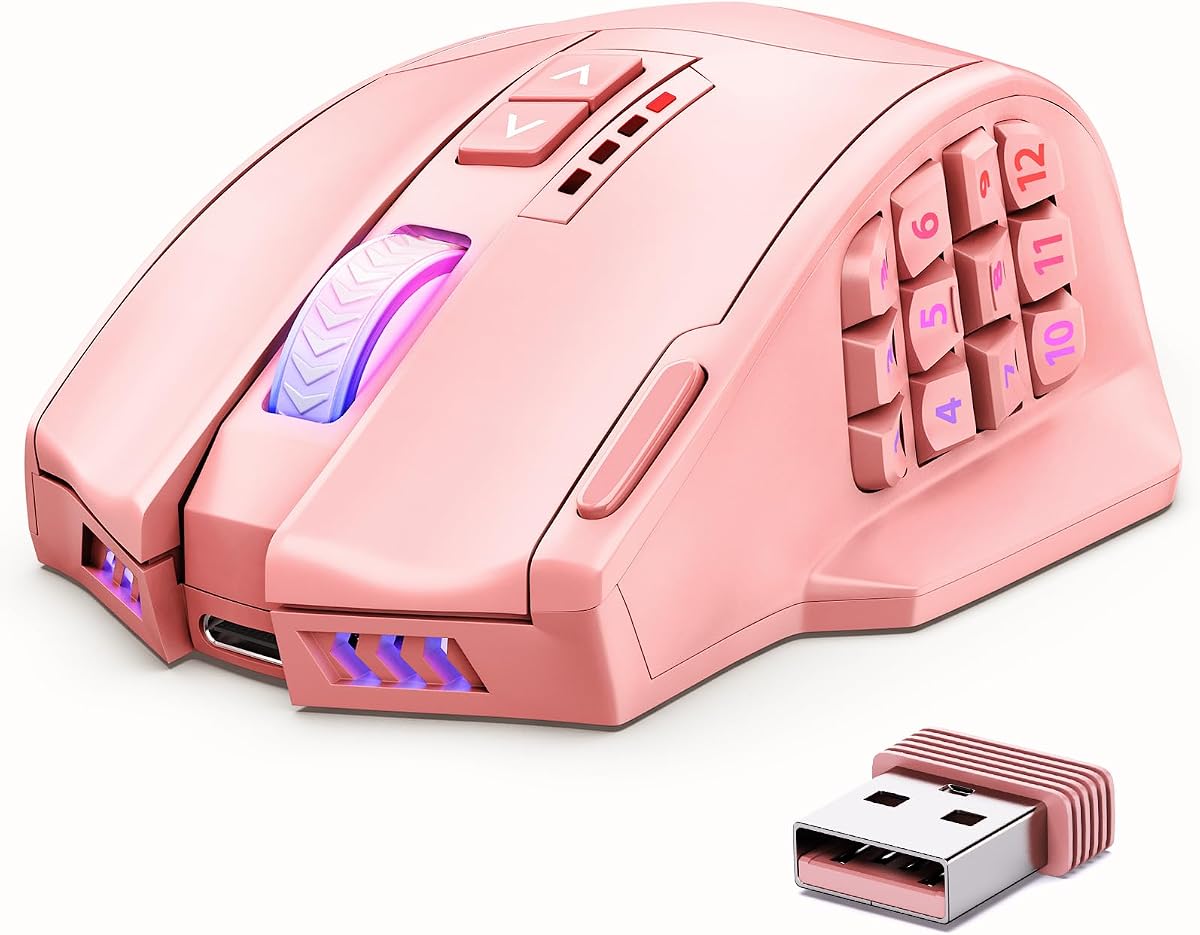
The UtechSmart Venus Pro is built for players who want extensive control access, offering 16 customizable buttons and a thumb area packed with 12 differently angled controls. Its 4.4 rating reflects strong MMO credentials paired with a 16,000-DPI sensor and flexible wireless performance.
We may earn a commission when you buy through this link, at no additional cost to you.
The programmable layout can combine multiple keys into one action, reducing the number of separate commands needed during busy sequences. Angled thumb buttons are intended to match different parts of the thumb, improving access while a grinding surface coating increases friction and offers sweat-resistant, skin-friendly handling.
The PixArt PMW3335 sensor supports up to 16,000 DPI, with five switchable stages and a broader 100-to-16,000 adjustment range available through software. A 1K Hz polling rate and 2.4G transmission support fast performance, while the wired connection provides another stable option.
The rechargeable 1,000mA battery lasts up to 70 hours and supports an auto-sleep and low-power mode. Its extensive controls may feel crowded to someone seeking a simple shape, and software configuration adds complexity. For MMO, MOBA, and macro-heavy gaming, though, the button count is the model's defining advantage.
Sixteen programmable controls give complex games more direct access to commands. Macro combinations can compress repeated sequences into a single action when configured properly.
Twelve thumb buttons use varying inclinations to fit different contact points. This design supports quicker access while reducing the need to reposition the mouse.
We may earn a commission when you buy through this link, at no additional cost to you.
The RGB Wireless Gaming Mouse offers an approachable way to add pink style, wireless freedom, and lighting to a gaming setup. Its 4.4 rating reflects a straightforward feature set built around a rechargeable design, adjustable sensitivity, and broad basic compatibility.
We may earn a commission when you buy through this link, at no additional cost to you.
A 2.4G wireless connection keeps the desk free of cable clutter while providing a stable signal for gaming. The mouse can operate while it charges, so a depleted battery does not necessarily mean an immediate stop in play. Its ergonomic claw-grip body includes a coating described as anti-fingerprint and sweat-resistant.
Five selectable DPI levels range from 600 to 3,600, providing enough range for ordinary desktop tasks and common gaming needs. Five RGB backlight modes add atmosphere and can be switched off by holding the indicated key for several seconds. These controls make the mouse approachable even without extensive software.
The listed Windows support includes versions from Windows 98 through Windows 10, while Mac operation is limited to the left button, right button, and scroll wheel. Programming does not work on Mac. For users who want simple wireless freedom and pink aesthetics, these limitations are understandable, but they narrow its appeal for advanced customization.
The rechargeable battery reduces disposable battery waste, and play-while-charging keeps the mouse usable when its charge runs low. The 2.4G receiver removes cable clutter.
Five DPI presets cover common sensitivity needs, while five RGB modes let the mouse brighten a setup. Long-pressing a key turns the lighting off when a subtler appearance is preferable.
We may earn a commission when you buy through this link, at no additional cost to you.
The Logitech G PRO 2 Lightspeed in Magenta combines a 44K-DPI HERO 2 sensor, tournament-focused wireless performance, and a 4.6 rating. Its ambidextrous modular design also makes it one of the most distinctive choices for players who switch hands or want to change their grip.
We may earn a commission when you buy through this link, at no additional cost to you.
The HERO 2 sensor tracks up to 44,000 DPI, handles more than 888 IPS, and supports tracking through up to 88 g-force. Lightforce switches blend optical switch speed with a mechanical-style click feel. With the separately sold PRO LIGHTSPEED RECEIVER, the mouse supports up to an 8K polling rate for high-frequency input.
Battery life reaches up to 95 hours, with USB-C charging for convenient power management. The modular body allows it to function as a right- or left-handed mouse, and programmable magnetic side buttons can be repositioned to suit a preferred grip. These characteristics make it adaptable to shooters, MOBAs, strategy games, and everyday use.
The 8K receiver is an additional expense, and advanced features require Logitech G HUB software. Some buyers may therefore want the highest polling option immediately, while others can start with the included receiver. Even without that upgrade, the 44K sensor, flexible grip design, battery life, and 4.6 rating make this an excellent flagship magenta option.
The HERO 2 sensor combines a 44K maximum with high-speed tracking and acceleration handling. These specifications support demanding aiming and rapid in-game adjustments.
The modular ambidextrous design supports right- and left-handed configurations. Magnetic side buttons can be repositioned, making it easier to adapt the mouse to your preferred hand position.
We may earn a commission when you buy through this link, at no additional cost to you.
The Logitech G305 Lightspeed in Lilac delivers a 4.6 rating in a lightweight, compact wireless package. At 3.4 ounces, it is particularly well suited to laptop gaming, travel, and players who value maneuverability over a large or highly button-heavy design.
We may earn a commission when you buy through this link, at no additional cost to you.
The HERO optical sensor supports up to 12,000 DPI and 400 IPS precision. LIGHTSPEED wireless provides a 1 ms report rate for responsive gaming, while one AA battery can power up to 250 hours of continuous play. An Endurance mode accessible through Logitech G HUB can extend that figure to as much as nine months.
The efficient mechanical design contributes to the low weight without requiring a rechargeable cell. A compact body and built-in nano receiver storage make the mouse convenient to pack, and its simple layout is familiar enough for both new and experienced users.
The single-battery approach means replacements are needed eventually, and the lightweight design offers fewer physical controls than specialized MMO or modular mice. Nevertheless, the combination of low weight, strong sensor specifications, reliable wireless response, and exceptional advertised battery life makes the G305 a particularly compelling lilac gaming option.
The 3.4-ounce construction keeps movement easy and reduces the effort needed to reposition the mouse. Its compact proportions also suit smaller desks and portable gaming setups.
Up to 250 hours of continuous play reduces battery-change frequency, while Endurance mode can extend usage considerably. A standard AA cell also simplifies replacement.
We may earn a commission when you buy through this link, at no additional cost to you.
Choosing the best pink gaming mouse means balancing appearance with the controls, sensor, connection, comfort, battery system, and software support that match your games and setup.
Wired mice provide a direct, dependable path with no batteries or receiver pairing, making them attractive for stationary gaming setups. Wireless options offer greater freedom, but you must consider receiver storage, connection stability, battery life, and whether the mouse also supports a wired fallback. The Razer Orochi V2 uses Bluetooth and HyperSpeed Wireless, while the DAREU Sakura Dual-Mode supports both wireless and wired use.
Choose a wired design for simplicity, or a wireless model for a cleaner desk and portability. Verify that the connection mode works with your computer and that the included receiver is easy to store.
DPI determines how far the cursor travels for a given physical mouse movement. A higher maximum gives you more room to fine-tune in demanding shooters, while lower settings can feel more manageable in strategy games or desktop work. The list ranges from a 3,600-DPI maximum on the basic wireless model to 44,000 DPI on the Logitech G PRO 2.
Look for adjustable presets and software-level fine tuning. Also consider button placement: a dedicated DPI control lets you switch settings without leaving the game.
A basic mouse may provide three principal controls, while gaming models add side buttons, DPI switches, and programmable actions. The UtechSmart Venus Pro takes button density further with 16 customizable controls, making it ideal for MMOs and macro-heavy games. The first DAREU Sakura model is more moderate with seven programmable areas, including forward, backward, and scroll-wheel functions.
More buttons are not automatically better. Choose a layout that suits the games you play and that you can comfortably reach without shifting your hand.
A mouse that feels uncomfortable can undermine an otherwise capable sensor. Claw-grip shapes, symmetrical bodies, textured coatings, and manageable weight are recurring strengths across this list. The DAREU Sakura models use symmetrical claw-grip constructions, while the Razer Orochi V2 and Logitech G305 place particular emphasis on low weight.
Choose a shape that suits how you hold the mouse and consider whether your palms, fingers, or claw grip can access the side controls. Long sessions make coating and fatigue resistance especially valuable.
Polling rate indicates how frequently the mouse reports movement to the computer. The GravaStar Mercury M2 offers 1K Hz polling, the M1 Pro supports 4K Hz, and the Logitech G PRO 2 can reach 8K Hz when used with its separately sold receiver. The G305 provides a 1 ms report rate, while the DAREU Sakura Wireless describes one-millisecond wireless transmission.
Higher polling is useful in competitive settings, but it should be considered alongside sensor accuracy, connection stability, and software support rather than treated as the only measure of performance.
Rechargeable mice reduce ongoing battery waste and may offer a stronger battery specification, but they require access to a charger. The DAREU Sakura Wireless includes a magnetic dock, while the Sakura Dual-Mode supports play while charging through its Type-C cable. Battery-powered options remain simple to maintain because standard cells can be replaced, as with the Razer Orochi V2 and Logitech G305.
Compare advertised battery duration by connection mode, since wireless performance modes can consume different amounts of power. Include charging time, battery availability, and dock footprint in your decision.
RGB lighting can reinforce a pink theme or synchronize a mouse with other illuminated equipment. The basic wired model offers multicolor lighting, the two DAREU Sakura mice use dynamic rainbow light bars, and the GravaStar models provide customizable GLOWSYNC profiles. More useful customization extends to macros, DPI values, lighting modes, and button assignments.
Decide whether you want lighting as a visual feature or need programmable controls for your games. Confirm whether the required software supports your operating system, especially if you use macOS.
Compatibility goes beyond simply connecting the mouse. Some models support basic clicks and scrolling on macOS while leaving programmable features unavailable on that platform. The DAREU Sakura Dual-Mode supports Windows, macOS through an adapter, Android, and iOS, whereas its six-button software configuration is specified for Windows only. The Razer Orochi V2 is explicitly listed for PC and Mac.
Review every function you plan to use, including macros, side buttons, RGB profiles, and onboard controls. A mouse that works at a basic level may not provide full customization on your preferred system.
Begin by installing the appropriate receiver and placing the mouse on a suitable surface. Wired models can be connected directly, while 2.4 GHz products generally require their supplied nano receiver. Bluetooth mice should be paired through your computer's device settings. After connecting, update the manufacturer's control software and set your preferred DPI before entering a game.
Use the DPI controls or software to create sensitivity settings suited to different games. Assign programmable buttons to actions you can reach comfortably, and avoid placing critical commands on controls that force you to move your hand. For RGB-equipped models, choose a lighting mode that complements your setup while saving power when lighting is unnecessary.
Keep the sensor free of dust and debris, and clean the surface gently with a soft, lightly dampened cloth. Avoid abrasive cleaners and excessive moisture. For rechargeable models, follow the supplied charging guidance, and for battery-powered models, keep spare cells of the correct size. Store the receiver in its built-in compartment whenever possible so small components are not lost.
Yes. Color does not determine tracking accuracy or responsiveness; the sensor, polling rate, switches, connection, and weight matter more. Several pink options in this guide include high-DPI sensors and rapid wireless specifications. The Logitech G PRO 2 and GravaStar models are particularly performance-focused, while the basic wired model offers a more affordable starting point.
Wired models are straightforward and avoid battery and receiver concerns. Wireless mice create a cleaner desk and allow portable use, but you should review connection stability, charging needs, and receiver storage. A hybrid model such as the DAREU Sakura Dual-Mode offers both wired and wireless operation for greater flexibility.
There is no single DPI setting that suits every player or game. Faster shooters often benefit from sensitivity that allows controlled, small corrections, while strategy titles and desktop work may feel better at lower speeds. The useful approach is to begin at a moderate setting, then use the available DPI presets and software to make small adjustments.
No. Compatibility differs by model and function. Some models support basic clicks and scrolling on Mac but not their programming software or advanced controls. The Razer Orochi V2 is explicitly listed for PC and Mac, while the first DAREU Sakura and basic RGB wireless mouse have limitations for Mac customization.
Most conventional games work well with a small set of controls. Side buttons help with abilities, shortcuts, and communication functions, while MMO and strategy players may benefit from many more. The UtechSmart Venus Pro provides 16 customizable buttons, whereas the standard wired model offers seven programmable areas for a more moderate feature set.
No. Polling rate describes how often input is reported, but overall performance also depends on the sensor, connection quality, firmware, and software. The GravaStar Mercury M1 Pro and Logitech G PRO 2 offer advanced polling options, yet their overall value also comes from tracking, battery life, and customization features.
Rechargeable models reduce disposable battery use and may provide longer advertised runtime, but they require a charging cable or dock. Battery-powered options are easy to replenish with standard cells and can be valuable for travel. The best choice depends on how often you play, whether a charging spot is convenient, and how you travel with your equipment.
Yes. Most of the models support standard clicking, scrolling, and adjustable sensitivity for normal productivity tasks. Wireless options with Bluetooth modes are especially convenient for work, while models with programmable buttons can also improve shortcuts, editing workflows, and multitasking.
The RGB Gaming Mouse Wired stands out as the best overall option for buyers who want a distinctive pink mouse, a broad range of DPI levels, and programmable controls without advanced wireless complexity. The Logitech G PRO 2 Lightspeed is the strongest flagship choice, combining a 44K sensor, flexible grip design, and optional 8K polling. For a coordinated premium appearance, the DAREU Sakura Pink Wireless adds a magnetic charging dock and a lightweight 85g body.
Prioritize the features that affect your daily use: connection style for portability, polling and sensor specifications for competitive play, button count for your preferred genre, and comfort for long sessions. Battery life, software compatibility, and receiver storage can be just as important as headline specifications, particularly for a mouse used at work, school, and home.
Product configurations, ratings, and prices can change, so verify the current listing before purchasing. Compare the mouse's connection mode, platform support, programmable controls, and charging requirements with your setup, then choose the pink model that offers the right balance of performance, comfort, and personality.

