
MNN 15.6-Inch FHD Portable Monitor
4.3Editor score
Full HD IPS panel
Dual USB-C ports
Protective folding cover
A portable monitor can turn a MacBook Pro into a much more capable workstation, whether you are traveling, working from a café, presenting remotely, or organizing several demanding applications at once. The right model should balance display quality, USB-C compatibility, low weight, and a stable support system.
We compared ten monitors based on the supplied specifications, including panel resolution, color capability, refresh rate, port selection, thickness, weight, mounting options, and stated MacBook compatibility. The list covers conventional travel displays, higher-resolution models, gaming-oriented screens, and a larger desktop-style option.
Each review identifies the product's strongest use case and relevant trade-offs, from basic FHD screens to 2.5K and 4K panels. Ratings reflect the available customer feedback, while feature claims come from the product information. Availability and pricing can change, so verify current listing details before purchasing.
4.3Editor score
4.8Editor score

4.8Editor score
As an Amazon Associate we earn from qualifying purchases.
The comparison below places the ten monitors by resolution, refresh rate, portability, connectivity, support hardware, and intended use. It is designed to make the major differences clear without treating every specification as equally important for every MacBook Pro user.



The cocopar 15.6-inch FHD portable monitor combines a highly rated customer feedback score with a practical set of travel-friendly features. Its 1080p IPS panel, 60Hz refresh rate, 85% sRGB gamut, and 178-degree viewing angle make it a strong all-purpose companion for a MacBook Pro used for documents, web browsing, communication, and media playback.
We may earn a commission when you buy through this link, at no additional cost to you.
Connectivity is one of the model's most appealing attributes. Two full-featured USB-C ports allow display and power through a single cable when the source device supports Thunderbolt 3, Thunderbolt 4, or USB-C DisplayPort Alt Mode, while reverse charging can keep the computer powered. An HDMI port provides an alternative for compatible devices, and the monitor can duplicate or extend the MacBook display.
The portable design is unusually convincing at 4 millimeters at its thinnest point. The display itself weighs 1.5 pounds, while the included magnetic cover raises the packaged weight to 2.4 pounds. The cover doubles as a flexible stand, and VESA holes offer another way to establish a more permanent arrangement. Although the resolution is ordinary by current standards and 60Hz is not aimed at fast competitive gaming, those limitations are reasonable for a travel-focused productivity display.
This is the strongest general recommendation for most MacBook Pro owners because it does not require sacrificing essential connectivity or physical portability. Choose it for meetings, presentations, remote work, and a dependable second screen in a carry-on bag. Buyers who routinely edit high-resolution media or play fast games should consider a higher-resolution or higher-refresh model instead.
The USB-C implementation can carry both display data and power, reducing cable clutter at shared desks and hotel workspaces. MacBook Pro owners should still confirm that the selected port and cable support video output, since not every USB-C connection behaves identically.
The magnetic smart-cover case protects the panel during transport and folds into a stand for everyday use. VESA compatibility then provides an easy path to a fixed arm or bracket when the display is used more as a compact desktop monitor.
We may earn a commission when you buy through this link, at no additional cost to you.
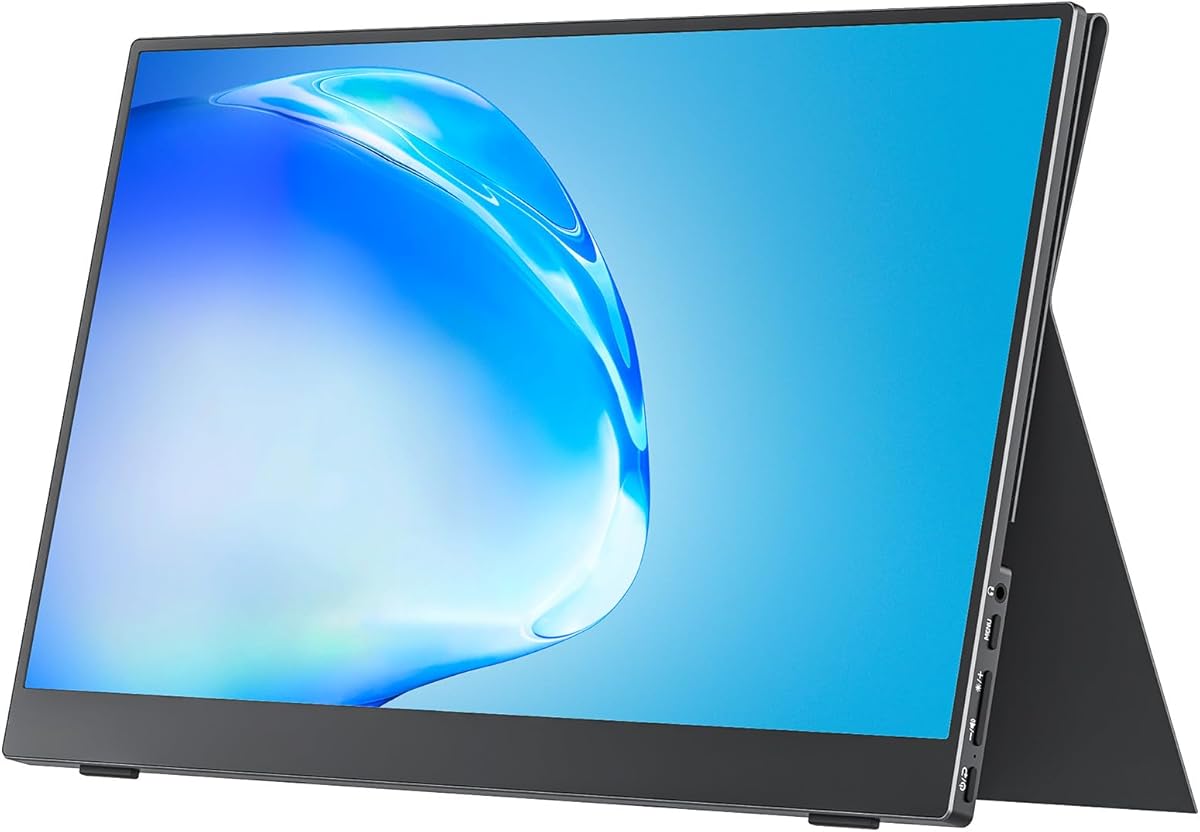
The MNN 15.6-inch FHD portable monitor delivers the core benefits of an external MacBook Pro display without emphasizing premium construction or advanced resolution. Its 4.3 rating remains positive, and the supplied specifications describe a glossy IPS panel, 1920 by 1080 resolution, 60Hz refresh rate, HDR support, and a 178-degree viewing angle.
We may earn a commission when you buy through this link, at no additional cost to you.
Two full-featured USB-C ports make a single-cable connection possible for display and power when the MacBook Pro supports Thunderbolt 3 or USB-C DisplayPort Alt Mode. The monitor also supports copy, extended, second-screen, and portrait configurations. That versatility gives it more workflow options than a simple fixed-purpose screen, particularly for users who alternate between landscape productivity and vertical document viewing.
The supplied information does not provide an exact weight, so travelers should not treat the product as a confirmed ultralight option. What it does offer is a compact 15.6-inch format, a scratch-resistant PU leather smart cover, and broad stated compatibility with MacBooks, PCs, phones, consoles, and the Switch. The glossy finish may also be less suitable than an anti-glare panel in bright rooms.
This is a practical budget recommendation for students, travelers, and occasional remote workers who want a dependable second screen with USB-C convenience. It is most appropriate for general office tasks, browsing, and video communication rather than detailed color grading or high-end gaming. Confirm cable compatibility and consider adding an anti-glare screen protector for frequent travel.
Copy, extend, and portrait modes make the monitor useful for presentations, reference material, and communication windows. The folding cover changes orientation without requiring a separate stand.
HDR support can make supported content more vivid, although the underlying FHD panel remains the more important factor for general productivity. Users should judge it primarily as a flexible secondary display.
We may earn a commission when you buy through this link, at no additional cost to you.
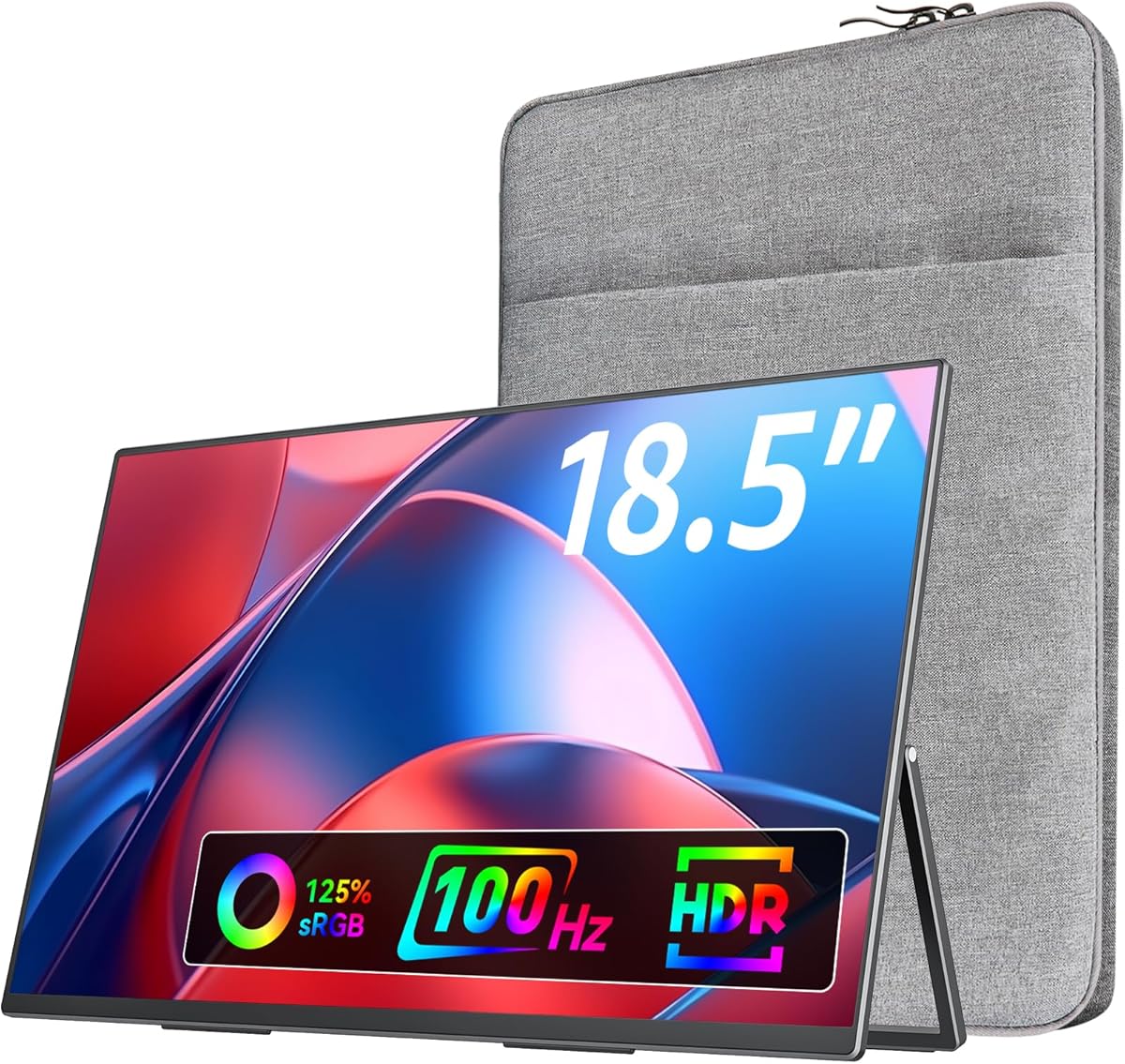
The VisionOwl 18.5-inch portable monitor is built around a simple premise: provide more usable screen area than a conventional 15.6-inch travel display without losing modern conveniences. It carries a 4.8 rating, an 18.5-inch 1080p IPS panel, a 100Hz refresh rate, 125% sRGB coverage, and 8-bit color depth.
We may earn a commission when you buy through this link, at no additional cost to you.
Its stand and enclosure are built around portability. The display weighs 2.7 pounds, measures just 0.24 inches at its minimum thickness, and has a maximum thickness of 0.55 inches. An integrated metal kickstand supports free-standing use, while standard 75 by 75 millimeter VESA holes allow installation on an arm or wall bracket. The larger panel is particularly useful for spreadsheets, timelines, dashboards, and side-by-side application work.
Two USB-C ports and a full-size HDMI port provide flexible connectivity. A single USB-C cable can handle power and video on compatible Thunderbolt 3, 4, or 5 systems, and the stated MacBook compatibility is reassuring for a product intended as a laptop extender. Integrated speakers add value for presentations and casual media use, though they are not substitutes for calibrated audio.
Choose this model if your priority is a large second screen that remains manageable at 2.7 pounds. It is a good fit for travelers, analysts, and hybrid workers who value the larger canvas and smoother refresh rate more than 4K detail. The main compromise is obvious: 1080p spread across 18.5 inches does not offer the crispness of a 4K or 2.5K panel.
The 18.5-inch canvas creates room for a communication window, document, and reference content at the same time. It offers a useful middle ground between a standard travel screen and a full desktop monitor.
The built-in kickstand handles quick setups, while VESA compatibility unlocks more permanent positioning. This makes the display useful in temporary offices as well as home workspaces.
We may earn a commission when you buy through this link, at no additional cost to you.
The VisionOwl 15.6-inch 4K portable monitor is the premium choice in this collection, combining a 3840 by 2160 panel with a metal body, an integrated adjustable stand, and a stated 145% sRGB color gamut. Its 4.8 rating reflects strong customer satisfaction, while the specification set targets users who need finer detail than a standard FHD travel display.
We may earn a commission when you buy through this link, at no additional cost to you.
The 4K resolution provides substantially more pixel density than 1080p, making small interface text, photographs, and detailed documents easier to inspect. An A-grade panel is described as tested for uniformity, brightness consistency, and pixel integrity. Color coverage is beneficial for photo editing and content creation, although a wide gamut alone does not guarantee factory calibration.
Connectivity is well thought out. Full-featured USB-C can carry both power and video, while the upgraded standard HDMI port supports other laptops, PCs, and consoles. The package includes two USB-C cables, an HDMI cable, a power adapter, and a protective sleeve. VESA support, an all-metal chassis, and a folding kickstand make the product suitable for both mobile and semi-permanent arrangements.
This is the recommendation for MacBook Pro users who work with detailed documents, high-resolution media, or a densely packed macOS interface and want a premium portable build. The 4K panel can demand more graphics processing and power, and the supplied information does not state a refresh rate, so competitive gaming is not its central selling point. For maximum clarity, it is the most compelling choice here.
The 4K panel packs more pixels into a familiar 15.6-inch size, helping dense menus, small text, and detailed previews remain readable. macOS users who keep many windows open can benefit from that additional definition.
The metal enclosure and adjustable kickstand provide a refined feel and stable desk placement. When needed, the VESA pattern allows a monitor arm to improve height and viewing-angle control.
We may earn a commission when you buy through this link, at no additional cost to you.
The VisionOwl 16-inch 2.5K monitor combines a 2560 by 1600 resolution with a 144Hz refresh rate, giving it one of the strongest performance specifications in this guide. It also has a 4.8 rating and a 16:10 aspect ratio explicitly intended to complement MacBook displays without introducing unwanted black bars during full-screen mirroring.
We may earn a commission when you buy through this link, at no additional cost to you.
The IPS panel uses 8-bit plus 2FRC technology, supports up to 1.07 billion colors, and covers 110% sRGB. Its stated brightness of 470 nits is unusually high for a portable display and should help visibility in bright environments. The product data also identifies an A-grade panel and zero dead pixels, making it attractive for users who value detail alongside speed.
Port selection includes dual USB-C and a full-size HDMI port. Single-cable power and video work with Thunderbolt 3 or 4 sources and other USB-C devices supporting DisplayPort Alt Mode. At 1.48 pounds, the metal body is still travel-conscious, while the built-in kickstand, VESA holes, sleeve, power adapter, HDMI cable, and two USB-C display cables create a complete package.
This model is ideal for a MacBook Pro user who wants smooth motion, a relatively large screen, and strong brightness in one travel display. It is a particularly compelling choice for gaming, motion-heavy work, and creative tasks that benefit from the 16:10 format. The trade-off is that 2.5K offers less fine detail than the 4K VisionOwl, and the 144Hz specification may place greater demands on the source device and power source.
The 16:10 ratio closely reflects the proportions of many MacBook screens, creating a more unified desktop when the portable panel is placed beside or above the laptop. It also leaves useful vertical room for timelines and communication panels.
The 144Hz refresh rate reduces the coarse impression of fast motion, while 470-nit brightness improves visibility away from a controlled desk. Together they make the display more versatile than standard 60Hz FHD travel panels.
We may earn a commission when you buy through this link, at no additional cost to you.
The 15.6-inch triple portable monitor is the most unconventional selection here because it can turn one laptop into a three-display workstation. Each panel has a 1920 by 1080 IPS resolution, a 1000:1 contrast ratio, and 300-nit brightness. The system is designed for traders, designers, remote workers, and other users who need far more screen area than a single travel monitor provides.
We may earn a commission when you buy through this link, at no additional cost to you.
Its physical design differs from a conventional single-panel case. An adjustable freestanding bracket supports laptops between 12 and 17.3 inches, and each screen folds from zero to 180 degrees. Because the system does not clamp onto the MacBook display, it avoids adding stress to the lid while still creating a multi-panel workstation.
Compatibility requires careful attention. The supplied information states that laptops with two video outputs can use the standard USB-C or USB-C-plus-HDMI arrangements, while an H5 cable may be needed for certain single-output situations. It also states that standard M1, M2, and M3 MacBooks are not compatible for dual-screen functionality, whereas Pro and Max variants are supported. MacBook Pro owners should verify the exact chip configuration and required cable before buying.
The triple-screen design is the clear reason to choose this model, but it also creates the biggest trade-offs. The complete system weighs 3.9 pounds, offers only FHD resolution per panel, and requires more desk space than ordinary portable monitors. It is best for specialized power users who truly need three simultaneous displays rather than occasional travelers seeking one lightweight extra screen.
Three independent panels can hold communication, research, monitoring, and editing interfaces at the same time. The design reduces the need to repeatedly move windows that do not fit on a laptop screen.
The freestanding bracket supports the laptop from below rather than attaching to the display lid. Foldable panels let the user select a wide or compact arrangement according to the available space.
We may earn a commission when you buy through this link, at no additional cost to you.
The InnoView 15.6-inch FHD portable monitor is a straightforward choice for MacBook Pro users seeking a standard second screen without specialized software or a complicated setup. Its 4.4 rating is positive, and the supplied information emphasizes a 1920 by 1080 A+ IPS panel, HDR support, low blue light, and a 178-degree viewing angle.
We may earn a commission when you buy through this link, at no additional cost to you.
The monitor includes two full-function Type-C ports and an HDMI port. With a compatible Thunderbolt 3, Thunderbolt 4, or USB-C DisplayPort Alt Mode source, one USB-C cable carries both power and video, with reverse charging available. Devices without that capability can use HDMI and a separate power connection. No application or driver is required, which makes the display practical for spontaneous travel setups.
The scratch-resistant PU leather cover serves several purposes. It protects the panel in a backpack, folds into a stand, and supports landscape or portrait orientation through two adjustment grooves. A built-in speaker adds basic audio capability. Although the product data does not specify the weight or an exact refresh rate, its stated 15.6-inch size and cover-based design suggest a familiar travel-monitor format.
Choose the InnoView for office work, study, meetings, and general travel use where simplicity matters. It does not provide the higher resolution, refresh rate, or color specification of the more specialized alternatives, but its core workflow is clear and well supported. Owners should verify the source's video-output capability and keep a suitable power method available when using HDMI.
The smart cover protects the display in transit and becomes a stand at the desk. Its adjustable grooves help place the screen at a comfortable angle while preserving portrait orientation for documents.
Full-function USB-C ports, HDMI, reverse charging, and a no-driver design make setup predictable. The only important compatibility step is confirming that the chosen MacBook port supports external video.
We may earn a commission when you buy through this link, at no additional cost to you.
The ASUS ZenScreen MB16AHV is built around a refined 15.6-inch portable design with a 4.4 rating, an anti-glare Full HD IPS panel, and a weight of 0.9 kilograms. Its 10-millimeter profile fits naturally into a travel bag, and the anti-glare treatment is particularly useful in cafés, airports, offices, and other bright environments.
We may earn a commission when you buy through this link, at no additional cost to you.
Connectivity uses dual USB-C and Mini-HDMI ports, with 15W power delivery available over USB-C. A single cable can therefore handle compatible video and power while keeping the setup uncluttered. The fold-out kickstand provides stable desk support, and a tripod socket allows the display to be attached to a portable monitor stand when a different angle or height is needed.
ASUS DisplayWidget software adds automatic rotation, allowing long documents to move between portrait and landscape orientations as the display is physically turned. The monitor also uses an embedded ionic silver treatment described as inhibiting 99.9% of bacteria, adding a hygiene-oriented feature for shared workspaces. TV-certified flicker-free and low blue light technologies support comfortable long sessions.
This is a compelling option for business travelers who value a recognizable, established portable-monitor design and a particularly light profile. The Mini-HDMI port is less future-facing than full-size HDMI, and 15W charging is not intended to recharge a MacBook Pro rapidly. The included three-year warranty with advanced replacement and repair service is another meaningful advantage.
The anti-glare IPS panel reduces distracting reflections and provides wide viewing angles. Eye-care features make the screen more suitable for long document sessions and extended communication work.
DisplayWidget can automatically recognize a physical change between portrait and landscape orientation. This makes reading long documents more natural without repeatedly adjusting display settings.
We may earn a commission when you buy through this link, at no additional cost to you.
The ASUS ZenScreen MB16ACV is a refined, uncomplicated 15.6-inch portable monitor aimed at travel, meetings, and general productivity. It has a 4.5 customer rating and a 1920 by 1080 anti-glare IPS display. The combination of a thin design, wide viewing angles, and a flexible kickstand gives it a straightforward role as a dependable MacBook Pro companion.
We may earn a commission when you buy through this link, at no additional cost to you.
Its hybrid-signal connectivity supports both video and power transmission and is designed to work with laptops featuring USB Type-C or Type-A ports. USB-C Power Delivery allows compatible systems to use one cable for display output and power. The display can also be used with phones, PCs, and gaming consoles, providing more flexibility than a Mac-specific accessory.
The integrated kickstand supports both portrait and landscape placement, making the display useful for reading long pages, displaying reference information, or participating in video calls. TV Rheinland-certified flicker-free and low blue light technologies are included for viewing comfort, and a three-year warranty with advanced replacement and repair service provides additional ownership support.
Choose the MB16ACV when portability, ease of use, and a familiar ASUS design matter more than high resolution or a high-refresh gaming experience. It is well suited to email, documents, browser work, and presentations. Users editing media or seeking pixel-dense screens will find the VisionOwl 4K and 2.5K options more capable, while travelers who prioritize maximum lightness may prefer the MB16AHV.
The USB-C arrangement combines display and power for compatible laptops, while hybrid-signal support broadens device compatibility. This reduces setup time when moving between a MacBook Pro and other equipment.
The kickstand can move between portrait and landscape use without requiring a separate accessory. This is particularly useful for web browsing, document review, and vertical workflow panels.
We may earn a commission when you buy through this link, at no additional cost to you.
The BenQ MA270U is the least portable monitor in the guide, but it offers a compelling alternative for MacBook Pro users who want a permanent desktop display rather than a compact travel screen. Its 27-inch 4K panel provides 3840 by 2160 resolution, a P3 wide color gamut, and color tuning intended specifically for MacBook Pro and MacBook Air displays.
We may earn a commission when you buy through this link, at no additional cost to you.
The dual USB-C connectivity is central to the experience. One USB-C connection can expand the MacBook display while delivering up to 90W of power, and a second USB-C port can deliver 15W to a compatible phone or tablet. Two HDMI ports and an integrated USB hub broaden the monitor's role as a workstation hub, reducing the number of adapters needed on a desk.
Mac integration goes beyond simple signal transmission. The MA270U supports adjustment of brightness and volume directly from the MacBook keyboard, reducing the need to reach for separate physical controls. Its stand adjusts height, tilt, swivel, and pivot, allowing the 27-inch panel to align comfortably with a laptop and the user's preferred viewing position.
This monitor is best for a home office, studio, or permanent creative workstation where portability is secondary. The 4K resolution offers ample room for timelines, design canvases, spreadsheets, and multiple macOS windows, while the P3 gamut is especially relevant to Mac-oriented creative work. It should not be described as a true travel monitor, and buyers should consider its substantial desktop footprint before ordering.
Mac color matching, keyboard brightness and volume control, and a wide-gamut panel make the display feel closely connected to the laptop workflow. It is particularly well suited to users accustomed to the color and control behavior of Mac displays.
USB-C display input and 90W charging can consolidate video, power, and hub connections. The adjustable stand then allows the large display to sit comfortably beside a MacBook Pro in a dedicated office.
We may earn a commission when you buy through this link, at no additional cost to you.
The right MacBook Pro companion depends on how and where you will use it. Start with source-device compatibility, then balance portability, panel quality, workspace size, refresh rate, and support hardware according to your most common tasks.
Look for a full-featured USB-C port rather than treating every USB-C connector as equivalent. For one-cable operation, the MacBook Pro port and cable must support Thunderbolt 3, Thunderbolt 4, or USB-C DisplayPort Alt Mode. The listed models generally use this approach, but compatibility can also depend on the exact port, cable, and macOS configuration. HDMI remains useful as a fallback, especially for systems that do not provide video through USB-C.
A 1920 by 1080 panel is large enough for documents, communication, and general multitasking, especially at 15.6 inches. The 2560 by 1600 option adds more working detail and a MacBook-friendly 16:10 format, while 3840 by 2160 provides the finest text and image definition in this guide. Higher resolutions can place more demand on graphics performance and power, so consider the actual workflow rather than assuming the sharpest panel is always necessary.
IPS panels are common in this category because they offer broad viewing angles and consistent office readability. Color-gamut figures range from 85% sRGB on the cocopar to 145% sRGB on the 4K VisionOwl, with the BenQ offering a P3-oriented option. For creative work, assess color reproduction, uniformity, and calibration rather than relying only on gamut. Brightness also matters: the VisionOwl 2.5K is stated at 470 nits, which is useful in bright rooms.
A 60Hz panel is sufficient for office applications, browsing, and video conferencing, while 100Hz and 144Hz models feel smoother during scrolling, animation, and games. Higher refresh rates generally place a greater burden on the source device and may require more energy. MacBook Pro models with capable integrated or discrete graphics can handle demanding screens well, but users should avoid assuming every compact USB-C cable can deliver maximum refresh rates at maximum resolution.
Travel monitors are judged not only by display thickness but also by total weight, included stand, case, and required space. The cocopar display itself weighs 1.5 pounds, while the VisionOwl 2.5K is listed at 1.48 pounds and the 18.5-inch VisionOwl at 2.7 pounds. The triple-screen system weighs 3.9 pounds and needs substantially more room. The 27-inch BenQ is a desktop display, so it belongs in a separate portability category.
A folding cover can provide a simple stand while protecting the display, but an adjustable kickstand usually offers more precise positioning. VESA support adds valuable flexibility for monitor arms, clamps, and wall brackets. The cocopar, VisionOwl models, and triple-screen extender all support some form of mounting, while ASUS ZenScreen products emphasize integrated kickstands and a tripod socket. Select the support method that matches the intended workspace.
Think about the number of windows, screen aspect ratio, and applications you need to display. A 16:10 2.5K screen suits the proportions of many MacBook models, while 18.5 inches provides more canvas than a standard portable panel. The triple-monitor system can support specialized workflows but includes explicit limitations for certain Apple chip configurations. A conventional second screen remains the least complicated and most broadly useful option.
A complete kit can make setup much easier. The VisionOwl 2.5K includes a sleeve, power adapter, HDMI cable, and two USB-C display cables, while the cocopar and MNN use protective covers that double as stands. Consider whether reverse charging is required, whether an external power adapter is included, and whether the case protects the corners during travel. These details often matter more in daily use than an extra specification that will rarely be tested.
Begin by identifying a USB-C port on the MacBook Pro that supports Thunderbolt or DisplayPort Alt Mode, then connect the display with a full-featured USB-C cable. In macOS, open the display settings and choose whether to extend the desktop, mirror the built-in screen, or arrange the displays according to their physical positions. If the MacBook does not output video through USB-C, use the monitor's HDMI input with a suitable cable and provide power separately when needed.
Use the included stand, cover, or kickstand to set a stable viewing angle, and avoid leaving the panel under direct pressure inside a tightly packed bag. When raising or rotating a folding display, support the frame and use a clean, dry surface. For portrait use, confirm that macOS recognizes the rotated orientation and adjust the arrangement in display settings rather than forcing the physical screen beyond its intended movement.
Clean the display with a soft microfiber cloth and a small amount of screen-safe solution applied to the cloth rather than sprayed directly onto the panel. Keep liquids away from USB-C and HDMI ports, coil cables without sharp bends, and keep the protective case on during storage. Periodic macOS updates, careful handling of power adapters, and avoiding pressure on the corners will help maintain a reliable mobile setup.
Not every USB-C port necessarily supports the same external-display features on every configuration. For the simplest setup, use a port that supports Thunderbolt 3, Thunderbolt 4, or USB-C DisplayPort Alt Mode with a compatible full-featured cable. HDMI is a useful fallback when USB-C video output is unavailable. Checking the relevant port and cable requirements before purchase avoids unexpected setup limitations.
A 4K panel provides much finer text, denser interfaces, and more room for detailed work, making it especially useful for creative software and large reference documents. An FHD model remains more than adequate for email, browsing, presentations, and video calls while typically placing fewer demands on the MacBook Pro. The ideal choice depends on whether display detail or efficiency is your higher priority.
Yes, macOS can place applications on an external display and use it as the primary desktop. You can also mirror the built-in panel or extend the workspace across both. For the best experience, position the external screen at or near eye level and use a stable stand or VESA-compatible arm to avoid frequent adjustments.
Some models support reverse charging, allowing a single USB-C cable to carry display data while powering the computer. The amount of power delivered varies, and some displays provide more reliable charging than others. A MacBook Pro with a high power requirement may still need its own charger for sustained heavy workloads, so check the product specifications and use a capable cable.
They can be useful for smooth scrolling, video editing previews, animation, and games. The benefit depends on the MacBook Pro's graphics capability, the selected resolution, and whether the connected cable and dock support the full refresh rate. A 60Hz display remains perfectly suitable for conventional office work, where the difference is less noticeable.
Look for coverage around the panel, corners, ports, and folding stand, along with a soft lining that resists scratches. A case that folds into a stable support is especially useful because it avoids carrying a separate stand. It should fit inside a bag without placing excessive pressure on the screen and should not block heat dissipation or connected cables.
Compatibility depends on the device's physical USB-C port, video-output support, and the adapter or cable used. Several monitors in this list list phones or tablets among compatible device types. Confirm that the selected device supports external video before purchasing, and use an adapter that provides the required signal rather than a charge-only connection.
No. A folding cover or integrated kickstand is usually enough for travel, hotel desks, and quick remote-work sessions. VESA compatibility becomes valuable when you want to attach the display to an arm, use a monitor clamp, or fine-tune height and angle in a permanent workspace. It adds flexibility without changing the core MacBook Pro connection.
The cocopar 15.6-inch FHD monitor is the most balanced overall recommendation, combining a 4.8 rating, single-cable USB-C operation, a thin cover, and VESA compatibility. The MNN 15.6-inch FHD stands out as the budget-focused choice, while the VisionOwl 15.6-inch 4K earns the premium recommendation for users who want exceptional detail and a metal construction.
Prioritize USB-C video support first, then choose the display that matches the workload. FHD is sufficient for ordinary productivity, 2.5K adds useful detail and a smooth 144Hz option, and 4K benefits detailed creative work. Larger panels, integrated speakers, VESA support, and protective covers can improve convenience, but they should complement rather than replace a compatible connection and comfortable viewing arrangement.
Before ordering, confirm the exact ports on your MacBook Pro, review the included cable and power accessories, and compare the current listing details with the needs identified in this guide. Product specifications and pricing can change, so checking the latest information helps ensure that the selected portable monitor still offers the right combination of clarity, portability, and compatibility.