
Gigastone 1TB USB-C External SSD
4.3Editor score
1TB portable capacity
USB-C and USB-A interfaces
Up to 1,050MB/s transfers
Three-year replacement warranty
A portable SSD can give a PS5 more room for games without forcing you to delete favorites or repeatedly reinstall completed titles. The right drive should offer enough capacity, dependable transfer speeds, durable construction, and a connection method that works smoothly with the console and your other devices.
This guide compares ten portable SSDs using the supplied specifications, compatibility claims, capacities, interfaces, and physical designs. It considers the practical differences between direct M.2 expansion, external game drives, general-purpose portable SSDs, and options intended primarily for archiving rather than running games.
Each review explains the strongest use case, important limitations, and the features that may matter most to a particular gamer. Product availability and prices can change, so check the current listing and the latest PlayStation software requirements before purchasing.
4.3Editor score

4.8Editor score

4.5Editor score
As an Amazon Associate we earn from qualifying purchases.
The table below compares all ten drives by capacity, interface, stated performance, durability, and practical PS5 role, highlighting the difference between internal M.2 expansion, external game storage, and general-purpose portable SSDs.



The WD_BLACK 2TB SN850P is a purpose-built internal expansion card for PS5 consoles, combining official licensing, PCIe Gen 4 performance, and a heat solution designed specifically for the console. Its 4.8 rating is the highest among the products in this guide, and the specification that matters most is direct installation into the console's M.2 slot rather than dependence on an external USB connection.
We may earn a commission when you buy through this link, at no additional cost to you.
The included heatsink is an important detail because internal storage operates in a confined area with limited airflow. The drive is described as optimized for PS5 installation, allowing games to remain installed and launch directly from the expansion without repeatedly transferring files between external storage and the console's internal drive. Stated read speeds reach up to 7,300MB/s, far beyond what most external SSDs can provide over USB.
There are practical trade-offs. This is an M.2 card rather than a conventional drive that can be carried between consoles, and installation requires opening a compatible PS5, which may conflict with the console's warranty terms. Performance also depends on the host device, capacity, usage conditions, and other factors, so the headline number should be treated as a maximum rather than a guaranteed result in every game.
For gamers who want the strongest possible internal expansion and do not need a pocket-sized drive, this is the most compelling choice in the group. It suits owners of a compatible PS5 who regularly install large games, want direct access without copying, and value officially licensed hardware. Confirm console compatibility and installation requirements before buying.
Because the drive installs inside the console, supported PS5 games can run directly from it. That removes the repeated copy process required when using a conventional external SSD for native PS5 titles and keeps game management within the console interface.
The supplied optimized heatsink is tailored to the PS5's internal M.2 position. This focused thermal design helps distinguish the card from a standard desktop NVMe SSD that would need a separate, more generic heatsink.
We may earn a commission when you buy through this link, at no additional cost to you.
The Gigastone 1TB is a flexible external SSD designed to work with several kinds of devices, including the PS5, PS4, and compatible USB-C or USB-A equipment. Its dual-interface design makes it easy to move between a console, laptop, tablet, or phone without carrying a separate adapter, while its stated 1,050MB/s transfer rate suits large game-file transfers.
We may earn a commission when you buy through this link, at no additional cost to you.
The most important limitation appears directly in the supplied compatibility notes. A PS5 can play compatible PS4 games directly from this external SSD, but native PlayStation 5 games cannot be played directly from it. Instead, game files must be copied back to the console's internal storage before playing. The drive therefore works best as a transfer and archive device, not as a substitute for an internal expansion card.
Another requirement is that the SSD must be formatted on the PS4 or PS5 before use and attached to a SuperSpeed port. That is not a major obstacle for a careful setup, but it does mean the drive is less convenient than products that present themselves as direct-play external PS5 storage. The stated transfer figure also represents a maximum rather than a guaranteed application-level result.
This is a sensible choice for a budget-conscious PS5 owner who wants extra storage for moving, organizing, and backing up game files. It is especially attractive for people who also need a portable SSD for a phone, tablet, or computer. Choose it for archiving and transfer duties, not for bypassing the console's internal storage limit.
The integrated USB-C and USB-A connectors improve versatility across consoles and computers. It can also serve as general-purpose storage for high-resolution photos, large videos, and routine backups, giving the 1TB capacity uses beyond gaming.
Compatible PS4 games may run directly from the external drive, but PS5 titles need to be transferred back to internal storage. Gamers with a crowded console should budget for that step and use the drive primarily as a staging area.
We may earn a commission when you buy through this link, at no additional cost to you.
The Sandisk 2TB Extreme Portable SSD for PS5 is explicitly designed, tested, and approved for PlayStation consoles. That purpose-built positioning is the central appeal: it combines a generous 2TB capacity with transfer performance of up to 1,000MB/s and a rugged, portable enclosure designed to move easily between gaming setups.
We may earn a commission when you buy through this link, at no additional cost to you.
Its capacity makes it especially useful for gamers who want to keep more installed or archived games without constantly deleting older titles. The speed is sufficient for moving substantial collections between an external drive and the console. IP65 protection and up to 3-meter drop resistance also make it more suitable for travel and less controlled storage locations than a basic enclosure with no stated environmental rating.
The speed figure is a maximum based on internal testing, and real performance can decline with the host device, interface, usage conditions, and other factors. It also remains an external portable SSD rather than an M.2 expansion card, so users should understand how the PS5 software supports external game storage. A purpose-built design and long warranty cannot change the limits imposed by the external interface.
This drive is a strong premium recommendation for a gamer who wants one dependable 2TB device for PS5 storage and broader portable use. It makes more sense than a smaller model when game libraries, backups, screenshots, videos, or other large files are also part of the storage plan. Verify the current PS5 external-storage workflow and format requirements before purchase.
Designing and testing a drive specifically for PlayStation consoles gives buyers a clearer compatibility proposition than a generic portable SSD. The result is a product intended to fit into a console-centered storage routine.
Two terabytes gives PS5 owners room to retain more of their collection. It also allows the same drive to hold archived games and non-gaming files, making the device useful beyond immediate console storage.
We may earn a commission when you buy through this link, at no additional cost to you.
The Seagate 2TB Game Drive is an officially licensed external SSD for PS4 and PS5 systems, with matching firmware designed to work across both console families. Its 4.5 rating reflects a generally well-received product, while the licensed console focus gives it a clearer identity than many general-purpose external drives.
We may earn a commission when you buy through this link, at no additional cost to you.
Two terabytes provides meaningful room for a game collection and reduces the need to delete or redownload titles. The drive's 2.5-inch form is portable and lightweight, and blue LED lighting gives it a distinctive appearance beside a console. Matching firmware is another practical benefit for users who move between supported PlayStation models rather than maintaining separate external storage for each generation.
The supplied information does not provide a specific maximum read or write speed. Its USB 3.0 interface is also less advanced than USB 3.2 Gen2 or Gen2x2 options elsewhere in this list. That does not make it unsuitable, but it means buyers should not expect the headline transfer rates advertised by newer interfaces. A licensed drive can simplify recognition while interface speed still determines how quickly large files move.
This is a good option for a gamer who values official console certification, cross-generation PS4 and PS5 use, and a substantial capacity in a familiar game-drive format. It may be especially attractive for living-room setups where appearance and simple console integration matter. Buyers seeking a general-purpose file drive with modern connectors should compare those alternatives before deciding.
Matching firmware and support for all PS4 and PS5 models simplify the decision for households that own more than one console. The same external drive can therefore serve more than one part of a PlayStation library.
The drive combines 2TB with a lightweight 2.5-inch enclosure, giving PS5 owners useful storage without requiring a desktop setup. The blue lighting also makes its game-related purpose immediately visible.
We may earn a commission when you buy through this link, at no additional cost to you.
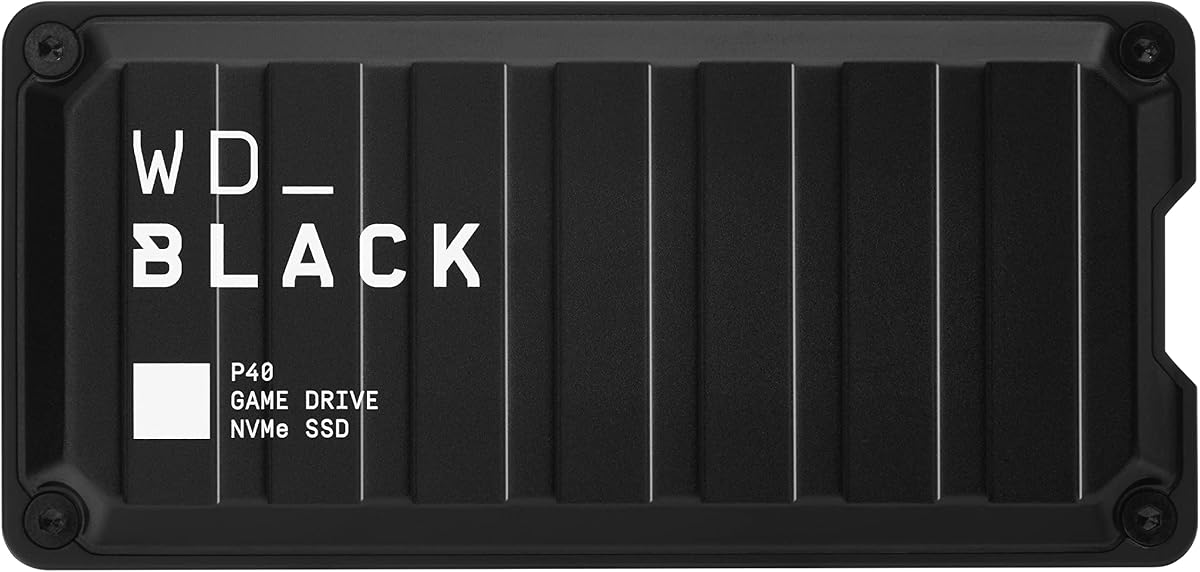
The WD_BLACK 2TB P40 Game Drive combines a modern USB 3.2 Gen2x2 interface with a stated read speed of up to 2,000MB/s. It carries a 4.6 rating and stands out visually through customizable RGB lighting, while also serving as general-purpose storage for PCs, Macs, and compatible Xbox systems.
We may earn a commission when you buy through this link, at no additional cost to you.
The product's PS5 compatibility details are more nuanced than a simple yes or no. The supplied information specifies that the PS5 can play and store PS4 games while archiving PS5 games. That makes it especially useful for PS4 libraries on a newer console and for moving native PS5 titles into an archive, but it should not be mistaken for a broadly direct-play external solution for every current PS5 title.
Its Gen2x2 interface gives it more theoretical headroom than the USB 3.0 Seagate drive, though actual results depend on the host, cable, capacity, usage conditions, and other factors. The RGB software is Windows-only, which limits customization for Mac users. The shock-resistant structure and stated two-meter drop protection are meaningful for a device intended to travel.
This is a compelling choice for a multi-platform gamer who wants rapid transfers, 2TB capacity, and a striking game-room accessory. It fits especially well when the main goals are PS4 game support, PS5 archiving, and occasional use with a PC or Xbox. Make sure the intended games and workflow align with the drive's documented compatibility before buying.
USB 3.2 Gen2x2 and a stated 2,000MB/s read rate make the P40 attractive for rapidly moving large libraries. Its broader platform support also allows the capacity to be useful outside the PlayStation ecosystem.
Customizable RGB lighting gives the drive a deliberate gaming appearance. The Windows-only control software may be inconvenient, but it adds a visual feature absent from most understated portable SSDs.
We may earn a commission when you buy through this link, at no additional cost to you.
The Verbatim Pocket 512GB SSD is built around portability. Its ultracompact, lightweight body, keyring, and cable holder make it easy to carry, while USB 3.2 Gen 2 and stated read and write speeds of up to 1,000MB/s offer useful performance for backups, media, and game-file transfers.
We may earn a commission when you buy through this link, at no additional cost to you.
Its 4.0 rating is the lowest in this group, so buyers should evaluate it primarily on its physical design and straightforward feature set rather than assuming it leads on ratings. The 512GB capacity is also the smallest here, which limits how many modern games it can hold when used for console storage. It is better suited to a selection of files, smaller game collections, or a portable backup than a large PS5 library.
The stated compatibility list includes USB-C PCs, Macs, tablets, smartphones, and gaming consoles. However, the supplied details do not make the same explicit PS5-specific promises as the purpose-built SanDisk, WD_BLACK, or Seagate products. A PS5 owner should therefore check current console recognition requirements and understand the desired external-storage workflow before buying.
Choose this drive if portability, affordability, and simple USB-C use matter more than maximum capacity. It is a sensible compact companion for backups and selected files, but it is not the strongest option for expanding a substantial PS5 game library. The lack of a stated IP rating also makes it less compelling for exposed travel use.
The small enclosure and integrated keyring reduce the bulk associated with carrying a portable SSD. A built-in cable holder helps keep the connection tidy, making it convenient to move between locations.
Stated read and write performance of up to 1,000MB/s is suitable for rapid backups and file movement. The solid-state design also avoids moving parts, supporting portable everyday use.
We may earn a commission when you buy through this link, at no additional cost to you.
The Crucial X10 1TB is a fast, rugged portable SSD intended for creators, students, PC gamers, and everyday storage. It combines a stated read speed of up to 2,100MB/s with broad compatibility across Windows, Mac, iPad Pro, Chromebook, Android, Linux, PS4, PS5, and Xbox.
We may earn a commission when you buy through this link, at no additional cost to you.
The 4.5 rating reflects a well-rounded option, and its physical specifications stand out: IP65 dust and water resistance plus drop resistance up to 9.8 feet, or 3 meters. That makes it a good traveling companion for a PS5 owner who also wants to carry photos, videos, and documents. The compact blue enclosure provides 1TB without the bulk of some larger gaming drives.
The main uncertainty is the PS5-specific workflow. Although the supplied data explicitly lists PS5 as compatible, it does not state whether native PS5 games can be played directly from this particular model. Buyers should consult the current console guidance and product documentation instead of inferring direct-play behavior merely from compatibility. Stated speed is also a maximum, with actual results depending on the host and other factors.
This is a strong all-around portable SSD for a gamer who wants more than console storage. Its combination of speed, durability, and cross-platform support makes it equally useful for creative files and everyday backups. For a large PS5 collection, 2TB alternatives offer more room, but the X10 is balanced and broadly useful.
Support for major desktop, mobile, Linux, and console platforms lets the X10 move easily between work, travel, and gaming. It is particularly useful for users who want one storage solution rather than separate console and computer drives.
IP65 protection and three-meter drop resistance provide useful safeguards beyond what a basic portable SSD offers. These qualities matter when the drive is carried to friends' homes, events, or other locations.
We may earn a commission when you buy through this link, at no additional cost to you.
The Sandisk 2TB Extreme Portable SSD is a well-rounded external drive with 2TB of capacity, USB 3.2 Gen 2 connectivity, and stated performance of up to 1,050MB/s read and 1,000MB/s write. Its 4.6 rating and broad feature set make it an attractive choice for PS5 owners who also need secure, durable portable storage.
We may earn a commission when you buy through this link, at no additional cost to you.
Physical protection is a major strength. The drive carries IP65 water and dust resistance and up to 3-meter drop protection, while a carabiner loop makes it easier to secure to a belt loop or backpack. The included password protection and 256-bit AES hardware encryption are especially relevant for a drive that may contain personal files, licensed media, or backups.
Unlike the PS5-specialized SanDisk in this guide, the supplied description does not explicitly state that this model is designed, tested, or approved for PlayStation consoles. Its USB interface and high transfer speed make it suitable for moving game files, but PS5 owners should confirm recognition and current external-storage behavior before purchase. The performance claim is also based on internal testing and can vary with host conditions.
This drive is best for a gamer who wants more than storage: portability, security, and ruggedness are central to its proposition. It is also a strong general-purpose drive for photos, videos, and backups. Choose the purpose-built PS5 model when official console positioning is the priority; choose this one when encryption and broader everyday utility matter more.
The included password-protection feature uses 256-bit AES hardware encryption. It provides a useful layer of security for a portable drive that may contain sensitive files or personal media.
The carabiner loop, IP65 rating, and three-meter drop protection create a travel-friendly package. The drive is easier to secure and better prepared for changing environments than a bare minimalist enclosure.
We may earn a commission when you buy through this link, at no additional cost to you.
The Sandisk 1TB Extreme Portable SSD for PS5 offers the same explicit PlayStation focus as its 2TB sibling in a more compact capacity tier. It is designed, tested, and approved for PlayStation consoles, with enhanced speeds up to 1,000MB/s for moving games between an external archive and the PS5's internal storage.
We may earn a commission when you buy through this link, at no additional cost to you.
One terabyte remains useful for carefully managed libraries, completed games, indie titles, and a selection of larger releases. The drive's purpose-built design gives console users a more direct compatibility proposition than a generic external SSD. IP65 protection, up to 3-meter drop resistance, and a five-year limited warranty reinforce its suitability for regular use and travel.
The obvious limitation is capacity. Large modern games can consume a significant share of 1TB once installed, so this option is less suitable for users who want to retain an extensive current-generation library. The stated read speed is also not guaranteed across every host, interface, or usage condition. Buyers should assess the drive as a portable transfer and storage solution rather than assume it can replace internal expansion.
This is a good match for PS5 owners who want official console design, solid transfer performance, and a manageable one-terabyte capacity without paying for the larger model. It works particularly well for archiving less frequently played games or maintaining a curated external collection. Those expecting maximum flexibility should consider the 2TB version.
Console-specific design, testing, and approval provide a clearer compatibility foundation. It is a more focused alternative for PS5 owners than buying a generic drive based only on transfer speed.
One terabyte is a practical middle ground for curated collections and regular transfers. It provides useful room without reaching the footprint or expense of a larger high-capacity configuration.
We may earn a commission when you buy through this link, at no additional cost to you.
The new Sandisk 1TB Extreme Portable SSD is built around a major speed improvement, with transfer speeds stated at up to 2,000MB/s. Its 4.6 rating, pocket-sized enclosure, IP65 rating, three-meter drop protection, and 256-bit AES encryption make it a modern high-speed portable option for a PS5 owner's broader storage setup.
We may earn a commission when you buy through this link, at no additional cost to you.
A transfer rate of this magnitude is useful for moving large game collections, high-resolution photos, or edited video files. The manufacturer notes that up to 1,000 high-resolution photos can be moved in under 60 seconds under the stated conditions. The drive is also described as nearly twice as fast as the previous generation, making the new model especially relevant for users who move large files frequently.
As with the other portable SSDs in this list, the maximum speed is not the same as guaranteed real-world performance. The host device, connection, source files, thermal conditions, and other factors can affect results. The supplied data also does not explicitly identify this model as designed or approved for PlayStation consoles, so a PS5 buyer should check current recognition and game-playback support rather than infer it from the Sandisk name.
Choose this model for fast, compact transfer work and secure everyday storage. It is a good travel companion and a useful shared drive for a PS5, PC, and mobile workflow. It is less suitable than a purpose-built console drive for users who prioritize official PlayStation compatibility or than a 2TB model for keeping a much larger game archive.
The new model's claimed 2,000MB/s transfer rate is a major step up from the earlier version. It reduces waiting time when moving large batches of photos, videos, backups, or game files.
IP65 protection, three-meter drop resistance, and a pocket-friendly body make the drive suitable for active use. Hardware encryption adds privacy for sensitive personal files.
We may earn a commission when you buy through this link, at no additional cost to you.
The most important choice is whether you want internal expansion, external game storage, a transfer archive, or one drive for several devices. Capacity, interface, direct-play rules, durability, and supported platform features should guide the decision.
A PS5 M.2 SSD installs inside the console and can provide the most direct route to additional game storage. The WD_BLACK SN850P is built for this role, with official licensing, a console-specific heatsink, and support for playing directly from the drive. An external portable SSD is easier to carry and use with other devices, but the PS5's software determines which titles can run directly. Some products focus on archiving or transferring files, while others support compatible PS4 games directly.
Capacity should reflect both the size of your current library and the games you expect to retain. A 512GB drive is compact but limited for modern titles, while 1TB suits a curated collection. A 2TB drive gives more room for current and archived games, plus room for screenshots, videos, and backups. Actual free space will be lower than the marketed capacity because the console and drive use some space for system functions and formatting.
The interface can determine how quickly data moves between an SSD and a PS5 or computer. USB 3.2 Gen2 and Gen2x2 products offer more theoretical bandwidth than USB 3.0, while an internal PCIe Gen 4 card operates on a fundamentally faster path. Advertised speeds are maximum laboratory results, not guaranteed application rates. A drive can still be useful without the highest headline figure if capacity, price, durability, and compatibility better match your needs.
External storage support varies by drive and title generation. The Gigastone model explicitly supports direct play for PS4 games but requires copying PS5 games back to internal storage. The WD_BLACK P40 is described as supporting PS4 games and PS5 archiving. Products designed specifically for PS5 may provide a clearer console experience. Before buying, verify whether you want to play games directly from the drive or simply keep an external archive.
A portable drive may spend much of its life in a bag, pocket, or entertainment center. IP65-rated products offer stated protection against dust and water, while some models add three-meter drop resistance. The WD_BLACK P40 lists two-meter drop protection, and the SanDisk Extreme models use IP65 and up to three meters. A keyring, carabiner loop, or integrated cable holder can make the drive easier to carry and reduce the chance of a lost connection.
Official licensing can simplify compatibility decisions. The WD_BLACK SN850P is officially licensed for PS5, the Seagate Game Drive uses matching firmware for PS4 and PS5, and the PS5-focused SanDisk models were designed, tested, and approved for PlayStation consoles. General-purpose portable SSDs can still be useful for transfers and backups, but buyers may need to perform more compatibility research and follow the console's external-storage setup instructions.
A drive used only with a PS5 can be chosen primarily around console support. A shared drive benefits from broad platform compatibility, USB-C and USB-A connectors, and a durable portable enclosure. The Gigastone offers both connector types, the Crucial X10 supports a wide range of operating systems and devices, and the WD_BLACK P40 can also serve compatible Xbox, PC, and Mac systems. Multi-device support can justify a more general-purpose design when the drive travels between consoles and computers.
A portable SSD is not automatically a private place for sensitive files. Some models include password protection with 256-bit AES hardware encryption, while others provide backup software for added file protection. The Verbatim includes Nero Backup Software for Windows, and the Crucial X10 listing mentions Acronis True Image and Mylio Photos Plus following purchase and registration. Consider how you will manage backups, encryption, and file transfer before choosing.
Begin by checking the drive's formatting, interface, and current PS5 compatibility requirements. Connect an external SSD to a suitable SuperSpeed port, format it on the console when instructed, and use the PS5 interface to move or archive supported files. For an M.2 expansion, power off the console, install the card with its included heatsink, secure the cover, and follow the manufacturer's instructions and applicable console warranty guidance.
Keep native PS5 game handling consistent with the drive's role. A drive intended for direct play should only be used with supported titles and the current console software. A transfer or archive drive should be used to stage files that will be copied to internal storage. Avoid moving a drive while files are actively transferring, and do not disconnect it until the console confirms that the operation is complete.
For long-term care, keep the SSD in a dry, temperature-controlled place when it is not connected, protect its ports from debris, and use suitable cables and ports. Maintain free space on both the SSD and the PS5, back up important files to another location, and treat the drive as a portable storage device rather than an irreplaceable archive. If performance becomes inconsistent, check the connection and available free space before assuming the drive has failed.
It depends on the specific drive, the console software, and the game generation. Some external SSDs are designed to run supported PS4 games directly, while PS5 titles may need to be copied back to internal storage. Products explicitly designed for PS5 can have clearer support, but buyers should still check the current listing and console guidance. The Gigastone is one clear example of a drive whose PS5 games must be copied back.
A 1TB drive can hold a useful collection, especially if you archive older games and keep only selected titles installed. Modern game file sizes vary widely, so the number of titles may differ considerably. Two terabytes offers more breathing room for larger libraries, screenshots, videos, and backups. Capacity should therefore be matched to your library and transfer habits rather than a single estimated game count.
M.2 expansion goes inside a compatible PS5 and provides a much closer connection to the console's internal storage, allowing supported games to be accessed directly. External portable storage remains outside the console and connects through USB, making it easier to carry and share. Its usability depends on supported titles, software, and the drive's intended role. Internal expansion is generally more direct, while external storage is more versatile.
You should follow the instructions supplied with the drive and the current PS5 setup process. The Gigastone product specifically requires formatting on a PS4 or PS5 before use. Other drives may come ready for immediate use or may offer setup through the console. Formatting determines how the console recognizes the drive, so avoid reformatting it without a backup if it contains important files.
A faster drive can reduce the time required to transfer large files and may improve performance when a game is loaded from compatible external storage. It does not make every game load faster if the bottleneck is the console, game engine, or internal drive. The advertised transfer rate is also a maximum under ideal conditions. Compatibility and whether the title can run directly from the SSD matter as much as headline speed.
An IP65 rating does not improve gaming performance, but it can make the drive more suitable for travel and less controlled environments by adding stated dust and water resistance. A console kept in a stable living room may not require that level of protection. Durability should be considered alongside capacity, interface, compatibility, and storage workflow rather than used as the only selection criterion.
Many of the featured drives support several platforms, which makes shared use practical. The Crucial X10 lists Windows, Mac, mobile, Linux, and console compatibility, while the Gigastone includes USB-C and USB-A for broader device use. The WD_BLACK P40 also supports compatible PC and Mac systems. File systems and formatting can affect what each device can read, so confirm compatibility before moving an active library.
A single drive should not be treated as the only copy of important games, saves, or personal files. External drives improve flexibility, but they can be lost, disconnected, or damaged. Keep important data backed up in more than one place, and maintain separate copies of irreplaceable saves, screenshots, and videos. A portable backup drive can be one part of that strategy rather than the whole strategy.
The WD_BLACK 2TB SN850P is the strongest overall recommendation for a compatible PS5 that supports internal M.2 expansion because it combines official licensing, direct game access, a purpose-designed heatsink, and exceptional stated read performance. The Sandisk 2TB Extreme Portable SSD for PS5 is the leading premium portable choice, while the Gigastone 1TB serves budget-conscious gamers who mainly need a fast staging and archive device.
Your priority should match the role you need. Choose an internal card for the most direct path to additional native PS5 games, an officially licensed external drive for console-oriented storage, or a high-speed multi-device SSD for travel, backups, and shared use. Capacity matters just as much as speed, and direct-play limitations should be understood before checkout. A smaller curated drive can be more useful than a larger one that creates extra management work.
Finally, confirm the current model details, console compatibility, format requirements, and warranty terms when you buy. Product prices and availability change frequently, and new SSD revisions can alter specifications without changing a familiar product name. Review the latest listing, compare the current capacity against your library, and choose the drive that offers the most useful combination of storage, compatibility, and durability.