
BITFUNX PSxMemCard Gen2 Memory Card
4.7Editor score
Four-in-one system support
Automatic dedicated save cards
Expandable to 2TB MicroSD
Front USB-C firmware updates
The best PS1 and PS2 memory card replacement guide compares 10 options for compatibility, capacity, storage, save management, display features, and ease of use.
A reliable memory card replacement can restore the save-game convenience of classic PlayStation hardware without limiting you to one game or one card. The right choice depends on whether you need a straightforward PS1 card, a dedicated PS2 card, or a flexible adapter that manages virtual saves across both systems.
We compared all ten products by examining stated console compatibility, memory capacity, storage architecture, save-management features, status displays, firmware support, included accessories, and ease of use. The list covers dedicated physical cards as well as expandable SD-based adapters designed for PS1, PS2, and arcade-system workflows.
Each review explains what the product offers, where it fits best, and which compromises may matter to a particular collector. Ratings reflect the supplied customer feedback, while product details come from the listed descriptions. Availability and pricing can change, so confirm the current listing and compatibility details before ordering.
4.7Editor score

4.5Editor score

4.6Editor score
The comparison covers dedicated PS1 and PS2 cards alongside SD-based virtual memory card systems, with emphasis on console support, save capacity, storage flexibility, display controls, and intended use.




This PSxMemCard is the most versatile option in the guide, earning a 4.5 rating from its listed customer feedback. It supports PS1, PS One, PS2, and arcade systems while adding an OLED status display, front buttons, and a USB-C port for firmware updates. The included 8GB MicroSD card makes it a complete solution for virtual memory card management.
We may earn a commission when you buy through this link, at no additional cost to you.
Its standout advantage is the ability to create dedicated 128KiB virtual cards for PS1 saves and adjustable PS2 virtual card sizes ranging from 1MB to 64MB. The device can automatically detect a running game and create the appropriate card, reducing the need to manage numerous physical cards manually. The supplied card can hold more than 60,000 PS1 cards or over 8,000 8MB PS2 cards, with expansion up to 2TB.
The trade-off is that this is a configurable electronic device rather than a simple sealed memory card. Buyers must navigate settings with the two front buttons, and the product's capabilities extend beyond basic save storage into functions such as FreePSXBoot, FreeMCBoot, OpenTuna, and other exploits. It is therefore best suited to a user who values flexibility and organized multi-game storage rather than minimal setup.
This is our top overall recommendation for collectors who want one approach to PS1 and PS2 saves. It combines a wide compatibility range, expandable storage, automatic game detection, and a helpful OLED display. Choose it when you play multiple systems or retain numerous games and want the ability to create appropriately sized virtual cards without juggling a stack of physical media.
The adapter creates virtual memory cards for both 128KiB PS1 saves and adjustable-size PS2 cards. Its stated compatibility with arcade systems further broadens its appeal for users who enjoy more than standard console software.
The included 8GB MicroSD card can hold thousands of virtual cards and can be expanded to 2TB. This makes the device more practical for growing save collections than a conventional single-purpose card.
We may earn a commission when you buy through this link, at no additional cost to you.
The BITFUNX PSxMemCard Gen2 combines a strong 4.7 rating with a feature set aimed at users who want careful control of virtual saves. It supports PS1, PS One, PS2, PSX, and arcade systems, creates dedicated virtual cards, and provides adjustable PS2 card sizes from 1MB through 64MB.
We may earn a commission when you buy through this link, at no additional cost to you.
The 4-in-1 positioning is especially useful for collectors who move between original PlayStation hardware, later PS One systems, and PS2 consoles. A 128×64 pixel OLED display reports system status, while two front buttons simplify menu navigation. Firmware updates are handled through a conveniently placed front-facing USB-C port.
Its storage capacity is another important advantage. The included 8GB MicroSD card can store more than 60,000 128KB PS1 memory cards or over 8,000 8MB PS2 cards, and the device supports MicroSD capacities up to 2TB. The main drawback is that the breadth of functions makes it less direct than a standard physical card, particularly for someone who only needs one save slot.
We recommend the Gen2 for players who want refined virtual-card management, automatic recognition of running games, and a broad range of launch and exploit support. It is especially compelling when you have multiple consoles and want a single device to handle the experience. The two-button interface and OLED feedback help make its deeper features more approachable.
The device can detect the running game and create a dedicated virtual memory card. This automation reduces repetitive manual organization when moving between different titles.
The OLED status screen provides immediate system feedback, and front buttons make menu navigation accessible. A front USB-C connection keeps firmware updating separate from any cable connected at the rear.
We may earn a commission when you buy through this link, at no additional cost to you.
The Kaico SD2PSX Gen2 is a 4.6-rated alternative for buyers who want expandable virtual memory card support without emphasizing display features. It supports PS1, PS One, and PS2 consoles, can create 128KiB PS1 cards, and allows PS2 virtual card sizes from 1MB up to 64MB.
We may earn a commission when you buy through this link, at no additional cost to you.
Its strongest selling point is the simple installation approach. The description states that no additional software is required, making it convenient for a player who wants to connect the device and begin managing saves. A front-facing USB-C port provides a straightforward path for firmware upgrades, while the included 8GB MicroSD card serves as the storage foundation.
The adapter can hold more than 60,000 128KB PS1 memory cards or over 8,000 8MB PS2 cards, and it supports MicroSD expansion up to 2TB. Compared with more elaborate choices, however, its listing gives less emphasis to an OLED display and detailed status feedback. Buyers who value visible system information may prefer one of the screen-equipped alternatives.
The 12-month warranty adds useful support for repairs and replacements of Kaico PSxMemCard adapters. We recommend this model for users seeking a clear, low-friction path to virtual save storage across PS1 and PS2 systems. It is a particularly sensible choice when the priority is easy setup and expandable capacity rather than advanced interface options.
The stated plug-and-play design removes a common source of setup friction. It is useful for collectors who want a unified card solution without installing computer utilities before play.
Kaico includes a 12-month warranty with support, repairs, and replacements for its PSxMemCard adapters. That added coverage can be reassuring when expanding a long-term console collection.
We may earn a commission when you buy through this link, at no additional cost to you.
This conventional 1M NXL-PSX01 memory card is a straightforward option for a PS1, PS One, or PSX system. It holds 15 blocks of memory and works with PS1 games on a PS2, covering the most common reason a player needs a replacement physical card.
We may earn a commission when you buy through this link, at no additional cost to you.
The traditional format has a clear advantage over the more advanced adapters: there are no menus, firmware procedures, or virtual-card settings to manage. If you own one or a few games, need a spare card, or simply prefer the original-style hardware experience, this product addresses the task directly.
Its limitation is equally clear. A single card has only 15 blocks, so the number of distinct saved games remains constrained. There is no stated mechanism for creating dedicated virtual cards or storing a large save library on an SD card. The 4.4 rating suggests a generally well-received basic accessory, although it does not provide the flexibility of the leading adapters.
Choose this card for straightforward PS1 save storage or as a companion for PS1 games played on a PS2. It is most appropriate for users who value simplicity over centralized storage. If you own many games or regularly switch between systems, one of the expandable adapters may be a more convenient long-term solution.
Using a physical memory card requires no learning curve or preliminary setup. That familiarity can be appealing if you want saves to behave like those on a traditional PlayStation memory card.
The card supports PS1 and PS One consoles and remains usable for PS1 games on PS2. That makes it a practical basic replacement for a mixed classic-game collection.
We may earn a commission when you buy through this link, at no additional cost to you.
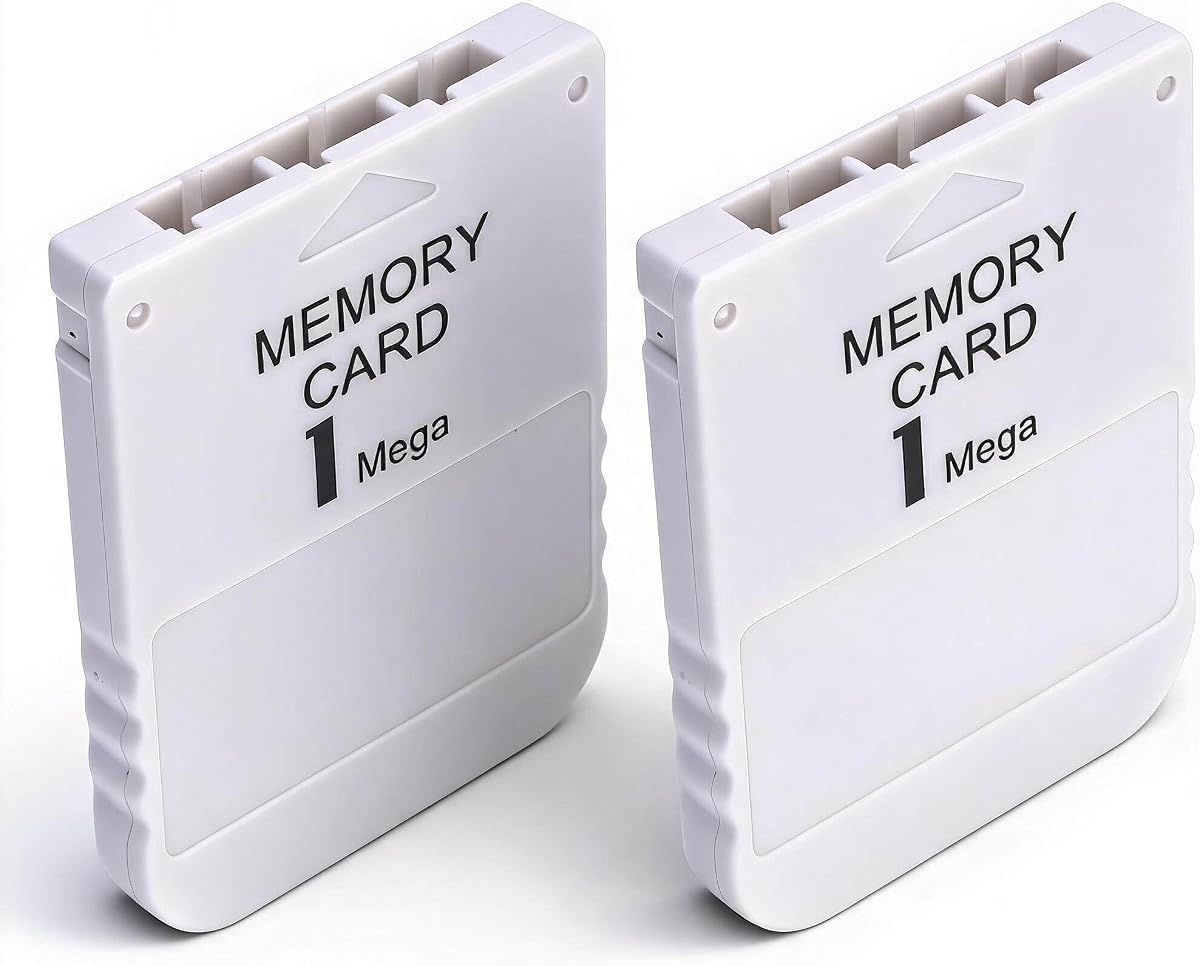
The Pomya package includes two 1MB PS1 memory cards, making it a useful choice when you want a spare or prefer to keep separate physical cards for different purposes. Its 3.8 rating is lower than the leading products, but the core feature set is easy to understand and focused.
We may earn a commission when you buy through this link, at no additional cost to you.
Each card is designed for PS1 consoles and is described as supporting games with saving functionality. The product listing emphasizes fast read and write performance, stable operation, and a lightweight design. With two cards in the package, users can rotate between games or keep a backup without relying on a larger storage device.
The primary drawback is that this is a PS1-focused physical card rather than a cross-system virtual-card solution. There is no stated support for PS2-specific save files, adjustable virtual card sizes, large libraries, or MicroSD expansion. If your goal is simply to replace lost or damaged PS1 cards, that narrow scope may be entirely appropriate.
We recommend the two-card set for PS1 owners who want uncomplicated spares at a modest purchase point. It is less suitable for a player who needs PS2 saves or wants one storage system for both console generations. Check the physical fit and compatibility details for your particular console before ordering.
The two-card format is useful for separating save activities or keeping a backup nearby. It eliminates the need to buy additional standard cards if your main card is lost or damaged.
The advertised quick read and write operation supports the quick loading and saving experience expected from classic PS1 games. The lightweight construction also simplifies storage and transport.
We may earn a commission when you buy through this link, at no additional cost to you.
This compact 1MB PS1 memory card has a 5.0 rating in the supplied product data, making it a strong basic option despite not appearing in the top three overall selections. It is designed as a supplementary or replacement card for PS1 systems and has a single-piece, lightweight format.
We may earn a commission when you buy through this link, at no additional cost to you.
The product description highlights its 1MB capacity, ABS material, and quick response. Those features make it appropriate for most PS1 games with save functionality and for preserving progress across multiple titles. Its stated dimensions of 2.20 by 1.65 by 0.27 inches emphasize a small, unobtrusive replacement.
Compared with an SD-based adapter, it lacks the ability to create virtual cards, adjust memory sizes, or store thousands of save files. It also lacks a second card in the package. A buyer who needs only a small number of physical save slots may consider that a benefit rather than a weakness because the design does exactly what a standard card should do.
This card is recommended for PS1 players seeking a simple, compact, single-card solution. Its listed customer rating is excellent, although the smaller set of features and single-card quantity place it behind the expandable alternatives in this guide. Verify the console model and physical compatibility before making a final choice.
The card's stated dimensions and lightweight ABS shell make it easy to carry between games or systems. Its compact form also closely reflects the role of a traditional PS1 memory card.
The advertised 1MB capacity can support multiple game saves according to the listing. It is best suited to users who want a conventional card rather than an expandable virtual-card system.
We may earn a commission when you buy through this link, at no additional cost to you.
This PlayStation 1 memory card is presented as an authentic Sony OEM product, which may appeal to collectors seeking an original-style accessory. It supports original PlayStation, PS1, PSX, and PS One consoles and can store PS1 game data when used with a PS2.
We may earn a commission when you buy through this link, at no additional cost to you.
The card provides 15 standard blocks, with the listing describing this as 1 Megabit or 128KB. That structure matches the type of fixed save allocation associated with classic PlayStation games, where saves often occupy one or more blocks depending on the title. The plug-and-play format avoids the configuration associated with electronic adapters.
Its limitations are those of the original physical format: only one card is included, and there is no stated mechanism for bulk storage or automatic virtual-card creation. The 3.8 rating indicates less uniformly positive feedback than several other products, so buyers should consider both the desire for OEM styling and the feedback available on the current listing.
We recommend this option for a collector who values a Sony-branded or OEM-described physical card and needs a straightforward replacement for an original console. It is less appropriate for someone who wants to manage dozens of games or needs dedicated PS2 save files. Confirm the card's appearance and compatibility with your system before purchase.
The listing emphasizes OEM construction, original-console compatibility, and a standard 15-block layout. These details make the card relevant to collectors who prefer hardware that reflects the original PlayStation ecosystem.
A single card can be used across original PlayStation, PSX, PS One, and compatible PS2 setups for PS1 titles. This makes it a versatile traditional-format option.
We may earn a commission when you buy through this link, at no additional cost to you.
This two-piece 1MB card set is designed for PS1 consoles and provides a practical physical-card option for players who want more than one save medium. Its 3.9 rating reflects a generally positive but not top-tier customer response compared with the more capable SD-based products.
We may earn a commission when you buy through this link, at no additional cost to you.
The listing focuses on compatibility, 1MB capacity, ABS construction, fast read and write behavior, and portability. Two cards let a user separate different games, keep a spare available, or support different play arrangements without purchasing individual replacements separately.
The main limitation is the absence of stated cross-platform features. These are fixed PS1 cards, not adapters that create virtual PS2 files, and they cannot store thousands of virtual cards. The save space is also constrained by the 1MB design, making the product better for a handful of titles than for a large library.
Choose this set when your goal is a simple two-card replacement for one or more PS1 consoles. It offers a clear advantage over single-card packages through the included quantity, while remaining less versatile than the PSxMemCard alternatives. Confirm your console model and verify the current listing before buying.
Having two cards makes it easier to organize separate save files or keep an unused backup within reach. The package is especially convenient for multiplayer or multi-console setups.
The listing describes the cards as ABS, noting resistance to breaking and fading. Their lightweight construction supports easy storage between play sessions.
We may earn a commission when you buy through this link, at no additional cost to you.
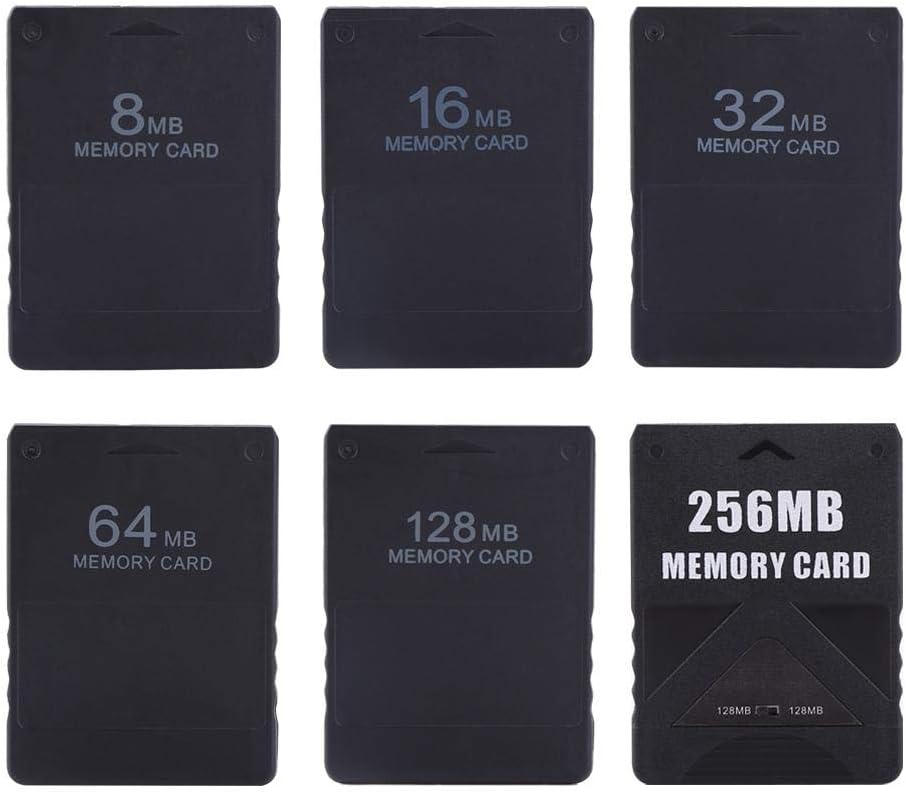
The 256M PS2 memory card is a dedicated option for saving PS2 game data, with a 4.3 rating in the supplied information. It works with both Standard and Slim PS2 consoles and offers a much larger stated capacity than the conventional 1MB PS1 cards in this guide.
We may earn a commission when you buy through this link, at no additional cost to you.
The plug-and-play format requires no boot CD, so players can insert the card and use it directly according to the listing. Its high-speed positioning is intended to provide efficient data handling for console games. It is also listed as supporting a selection of capacities, including 256M, although the selected product is the 256M version.
Compared with the PSxMemCard adapters, it does not create virtual PS1 cards or offer adjustable virtual file sizes. It is therefore most useful if your main goal is native PS2 save storage rather than managing both generations through one expandable device. The dedicated design can also be easier to understand because it performs one clear job.
We recommend this card for PS2 owners who want a high-capacity physical memory card and do not need an SD-based virtual-card system. It works across the Standard and Slim console lines and avoids boot-disc requirements. For a mixed PS1 and PS2 library, however, one of the expandable multi-console alternatives may provide more organizational flexibility.
The product supports Standard and Slim PS2 systems, reducing uncertainty when replacing a card across different console models. This makes it a practical choice for PS2-focused collections.
The stated no-boot-CD requirement simplifies the setup process. Users can insert the memory card directly and use it for compatible PS2 games without an additional startup step.
We may earn a commission when you buy through this link, at no additional cost to you.
This single-piece 1MB PS1 memory card is a basic replacement option for classic PlayStation systems. It carries a 3.8 rating and focuses on the same straightforward use case as other physical cards: storing progress in PS1 games that support saving.
We may earn a commission when you buy through this link, at no additional cost to you.
The product description emphasizes quick read and write speeds, dependable operation, and a portable, lightweight design. A single card is easy to insert and use without navigating a software interface, making this a practical choice for someone replacing a lost card or adding one card for a small selection of games.
Its limitations are the 1MB capacity and the absence of stated support for PS2, virtual-card creation, or expandable storage. Users with many saves will need to rotate physical cards or choose a different system. The supplied feedback is also among the lower-rated products in this roundup, so the listing should be reviewed carefully before purchase.
This card is best for a budget-conscious PS1 owner who needs one conventional replacement and values portability. It is not the right choice for a large cross-console library, where an SD-based adapter provides much more flexibility. Verify that the card is compatible with your specific PS1, PSX, or PS One model before ordering.
Fast read and write behavior is central to the product's appeal for PS1 titles. The straightforward design allows players to return to supported games with minimal delay.
One lightweight card takes little space in a game collection. It is easy to keep with a console or carry between compatible systems when needed.
We may earn a commission when you buy through this link, at no additional cost to you.
Start with the consoles and games you play, then compare whether a conventional physical card, a dedicated PS2 card, or an expandable virtual-card adapter best fits your save-game needs.
The most important factor is whether the replacement matches the system and software you use. Some products support PS1 and PS One hardware, while dedicated PS2 cards can store PS2 data but may not cover PS1 requirements. The virtual adapters in this guide are explicitly listed for both PS1 and PS2 and can create dedicated cards for PS1 and PS2 games. A card advertised for PS1 can also be useful on a PS2 when the goal is saving PS1 games, but that does not mean it supports native PS2 save files.
PS1 and PS2 software use different memory-card formats, and the size expectations can differ. A traditional PS1 card uses a fixed number of blocks, while a virtual adapter may create 128KiB PS1 cards or selectable PS2 virtual-card sizes from 1MB to 64MB. A dedicated 256M PS2 card is intended for PS2 data. Identify the titles you want to save before choosing, because a card that works for one console does not automatically handle every save type from the other generation.
Storage needs depend on both the number of games and the approach you prefer. A 1MB physical card is appropriate for a modest selection of PS1 games, but it provides little room for expansion. SD-based adapters separate the console-facing card from the storage medium, allowing the included 8GB MicroSD card to hold many thousands of virtual cards. The Kaico, BITFUNX, and PSxMemCard options also support larger MicroSD cards up to 2TB, which is useful for collectors who want to centralize saves.
If you play several games, automatic or dedicated virtual cards can simplify save management. The BITFUNX and PSxMemCard products can detect the running game and create a dedicated card, reducing the chance that multiple games share an inconvenient arrangement. The Kaico also supports virtual-card creation, although its listing places less emphasis on automatic detection. This feature is useful for users who frequently switch titles and want each game to remain easy to identify.
A display can make an electronic adapter easier to configure and troubleshoot. The PSxMemCard and BITFUNX Gen2 each use a 128×64 pixel OLED screen to show system status, while two front buttons provide menu control. These features are not essential for saving a single physical card, but they become valuable when choosing card sizes, checking the adapter state, or updating settings. A product without a display may be simpler in appearance, yet it can provide less immediate guidance.
Firmware support matters for electronic adapters because firmware controls device behavior and compatibility. The PSxMemCard, BITFUNX Gen2, and Kaico SD2PSX Gen2 all feature a front-facing USB-C connection for firmware updates. A front port is convenient because it remains accessible even when the adapter is connected to a console. Keep the firmware procedure and any stated requirements close at hand, and avoid interrupting an update before it has completed.
The quantity matters when a product is intended as a simple replacement rather than an expandable system. The Pomya set and the two-piece PS1 card option both include two physical cards, allowing separation of games or preservation of a spare. Other conventional options include one card, while the virtual adapters are built around a single console-facing device backed by a much larger MicroSD-backed storage library.
Long-term support can be particularly valuable for an electronic adapter because installation, firmware, and virtual-card settings are more involved than inserting a basic memory card. The Kaico SD2PSX Gen2 includes a 12-month warranty covering support, repairs, and replacements for its PSxMemCard adapters. For conventional cards, the relevant support questions are more likely to involve correct console fit, basic operation, and compatibility with the specific games in your library.
Before inserting a new card, confirm that it is compatible with the console and game you intend to use. For a conventional physical card, power down the console, locate the memory-card slot, and insert the card in the orientation described by the console or product instructions. For a PS2, ensure that the chosen card is intended for PS2 saves rather than only PS1 games. A dedicated physical card can then be used as a normal memory card, subject to the game's save requirements.
An SD-based virtual adapter requires a little more preparation. Install the included MicroSD card if it is not already seated, connect the adapter to the appropriate console interface, and use the on-device controls and display to select the relevant virtual-card settings. If the listing mentions automatic game detection, begin the intended game and allow the adapter to create or identify its dedicated virtual card. Use the appropriate front USB-C port only when performing the stated firmware update procedure.
Handle all options carefully. Keep physical cards away from moisture, bending, strong magnets, and direct heat, and do not force them into a slot. For adapters, avoid abrupt removal while a game is saving and keep the MicroSD card seated securely. Back up important virtual saves onto another suitable medium when possible, and check the current firmware instructions before updating so the process is not interrupted.
Yes, but the required format depends on the type of card and the games involved. The PSxMemCard, BITFUNX Gen2, and Kaico SD2PSX Gen2 explicitly support PS1 and PS2 virtual memory card creation, making them suitable for mixed systems. A standard PS1 physical card can also save PS1 games on a PS2, but it does not provide native PS2 save-file support. Always verify the product's stated compatibility before use.
A physical card stores a limited number of saves on a fixed amount of memory and works much like original console hardware. A virtual memory card adapter creates card files on a MicroSD card, allowing many more save-card configurations and automatic game-specific organization. Physical cards are simpler, while adapters are more flexible for large collections and mixed PS1 and PS2 libraries.
The included 8GB MicroSD card in the featured adapters is stated to hold more than 60,000 128KB PS1 memory cards or over 8,000 8MB PS2 memory cards. The devices also support MicroSD capacities up to 2TB. Actual results depend on the virtual-card format and size selected for each game, but the architecture is designed to avoid the fixed capacity of a single physical card.
The Kaico listing specifically states that no additional software is required and describes a plug-and-play design. The other adapters also use on-device menus, front controls, and USB-C firmware updates. You may still need to prepare or select the MicroSD card and choose the appropriate virtual-card size, so read the product instructions and confirm the included configuration before first use.
Not for native PS2 save data. A 1MB PS1 physical card is intended for compatible PS1 titles and can be used on a PS2 when saving those PS1 games. Native PS2 games generally require a PS2-compatible memory card with suitable capacity. If you want to manage both types through one device, choose an adapter that explicitly supports virtual PS1 and PS2 cards.
Use the front-facing USB-C port specified by the product description and follow the manufacturer's firmware instructions for that exact model. Keep the console and adapter operating as required during the update, and do not unplug the device before the process finishes. Updating through the proper path helps keep the device current with its stated features and compatibility improvements.
The adapter platform can create multiple virtual cards, and the PSxMemCard and BITFUNX products can automatically create dedicated cards after detecting a running game. Using a separate card for each title generally makes saves easier to identify and manage. You can also select different PS2 virtual-card sizes from 1MB to 64MB according to the requirements of your setup.
A conventional 1MB physical card is usually the simplest choice when you only need to save a handful of PS1 titles. Products with two cards can be useful for separating games or keeping a spare. If your collection later expands or you also play PS2 games, an expandable virtual-card adapter offers a more scalable path without replacing the original physical cards.
The PSxMemCard Game Memory Card stands out as the most versatile overall recommendation, with broad system support, an OLED display, automatic game detection, adjustable virtual-card sizes, and expandable MicroSD storage. The BITFUNX PSxMemCard Gen2 offers a similar advanced feature set and carries the highest listed customer rating, while the Kaico SD2PSX Gen2 is a strong choice for buyers who prioritize simple setup and warranty support.
Your priority should determine the category you select. Choose a dedicated 256M PS2 card for native PS2 saves, a 1MB physical card for a small PS1 library, and a virtual-card adapter when you want one system for multiple games and console generations. Two-card packages are useful for providing spares or separating different save files without introducing adapter configuration.
Finally, verify the current listing, console compatibility, included components, and product details before ordering. Customer ratings and availability can change, as can pricing and promotional terms, so use the information in this guide as a framework rather than a substitute for the latest product page.