
FIFINE Condenser USB Microphone & RGB Boom Arm Bundle
USB condenser microphone
Onboard mute and gain
Adjustable RGB boom arm
Pop filter and shock mount
PS4 and PS5 compatibility
Explore the best PS5 streaming gear for October 2026, comparing capture cards, cooling stands, microphones, console accessories, and racing games by features
PS5 streaming gear should make capture, communication, console care, and gameplay easier without adding unnecessary complexity. A useful setup may include a capable capture card, a clear microphone, reliable cooling, and stable console accessories, while games provide engaging source material for broadcasts and recorded videos.
This guide compares ten products using the supplied ratings, stated specifications, compatibility details, and intended functions. It covers video capture, cooling and dust protection, microphone equipment, console stands, personalization, and PS5 racing games, with attention to features rather than changing prices.
Each pick shows what it contributes to a streaming setup and where it may fit less neatly. The strongest all-around options appear among the top three, while the remaining products serve narrower or more specialized purposes. Availability, compatibility, and current prices should always be checked before buying.

4.8Editor score

4.5Editor score
This side-by-side comparison organizes the ten products by their primary streaming role, stated compatibility, and notable features, making it easier to identify the right gear for a PS5 content setup.




The BlueAVS 4K60 HDMI Video Capture Card is the most direct streaming-focused product in this guide, with a 4.8 rating and a feature set aimed at creators who want flexible PS5 capture options. Its stated capabilities include 4K60 passthrough, 1440p 144Hz capture, and 1080p 240Hz recording, giving streamers multiple ways to balance resolution, frame rate, and recording performance.
We may earn a commission when you buy through this link, at no additional cost to you.
The strongest feature is its support for modern display formats. Instead of limiting the PS5 to a standard 16:9 presentation, the card can retain complete 21:9 screen ratios and original frame rates during passthrough and recording. That matters for racing games, shooters, and other titles where peripheral vision, motion clarity, or HUD placement can influence both the live presentation and later editing work.
There are practical constraints to consider. A capture card is not a complete broadcasting system: the user still needs a compatible computer, capture software, suitable output settings, and enough processing and storage capability. The product description does not specify every software requirement, supported host interface, or detailed installation procedure, so buyers should confirm their setup before ordering. Lossless passthrough is valuable, but it does not remove the need for a reliable signal chain.
This is the strongest recommendation for a creator who specifically wants a dedicated PS5-to-PC capture path and values high refresh rates or ultra-wide imagery. It is less relevant if the console is only viewed on a television with no intention to record or broadcast. For the stated PS5 streaming use case, however, its combination of flexible formats, broad compatibility claims, and strong rating makes it the leading all-around choice.
Supporting 4K60, 1440p 144Hz, and 1080p 240Hz gives creators multiple operating points. A high-resolution target can favor visual detail, while higher refresh-rate modes can make fast movement look cleaner in recordings.
The claimed 21:9 passthrough support avoids cropping the complete screen ratio. This is particularly useful when the source game supports an ultra-wide layout and the creator wants viewers to see the same composition displayed on the capture canvas.
We may earn a commission when you buy through this link, at no additional cost to you.
The PS5 Cooling and Charging Station is a multifunctional console accessory with a 4.4 rating. Rather than focusing on capture hardware, it addresses the physical environment around the console: cooling, controller charging, device connectivity, cable concealment, and RGB presentation. That makes it most useful for streamers who leave a PS5 Slim or Pro operating near a broadcast setup for extended sessions.
We may earn a commission when you buy through this link, at no additional cost to you.
Its cooling system offers three manual levels plus an automatic mode, using high-efficiency fans and intelligent protection chips. The stated goal is to reduce operating temperature without distracting noise, which can be valuable during a long recording or live broadcast. The dock also provides charging for original PS5 and PS5 Edge controllers, with different approximate charging times listed for each controller type.
The built-in USB hub adds another layer of utility. According to the supplied details, three USB ports can charge additional devices and support functions such as data transfer, screenshot capture, and controller updates. Hidden cabling and a dedicated media-remote slot help keep a streaming desk organized, while the RGB lighting gives the setup a more deliberate broadcast-station appearance.
This product is best for users of the PS5 Slim or PS5 Pro who want cooling and charging in one unit. It should not be confused with a capture card: it improves the console's physical setup but does not send gameplay into a computer. Those seeking a more complete streaming path should start with the BlueAVS card, whereas creators primarily concerned with desk organization and long-session comfort will find this dock more relevant.
Three selectable fan levels and automatic adjustment give the user some control over the dock's cooling behavior. This can be useful during long broadcasts, although actual noise and thermal results will depend on the room, console position, and chosen setting.
The controller charging slots and three side USB ports consolidate several routine tasks in one place. This reduces the number of separate adapters around the console and can make a streaming workstation easier to maintain.
We may earn a commission when you buy through this link, at no additional cost to you.
Assetto Corsa Competizione is a PS5 racing game with a 4.4 rating, and it can serve as strong source material for a streaming channel. Its central appeal is the atmosphere of the GT3 championship, with official drivers, teams, cars, and circuits recreated for single-player and multiplayer experiences. Creators can build episodes around race preparation, competition, strategy, or post-race analysis.
We may earn a commission when you buy through this link, at no additional cost to you.
The variety of event types makes the title useful for maintaining a varied schedule. Sprint races, endurance events, and the Spa 24 Hours are explicitly highlighted, offering different pacing and presentation opportunities. A shorter sprint can produce a concise highlight reel, while endurance content can support longer broadcasts that naturally include strategy changes, position battles, and pit-stop sequences.
The product is not streaming equipment in the conventional sense, and the supplied information does not include detailed technical requirements for recording or broadcasting. Its success as a streaming source will depend on the creator's editing approach, the game's performance on the chosen PS5 model, and whether the racing experience holds the audience's attention. Multiplayer also introduces the normal requirements associated with accessing online features.
This is a compelling selection for a creator focused on realistic motorsport content, competitive league analysis, or long-form racing streams. It is less suitable for someone seeking to build a general gaming channel immediately. Pairing it with a capable capture card and an ultra-wide-capable display could allow the game's presentation to reach viewers with more of its intended visual detail.
Sprint, endurance, and featured endurance events offer different narrative structures. A streamer can use short races for quick competition segments or adopt the longer format for in-depth race coverage.
Official drivers, teams, and accurately reproduced circuits provide recognizable context for racing content. Familiar names and venues can make tournament recaps, tutorials, and post-race analysis more engaging for motorsport audiences.
We may earn a commission when you buy through this link, at no additional cost to you.
The OIVO PS5 Horizontal Stand has a 4.5 rating and provides a straightforward way to place a PS5 console flat on a shelf, cabinet, floor, or desktop. It supports the original PS5, PS5 Slim, and PS5 Pro, with different slots and included EVA foam for Digital Edition configurations. That broad console compatibility makes it a practical choice for households that may upgrade hardware over time.
We may earn a commission when you buy through this link, at no additional cost to you.
Stability is the product's primary focus. Upgraded A, B, and C support rods connect the two sides of the stand, while a screw secures the console and anti-slip pads protect the contact points. These features are intended to prevent wobbling, tipping, and surface scratching. The horizontal position can also preserve airflow around the console compared with a tight vertical placement.
Assembly requires more attention than a simple drop-in base. Users must stretch or shrink the adjustable sections, select the appropriate slot, connect the support rods, position the console, and install the screw. The supplied component list also includes EVA foam intended for compatible Digital Edition models. Careful installation should produce a more secure fit than forcing the console into an unsuitable position.
The OIVO stand is a sensible choice for a compact streaming desk where vertical clearance is limited or where the console is kept near a television. It does not improve video quality, audio, or thermal capacity beyond its physical positioning. Creators should therefore treat it as a workspace upgrade and combine it with a capture card or microphone when the goal is to improve a broadcast.
Scalable supports and different installation slots allow the stand to accommodate the original PS5, PS5 Slim, and PS5 Pro. Buyers should identify the exact console version and follow the corresponding configuration instructions.
Support rods, a securing screw, and anti-slip pads work together to limit movement. A stable base is particularly useful when a console sits near a frequently used work surface or within a crowded entertainment cabinet.
We may earn a commission when you buy through this link, at no additional cost to you.
The GRAUGEAR Cooling and Dust Protection Upgrade is designed for PS5 Pro and PS5 Slim consoles and carries a 4.6 rating. It combines a metal M.2 SSD heatsink cover, four fan dust filters, silicone port plugs, and the tools needed for installation and maintenance. For a streaming setup that operates frequently, this is a focused solution for protecting internal airflow paths and exposed connectors.
We may earn a commission when you buy through this link, at no additional cost to you.
The fan filters are described as high-density mesh designs that are both dustproof and breathable. Their purpose is to reduce dust buildup while preserving the movement of air through the console. The metal SSD cover is intended to assist with heat dissipation, and the product claims the combination can help reduce SSD and system temperatures during intensive play, including situations associated with lag, crashes, or thermal throttling.
Port protection is another meaningful part of the kit. Silicone plugs fit USB-C, USB-A, HDMI, LAN, and screw-hole openings, helping keep dirt out when those connectors are not being used. A brush and cloth support routine cleaning, while the included screwdriver helps with installation. Users should still power the console down and follow safe internal-access procedures before opening it.
This is a maintenance-focused recommendation rather than a broadcast component. It is most relevant to PS5 Slim or Pro owners who want to improve dust management and add an SSD heatsink cover, particularly in a setup where the console runs frequently or sits near dust. Those creating a new streaming package should also budget for capture and audio hardware, since this kit does not record or transmit gameplay itself.
The four high-density filters are designed to catch airborne debris without blocking intended airflow. Keeping them clean helps preserve the protective function and supports the kit's broader cooling objective.
Silicone plugs cover USB-C, USB-A, HDMI, LAN, and screw-hole ports. Closing unused openings can reduce the amount of dust entering frequently exposed areas of the console.
We may earn a commission when you buy through this link, at no additional cost to you.
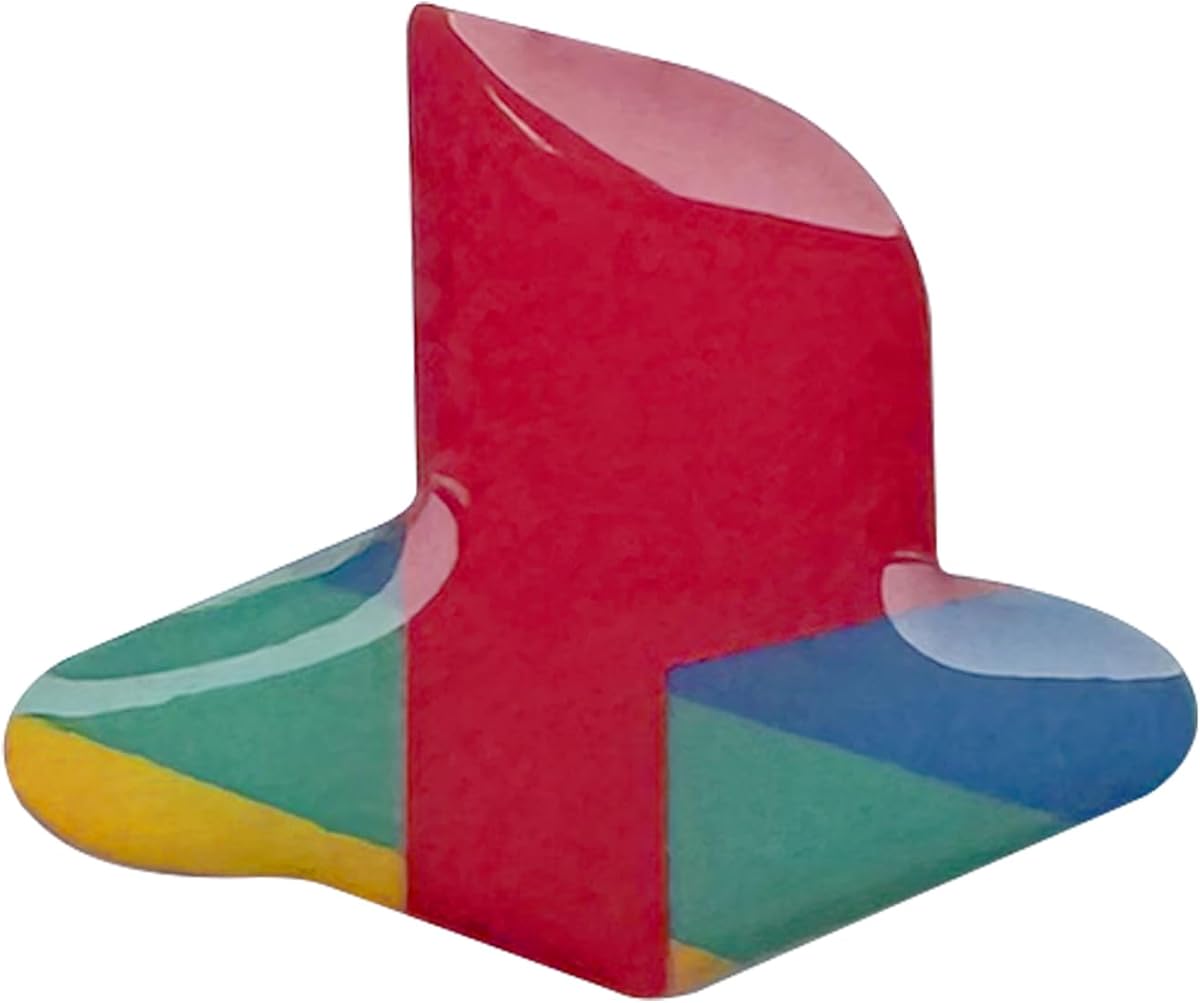
The PS Logo Underlay Sticker Set has a 4.7 rating and is intended for PS5 Slim and PS5 Pro consoles, with a controller decal included. It replaces the standard black-logo look with a classic retro-inspired color treatment. That makes it a cosmetic option for streamers who want their on-camera console and controller to feel more distinctive.
We may earn a commission when you buy through this link, at no additional cost to you.
The package includes two console packs and a PS logo vinyl decal for a DualSense controller. Its domed shape is designed to resemble a raised button after application, adding texture as well as color. The material and printing are described as high quality, and the stickers are intended to adhere securely while still allowing clean removal without leaving sticky residue.
Cosmetic accessories often look simple until surface preparation matters. Dust, oils, and uneven placement can affect the final appearance, so the console and controller should be clean and dry before application. The decals are not stated to improve grip, cooling, or durability, and they should not be positioned where they could interfere with buttons, ports, ventilation, or normal handling.
This product is best for a creator who wants a coordinated visual identity in a camera frame or feels the default logo does not fit a retro-themed channel. It pairs well with other aesthetic upgrades, but it has no role in improving capture quality, sound, or cooling. Its strong rating suggests favorable reception among buyers, although personal preference will ultimately determine whether the added color suits the user's setup.
The classic color treatment changes the look of both supported PS5 models. It is especially noticeable in a recording where the console remains visible beside the gameplay display.
Including a DualSense decal allows the controller to share the console's customized appearance. Applying both pieces carefully creates a more intentional and coordinated streaming setup.
We may earn a commission when you buy through this link, at no additional cost to you.
The FIFINE Condenser USB Microphone and RGB Boom Arm Bundle is the most audio-focused recommendation in the guide. It combines a USB condenser microphone with a reinforced adjustable arm, a pop filter, and a shock mount. The microphone is described as plug-and-play on Windows, Mac OS, PS4, and PS5, making it a practical starting point for creators who want direct USB operation without a separate interface.
We may earn a commission when you buy through this link, at no additional cost to you.
Physical controls improve the live broadcasting workflow. A mute button allows the creator to stop transmitting voice input quickly, and a gain knob provides direct level adjustment without navigating through software. The included white pop filter helps reduce the strong plosive sounds produced by letters such as B, P, and F, while the shock mount is intended to isolate vibration from the desk.
The BM38W arm uses thickened steel and is rated to support microphones up to 3.3 pounds, or 1.5 kilograms. Both a 3/8-inch thread screw and a 5/8-inch adapter are included, improving compatibility with a wide range of microphones. RGB lighting gives the arm a recognizable streaming-desk appearance, although buyers interested in matching accessories should confirm their preferred color scheme.
This bundle is best for a streamer who wants a complete wired microphone and desk arm rather than purchasing each item separately. A numerical rating was not supplied for this product, so the recommendation relies on its stated features rather than a customer score. It cannot directly capture console audio in the manner of a dedicated HDMI capture path, so it is primarily a microphone solution rather than a complete signal chain.
A dedicated mute button and gain knob keep essential voice controls accessible during a broadcast. This reduces the need to open menus or adjust levels in software while the audience is waiting.
The heavy-duty steel construction is designed to resist sagging and shifting. With the included adapters, the arm can also accommodate heavier third-party microphones, making the mount adaptable beyond the included microphone.
We may earn a commission when you buy through this link, at no additional cost to you.
Gran Turismo 7 for PS5 has a 4.4 rating and can be a natural fit for a creator building a driving or racing channel. The game centers on realistic driving, vehicle management, competition, and polished console presentation. Its recognizable subject matter gives streamers a clear identity and offers many angles for tutorials, challenges, vehicle showcases, and race commentary.
We may earn a commission when you buy through this link, at no additional cost to you.
The PS5 version is associated with 4K and HDR presentation, haptic feedback, and adaptive trigger functions when used with a DualSense controller. These features help communicate road texture, acceleration, braking, and other driving cues, making the experience more engaging on a compatible television. They also create interesting material for gameplay footage because on-screen action and physical controller reactions can work together.
The supplied product data for this listing is extremely limited, so the review cannot confirm every feature or regional detail associated with it. Online multiplayer normally involves account and network considerations, and any subscription requirements should be verified on the current product page. Creators should also account for the fact that racing streams can benefit from an ultra-wide display when the game and capture system support that format.
This is a good choice for someone who wants an immediately recognizable PS5 racing title for content creation. It is particularly attractive to audiences interested in cars, competition, and simulator-style driving. Compared with Assetto Corsa Competizione, it offers a broader entertainment framework, while the more explicitly championship-focused product may appeal to viewers who prefer formal GT3 competition.
The stated 4K and HDR capabilities give racing footage a high-quality visual foundation. Display and capture settings should still be configured carefully so that recorded output matches the intended presentation.
Haptic feedback and adaptive triggers can communicate fine driving details to the player. For viewers, that controller information can add context to commentary about traction, braking points, and acceleration.
We may earn a commission when you buy through this link, at no additional cost to you.
Sony Gran Turismo 7 PS5, Black, has a 4.8 rating and is one of the strongest-rated items in this guide. It presents a realistic driving simulation with 4K and HDR graphics, haptic feedback, and adaptive DualSense triggers. For a streamer, the combination of detailed visuals and interactive controller features creates engaging footage that can support a dedicated automotive channel.
We may earn a commission when you buy through this link, at no additional cost to you.
The haptics and trigger feedback are especially relevant to racing content because they communicate curb vibration, road texture, acceleration, and braking forces. The supplied description also highlights fast loading through the PS5 SSD and a Performance mode aimed at 60FPS for smoother motion. The game supports offline single-player play and online sessions for as many as 20 players, with PS Plus required for online access.
This particular listing is the French-language physical edition with a disc, and the product information identifies a one-to-two-player offline mode. Buyers should understand the regional and language implications before purchasing, especially if the physical edition is not their preferred format. Online requirements should also be considered when planning a community-focused channel, since a multiplayer event depends on access and player availability.
The listing is ideal for a creator who wants the most detailed Gran Turismo option supplied here and who values a physical PS5 release. Its strong rating, polished graphics, and controller features make it suitable for solo driving, competitive events, and commentary-led streams. Pairing it with the BlueAVS capture card could preserve the high-resolution output, while an ultra-wide display could show more of the road when supported.
Haptic feedback and adaptive triggers let compatible DualSense controllers communicate subtle changes in the driving surface. These details can enrich commentary and make race footage feel more responsive.
The stated Performance mode targets 60FPS for improved fluidity. A capture configuration that preserves that frame rate can make fast cornering and close racing easier for viewers to follow.
We may earn a commission when you buy through this link, at no additional cost to you.
The PS5 Stand for PS5 Slim and Pro is a straightforward vertical base with a 4.7 rating and a blue finish. It is designed to keep the console upright, align the lower edge with the base, and secure it with screws. The stated construction combines ABS with zinc alloy, offering a lightweight but durable foundation for a PS5 Slim or PS5 Pro.
We may earn a commission when you buy through this link, at no additional cost to you.
Vertical placement can save depth in a media cabinet and allows air to escape from both sides through the lower gap. The product description specifically presents this arrangement as a way to improve heat dissipation and prolong console life. While that outcome depends on the complete environment, leaving open space around the console is a sensible practice for any long gaming or streaming session.
The listing contains a minor inconsistency: it calls out vertical placement in the title and opening description but also refers to storing the console horizontally. Users should follow the images and current installation instructions carefully to confirm the intended orientation. The core installation method is otherwise simple: align the console, position the base, and install the supplied screw.
This stand is best for a compact entertainment center where the PS5 must remain upright and a straightforward replacement base is needed. It is less elaborate than the cooling and charging station and offers no cable management or lighting. Its higher rating suggests that many buyers appreciate the stable, space-saving setup, especially when paired with a vertical console arrangement near a wall-mounted display.
The base allows the console to stand upright in a media cabinet or entertainment center. This can be useful where the available shelf depth is limited compared with a horizontal arrangement.
A vertical console can release heat through both sides when adequate clearance remains. The lower gap and open layout support this airflow, although surrounding furniture should not block ventilation.
We may earn a commission when you buy through this link, at no additional cost to you.
A useful PS5 streaming setup is built around clear priorities: faithful gameplay capture, clean voice communication, stable console placement, effective cooling, and source material that fits the creator's audience. Buying by role rather than by accessory count usually produces a more useful result.
The central capture decision is the balance between resolution and frame rate. 4K60 emphasizes image detail and is appropriate for slower scenes, mixed gameplay, and content intended for large displays. 1440p 144Hz or 1080p 240Hz options can make fast movement look smoother, which may suit competitive shooters, sports, and racing. A card supporting several modes gives the creator flexibility as the recording resolution, streaming platform, and computer capability change.
Prioritize a capture device that preserves the console's output and frame rate without unnecessary resizing. Confirm the host computer, software, storage, and platform can handle the selected mode.
Passthrough lets the creator see the console source while it is being captured, and lossless passthrough is preferable when the goal is to preserve the original image. Format support matters too. A 16:9 game is straightforward to place on a widescreen canvas, but a 21:9 display can reveal more of the scene in games that support ultra-wide presentation. The chosen capture solution, display, and software should all handle the intended aspect ratio cleanly.
Check for full-ratio support and verify whether the source resolution, refresh rate, and aspect ratio can pass through together.
Clear speech is essential because viewers quickly notice echo, keyboard noise, plosive consonants, and unstable levels. A condenser USB microphone offers a straightforward starting point for new streamers, while a boom arm places the microphone consistently at a useful distance. Physical mute and gain controls are valuable during a live broadcast because they allow immediate adjustments without opening software.
Choose a microphone with accessible controls, suitable mounting hardware, and a clear connection method. Test it with the actual voice chat and recording software before going live.
PS5 accessories are not automatically interchangeable across the original console, PS5 Slim, and PS5 Pro. Stands, cooling kits, and dust covers may use different dimensions, mounting points, and internal layouts. The products in this guide state their supported models explicitly, but buyers should still compare the exact console version and edition they own against the current listing details.
Compatibility should be confirmed before ordering, especially for products installed inside the console or secured with model-specific screws.
A long streaming session places sustained heat on the console and nearby equipment. A powered cooling base can provide directed airflow, while filters, heatsink covers, and port plugs help limit dust accumulation. The benefits are most useful when the console has clearance around its vents, sits in a reasonably ventilated area, and receives periodic maintenance. No accessory replaces sensible placement or regular cleaning.
Prioritize the cooling or dust feature that addresses an actual problem in your setup. Avoid stacking multiple solutions that compete for the same airflow or installation space.
A stable console stand is useful whenever the original base is missing, damaged, or poorly suited to the available space. Vertical stands can reduce depth, while horizontal stands can reduce height and make a console easier to display near a television. Look for support rods, anti-slip pads, proper screws, and a fit for the specific console edition. A cosmetic stand may be sufficient for display, but a streaming station benefits from stability and organized cabling.
Measure the shelf, cabinet, and television clearance before buying. Confirm that the chosen orientation leaves the console's ventilation areas unobstructed.
The right game matters as much as the capture setup when building a content identity. Realistic racing titles provide a defined subject, recognizable competition, and repeatable races, but a streaming channel still benefits from a distinctive angle such as coaching, league analysis, vehicle breakdowns, or tournament recaps. A strong title should support both short clips and longer broadcasts, not merely look visually impressive in one recording.
Choose games that match the creator's knowledge and speaking style. The ability to explain decisions, narrate excitement, and build community is more valuable than raw visual fidelity alone.
Decals, colors, RGB lighting, and matching components can make a streaming area feel personal and improve the appearance of behind-the-scenes shots. They do not improve performance, so they should be considered after the essential signal chain, microphone, cooling, and console stability are in place. For decals especially, surface preparation and careful placement are important because rushed application can produce trapped bubbles or visible misalignment.
Treat appearance as a finishing step. Prioritize functional reliability first, then coordinate visible accessories with the look of the channel.
Plan the signal and power path before assembling the setup. For a capture-card workflow, connect the PS5 to the capture device and route the captured image to the computer, then use the capture device's passthrough output for a display. Keep the microphone connected to the computer used for broadcasting, place it on a boom arm or desk stand, and test both picture and sound before the first live session. Secure every cable so it cannot be pulled out when a controller or desk accessory moves.
Configure the console and capture software for the intended resolution, frame rate, and aspect ratio. Avoid changing settings immediately before a broadcast unless there is time to verify the result. Use the microphone's physical mute when a private conversation or unwanted sound occurs, and make small gain adjustments while monitoring the level in the recording application. For racing streams, test whether the game, television, and capture card work together at the selected ultra-wide resolution.
Maintain the equipment according to the type of accessory involved. Clean the microphone pop filter and grille as directed, wipe the boom arm and console surfaces with suitable materials, and keep the cooling dock unobstructed. For internal dust filters or an SSD cover, power down the console and follow the included instructions carefully. Inspect stands and screws periodically, and replace only worn hardware. Current compatibility details and product instructions should be checked before making changes.
A capture card is the most direct way to route PS5 gameplay into a computer for broadcasting or recording. The BlueAVS option supports 4K60 passthrough and higher-refresh capture modes, although it must be paired with compatible software and host hardware. A console's built-in broadcasting features can be sufficient for some creators, so the required gear depends on the desired recording quality, format, and production workflow.
The supplied FIFINE microphone information states that the unit is compatible with PS4 and PS5, as well as Windows and Mac OS. Because it is a USB condenser microphone, it is primarily designed for connection to a computer. That makes it a natural voice input for a PC-based stream, while the PS5 provides the gameplay signal through a separate capture path.
The better orientation depends on the available space and the stand being used. Vertical placement can reduce shelf depth, while a horizontal stand can reduce the required height and keep the console close to a television. Either orientation needs stable support and clear airflow around the console, so the viewer angle and surrounding furniture should be considered before choosing.
A cooling stand does not directly improve video resolution or microphone quality. It can help manage the console's operating temperature during extended sessions, while also providing charging, cable organization, and lighting in some models. Its value is greatest when the console operates frequently, ventilation is otherwise restricted, or a stable charging station would simplify the overall broadcast desk.
No. Every console benefits from sensible placement and periodic cleaning, but a dedicated kit is most useful in dusty environments or when the console receives frequent use. The GRAUGEAR option combines an SSD heatsink cover, fan filters, and port plugs for the specified PS5 Slim and Pro models, making it a focused maintenance option rather than a mandatory accessory for every owner.
Assetto Corsa Competizione is especially focused on realistic GT3 competition, official teams and drivers, and endurance racing. Gran Turismo 7 offers a broader realistic driving and simulation experience with 4K and HDR presentation, DualSense feedback, and competitive options. The better choice depends on whether the channel emphasizes formal motorsport, varied driving entertainment, events, or vehicle-focused content.
Position the microphone close to the speaker and aim it toward the mouth rather than toward the console or desk. A shock mount can reduce transmitted desk vibration, while the included pop filter helps with harsh consonant sounds. Acoustic panels, a softer room furnishing, and careful gain settings can further improve clarity, but a USB microphone alone cannot correct every reverberation problem in the room.
Most creators do not need every product listed. A practical starter setup centers on one capture card, one suitable microphone, a stable console stand, and a cooling solution if the console's environment warrants it. Games and cosmetic accessories depend on the channel's content direction, while optional charging hubs, dust covers, and decals can be added after the essential workflow is functioning reliably.
The BlueAVS 4K60 HDMI Video Capture Card is the strongest overall selection for PS5 creators because it directly addresses gameplay capture and supports flexible resolutions, high frame rates, passthrough, and ultra-wide formats. The FIFINE USB Microphone and Boom Arm Bundle supplies the most complete voice-focused package, while the OIVO horizontal stand offers a practical, broadly compatible way to organize the console.
The other selections are specialized but still useful. The PS5 Cooling and Charging Station combines several desk functions, the GRAUGEAR kit protects a PS5 Slim or Pro from dust and adds thermal components, and racing games can provide a strong content focus for automotive channels. A blue vertical stand and retro-style logo decals improve physical presentation without changing the underlying capture quality.
Before purchasing, confirm the exact PS5 model, check the required connection and software compatibility, and consider how each item fits the broader desk and broadcast workflow. Product specifications, customer feedback, availability, and current prices can change, so readers should review the latest listing before making a final decision.

