
Roam 6 AX1500
4.2Editor score
Compact dual-band WiFi 6
OpenVPN and WireGuard support
USB-C portable power
Our Public WiFi Sharing Router guide compares 10 routers for secure hotel, airport, cruise, and home networking, covering speed, VPN, ports, and ease of use.
A public WiFi sharing router creates a private local network from an existing hotspot, hotel connection, or wired internet service. The best models combine useful travel portability with VPN support, strong wireless performance, easy authentication, and enough wired connectivity for phones, laptops, and other devices that need reliable access.
We compared these ten routers by examining their stated wireless standards, supported connection modes, Ethernet and USB options, VPN capabilities, device capacity, security features, and setup methods. The list includes compact travel models, OpenWrt-based routers, touchscreen designs, and a high-performance WiFi 7 router for buyers who need broader coverage.
Each review explains where that model fits best and where compromises may apply. Ratings reflect the supplied customer feedback and can change over time, while features and configurations vary by region and firmware. Although product availability and pricing shift frequently, the guidance here focuses on the capabilities that remain most useful after purchase.
4.2Editor score

4.4Editor score
4.4Editor score
This side-by-side comparison highlights the major differences among portable public WiFi sharing routers, including wireless generation, connection modes, port flexibility, VPN support, and the size of the device network each model is designed to serve.


The TP-Link Roam 6 AX1500 is a compact dual-band WiFi 6 router built around a straightforward travel proposition: connect to public WiFi, USB tethering, or a wired internet source, then share that connection through a private network. Its supplied rating is 4.2, reflecting generally positive customer feedback while leaving room for differences between real-world environments and advertised maximum speeds.
We may earn a commission when you buy through this link, at no additional cost to you.
The router is rated for up to 60 simultaneous devices and offers stated wireless speeds of 1,201 Mbps on the 5 GHz band and 300 Mbps on the 2.4 GHz band. Those figures describe the theoretical class of the hardware rather than guaranteed throughput. Actual performance depends on the source connection, interference, distance, and obstacles, so the upstream WiFi network will often remain the limiting factor.
Its two Ethernet ports consist of one 1 Gbps WAN/LAN port and one 1 Gbps LAN port. That makes it useful for a laptop or desktop that benefits from wired access, although it cannot offer the 2.5Gbps option found on several larger models in this guide. Support for router mode, access point, range extender, and client operation makes it more versatile than a basic mobile hotspot.
The Roam 6 AX1500 is a sensible choice for travelers, remote workers, and families who want a private WiFi network without carrying a full-size router. OpenVPN and WireGuard support adds meaningful privacy flexibility, while USB-C power allows use with a suitable 5V/3A power source. Choose it when portability and simplicity matter more than maximum throughput or the newest wireless standard.
One-step captive portal authentication lets connected devices reach the internet through the router without repeatedly signing in to the hotel or venue network. This is particularly valuable for phones, tablets, and laptops that otherwise need separate authentication.
USB phone tethering, public WiFi, an internet service provider connection, or an existing wired setup can serve as the upstream source. The router can also add or extend WiFi, making it useful beyond a single trip.
We may earn a commission when you buy through this link, at no additional cost to you.
The Roam 7 BE3600 combines WiFi 7 performance with a 2.5Gbps WAN connection in a travel-sized enclosure. Its supplied rating is 4.4, making it one of the stronger customer-rated models in the group. The router is designed for travelers and remote workers who want to create a private network over hotel, airport, cruise-ship, or residential WiFi.
We may earn a commission when you buy through this link, at no additional cost to you.
Stated wireless throughput reaches 2,882 Mbps on 5 GHz and 688 Mbps on 2.4 GHz, with support for up to 90 devices. Multi-Link Operation combines available frequency bands to improve throughput, latency, and reliability. As with the other models, these are maximum class figures and will normally be limited by the internet service or public hotspot feeding the router.
One 2.5Gbps WAN port and one 1 Gbps LAN port provide a useful mix of wired and wireless performance. A USB 3.0 port adds file-oriented flexibility, although the product data does not describe every storage format supported by that interface. Router, hotspot, access point, range extender, and client modes cover common travel, RV, remote-work, and home networking arrangements.
This model is an excellent middle ground for anyone moving beyond a basic WiFi 6 travel router without choosing the largest or most complex model. OpenVPN and WireGuard can operate as client or server, while PPTP and L2TP add additional protocol choices. Its main limitation is the lack of 6GHz support, meaning it cannot exploit the tri-band arrangement found in the final router in this guide.
The 2.5Gbps WAN port gives compatible devices a faster path than a conventional gigabit connection when the upstream service can supply it. The separate 1 Gbps LAN port remains useful for a wired computer, game console, or network device.
VPN client and server support gives the router more flexibility than a one-way client setup. That makes it possible to protect normal browsing while also accessing resources on the private local network.
We may earn a commission when you buy through this link, at no additional cost to you.
The TP-Link Roam 6 AX3000 is a WiFi 6 travel router with a 2.5Gbps WAN/LAN port, a separate 1 Gbps LAN port, and a USB 3.0 interface. It carries a supplied rating of 4.1 and positions itself as a fast, feature-rich option for travelers, campers, RV owners, remote workers, and gamers.
We may earn a commission when you buy through this link, at no additional cost to you.
Its stated wireless speeds reach 2,402 Mbps on 5 GHz and 574 Mbps on 2.4 GHz, placing it above many entry-level travel routers. It supports router mode, hotspot mode, and access point or range extender operation. This allows the device to work with Ethernet, USB phone tethering, and public WiFi while also serving as an access point in a wired environment.
One standout feature is local file access. The USB 3.0 port can be used with external hard drives and microSD cards up to 512GB for backup and file sharing across the private network. That turns the router into more than a travel hotspot, although buyers who need routine high-performance storage should confirm their workflow and backup needs before purchase.
OpenVPN and WireGuard support works in both client and server roles, and PPTP and L2TP protocols are also supported. The Tether app and web interface provide management options, while USB-C power accepts a 5V PD source. It is best suited to buyers who want fast ports and file sharing but do not need WiFi 7, although its 4.1 rating is slightly lower than several alternatives.
Connecting a drive or supported microSD card creates a local sharing point that can be useful for travel documents, media, or backups. The shared files remain within the router's private local network rather than requiring a separate cloud service.
The 2.5Gbps WAN/LAN port can provide a faster wired handoff than a standard gigabit port. That is helpful with compatible laptops and desktops, provided the public network and service plan can deliver a corresponding upstream rate.
We may earn a commission when you buy through this link, at no additional cost to you.
The GL.iNet Beryl AX is a compact WiFi 6 router aimed at travelers and technically inclined buyers who want more control than a simplified travel hotspot can provide. Its supplied rating of 4.5 is the highest in this group, reflecting a favorable customer response to its feature set and portability.
We may earn a commission when you buy through this link, at no additional cost to you.
Its dual-band network is rated at 574 Mbps on 2.4 GHz and 2,402 Mbps on 5 GHz. A 2.5Gbps multigigabit WAN port and 1 Gbps LAN port support fast wired connections, while a USB 3.0 port adds another avenue for peripherals. The hardware remains small enough to function as an international pocket router rather than a conventional desktop model.
The defining attraction is OpenWrt 21.02 firmware. It supports a large collection of ready-made packages and gives advanced users room to customize routing, services, and privacy tools. OpenVPN and WireGuard are preinstalled and compatible with more than 30 VPN providers, although using a provider requires an active subscription. The router can also run a VPN client and server simultaneously.
Security features include WPA3, DNS over HTTPS, DNS over TLS, and IPv6 support. A physical toggle can enable or disable the configured VPN or AdGuard Home function, but it must first be assigned in the admin panel. This is a strong choice for users who understand router configuration, while beginners may find the many advanced options less approachable.
OpenWrt turns the router into a customizable platform rather than a fixed appliance. Package installation and a no-code management interface provide flexibility for users who want detailed control over their temporary network.
WPA3, encrypted DNS options, IPv6, and simultaneous VPN client and server roles create a strong privacy toolkit. These controls are particularly relevant when the upstream connection is a hotel, airport, cruise, or café network.
We may earn a commission when you buy through this link, at no additional cost to you.
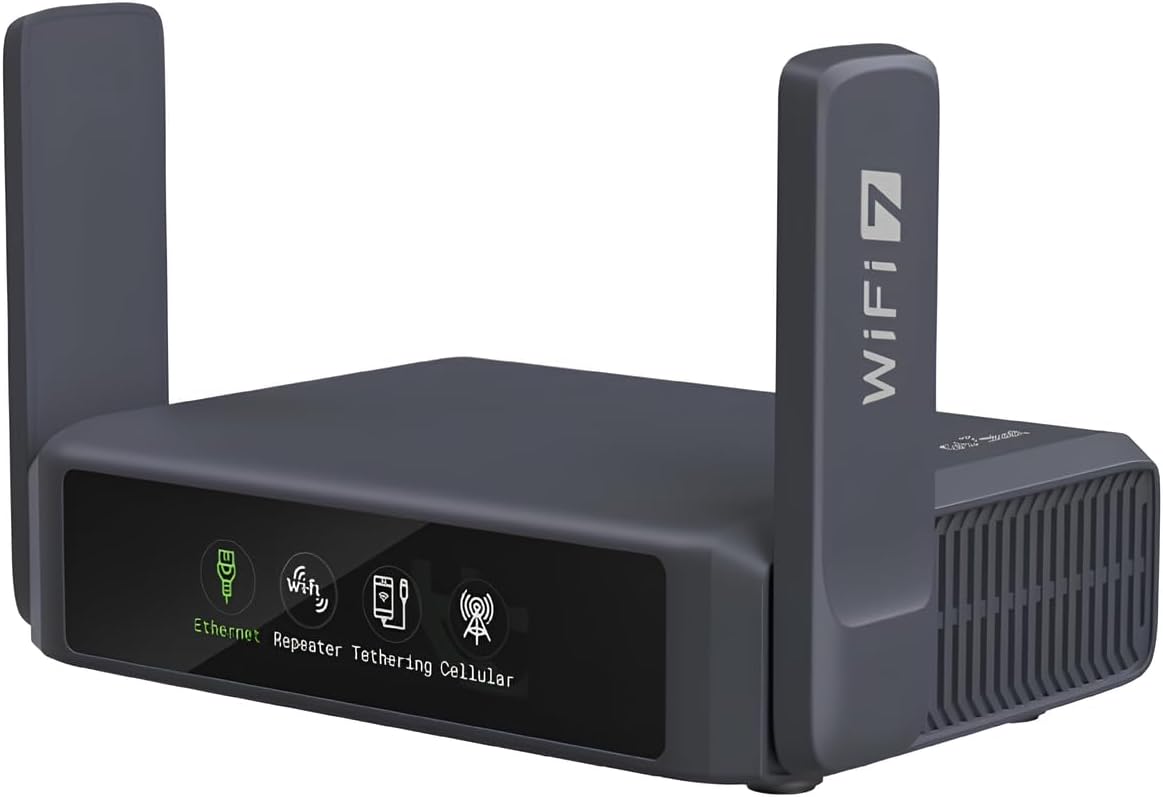
The Slate 7 stands apart through its color touchscreen, a feature that brings network status and common controls directly to the device. It is a dual-band WiFi 7 travel router with a supplied rating of 4.4, suited to users who want modern performance and an approachable interface without sitting down at a web dashboard.
We may earn a commission when you buy through this link, at no additional cost to you.
Its stated wireless rates are 688 Mbps on 2.4 GHz and 2,882 Mbps on 5 GHz. Two 2.5Gbps Ethernet ports—one labeled for WAN and one for LAN—provide unusually balanced wired options for a portable router. A USB 3.0 port supports additional peripherals, while Multi-Link Operation helps combine bands for better responsiveness and reliability.
The touchscreen can display QR codes for WiFi access, show real-time speed, toggle VPN, and switch between providers. Color-coded indicators communicate Ethernet, tethering, repeater, and cellular modes at a glance. Underneath the interface, OpenWrt 23.05 offers extensive customization with 512MB of storage for plugins and additional networking tools.
OpenVPN and WireGuard are preinstalled and compatible with more than 30 providers, while the VPN can function as a client or server. The device supports WPA3, DNS over HTTPS, DNS over TLS, and IPv6. It is a premium choice for travelers, remote workers, gamers, and technically capable users, although the touchscreen does not replace careful configuration of VPN or AdGuard Home controls.
The color display reduces the need to open the admin panel for everyday checks. QR codes simplify joining the network, while visible mode indicators help confirm whether the router is using Ethernet, tethering, repeater, or cellular connectivity.
WiFi 7 and two 2.5Gbps ports offer a generous specification mix. The result is especially appropriate for users combining modern wireless clients with a wired computer or network device.
We may earn a commission when you buy through this link, at no additional cost to you.
The ASUS RT-BE58 Go is a dual-band WiFi 7 travel router with stated throughput of up to 3.6Gbps. Its supplied rating is 4.2, and its feature set focuses on secure public-network use, flexible upstream connections, and compatibility with the broader ASUS networking ecosystem.
We may earn a commission when you buy through this link, at no additional cost to you.
Multi-Link Operation and 4K-QAM are central to its wireless platform. The router can create a private hotspot over public WiFi in WISP mode, allowing one authenticated upstream connection to serve multiple personal devices. It can also use 4G LTE or 5G mobile tethering, making it a practical option when the available source is a phone rather than venue WiFi.
USB-C Power Delivery at 18W means a compatible laptop or phone charger can also power the router. The simplified goal is fewer travel adapters, though the buyer still needs a suitable source capable of delivering the required power. Setup is described as a three-step process, with network management available through the ASUS Router mobile app.
For users who may later build an AiMesh system, the RT-BE58 Go offers an unusual bridge between travel and home networking. Guest Network Pro can create separate subnetworks for IoT devices or visitors, and a one-touch switch simplifies entering secure public hotspot mode. It is a strong match for ASUS users, although its larger travel-oriented form is less pocket-focused than the compact GL.iNet models.
WISP mode lets the router authenticate once to a public network and then share that connection as a private local network. The physical switch reduces the number of steps needed when moving between travel and everyday use.
AiMesh support gives the router a path toward broader whole-home coverage if a larger network is later needed. That makes it more relevant than a disposable travel-only device for buyers who want one platform across different settings.
We may earn a commission when you buy through this link, at no additional cost to you.
The Beryl 7 updates the Beryl concept with WiFi 7 and higher stated VPN performance. It is designed for international travel, hotels, cruise ships, and other shared-network environments, with a supplied rating of 4.2 and support for as many as 120 devices.
We may earn a commission when you buy through this link, at no additional cost to you.
Wireless rates are listed at 688 Mbps on 2.4 GHz and 2,882 Mbps on 5 GHz. Two 2.5Gbps Ethernet ports provide one WAN and one LAN connection, and a USB 3.0 port supports peripheral expansion. The hardware is compact, but its capabilities extend beyond ordinary hotspot use into travel, work, entertainment, and temporary local networking.
Its most notable specification is VPN speed: up to 1,100 Mbps with WireGuard and 1,000 Mbps with OpenVPN-DCO. These figures come from local-network tests, and actual performance depends on configuration, encryption, hardware, and the upstream connection. OpenVPN and WireGuard are preinstalled and work with more than 30 services, though an active provider subscription is required.
OpenWrt 21.02 with 512MB of storage provides extensive plugin and configuration flexibility. The router can run a VPN server and client simultaneously, support WPA3, encrypted DNS, and IPv6, and provide a physical toggle for a selected VPN or AdGuard Home function. It is ideal for capable users who want compact WiFi 7 hardware and strong VPN performance in one travel device.
Support for up to 120 devices makes the Beryl 7 suitable for families, work groups, and shared accommodations. Capacity does not guarantee identical speeds for every client, but it provides room for many phones, computers, and connected accessories.
The stated WireGuard and OpenVPN-DCO figures indicate that encryption should not have to be the only constraint on a fast local network. Real-world results still depend on the public hotspot, service provider, device configuration, and selected protocol.
We may earn a commission when you buy through this link, at no additional cost to you.
The Slate AX is a pocket-sized WiFi 6 router with a supplied rating of 4.4. It combines public-network repetition, VPN features, OpenWrt customization, and local file sharing in a format intended for travel and temporary home-office use.
We may earn a commission when you buy through this link, at no additional cost to you.
Its combined wireless speed is listed at 1,800 Mbps, with 600 Mbps on 2.4 GHz and 1,200 Mbps on 5 GHz. MU-MIMO, OFDMA, BSS coloring, and support for up to 120 devices help it handle crowded wireless environments. Although it does not use WiFi 7, its specifications remain adequate for many common travel workloads.
OpenVPN and WireGuard are preinstalled and compatible with more than 30 VPN providers. Cloudflare encryption support adds another layer of DNS privacy. A USB hard drive can be shared over the network using SAMBA or WebDav, giving travelers a private place to access documents or media without uploading them to an external service.
The Slate AX can convert a public wired or wireless connection into a private network and works with captive portals. A physical switch enables a configured VPN or AdGuard Home function after it is assigned through the admin panel. It is a well-rounded choice for buyers who value portability, customization, and storage features more than the newest wireless generation.
Repeater mode lets the router authenticate to the venue network once and share the connection privately. Captive portal support is important because many public hotspots require a browser-based sign-in before ordinary internet traffic is allowed.
SAMBA and WebDav support make a connected USB drive accessible through the local network. This is useful for documents that should remain with the traveler's own hardware rather than being placed in a cloud service.
We may earn a commission when you buy through this link, at no additional cost to you.
The ASUS RT-AX57 Go is a dual-band WiFi 6 travel router with a stated capacity of 70 devices and up to 3,000 Mbps of aggregate wireless speed. Its supplied rating is 4.1, and its strongest attraction is the number of ways it can obtain and share an internet connection.
We may earn a commission when you buy through this link, at no additional cost to you.
Public WiFi WISP mode turns a hotel, airport, or cruise-ship network into a private hotspot. The router can also work with 4G LTE and 5G mobile tethering, providing a useful alternative when cellular service is stronger or more accessible than venue WiFi. A physical switch helps users change connection modes quickly.
VPN functions support multiple protocols, up to 30 service providers, and site-to-site connections, with one-touch activation described in the product information. ASUS AiProtection, DNS over TLS, a one-tap security scan, and Safe Browsing create a broader security framework around the private network.
The RT-AX57 Go also supports AiMesh expansion and includes a customizable guest portal for small businesses. It is a versatile option for travelers, RV users, mobile workers, and home users who want a router that can transition between wired, public WiFi, and cellular upstream sources. WiFi 6 rather than WiFi 7 is its main generational limitation.
The ability to use public WiFi, mobile tethering, and conventional networking makes the RT-AX57 Go adaptable to travel conditions. This is particularly useful where one connection type is unreliable but another is available.
One-touch VPN activation and comprehensive ASUS security tools simplify the creation of a protected local network. Site-to-site VPN support adds another layer for buyers with advanced remote-access requirements.
We may earn a commission when you buy through this link, at no additional cost to you.
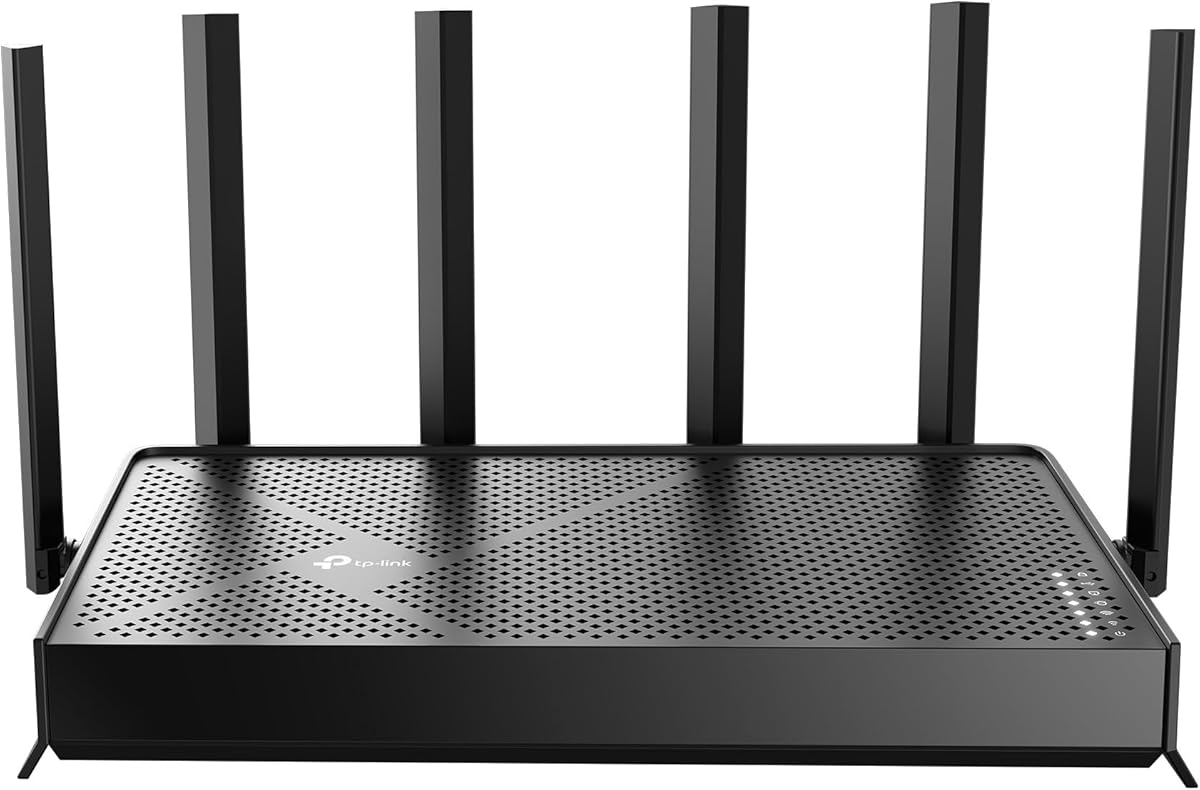
The TP-Link Archer BE600 is the most traditional home-router design in this group, but its tri-band WiFi 7 platform and high-speed wired options make it relevant for buyers who want a public WiFi sharing router with substantial home-network capability. Its supplied rating is 4.2.
We may earn a commission when you buy through this link, at no additional cost to you.
Unlike the compact travel models, it includes a 6 GHz band alongside 5 GHz and 2.4 GHz. Stated band speeds reach 5,765 Mbps on 6 GHz, 2,882 Mbps on 5 GHz, and 1,032 Mbps on 2.4 GHz. Multi-Link Operation combines available bands, while 4K-QAM and support for channels up to 320 MHz target compatible WiFi 7 clients.
Its wired options are the most expansive in the guide: one 10Gbps WAN/LAN port, one 2.5Gbps WAN/LAN port, and three 2.5Gbps LAN ports. This makes the router suitable for connecting a multigig internet service, high-speed storage, and several wired network devices while distributing internet access to wireless clients.
Coverage is stated for up to 2,600 square feet and 120 devices, aided by six antennas and beamforming. TP-Link HomeShield adds parental controls and IoT security. The trade-off is portability: this is a full-size router rather than a pocket travel unit. It is best for a home, RV, shared accommodation, or temporary setup where floor space and multigig performance outweigh compact size.
The 6 GHz band adds dedicated capacity that a dual-band travel router cannot provide. It can reduce competition among compatible devices and offer additional throughput when the client, radio, and local environment all support it.
The 10Gbps port is designed for very fast service or local links, while the remaining 2.5Gbps ports support a broader range of equipment. This makes the Archer BE600 useful when a simple gigabit Ethernet port would become the bottleneck.
We may earn a commission when you buy through this link, at no additional cost to you.
The right public WiFi sharing router depends on where it will be used, how many devices need access, and how much control you want over the temporary network. Wireless speed, ports, VPN support, portability, and setup complexity should be balanced against one another.
A router must be able to authenticate to the upstream network and share that authenticated connection locally. Hotspot, repeater, or WISP mode is the key feature to verify, particularly for hotels, airports, cafés, and cruise ships whose sign-in pages may use a captive portal. One-time authentication can save considerable effort when several personal devices need internet access.
WiFi 6 models provide a mature balance of speed, compatibility, and portability, while WiFi 7 models add features such as Multi-Link Operation, 4K-QAM, wider channels, and potentially better efficiency for compatible clients. The fastest upstream hotspot can still limit results, so adopting a newer standard is most useful when the devices being served also support it.
A router-level VPN can protect every connected device without installing a VPN application on each phone or laptop. OpenVPN and WireGuard appear across many of the recommended models, but protocol support is only part of the story. Check whether client and server modes are offered, whether the required service is compatible, and whether an active subscription is needed.
Ethernet ports determine how quickly and reliably devices can connect when wireless is inconvenient or congested. A 1 Gbps LAN port is broadly useful, while 2.5Gbps is preferable for compatible computers, fast storage, and multigig internet plans. The Archer BE600 adds 10Gbps, but its larger design is less travel-friendly. USB ports may provide file sharing, storage access, or peripheral support depending on the model.
Stated device counts indicate how many clients the manufacturer expects the router to accommodate, but actual performance depends on bandwidth, radio design, and client activity. A router advertising support for 120 devices may still perform best with fewer active high-bandwidth clients. For a family or work group, look for both adequate capacity and enough wireless throughput to share.
Travel routers should be easy to pack, carry, and power. USB-C is common across the portable choices, with several accepting power banks or other compatible USB-C sources. Confirm the required input details and whether an adapter is included. The full-size Archer BE600 offers exceptional wired speed but takes more space, while the GL.iNet Beryl models and TP-Link Roam units prioritize a smaller footprint.
Simple buyers may prefer mobile apps, web interfaces, physical mode switches, or touchscreen controls. Advanced users may want OpenWrt, plugin installation, DNS tools, and detailed network configuration. OpenWrt-based routers offer considerable flexibility, but they can also demand more setup knowledge. Always change default credentials, select a strong wireless password, and update firmware before connecting sensitive devices.
WPA3 strengthens wireless access control, while DNS over HTTPS, DNS over TLS, VPN support, and IPv6 address privacy can improve protection on shared networks. Look for a secure local login, encrypted DNS options, and a VPN client that can protect all attached devices. These tools add useful layers, but they do not replace sensible browsing habits and updated firmware.
Begin by charging the router fully, updating its firmware, and changing the default administrator and WiFi credentials. Choose a strong, unique wireless password, then decide whether you want a simple private hotspot, a VPN-protected connection, or another operating mode. For a hotel or airport network, select hotspot or WISP mode and complete the venue's sign-in process once through the router's management interface.
Connect the intended devices to the router's private WiFi network rather than joining the public network individually. If the upstream provider has time limits or session rules, reconnect the router when its authorization expires so the connected clients can resume access. Before starting sensitive work, verify the VPN status and test which traffic is actually protected; a configured protocol does not necessarily cover every device or feature.
Treat the device as part of your travel security kit. Keep it physically secure, avoid exposing its admin interface to untrusted users, and disconnect storage when it is not needed. At home, update firmware periodically, review connected clients, and use separate networks for guests or smart devices when appropriate.
It is a portable router that connects to an existing public or shared internet service and creates a private local WiFi network for your devices. It can reduce repeated captive portal logins and add VPN, firewall, and access-control features that may not be available directly from the public hotspot. Its performance still depends on the speed and reliability of the upstream connection.
Yes, provided the router supports hotspot, repeater, or WISP operation and can authenticate with the hotel's network. Some properties use a captive portal that requires a browser-based sign-in, while others apply session limits or restrict certain devices. Completing the login once through the router is convenient, although you may need to reconnect the router when the venue expires the session.
The routers can generally create a private network without a subscription, but using a commercial VPN provider usually requires an active plan and compatible account credentials. Some models include local VPN server functionality that does not require a third-party service. OpenWrt-based models also allow other privacy and filtering tools to be installed, depending on available packages and configuration support.
Not always. WiFi 6 is widely compatible and can be sufficient for email, browsing, streaming, and video calls on a modest connection. WiFi 7 is more attractive when you own compatible clients, want greater headroom on a fast local network, or expect to use the router beyond a short trip. The source hotspot may remain the limiting factor either way.
The listed models range from stated support for 60 devices to 120. That figure indicates maximum connectivity, not equal bandwidth for every active device. A video call, large file transfer, and several streaming devices can consume most of the available upstream connection, so consider both device count and the activities involved.
In router mode, the device normally obtains an internet connection through Ethernet or another router and creates a private network. In hotspot mode, it connects to public WiFi and shares that internet connection privately. Some models use names such as repeater, access point, or client mode for related tasks, so buyers should verify the exact functions offered by their chosen model.
Both environments can benefit from a private local network, but the upstream connection may be slow, metered, or subject to session limits. A travel router adds one authentication point and can protect devices through a VPN. In an RV, cellular tethering may be more reliable than nearby venue WiFi, while a larger model may be more practical if it remains stationary.
Change all default passwords, use WPA3 when available, update the firmware, and verify that the VPN is connected before beginning sensitive work. Keep the administrative interface inaccessible to other guests and avoid plugging unknown USB drives into the router. When not traveling, maintain the device as a normal home router and review connected clients periodically.
The Roam 6 AX1500 is the most straightforward compact option for buyers prioritizing portability and straightforward VPN support. The Roam 7 BE3600 adds WiFi 7, a 2.5Gbps WAN port, and room for up to 90 devices, making it the strongest all-around choice in the group. The Slate 7 is the premium pick for buyers who value a built-in touchscreen and two 2.5Gbps ports.
Prioritize the features that match your actual trip or temporary setup. Frequent travelers may value USB-C power and multiple upstream modes, while OpenWrt users may prefer Beryl AX or Beryl 7. Households seeking broad coverage and multigig Ethernet should consider the much larger Archer BE600, and ASUS users who want public WiFi WISP mode, mobile tethering, and AiMesh may prefer the RT-AX57 Go or RT-BE58 Go.
Before purchasing, verify the router's current features, regional plug configuration, firmware, and compatibility with your devices. Product specifications and customer ratings can change, and prices fluctuate frequently, so check current listings carefully. The best public WiFi sharing router is ultimately the one that creates a stable private connection, fits your power and portability needs, and provides the security features you understand well enough to configure correctly.