
VIVO Pneumatic Arm Quad Ultrawide Monitor Extra Tall Desk Mount
4.5Editor score
Four-screen ultrawide compatibility
Pneumatic height adjustment
Up to 44 pounds per arm
Detachable VESA mounting plates
A quad monitor mount can transform a crowded desktop into a focused multi-screen workstation, but choosing the right model requires matching the arms to your displays, desk, and workflow. Important considerations include VESA compatibility, screen size, weight capacity, mounting style, stability, and the degree of daily adjustment available.
We compared ten quad monitor desk mounts using the specifications and customer ratings provided for each product. The list includes conventional stacked designs, pneumatic systems, and heavy-duty mounts engineered for ultrawide displays, allowing buyers to compare capacity, articulation, installation methods, and cable-management features.
Each review explains the mount that stands out, the trade-offs worth considering, and the type of user most likely to benefit. Product prices and availability can change, so readers should confirm current listings and their own monitor specifications before making a final purchase.
4.5Editor score

4.4Editor score

4.6Editor score
As an Amazon Associate we earn from qualifying purchases.
The table below compares all ten mounts by their supported screen size, per-arm weight capacity, installation method, and most prominent adjustment feature, making it easier to identify the model that fits your workstation.


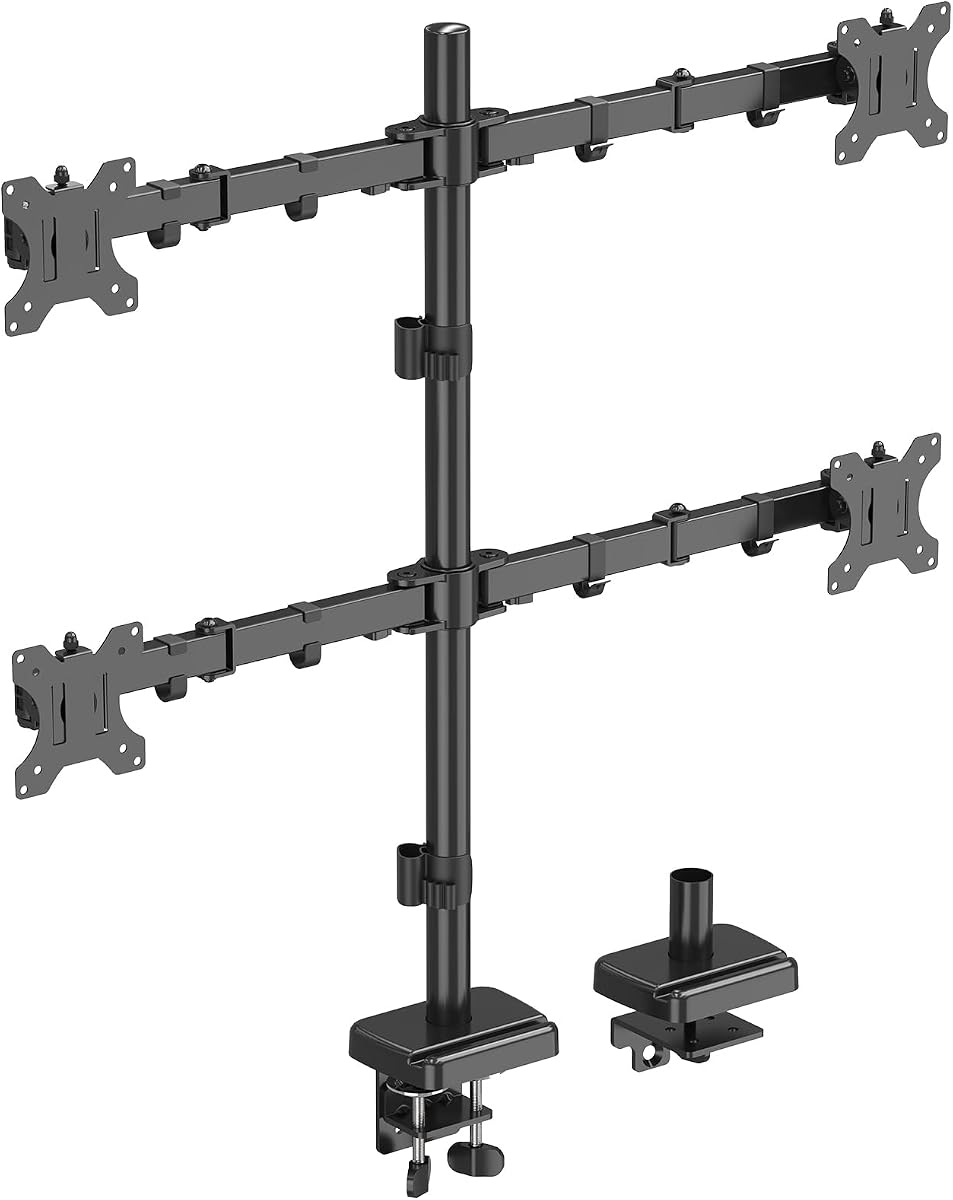


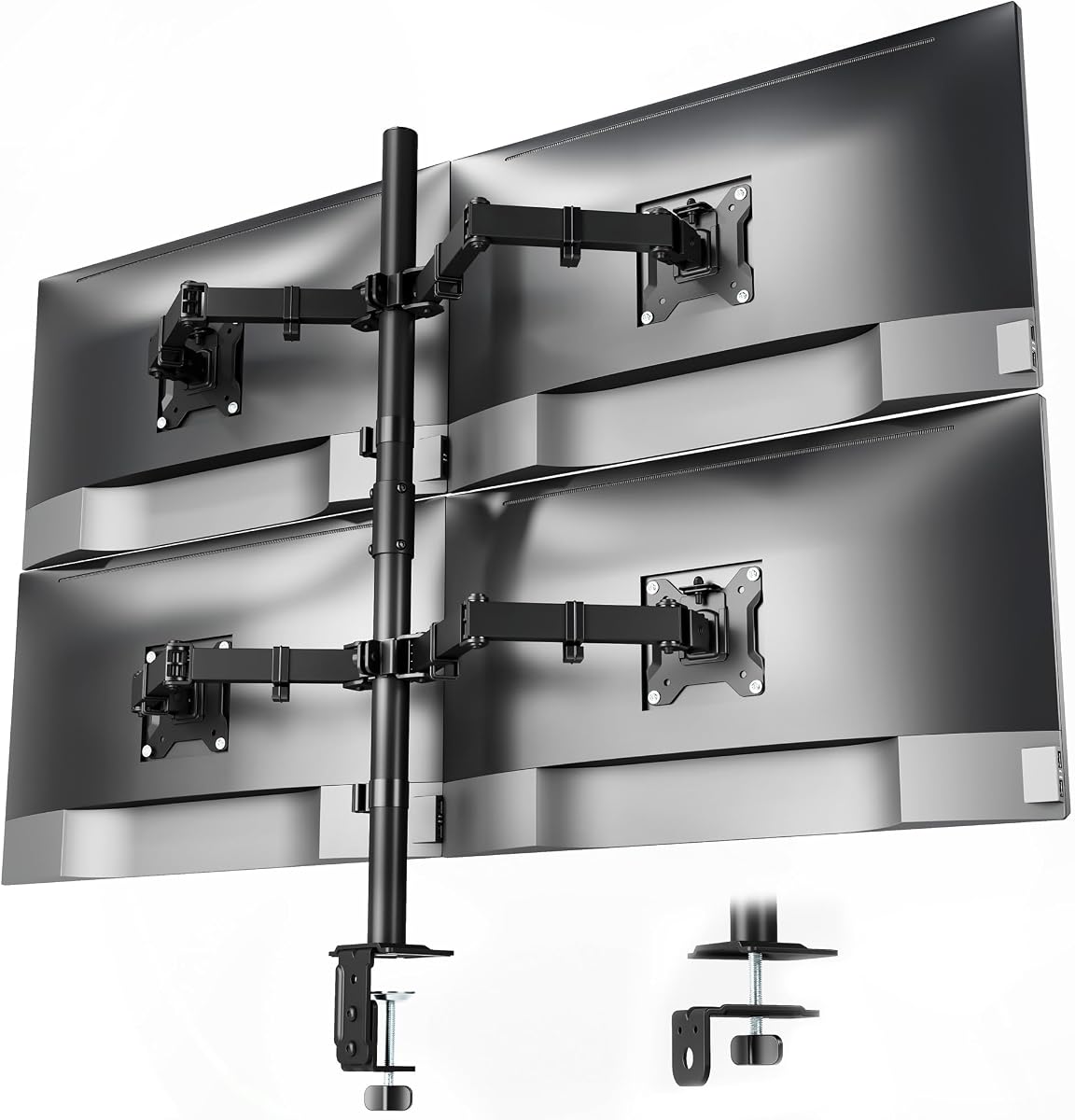

The WALI Stacked 4 Monitor Mount is a versatile four-screen solution rated 4.5 out of 5. It is designed for most flat or curved LED and LCD displays from 13 to 27 inches, with each arm supporting up to 22 pounds. Its combination of a steel frame, dual installation options, generous movement, and cable management makes it a strong general-purpose choice.
We may earn a commission when you buy through this link, at no additional cost to you.
The mounting arms can tilt through 35 degrees in either direction, swivel through 90 degrees in either direction, and rotate a full 360 degrees. A maximum pole height of 31.65 inches and extension of up to 51.2 inches allow the displays to be arranged in horizontal rows, staggered formations, or stacked layouts. Buyers can install the mount with a C-clamp on desks between 0.2 and 3.62 inches thick or use the grommet base on compatible desks between 0.39 and 2.56 inches thick.
Its main limitation is the 27-inch maximum screen size. Although the per-arm weight rating is generous, larger displays may fall outside the stated size compatibility. The product description also recommends checking VESA spacing before purchasing. The included hardware, user manual, and integrated cable routing help offset the planning required for a four-screen installation.
This is a strong recommendation for productivity users, programmers, analysts, and creative professionals using four conventional monitors. It offers more range than a basic fixed stand without the specialized pneumatic mechanisms found in premium models. Choose it when all four screens are within the 13-to-27-inch range and frequent changes in viewing angle are valuable.
The generous tilt, swivel, rotation, extension, and height specifications allow the screens to be arranged around a curved desk or in a stacked configuration. This flexibility is useful when users alternate between focused coding, data analysis, communications, and shared presentations.
The included C-clamp and grommet base allow the mount to fit different desk structures. Users can choose a drill-free edge installation or a more integrated desktop setup after checking their desk thickness and available mounting holes.
We may earn a commission when you buy through this link, at no additional cost to you.
The VIVO Pneumatic Arm Quad Ultrawide Monitor Extra Tall Desk Mount combines a 4.5 rating with unusually broad capacity for a value-oriented model. It supports four ultrawide screens using a mixed arrangement: one display may reach 49 inches, while two may reach 38 inches, and each arm has an individual capacity of up to 44 pounds.
We may earn a commission when you buy through this link, at no additional cost to you.
Pneumatic adjustment is the defining feature. Instead of relying on a basic friction hinge, the arms use pneumatic mechanisms to counterbalance display weight and make height changes easier. The arms offer a tilt range from plus 55 degrees to minus 25 degrees, 180-degree swivel, and 360-degree rotation. Cast aluminum construction is used for the clamp base and arms, providing a durable base for demanding multi-screen configurations.
The clamp fits desktops up to 2 inches thick, so buyers need to confirm that their desk can accept an edge-mounted base with sufficient clearance. The stated screen combination also requires more layout planning than mounting four similarly sized displays. Detachable VESA plates, included instructions, and included hardware simplify the physical connection of compatible monitors.
This mount is a compelling choice for users who want high capacity, pneumatic movement, and large-screen support without moving to a much larger multi-arm system. It is particularly relevant to simulation, financial monitoring, video, and command-center-style workflows. Users with four compact monitors may find simpler models more than adequate, but this design offers room for growth and unusually heavy displays.
The pneumatic arms counterbalance each screen so users can reposition displays with less manual force than a stiff fixed hinge would require. This is especially useful when moving several large panels or adjusting the group frequently.
Rather than limiting the entire system to one uniform screen size, the stated configuration allows one 49-inch display and two 38-inch displays. Buyers should still verify the dimensions, weight, and VESA pattern of every monitor before ordering.
We may earn a commission when you buy through this link, at no additional cost to you.
The VIVO Quad Pneumatic Monitor Mount is a polished four-screen system rated 4.4 out of 5. It is built for 17-to-32-inch computer screens and supports up to 17.6 pounds per display, covering many common productivity and entertainment panels. Its combination of dual pneumatic springs, independent tension control, and a heavy-duty clamp makes it a balanced choice for regular multi-monitor work.
We may earn a commission when you buy through this link, at no additional cost to you.
The two outside arms use pneumatic springs, while fixed center brackets support the inner pair. Every display can tilt plus or minus 90 degrees, swivel 180 degrees, and rotate 360 degrees. Spring tension can be increased for heavier screens or reduced for lighter displays, allowing the mount to behave more predictably across a mixed set of monitors. The steel and aluminum support structure is intended to remain stable during these movements.
Installation uses a heavy-duty C-clamp for surfaces up to 3.25 inches thick. That removes the need to drill into the desk, but it also means the base must have adequate edge and under-desk clearance. The four-screen configuration is not intended for 49-inch ultrawides, and no grommet alternative is specified. Users needing very large displays should examine the dedicated ultrawide models instead.
This mount is well suited to office teams, remote workers, programmers, traders, and editors who use four standard-sized screens and expect to change their layout. Its pneumatic arms reduce the effort involved in routine adjustment, while the drill-free clamp simplifies setup. It is a particularly compelling choice when a conventional four-screen array is the goal.
Each pneumatic side arm can be tuned to the display it supports. This is useful when a four-monitor setup combines panels of different sizes and weights rather than four identical models.
The heavy-duty C-clamp accommodates desktops up to 3.25 inches thick. Installation is more approachable for renters and movable offices, provided the desk edge has enough depth for the clamp hardware.
We may earn a commission when you buy through this link, at no additional cost to you.
The WALI Quad Monitor Desk Mount has a 4.6 rating and supports as many as four flat-panel displays between 13 and 32 inches. Each arm can hold up to 22 pounds, making it one of the stronger general-purpose options in the list. Detachable mounting plates accept both 75-by-75-millimeter and 100-by-100-millimeter VESA patterns.
We may earn a commission when you buy through this link, at no additional cost to you.
Its two-stage locking system can be configured with either a C-clamp or a grommet base, both described as accommodating desks up to 3.62 inches thick. The arms extend and retract, tilt and swivel plus or minus 90 degrees, and rotate 360 degrees for portrait or landscape use. A 31.5-inch height pole and integrated cable guides add useful adjustment and organization options.
Unlike pneumatic models, this mount relies on conventional adjustable joints. That generally makes the design more straightforward to service and can reduce dependence on gas springs, but users may need to tighten the joints according to display weight. The product title mentions flat panels, and the supplied information does not explicitly confirm curved-screen support.
This is a compelling pick for offices, trading desks, editing suites, and advanced home workstations that use mixed screen sizes below 32 inches. It earns strong marks for capacity, installation flexibility, and a broad articulation range. It is less attractive for users seeking automatic counterbalancing or support for very large ultrawide monitors.
The 13-to-32-inch range and 22-pound per-arm capacity make the system suitable for a mixture of smaller utility displays and larger productivity panels. Verify each monitor's weight and mounting pattern for the most reliable fit.
Cable guides run along the arms to reduce exposed wiring, while elevating the screens creates room for a keyboard, notebook, docking station, or control surface. The result is a cleaner desktop without requiring a separate arm for each display.
We may earn a commission when you buy through this link, at no additional cost to you.
The MOUNTUP Quad Monitor Stand combines a 4.6 rating with straightforward installation features. It supports most flat or curved LCD and LED displays from 17 to 32 inches, with a maximum load of 17.6 pounds per arm and compatibility with 75-by-75-millimeter or 100-by-100-millimeter VESA mounting holes.
We may earn a commission when you buy through this link, at no additional cost to you.
The central pole allows height adjustment, while each display can rotate 360 degrees, tilt plus or minus 90 degrees, and swivel 180 degrees. This range supports stacked rows, wide horizontal arrangements, and mixed portrait or landscape layouts. A single base supports the four-arm structure, while cable clips help route and protect the display leads.
Installation can use a C-clamp or a grommet base. The stated desk-thickness range is 0.39 to 3.15 inches, while the grommet specification refers to a hole diameter of 0.39 to 2.36 inches. The quick-release VESA plates are particularly useful because they can shorten the time needed to attach or detach each monitor. Clear instructions and all necessary mounting hardware are included.
This stand is well matched to productivity users who want a conventional four-monitor arrangement and value a simple setup process. It may be less suitable for displays heavier than 17.6 pounds, which rules out some large ultrawide models. Its 17-inch minimum also makes it less versatile than mounts that accept smaller utility screens.
Quick-release VESA plates simplify connecting the displays after the main frame is assembled. This makes the system easier to reconfigure when users switch between horizontal, stacked, and portrait layouts.
One central base supports all four arms, helping consolidate the footprint of four monitor stands. Cable clips complement the structure by keeping leads attached to the moving arms and away from the working area.
We may earn a commission when you buy through this link, at no additional cost to you.
The VIVO Black Quad Monitor Desk Mount is the most specialized premium option in this roundup, carrying a 4.6 rating. It supports an ambitious mixed-screen arrangement: up to 49 inches on the two center brackets in landscape orientation, and up to 38 inches on the two side brackets when placed in portrait orientation.
We may earn a commission when you buy through this link, at no additional cost to you.
Load limits are among the highest listed. The center brackets support up to 48.4 pounds for curved screens or 59.4 pounds for flat screens, while each side arm supports up to 17.6 pounds. This makes the design suitable for large ultrawide panels where a conventional 17.6-pound per-arm limit would be restrictive. Users must check the exact screen position because the center and side brackets have different capacities.
Height adjustment is available along both poles. The center brackets tilt plus 55 degrees to minus 25 degrees and rotate 360 degrees, while the side assemblies tilt plus or minus 90 degrees and also rotate 360 degrees. The dual-pole layout can push large curved displays farther back than a single-pole design, creating a low-profile appearance. Heavy-duty C-clamps fit desktops up to 3.3 inches thick and accommodate straight or corner desks.
This mount is intended for serious command-center, trading, simulation, media, and professional multi-screen installations. The complexity and weight are justified when large ultrawide displays are central to the workflow. For four standard office monitors, it may be more hardware than necessary, but few alternatives in this list offer comparable ultrawide capacity.
The differentiated center and side brackets make it possible to combine very large central ultrawides with side panels. That flexibility is valuable for monitoring dashboards, editing timelines, and immersive multi-panel workstations.
Using two poles creates more separation between display groups and can let curved screens sit farther back. It also makes alignment more involved than with a single central column, so careful assembly is important.
We may earn a commission when you buy through this link, at no additional cost to you.
The MOUNT PRO 4 Monitor Mount is a traditional four-arm solution rated 4.5 out of 5. It supports four flat or curved computer screens at common sizes including 13, 19, 21.5, 22, 23, 24, 27, and 32 inches. Each arm supports up to 17.6 pounds and accepts standard 75-by-75-millimeter or 100-by-100-millimeter VESA patterns.
We may earn a commission when you buy through this link, at no additional cost to you.
The extra-tall pole reaches 31.7 inches, offering useful clearance for large displays and allowing the screens to be raised as part of a sit-and-stand desk setup. The mount tilts plus or minus 90 degrees, swivels 180 degrees, and rotates 360 degrees, providing enough movement for stacked, horizontal, and mixed-orientation arrangements.
The vertical mounting structure is designed for desk thicknesses between 0.59 and 3.15 inches, and cable clips help preserve a tidy appearance. Compared with pneumatic or dual-pole models, this design is more mechanically traditional. That can make it a straightforward option, although the arms will require appropriate tension adjustment for heavier displays.
This product is a good choice for a permanent four-screen office, home office, or gaming setup using standard displays. It offers a tall pole and comprehensive articulation without specialized ultrawide construction. Users needing displays above 32 inches or loads above 17.6 pounds should choose one of the heavy-duty models instead.
The 31.7-inch pole can place screens at a more natural eye level, particularly with larger displays. It also provides enough vertical travel to reconfigure a four-screen array as a stacked two-row system.
Tilt, swivel, and full rotation allow the displays to follow a curved workstation or form a mixed landscape-and-portrait array. These movements also make it easier to share a screen with someone seated beside the user.
We may earn a commission when you buy through this link, at no additional cost to you.
The WALI Stacked Ultrawide Mount is built for a distinctive four-screen layout and carries a 4.6 rating. It places one ultrawide display up to 49 inches on a top bracket while supporting three standard monitors up to 27 inches on lower arm brackets. This arrangement is especially relevant to users who want one wide overview display above three focused panels.
We may earn a commission when you buy through this link, at no additional cost to you.
The top bracket supports up to 44 pounds, while each lower bracket supports up to 19.8 pounds. The top bracket offers plus 20 degrees to minus 20 degrees of tilt and 180-degree swivel. Lower brackets tilt plus or minus 45 degrees and swivel 180 degrees, while all brackets rotate 360 degrees. The top bracket and arm can also move along the tall center pole to refine the stacked arrangement.
Steel is used for the clamp base and arms. The listed fatigue-test figure is more than 20,000 cycles, described as equivalent to 10 years of daily adjustments. Installation options include a C-clamp for desks 0.39 to 3.15 inches thick and a grommet mount for desks 0.39 to 1.57 inches thick. Built-in cable management keeps the wiring organized.
This is an excellent choice for editing suites, development environments, trading systems, and control rooms that benefit from one large reference display and three smaller operational screens. It is not as adaptable as a general four-arm system for four large displays, but its specialized layout can be exactly what some workflows need.
The large upper ultrawide serves as a central reference while the three lower panels can show applications, chat, timelines, or system information. This arrangement can reduce the need to resize windows constantly.
A steel clamp, arms, and pole support the mixed display load. The reported fatigue testing adds confidence for a structure that may be adjusted every day, although buyers should still respect the stated weight limits.
We may earn a commission when you buy through this link, at no additional cost to you.
The monTEK Quad Monitor Stand pairs a 4.6 rating with a useful combination of 22-pound arm capacity and broad motion control. It is designed for four displays from 17 to 32 inches, provided each screen supports 75-by-75-millimeter or 100-by-100-millimeter VESA mounting holes.
We may earn a commission when you buy through this link, at no additional cost to you.
Each arm can tilt from minus 45 degrees to plus 45 degrees, swivel from minus 90 degrees to plus 90 degrees, and rotate through a full 360 degrees. That range supports horizontal arrays, stacked configurations, and displays turned into portrait orientation. An advanced joint design is intended to keep the screens level and resist sagging, while integrated cable organizers reduce visible wire clutter.
The mount supports both C-clamp and grommet installation, giving users flexibility depending on their desk. Quick-release VESA plates streamline monitor attachment, and the package includes comprehensive instructions and necessary components. The stated setup time is typically within 20 minutes for users following the guide carefully, though actual assembly time varies with experience and desk configuration.
This is a strong all-around choice for offices, studios, and home workstations that need four standard-sized screens with good per-arm capacity. It lacks pneumatic assistance and does not accept screens below 17 inches, but its simple motion system and installation options make it approachable for a wide range of users.
The joint system and broad swivel range make it practical to change the four-screen arrangement as tasks change. Users can move between a wide data view and stacked application windows without dismantling the mount.
Quick-release VESA plates reduce the effort involved during installation and future reconfiguration. The dual mounting options also make the system adaptable to both solid and drilled desktops.
We may earn a commission when you buy through this link, at no additional cost to you.
The HUANUO Quad Monitor Mount is a reinforced four-screen solution with a 4.6 rating. It supports displays from 13 to 32 inches, handles up to 22 pounds per arm, and works with 75-by-75-millimeter and 100-by-100-millimeter VESA patterns. Its larger mounting base, thickened pole, and solid steel construction target stability in demanding multi-monitor setups.
We may earn a commission when you buy through this link, at no additional cost to you.
The screens can swivel plus or minus 90 degrees, tilt plus or minus 45 degrees, and rotate 360 degrees. Those controls support wide four-screen layouts, two-row stacks, and mixed vertical or horizontal arrangements. The 34.25-inch pole provides substantial height adjustment, making the mount suitable for tall displays and flexible desk configurations.
Built-in cable management helps route the wiring from four monitors, while elevating the screens frees room for a keyboard, mouse, control panel, documents, and other desktop equipment. The mounting instruction notes that a connector-area screw may need to be removed while an arm passes that section and then tightened again afterward. Buyers should follow that procedure carefully.
This mount is a good option for fixed four-screen workstations used in trading, dispatching, editing, data monitoring, or professional productivity. Its reinforced base is a meaningful advantage when several displays remain in a fixed arrangement. It is less suitable for users who need easy portability, pneumatic movement, or support for very large ultrawides.
The larger base increases desktop contact and support area, while the thickened pole and steel construction help reduce wobble. These features are particularly useful when four displays remain aligned for long work sessions.
The 34.25-inch pole creates room for stacked arrangements and high-mounted screens. Combined with swivel, tilt, and rotation, it supports different workstation shapes and task-specific layouts.
We may earn a commission when you buy through this link, at no additional cost to you.
A suitable quad monitor mount must fit the displays, attach securely to the desk, and move in ways that suit the user's workspace. The following factors are the most important considerations before buying a four-screen support system.
Choose a mount whose stated size range covers every screen without stretching its limits.
Stay within every applicable weight limit and leave additional margin when possible.
Confirm screen size, weight, and VESA spacing for every monitor before ordering.
Measure desk thickness, edge clearance, and under-desk obstructions before installation.
Choose pneumatic or extended-range adjustment if screens will be moved frequently.
Plan the full display footprint, not just the base, and keep controls within reach.
Prioritize integrated routing and a finish that suits the workstation.
Review the assembly method and plan for periodic joint and tension checks.
Before assembly, measure the desk thickness and check the clearance beneath the edge. Confirm the VESA pattern and weight of every monitor, then decide whether a C-clamp or grommet installation suits the furniture better. Arrange the monitors on the desk before mounting them so the intended left-to-right and upper-lower relationships are clear.
Attach the base and pole securely, install each VESA plate, and connect the cables before lifting the displays into their final positions. Loosen the arm joints only enough to allow positioning, then tighten every fastener gradually. Follow the manufacturer's instructions, including any requirement to remove and replace a connector-area screw, and avoid forcing a monitor against a desk drawer or other obstruction.
After installation, adjust the height, tilt, swivel, and rotation of each screen to create a comfortable viewing position. Check that all cables have enough slack to move with the arms without pulling against the connectors. Periodically inspect the clamp, mounting screws, and arm joints for loosening, and clean the surfaces with a soft dry or lightly damp cloth. Do not overload an arm or alter the mount beyond its stated specifications.
Measure the desk thickness, available edge space, and any grommet hole before choosing a mount. Check the manufacturer's listed thickness range and compare it with your desk, including the area needed for clamp hardware underneath. Curved or overhanging desk edges can also affect whether a C-clamp can be positioned correctly.
No, but the mount must support every size and weight in the chosen arrangement. Several models support mixed conventional displays, while specialized systems accommodate one large ultrawide with three smaller screens. A general four-arm mount may also accept different sizes below its stated maximum, provided each arm remains within its weight and size limits.
A C-clamp grips the desk edge and usually requires no drilling, making it convenient for movable desks. A grommet base uses a hole in the desktop and can look cleaner or integrate more closely with the furniture. Confirm that the hole diameter and desk thickness fall within the product's stated installation specifications.
Pneumatic arms are usually easier to reposition because they counterbalance the display weight. Fixed or friction-adjusted hinges can work well when the screen arrangement rarely changes and may involve fewer moving parts. The best option depends on display weight, how frequently the user adjusts the layout, and the available desk space.
Most listed mounts offer 360-degree rotation, allowing compatible displays to move between landscape and portrait orientation. The actual range can vary by bracket, so users should check the specifications for every position. VESA clearance, screen shape, arm design, and desk space may also affect how closely a display can sit to the desktop.
The mount should support the combined weight of all four screens while keeping each individual arm within its limit. Some conventional arms support 17.6 or 22 pounds, while specialized center brackets can handle considerably heavier ultrawides. Always use the limit that applies to the specific bracket and position rather than assuming the largest number applies everywhere.
Several products in this guide explicitly support flat and curved displays, but compatibility varies by model. Even when a curved screen is supported, its weight, VESA pattern, and dimensions must remain within the stated limits. Check the product description and the monitor's own mounting specifications before purchasing.
Route each power and video lead through the mount's cable guides or clips, leaving a small amount of slack at the display connection. Connect the cables before tightening the arms into their final positions, and avoid creating tight bends. This keeps wiring away from moving joints and makes future screen changes easier.
The strongest all-around option is the WALI Stacked 4 Monitor Mount for users with four screens up to 27 inches, while the newer VIVO Quad Pneumatic Monitor Mount stands out for smooth counterbalanced movement and drill-free installation. For large ultrawide setups, the VIVO Black Quad Monitor Desk Mount and WALI Stacked Ultrawide Mount provide the capacity and structure that conventional four-screen stands may lack.
Prioritize exact screen size, per-bracket weight limits, VESA patterns, and desk clearance before considering aesthetic details. Pneumatic arms are valuable for frequent adjustments, a high pole benefits stacked layouts, and integrated cable management becomes increasingly important as the number of displays and leads grows. The right mount is the one that supports the planned configuration without exceeding any stated limit.
Customer ratings and product availability can change over time, and current prices should be checked before ordering. Confirm the latest manufacturer specifications as well, especially the exact desk-thickness range, screen arrangement, and included mounting hardware. A careful fit check is the best protection against an installation that falls short of the intended workstation.