
GL.iNet Comet GL-RM1
4.5Editor score
4K remote video streaming
BIOS-level system control
Built-in Tailscale access
Remote file transfers
Compare 10 Remote KVM over IP or WiFi options for BIOS access, 4K streaming, remote power, secure connectivity, and reliable out-of-band control.
Remote KVM devices provide hardware-level access to computers, servers, and headless systems from another network or through a browser. The strongest options support BIOS access, remote power control, responsive video streaming, and flexible connectivity, making them useful for IT support, homelabs, and system recovery.
We compared the listed hardware by examining resolution, latency-related capabilities, networking options, BIOS-level control, storage, power-control features, and the availability of browser, app, cloud, Tailscale, ZeroTier, or self-hosted access. The list includes dedicated appliances, Raspberry Pi-based systems, and compact USB-C devices.
Each review reveals which use case the device best supports, from portable family IT support to rack-ready server management. Ratings and specifications reflect the supplied product information, while availability and pricing can change, so check the current listing before purchasing.
4.5Editor score

4.4Editor score

4.6Editor score
The comparison below covers ten remote-control appliances with different strengths in connectivity, resolution, expansion, portability, and disaster recovery. One HDMI extender extends a local KVM signal over Ethernet rather than providing Internet-based out-of-band management, while the other products support browser-based remote administration.




The GL.iNet Comet Pro GL-RM10 is a well-rounded remote KVM for users who want both wired and wireless access to a desktop or server. It carries a 4.4 rating in the supplied data and stands out for 4K passthrough, two-way audio, dual-band Wi-Fi 6, a built-in touchscreen, and several remote-access routes. Its combination of local convenience and Internet-facing flexibility makes it an especially strong general-purpose choice.
We may earn a commission when you buy through this link, at no additional cost to you.
The device can maintain a local display while delivering an H.264-encoded remote stream, which is important when an administrator wants to work beside the machine without interrupting the physical console. Connectivity options include 2.4 GHz and 5 GHz Wi-Fi as well as wired Ethernet. Tailscale supplies encrypted peer-to-peer access through WireGuard, while browser-based cloud control works with Windows, macOS, and Linux without requiring installation on the viewed computer. The GLKVM app extends the same workflow to Windows, macOS, iOS, and Android.
Its 2.22-inch touchscreen is more than a status display: it provides local access to Wi-Fi settings and cloud services, which reduces the need to memorize commands or carry a separate configuration device. For organizations that do not want a hosted cloud path, the Comet Pro can be deployed against a self-hosted lightweight cloud service on Linux or Ubuntu. That option offers greater control over where the remote-access infrastructure operates.
This is most appropriate for IT professionals, advanced home users, and offices that want a desktop KVM appliance without a dedicated network port on the target. Remote power control is possible through separately sold ATX Board or Fingerbot accessories, so buyers who need hard power and reset functions should plan for the appropriate expansion. Even so, the combination of 4K video, audio, touchscreen operation, Wi-Fi 6, and self-hosting support gives it broad everyday value.
Overall, the Comet Pro is the strongest all-around recommendation in this guide. It balances local usability, remote flexibility, and recovery-oriented control without requiring the target computer to run a remote-access agent. For buyers who want wireless convenience but still value Ethernet as a fallback, its feature set is difficult to overlook.
Its main limitation is that the headline passthrough mode tops out at 4K at 30FPS rather than a higher refresh rate. That is suitable for office work, server administration, and troubleshooting, but users who need 4K at 60FPS should consider the options listed later with explicit 4K60 or higher-refresh specifications.
Dual-band Wi-Fi 6 and wired connectivity make the Comet Pro useful in offices, labs, and home setups where pulling a dedicated network cable to every managed computer is inconvenient. The wired path remains valuable as a reliable alternative when wireless conditions are poor.
The device supports 4K video passthrough and two-way audio without interrupting the local display. Administrators can therefore work directly at the machine while also allowing a remote technician to observe, communicate, or take over when needed.
We may earn a commission when you buy through this link, at no additional cost to you.
The GL.iNet Comet 5G GL-RM10RC is the premium, resilience-focused member of this roundup. Its 4.6 rating reflects a feature set aimed at serious server, edge-PC, and branch-device administration. The defining addition is 5G RedCap, which gives the device a cellular path when local LAN or Wi-Fi connectivity is misconfigured, unavailable, or offline.
We may earn a commission when you buy through this link, at no additional cost to you.
The system automatically fails over among Gigabit Ethernet, Wi-Fi 6, and 5G or 4G. That makes it much more appropriate for equipment whose continued accessibility matters, such as remote servers, unattended edge systems, or machines in locations with unreliable fixed-line service. It is less necessary for a conventional desk where Ethernet and Wi-Fi are consistently available, but it adds a valuable independent recovery route.
A built-in Wi-Fi hotspot enables near-field control without relying on the wider network. Combined with HDMI loop-out, this lets a technician perform BIOS-level operations and routine maintenance locally while preserving a physical display connection. Online remote access uses H.264 hardware encoding with stated latency in the 30–60 millisecond range for 4K management.
The 3.69-inch touchscreen is the largest among the GL.iNet products in this guide and provides on-device status checks, Wi-Fi management, and function toggles. Storage is another major strength: 64GB of eMMC can hold multiple operating-system images, ISO files, and recovery tools. When used with appropriate USB accessories, that repository supports repeatable remote installations, power cycling, reinstallation, and recovery workflows.
Remote access is available through a modern browser on Windows, macOS, or Linux. Tailscale and ZeroTier provide encrypted private-network methods, and lightweight self-hosted cloud deployment adds another control option. These choices let administrators avoid a single proprietary access route and select the connectivity model that fits their environment.
This model is best for IT teams, managed-service providers, homelab operators, and enterprises that cannot tolerate losing out-of-band access because a primary network path fails. The tradeoff is complexity and dependence on cellular availability where 5G RedCap service is needed. Buyers should confirm that the target site has suitable coverage and that the device's multi-WAN behavior aligns with their operational procedures.
For a mission-critical remote KVM where network resilience is the top requirement, the Comet 5G is the leading option here. It combines high-quality remote video, several secure access methods, local recovery, and substantial on-device storage into a package designed for demanding administrators.
5G RedCap provides an independent route when a local network fails. Automatic switching among cellular, Wi-Fi 6, and Gigabit Ethernet reduces the chance that a network outage also removes the ability to recover a server or edge computer.
The 64GB eMMC repository can hold operating-system images, ISOs, and recovery tools. Keeping those materials close to the managed hardware supports repeatable deployments when the target operating system is damaged or inaccessible.
We may earn a commission when you buy through this link, at no additional cost to you.
The GL.iNet Comet GL-RM1 is an approachable hardware KVM for people who need remote control but do not want a complicated multi-network appliance. It has a 4.5 rating and offers 4K at 30Hz, low-latency video, remote audio, BIOS control, and Tailscale connectivity. It is the most budget-conscious recommendation in the roundup without giving up the core out-of-band functions that matter most.
We may earn a commission when you buy through this link, at no additional cost to you.
Setup is designed to be simple. The controlled computer does not need remote software installed, and the product supports laptops, desktops, and servers. Users can reboot a system, enter its BIOS interface, install an operating system, and power it on from another location. The app-based connection flow is particularly useful for technicians who need consistent remote access across different client machines.
The image output supports 3840 by 2160 at 30Hz with low latency, while H.264 hardware encoding handles the remote stream. Audio output and instant file transfer add practical value for routine support sessions, diagnostics, and moving files between a local workstation and a remote computer.
This is a good choice for home users, small offices, help desks, and developers who want reliable remote control without installing a full network appliance. It is particularly compelling for tasks that software-based remote desktop tools cannot handle, including operating-system reinstallation, BIOS navigation, and recovery after the normal desktop environment stops responding.
The stated limitation that PD adapters cannot be used means the installation must account for the hardware's supported power method. The GL-RM1 also has fewer connectivity and storage features than the Comet Pro or Comet 5G, so buyers needing cellular failover, a large image repository, or a sophisticated cloud deployment should look further up the list.
For users seeking the core benefits of a remote KVM at a comparatively restrained cost, the GL-RM1 remains highly competitive. Its combination of 4K video, BIOS access, simple setup, Tailscale, and remote file transfer covers the fundamental needs of most home-lab and small-business recovery scenarios.
The ability to reach the BIOS and install an operating system makes the GL-RM1 valuable when software-based remote access has failed. It also supports remote reboot and power-on tasks for machines that are otherwise unattended.
The managed computer does not need additional software, which reduces setup complexity and lets technicians connect to a fresh or broken system. Tailscale adds a private-network path for secure remote sessions.
We may earn a commission when you buy through this link, at no additional cost to you.
The GL.iNet Comet PoE GL-RM1PE distinguishes itself with professional-installation features. It has a 4.6 rating, supports 4K streaming, includes 32GB of eMMC storage, and offers Tailscale integration. Its defining advantage is dual power support through Power over Ethernet or 5V USB Type-C, allowing administrators to choose the most convenient installation method.
We may earn a commission when you buy through this link, at no additional cost to you.
PoE is particularly valuable in server rooms, structured offices, and home labs where Ethernet infrastructure is already in place. Connecting the device to a PoE-enabled switch with a single Ethernet cable provides both network connectivity and power. The product supports standard IEEE 802.3af, 802.3at, and 802.3bt PoE modes, including Mode A and Mode B arrangements.
Compared with the basic GL-RM1, the GL-RM1PE has upgraded 32GB onboard storage and is positioned for professional workflows. That storage can retain images, ISOs, configuration files, and recovery materials, reducing the need to keep removable media near every managed machine. It also offers browser-based remote access through GL.iNet cloud service on Windows, Linux, and macOS.
Tailscale provides another established route for encrypted private access. For administrators who want browser access without installing a native client, the cloud console is convenient. For teams that already use private overlay networks, Tailscale may integrate more naturally into existing access procedures.
This model is best for racks and installations where reducing power clutter is a priority. It can also be useful for desktop setups when USB-C power is more practical than finding a PoE switch. Buyers should verify that their switch or injector supports an appropriate PoE standard before installation.
The main limitation is dependence on compatible infrastructure. If the target location lacks PoE, this model offers less advantage than a unit with broader standalone connectivity. It also lacks the 5G RedCap path of the Comet 5G. Even so, for organizations standardizing on PoE, the combination of 4K streaming, storage, Tailscale, and browser access is a persuasive package.
Connecting to a PoE-enabled switch removes the need for a separate power cord at the KVM. This simplifies rack wiring and makes the GL-RM1PE especially attractive where power outlets are limited.
The 32GB eMMC provides room for deployment and recovery assets. Browser access through GL.iNet cloud and encrypted Tailscale connectivity give administrators more than one way to reach the console.
We may earn a commission when you buy through this link, at no additional cost to you.
This Open-Source KVM Over IP appliance is built for homelabs, Proxmox hosts, and headless servers that lack dedicated enterprise IPMI or BMC hardware. It has a 4.6 rating and uses fully open-source Rust firmware licensed under the GPL, allowing administrators to inspect the software on GitHub. The product also carries FCC, CE, and RoHS certification.
We may earn a commission when you buy through this link, at no additional cost to you.
Its core remote-control experience provides full 1080p at 60Hz video with keyboard, mouse, and video captured through a full-size HDMI connection. Stated control latency is under 100 milliseconds. The device can reach a BIOS or UEFI interface through a web browser even when the managed operating system has frozen, crashed, or is powered off.
PoE support means a single Ethernet cable can carry both power and network connectivity. That removes the need for a wall adapter and makes installation cleaner in a rack. Wake-on-LAN, ISO or virtual-media mounting, an on-device touchscreen, and 32GB of eMMC storage broaden its recovery and deployment capabilities.
The software approach is notably different from many remote KVM products. On a local network, users receive a direct web console without needing an account. For external access, the included free relay avoids requiring a separately configured VPN or recurring subscription. Tailscale also works out of the box, and the product is compatible with Windows, Linux, macOS, and Raspberry Pi.
This makes it particularly compelling for administrators who value auditability and wish to avoid a black-box agent on the controlled machine. The open firmware also allows technical users to understand and modify the behavior rather than depending entirely on a vendor-controlled platform.
The trade-off is that its maximum stated resolution is 1080p at 60Hz rather than 4K. Remote power control through an optional ATX expansion board is not built into every installation. Users who prioritize sharp 4K output or seek a more polished commercial ecosystem may prefer one of the GL.iNet alternatives.
For self-directed homelab and server administrators, however, it offers an unusually coherent package: PoE, open-source firmware, local web access, external relay, Tailscale compatibility, and no recurring fee. It is a compelling software-defined alternative to conventional enterprise out-of-band management.
The GPL-licensed Rust firmware is available for inspection on GitHub. Direct local web-console access and support for Tailscale or a free relay allow administrators to understand and control their access architecture.
Full HDMI video capture, BIOS or UEFI access, Wake-on-LAN, virtual media, and optional ATX power control address common server-recovery tasks. The result is useful for Proxmox hosts, headless systems, and machines with failed operating systems.
We may earn a commission when you buy through this link, at no additional cost to you.
The GL.iNet Comet Q GL-RMQ1 is a compact, travel-oriented remote KVM designed around a single USB-C connection. It has a 4.4 rating and measures 70 by 70 by 22 millimeters, making it much easier to carry than a conventional rack KVM. Its all-in-one cable carries video, audio, keyboard, and mouse data through USB-C DisplayPort Alt Mode.
We may earn a commission when you buy through this link, at no additional cost to you.
The device supports a dual-core ARM system with 512MB LPDDR4 and 512MB NAND running Buildroot. It can stream at up to 2560 by 1440 at 60FPS, which is unusually useful for a compact unit. Actual image quality and responsiveness depend on network bandwidth, an important qualification for administrators traveling over varied connections.
Its intended use includes helping family members with compatible devices. The Comet Q can wake supported systems that are asleep, locked, or logged out, then resume the session in a browser. The screen activates only during authorized sessions, which supports the product's privacy-focused positioning. Supported targets include iPhone 15 and later, iPad Pro, Mac mini, MacBook, and Windows PCs.
Remote sessions can be opened through a browser on a computer or the touch-optimized GLKVM app on a phone or tablet. Tailscale and ZeroTier offer private remote access without requiring port forwarding. Two-factor authentication adds another layer, while physically unplugging the USB-C cable ends the session and removes any background process or residual access on the target.
Wi-Fi 6 supports 2.4 and 5GHz connections, with link rates up to 286Mbps. Stored network profiles let users move among home, office, and family networks without repeating the entire setup process. The small 1.8-inch touchscreen shows device and network status, permits network switching, and triggers common actions without requiring a separate configuration utility.
The principal limitation is target compatibility. The device requires a USB-C port with DisplayPort Alt Mode, so it will not serve computers that depend on conventional HDMI, VGA, or other video connections without an appropriate additional solution. Users should also verify that their specific phone, tablet, or computer appears on the supported-device list.
Despite those restrictions, the Comet Q is a practical choice for mobile support, family IT assistance, and temporary remote access. Its hardware-level privacy behavior and compact footprint set it apart from software-only remote desktop applications and bulkier dedicated KVM appliances.
The foldable USB-C cable combines video, audio, keyboard, and mouse data. A technician can carry the device, connect it to a compatible target, and establish a remote session without assembling several separate leads.
Unplugging the USB-C cable ends the control session without leaving a background process, residual access, or target application running. This provides a clear physical boundary for family-support and travel use.
We may earn a commission when you buy through this link, at no additional cost to you.
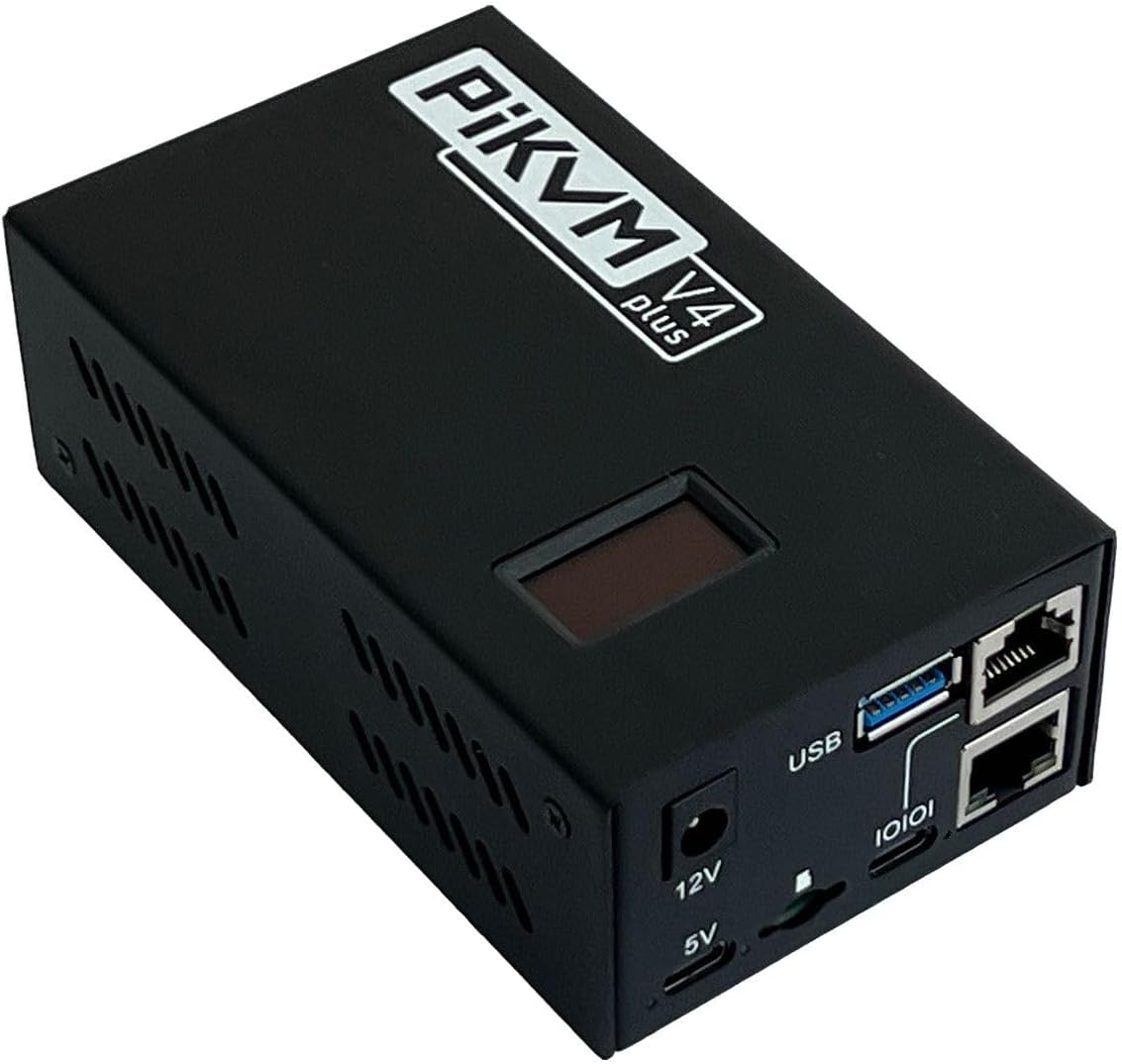
PiKVM V4 Plus is a feature-rich, open-source, Raspberry Pi-based KVM over IP device intended for production-style server and PC management. Its 4.3 rating reflects a capable platform with a broad accessory ecosystem. Unlike a simple dongle, it is presented as a turnkey system with a power supply, USB and Ethernet cables, and PCI brackets included.
We may earn a commission when you buy through this link, at no additional cost to you.
The Raspberry Pi Compute Module 4 provides the underlying industrial-grade platform. Video support reaches 1920 by 1080 at 60Hz and 1920 by 1200 at 60Hz, improving compatibility with UEFI and BIOS interfaces compared with many lower-resolution capture systems. The device also provides two extra HDMI outputs for local configuration and display needs.
Connectivity is unusually flexible, with Wi-Fi, Ethernet, and cellular options. Wi-Fi can use an optional external antenna, which helps in crowded or distant installations. Internal USB 3.0 storage accepts a flash drive, expanding local capacity beyond what the base system provides.
The main attraction is the open-source PiKVM platform, which appeals to administrators who want to understand the stack, adapt it, or work with a mature community ecosystem. It can manage servers and conventional PCs remotely, handle operating-system installation, and support the kinds of out-of-band workflows that are difficult with software-only tools.
This product is especially suitable for homelab operators, systems engineers, and organizations comfortable maintaining Raspberry Pi-based infrastructure. The included components reduce the need to source a complete bill of materials, while the range of outputs and connections supports a more permanent installation.
The main limitation is maximum video resolution. Its stated 1080p and 1200p output is lower than the 4K capabilities of several competing appliances in this guide. Buyers whose work depends on fine text at 4K should compare those alternatives. The fixed PiKVM hardware platform may also be less attractive than a compact device for travel.
Even with those limits, PiKVM V4 Plus remains one of the most recognizable open-source KVM-over-IP systems. It combines a strong accessory package, flexible networking, local storage expansion, and production-oriented hardware in a platform that is especially appealing to technically confident buyers.
PiKVM is built on an open-source approach that gives administrators visibility into the system. That makes the platform attractive for homelabs, development work, and users who prefer to manage the underlying software.
Wi-Fi, Ethernet, cellular, external antenna support, and internal USB 3 storage allow the unit to be adapted to different rack and network layouts. The bundled cables, power supply, and brackets simplify assembly.
We may earn a commission when you buy through this link, at no additional cost to you.
The AV Access 4K HDMI USB KVM Extender is the specialized choice in this roundup. It extends HDMI video, audio, and USB control over a single Cat5e, Cat6, Cat6a, or Cat7 Ethernet cable for up to 120 meters, or 390 feet. It is not a conventional cloud-connected KVM appliance, but it is highly effective for placing a console across a large building, studio, classroom, or server facility.
We may earn a commission when you buy through this link, at no additional cost to you.
The system supports 4K at 30Hz and 1080p at 120Hz. Seven-channel audio is also carried through the installation. Those specifications make it relevant to professional AV environments, centralized control rooms, digital-signage deployments, and long-distance workstation arrangements where a standard HDMI cable would be impractical.
A built-in USB 2.0 KVM extender lets users operate a remote PC, server, or game console with a keyboard, mouse, or controller. The receiver includes three USB ports rated at 480Mbps, allowing peripherals such as flash drives, gamepads, and printers to remain at the remote workstation. Video, audio, and peripheral signals therefore travel over the same Ethernet run.
The extender can operate over existing IP-network cabling instead of requiring dedicated KVM wiring. Users can deploy it through a Gigabit network switch when bandwidth conditions are suitable. A four-position DIP switch supports as many as 16 extender sets within the same network, and matching switch positions pairs each transmitter with its receiver.
Installation is driver-free and compatible with Windows, macOS, and Linux. The product uses locking power connectors to reduce accidental disconnections, while ESD protection is specified at plus or minus 8kV air and plus or minus 4kV contact for professional environments.
The crucial caveat is that this is primarily an extender rather than a self-contained Internet remote-management system. It extends the KVM connection to another physical location but does not offer the browser consoles, cellular failover, Tailscale, or cloud access found in several dedicated appliances.
For a long installation where Ethernet already reaches the desired console position, it is a specialized and capable solution. Buyers should confirm channel availability, network-switch suitability, and the required 4K refresh rate before installing multiple sets.
A single run of up to 390 feet carries video, audio, keyboard, mouse, and compatible peripherals. This makes the extender practical when the source and operator must be separated by substantial physical distance.
The system can use installed Cat5e, Cat6, Cat6a, or Cat7 cabling, reducing the need for new dedicated wiring. DIP-switch pairing and support for multiple sets suit larger control-room and rack deployments.
We may earn a commission when you buy through this link, at no additional cost to you.
This Remote KVM Over IP Internet appliance offers a broad feature set for controlling a PC or server through a web interface or the ONE KVM app. It has a 3.7 rating, the lowest among the products listed, but its specifications are substantial: 4K at 60Hz, latency below 60 milliseconds, built-in ZeroTier, and desktop ATX power control.
We may earn a commission when you buy through this link, at no additional cost to you.
The target computer requires no extra software or drivers. Setup involves connecting the computer's HDMI and USB to the KVM and attaching the device to the network with Ethernet. Users can then reach it through a web-based cloud platform or the ONE KVM app, which is downloaded after an initial browser login.
The system supports PCs, servers, IP cameras, and streaming devices. Compatibility is listed for Windows, macOS, Linux, and Android. Built-in ZeroTier is intended to provide secure peer-to-peer access across networks without port forwarding or a separately configured VPN. However, the supplied information specifically notes that an online upgrade is required for this feature.
Remote power control uses the included DuPont cable and an ATX motherboard connection. It can power the computer on or off, making it possible to recover an unattended desktop after an operating-system failure. The feature applies to desktop computers and is not supported for laptops.
The package includes the IP KVM, a USB A-to-C cable, DC 12-volt power adapter, HDMI cable, Ethernet cable, Phoenix connector, 1.5-meter Dupont wire, and a user manual. The product title also identifies an LCD screen, TF-card support, and a webcam, although the supplied description gives limited detail about how each of those features operates.
The lower 3.7 rating is the main reason this model does not rank higher despite its extensive specification sheet. Buyers should review the current customer feedback carefully and confirm that the advertised functions work as expected for their particular target system. It is also important to verify the online-upgrade requirement for ZeroTier and the scope of ATX power control before installation.
For users who prioritize 4K at 60Hz, web access, mobile-app control, and physical remote power in one package, the device remains a capable option. It is less conservative than the higher-rated models, but it offers a clear combination of functions that can simplify a mixed remote-support environment.
The stated 3840 by 2160 at 60Hz output and sub-60-millisecond latency are among the strongest headline figures in the guide. These targets suit detailed desktop work when network conditions are favorable.
The included ATX connection can remotely power a compatible desktop on or off. This adds an important recovery capability when the operating system is unresponsive or no one is present near the machine.
We may earn a commission when you buy through this link, at no additional cost to you.
The JetKVM IP KVM is a Linux-based remote-control appliance that combines straightforward setup with meaningful expansion potential. It has a 4.4 rating and supports local browser access, optional cloud access, and Wake-on-LAN. Its video specification reaches 1920 by 1080 at 60FPS with stated latency of 30–60 milliseconds using H.264 encoding.
We may earn a commission when you buy through this link, at no additional cost to you.
Installation is concise: USB-C and HDMI connect the appliance to the target, while Ethernet connects it to the network. Users enter the displayed IP address in a browser. For access beyond the local network, the optional cloud dashboard provides remote management, and the Wake-on-LAN option sends a magic packet using the target device's MAC address.
Video quality can be switched among High, Medium, and Low settings. That adjustment is useful when the connection has limited bandwidth or when administrators prioritize responsiveness over visual detail. The H.264 stream and sub-60-millisecond latency are designed to keep mouse and keyboard interaction responsive.
The optional cloud service is based on WebRTC and emphasizes privacy, opt-in operation, and direct connections. The system uses STUN and TURN infrastructure to work across restrictive NAT environments. For technical users, the open-source foundation and straightforward SSH uploads make it possible to modify and refine the software with familiar Linux tooling.
A dedicated extension port broadens the device beyond basic screen capture. Possible expansions include ATX power control, DC power control, RS-232 serial console access, temperature sensors, and mechanical button actuators. The supported implementation depends on the relevant extension hardware, but the design is well suited to users who want to customize their console server.
The JetKVM also targets system rescue. By capturing the display independently of the target operating system, it can present pre-crash information and support remote restart, Safe Mode entry, operating-system reinstallation, and other recovery tasks. This makes it useful for reducing unnecessary on-site visits.
The limitation is resolution. Its maximum 1080p output is lower than several 4K products in this roundup, so highly detailed work may benefit from an alternative. Powering is also flexible, with USB-C, a separate 5-volt supply, or DC and ATX extension options available. For a developer-friendly and expandable IP KVM, the JetKVM is a convincing final choice.
Local IP access, opt-in cloud management, and Wake-on-LAN cover different operational needs. Adjustable video quality helps administrators balance clarity and response time as connection conditions change.
The extension port supports possibilities such as ATX or DC power control, serial-console access, temperature monitoring, and mechanical button actuation. This makes the system attractive to builders who want a customizable maintenance platform.
We may earn a commission when you buy through this link, at no additional cost to you.
A remote KVM purchase should begin with the recovery tasks, target devices, network environment, and operating systems you need to support. Resolution, connectivity, power control, storage, privacy, and maintenance requirements can matter more than the number of features listed on a package.
Resolution determines how much text and interface detail remains legible, while refresh rate affects motion and perceived responsiveness. The GL.iNet Comet Pro supports 4K at 30FPS passthrough, the GL-RM1 streams 4K at 30Hz, and the Internet IP KVM lists 4K at 60Hz. The Comet Q reaches 2K at 60FPS, while PiKVM V4 Plus and JetKVM top out around 1080p-class output. Match the specification to the work rather than assuming the highest headline number is always necessary.
A device limited to one Ethernet link may be perfectly adequate inside a controlled network, but it offers little protection from a local outage. The Comet Pro combines Ethernet with dual-band Wi-Fi 6, the Comet 5G adds 5G RedCap and automatic multi-WAN failover, PiKVM V4 Plus supports Wi-Fi, Ethernet, and cellular, and the open-source appliance offers PoE plus Tailscale. Consider both primary and backup paths, especially for remote servers and unattended equipment.
A remote KVM is most valuable when software-based remote desktop cannot help. Look for HDMI video capture that remains independent of the target operating system, plus keyboard and mouse emulation through a BIOS or UEFI interface. The GL.iNet GL-RM1, GL-RM10, GL-RM10RC, and the open-source appliance all advertise BIOS-level control, while JetKVM is specifically positioned around crash screens, Safe Mode, restart, and reinstallation workflows.
Viewing a black screen is not useful if the target cannot be started. Some devices provide direct ATX power control, while others require a separately sold ATX board, Fingerbot, or expansion accessory. The Internet IP KVM includes wiring for desktop power control, and JetKVM offers ATX and DC power extensions. Also note that remote power generally applies to desktops and servers, not laptops, so compatibility should be confirmed before purchase.
A browser console is convenient, but the path used to reach it matters. Tailscale appears across multiple GL.iNet products and is also compatible with the open-source KVM. ZeroTier is available in the Comet 5G, Comet Q, and the Internet IP KVM, although one supplied description notes an online-upgrade requirement. JetKVM offers opt-in WebRTC cloud access. Self-hosted deployment is available on the Comet Pro and Comet 5G, while the open-source product includes a free relay.
Storage determines how many operating-system images, ISOs, firmware files, and recovery tools can remain close to the target. The Comet 5G has 64GB eMMC, the Comet PoE has 32GB, and the open-source appliance also includes 32GB. PiKVM V4 Plus accepts internal USB 3 storage. For repeatable deployments and disaster recovery, local media can reduce dependence on a managed computer that is no longer functioning.
A rack unit and a travel accessory serve very different needs. The Comet Q is only 70 by 70 by 22 millimeters and uses a foldable all-in-one USB-C cable, making it highly portable but limited to compatible DisplayPort Alt Mode devices. The GL-RM1 supports laptops, desktops, and servers more broadly, while the open-source product lists Windows, Linux, macOS, and Raspberry Pi. Verify ports, adapters, target support, and physical space before ordering.
The open-source Rust KVM can be inspected on GitHub and offers direct local console access without an account. Comet Q ends control when its USB-C cable is removed, avoiding a residual target process. Tailscale, ZeroTier, private relays, and self-hosted cloud services can reduce reliance on a single hosted platform. Consider firmware openness, account requirements, update procedures, and how administrative access is revoked.
Begin by identifying the target's video and USB connections, then plan the KVM's power and network links before moving equipment into place. For a conventional PC, connect HDMI video and USB keyboard or mouse emulation; for a laptop, check whether the chosen appliance requires a compatible USB-C DisplayPort Alt Mode target. Configure Ethernet, Wi-Fi, or cellular access according to the device's instructions, and install any required ATX wiring only after identifying the correct motherboard headers.
Create a strong administrator credential and enable the access method that matches your environment. Tailscale and ZeroTier can be used for private-network access, while browser, app, cloud, and self-hosted options may provide different convenience and control. Test both the remote path and a local recovery method before relying on the device for an unattended machine. If the product includes Wake-on-LAN, enable it in the target's firmware and record the relevant MAC address for later use.
For ongoing care, keep the appliance away from heat, moisture, direct interference, and obstructed ventilation. Review firmware updates through the manufacturer's official channels, particularly for security-sensitive deployments. Periodically test BIOS access, file transfer, power control, and backup network routes. Store recovery images on the device's eMMC or approved storage, document credentials securely, and keep the local console and emergency procedure available in case cloud, cellular, or overlay-network services become unavailable.
A remote KVM over IP normally sends video and input signals across a wired network, while a WiFi model uses a wireless network as its primary or alternate link. In practice, many modern appliances support both Ethernet and Wi-Fi so administrators can use wired connectivity in a rack and wireless access in a more flexible location. The underlying remote-control and BIOS-capture functions remain similar.
Yes, that is one of the main reasons to use a hardware KVM. Because video capture and keyboard or mouse emulation occur outside the target operating system, supported devices can display BIOS or UEFI screens and control installation or recovery processes. A crashed operating system may prevent normal remote-desktop software from connecting, but it generally does not stop the independent KVM hardware.
Usually, Ethernet plus a trusted Wi-Fi network is enough for a conventional home office. Cellular failover becomes more valuable for remote servers, branch systems, unattended edge hardware, or locations where a network outage can leave you locked out. The Comet 5G is designed around this resilience, while other options are generally more appropriate when fixed connectivity is stable.
Neither is universally required because the products in this guide offer different access methods, including browser consoles, cloud dashboards, local IP access, and self-hosted options. Tailscale or ZeroTier can be attractive for private-network access, simplified cross-network connectivity, and reduced port-forwarding requirements. Administrators should select a method based on security policy, infrastructure, and ease of maintenance.
Support depends on the physical connections and the specific model. The GL-RM1 lists laptops, desktops, and servers, while Comet Q requires a compatible USB-C DisplayPort Alt Mode target and has a defined supported-device list. Remote ATX power control generally applies to desktops rather than laptops, so viewing capability and power capability should be evaluated separately.
The required capacity depends on how many operating-system images, ISOs, firmware files, and recovery tools you intend to keep on the appliance. The Comet 5G's 64GB eMMC and the 32GB configurations in the Comet PoE and open-source KVM support more substantial recovery workflows. PiKVM V4 Plus can also accept an internal USB 3 flash drive for additional storage.
A KVM extender carries keyboard, mouse, video, and sometimes audio across a long cable or network segment to another physical location. KVM over IP is designed for remote administration through a browser, app, or cloud service, often with features such as BIOS access, virtual media, and remote power. The AV Access product in this guide is a long-distance extender rather than a full Internet-based remote-management appliance.
Use a unique administrator password, enable two-factor authentication when available, and keep firmware updated. Private overlay networks such as Tailscale or ZeroTier can reduce direct exposure to the public Internet, while self-hosting or a local relay gives administrators more control over the access path. Physical disconnection can also be valuable for temporary support, as demonstrated by the Comet Q's USB-C privacy behavior.
The GL.iNet Comet Pro GL-RM10 is the best overall choice because it combines 4K passthrough, two-way audio, dual-band Wi-Fi 6, wired connectivity, a local touchscreen, and flexible cloud or self-hosted access. The GL-RM1 is the best budget route to essential BIOS control and 4K remote operation, while the Comet 5G is the premium choice for cellular failover, multi-WAN resilience, and a 64GB recovery repository.
For highly specialized needs, the open-source KVM appeals to administrators who value auditable firmware and subscription-free access, PiKVM V4 Plus serves Raspberry Pi enthusiasts, and JetKVM provides an expandable developer-oriented platform. The Comet Q prioritizes portability, the AV Access extender solves very long physical cable runs, and the Internet IP KVM offers a broad mix of 4K, app, and power-control functions.
Before buying, verify the target connectors, BIOS support, resolution and refresh-rate needs, power accessories, network coverage, and preferred security model. Product availability and pricing change, so check the current listing and included components at the time of purchase. The right remote KVM is the one that restores control when the managed system and its usual software-based access tools no longer cooperate.
