
Kinhank 500G Portable Game Drive
3.9Editor score
111,000-plus preloaded games
Batocera 33 gaming system
Portable USB 3.0 design
Wide legacy system support
Our expert guide compares 10 retro gaming hard drive with games preloaded options, covering game counts, storage capacity, compatibility, emulators, setup, and
Retro gaming hard drives with games preloaded turn a compatible computer into a large, ready-to-use game library without requiring individual downloads. The best options balance storage, game variety, interface quality, installation simplicity, and dependable hardware, while also making system requirements and compatibility clear.
We compared all ten products using the supplied specifications, covering capacity, supported game collections, emulators, operating-system compatibility, interface design, performance claims, and setup guidance. The list includes large libraries, portable models, Batocera systems, and multi-platform frontends so readers can compare distinct approaches.
Each review explains the strongest reason to consider that drive, along with practical limitations and ideal users. Ratings reflect the information available for the products rather than personal testing, and current prices, availability, seller details, and product revisions can change, so verify the listing before purchasing.
3.9Editor score

5.0Editor score

3.9Editor score
This side-by-side comparison highlights each drive's headline library size, storage capacity, platform coverage, interface, and recommended use. The specifications reflect the supplied product information and should be checked against the current listing when details or configurations change.




This 14TB external drive is the most spacious product in the guide, combining a stated library of more than 98,000 games with support for seven gaming systems. Its 3.9 rating reflects the supplied customer feedback, but the product stands out for the unusually ambitious combination of capacity, 3D and PC titles, and modern storage bandwidth.
We may earn a commission when you buy through this link, at no additional cost to you.
The drive uses a USB 3.1 interface advertised at 10Gb/s, making it the strongest choice here for users who want room to expand or add their own files. The supplied information mentions 9,800-plus 3D games, more than 1,000 high-end PC games, 260-plus supported platforms, and compatibility with Windows 7 through Windows 11. On-drive tutorials and an updated manual make the initial setup more approachable.
There are important technical cautions. Some older DLL files may trigger Windows Defender warnings, and classic games may need legacy VC++ or DirectX runtimes. The stated operating-system capacity may also appear as roughly 12.7TB because of decimal and binary measurement conventions. Most importantly, the actual playable count can vary according to the selected system, emulator, and individual title.
This is the best premium option for a collector who values maximum storage, a very large preloaded catalog, and the flexibility to organize multiple emulator ecosystems. Buyers should still check emulator and controller compatibility before committing, and they should expect to install standard legacy runtimes for some software. For a user who merely needs a small portable library, the capacity is more than necessary.
Overall, the 14TB model is the guide's choice for expansive, multi-system gaming. Its strengths outweigh the setup caveats for collectors willing to perform basic configuration, while its Windows-only positioning makes it less suitable than the Batocera alternatives for a broader mix of legacy and non-Windows environments.
The 14TB capacity leaves substantial room beyond the preloaded library. That makes it practical for adding games, arranging collections by genre, and retaining larger software without immediately filling the drive.
USB 3.1 at a stated 10Gb/s is a meaningful distinction from the USB 3.0 products in the guide. It is particularly relevant when moving larger archives, though actual game-loading speed also depends on the emulator and computer.
We may earn a commission when you buy through this link, at no additional cost to you.
This 4TB drive offers a notably different approach from the largest catalogs. Rather than relying on sheer title count, the seller describes a curated set of more than 20,000 games with no duplicates, including more than 3,300 3D and AAA titles. Its 3.9 rating is solid, and the streamlined three-system focus may appeal to buyers who value organization over maximum variety.
We may earn a commission when you buy through this link, at no additional cost to you.
Mechanical specifications include a 3.5-inch form factor, 7200RPM spindle speed, and 4TB of capacity. The drive uses a latest-generation frontend and bundled emulators, with seamless switching among three gaming systems. A quick-start manual, onboard guidance, and support through Amazon Buyer-Seller Messages are included to simplify setup and troubleshooting.
The product's own compatibility note explains that some DLL files can be falsely identified by Windows Security and that older games may require legacy VC++ or DirectX runtimes. The drive is stated to work with Windows 8, 10, and 11 in the main library description, while the title also references Windows 7. Buyers should therefore verify their exact operating system before installation.
This model makes sense for a player who wants a substantial but more manageable library, especially someone interested in the stated 3D and AAA selection. It may be less attractive for collectors whose priority is the biggest possible number of platforms or a portable Batocera environment. Even with 20,000-plus titles, the list is smaller than those offered by several 500GB, 4TB, and larger alternatives.
The 4TB 20,000-title drive is our pick for buyers who interpret a preloaded library as a curated gaming room rather than a raw count. It balances a substantial catalog, faster mechanical hardware, and a focused three-system presentation, provided the user is comfortable handling standard Windows compatibility steps.
The claim of a curated collection without duplicates is the defining feature. For users tired of repetitive entries across enormous ROM folders, a smaller, tidier catalog may be more useful than maximizing the headline count.
A 7200RPM mechanical drive offers a different performance profile from the compact portable models. The specification is relevant to load times, although processor, graphics hardware, and emulator settings still determine how demanding titles perform.
We may earn a commission when you buy through this link, at no additional cost to you.
Kinhank's 12TB drive combines a stated 96,000-plus game library with support for more than 400 emulators. It also lists 6,000-plus 3D games and 2,500-plus AAA games. Its 3.8 rating sits in the middle of the group, but the unusually broad emulator count makes this one of the most interesting choices for technically curious collectors.
We may earn a commission when you buy through this link, at no additional cost to you.
Internally, the drive uses a 3.5-inch 7200RPM mechanical design with 256MB cache and a stated 6Gb/s speed. It connects through SATA 3.0 to USB 3.0, while Windows 7 and newer systems are supported. The interface allows users to add or remove games, and the product is described as requiring only simple plug-in installation for basic operation.
The principal tradeoff is hardware scale. This is not a compact travel drive, and the 3.5-inch mechanism is better suited to a desk or entertainment center. The seller also recommends an i5-class processor or better and a graphics card above a GTX 1050 Ti for large games, while the 14TB product suggests GTX 1060 Ti or higher for 4K-oriented AAA play.
This is an appealing choice for a collector who wants many emulators and enough storage for 3D and PC games as well as classic console content. It is less compelling for someone with limited desk space or a laptop-only gaming setup. Users should also expect a more involved initial process than the most basic plug-and-play models, despite the simple-operation claims.
Our recommendation is to choose the Kinhank 12TB model when emulator breadth and a huge catalog matter more than portability. It bridges the space between a dedicated retro archive and a Windows-based game drive, making it a versatile middle ground in this guide.
Support for 400-plus emulators is a major differentiator. It gives collectors room to explore less common consoles and utilities rather than relying on a narrow group of well-known platforms.
The listed 6,000-plus 3D games and 2,500-plus AAA games make this more ambitious than a classic-only archive. Users should still check the complete title list and their PC specifications before expecting every demanding title to perform smoothly.
We may earn a commission when you buy through this link, at no additional cost to you.
This Kinhank 4TB model is the strongest all-around selection in the guide. It has the highest supplied rating at 5.0 and combines more than 75,000 games, 200 game collections, and support for 200-plus emulators through a six-in-one system. The balance of capacity, breadth, and interface features makes it a credible option for many retro-gaming setups.
We may earn a commission when you buy through this link, at no additional cost to you.
The 3.5-inch drive operates at 7200RPM with 256MB cache and a stated 6Gb/s transfer rate. SATA 3.0 to USB 3.0 connectivity is designed for stable transfers and quicker loading. Windows 7 and later are supported, and the seller recommends a GTX 1060 Ti or better for higher frame rates, improved resolution, and smoother images on demanding titles.
Its best user-facing feature is the carousel interface. Each game can display a moving video preview while the user browses, making the large collection easier to navigate and reducing the need to identify titles from text alone. A separate installation video provides step-by-step guidance, and minimal plugin installation is all the product requires according to the supplied information.
The trade-offs are modest but real. A 3.5-inch mechanical drive is less convenient to carry than the compact 500GB options, and the product is limited to Windows 7 and above. As with other preloaded libraries of this type, individual game compatibility, controller mapping, and save behavior should be checked after setup. The GPU recommendation also matters for modern 3D titles, although older games are the central focus.
This is the choice for a user who wants a large library, a polished browsing method, and broad platform coverage without moving to the guide's largest capacity option. It is our Editor's Choice because it offers the most convincing combination of features, stated performance, and ease of use. For a collector who values a manageable 4TB footprint but still wants tens of thousands of games, it is especially well suited.
Moving previews make a large collection easier to understand and enjoy. The feature is particularly helpful for nostalgic titles whose names may not immediately reveal their contents.
A unified six-system structure reduces the inconvenience of switching between separate software libraries. It also makes the drive a practical central hub for arcade, console, and classic PC content.
We may earn a commission when you buy through this link, at no additional cost to you.
This 4TB Kinhank drive offers much of the same core functionality as the six-system Editor's Choice but carries a lower 3.0 rating. It still has an impressive stated catalog of more than 75,000 games, 200-plus collections, and support for six game systems, making it worth considering for buyers who prioritize a large library and simple navigation.
We may earn a commission when you buy through this link, at no additional cost to you.
Its 3.5-inch 7200RPM mechanism includes 256MB cache and a stated 6Gb/s speed, connected through SATA 3.0 to USB 3.0. The Windows frontend allows direct launching without rebooting, while the carousel displays video previews during browsing. Installation guidance is supplied, and the setup requires minimal plugin installation according to the listing.
The lower rating is the most important caution. It may reflect differences in customer experience that are not fully described in the supplied specifications, so buyers should review current customer feedback carefully. The system also recommends a GTX 1060 Ti or better for higher frame rates, resolutions, and smoother graphics. That recommendation signals that the library includes titles beyond lightweight 2D retro games.
Despite the rating, the basic proposition is attractive for a user who wants a Windows-based game hub with room for personal additions. Games can be added or removed, which makes the drive more adaptable than a sealed, fixed library. The mechanical enclosure is best suited to a stationary setup rather than regular travel.
We would choose this drive over similarly sized alternatives when the intuitive carousel, direct Windows launching, and six-system organization are the main priorities. Prospective buyers should not overlook its 3.0 rating and should assess recent feedback before purchasing. It works best as a desktop library for users with a reasonably modern graphics card and a willingness to complete the initial configuration.
The ability to launch games directly within Windows improves the everyday experience. It avoids the repeated restart cycle that can make some portable emulators feel less convenient.
Add and remove support gives owners more control over the final library. Personal favorites, newly dumped games, and organizational improvements can all be incorporated without replacing the drive.
We may earn a commission when you buy through this link, at no additional cost to you.
The 2TB Batocera drive stands out for operating-system flexibility and a 4.2 rating, the second-highest in the group. It includes more than 120,000 games, 108 collections and emulators, and more than 5,000 3D games. Unlike the Windows-focused models, it is explicitly listed for Mac OS, Linux, and multiple generations of Windows.
We may earn a commission when you buy through this link, at no additional cost to you.
The drive uses a SATA 3.0 controller with UASP support, intended to reduce CPU occupancy, data delay, and waiting time. No driver installation is required; the included data cable connects the drive, and the manual explains how to enter the game system. Owners who want Batocera as the default can select the portable hard drive as Boot Option 1 through the boot settings.
The trade-off is that setup is not quite as frictionless as the wording might initially suggest. A buyer may need to understand boot order or consult the manual, especially when launching Batocera directly. The 2TB capacity also offers less room for user-added material than the 4TB, 12TB, and 14TB alternatives. As with the other products, a complete title list can be requested from the seller.
This is the best fit for someone who wants one gaming drive across Windows, Mac, or Linux and is comfortable with a small amount of boot configuration. It also suits a 2TB-capacity user who does not intend to maintain a much larger custom archive. The included 3D titles benefit from capable hardware, while classic games should be more forgiving.
Overall, this drive earns a strong place in the guide because it broadens the concept of a preloaded retro drive beyond a single desktop operating system. It is particularly compelling for laptop and multi-computer users who value Batocera's dedicated environment. The 2TB limit prevents it from serving collectors with extensive storage needs, but its compatibility and rating make it an excellent focused recommendation.
Mac, Linux, and Windows support gives the drive unusual flexibility. It can serve as a shared library rather than remaining tied to the Windows ecosystem used by many competing products.
Batocera 33 provides a focused gaming shell that can be selected during boot. Users who want the dedicated frontend can configure it as the first boot option, while others can follow the manual for direct access.
We may earn a commission when you buy through this link, at no additional cost to you.
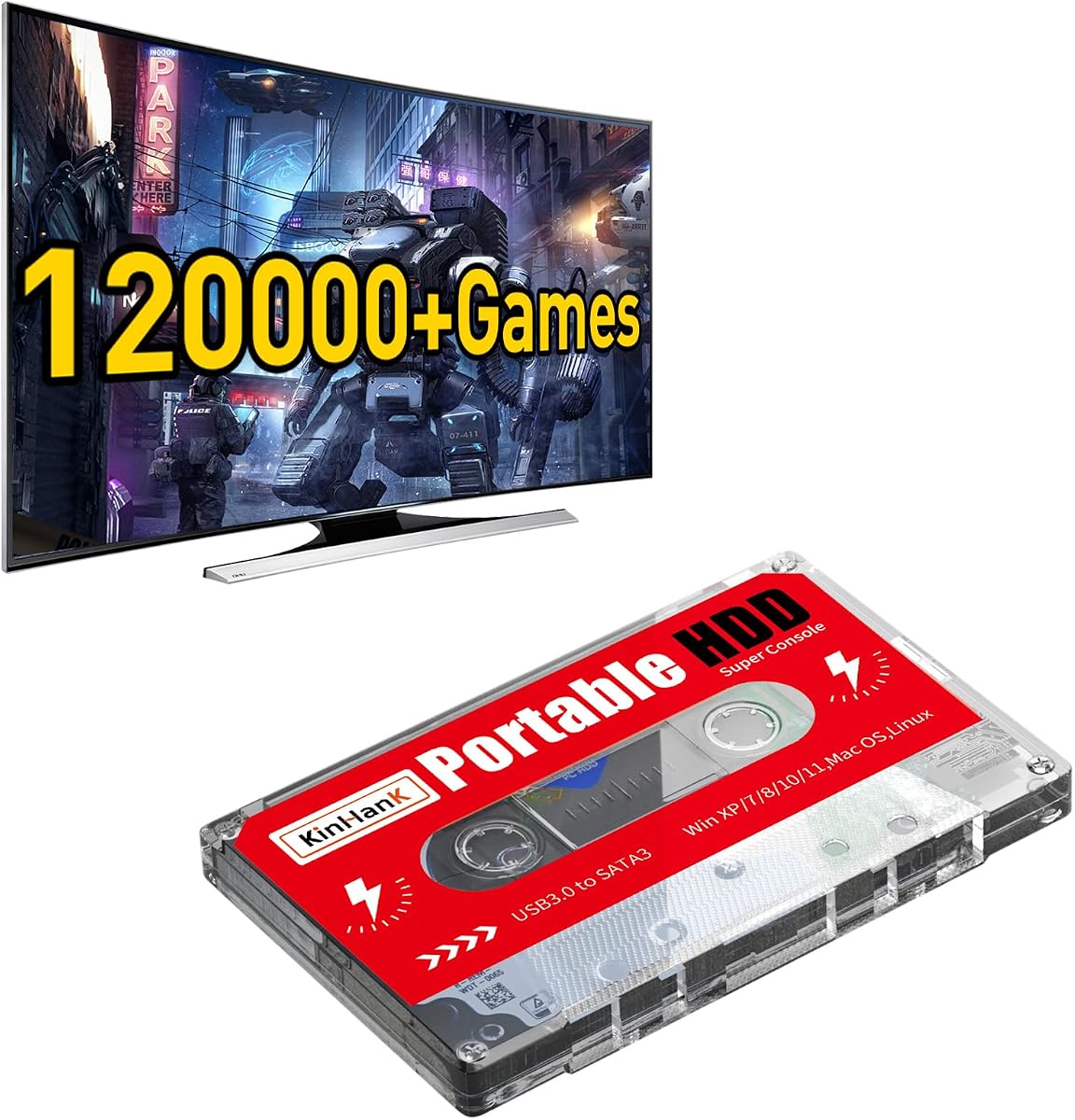
This 500GB portable drive is the most practical pick for travelers, laptop users, and anyone who wants a large game collection without a desktop-sized mechanism. It carries a 3.9 rating and lists more than 111,000 games, 84 collections and simulators, and more than 5,000 3D games on a Batocera 33 system.
We may earn a commission when you buy through this link, at no additional cost to you.
No drivers are needed for normal use. The supplied instructions explain how to enter the gaming system, and a USB 3.0 interface supports fast transfers and backward compatibility with USB 2.0. The drive is listed for Windows XP, Windows Vista, Windows 7 through Windows 10, and Mac OS 10.2, making it unusually accommodating for older equipment. It also supports 26 languages.
Storage is the central limitation. With only 500GB, users have less room to add their own games than owners of the 4TB, 12TB, and 14TB drives. The headline count can also exceed the amount of unique content that a user may want, so buyers should confirm how the library is organized. The package does not include a gamepad, meaning a compatible controller is an additional consideration.
This drive is best for someone who values portability and immediate access over expansion space. It can turn a compatible laptop into a gaming system without the complexity of building a large emulator library from scratch. Older operating-system support is especially useful for reviving a retro-themed computer, while the small footprint makes storage in a drawer or game bag straightforward.
We recommend this model as the best compact option in the guide. It combines a 3.9 rating with a huge preloaded catalog, broad legacy compatibility, and a clean plug-and-play premise. It is not the most expandable choice, and the absence of a controller may add a requirement for some buyers, but for a ready-to-use portable library it remains difficult to overlook.
The compact size makes this drive much easier to transport than the 3.5-inch models. It is a natural fit for a laptop, mini PC, or a dedicated low-profile retro machine.
Support extending back to Windows XP and Mac OS 10.2 broadens the possible audience. That makes the drive particularly attractive for older hardware that may not support a modern prebuilt gaming desktop.
We may earn a commission when you buy through this link, at no additional cost to you.
The Kinhank 4TB Retro HDD is another 75,000-plus-game Windows drive, built around six systems and more than 200 supported emulators. Its 3.2 rating is lower than those of the leading products, but the core feature set is competitive: a large library, video-assisted browsing, direct Windows launching, and user-editable game folders.
We may earn a commission when you buy through this link, at no additional cost to you.
A 3.5-inch 7200RPM mechanism with 256MB cache and a stated 6Gb/s speed connects through SATA 3.0 to USB 3.0. Windows 7 and above are supported. The carousel interface previews games with video, and installation video guidance is included. A GTX 1060 Ti or better is recommended for higher frame rates, resolutions, and smoother images on demanding games.
Buyers should pay particular attention to customer feedback because of the comparatively low rating. The supplied product data does not identify a specific defect, so it would be misleading to infer one. Instead, current reviews should be checked for recurring installation, missing-title, or usability concerns. The broad game count also does not guarantee that every title will work with every emulator or controller.
The product is most appropriate for a stationary Windows PC where the owner wants a 4TB library and six-platform organization. It is also a sensible choice for a gift recipient who will benefit from a ready-made game hub and guided installation. The mechanical size, however, makes it less practical for travel than the 500GB options in this guide.
This model remains viable because its feature set closely matches stronger-rated 4TB alternatives, but it is not our primary recommendation. The higher-rated six-system Kinhank listing appears to offer the same broad specifications with better customer feedback, so this one needs a meaningful advantage elsewhere—such as availability, a specific included title set, or a clearer warranty arrangement—to stand apart.
Users can add or remove titles and organize their own content. This turns the preloaded starting point into a customizable archive rather than a fixed collection.
Video previews help users identify unfamiliar or obscure titles while scrolling. They improve discovery in a collection large enough that browsing by folder name alone could become frustrating.
We may earn a commission when you buy through this link, at no additional cost to you.
The Kinhank 500G Mini Gaming Drive is built around portability and a very large stated catalog. It has a 3.5 rating and includes more than 111,700 games, 84 emulators, and more than 5,000 3D titles on a Batocera 33 system. Its compact enclosure and heat-dissipation design are intended for use away from a fixed desk.
We may earn a commission when you buy through this link, at no additional cost to you.
The drive connects through USB 3.0 and uses a SATA 3.0 controller with UASP support. The stated transfer rate reaches 6GB/s, intended to reduce waiting and improve stability. It works with Windows XP, Windows Vista, Windows 7 through Windows 10, Batocera, and newer systems, making it suitable for laptops and PCs. The manual explains how to enter the gaming environment.
As with other compact options, storage is the main limitation for customization. The large number of preloaded games may leave little room for additional content, and the listing does not promise the same open editing convenience of some larger drives. A controller is not included, so the user must already own one or plan to obtain a compatible gamepad.
The 3.5 rating suggests that expectations should be managed carefully. That does not disqualify the drive, particularly for a user primarily interested in lightweight classic games, but it makes current review research more important. The 3D title count also depends heavily on the host computer, since a compact drive cannot overcome a weak processor or graphics system.
This product is a good match for a traveler who wants a dedicated retro library with minimal setup. It is less appropriate for a collector expecting abundant free space or for someone who wants a complete controller package. Among the 500GB choices, its explicit save-progress support and user-added game capability help distinguish it, while the 3.5 rating keeps it below the stronger-rated portable alternative.
Save-state support is important for longer arcade, console, and adventure sessions. The ability to add games also prevents the preloaded library from being a fixed endpoint for a collector.
The mini enclosure is designed with heat dissipation in mind. That consideration matters when the drive remains connected during repeated play on a laptop or in a compact setup.
We may earn a commission when you buy through this link, at no additional cost to you.
This 500GB Batocera drive is a straightforward entry into preloaded retro gaming. It has a 3.7 rating and advertises more than 110,000 games, 90-plus collections and emulators, and more than 5,000 3D titles. Connecting a data cable is presented as the only step needed to turn a compatible computer into a game console.
We may earn a commission when you buy through this link, at no additional cost to you.
Batocera 33 is preinstalled, and its second partition can be read under Windows, making it convenient to add or remove games. The drive supports Windows XP, Windows Vista, Windows 7 through Windows 11, and Linux. USB 3.0 provides a stated transfer rate up to 6G/s, while a ten-minute smart sleep feature is intended to reduce disk activity when the drive is not being used.
The obvious constraint is 500GB of storage. A huge preloaded catalog and personal additions may not coexist comfortably, particularly if the user wants to organize 3D games, utilities, and custom collections. Mac compatibility is not stated, which narrows the appeal compared with the 2TB Batocera model that explicitly lists Mac OS. The listed speed also describes a peak transfer scenario, not guaranteed game-loading performance.
This drive is useful for a beginner who wants an enormous ready-made library without assembling emulators one at a time. The simple partition-access design should make maintenance easier for a technically curious user. Those expecting a controller, a modern AAA focus, or abundant room for new downloads may prefer a larger alternative.
Our final recommendation is to choose the Kinhank 500G Batocera Drive when simplicity, broad Windows and Linux support, and a low-capacity portable design are the priorities. It does not lead the guide in rating, capacity, or interface sophistication, but it delivers a clear package for users who want a functional preloaded library in a straightforward external drive.
Reading the Batocera partition under Windows simplifies adding and removing games. Users can maintain the collection without repeatedly reconnecting through the dedicated boot environment.
The stated ten-minute smart sleep function is intended to reduce unnecessary disk activity. It is a small feature, but one that can be useful for a portable drive that may remain connected to a computer.
We may earn a commission when you buy through this link, at no additional cost to you.
A useful preloaded drive depends on more than its headline game count. Capacity, platform support, browsing tools, performance guidance, operating-system compatibility, and the user's ability to manage emulators all influence the experience.
The listed game count is the fastest way to estimate collection size, but it is not the same as confirmed unique playability. The most impressive totals come from 500GB portable drives and the 12TB and 14TB models, while the 4TB 20,000-title option offers a more deliberately curated catalog. Counts may also include collections, variants, or titles that behave differently under particular emulators. Check the seller's title list, confirm whether the drive permits additions, and investigate customer feedback for missing or nonworking games before deciding that a larger headline number is automatically better.
Capacity determines how much breathing room remains after the preloaded library is installed. A 500GB model is best for portability and immediate use, but it offers the least room for additions. A 4TB drive provides a more practical middle ground, while the 12TB and 14TB options are designed for collectors who want an extensive personal archive. Remember that a capacity displayed by Windows may differ from the decimal figure in the listing, and that larger mechanical drives are usually intended for stationary setups rather than travel.
The products in this guide range from Batocera environments with dedicated emulator collections to Windows frontends covering several console generations. Emulator counts vary dramatically, from 84 and 90-plus on compact drives to 200-plus or more than 400 on larger models. A high count can be useful for uncommon platforms, but compatibility matters more than raw numbers. Verify that the operating systems and specific consoles you want are included, and check whether your preferred controllers work with the bundled setup.
Most of the library centers on older games that can run on modest hardware, but the inclusion of thousands of 3D and AAA titles changes the equation. Kinhank recommends stronger processors and graphics cards for demanding games, with GTX 1060 Ti or better cited in several listings. Older Windows versions are supported by most products, yet the host computer still needs a suitable processor, graphics capability, storage interface, and input method. Match the drive to the machine rather than assuming the preloaded library guarantees smooth performance.
A drive may contain tens of thousands of games, making navigation as important as storage. Several Kinhank products use a carousel with video previews, allowing users to identify titles before launching them. Batocera products offer a dedicated gaming frontend and easier partition management, while the large Windows drives often launch games directly without a reboot. Consider how you prefer to browse, whether you need previews, and whether you prefer a dedicated boot environment or a standard Windows workflow.
Plug-and-play does not always mean zero configuration. Several listings say that older DLL files may be falsely flagged by Windows Security and recommend temporarily adding the relevant folder to exclusions before re-enabling protection. Classic games may also need legacy VC++ and DirectX runtimes that modern Windows does not install by default. Only make exclusions after confirming that the seller and files are legitimate, and scan downloaded or added content independently. A product with installation videos and clear written guidance is generally easier for a first-time user.
The 500GB products use compact enclosures suited to laptops, mini PCs, and travel, while the 4TB, 12TB, and 14TB products use 3.5-inch mechanical mechanisms better suited to a desk. Mechanical models may offer higher stated spindle speeds and more internal space, but they are bulkier. A portable Batocera drive can be especially useful for events, travel, or a dedicated retro computer. A larger Windows-based drive is more appropriate when the computer stays in one location and the owner values room for additions.
Support can be decisive when a title fails, a controller behaves differently, or a runtime must be installed. Several products mention direct seller support through Amazon and onboard tutorials or manuals. Look for a clear title list, compatibility instructions, and a stated method for reporting missing or nonworking content. Ratings are also useful signals: the 4TB six-system Kinhank model leads this group at 5.0, while products rated 3.0 or 3.2 deserve closer review of current customer feedback before purchase.
Begin by checking the drive's instructions, supplied system requirements, and the complete game list before connecting it to your primary computer. Confirm the operating-system version, available USB port, storage format, and emulator support. For Batocera models, the manual explains how to enter the game system or select the drive as the first boot option. For Windows frontends, review the installation video and identify the folder that contains the emulator files.
Connect the drive using a reliable data cable and install any standard legacy VC++ and DirectX runtimes required by older games. If Windows Security flags an older DLL, verify the source with current seller information and independent security tools before creating a temporary exclusion. After the program has been allowed, re-enable protection as described by the seller. Test several games from different systems, configure a compatible controller, and confirm that saves are written before importing or adding a large personal collection.
To care for the drive, eject it through the operating system before disconnecting it and avoid moving it while the mechanism is active. Keep the enclosure dry, ventilated, and away from heat. Use periodic backups for personal games, save states, and added ROMs because no external drive should be treated as the only copy. On larger mechanical models, leave clearance around the vents and use a stable surface; on portable models, protect the enclosure from impact and use safe shutdown procedures whenever possible.
Start with the platforms and operating systems you actually want, then check capacity, emulator support, and the seller's game list. A large headline count is useful only if the included titles are compatible and work with your computer. Consider the browsing interface, setup requirements, controller support, and room you need for your own additions. Current customer feedback is also important for judging reliability and missing-title support.
No. Compatibility can depend on the operating system, emulator, game version, processor, graphics card, and controller. Some demanding 3D or AAA titles need substantially stronger hardware than classic 2D games. The supplied listings recommend capable processors and GTX 1060 Ti-class or better graphics for some larger titles. Test a representative selection after installation and ask the seller for a complete list if you have specific games in mind.
Older games and emulator components may contain DLL files or uncommon code patterns that trigger heuristic warnings. The listed products describe these as false positives associated with legacy software rather than confirmed malware. Verify the seller and scan the files independently before taking any action. If a temporary exclusion is genuinely needed, apply it narrowly and re-enable Windows Security afterward rather than leaving the entire drive permanently excluded.
Many classic Windows games require runtime components that are not included with current Windows installations. The relevant product descriptions specifically mention legacy VC++ and DirectX support for compatibility. Install the standard runtime versions requested by the game or emulator documentation, then restart if prompted. This is especially relevant for PC titles in the larger preloaded libraries.
It can be enough for a portable library focused on lightweight retro titles, but it leaves limited room for personal additions or a large group of demanding games. The 4TB options offer a better balance for customization, while 12TB and 14TB models suit extensive archives. Capacity displayed inside Windows may also appear lower because of decimal and binary measurement differences.
Batocera provides a dedicated, consistent gaming interface and is offered on several compact and larger drives, with some models supporting Windows, Linux, or Mac. Windows-based frontends are convenient for users who want to launch games alongside normal computer activity, and several include direct launching and video previews. Your preferred workflow, boot configuration comfort, and the platforms you need should guide the decision.
The compact Kinhank listings explicitly state that a gamepad is not included, and the supplied information does not confirm a controller with the other products. You should therefore treat controller support as something to verify before buying. Check the emulator and platform compatibility for the controller you already own, or plan to purchase a suitable gamepad separately.
Most of the listed products state that users can add or remove games, organize folders, or read a secondary partition under Windows. The Batocera models are particularly explicit about adding and removing titles through the second partition. File format, folder placement, emulator licensing, and regional compatibility can still affect whether a personal game appears and runs correctly, so follow the drive's own setup guide.
The strongest overall choice is the Kinhank 4TB six-system drive because it combines a 5.0 rating, more than 75,000 games, broad emulator support, six-platform organization, and helpful video previews. The 14TB seven-system model is the premium option for maximum storage, while the Kinhank 500G Batocera drive is the compact pick for portability and an immediately available library.
Prioritize the platforms, operating systems, and title types you genuinely intend to play. Check compatibility carefully, review current customer feedback, and make sure your computer and graphics hardware are appropriate for any demanding 3D or AAA games. A smaller curated library with a clear interface may be more useful than an enormous collection that is difficult to navigate or incomplete on your preferred emulator.
Before purchasing, verify the current listing, included title list, controller situation, setup documentation, and seller support because configurations and customer feedback can change. Also check the current price at the time of purchase rather than relying on an earlier snapshot, and choose the drive that matches your available space, hardware, and preferred balance between portability and expansion.