
Google WiFi AC1200 3-Pack
4.2Editor score
Covers up to 4,500 square feet
Three-point mesh configuration
Simple Google Home app management
Discover the best router for Google Fiber with 10 expert-reviewed options compared for speed, coverage, wired ports, Wi-Fi generation, ease of setup, and value.
A router for Google Fiber must handle a fast fiber connection without wasting that capacity on weak wireless coverage, limited wired ports, or an interface that is difficult to configure. The most effective choice depends on home size, device count, Ethernet needs, and whether you value simple management or advanced controls.
This guide compares ten routers and mesh systems based on the supplied specifications, including Wi-Fi generation, advertised coverage, Ethernet connectivity, app-based management, security features, and suitability for high-speed fiber service. It includes Google systems, advanced third-party routers, and budget-oriented alternatives without claiming hands-on testing.
Each review explains the strongest reasons to choose a model, along with meaningful limitations and the type of household it suits best. The selections span single routers, multi-point systems, Wi-Fi 6, Wi-Fi 6E, and Wi-Fi 7 options, while product availability and configurations may change over time.
4.2Editor score

4.5Editor score

4.0Editor score
The table below summarizes the major technical distinctions among all ten products, including wireless generation, coverage, wired connectivity, and the most suitable household profile for each option.
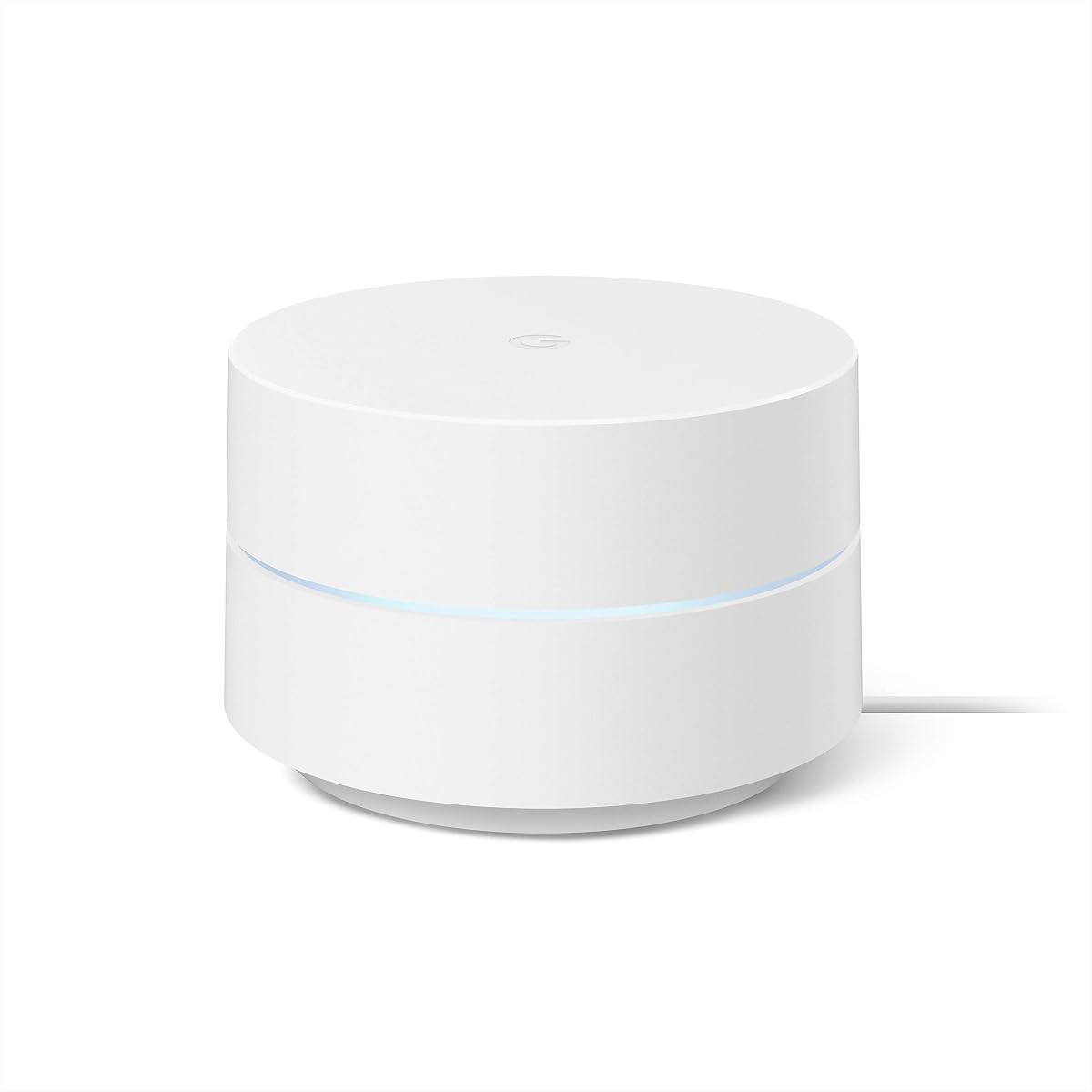




The Google WiFi AC1200 3-Pack is a budget-oriented mesh option with a 4.2 rating and a stated coverage area of up to 4,500 square feet. It is designed for households that want broad wireless coverage, convenient management, and a simple way to eliminate dead zones without managing a complex collection of individual routers.
We may earn a commission when you buy through this link, at no additional cost to you.
Three mesh points work together to provide a consistent network, while the system automatically works behind the scenes to maintain fast connections. Setup and everyday control happen through the Google Home app, including connected-device management, parental controls, guest networks, and network monitoring. That makes the bundle approachable for less technical users.
The main limitation is its AC1200 Wi-Fi 5 foundation. A very fast Google Fiber plan may deliver excellent internet speeds through the provider's gateway, but this system cannot create additional wireless capacity beyond its hardware capabilities. It is also less compelling for users who need advanced VPN services, advanced DNS filtering, or numerous high-speed wired connections.
This is a sensible choice for a medium or large home that values simple coverage over bleeding-edge wireless specifications. Install it near your fiber modem or gateway, add additional compatible points if needed, and use Ethernet for bandwidth-sensitive devices whenever possible.
The three included points can divide a larger home into a unified mesh network, reducing the likelihood of unusable wireless areas. Google Home app setup keeps configuration approachable, while automated network management works in the background to maintain performance.
This bundle is particularly attractive to households that want familiar Google Home integration and useful family controls. It prioritizes a consistent whole-home experience rather than enthusiast networking, smart-home filtering, or a large collection of Ethernet ports.
We may earn a commission when you buy through this link, at no additional cost to you.
The Google Wifi AC1200 1-Pack combines a 4.5 rating with a compact design for apartments, small homes, and single-floor spaces. Its one point replaces the conventional router while providing a scalable foundation for a mesh network, making it a practical first step when future expansion may be useful.
We may earn a commission when you buy through this link, at no additional cost to you.
The supplied information states coverage of up to 1,500 square feet. Setup takes only a few steps in the Google Home app, after which owners can check connected devices, prioritize traffic, create a guest network, set parental controls, and pause connectivity for selected devices.
Its strongest drawback is the limited one-point coverage compared with multi-pack mesh systems. A larger or more complex home may need additional compatible points to eliminate weak areas. The AC1200 designation also places it below newer Wi-Fi 6, Wi-Fi 6E, and Wi-Fi 7 equipment on wireless capability.
Choose this model for a small residence, a home office, or a straightforward way to replace an aging provider router. It works particularly well when the goal is uncluttered design and quick management rather than high-end throughput, multi-gigabit ports, or advanced network customization.
One point can cover a compact living area while remaining compatible with additional mesh points. That makes the purchase less restrictive than it first appears if coverage needs are likely to grow.
Device prioritization, guest access, parental controls, and app-based network checks provide the controls most families need. The streamlined interface is less intimidating than a deeply technical router dashboard.
We may earn a commission when you buy through this link, at no additional cost to you.
The GL.iNet Flint 2 is an advanced Wi-Fi 6 router with a 4.5 rating and a clear emphasis on performance, flexible networking, and fast Ethernet. Its eight-stream design, advertised speed of up to 6 Gbps, and dual 2.5-gigabit ports make it a strong fit for Google Fiber users with fast service and demanding connected equipment.
We may earn a commission when you buy through this link, at no additional cost to you.
The router includes 1 GB of DDR4 memory and 8 GB of eMMC storage, supporting a more capable software environment than basic consumer routers. WireGuard and OpenVPN are supported, while AdGuard Home provides DNS-based ad and tracking filtering. It can also accommodate more than 100 connected devices according to the supplied product information.
This is not the most automatic choice for the average household. The setup process involves connecting the MT6000 by Ethernet and accessing the web administration panel, and the product description specifically recommends updating firmware during initial setup. Users who want automatic band steering, rich phone-based diagnostics, or a polished Google Home experience may prefer another model.
The Flint 2 is the strongest recommendation for users who want to make full use of a high-speed fiber connection. It suits advanced households, gamers, VPN users, and anyone with a NAS, smart television, or workstation that can benefit from a 2.5-gigabit wired connection.
Dual 2.5-gigabit ports allow high-speed fiber service and wired devices to benefit from considerably more headroom than ordinary gigabit-only connections. This is valuable for local file transfers, media servers, and demanding computers.
WireGuard, OpenVPN, AdGuard Home, extra storage, and plugin support create a more flexible platform than a basic mesh system. The trade-off is a setup process that rewards users who understand network terminology and security considerations.
We may earn a commission when you buy through this link, at no additional cost to you.
The TP-Link Archer AX21 V5 is a dual-band Wi-Fi 6 router with a 4.4 rating and a useful balance of familiar management, broad compatibility, and modern wireless efficiency. It is a conventional router rather than a mesh system, making it appropriate for homes where one centrally placed unit can provide sufficient coverage.
We may earn a commission when you buy through this link, at no additional cost to you.
Advertised aggregate bandwidth reaches 1.8 Gbps, divided between up to 1200 Mbps on 5 GHz and up to 574 Mbps on 2.4 GHz. OFDMA improves simultaneous communication with multiple devices, while beamforming, four high-gain antennas, and the front-end module help strengthen connections at a distance.
One important limitation is the absence of the 6 GHz band. The router also requires a separate modem or suitable gateway, so it is not a complete fiber terminal by itself. Despite those constraints, it supports common providers and offers a broad enough feature set for many households that do not need multi-gigabit Ethernet.
This Archer model is a sensible choice for a medium home with a 5 GHz connection and a strong need for an easy-to-manage Wi-Fi 6 router. It is also attractive for users who want VPN server functionality and robust device handling without moving into a more complex enthusiast platform.
The AX1800 specification offers a meaningful upgrade over older dual-band systems for many households. Its split between 2.4 GHz and 5 GHz balances range-hungry devices with faster modern clients.
Tether app management and broad provider compatibility make installation less demanding than advanced web-interface routers. Security-focused firmware practices and the option to use a VPN server add value without overwhelming basic users.
We may earn a commission when you buy through this link, at no additional cost to you.
The Google Nest Wifi Pro 3-Pack is the premium Google mesh option in this comparison, offering a 4.0 rating, Wi-Fi 6E, and a stated coverage capacity of up to 6,600 square feet. It is designed for larger homes that need a unified, automatically managed mesh network with a dedicated 6 GHz band.
We may earn a commission when you buy through this link, at no additional cost to you.
Three routers can be positioned to improve coverage throughout a substantial home. The system automatically adjusts network performance, prioritizes video calls, and monitors itself for potential issues. It can also diagnose common problems and fix some issues without direct intervention, reducing the need for routine troubleshooting.
Compatibility is an important constraint. The supplied information states that Nest Wifi Pro is not compatible with previous generations of Google Wifi or Nest Wifi. Its multi-gigabit suitability is also less clear than that of the Flint 2, Archer BE600, or Nighthawk RS700S because the listed product information does not identify multi-gigabit Ethernet ports.
Choose this system for a large home already invested in the Google ecosystem and willing to use only compatible Nest Wifi Pro units. It delivers the most polished whole-home experience in this group for users who value automatic management more than advanced Ethernet options.
The third band can reduce congestion by giving compatible modern devices more room to operate. The system also keeps 2.4 GHz and 5 GHz bands available for a broad range of household clients.
Automatic adjustment, network monitoring, and built-in diagnostics make this attractive for households that want a stable network without constant administration. The largest caveat is the inability to combine it with earlier Google mesh generations.
We may earn a commission when you buy through this link, at no additional cost to you.
The Google Nest Wifi AC2200 1-Pack is a straightforward mesh point for homes that need more coverage than a standard small one-pack. It has a 4.4 rating and a stated coverage capacity of up to 2,200 square feet, making it a moderate step up in footprint.
We may earn a commission when you buy through this link, at no additional cost to you.
Its principal appeal is an easy balance between a single-router purchase and future mesh expansion. Users can begin with one point and add compatible Nest Wifi or Google Wifi points if larger rooms, floors, or outdoor-adjacent areas need additional support.
The supplied information for this listing is limited to the stated coverage figure, so important details such as port configuration and specific radio capabilities are not documented in the product data. It also uses an older Wi-Fi 5 generation compared with the Wi-Fi 6, 6E, and Wi-Fi 7 alternatives in this guide.
This is a practical choice for a small or medium single-floor home that values recognizable Google mesh design and easy expansion. Buyers seeking the newest wireless standard, multi-gigabit networking, or extensive advanced controls should instead examine one of the more technically advanced options.
The stated 2,200-square-foot coverage gives the single unit more room to operate than a 1,500-square-foot model. It can remain a compact central router or serve as the foundation of a larger mesh system.
This one-pack is useful when a household wants more capacity than a basic point but does not need three coordinated units immediately. Expansion keeps the long-term path to broader coverage straightforward.
We may earn a commission when you buy through this link, at no additional cost to you.
The TP-Link Archer BE600 is a tri-band Wi-Fi 7 router with a 4.2 rating and a strong emphasis on high-speed wired connectivity. Its 10-gigabit WAN/LAN port makes it particularly relevant for Google Fiber customers who have a multi-gigabit plan and a compatible fiber modem or gateway.
We may earn a commission when you buy through this link, at no additional cost to you.
Advertised band speeds reach up to 5,765 Mbps on 6 GHz, 2,882 Mbps on 5 GHz, and 1,032 Mbps on 2.4 GHz. Multi-Link Operation, Multi-RUs, 4K-QAM, and support for channels up to 320 MHz are designed for newer Wi-Fi 7 clients such as recent flagship phones, laptops, and gaming systems.
The router is rated for up to 120 devices and coverage up to 2,600 square feet, with six antennas and beamforming directed toward difficult areas. These are theoretical maximum conditions, so real results depend on the building, interference, client hardware, and internet plan. Larger homes may still need a mesh system.
The Archer BE600 is best for technically capable households seeking current Wi-Fi 7 and multi-gigabit features. It is especially appropriate when a NAS, workstation, or smart television can use the 10-gigabit connection and the latest client devices can benefit from Wi-Fi 7.
A 10-gigabit WAN/LAN port can accept a multi-gig fiber connection without limiting it to conventional gigabit Ethernet. Additional 2.5-gigabit LAN ports offer a practical middle ground for modern local networks.
The advanced radio features provide the greatest benefit to compatible recent devices. Owners with only Wi-Fi 5 or Wi-Fi 6 equipment will not see the full potential of the hardware.
We may earn a commission when you buy through this link, at no additional cost to you.
The Google WiFi System NLS-1304-25 is a classic one-point mesh router with the highest customer rating in this comparison at 4.6. It is built around simple router replacement, automatic network management, and easy expansion, with a stated coverage area of up to 1,500 square feet.
We may earn a commission when you buy through this link, at no additional cost to you.
Network Assist technology continually selects a clear channel and suitable band for connected devices. A simple app shows connected clients, supports device prioritization, and allows Wi-Fi to be paused for selected devices. One point can serve as the starting point for a larger mesh network, and two Ethernet ports are included on the router.
This is older Wi-Fi 5 hardware using 2×2 802.11ac Wave 2 and Bluetooth Low Energy connectivity. It cannot offer the capacity or newer radio features of Wi-Fi 6, 6E, or Wi-Fi 7 equipment, and its single-point coverage will be limited in a large or multi-floor home.
Choose the NLS-1304-25 for a smaller residence or as part of a mixed Google mesh setup where simplicity and customer satisfaction are the priorities. It remains a sensible way to replace an older router without paying for advanced controls that the household will not use.
Selecting the clearest channel and fastest suitable band reduces the need for manual wireless optimization. This is especially helpful in homes where family members will not adjust technical settings.
The one-point format works well for compact homes, and its ability to work with additional Wi-Fi points preserves flexibility. It is less appropriate as the sole router for a large house with heavy traffic.
We may earn a commission when you buy through this link, at no additional cost to you.
The NETGEAR Nighthawk RS700S is a high-end tri-band Wi-Fi 7 router with a 4.4 rating and an emphasis on premium fiber service, dense device populations, and fast wired networking. Its advertised aggregate capability reaches up to 19 Gbps across the 2.4 GHz, 5 GHz, and 6 GHz bands.
We may earn a commission when you buy through this link, at no additional cost to you.
The 10-gigabit WAN port is designed to unlock very fast fiber plans when paired with a compatible modem or gateway. A 10-gigabit LAN port and four 1-gigabit LAN ports serve workstations, network storage, smart televisions, and other wired devices. The router can support up to 200 devices and cover up to 3,500 square feet under the stated conditions.
That level of capacity is relevant only when paired with compatible client hardware and a suitably fast connection. Walls, floors, and interference reduce practical range, and the product information notes that larger or multi-story homes may benefit from an Orbi mesh system. Some modem-router combinations may also need bridge mode.
The RS700S is ideal for high-speed fiber households with many connected devices, recent Wi-Fi 7 clients, and a need for multi-gigabit LAN connectivity. It is a premium single-router solution rather than a mesh package, so placement and household layout still matter.
The 10-gigabit WAN port avoids the common bottleneck of gigabit Ethernet on a premium fiber plan. It creates a clear path from a compatible provider terminal to the fastest local connections.
Support for as many as 200 devices, MU-MIMO, and OFDMA make this attractive for busy homes full of phones, televisions, computers, cameras, and connected appliances. Actual throughput still depends on the number of active clients and their capabilities.
We may earn a commission when you buy through this link, at no additional cost to you.
The Nest Wifi 3-Pack includes one router and two access points, with a stated coverage area of up to 5,400 square feet. Its 4.2 rating reflects a well-established mesh design that combines whole-home networking with the added utility of Google Assistant in each point.
We may earn a commission when you buy through this link, at no additional cost to you.
The router connects to the internet provider's modem, while the points extend the wireless network. Each unit is described as capable of handling up to 100 connected devices, and two Ethernet ports are included on the router. Users can stream multiple 4K videos according to the supplied product information.
The two points also function as smart speakers. Voice commands can play music, answer questions, manage the Wi-Fi network, and control compatible connected devices, but those functions do not increase wireless speed or coverage. The underlying system remains Wi-Fi 5, so it is not the natural choice for households seeking Wi-Fi 6E or Wi-Fi 7.
This bundle is most attractive to Google-centric homes that want both mesh networking and voice-assisted smart-home control. It is a solid, recognizable all-in-one option, but buyers who need advanced Ethernet, faster radio standards, or greater control over network services should consider a newer alternative.
The additional points extend coverage while also providing a convenient way to control music, questions, and compatible smart-home devices. This dual purpose can reduce the number of separate smart speakers a household needs.
The app supports guest networks, device prioritization, and parental controls. Automatic updates help add features and maintain network security without requiring manual firmware management.
We may earn a commission when you buy through this link, at no additional cost to you.
Choosing a router for Google Fiber requires balancing service speed, home layout, wireless client capabilities, and the number of wired connections you actually need. The most advanced specification is not automatically the most useful option for every household.
First, determine whether Google Fiber supplies a modem, gateway, or both and whether the equipment currently in your home can be reused. Some routers connect directly to a provider terminal through Ethernet, while others may require a separate modem, an appropriate connection mode, or bridge configuration. A router with Ethernet WAN support is essential, and users should confirm that the selected terminal and network plan are compatible before installation.
Check the fiber terminal, connection type, and Ethernet capabilities before buying a router.
A faster fiber plan deserves a router that can process high throughput and distribute it across multiple devices. Look at aggregate wireless speed, Ethernet port rates, processor resources, and the ability to handle many simultaneous clients. The Flint 2, Archer BE600, and Nighthawk RS700S offer multi-gigabit wired options, while even a mesh system may need careful placement to distribute fiber bandwidth throughout a home.
Match router capacity to both your service speed and the number of active users.
Coverage figures are useful starting points, but walls, floors, furniture, appliances, and access-point placement can substantially change actual results. A single router is usually simplest for a compact home, while a large or multi-story residence may benefit from a mesh system. Stated capacities range from 1,500 square feet for compact one-packs to 6,600 square feet for a three-point Nest Wifi Pro bundle.
Choose one point for a compact layout and multiple points for a large home.
Wi-Fi 6, 6E, and 7 routers can provide greater capacity and efficiency than older Wi-Fi 5 systems, especially when many devices are active. However, advanced features only benefit compatible clients. A recent flagship phone, laptop, television, or console may take advantage of newer bands, while older smart-home equipment will continue to use the standards it supports.
Check the Wi-Fi generation of your most frequently used devices first.
Wired connections remain important for desktop computers, network storage, gaming systems, smart televisions, and home-office equipment. Multi-gigabit WAN and LAN ports can prevent local network bottlenecks, particularly with very fast fiber service. The Flint 2 includes dual 2.5-gigabit ports, the Archer BE600 includes a 10-gigabit port and multiple 2.5-gigabit LAN ports, and the Nighthawk RS700S adds 10-gigabit networking.
Count high-speed wired devices before choosing a port configuration.
Google mesh systems are designed around streamlined mobile-app control, automatic optimization, guest networks, and family controls. TP-Link's Tether interface and NETGEAR's Nighthawk app provide conventional router management with more visible controls. The Flint 2 offers deeper configuration through its web interface but demands greater attention to firmware, VPN, and DNS settings. Choose the interface that matches your comfort level.
Favor simple apps for families and deeper settings for technical users.
A one-pack can be a practical starter, but not every mesh ecosystem can be mixed freely. Nest Wifi Pro is not compatible with previous Google Wifi or Nest Wifi generations, while some older Google systems can work with one another. Before buying a single unit, confirm whether you may add compatible points later and whether your household already depends on Google Assistant or another smart-home platform.
Confirm expansion compatibility before planning a mixed-device mesh network.
Modern homes can accumulate dozens of connected devices, so capacity matters alongside headline speed. The Flint 2 targets more than 100 devices, the Archer BE600 lists support for up to 120, and the Nighthawk RS700S supports up to 200. Features such as VPN servers, DNS filtering, guest isolation, parental controls, automatic security updates, and IoT protection can further improve the overall experience.
Prioritize capacity, security, and useful controls alongside raw speed.
Begin by identifying the fiber terminal or gateway, connecting the router with Ethernet, and consulting the provider's setup instructions. Some installations require a specific connection mode or bridge setting. After completing the initial setup, update the firmware, change the administrative credentials, and confirm that the WAN connection is receiving an IP address.
Place the main router or mesh points deliberately. Keep a primary unit near the fiber equipment, position additional points in open central areas, and avoid hiding equipment inside cabinets, closets, or behind large television screens. For multi-gigabit networks, use suitably rated Ethernet cabling and connect bandwidth-sensitive devices through wired ports whenever possible.
Maintain the system by installing updates, reviewing connected devices, changing administrative passwords, and checking for firmware notices. Use guest networks for visitors, parental controls for children, and automatic security features where available. If performance declines, first test the connection close to a mesh point, check for interference, review device load, and determine whether more access points or a newer client would provide a meaningful improvement.
Google Fiber can often work with a standards-based Ethernet router, but the provider terminal must be compatible with the chosen setup. Some installations require bridge mode, particular connection modes, or provider-approved equipment. Confirm the terminal model and current provider instructions before purchasing, especially when using a multi-gigabit plan.
It may work if the mesh system supports an Ethernet WAN connection and is compatible with the Google Fiber terminal. Some systems are designed only for certain gateway types or do not support provider bridge mode. Check the mesh manufacturer's compatibility list and confirm the required connection mode before replacing your current network.
A Google mesh system is generally easier to manage and can be attractive to households already using Google Home services. A third-party router may be better for multi-gigabit Ethernet, advanced VPN features, deeper DNS controls, or newer Wi-Fi standards. The better choice depends on technical comfort, device mix, and network layout.
Not necessarily. A well-positioned Wi-Fi 6 or Wi-Fi 6E system can provide an excellent experience for many homes, particularly when most client devices are not Wi-Fi 7 compatible. Wi-Fi 7 is most attractive when you have recent compatible devices, many active users, and a multi-gigabit fiber plan.
The number depends on floor plan, walls, interference, and the number of devices. One point may cover a compact home, while a large residence may need two or three well-spaced units. Avoid judging coverage only by the stated square-foot figure, because placement and building materials often matter more.
For a gaming PC, Ethernet is usually the most consistent option because it avoids wireless contention and interference. A 2.5-gigabit or 10-gigabit router port can also support very fast local connections when paired with compatible equipment and cabling. Wireless can remain useful for portable devices that move throughout the home.
A wired test isolates the router and Wi-Fi system from variables such as distance, walls, radio interference, and client wireless capabilities. If a wired connection is much faster, the main limitation is likely wireless coverage or the capabilities of the connected device rather than the Google Fiber service itself.
Install available firmware updates promptly because they can improve performance, fix defects, and address security concerns. Automatic update features are convenient, but it is still worth checking the manufacturer's app or web interface every few months. Updating early is especially important on models that specifically recommend a firmware update during initial setup.
The Google WiFi AC1200 3-Pack is the leading budget-oriented choice for uncomplicated whole-home coverage, while the GL.iNet Flint 2 is the strongest all-around recommendation for high-speed fiber users who value multi-gigabit Ethernet and advanced controls. The Google Nest Wifi Pro 3-Pack stands out as the premium option for large homes that want a polished Wi-Fi 6E mesh experience.
Prioritize the factors your household will actually use: adequate wired speed, consistent coverage in occupied rooms, support for the devices you own, and management tools you understand. A newer wireless standard is useful, but proper placement and a suitable connection to the fiber terminal remain just as important as the router's advertised maximum speed.
Before ordering, verify the Google Fiber terminal requirements, Ethernet port needs, home layout, and current product listing details. Availability, configurations, and competing options can change, so review the latest manufacturer information and retailer listing before making a final selection.