
TP-Link Archer A6
4.5Editor score
1200 Mbps dual-band capacity
Four Gigabit Ethernet ports
MU-MIMO and beamforming support
Our guide compares the 10 best routers for 1000 Mbps, evaluating coverage, wireless speeds, ports, features, and suitability for demanding homes and offices.
A router for a 1000 Mbps internet plan must sustain fast service across multiple devices while also providing strong wireless coverage, reliable wired connections, and sensible network management. The right model depends on your home layout, connected-device count, provider, and whether you need modern Wi-Fi 6 or Wi-Fi 7 capabilities.
We compared all ten routers using the supplied specifications, focusing on wireless generation, aggregate bandwidth, band allocation, Ethernet capabilities, coverage claims, device capacity, security features, and ease of management. The list includes standalone routers, a cable modem-router combination, budget models, and high-end options designed for demanding networks.
Each review explains the router's strongest benefits, practical limitations, and most suitable buyer. Ratings reflect the supplied customer feedback, while real-world performance can vary with distance, walls, device capabilities, internet plans, and network congestion. Product prices and availability change, so confirm current details before buying.
4.5Editor score

4.4Editor score
4.2Editor score
The comparison below highlights the major differences in wireless standard, bandwidth, coverage, wired ports, and management features, helping you identify the router that best matches your internet service and household demands.







The TP-Link Archer AX21 combines Wi-Fi 6 with an AX1800 bandwidth class, making it a natural fit for a 1000 Mbps home internet plan. It receives a 4.4 rating and stands out for offering a balanced combination of speed, coverage, security, and straightforward management. Its theoretical wireless capacity reaches 1.8 Gbps, although actual client speeds depend on devices, distance, interference, and the speed delivered by the internet provider.
We may earn a commission when you buy through this link, at no additional cost to you.
OFDMA is one of the most useful features for a busy household because it allows the router to communicate with multiple devices simultaneously. Beamforming, four high-gain antennas, and an advanced front-end module help concentrate signals toward clients at greater distances. The router also supports OpenVPN and PPTP server functions, which can be useful for users who want to connect to their home network remotely.
The Archer AX21 does not include a modem, so customers using cable, fiber, or another provider that does not supply compatible equipment must maintain a separate modem or gateway. It is also a dual-band model and therefore cannot use the 6 GHz band. These limitations make it less forward-looking than the Wi-Fi 7 alternatives, but they also keep the design focused on proven dual-band performance.
This is the strongest all-around recommendation for most people shopping for a router for 1000 Mbps. It offers modern Wi-Fi 6 efficiency, useful coverage features, broad provider compatibility, and security-focused design without moving into specialized multi-gig territory. It is especially suitable for apartments and medium-sized homes with many connected devices, provided the buyer already has a compatible modem.
OFDMA improves how the router divides wireless airtime among clients, which can reduce contention when phones, computers, televisions, and smart-home products are active together. For a 1000 Mbps connection, this efficiency can be more valuable in daily use than a headline wireless-speed figure that few clients can fully utilize.
Beamforming directs radio energy toward wireless clients rather than dispersing it indiscriminately. Combined with four external antennas and the router's front-end module, this supports more consistent connections in rooms that are not immediately adjacent to the router.
We may earn a commission when you buy through this link, at no additional cost to you.
The NETGEAR R6080 is a straightforward AC1000 dual-band router designed around the practical needs of a smaller home or apartment. Its 4.2 rating reflects a dependable, uncomplicated approach, and its stated coverage of up to 1000 square feet makes it an accessible option for users who do not need a large mesh system or an elaborate feature set.
We may earn a commission when you buy through this link, at no additional cost to you.
The router divides its wireless capacity between 2.4 GHz and 5 GHz, reaching up to 300 Mbps and 700 Mbps respectively. It is recommended for up to 15 devices and includes guest Wi-Fi, denial-of-service protection, firewall functions, VPN support, and WPA2 security. Those capabilities cover the essentials for browsing, streaming, online gaming, and ordinary smart-home use.
Its most important limitation is the set of four 10/100 Fast Ethernet ports. A 1000 Mbps internet plan can produce data far beyond what those wired connections support, so the R6080 may constrain desktop computers, game consoles, and streaming devices. It also uses an older wireless generation rather than Wi-Fi 6, reducing its appeal for newer Wi-Fi 6 or Wi-Fi 7 devices.
The R6080 makes sense for a modest home where wireless connections are primary and wired activity is limited. It is a practical choice for shoppers who prioritize simplicity, familiar NETGEAR features, and compact coverage over future-facing speed. However, buyers who want to take full advantage of a gigabit plan should favor a router with Gigabit Ethernet ports.
The advertised 1000-square-foot range and recommendation for up to 15 devices position the R6080 for apartments, condos, and modest houses. Its uncomplicated feature set avoids the setup complexity associated with many advanced multi-gig systems.
Fast Ethernet tops out at 100 Mbps per port, so a single wired transfer cannot take full advantage of a 1000 Mbps plan. Consider the router primarily as a wireless access point and use a separate gigabit switch for important wired devices if the internet provider equipment does not provide sufficient ports.
We may earn a commission when you buy through this link, at no additional cost to you.
The TP-Link AX3000 pairs Wi-Fi 6 with a generous theoretical bandwidth of 3 Gbps, including up to 2402 Mbps on the 5 GHz band. Its 4.4 rating and combination of OFDMA, beamforming, four external antennas, and improved cooling make it an attractive option for a 1000 Mbps connection used by active households.
We may earn a commission when you buy through this link, at no additional cost to you.
Its main advantage over entry-level Wi-Fi 6 routers is the much faster 5 GHz radio. That headroom can benefit modern phones, laptops, televisions, and other Wi-Fi 6 clients when they are close to the router. OFDMA helps divide network resources among multiple clients, while Target Wake Time is designed to improve communication efficiency and device battery life.
This is a standalone router, so a separate modem is required for most internet providers. It remains dual-band and does not offer the 6 GHz spectrum available on newer Wi-Fi 6E and Wi-Fi 7 systems. Its TP-Link HomeShield feature set includes basic network security, parental controls, quality of service, IoT identification, and scheduled reports, although some capabilities require the company's premium service.
The AX3000 is well suited to users who want more wireless headroom than an AC1000 or AX1800 router without moving to a premium multi-gig platform. It is especially useful for modern devices in apartments and medium-sized homes, where the strong 5 GHz radio can deliver better results than a basic dual-band model.
A 1000 Mbps internet service does not require every wireless client to exceed one gigabit, but having additional 5 GHz capacity can help when several high-speed devices operate close to the router. The AX3000 also leaves more theoretical room for wireless overhead and traffic that is not limited by the provider's wired connection.
The listed larger heat sink and redesigned enclosure are intended to dissipate heat and reduce thermal throttling. That can help preserve performance during extended downloads, streaming, gaming, and other sustained network activity.
We may earn a commission when you buy through this link, at no additional cost to you.
The NETGEAR CAX30 is distinctive because it combines a DOCSIS 3.1 cable modem with an AX2700 Wi-Fi 6 router. Its 4.1 rating makes sense for a product serving a specific role: giving compatible cable subscribers an integrated gateway without requiring separate modem and router equipment.
We may earn a commission when you buy through this link, at no additional cost to you.
According to the supplied specifications, the CAX30 supports Xfinity plans up to 800 Mbps, Spectrum plans up to 1 Gbps, and Cox plans up to 1 Gbps. It is not compatible with Verizon, AT&T, CenturyLink, DirecTV, DISH, or bundled voice plans, and ISP activation is required. This provider restriction is the most important consideration before buying.
The router section offers dual-band AX2700 Wi-Fi 6, coverage stated at up to 2000 square feet, and capacity for more than 25 connected devices. Four Gigabit Ethernet ports support hardwired desktops, streaming devices, and game consoles. The Nighthawk app provides guided setup, Wi-Fi management, speed tests, device pausing, and guest-network controls, while WPA3, firewall protection, and denial-of-service prevention strengthen security.
The CAX30 is ideal for a cable household that wants one box for modem and router functions and has a provider plan within the listed compatibility range. It is less suitable for fiber or DSL users, and it cannot be judged as a universal router. Buyers should confirm that their exact address, plan, and provider support the modem before purchase.
Combining the cable modem and Wi-Fi 6 router reduces the number of separate devices on the network. This can simplify setup and avoid adding another network box, provided the customer's cable provider supports the CAX30 and the chosen plan.
DOCSIS 3.1 provides a more modern cable-modem foundation than older DOCSIS generations. The specification lists Gigabit-plus download capability, although real-world results depend on the customer's internet plan, provider network, and other network conditions.
We may earn a commission when you buy through this link, at no additional cost to you.
The TP-Link Archer BE230 brings Wi-Fi 7 to a dual-band, multi-gig platform designed for 1000 Mbps connections and newer client hardware. Its 4.2 rating reflects a capable but not necessarily entry-level feature set, with BE3600 aggregate wireless bandwidth, one 2.5 Gbps WAN/LAN port, one 2.5 Gbps LAN port, and three additional Gigabit LAN ports.
We may earn a commission when you buy through this link, at no additional cost to you.
Wi-Fi 7 features such as Multi-Link Operation, Multi-RUs, and 4K-QAM are designed to improve speed, reliability, and efficiency in compatible environments. The 5 GHz band is listed at up to 2882 Mbps, while the 2.4 GHz band reaches up to 688 Mbps. Beamforming and four internal antennas support a stated coverage area of up to 2000 square feet and up to 60 devices.
The router does not support 6 GHz because it is a dual-band model, so Wi-Fi 7 clients will operate on 2.4 GHz or 5 GHz. It also requires a separate modem for most providers. Those limitations keep it from matching a tri-band Wi-Fi 7 router in future spectrum flexibility, although its multi-gig ports make it more interesting for local wired connections than many entry-level alternatives.
The Archer BE230 is a strong choice for a buyer who wants newer Wi-Fi 7 capabilities and 2.5 Gbps wired connectivity without moving to a flagship tri-band system. It is also a good starting point for an EasyMesh network, allowing coverage to expand with compatible routers or range extenders.
The 2.5 Gbps ports can move more data than standard Gigabit Ethernet when the internet service, local devices, and network configuration support it. This is especially useful for fast NAS systems, modern desktops, and compatible Wi-Fi 7 clients operating near the router.
EasyMesh compatibility means the BE230 can serve as the foundation of a broader mesh system. This approach is useful in larger homes where a single router may struggle to provide consistent signals through multiple rooms and building materials.
We may earn a commission when you buy through this link, at no additional cost to you.
The TP-Link Archer A54 delivers 1200 Mbps of combined dual-band wireless capacity, with up to 867 Mbps on 5 GHz and 300 Mbps on 2.4 GHz. Its 4.3 rating makes it a well-rounded entry-level choice for a 1000 Mbps internet plan, particularly in homes where current clients do not require Wi-Fi 6 or Wi-Fi 7.
We may earn a commission when you buy through this link, at no additional cost to you.
Four external antennas and the stated coverage of up to 1000 square feet support a typical apartment or modest house. WPA3 improves wireless security, while features such as IGMP Proxy/Snooping, Bridge, and Tag VLAN are useful for IPTV streaming and more specialized network requirements. Access Point mode can turn the router into a wireless access point when the network already has another router.
EasyMesh compatibility provides a useful path to broader coverage. Rather than replacing the entire network immediately, a buyer can potentially add compatible extenders or routers later. The Tether app simplifies setup and firmware updates, but most internet providers still require a separate modem for this standalone model.
The Archer A54 is a sensible option when a reliable dual-band router, modern security, and manageable coverage matter more than cutting-edge wireless speeds. It suits households with a mix of older and newer devices and can also work in an expanded mesh arrangement. Buyers seeking longer future runway should consider the Archer AX21 or BE230 instead.
The 867 Mbps 5 GHz radio gives compatible nearby clients meaningful headroom over a basic 2.4 GHz-only connection. The 300 Mbps 2.4 GHz band remains useful for longer-range devices and accessories that do not support faster bands.
Access Point mode can help avoid an extra routing layer in an existing wired network, while EasyMesh compatibility creates a route to extended coverage. Together, these features make the A54 adaptable as household needs change.
We may earn a commission when you buy through this link, at no additional cost to you.
The GL.iNet Flint 2 is a high-performance Wi-Fi 6 router aimed especially at gamers, power users, and technically confident buyers. It holds a 4.5 rating and uses eight-stream Wi-Fi 6 technology with a listed theoretical capacity of up to 6 Gbps. Its 2.5 Gbps networking options also distinguish it from most ordinary dual-band routers.
We may earn a commission when you buy through this link, at no additional cost to you.
Two 2.5 Gbps ports support high-speed local connections and multi-gig internet arrangements when the provider's modem or gateway offers compatible service. The router's stated WireGuard and OpenVPN speeds reach up to 900 Mbps and 880 Mbps respectively, although actual results vary with the ISP, network environment, VPN server, and provider. AdGuard Home support adds DNS-based filtering for unwanted tracking and selected advertisements.
The supplied specifications emphasize storage and processing for advanced users, including 1 GB of DDR4 memory, 8 GB of eMMC storage, and support for more than 100 devices. That capacity is unusual for a consumer router and can appeal to people who want to install additional plugins. However, the product description specifically advises updating the firmware during initial setup to improve performance and user experience.
The Flint 2 is an excellent match for a 1000 Mbps plan used by gamers, remote workers, or advanced enthusiasts who want flexibility without a flagship tri-band price point. Its technical capabilities are less approachable for first-time router owners, but the payoff is extensive performance, fast VPN support, and uncommon customization options.
Native WireGuard and OpenVPN support can reduce the need for VPN software on individual devices. The listed VPN throughput is high for a home router, making the Flint 2 relevant to users who want to protect selected traffic or reach a remote network.
The stated memory, storage, plugin support, and AdGuard Home capability give this router more flexibility than a basic dual-band model. Buyers should still keep firmware current and ensure that the features they need are supported by the software they intend to use.
We may earn a commission when you buy through this link, at no additional cost to you.
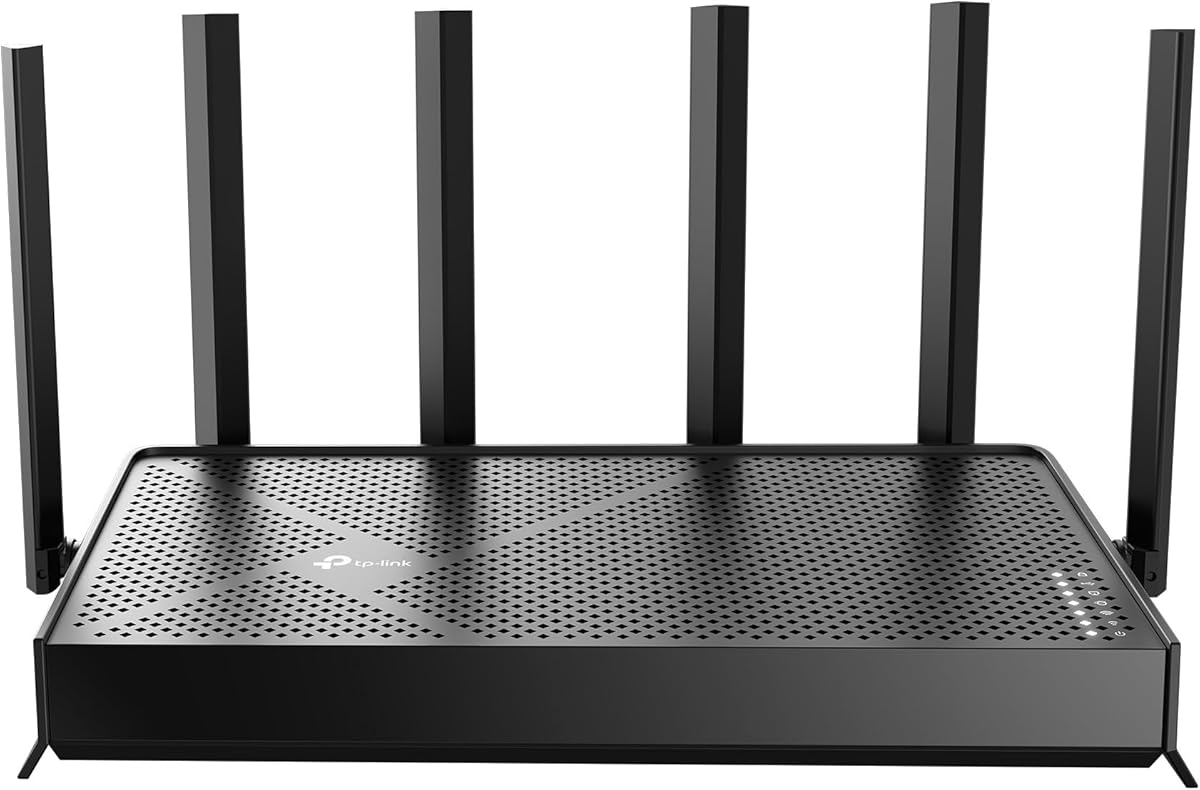
The TP-Link Archer A6 combines 1200 Mbps of dual-band wireless capacity with four full Gigabit LAN ports, making it an unusually well-rounded budget router. Its 4.5 rating is among the highest in this guide, and the wired port provision gives it a clear advantage over models equipped only with Fast Ethernet.
We may earn a commission when you buy through this link, at no additional cost to you.
The wireless allocation is up to 300 Mbps on 2.4 GHz and 900 Mbps on 5 GHz. MU-MIMO operates on the 5 GHz band, helping the router communicate with multiple devices more efficiently, while beamforming and four external antennas focus signal coverage. WPA3 support improves security for compatible clients, and access point mode offers another way to integrate the router.
Its principal limitation is that it uses Wi-Fi 5 rather than Wi-Fi 6. Newer devices can still benefit from gigabit Ethernet, but they cannot use Wi-Fi 6 features such as OFDMA. The router also requires a separate modem for most providers. These limitations are acceptable when the main goal is a dependable gigabit network without paying for newer wireless standards.
For a buyer with a 1000 Mbps plan and a mix of wired and wireless devices, the Archer A6 is one of the most practical choices. Its Gigabit LAN ports support computers, streaming boxes, and game consoles, while OneMesh allows future expansion with a compatible TP-Link extender. It is especially compelling for apartments and modest homes where extra range and tri-band performance are unnecessary.
Four Gigabit LAN ports let local devices exchange data at up to gigabit speeds, avoiding the major bottleneck of Fast Ethernet. This is one of the most important features to consider when an internet plan is already capable of delivering 1000 Mbps.
OneMesh support provides a simple path to whole-home coverage using a compatible TP-Link Wi-Fi extender. This makes the A6 a sensible starting point for users who may need more range later but do not require an expensive mesh system immediately.
We may earn a commission when you buy through this link, at no additional cost to you.
The TP-Link Archer A8 offers AC1900 dual-band performance, with up to 600 Mbps on 2.4 GHz and 1300 Mbps on 5 GHz. It earns a 4.5 rating and provides a useful middle ground between basic AC routers and newer Wi-Fi 6 models, especially for households that want more bandwidth and broader coverage without moving to the latest standard.
We may earn a commission when you buy through this link, at no additional cost to you.
The listed coverage of up to 1200 square feet is somewhat larger than the target offered by many AC1200-class competitors. MU-MIMO supports three simultaneous data streams, beamforming focuses signals, and four Gigabit LAN ports plus one Gigabit WAN port provide solid wired connectivity. Parental controls add useful management for families, and the Tether app assists with setup and firmware updates.
Like the Archer A6, this model uses the older Wi-Fi 5 generation. It therefore lacks OFDMA and other Wi-Fi 6 efficiencies, which may matter as more devices become Wi-Fi 6 capable. It also requires a separate modem for most internet providers, so buyers should not expect it to replace provider equipment by itself.
The Archer A8 is most suitable for a medium-sized home with numerous connected devices and a preference for stable gigabit networking over cutting-edge wireless standards. Its five Gigabit Ethernet ports and larger stated coverage area make it especially attractive when several devices are connected by cable. It is a strong alternative to the A6 for buyers willing to accept the same generational trade-offs in exchange for added capacity.
The 1300 Mbps 5 GHz maximum and three-stream MU-MIMO configuration give compatible devices more potential capacity than an AC1200 router. This can help in dense wireless environments where multiple modern clients share the same access point.
Parental controls can block inappropriate content and impose daily usage limits, while the Tether app keeps setup and management accessible from a phone. These functions make the router practical for households where device access needs to be organized.
We may earn a commission when you buy through this link, at no additional cost to you.
The TP-Link Archer BE600 is the most advanced standalone router in this guide, combining tri-band Wi-Fi 7 with a 10 Gbps WAN/LAN port and three 2.5 Gbps LAN ports. Its 4.2 rating reflects a product whose primary appeal is future-facing capacity rather than simple value. It is built for buyers who want a router that can take advantage of multi-gig internet service and the newest wireless clients.
We may earn a commission when you buy through this link, at no additional cost to you.
The three bands are listed at up to 5765 Mbps on 6 GHz, 2882 Mbps on 5 GHz, and 1032 Mbps on 2.4 GHz. The 6 GHz band is especially important for compatible Wi-Fi 7 devices because it offers additional spectrum and wide channels. Multi-Link Operation, Multi-RUs, 4K-QAM, and support for channels up to 320 MHz reinforce the router's focus on modern wireless capabilities.
Coverage is listed at up to 2600 square feet with support for up to 120 devices, aided by six antennas and beamforming. The port configuration is unusually flexible: a 10 Gbps port can connect to a multi-gig modem, while the 2.5 Gbps ports handle fast local devices. TP-Link HomeShield, parental controls, IoT security, VPN client, and VPN server functions provide extensive management and security tools.
This is the premium choice for a large, device-dense home, a modern gaming setup, or a buyer planning to adopt Wi-Fi 7 devices over time. Its capabilities can exceed what a 1000 Mbps internet connection delivers, especially at the wireless edge, but that headroom creates a platform for faster local traffic and future service upgrades. Users without compatible clients may see less immediate benefit.
Unlike the dual-band options in this guide, the BE600 includes a 6 GHz band capable of very wide channels. Compatible devices can benefit from more available spectrum, lower interference in some environments, and higher theoretical throughput for demanding local use.
The 10 Gbps WAN/LAN port and three 2.5 Gbps ports provide more wired bandwidth than a standard gigabit router. These connections can support fast wired endpoints and multi-gig provider equipment while preserving smaller gigabit LAN connections.
We may earn a commission when you buy through this link, at no additional cost to you.
Choosing a router for a 1000 Mbps plan involves balancing internet speed, wireless-client capabilities, home construction, wired-device requirements, and management needs. The most important distinction is between the speed entering your home and the speed each connected device can actually receive.
A 1000 Mbps internet plan delivers its fastest results through a compatible wired connection, but a capable wireless router is still necessary for phones, laptops, televisions, and other Wi-Fi devices. Because wireless protocols consume some capacity for overhead and operate on shared channels, the aggregate wireless speed of the router should exceed the broadband speed when several clients are active. AX1800, AX3000, and BE-class products provide progressively more theoretical headroom.
Choose a router with more wireless capacity than the internet plan if multiple high-bandwidth devices share the network. For lighter use, a 1200 Mbps dual-band router may be adequate, while Wi-Fi 6 or Wi-Fi 7 becomes more relevant as newer client devices become common.
Most standalone routers require a separate cable, fiber, or DSL modem. A compatible modem converts the provider's signal into an internet connection that the router can distribute. Users should verify the router's supported connection type and whether their provider requires a specific modem, especially when purchasing an integrated cable modem-router.
The NETGEAR CAX30 is limited to compatible cable providers and listed internet plans, while the other standalone models require an appropriate modem for most services. Confirming compatibility before buying can prevent delays in activation or setup.
The best coverage figure is only a starting point because walls, floors, furniture, appliances, and router placement can substantially alter results. A stated 1000-square-foot range may work well in an open apartment but not in a multi-level house. Wi-Fi 6 models with beamforming, wide 5 GHz capacity, and mesh compatibility usually offer more flexibility than basic routers.
For large or awkward homes, consider a router that supports mesh expansion or start with a purpose-built multi-node system. In smaller spaces, placing the router centrally and away from enclosed media cabinets can often make a greater difference than choosing a model with a slightly higher headline speed.
A router advertised for a 1000 Mbps plan should ideally provide Gigabit WAN and LAN ports. The NETGEAR R6080 uses 10/100 Fast Ethernet, which can bottleneck local transfers and prevent wired devices from taking full advantage of a gigabit broadband service. By contrast, the Archer A6, A8, and several Wi-Fi 6 and Wi-Fi 7 models include Gigabit or multi-gig connections.
Count the number of wired devices and their bandwidth needs before choosing. A single modern laptop, smart television, or game console may justify Gigabit Ethernet throughout, while a home with only basic wired devices may have less need for 2.5, 5, or 10 Gbps ports.
A router should not only support the number of devices present today but also have enough processing and wireless capacity for future growth. Smaller routers are often marketed for 15 devices, while the TP-Link AX3000 lists higher efficiency through OFDMA, and premium models claim support for 60, 100, or more connected clients.
Device count alone does not determine performance, since a few active video streams and gaming sessions create more load than dozens of low-bandwidth sensors. Look for concurrent device handling, MU-MIMO, OFDMA, and adequate processing rather than relying only on the headline device total.
Wi-Fi 6 improves efficiency and capacity, while Wi-Fi 7 adds features such as Multi-Link Operation, Multi-RUs, and 4K-QAM. Those improvements are most useful with compatible phones, computers, televisions, and accessories. Older clients can still connect to newer routers, but they will not receive Wi-Fi 6 or Wi-Fi 7 benefits.
Choose the generation according to current and planned devices. AC1200 and AC1900 models remain sensible for mixed households, while an AX or BE router is a stronger choice when most new purchases support Wi-Fi 6 or Wi-Fi 7.
Every home router should use current wireless encryption, a firewall, and firmware updates. WPA3 is available on several TP-Link models, while the R6080 lists WPA2 and other protections. Features such as guest networks, parental controls, denial-of-service prevention, IoT identification, and local VPN support can add convenience and visibility without affecting basic connectivity.
Advanced users may value VPN server and client functions, while others may prefer a simple mobile app for setup, guest access, speed testing, and device pausing. The Flint 2 goes further with AdGuard Home support and plugin-oriented features, making it particularly suitable for technically experienced buyers.
A router that can grow with the home is often more valuable than one optimized for a single present-day device. EasyMesh compatibility, OneMesh support, multi-gig ports, and tri-band radios offer different forms of upgrade room. Mesh support improves coverage, while faster Ethernet ports allow faster local networks and newer provider plans.
Avoid buying an integrated modem-router unless the provider specifically supports it, because that choice can limit future service providers. For most households, a capable standalone router plus a compatible provider modem or gateway offers the greatest flexibility.
Begin by confirming that the router supports your internet connection type and works with your provider. Standalone models generally need a separate compatible modem, while the CAX30 requires compatible cable service and provider activation. Connect the modem to the router's WAN or Internet port, power both devices on, and use the manufacturer's app or web interface to complete the initial configuration.
Choose a strong administrator password, update the firmware, and set the wireless network name and security mode appropriately. Place the router in an open, central location rather than inside a cabinet or behind a television. Avoid unnecessary range extenders when the main router can be repositioned, and use Ethernet for bandwidth-intensive devices whenever practical.
Monitor performance with speed tests at different times and in different rooms, and update firmware periodically through the vendor's app or support page. Keep the router ventilated, away from direct heat, and on a stable surface. If performance declines, first check for overloaded channels, outdated firmware, too many range extenders, and devices consuming unusually large amounts of bandwidth.
Not always. A capable Wi-Fi 5 router can distribute a gigabit connection, but Wi-Fi 6 improves efficiency, concurrent-device handling, and coverage. It is especially worthwhile when several modern devices use the network simultaneously. Wired clients connected through Gigabit Ethernet may see the clearest benefit from the faster internet service.
A router can remove local bottlenecks caused by weak Wi-Fi, outdated equipment, or slow Ethernet ports, but it cannot exceed the speed included in the internet plan. Speed also depends on provider equipment, network congestion, device limitations, and the distance between each client and the router. A wired speed test provides the clearest view of the provider connection.
Most models in the guide are standalone routers and require a compatible cable, fiber, or DSL modem for most providers. The NETGEAR CAX30 is the exception because it combines a DOCSIS 3.1 cable modem and Wi-Fi 6 router in one device. Check the provider's compatibility list before purchasing any integrated model.
Yes, if the goal is to receive the full benefit of a 1000 Mbps service through a wired device. A 10/100 port can handle only a fraction of that rate. The R6080 is the main exception in this list, while the other recommended models provide Gigabit or faster Ethernet connections.
Wi-Fi 7 can be worthwhile when you own compatible devices, expect many clients to share the network, or want faster local traffic and multi-gig wired options. Its benefits may be less visible on a single older device or when the provider connection itself is limited to 1000 Mbps. The BE600 offers the most advanced platform in this guide.
Place it near the center of the home in an open, elevated location where signals can travel through doors and rooms without being blocked by metal or dense materials. Avoid placing it inside cabinets, behind televisions, or near unnecessary electronic equipment. A central location usually improves coverage more than simply selecting the router with the highest headline speed.
One well-placed router may cover an apartment or modest home, but walls and multiple floors can require additional access points or a mesh system. Several models support EasyMesh or OneMesh expansion, allowing coverage to grow without managing unrelated wireless networks. For larger properties, start with one primary router and add nodes only where testing shows a need.
Router-based VPN support can be convenient for protecting selected devices or accessing a home network remotely. The Archer AX21 supports OpenVPN and PPTP servers, while the BE600 supports VPN client and server functionality, and the Flint 2 emphasizes fast WireGuard and OpenVPN performance. Enabling these services can add processing overhead, so consider whether your needs justify the feature.
The TP-Link Archer AX21 is the best overall option for most buyers because it combines Wi-Fi 6 efficiency, OFDMA, beamforming, useful VPN server support, and broad provider compatibility. The Archer A6 stands out as the best budget choice, while the Archer BE600 is the premium selection for buyers seeking tri-band Wi-Fi 7 and multi-gig Ethernet.
Prioritize Gigabit Ethernet, adequate wireless headroom, and coverage that matches the building rather than focusing only on a maximum speed figure. Consider current and future client devices, the number of active users, provider requirements, and any need for mesh expansion or advanced VPN functions. A router that fits the home and service plan is more valuable than one with unused headline capabilities.
Before making a final purchase, verify the modem requirement, provider compatibility, current product details, and available support for your devices. Product prices and configurations can change, so checking current listings and recent customer feedback can help confirm that the selected router remains the right fit at the time of purchase.