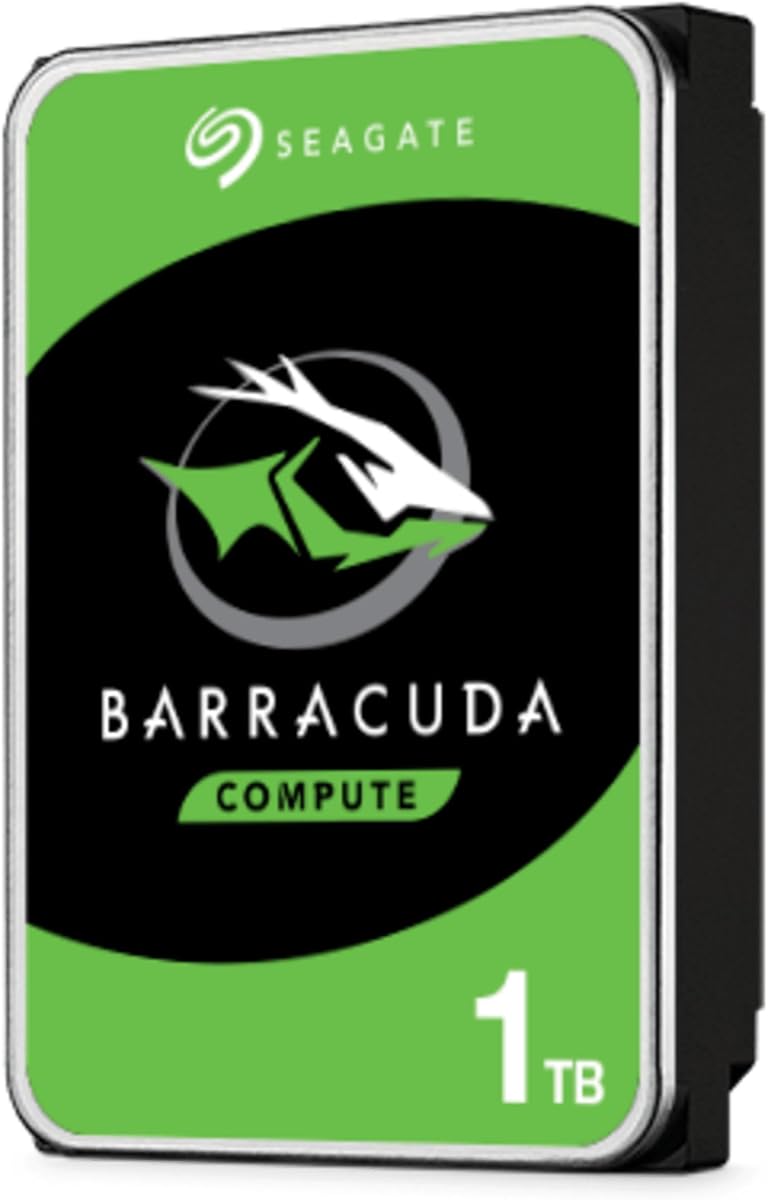
Seagate BarraCuda 1TB ST1000DM010
4.6Editor score
7200 RPM desktop spindle speed
64MB cache for responsiveness
Two-year limited warranty included
A Seagate Barracuda internal hard drive remains a practical way to expand desktop or laptop storage, but the right model depends on capacity, physical size, spindle speed, and workload. The lineup includes conventional 3.5-inch desktop drives, thinner 2.5-inch models, and a high-capacity BarraCuda Pro option for demanding storage tasks.
This guide compares 10 Seagate BarraCuda and Barracuda models using the supplied ratings, stated capacities, dimensions, interfaces, rotational speeds, cache sizes, warranties, and intended applications. It also considers practical factors such as desktop versus laptop fit, sustained transfer performance, bundled software, and whether a drive is better suited to gaming libraries, media, or large project storage.
The selections show where each model earns its place: some offer balanced capacity and speed, some prioritize a smaller 2.5-inch footprint, and others make sense when maximum storage matters more than physical size. Amazon ratings and prices can change, so confirm the current listing, compatibility, warranty details, and system requirements before purchasing.
4.6Editor score

4.7Editor score

4.0Editor score
As an Amazon Associate we earn from qualifying purchases.
The table below compares all 10 models by the most consequential differences: capacity, physical format, rotational speed, cache, interface, warranty, and practical role in a desktop or laptop system.


The Seagate BarraCuda 8TB ST8000DM004 is a high-capacity internal hard drive rated 4.5 out of 5 stars. Its defining advantage is the combination of 8TB of nominal storage and a stated maximum sustained outer-diameter transfer rate of 190MB/s, giving it substantial appeal for large media collections, extensive game libraries, and data-heavy desktop use.
We may earn a commission when you buy through this link, at no additional cost to you.
The drive is presented as a SATA solution for music, video, photo editing, and PC gaming, with Seagate emphasizing its long record of storage innovation. At 8TB, users can consolidate files that might otherwise be spread across several smaller drives, simplifying organization and creating a useful central repository for projects and backups.
The trade-off is that a large mechanical drive demands attention to backups, especially when it holds irreplaceable photos, videos, or documents. It is also a 3.5-inch desktop-class model rather than a compact laptop drive, so the computer case must offer a suitable bay and adequate power and data connections.
This is a strong recommendation for builders who need generous space but do not need the 10TB BarraCuda Pro package. Choose the ST8000DM004 when a single high-capacity drive, 190MB/s stated sustained performance, and broad desktop compatibility are the main priorities.
With 8TB of advertised capacity, the drive is suited to users who regularly accumulate large video files, music libraries, photographs, or installed games. Consolidating them on one volume can also simplify storage management when a desktop supports multiple drive bays.
The stated 190MB/s maximum sustained transfer rate is particularly relevant when copying large media files or moving project assets between storage locations. Actual results can vary with files, system configuration, source devices, and drive workload.
We may earn a commission when you buy through this link, at no additional cost to you.
The Seagate BarraCuda 2TB ST2000DM008 is rated 4.7 out of 5 stars and pairs a useful 2TB capacity with a 7200 RPM spindle and 256MB cache. Those specifications make it one of the most balanced conventional BarraCuda choices for a desktop that needs reliable secondary storage.
We may earn a commission when you buy through this link, at no additional cost to you.
Its faster spindle speed and larger cache distinguish it from many 5400 RPM alternatives. It is positioned for PC gaming, music, video, photo editing, and general desktop applications, while the inclusion of Seagate DiscWizard adds tools for migrating and cloning data from an older drive.
Capacity is the primary limitation. Users with extensive game libraries, large 4K media archives, or multi-terabyte projects may find 2TB restrictive and prefer a 4TB, 6TB, 8TB, or 10TB option. The drive also requires a compatible 3.5-inch mounting arrangement.
For a desktop owner who wants a capable everyday hard drive without moving to the largest BarraCuda capacities, this is an excellent recommendation. Its strong rating, 7200 RPM operation, 256MB cache, and migration software make it especially appealing for expanding a gaming or productivity setup.
Two terabytes is often enough for an operating system, applications, a moderate game collection, and a working media library. It offers a more balanced storage footprint than a 1TB model without requiring the space and power demands of an 8TB or 10TB drive.
The supplied description specifically highlights free Seagate DiscWizard software for migrating and cloning data from an old drive. Buyers should still prepare a complete independent backup before changing disks or initializing a new installation.
We may earn a commission when you buy through this link, at no additional cost to you.
The Seagate BarraCuda 4TB ST4000DMZ04 is rated 4.7 out of 5 stars, matching the highest rating in this roundup. It provides 4TB of storage, a 3.5-inch desktop form factor, SATA 6 Gb/s, a 5400 RPM spindle, and 256MB of cache.
We may earn a commission when you buy through this link, at no additional cost to you.
For many desktop users, 4TB represents a practical middle ground between entry-level capacity and very large drives. It can hold a substantial game library, multiple high-resolution media projects, or years of ordinary documents while remaining in the familiar BarraCuda product family. The stated 190MB/s maximum sustained transfer rate supports the drive's suitability for media and gaming applications.
Its 5400 RPM specification means it will not offer the same spindle-speed profile as a 7200 RPM model, and performance can also be affected by file patterns and neighboring components. A 2.5-inch bay is not enough: the enclosure must accommodate a standard 3.5-inch drive.
This model is best for desktop users who want a highly rated, high-capacity 5400 RPM drive with a large cache. It is a sensible middle option when 2TB is too small and 8TB or 10TB is unnecessary, especially for media storage and expandable game libraries.
The 4TB capacity leaves more room for large applications, captured media, and game installations than a 1TB or 2TB option. It also avoids the more specialized nature of the 10TB BarraCuda Pro model while preserving a large 256MB cache.
The combination of 190MB/s stated sustained transfer performance and 5400 RPM operation is aimed at mainstream PC applications, including gaming, music, video, and photo editing. It is not positioned as an enterprise or continuously duty-rated drive.
We may earn a commission when you buy through this link, at no additional cost to you.
The Seagate BarraCuda 1TB ST1000DM010 is rated 4.6 out of 5 stars and serves as a straightforward way to add secondary storage to a compatible desktop. It combines 1TB of capacity with a 7200 RPM spindle, SATA 6 Gb/s, and 64MB of cache.
We may earn a commission when you buy through this link, at no additional cost to you.
At this capacity, the drive is most useful for expanding a gaming setup, separating applications and documents from an existing system drive, or storing a moderate collection of media. The 7200 RPM specification offers a more performance-oriented profile than many lower-speed hard drives, although 64MB of cache is smaller than the 256MB configurations found in several higher-capacity models.
The 1TB limit can become apparent quickly with modern games, 4K footage, and growing application libraries. Users who can benefit from a larger cache and more breathing room may prefer the 2TB ST2000DM008 or the 4TB ST4000DMZ04.
The ST1000DM010 is an affordable, well-rated choice for a first internal storage expansion or a modest secondary drive. Its two-year limited warranty adds support, and the uncomplicated 3.5-inch desktop format makes it a logical first upgrade for compatible PC builders.
One terabyte is a manageable amount of extra space for documents, less frequently used applications, and a selection of games or media. It can also reduce clutter by providing a dedicated location for files that do not need to remain on the primary operating-system drive.
The 7200 RPM mechanism is a key distinction from 5400 RPM alternatives in the same family. It remains important to consider the entire system configuration, since a modern SSD, interface, and file type can have a greater effect on perceived responsiveness.
We may earn a commission when you buy through this link, at no additional cost to you.
The Seagate BarraCuda 5TB ST5000LM000 is unusual because it combines 5TB of capacity with a 2.5-inch form factor. It is rated 4.2 out of 5 stars and offers SATA 6 Gb/s, a 5400 RPM spindle, and 128MB of cache.
We may earn a commission when you buy through this link, at no additional cost to you.
That combination appeals to users who want more capacity than a conventional laptop drive generally offers but need a smaller unit than a standard 3.5-inch desktop drive. It could serve a compact desktop, a suitably equipped gaming computer, or another system with the necessary power, connector, and mounting support.
The 4.2-star rating is the second-lowest in this selection, and the 5400 RPM speed may be less attractive for demanding random-access workloads. Users should also verify whether their enclosure supports a 2.5-inch SATA drive of this model's thickness and whether a caddy or adapter is needed for a 3.5-inch bay.
Choose the ST5000LM000 when compact size and unusually high 2.5-inch capacity are the dominant requirements. It is not the first choice for maximum spindle speed, but it offers a distinctive solution for compatible systems that cannot accommodate a full-size desktop drive.
The main appeal is straightforward: 5TB in a 2.5-inch drive. That makes the model relevant to compact builds and other systems where drive thickness limits storage options, provided the enclosure and connector arrangement are compatible.
Seagate positions the BarraCuda family for music, video, photo editing, and gaming. The 128MB cache and 5400 RPM mechanism align it with conventional storage use rather than performance-intensive enterprise workloads.
We may earn a commission when you buy through this link, at no additional cost to you.
The Seagate BarraCuda 2TB ST2000DM006 is rated 4.6 out of 5 stars and offers a familiar combination of 2TB capacity, a 3.5-inch form factor, SATA 6 Gb/s, a 7200 RPM spindle, and 64MB cache.
We may earn a commission when you buy through this link, at no additional cost to you.
Its primary use is adding general-purpose storage to a compatible desktop, particularly for games, media, and files that are not accessed constantly. The supplied description references music, video, photo editing, and PC gaming, reflecting the BarraCuda family's general desktop orientation.
Compared with the newer 2TB ST2000DM008, this model has the same nominal capacity and 7200 RPM speed but a smaller stated cache. Buyers should check the physical installation requirements carefully, particularly if the listing mentions laptop use. A 3.5-inch drive requires a suitable chassis, bay, connector, and mounting arrangement.
The ST2000DM006 remains a solid choice for users who want 2TB and a 7200 RPM spindle without paying for a larger model. It is best when 64MB of cache is sufficient and when a long-term secondary storage drive is the goal rather than the largest possible capacity.
The ST2000DM006 offers enough capacity for a useful mix of games, documents, and media while remaining a conventional 3.5-inch SATA drive. This makes it familiar to desktop builders accustomed to standard internal storage.
Despite broad computer-related wording in the title, the 3.5-inch format should be treated as a desktop-oriented installation. Check the drive bay, SATA data connection, SATA power connector, and available mounting space before ordering.
We may earn a commission when you buy through this link, at no additional cost to you.
The Seagate Bare Drives BarraCuda 1TB ST1000DMZ10 is rated 4.6 out of 5 stars. It provides 1TB of storage through a 3.5-inch SATA 6 Gb/s interface, a 7200 RPM spindle, and 64MB of cache.
We may earn a commission when you buy through this link, at no additional cost to you.
This model is straightforward: it can become a dedicated data drive, a secondary place for games and media, or additional storage in a desktop with an open 3.5-inch bay. Its 7200 RPM speed and strong customer rating make it a practical entry into the BarraCuda line.
Its limits are the same ones associated with a basic 1TB internal drive. The 64MB cache is modest, and modern software or media collections can consume the available capacity quickly. A larger model may be a better long-term choice if the computer case offers more than one drive bay.
The ST1000DMZ10 is best for a focused, affordable expansion rather than a maximum-capacity build. Choose it when one terabyte is enough, a conventional desktop form factor is preferred, and the goal is a simple second drive for everyday PC use.
A dedicated 1TB drive can keep files separate from the primary system disk and make storage organization easier. It is also a sensible target for files that do not need the fastest possible random access.
SATA 6 Gb/s, 7200 RPM, and 64MB cache form a recognizable conventional hard-drive profile. That familiarity makes the model easier to evaluate for desktop builders than a more specialized high-capacity or compact alternative.
We may earn a commission when you buy through this link, at no additional cost to you.
The Seagate BarraCuda Pro 10TB ST10000DM0004 is rated 4.0 out of 5 stars and delivers the largest advertised capacity in this roundup. It combines 10TB with a 3.5-inch desktop form factor, SATA 6 Gb/s, 7200 RPM operation, and 256MB of cache.
We may earn a commission when you buy through this link, at no additional cost to you.
Its headline specification is designed for large projects and extensive storage. Seagate highlights 10TB of capacity, optimized read and write caching, and suitability for gaming, music, video, and photo editing. The Pro package is especially attractive for creators or enthusiasts who want to consolidate many large assets into a single volume.
The five-year limited warranty and two years of Rescue Data Recovery Services provide more support than the two-year coverage described for several conventional BarraCuda models. Nevertheless, recovery services should not be treated as a substitute for regular backups, especially for unique files.
The 4.0-star rating is the lowest among the listed products, and a high-capacity desktop drive adds operational and backup considerations. Even so, the ST10000DM0004 is the premium choice when 10TB, 7200 RPM, 256MB cache, extended warranty coverage, and recovery support justify the move to the top-capacity model.
Ten terabytes is the standout benefit, allowing large collections or active projects to reside on one drive. This can simplify workflows where media libraries, project archives, and game installations span multiple smaller volumes.
The supplied information highlights a five-year limited warranty and two years of Rescue Data Recovery Services. These benefits add value, but users should still maintain separate copies of important data because no recovery service replaces a sound backup strategy.
We may earn a commission when you buy through this link, at no additional cost to you.
The Seagate Barracuda ST4000LM024 is rated 4.0 out of 5 stars and stands out for combining 4TB with a 2.5-inch format. Its most important physical specification is the stated 15mm thickness.
We may earn a commission when you buy through this link, at no additional cost to you.
That thickness is also the decisive limitation: the supplied information explicitly says it will not fit most laptops. It is better considered for a compatible desktop, mini-PC, network appliance, or custom enclosure that accepts a 2.5-inch SATA drive of this thickness.
Detailed information in the supplied data is limited, so buyers should examine the current listing for interface, speed, cache, and warranty terms before purchase. The tied 4.0-star rating also warrants more attention to recent customer feedback, particularly comments about noise, heat, fit, and reliability in the intended system.
The ST4000LM024 is best for a builder who specifically wants 4TB in a relatively slim 2.5-inch package and has confirmed physical compatibility. It is not a general recommendation for laptop upgrades, and it is less straightforward than the standard 3.5-inch BarraCuda options.
A 2.5-inch 4TB drive can be attractive where a full-size 3.5-inch unit will not fit. The key requirement is physical clearance: drive thickness, connector position, mounting tabs, and available power must all be checked.
The supplied product information is sparse compared with the other listings. Prospective buyers should confirm SATA compatibility, dimensions, performance specifications, and warranty coverage on the current product page before committing to a specialized system build.
We may earn a commission when you buy through this link, at no additional cost to you.
The Seagate Barracuda 6TB ST6000DM003 is rated 4.3 out of 5 stars and provides 6TB of storage in a standard 3.5-inch desktop format. It runs at 5400 RPM, uses 256MB of cache, and connects through SATA 6 Gb/s.
We may earn a commission when you buy through this link, at no additional cost to you.
Six terabytes makes it a practical fit for users who need substantially more room than a 1TB or 2TB drive but do not require the 8TB or 10TB extremes. It can serve as a media archive, large game repository, or bulk storage drive in a compatible desktop.
The 5400 RPM spindle may be slower under demanding workloads than the 7200 RPM alternatives, while the 4.3-star rating is modest compared with the roundup leaders. Its two-year limited warranty is also less comprehensive than the BarraCuda Pro package.
The ST6000DM003 is a solid choice for straightforward capacity expansion where a large cache, 6TB of room, and a conventional 3.5-inch format are the priorities. It is particularly suitable as secondary storage rather than the only disk holding active, unrecoverable project files.
A 6TB drive sits between the 4TB and 8TB BarraCuda choices. That middle position can be useful when capacity estimates are uncertain but buying the largest premium model is unnecessary.
The 256MB cache supports the drive's mainstream media and gaming role, while 5400 RPM operation helps establish expectations. Using it for archives and less frequently accessed content allows a separate SSD or faster system disk to handle daily responsiveness.
We may earn a commission when you buy through this link, at no additional cost to you.
The right internal hard drive depends on physical fit, usable capacity, speed expectations, and workload. Use the following factors to narrow the lineup before comparing listings and checking current availability.
A 3.5-inch drive is the standard choice for most desktop towers and larger custom systems, while a 2.5-inch drive is smaller but not automatically compatible with every laptop or enclosure. The ST5000LM000 and ST4000LM024 are 2.5-inch models, and the latter is specifically described as 15mm thick and unlikely to fit most laptops. Measure the intended bay and check whether a caddy, adapter, or separate mounting hardware is required before buying.
Choose a 3.5-inch model for straightforward desktop expansion; choose a 2.5-inch model only when the system explicitly supports that size and thickness.
Nominal capacities range from 1TB to 10TB across these products. A 1TB drive is useful for a modest secondary library, 2TB to 4TB fits many mixed desktop workloads, and 6TB to 10TB is more appropriate for large media collections, game archives, and extensive project storage. Remember that usable space is lower than the advertised decimal capacity after formatting, operating-system overhead, and file-system allocation.
Select enough room for current files plus anticipated growth, rather than buying only for the assets already stored on your computer.
The higher spindle speed found in 7200 RPM models can benefit sequential file transfers and responsiveness compared with 5400 RPM drives. The 5400 RPM options may consume less power and fit naturally into a capacity-focused role, but they are generally the less aggressive choice for demanding reads and writes. Neither category replaces an SSD for operating-system boot time, random access, and application launch performance.
Choose 7200 RPM for a more performance-oriented desktop role and 5400 RPM when capacity, storage tiering, and mainstream file handling are the main concerns.
Cache is a small, high-speed memory area used to stage data during transfers and other operations. The lineup includes 64MB configurations, a 128MB option on the 2.5-inch 5TB model, and 256MB on several 2TB, 4TB, 6TB, and 10TB drives. Larger cache can be helpful with suitable workloads, but it should not be treated as a substitute for a full SSD or as the only measure of real-world performance.
Give more weight to capacity and workload than cache alone, while recognizing that a 256MB configuration can be advantageous for a large general-purpose data drive.
Every listed product is described as a SATA drive, with most explicitly identifying SATA 6 Gb/s. That interface is widely used for internal hard drives, but the host system still needs a compatible SATA data port and an available SATA power connector. Firmware, operating-system, motherboard, and enclosure support should also be checked. For a new installation, verify that the case offers the necessary bay and airflow rather than assuming every internal drive fits.
Confirm SATA compatibility, connector availability, physical mounting, and system support before finalizing any purchase.
BarraCuda drives are positioned for general PC storage, including games, music, video, and photo editing. That makes them suitable for secondary storage and large libraries, but important active projects benefit from the faster random response of an SSD. A practical setup may use an SSD for the operating system and frequently used applications, then use a BarraCuda hard drive for bulk files, completed media, backups, and less frequently accessed games.
Use a hard drive as complementary bulk storage rather than assuming it will match an SSD for system responsiveness.
Several conventional models include a two-year limited warranty, while the BarraCuda Pro 10TB adds a five-year limited warranty and two years of Rescue Data Recovery Services. Longer coverage can be useful for a drive containing valuable data, but warranty terms do not remove the need for backups. Recovery services are a safety net rather than a guarantee that every failed drive or damaged file can be recovered.
Check the stated warranty carefully, but protect irreplaceable data with independent, tested backups regardless of coverage length.
Although several listings mention frustration-free packaging, one product description clarifies that the package is an anti-static bag without cables or a box. Buyers may therefore need separate SATA data cables, power connectors, screws, rails, or mounting tools. New Windows systems may also require disk initialization, partitioning, and drive-letter assignment. Seagate DiscWizard is specifically mentioned for migration and cloning on certain models, but a full backup should be created before moving or erasing old data.
Plan for the accessories and software steps required to install a new drive, and never begin a migration without a verified copy of your important files.
Before installation, back up the computer's important files, shut down the system, disconnect its power, and verify that the selected drive's size and connectors match the case and motherboard. For a 3.5-inch model, confirm the bay, SATA power connection, data connection, and mounting screws. For a 2.5-inch model, check the drive thickness and whether the host can physically accommodate it without forcing the connector.
After installing the drive, initialize it using the disk management or storage tools provided by your operating system, select the intended partition format, and assign a recognizable drive letter. Copy or migrate data cautiously. If using Seagate DiscWizard for a supported model, follow its guided steps and keep the original drive intact until the new installation and its data have been thoroughly verified.
Care for the drive by keeping the computer vented, avoiding sudden power loss, and not removing it while files are being accessed. Periodically verify that important files are being copied to a separate backup location, and use backup utilities or versioning systems to protect against accidental deletion and media corruption. Mechanical hard drives benefit from stable power, reasonable operating temperatures, and regular attention even when they appear healthy.
Yes, a BarraCuda hard drive can provide ample space for game installations, saves, recordings, and other game-related files. It is especially useful as secondary storage when a faster SSD already handles the operating system and frequently launched games. A hard drive will generally feel slower for loading games and launching applications, so keeping the most demanding or most frequently used titles on an SSD can provide a better overall experience.
Most laptops cannot accommodate a standard 3.5-inch internal hard drive because of their physical thickness and mounting design. Some larger laptops may support a 3.5-inch drive through a dedicated bay or adapter, but the manufacturer should be consulted first. The 2.5-inch ST4000LM024 is also explicitly described as 15mm thick and not suitable for most laptops, so model-specific clearance remains essential.
Choose a 3.5-inch model for most desktop towers because it offers broad bay compatibility and includes several 2TB, 4TB, 6TB, and 8TB options. A 2.5-inch model is preferable only when the intended computer or enclosure supports that format and the compact size is important. The unusual 2.5-inch 5TB ST5000LM000 can be valuable in a compatible compact system, but it is not a universal replacement for a desktop drive.
A 7200 RPM drive spins its platters faster than a 5400 RPM model, which can improve sustained and responsiveness-oriented performance in suitable desktop workloads. A 5400 RPM drive may be quieter, use less power, and work well for secondary storage. Neither speed matches the random-access performance of an SSD, so the operating system and frequently used applications generally benefit more from SSD storage.
Ten terabytes can be enough for large game libraries, extensive music or video collections, and substantial archival storage, but it is not unlimited. Actual usable capacity is lower than the advertised figure because of formatting and system overhead. The BarraCuda Pro 10TB also carries a five-year limited warranty and two years of Rescue Data Recovery Services, but users should still maintain independent backups.
You should not assume that cables are included. The supplied information for one Frustration Free Packaging product explicitly says the package is an anti-static bag and contains no cables or box. Depending on the computer, you may need a SATA data cable, a power connection, screws, and a mounting rail or caddy. Check the current listing and your computer's included accessories before ordering.
It can hold backup files, but a single hard drive is not a complete backup plan if the original data and the backup reside on the same machine or in the same failure domain. For important files, maintain copies on another drive, network storage, or an off-site service. Versioned backups also protect against accidental deletion and ransomware, which a simple file copy may not.
First make a complete, verified backup of the old drive. Install the new disk, initialize and format it as needed, then use the operating system's cloning or migration tools or Seagate DiscWizard where supported by the model. After copying, compare folders and test important files. Keep the old drive disconnected but available until the new drive and all applications have been verified.
The Seagate BarraCuda 2TB ST2000DM008 stands out as the strongest all-around recommendation, combining a 4.7-star rating with 7200 RPM operation, 256MB cache, and useful migration software. The BarraCuda 1TB ST1000DM010 is a budget-conscious desktop expansion, while the BarraCuda Pro 10TB is the premium choice for users who prioritize capacity, extended support, and recovery services.
For most buyers, prioritize the correct form factor before comparing speed or capacity. Standard 3.5-inch models are simplest in desktop towers, while the 2.5-inch options require careful attention to thickness and enclosure support. Among standard drives, choose 7200 RPM for a more active role, 5400 RPM for mainstream storage, and 256MB cache when a large drive will handle heavy sequential transfers.
Finally, check the current Amazon listing before buying. Ratings, availability, warranty information, and prices can change, and the exact model designation matters when comparing revisions with similar capacity and cache figures. Once the right drive is selected, install it carefully, migrate data methodically, and keep an independent backup of every file that cannot be replaced.