
ZEEPORTE 2K Indoor Camera
4.9Editor score
Local microSD storage
2K QHD video
Two-way audio and siren
30-foot night vision
Smart cameras without subscription compared for local storage, video quality, detection features, coverage, privacy, and everyday usability.
Smart cameras without subscription can provide dependable home monitoring without tying cloud recording to a recurring fee. The most appealing models combine local recording, useful person or pet detection, clear night footage, two-way audio, and flexible installation, giving you control over storage and privacy without sacrificing everyday convenience.
This guide compares ten indoor, outdoor, baby, pet, and doorbell cameras using the features and specifications available for each model. We look closely at supported storage methods, resolution, viewing angle, detection capabilities, power options, wireless compatibility, night vision, and smart-home functions to separate genuinely useful cameras from merely inexpensive options.
Each review identifies the strongest use case and any important trade-offs, while the comparison table and buying guide help narrow the field for your home. Product ratings and specifications can change over time, and prices fluctuate frequently, so verify the current listing and exact model details before making a purchase.
4.9Editor score

4.3Editor score
4.4Editor score
The comparison covers ten cameras spanning indoor monitoring, outdoor security, baby and pet watching, and front-door surveillance. Local-storage support, imaging quality, detection intelligence, installation flexibility, and connection limitations are the central considerations.



The youkey 2K Indoor Secuirty Camera is a flexible indoor monitor for families that want more than a basic live feed. It carries a 4.6 rating and stands out through 2K recording, 360-degree coverage, automatic tracking, and on-device AI capable of distinguishing among people, pets, and crying. Local microSD storage makes subscription-free operation possible.
We may earn a commission when you buy through this link, at no additional cost to you.
Its strongest feature is the combination of room-wide movement and useful detection categories. The pan-and-tilt mechanism can follow a crawling child or active pet, while alerts can be tailored around a person, a pet, or a crying baby. Infrared night vision supports monitoring after dark, and the on-demand privacy control gives users a straightforward way to disable access when privacy matters most.
The camera also supports Bluetooth-assisted setup, 2.4GHz Wi-Fi, and voice commands through Amazon Alexa and Google Assistant. Recordings can remain on a microSD card of up to 256GB, with optional cloud services offered for people who want a remote backup. The principal limitations are the need to buy storage separately, the lack of 5GHz Wi-Fi, and the fact that the camera remains tied to an indoor outlet.
This is a strong choice for a nursery, bedroom, living room, or pet-care area where tracking and distinct alerts are priorities. Buyers who want no recurring fee but still expect sophisticated detection should place it near the top of their list, while checking app compatibility and network strength before installation.
Separate person, pet, and crying detections can make alerts considerably more useful than a basic motion warning. On-device processing supports the privacy goal while reducing unnecessary notifications from general movement.
A full 360-degree horizontal view and auto-tracking reduce the need for multiple cameras in a modest room. Privacy mode and the included voice-control integrations add useful everyday controls.
We may earn a commission when you buy through this link, at no additional cost to you.
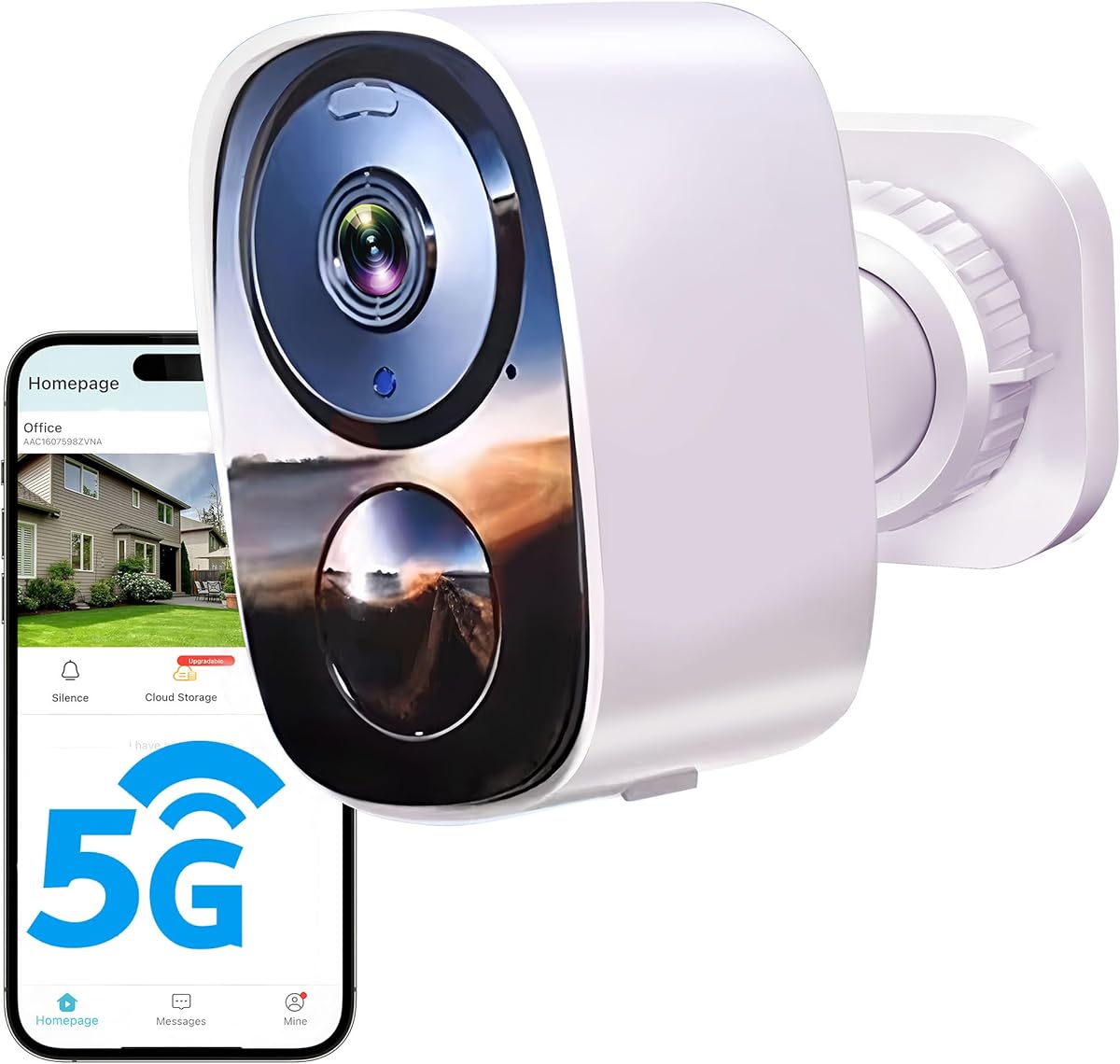
The 2026 Upgraded 2K Security Cameras Wireless Outdoor model targets patios, driveways, gates, and other locations where running a cable would be inconvenient. It has a 4.3 rating and pairs 2K video with a rechargeable battery, IP66 weather resistance, built-in illumination, two-way talk, and AI-assisted motion notifications.
We may earn a commission when you buy through this link, at no additional cost to you.
This camera offers an unusually broad set of installation options. It supports both 2.4GHz and 5GHz Wi-Fi, which gives users more control over crowded home networks, while its dual-band compatibility may improve stability. Full-color night vision and a spotlight help identify activity in darkness, and a siren provides a visible and audible deterrent when needed.
The free cloud plan and support for a microSD card of up to 256GB mean the camera does not force every user into a paid plan. However, the supplied information notes that the free cloud service offers SD-quality footage, while HD cloud video is associated with paid plans. Battery endurance also depends on motion frequency, recording mode, and temperature, making the advertised maximum a best-case estimate rather than a guarantee.
Choose this model when cable-free outdoor placement and flexible Wi-Fi are more important than perfectly consistent cloud resolution. It is particularly appealing for renters and homeowners who want deterrence and remote viewing around the perimeter without undertaking a full wiring project.
The rechargeable design supports placement away from outlets, while the stated 60-day test condition and longer theoretical interval show how strongly activity levels affect runtime. Frequent recording will require more frequent charging.
Built-in LEDs produce full-color nighttime footage, and the spotlight and siren can respond to suspicious activity. These features make the camera more useful than a passive night-vision monitor.
We may earn a commission when you buy through this link, at no additional cost to you.
The ZEEPORTE 2K Indoor Cameras for Home Security is the most highly rated model in this group, with a 4.9 rating. It delivers 2K QHD video, motion alerts, two-way audio, a built-in siren, and night vision while supporting local microSD storage without a required cloud subscription.
We may earn a commission when you buy through this link, at no additional cost to you.
For a baby room, dog area, garage, or basement, its core tools are well matched to the job. Six infrared LEDs provide visibility up to 30 feet, and customizable activity zones let users concentrate on a crib, window, doorway, or another important zone. The built-in speaker and microphone allow a parent to speak to a child or soothe an anxious pet, while the siren can deter an intruder.
Local storage is the key subscription-saving feature. A microSD card of up to 128GB can hold recordings, and the card is not included, so buyers should budget for one of adequate capacity. Compared with larger-capacity models in the list, 128GB is more modest, but continuous and clip recording still make it useful. The wired design also means an outlet is needed, although that creates a dependable power connection and avoids battery-maintenance concerns.
This is the most budget-conscious recommendation for buyers who need the basics done well. Choose it when clear indoor imagery, private local recording, talk-back audio, and a siren matter more than large storage capacity, pan-and-tilt movement, or broad smart-home compatibility.
Activity zones reduce irrelevant motion alerts by concentrating attention on a crib, doorway, window, or other chosen area. This makes the camera especially useful in homes with pets or regular household movement.
Using a microSD card removes the need for recurring cloud fees. With a suitable card installed, the camera can retain footage locally while remaining useful for live viewing and alerts.
We may earn a commission when you buy through this link, at no additional cost to you.
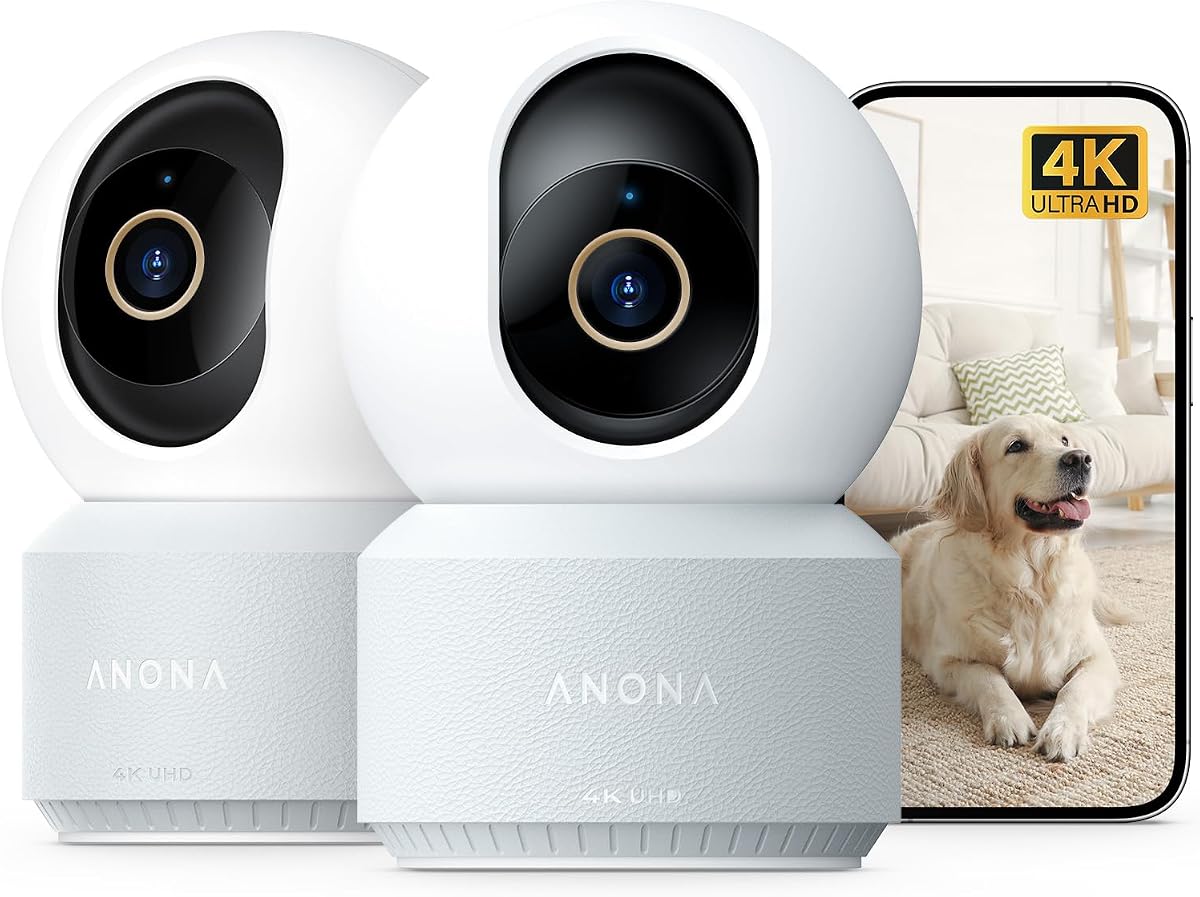
The Anona 4K UHD Indoor Camera 2 Pack is a high-resolution option for users who want more than one indoor viewing angle. It has a 4.4 rating and provides two cameras with 4K video, 8x zoom, 360-degree pan, 110-degree tilt, auto-tracking, and detection for people, pets, and baby crying.
We may earn a commission when you buy through this link, at no additional cost to you.
The headline advantage is image detail. A professional-grade lens and 8x zoom are designed to make small subjects and distant room details easier to inspect, which is useful for a baby's movements, a pet's activity, or general indoor security. Both cameras can use local microSD cards of up to 512GB, making local storage a particularly attractive option for households that want high-resolution recordings without recurring fees.
Networking is another strength. Wi-Fi 6 and support for both 2.4GHz and 5GHz offer a more modern and potentially stable connection than basic dual-band systems, while a privacy mode helps users control when the cameras are active. AES-128 encryption is offered for Anona cloud storage, although that service is optional. Local storage still requires a microSD card, which is not supplied.
This two-camera bundle makes the most sense when you want comprehensive room coverage or a dedicated camera for each of two important spaces. Choose it over simpler single-camera models if 4K detail, flexible networking, substantial local capacity, and two-camera coverage justify the higher specification level.
4K recording and 8x zoom make this model a strong option when small visual details matter. The resolution is most useful in well-lit conditions and when the camera is positioned with a clear, close view.
The included pair can cover separate rooms or overlapping areas, reducing blind spots. Dual-band Wi-Fi 6 and local storage of up to 512GB per camera support a more flexible installation.
We may earn a commission when you buy through this link, at no additional cost to you.
The Kasa 1080p Indoor Pan/Tilt EC71 combines polished indoor monitoring with the Kasa ecosystem. Its 4.4 rating reflects a balanced feature set that includes 1080p video, 360-degree horizontal coverage, motion tracking, person detection, baby crying alerts, two-way audio, and local microSD recording.
We may earn a commission when you buy through this link, at no additional cost to you.
Patrol mode gives the camera an easy way to scan several areas, while automatic tracking follows moving people or objects. That makes it practical for a playroom, living room, or pet area where a fixed angle might miss something important. Baby crying detection adds value for nursery use, and the 30-foot infrared range provides a reasonable nighttime view. Voice support allows the live feed to appear on compatible Alexa or Google Home displays.
Local microSD storage of up to 256GB provides a subscription-free option, while Kasa Care adds 30-day cloud history and extra features for users who want remote video retention. It operates on 2.4GHz Wi-Fi, and its 1080p resolution is below the 2K and 4K models in this guide. The wired design avoids battery servicing and is appropriate for a permanent indoor installation.
Choose the EC71 when familiar app operation, pan-and-tilt automation, pet and baby monitoring, and voice-enabled display integration matter. It is a particularly balanced choice for users who do not need ultra-high resolution but want a broad and polished set of everyday features.
Patrol mode cycles through chosen regions, while motion tracking follows active subjects. Together, they make the camera more useful in rooms where movement frequently occurs outside a single fixed field of view.
A microSD card of up to 256GB eliminates the need for a recurring storage plan. The optional Kasa Care service remains useful for users who prefer cloud history and additional activity features.
We may earn a commission when you buy through this link, at no additional cost to you.
The Kasa 1080p Indoor Pan/Tilt EC70 is a straightforward choice for users who want a traditional home camera with flexible viewing and no mandatory cloud fee. It has a 4.4 rating and provides 1080p live video, remote pan and tilt, motion and sound alerts, patrol mode, and local recording on a microSD card of up to 256GB.
We may earn a commission when you buy through this link, at no additional cost to you.
Sound detection adds value beyond simple movement, especially at night when the camera can provide visibility up to 30 feet. The EC70 can also serve as a pet camera, nursery monitor, or general room monitor. Smart Actions allow detected motion to interact with other Kasa devices, such as turning on a light, which creates a useful security response without requiring additional camera hardware.
The main appeal is its uncomplicated operation through the Tapo or Kasa app. A microSD card allows continuous recording or clip storage without a monthly payment, although users wanting 30 days of cloud history and more advanced features must choose Kasa Care. Like the EC71, it uses 2.4GHz Wi-Fi and offers 1080p rather than higher-resolution video, so buyers seeking fine detail should look elsewhere.
Choose the EC70 for uncomplicated indoor monitoring, local recording, and integration with other Kasa equipment. It works particularly well for apartments, nurseries, and pet rooms where reliability, compact placement, and straightforward alerts are more important than 2K or 4K imagery.
Connecting camera detection to compatible Kasa lighting can create an immediate visual response when motion occurs. This is especially helpful in a hallway, entry area, or other low-light space.
The EC70 continuously records to a supported microSD card when configured for local storage. Cloud history is available as an optional upgrade rather than a requirement for basic operation.
We may earn a commission when you buy through this link, at no additional cost to you.
The Tapo 1080P Indoor Security Camera C100 is a capable indoor option for nursery, pet, and general room monitoring. It has a 4.4 rating and the supplied description highlights full-color 1080p video, local microSD storage, activity zones, person and motion detection, two-way audio, a spotlight, and a customizable alarm.
We may earn a commission when you buy through this link, at no additional cost to you.
Its low-light performance is a key differentiator from basic infrared cameras. A large-aperture lens and built-in spotlights can preserve full color up to 30 feet away, providing a more natural view of a sleeping child or pet. The camera can also serve as a practical security monitor by using two-way audio, a siren, and dual spotlights to discourage unwelcome visitors.
The product information warrants a model check before purchase. Although the Amazon title identifies the wired C100, the feature description discusses a solar-powered C402 kit with a battery, solar panel, weather resistance, and up to 512GB storage. Buyers should confirm the exact model and included components on the listing. The description also notes that local storage avoids subscription requirements, while Tapo Care provides optional cloud backup.
This camera is best for users drawn to the Tapo application, local recording, color night vision, and useful free detection. It remains a strong recommendation, but checking the final package contents is especially important because the supplied title and detailed feature list refer to different Tapo configurations.
Full-color low-light footage can make a nursery or pet area easier to interpret than monochrome infrared video. The spotlight also supports deterrence when the camera is used beyond baby monitoring.
The title and description refer to different hardware configurations, including a wired C100 and a solar C402 kit. Confirming the model, power method, storage limit, and included parts avoids disappointment.
We may earn a commission when you buy through this link, at no additional cost to you.
The WYZE Cam v4 is the most versatile all-around model in this guide. It has a 4.3 rating and combines 2.5K QHD recording, a 120-degree field of view, color night vision, IP65 weather resistance, and local microSD storage of up to 512GB. That combination allows one camera to work indoors, on a porch, in a garage, or around a yard.
We may earn a commission when you buy through this link, at no additional cost to you.
Image quality is its defining strength. The resolution exceeds standard 1080p, while the starlight sensor and 72-lumen spotlight can produce vivid color in darkness. On-device AI distinguishes people, packages, pets, and vehicles, and the camera supports activity zones that reduce alerts from irrelevant traffic. A 100 dB siren and motion-activated spotlight provide an active deterrent rather than passive recording alone.
Two-way audio supports conversations with visitors, delivery drivers, family members, or a child, while Alexa, Google Assistant, and IFTTT compatibility makes it easy to incorporate into a broader smart home. The magnetic base, freestanding stand, and screw-mount option simplify installation. Local microSD use requires no monthly fee, although optional cloud backup and extra recording features are available through a separate plan.
Choose the WYZE Cam v4 for the broadest range of homes and monitoring needs. Its local storage, weather resistance, color night vision, and intelligent detection provide an unusually complete package without making a subscription compulsory. It is the strongest all-purpose recommendation in the list.
An IP65 rating and operating range of -4°F to 113°F make the camera suitable for exposed porches, garages, and seasonal outdoor conditions. The magnetic and freestanding mounting options also make repositioning simple.
The spotlight and siren can activate in response to detected activity, while color night vision preserves useful visual detail. This combination is stronger than relying on infrared imagery alone.
We may earn a commission when you buy through this link, at no additional cost to you.
The BOIFUN Video Doorbell Camera Wireless is a practical front-door option for people who want core video functions without a mandatory subscription. It has a 4.3 rating and offers a 180-degree field of view, 2K recording, human detection, real-time notifications, two-way audio, playback, and infrared night vision.
We may earn a commission when you buy through this link, at no additional cost to you.
The wide angle is particularly valuable at a doorway because it can show a visitor, package, or unexpected movement from head to toe. AI human detection is intended to filter out moving leaves, cars, and animals, so notifications are more focused than a basic motion sensor. The speaker and microphone also allow you to respond to a visitor without opening the door.
Subscription-free operation covers the core functions, while optional services can add cloud storage and enhanced AI event classification. The doorbell runs on 2.4GHz Wi-Fi only, and its battery is rated for up to 120 days in a controlled lab condition of roughly ten daily ten-second activations. Frequent live viewing, alerts, or motion triggering will reduce that duration, so the stated maximum should not be treated as guaranteed performance.
Choose this model for a wide, subscription-free view of the entrance and a particularly strong human-detection focus. It is best for homes with reliable 2.4GHz coverage and users who want the essential doorbell experience without paying for advanced cloud services.
The 180-degree perspective helps reduce blind spots around the entrance. It is especially useful for seeing packages near the threshold or observing a visitor standing directly below the camera.
Notifications, two-way talk, human detection, playback, and night vision work without a subscription. Advanced storage and classification features remain optional rather than essential.
We may earn a commission when you buy through this link, at no additional cost to you.
The Doorbell Camera Wireless No Subscription with Monitor takes a different approach from app-based cameras. It has a 3.9 rating and pairs a 1080p, 170-degree outdoor doorbell camera with a 4.3-inch IPS indoor monitor. It operates over a private 2.4GHz wireless connection without requiring home Wi-Fi, an app, or a monthly fee.
We may earn a commission when you buy through this link, at no additional cost to you.
The supplied monitor is the defining feature. It lets household members see and speak with visitors from inside, while a press-and-hold wake control activates the outdoor unit's two-way audio. Automatic wake-up can occur when the doorbell is pressed. This design is particularly suitable for renters, people without reliable home internet, or users who prefer a self-contained household system.
Video can be recorded on a TF card from 8GB to 32GB, and the press-to-snapshot function does not require storage. The outdoor unit is IP65 rated and can be attached with adhesive, avoiding drilling and hardwiring. The rechargeable battery is stated to last up to two months per charge, although actual use depends on activity. The indoor monitor must remain connected to USB Type-C power.
Choose this model when phone-free monitoring and a dedicated indoor screen are priorities. Its limitations include the smaller storage range, continuous power requirement for the display, and a lower rating than the other products, but it provides the most distinctive app-free approach for basic visitor communication and local recording.
The camera does not depend on home Wi-Fi or a downloaded app, reducing setup complexity and network exposure. The indoor display keeps the viewing experience within the household.
Adhesive mounting removes the need for drilling, while a small TF card provides local video storage. A supported card is still needed if continuous recording is desired.
We may earn a commission when you buy through this link, at no additional cost to you.
The most important consideration is whether local storage provides everything you need. From there, resolution, field of view, detection accuracy, power, connectivity, and the intended monitoring location determine which camera is genuinely suitable for your home.
A camera can be subscription-free while still offering optional cloud plans, so distinguish between mandatory fees and optional services. The cameras here support local microSD or TF storage to varying degrees: ZEEPORTE accepts up to 128GB, the BOIFUN doorbell relies on a separate 8GB to 32GB TF card, several Kasa and youkey options support 256GB, and Anona and WYZE reach 512GB. Larger capacity generally permits longer retention, but card quality, recording resolution, motion frequency, and whether the camera records continuously can have a major effect on actual storage time. Check the exact card type and maximum capacity, and confirm whether continuous recording is available for the selected model.
Resolution determines how much usable detail remains when a subject is distant or the image needs to be enlarged. The list ranges from 1080p on the Kasa, Tapo, and monitor-equipped doorbell to 2K on several indoor and outdoor models, 2.5K on WYZE, and 4K on Anona. Higher resolution helps with faces, labels, and small movements, but it also creates larger files and may require more bandwidth and storage. Night performance is equally important. Infrared provides dependable monochrome visibility, while full-color systems such as WYZE, Tapo, and the featured outdoor camera use illumination to preserve more natural color.
Basic motion detection can produce too many alerts in an active home. Person detection narrows the focus, while pet, vehicle, package, and baby-crying detection offer more granular classifications. The youkey, Anona, Tapo, and WYZE models include multiple AI categories, while the Kasa EC71 supports person detection and baby crying detection. Consider where the camera will point. A nursery benefits from crying alerts, a driveway benefits from person or vehicle detection, and a pet room may need pet classification that ignores human movement. On-device processing can also reduce the amount of information that must be sent to a cloud service.
A fixed camera can work well in a small room, but pan-and-tilt models offer more flexibility. The youkey and Anona provide full 360-degree horizontal coverage, and the Kasa EC71 also pans through 360 degrees while tilting vertically. Doorbell cameras use unusually wide fields of 170 or 180 degrees to cover the entrance. Wider lenses reduce blind spots but can make nearby objects appear distorted at the edges. Think about mounting height, the direction of the view, and the distance from the subject before choosing a lens. For a large room, two cameras may produce better practical coverage than one highly zoomed unit.
Wired indoor cameras such as the ZEEPORTE, Kasa EC71, Kasa EC70, and the listed Tapo C100 offer continuous power from an outlet. The featured 2K outdoor camera uses a rechargeable battery and can be placed without running a cable, while the BOIFUN doorbell also relies on battery power. The Tapo C100 listing includes solar-related specifications that appear to describe a different C402 configuration, so the exact package should be confirmed. Battery life is rarely a fixed number because motion frequency, recording mode, temperature, and live viewing all affect consumption. Wired installation is usually best for stationary indoor cameras, while battery power is more valuable where wiring is difficult.
Most affordable indoor cameras operate on 2.4GHz Wi-Fi, including the youkey, Kasa EC71, Kasa EC70, and BOIFUN doorbell. This band has broad range and is often better at passing through walls, but it can be crowded in dense neighborhoods. The featured 2K outdoor camera supports both 2.4GHz and 5GHz, while Anona adds dual-band Wi-Fi 6. The monitor-equipped doorbell uses its own private 2.4GHz wireless link and does not require home Wi-Fi. For app-connected products, check the router, app compatibility, signal at the intended mounting point, and whether the network separates 2.4GHz and 5GHz bands.
Subscription-free local storage is only one part of privacy. Review how the app handles access, whether two-way audio is always enabled, and whether a physical or digital privacy mode is available. The youkey and Anona explicitly advertise privacy modes, while voice assistants can make monitoring convenient after setup. Alexa and Google Home compatibility appears across several options, and IFTTT support on WYZE broadens automation possibilities. Always enable a strong account password, apply two-factor authentication if offered, update firmware, and use a separate password for the camera system rather than reusing sensitive credentials.
Choose an indoor model for a climate-controlled room and an outdoor-rated model for exposed locations. The featured 2K outdoor camera has an IP66 rating, WYZE Cam v4 is IP65 rated and specifies a broad operating temperature range, and the monitor-equipped doorbell has an IP65 outdoor unit. These ratings help against rain, dust, and snow but do not make every placement safe. Direct sunlight, windows, reflections, and unreachable mounting points can still affect image quality or device longevity. For outdoor equipment, follow the stated temperature limits and use a secure mount that keeps cables, panels, and batteries protected.
Begin by choosing the camera according to the location rather than by resolution alone. Identify the primary subjects, check the view from the intended mounting height, and make sure the room has a reliable power outlet or an appropriate battery and Wi-Fi signal. For indoor models, start near a doorway or central shelf; for outdoor models, place the camera where it can see the relevant approach without being blocked by lights or reflective surfaces. The monitor-equipped doorbell should be paired with its indoor display before mounting either component.
Install a supported high-endurance memory card if you plan to use local recording, then format and insert it according to the app instructions. Configure a strong account password, enable two-factor authentication, and grant only the permissions the app requires. Adjust motion sensitivity, detection types, and activity zones before relying on alerts. A crib or package zone should be narrow, while a busy hallway may need reduced sensitivity to avoid frequent notifications. Test the live feed, recorded clips, two-way audio, night illumination, and privacy controls from the actual viewing location.
Care for the camera by keeping the lens clean, checking that vents are unobstructed, and reviewing firmware and app updates periodically. Secure the mount, inspect seals on outdoor units, and recharge or replace batteries according to the manufacturer's guidance. Review storage capacity periodically and back up important local clips before formatting or replacing a card. If cloud service is enabled, review its terms, retention controls, and recurring status, but local storage should remain configured as your independent fallback.
Not necessarily. Cameras with local microSD or TF storage can often continue recording locally even if cloud access or internet connectivity is interrupted, although live viewing and remote notifications may be unavailable. The app and camera may also issue warnings when the connection is lost, and behavior varies by model. Confirm that local recording and offline operation are supported before relying on the camera as the only source of evidence.
Local storage can reduce cloud exposure and eliminates recurring storage fees, but it is not automatically risk-free. A physical card can be removed, damaged, overwritten, or accessed by someone who gains access to the camera or account. Use a strong password, enable two-factor authentication, update firmware, and consider a separate backup of important clips. Cloud storage may still be useful when remote history is important.
Not always. A 1080p or 2K camera can provide clear enough footage for many rooms, especially when the device is positioned well and the subject is not far away. Higher resolution becomes more useful for small details, wide rooms, or close identification. Night vision quality, field of view, reliable alerts, and storage capacity often matter more than moving from 2K to 4K.
Most of the cameras in this guide use 2.4GHz Wi-Fi, which generally offers good range through walls but may be affected by congestion from nearby devices. The featured outdoor camera and Anona support dual-band connections, while the monitor-equipped doorbell uses a private 2.4GHz connection and does not require your home network. Confirm that your router still permits the required band and that the camera app remains supported.
The right size depends on the camera's supported limit, recording resolution, whether it records continuously, and how long you want to retain footage. A larger card reduces how often files are overwritten, but it is not automatically the best choice for every model. Use a reputable, high-endurance card of the specified type and check the manufacturer's compatibility list where available.
Security depends on the entire system rather than the billing method alone. Local-only cameras avoid sending recordings to a cloud service, but they still need a strong account password, two-factor authentication, firmware updates, and secure network settings. Cloud models may add convenience and remote retention, yet they introduce another service and account to manage. Choose the arrangement that balances privacy, accessibility, and retention needs.
Yes, provided the camera supports both use cases and the room layout works with its viewing range. The youkey detects people, pets, and crying; the Anona also detects people, pets, and baby crying; and the Kasa EC71 includes baby crying detection. A 360-degree pan-and-tilt model can also cover a larger nursery or pet area, although two cameras may provide better detail.
Some models support continuous local recording, while others primarily save event clips unless continuous recording is enabled in the app. The Kasa models and several other cameras mention continuous or clip storage options, but the exact behavior depends on settings and model. Check the recording controls after inserting a memory card, and confirm that the storage capacity can handle continuous use.
The ZEEPORTE 2K Indoor Camera is the best budget option, offering strong ratings, 2K recording, a siren, two-way audio, and subscription-free local storage. The WYZE Cam v4 is the most complete all-purpose recommendation because it combines 2.5K video, color night vision, weather resistance, broad AI detection, and a large local-storage allowance. The Anona 4K UHD two-camera pack serves buyers who want premium resolution, flexible Wi-Fi, substantial local storage, and two-camera coverage.
Prioritize the functions you will actually use. A nursery may need crying detection and two-way talk, a backyard may need weather resistance and a spotlight, and a front door may need a wide field of view and human detection. Before buying, confirm the storage card type and capacity, network band, power method, app compatibility, privacy controls, and exact hardware model. These details are more important than a small difference in advertised resolution.
Prices and product configurations can change, and occasional discounts may affect which camera appears most affordable. Review the current listing, user feedback, warranty terms, and current feature set before ordering. The best subscription-free camera is not necessarily the one with the most functions, but the one that stores footage locally, covers the intended area, and delivers the alerts and image quality your household needs.